
Site plans that look finished from day one
A website project plan
with a name on every sign-off.
For agencies and web studios: five phases from kickoff to launch, who signs off each one, what the client owes you, and the dates that move when the content is late.


Creatives working for these brands already got early access
- Red Bull
- Canon
- Artlist
- Porsche
See how easy it is to get started
Watch a real project come together, from a blank board to a finished plan, clicked through step by step.
Start from a ready-made template
Pick a board to see what you can build, then let AI fill it in. Every template is a real, editable starting point on the same infinite canvas.

Website Plan
Map your site's pages, structure, and content in one plan before you build.
How do you plan a website project from kickoff to launch?
A website project plan sets out the phases of the build from kickoff to launch, who signs off each phase, what the client has to deliver, and which dates depend on those deliveries. Storyflow is an AI visual workspace that plans a website project on one infinite canvas: the phases in a row, a milestone table, the sign-offs and the list of what the client owes. Its AI reads the brief or the proposal you attach and lays out the phases, the tasks and the milestones as a first plan for you to correct.
Most website builds run through five phases. Discovery agrees the goals, the audience and the sitemap. Content gathers the words and pictures for every page. Design sets the look on the homepage and two or three page templates. Build turns the designs into a working site on a test address. Test and launch checks every page, sets up the redirects and switches the site on. For a twelve-page marketing site, ten weeks is a fair plan: two for discovery, three for design, three for build, one to test and launch, with content running beside the first four weeks and one week kept spare.
Give every phase one sign-off and one name. Five phases means five sign-offs: the brief and sitemap, the content, the designs, the test site, and the go-ahead to launch. Write the client's name next to each, not the client's company. A phase that a committee approves is never quite approved, and the build starts on designs somebody later says they did not agree to.
Then list what the client owes you, with a date on each item: brand files, the logins for the domain, the hosting and the analytics, the words for all twelve pages, the pictures, the legal pages, and feedback within three working days of each review. Next to each item, write the phase that cannot start without it. That one list prevents more late launches than any chart.
Now the part most plans leave out: what moves when the content is late. Say the copy is due on the Friday of week four and the plan holds five spare working days. The copy arrives on the Wednesday of week six, eight working days late. Eight minus five is three, so the launch moves three working days, from a Tuesday to a Friday. Nobody should launch on a Friday, so it becomes the next Tuesday. Write that sum into the plan on day one, and show it to the client before the copy is late, not after.
Last, set the rules for feedback. Two rounds per phase, three working days each, collected by one person on the client's side and sent as one list. A third round is allowed, and it moves the dates by the days it takes. Clients accept that easily at kickoff and badly in week seven, which is why it belongs in the plan and not in an email.
Ultra fast from brief to board
Four moves from a signed proposal to a plan the client can read.
The first plan takes an hour or two. Most of that time goes on dates and names, which is where it should go.
01
Start from the brief or the template
Attach the proposal or the brief and ask Storyflow's AI for the plan. It lays out the five phases as columns with a card for each task. Or start from the Website Project Plan template and replace its example with your project.
02
Fill in the milestone table
Add a table with a row for each milestone: what it is, the phase, the date, who signs it off and its status. Five sign-offs and the launch day are the six rows that matter most.
03
List what the client owes
Write each item the client has to send as a card with a date. Draw a line from the card to the phase that waits on it, and type on the line what it holds up.
04
Share it and keep it true
Send the client a view-only link at kickoff. As the project runs, change each milestone's status and move the dates that slip. Ask the AI what changed on the board this week before the status call.
The phases, the sign-offs, what the client owes and the site itself.
Storyflow holds the plan and shows it to the client. It does not draw a Gantt chart or move dates for you.
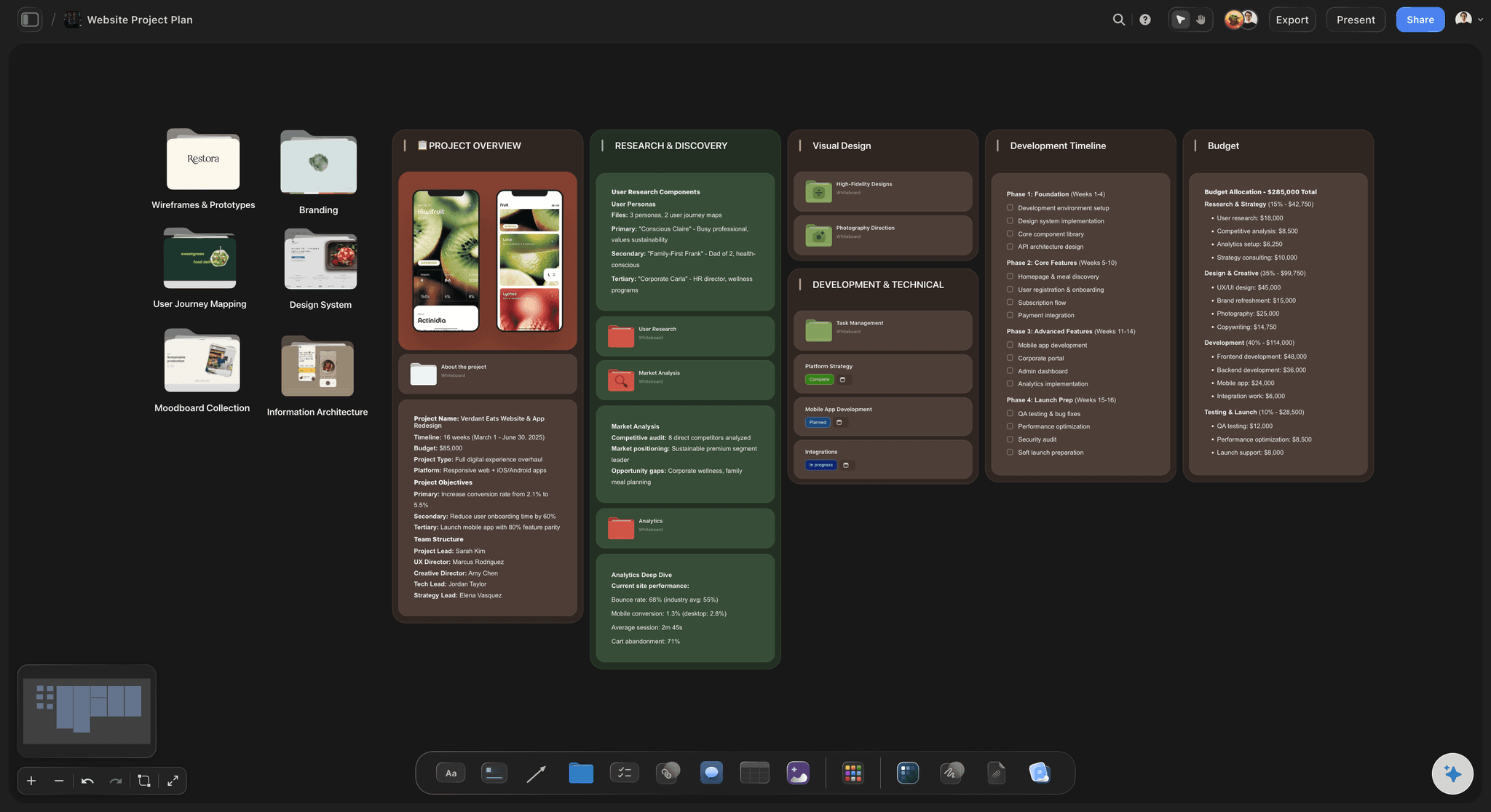
The phases
Five phases, left to right
Discovery, content, design, build, and test and launch, each a column with its tasks inside. A client who has never built a website can read the order of the work without a walkthrough.
See the AI project plan generator →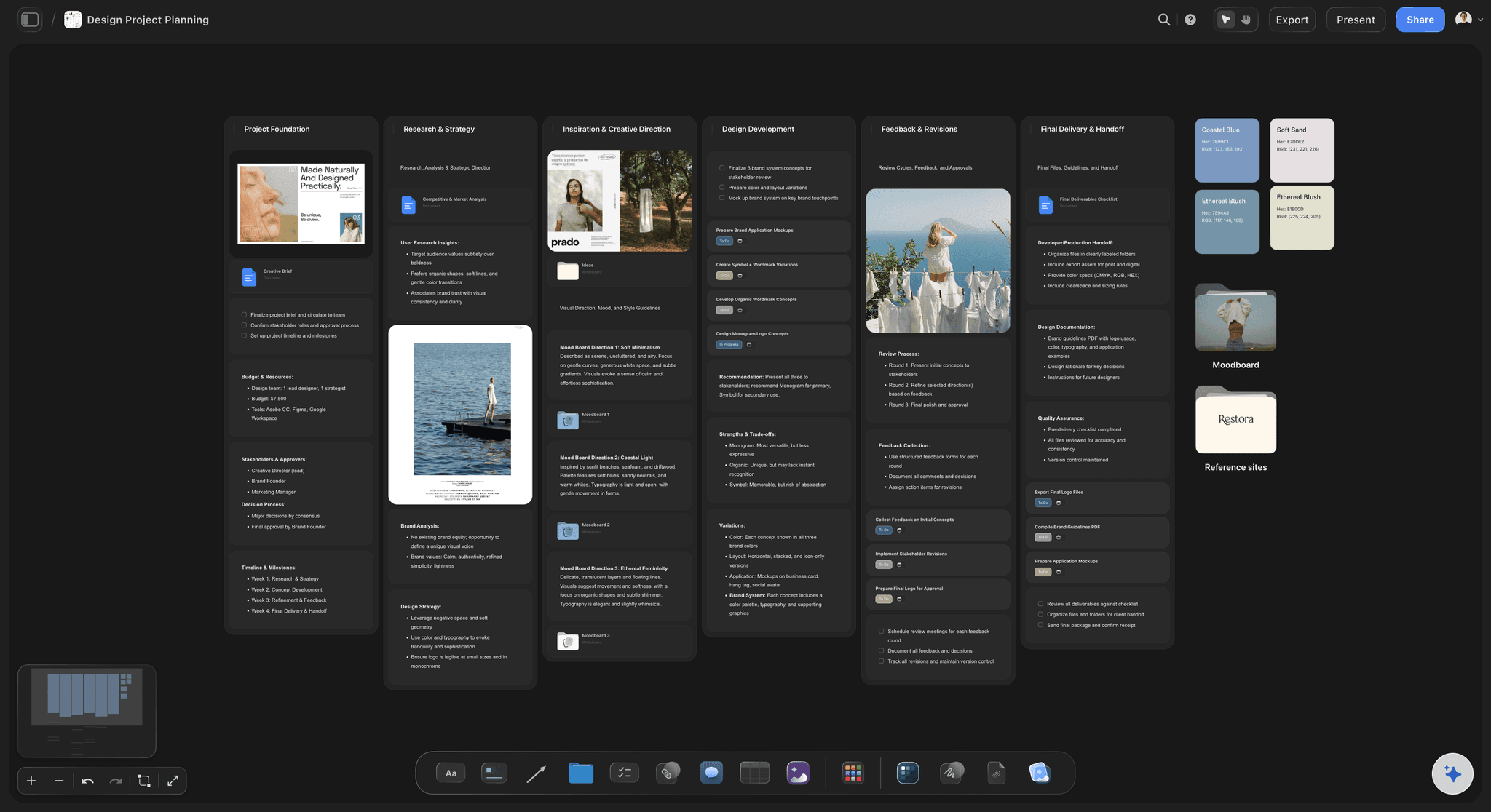
The sign-offs
One name and one date for each phase
A milestone table with the brief, the content, the designs, the test site and the launch as rows. Each row has a date, a status and the name of the one person who says yes.
See the client review board →
What the client owes
Every late item has a phase it holds up
Logins, brand files, words, pictures and legal pages, each on a card with a date and a line to the phase that waits for it. When something is late, the line shows what it stops.
See creative client onboarding →
The site itself
The sitemap sits beside the schedule
The plan says when. The sitemap says what. Keep the page list on the same board, so a new page added in week five shows up next to the dates it is about to move.
See the website planner →The client reads the plan. They do not need a seat.
Send one link at kickoff and the client can open the plan every week until launch. Storyflow is paid-only during early access, with plans from $7.99 a month billed annually ($9.99 monthly). A free plan launches before the end of 2026, and anyone a paid member invites to a board joins free.
Unlimited boards, image uploads and files on every paid plan
View-only links, so the client reads the plan with no account
Invite the client's project lead or a freelance developer without buying them a seat
An AI that reads the proposal and lays out the first plan
Whole-board PDF export for the kickoff pack

Built for people with taste
Why website projects launch late.
Three causes come up again and again, and none of them is the code. Each one is easier to handle when the client can see the plan.
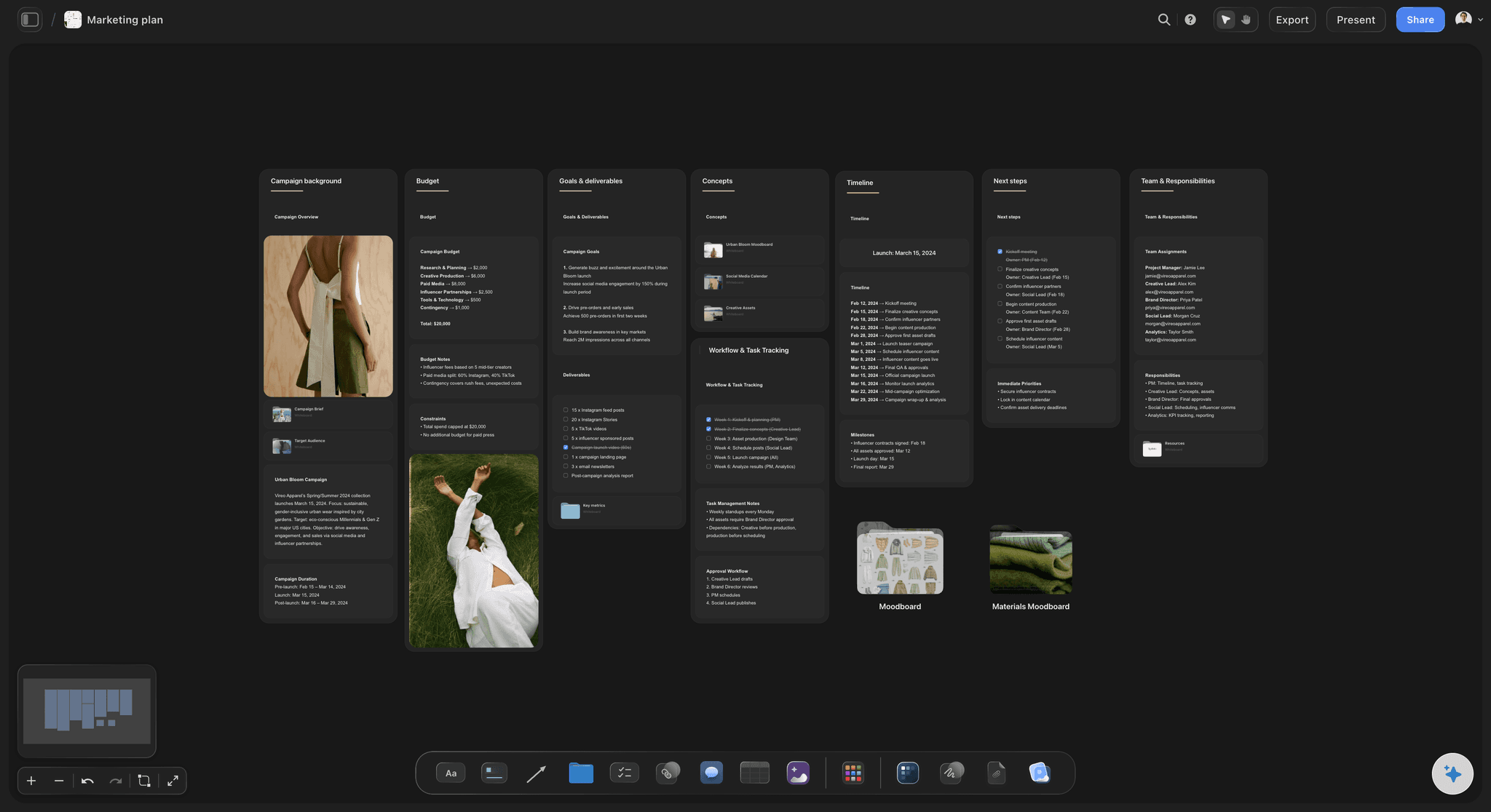
Late content
The words arrive in week six
Content is its own phase: Give the words and pictures a phase, an owner on the client's side and a due date, the same as design and build. Content that lives in a footnote is content nobody is writing.
A page list with a status each: One row per page in a table: who writes it, when it is due and whether it has arrived. With twelve pages, the foot of the arrived column can count the cells that are still empty.
The sum written down: Days late, minus spare days, equals days the launch moves. Put the sum on the board at kickoff with your real numbers, so the new date is arithmetic and not an argument.
A first draft to react to: A client who cannot start from a blank page can often correct a draft. Ask Storyflow's AI to draft a page's copy from the brief as a document, and hand it to the client to fix.
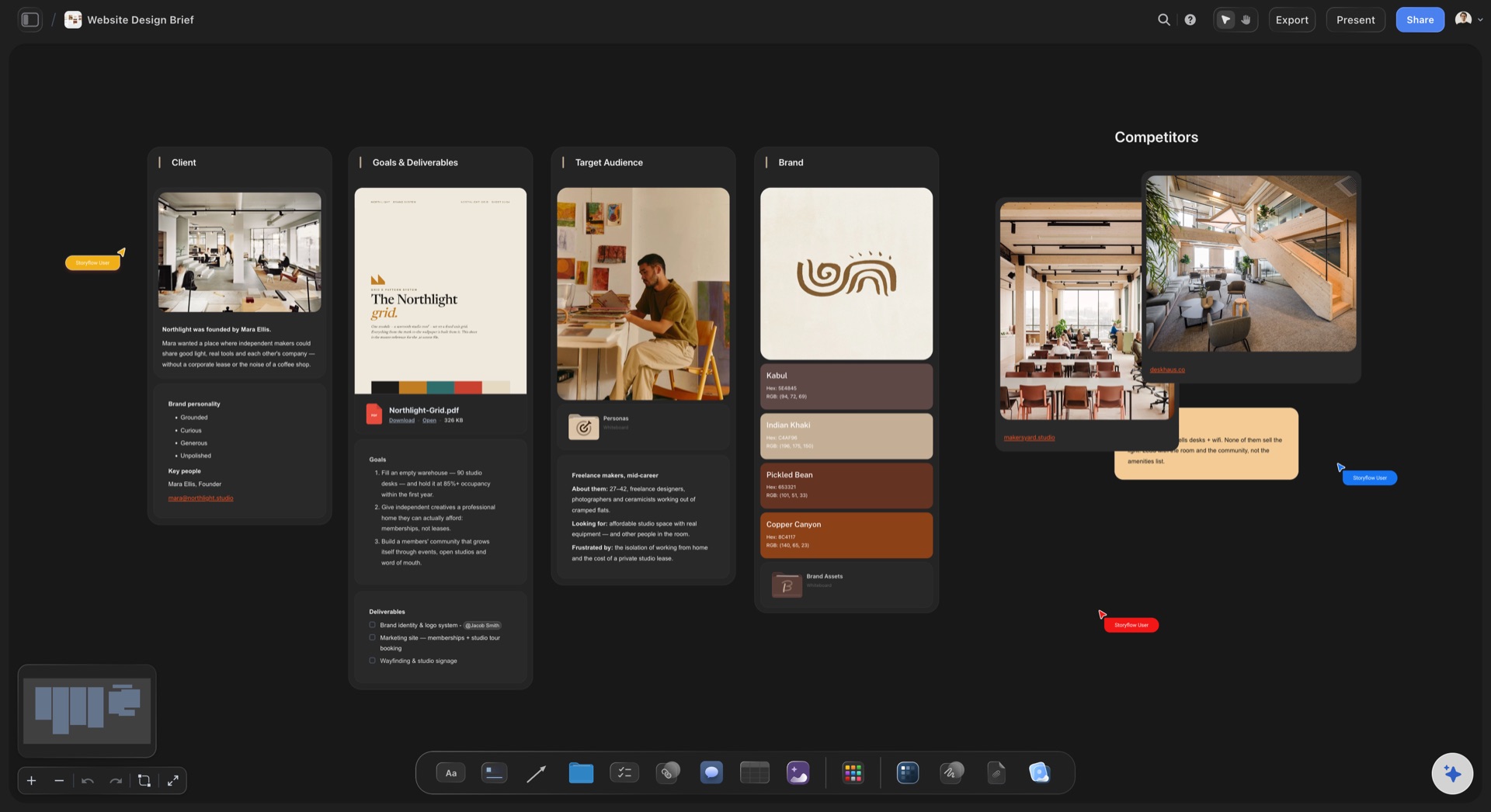
Endless feedback
Round four of the homepage
Two rounds, written into the plan: Each phase gets two rounds of feedback of three working days each. The rule sits on the board from day one, next to the dates it protects.
One person collects it: Name the person on the client's side who gathers everyone's notes and sends one list. Five people sending five lists is how a design gets approved and then changed.
Comments on the thing itself: Put the design on the board and the client signs in to comment right beside the part they mean. No more notes that say the blue bit near the top.
A sign-off you can point to: When a phase is approved, set its row to Done and type the name and the date. Storyflow has no approve button, so the table is the record. It is enough when everyone can see it.
Launch day
The surprise on the last morning
Logins asked for in week one: Domain, hosting and analytics logins go on the list of what the client owes at kickoff. Finding out on launch day that nobody knows who holds the domain costs a week.
A launch checklist with ticks: Redirects from every old address, forms tested, analytics firing, legal pages live, a backup taken. One checklist card on the board, ticked off in order.
Launch on a Tuesday: Pick a day with working days after it. If something breaks, the people who can fix it are at their desks. Write the day, and the reason, in the milestone table.
A week of care after launch: Add a sixth column for the first week live: fixes, small content changes and the handover of logins. A plan that stops at launch leaves the most visible week unowned.
Explore templates for your project
Every template opens as a real, editable board on the infinite canvas. Pick the closest fit and make it your own.
Website Plan
Map your site's pages, structure, and content in one plan before you build.
One app instead of five
Where Storyflow fits in a website project.
It holds the plan where the client can read it, beside the sitemap and the designs. It does not draw a Gantt chart or reschedule tasks for you.
Storyflow
Recommended
Phases, sign-offs and what the client owes on one page
The sitemap and page designs on the same board as the dates
AI lays out a first plan from the proposal
A date and a status on every milestone
The client reads it from a link
Comments beside the design they are about
A Gantt chart with bars on a calendar
Dates that move by themselves when a task slips
Gantt and scheduling tools
Phases, sign-offs and what the client owes on one page
The sitemap and page designs on the same board as the dates
AI lays out a first plan from the proposal
A date and a status on every milestone
The client reads it from a link
Comments beside the design they are about
A Gantt chart with bars on a calendar
Dates that move by themselves when a task slips
A spreadsheet and a proposal PDF
Phases, sign-offs and what the client owes on one page
The sitemap and page designs on the same board as the dates
AI lays out a first plan from the proposal
A date and a status on every milestone
The client reads it from a link
Comments beside the design they are about
A Gantt chart with bars on a calendar
Dates that move by themselves when a task slips
What creators are saying
Join early creators getting structured workspaces and AI that remembers their projects
“Storyflow has sped up my workflow by at least 3x, which means more flow state and more projects I can actually ship. It truly changed the way me and my team create.”

Reilin Joey
Director & YouTuber
“One prompt gets me a structured board. But the tactics are my favorite. I run my YouTube scripts through them and my intros and retention got better. It's amazing.”

Justkay
YouTuber & Freelance Filmmaker
“I used to juggle five apps to plan a project. Now I describe what I am making and get boards, lists, and a schedule. All in one place.”

George
@fernwehchronicles
Website project plan questions
What agency owners and project leads ask at kickoff, and what they wish they had asked by week six.
In Storyflow, lay the project out on one board: five phases in a row (discovery, content, design, build, test and launch), a milestone table with a date and one name for each sign-off, and a list of what the client owes with the phase each item holds up. Add the feedback rule and the launch day. Then share the board with the client by link at kickoff.
Storyflow is built for exactly this plan: the phases, the sign-offs, what the client owes and the sitemap sit on one board the client reads from a link, and its AI lays out the first version from your proposal. It has no Gantt chart. A scheduling tool such as Microsoft Project or TeamGantt still draws the bars and moves dates by itself when a task slips.
Six things: the five phases with their tasks, a milestone table with dates, one named sign-off per phase, the list of what the client must send and when, the feedback rule, and the launch day with its checklist. Storyflow ships a Website Project Plan template with the overview, research, design, a phased timeline and the budget already laid out.
A twelve-page marketing site is a fair fit for ten weeks: two for discovery, three for design, three for build and one to test and launch, with content running beside the first four and one week spare. A shop or a site with logins takes longer. Put your own numbers in the milestone table on the Storyflow board and let the client see them.
It moves by the days the content is late, minus the spare days in the plan. Eight working days late with five spare moves the launch three working days. Write that sum on the Storyflow board at kickoff, next to the content due date, so the client sees the cost of a late page before it happens.
One named person per phase, on the client's side, with the power to say yes. Often it is the same person throughout, and that is fine. What fails is a group. In Storyflow, the milestone table carries the name beside the date, and when the phase is approved you set the row to Done and type the day it happened.
No. Storyflow has no Gantt view and no dependency engine, so a date does not move by itself when another one slips. Phases are columns, milestones are rows in a table, and a dependency is a line you draw between two cards with a few words typed on it. For automatic scheduling across many people, use a tool such as Microsoft Project or TeamGantt.
It can write the first version. Attach the proposal or the brief as a PDF or a Word file and Storyflow's AI reads it, then lays out the phases as columns with a card for each task and a milestone table. It does not know your team's pace or your client's habits, so you set the dates and the names.
Two per phase is the usual rule, three working days each, with one person on the client's side sending one list. A third round is allowed and moves the dates by the days it takes. Write the rule on the Storyflow board beside the milestone table, so it is agreed at kickoff and not argued in week seven.
Brand files, logins for the domain, the hosting and the analytics, the words and pictures for every page, the legal pages, one named person to approve each phase, and feedback within the agreed days. In Storyflow each item is a card with a date and a line to the phase that waits for it.
Yes. Send a view-only link to the Storyflow board and the client reads the whole plan in a browser with no account. To comment on a design or a date, they sign in. Anyone a paid member invites to a board joins free, so the client's project lead can take part without a plan of their own.
A website plan describes the site: the sitemap, what each page is for and what goes on it. A website project plan describes the work: the phases, the dates, the sign-offs and who owes what. You need both, and on a Storyflow board they sit side by side, so a new page shows up next to the dates it moves.
No. Storyflow runs in the browser, and there are no native mobile or desktop apps. You build the plan in a browser, and the client opens the link in theirs, on a laptop or a phone. A freelance developer you invite opens the same board, with nothing to download.
More from Storyflow
Website planner
AI sitemap generator
AI project plan generator
Client review board
Creative client onboarding
Creative scope of work
Design proposal template
Agency client project planning
Product launch checklist
Wireframe tool
Brand identity project plan
Storyflow for agencies
Project dashboard
Stakeholder map
Plan client projects as a one-person studio
Plan the website project before the kickoff call.
Five phases, five named sign-offs, a list of what the client owes and the sum for a late page. One board, one link to the client.