
Extremely reliable pre-production
Video production management software
for the producer who owes the delivery.
Keep one source of truth from the client brief to the last shoot day: what was agreed, what is being shot, who is doing it and what you are still waiting on.


Creatives working for these brands already got early access
- Red Bull
- Canon
- Artlist
- Porsche
See how easy it is to get started
Watch a real project come together, from a blank board to a finished plan, clicked through step by step.
Start from a ready-made template
Pick a board to see what you can build, then let AI fill it in. Every template is a real, editable starting point on the same infinite canvas.

Pre-Production
Pull the brief, script, shot list, and moodboard into one pre-production hub so the whole shoot is planned in one place.
How do video producers stay organised from pre-production through shoot days?
Video producers stay organised by keeping one living plan from pre-production through shoot days: the agreed deliverables, the script, the shot list, the shoot days and who owns each open decision. Storyflow is an AI visual workspace that manages a video production on one infinite canvas: the client brief, the script breakdown, the shot lists, a strip board by shoot day and a call sheet draft, side by side.
Organisation fails in one predictable place: the handover between documents. The treatment says one thing, the shot list says another, and the call sheet goes out with a third. So the rule is one board per production in Storyflow, with a wall for each stage in the order the work happens: brief and deliverables, script and breakdown, shot list, shoot days, wrap and delivery. If a fact has two homes, one of them is already wrong.
A working rhythm for a commercial or brand video: lock the deliverables and budget 3 to 4 weeks out; book talent and crew and lock locations and the shot list 7 to 10 days out; reconfirm everyone 3 days out; send the call sheet the evening before. Treat those as a starting point and shorten them on a fast job. Put each date in a Storyflow table with rows kept in date order, and give each open job a to-do with an assignee and a due date. Storyflow has no calendar view or due-date reminders, so make reading that table the first thing in your Monday production meeting.
Take an invented example: Ridgeway Pictures, a seven-person production company, is making a brand film for a fictional bank, Harbour. One 90 second film, four 15 second cutdowns, three shoot days across four locations, two client review rounds, delivery in six weeks. Ridgeway keeps everything on one Storyflow board, sends the client a view-only link, and uses StudioBinder to send the call sheets and collect confirmations.
The tools for video production management, by job
Storyflow is our product and is listed first for the planning job it does; the rest are the specialists a production also needs, by job.
| The job | The tool | Why it goes here |
|---|---|---|
| Plan the production from brief to shoot days | Storyflow | Holds the client brief, script breakdown, shot lists and a strip board on one canvas, with AI that builds them from your brief or script. |
| Send call sheets and track confirmations | StudioBinder or SetHero | StudioBinder sends by email and text and shows viewed and confirmed; SetHero shows who received, opened and confirmed each call sheet. |
| Run a full film scheduling and Day Out of Days workflow | Yamdu or StudioBinder | Both build schedules by dragging scenes on a stripboard and produce Day Out of Days reports for cast on daily rates. |
| Budget the production and pay the crew | Yamdu or Celtx | Yamdu links schedules to budget creation and tracks time cards for payroll export; Celtx includes budgeting alongside its script and scheduling tools. |
| Write a script in screenplay format | Final Draft | Formats a script to entertainment industry standards automatically, with tracked revisions, then you attach the script to the plan. |
| Edit the video | Adobe Premiere | Video editing with text-based editing, colour grading and audio cleanup; the plan tells the editor what was shot and what is owed. |
| Review cuts with the client | Frame.io | Frame-accurate comments, version stacks and approvals on the cut itself, which is the review step a planning board does not replace. |
Ultra fast from brief to board
Run the production from one board.
Each stage feeds the next, so nobody retypes a fact.
01
Put the brief and deliverables first
Attach the client's brief and ask Storyflow's AI to Plan my whole production. It asks a clarifying question or two, then proposes the plan on your board. Accept what fits and write each deliverable, format and delivery date at the top.
02
Break down the script
Attach the script as PDF, .fdx or Fountain and ask Storyflow's AI for a script breakdown. Scenes, cast and locations land in a table you can correct, and your corrections become what the next steps read.
03
Build the shot lists and shoot days
From the breakdown, Storyflow builds shot lists and a strip board grouped by shoot day with page counts. Choose grouping by location for fewest moves. Dragging a strip to another day is how you change it; it does not recalculate.
04
Draft the call sheet, then send it elsewhere
Storyflow's AI drafts a call sheet PDF from the board, keeps a line for the nearest hospital and leaves anything it was not told visibly blank. Fill the gaps, then send it through StudioBinder or SetHero if you need delivery and confirmations tracked.
05
Keep the client on one link
Share a view-only Storyflow link with the client, which opens with no account. To comment, they sign in. Keep working notes on a separate board and share only the plan they are approving.
What a producer gets on one board.
Each piece is a working document, on the same canvas as the ones that feed it.
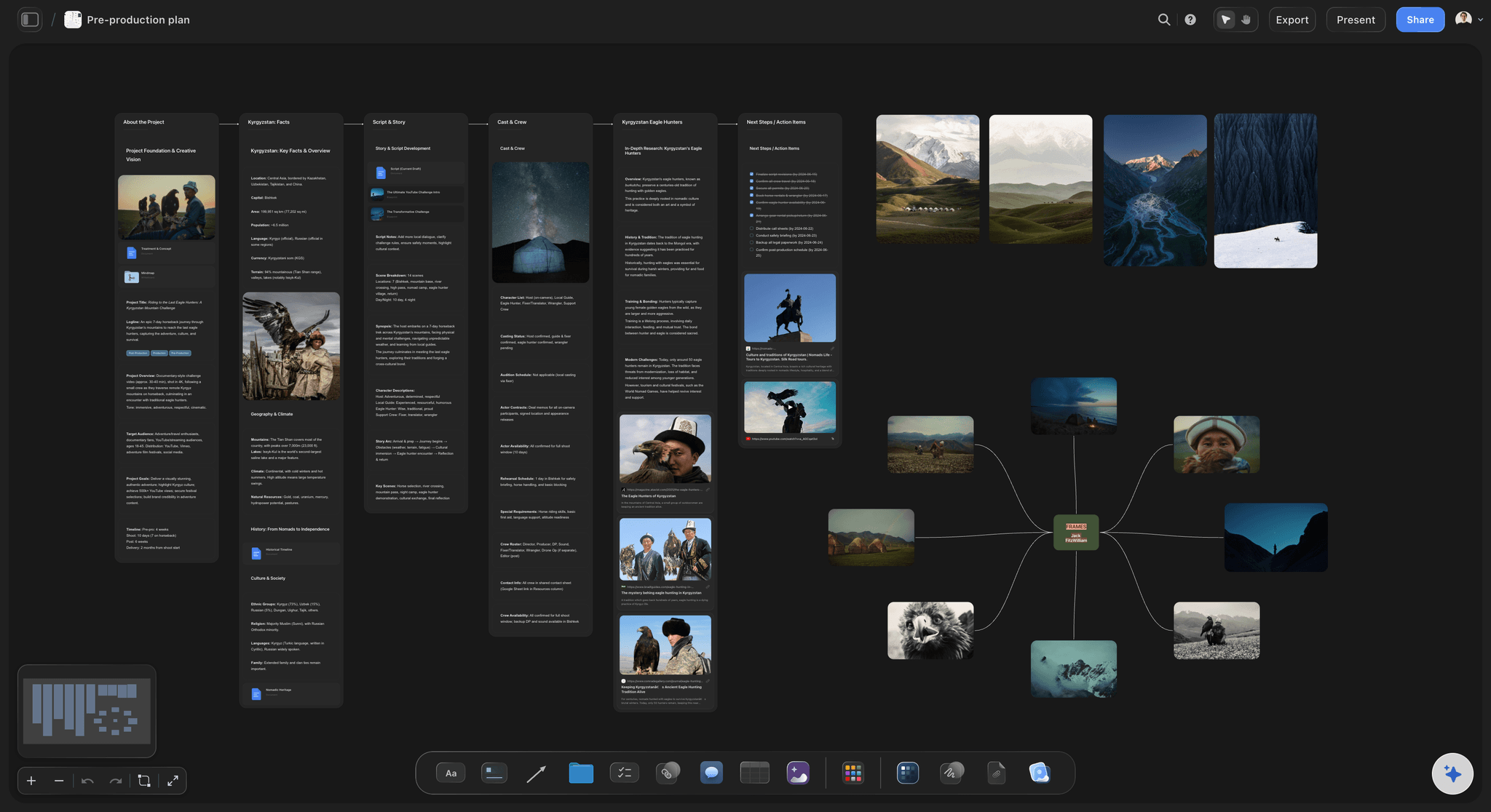
Every stage, one surface
A pre-production board
The AI workflow Plan my pre-production lays out the stages on one board, from the brief to the shoot. It reads the board you are on, so what you have already decided stays decided and the gaps show up as gaps.
See preproduction to shoot day →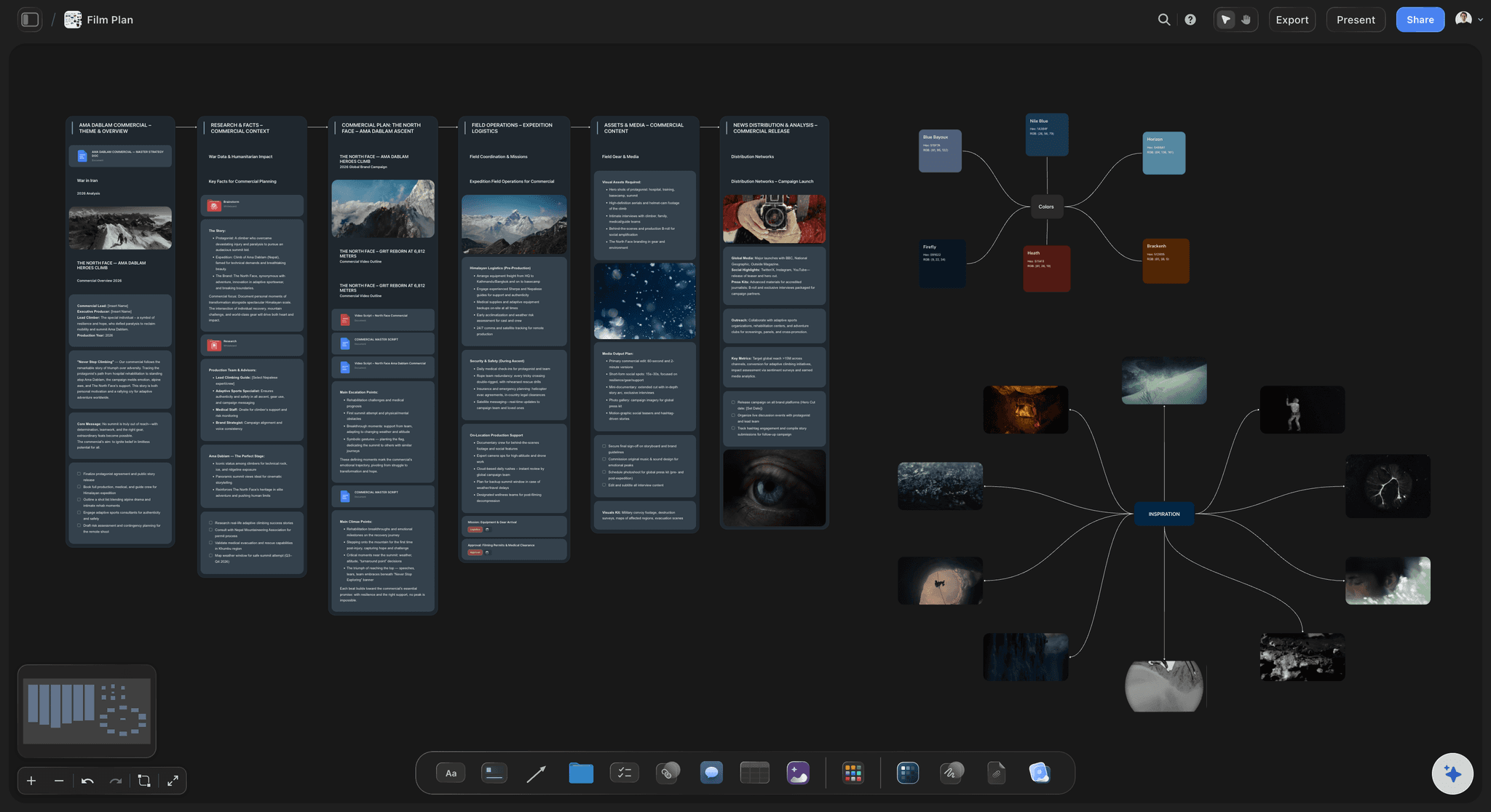
Shoot days you can read at a glance
A strip board by shoot day
Ask the AI for a strip board: one wall per day, one coloured strip per scene, the page total per day. You choose grouping by location or script order, and you drag strips between days yourself.
See the stripboard →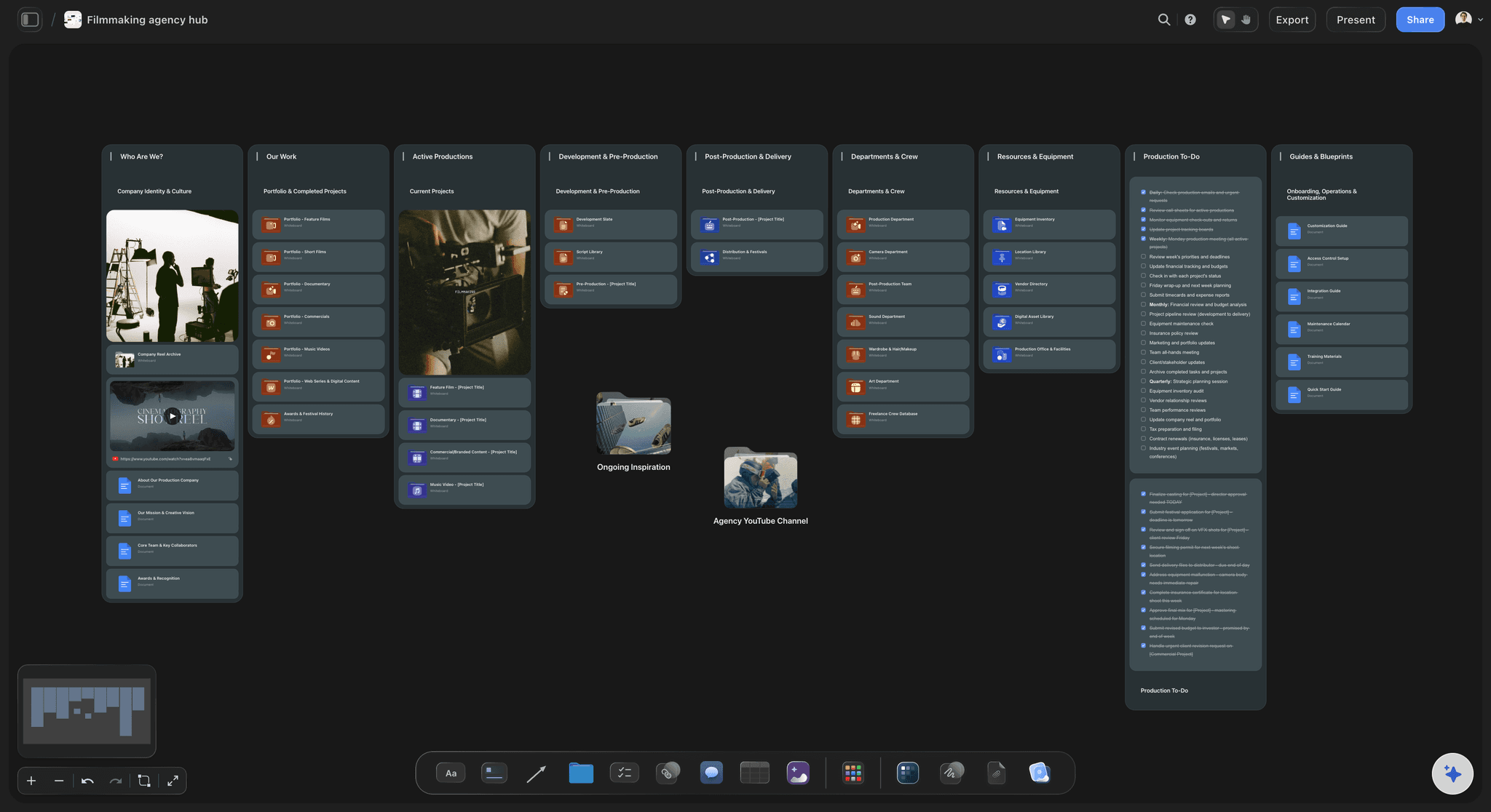
One view across every job
A company board for all productions
A production company runs several jobs at once. Keep a board per production and one overview board listing each job, its next date and what it is waiting on. Use a project tracker table with rows kept in date order.
See the workflow for producers →
Live with the whole crew
Real-time editing, free for invited crew
Co-editing runs live on every paid plan, and anyone a paid member invites to a board joins free. Your coordinator, director and DOP work on one plan. A free account has no in-app AI, so the AI work sits with someone on Plus or above.
See the coordinator's workflow →Start your production plan. Invited crew joins free.
Storyflow is paid-only during early access: Plus is $7.99 a month billed annually ($9.99 monthly) and includes the AI inside Storyflow. Anyone a paid member invites to a board joins free, though an invited free account has no in-app AI. Max adds a Team Workspace with roles and permissions for a production company.
Plus at $7.99 a month billed annually, with the AI inside Storyflow
No weekly limit on ChatGPT, Claude, Gemini or Grok actions on paid plans
View-only client links that open with no account
On Plus and up: AI that reads a script as PDF, .fdx or Fountain
Built for people with taste
A six-week brand film, run from one board.
Ridgeway Pictures and Harbour are invented for this example. The dates and numbers show the shape of the job.
Week by week
Ridgeway's plan for Harbour
Week 1: scope: One 90 second film, four 15 second cutdowns, two review rounds, one decision maker at Harbour. Ridgeway writes this on the Storyflow board before anything else, then shares the board with Harbour by link.
Week 2: script and look: The script is written in Final Draft and attached as .fdx. Storyflow's AI breaks it down into eleven scenes and builds a moodboard to react to. The client signs off the look on the board.
Week 3: shot lists and locations: Eleven scenes become 38 setups. Scout locations for my shoot gives a starting list, and the producer visits three. Shoot days become three walls on a strip board, grouped by location.
Week 4: shoot: Call sheets are drafted on the board, then sent through StudioBinder the evening before each day. On set, the coordinator ticks a Got it column in the Storyflow table.
Weeks 5 and 6: edit and delivery: The edit runs in Premiere, cuts go to Frame.io for comments on the frame, and the Storyflow board tracks which of the five deliverables has passed which round.
Run this on any production
The checks a producer makes each week
What is locked and what is not: Mark each deliverable, location and crew slot as locked or open in a Storyflow table. An open item with no owner is the most useful thing the board can show you.
What is the client holding up: Give each client dependency, such as brand assets, product samples or a location permit, its own to-do with a due date. Late client inputs move your delivery date, so make them visible.
What does the AI think is missing: Ask What's missing here? on your board. Storyflow's AI reads the board and points at gaps, such as a location with no permit line. It proposes, you decide.
What did the change cost: When a client adds a cutdown, add it as a row in the deliverables table with who asked and when. Scope you can point at is scope you can charge for.
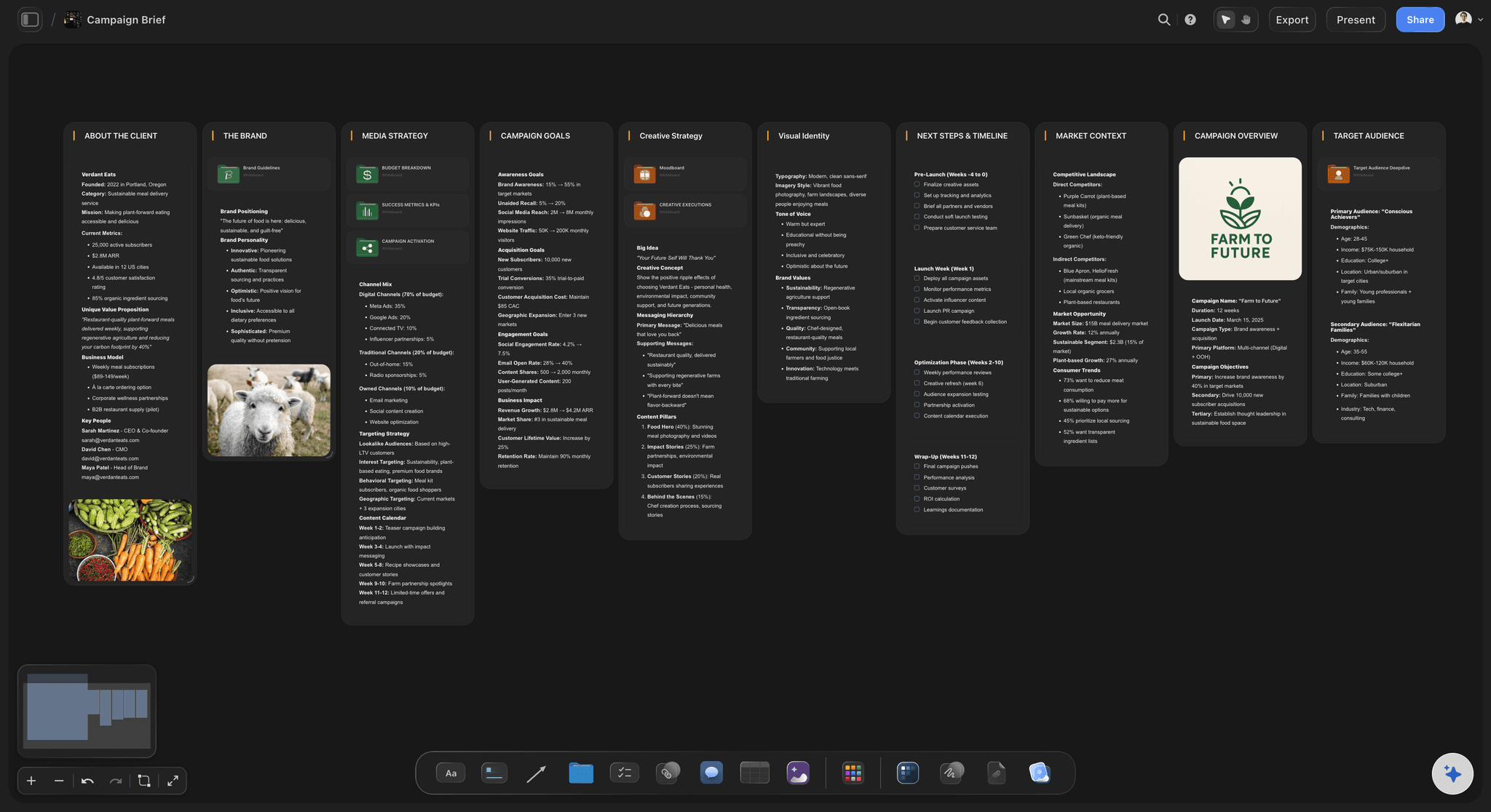
Where it starts and ends
What Storyflow does not do for a production
Does not send call sheets: Storyflow's AI drafts the call sheet as a PDF. It does not send it or track who confirmed. StudioBinder sends by email and text and shows who viewed and confirmed; SetHero does this too.
No recalculating schedule or Day Out of Days: The strip board shows scenes by day with page counts, and it does not recalculate when you move a strip. There is no Day Out of Days. Yamdu and StudioBinder both produce these reports.
No budgeting workflow: Storyflow is not budgeting software. Yamdu links schedules to budget creation and Celtx includes budgeting. Keep the production budget where you already keep it, and link it from the board.
No screenplay formatting, no editing: Storyflow reads a script and plans from it, but it is not a screenwriting app. It does not edit video either. Final Draft and Premiere stay in your kit.
No frame-level approvals: Comments sit on board items, not on video frames, and there is no version compare. Cut review belongs in Frame.io, with frame-accurate comments and version stacks.
How to choose
Which tool is right for your production
Commercials and brand work with a client watching: Storyflow fits when the client needs to see the plan, the references and the shots in one place and the shoot is a few days long.
A long shoot with many cast and crew: Choose a scheduling suite such as Yamdu or StudioBinder when you have many shoot days, cast on daily rates and a full crew to distribute to. Storyflow can still hold the creative plan.
A small team doing many social and brand jobs: Storyflow fits when one person is producer, coordinator and account lead. One board per job and one overview board keep the whole slate readable.
One rule for all of them: Do not hold the same fact in two tools. If call sheets live in StudioBinder, the Storyflow board links to them and does not retype the call time.
Explore templates for your project
Every template opens as a real, editable board on the infinite canvas. Pick the closest fit and make it your own.
Pre-Production
Pull the brief, script, shot list, and moodboard into one pre-production hub so the whole shoot is planned in one place.
One app instead of five
Storyflow vs StudioBinder and Yamdu.
StudioBinder and Yamdu are production suites with call sheet sending and Day Out of Days. Storyflow is the visual planning surface for the client, the creative and the shots. You can pair it with either.
Storyflow
Recommended
Brief, moodboard, shot list and client deck on one canvas
Script breakdown
Stripboard you drag scenes on
Sends call sheets and tracks them
Day Out of Days reports
StudioBinder
Brief, moodboard, shot list and client deck on one canvas
Script breakdown
Stripboard you drag scenes on
Sends call sheets and tracks them
Day Out of Days reports
Yamdu
Brief, moodboard, shot list and client deck on one canvas
Script breakdown
Stripboard you drag scenes on
Sends call sheets and tracks them
Day Out of Days reports
What creators are saying
Join early creators getting structured workspaces and AI that remembers their projects
“Storyflow has sped up my workflow by at least 3x, which means more flow state and more projects I can actually ship. It truly changed the way me and my team create.”

Reilin Joey
Director & YouTuber
“One prompt gets me a structured board. But the tactics are my favorite. I run my YouTube scripts through them and my intros and retention got better. It's amazing.”

Justkay
YouTuber & Freelance Filmmaker
“I used to juggle five apps to plan a project. Now I describe what I am making and get boards, lists, and a schedule. All in one place.”

George
@fernwehchronicles
Video production management software, answered.
What it should do, what it costs and what you still need beside it.
They keep one living plan, and Storyflow holds it on one board per production: agreed deliverables, script breakdown, shot lists, shoot days and every open decision with an owner. Then they work to lock dates: deliverables and budget 3 to 4 weeks out, crew, locations and shot list 7 to 10 days out, a reconfirm at 3 days, the call sheet the evening before. A weekly check of what the client still owes keeps problems visible.
Storyflow is built for exactly this job: planning a video production for a client on one canvas, from the brief and references to shot lists and shoot days, with AI that builds each piece and a view-only link for the client. StudioBinder and Yamdu still do what Storyflow does not, including sending and tracking call sheets and producing Day Out of Days reports.
It should hold one version of the plan, show what is locked and what is open, and let the client see the plan without an account. Storyflow does those on one canvas, with to-dos carrying an assignee and a due date. Check how a tool handles your hardest job first: a suite suits many crew and shoot days; a canvas suits client-facing commercial work.
A production company keeps one Storyflow board per job and one overview board across all jobs. The AI workflow Plan my whole production turns a client brief into a board you can edit. Invited crew join free and edit live. Clients open a view-only link with no account. Max adds a Team Workspace with roles and permissions, which matters once you have several producers.
No. Storyflow's AI drafts a call sheet as a PDF from your board, keeps a line for the nearest hospital and leaves anything it was not told visibly blank, but it does not send it or track confirmations. StudioBinder sends call sheets by email and text and shows who viewed and confirmed. SetHero sends by text or email and shows who received, opened and confirmed. Pair one of them with your Storyflow board.
Partly. Storyflow's AI builds a strip board with scenes grouped by shoot day and page counts per day, and you drag strips between days. It does not recalculate and has no Day Out of Days. For a shoot with cast on daily rates, use Yamdu or StudioBinder, which both produce those reports. For a few shoot days, the strip board is usually enough to agree the plan.
No. Storyflow has no budgeting workflow, invoices or payments. Keep the budget in the tool you trust and link it from the board. Yamdu links its schedules to budget creation, and Celtx includes budgeting with its production tools. What Storyflow does do is make the scope behind the budget visible, so a client can see which deliverables and shoot days the number covers.
Project management software tracks tasks and owners; video production management software also holds what those tasks are about: script, shots, locations and shoot days. Storyflow keeps these on one canvas with the to-dos beside them. Storyflow has no Gantt chart, dependencies or time tracking, so a team that needs those keeps Asana or a similar tool for the task timeline.
Yes, the plan, not the cut. Send a view-only Storyflow link, which opens with no account. A client who signs in can comment on the board. There is no frame-level mark-up on video and no version compare, so review cuts in Frame.io, which has frame-accurate comments and version stacks. Keep the plan in Storyflow and the cut in Frame.io, with a link between them.
Yes. Attach a Final Draft .fdx file, a Fountain file or a PDF, and Storyflow's AI reads the scenes for a breakdown, shot lists or a strip board. Storyflow is not a screenwriting app: it has no screenplay formatting, .fdx export or revision colours. Keep writing in Final Draft, and attach the new version when the script changes, so the plan reads the latest pages.
Storyflow's AI builds the first version of the boring parts and finds gaps. It reads the board plus up to five documents and three other boards you attach. Ask it to plan the production, break down a script, make shot lists or draft a call sheet. It proposes and you accept or discard. It never decides for you, and Storyflow will never add AI video generation.
Storyflow is paid-only during early access. Plus at $7.99 a month billed annually ($9.99 monthly) brings the AI inside Storyflow, Pro at $14 ($19 monthly) adds AI image generation and memory, and Max at $39 ($49 monthly) adds a Team Workspace with roles and permissions. Anyone a paid member invites to a board joins free, a client viewing a link needs no account, and you can cancel anytime from settings.
Yes, in a browser. Invited crew join free and see the board update live, and someone with edit access can tick a Got it column in a shot list table. Storyflow has no native phone app and is best built on a laptop, so export the shot list and call sheet as PDFs for anyone on set who wants paper or has weak signal.
Storyflow does not send call sheets, track confirmations, recalculate a schedule, produce Day Out of Days, handle budgets, format screenplays, edit video or review cuts on the frame. It has no calendar view. Those jobs go to StudioBinder or SetHero, Yamdu, Final Draft, Premiere and Frame.io, each linked from the board so no fact lives in two places.
Choose StudioBinder or Yamdu when your main problem is distribution and scheduling: many shoot days, a large crew, cast on daily rates and call sheets that must be sent and tracked. Choose Storyflow when your main problem is keeping the client, the creative and the shots in one place. If you have both problems, keep the plan in Storyflow and the shoot paperwork in one of those.
More from Storyflow
Video production software, brief to delivery
The video production workflow, stage by stage
From preproduction to shoot day
Storyflow for producers
The production coordinator's workflow
Video project management
Commercial production planning
Stripboard for shoot days
Call sheet template
How video producers stay organised
Best project management software for video production
Notion vs StudioBinder vs Storyflow for producers
Put the whole production on one board.
Attach the client's brief on Plus for a first plan you can edit, or lay out the walls yourself, then share it with a link.