
Sharper briefs, sent ultra fast
A social media campaign planner
for campaigns owed to a boss or a client.
One board from the brief to the wrap report: the phases, every post by date and channel, the creative beside them, and a link for whoever signs it off.


Creatives working for these brands already got early access
- Red Bull
- Canon
- Artlist
- Porsche
See how easy it is to get started
Watch a real project come together, from a blank board to a finished plan, clicked through step by step.
Start from a ready-made template
Pick a board to see what you can build, then let AI fill it in. Every template is a real, editable starting point on the same infinite canvas.

Creative Brief
Capture the objective, audience, and message for a creative so everyone works from the same brief.
What is a social media campaign planner?
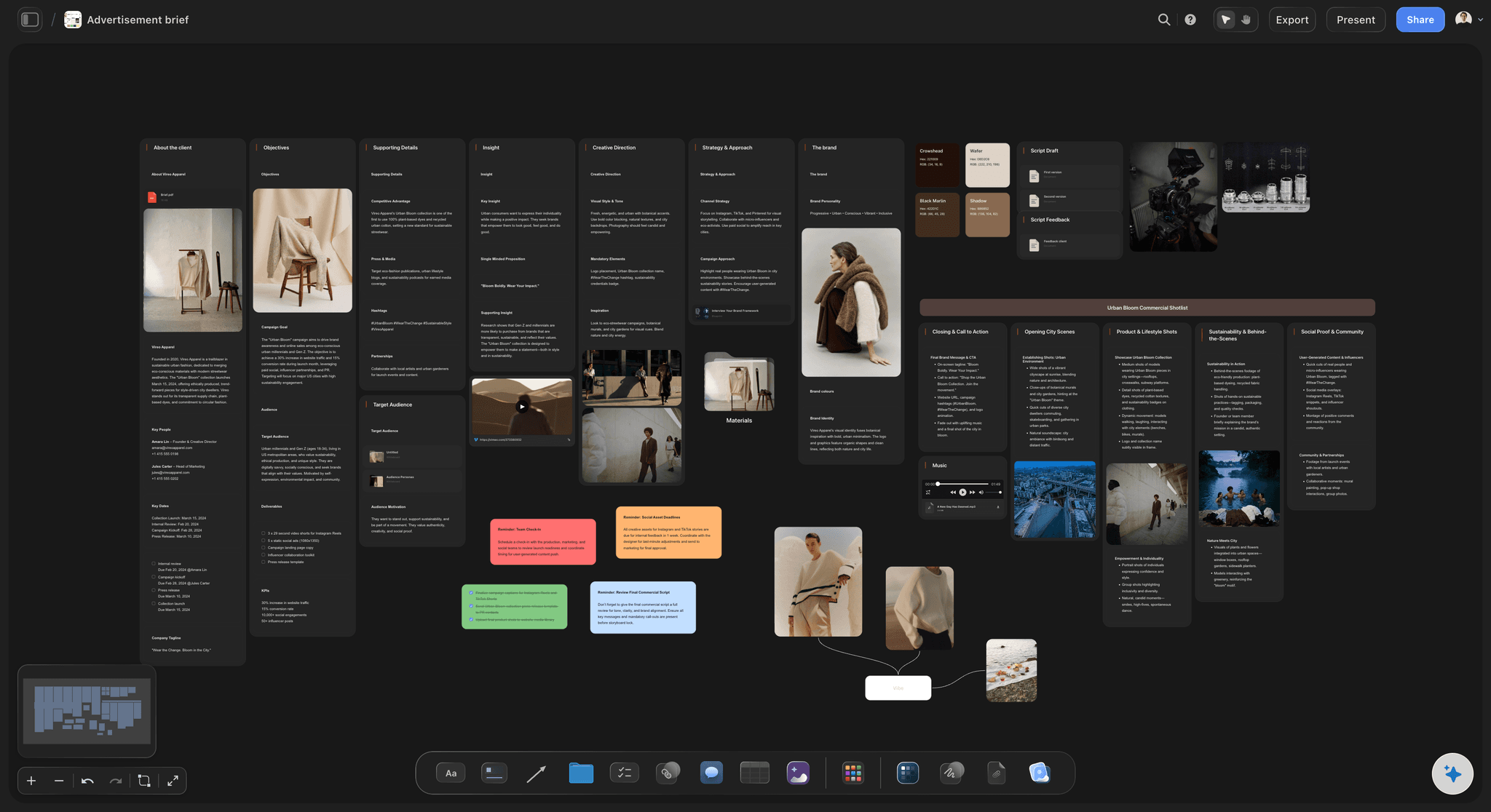
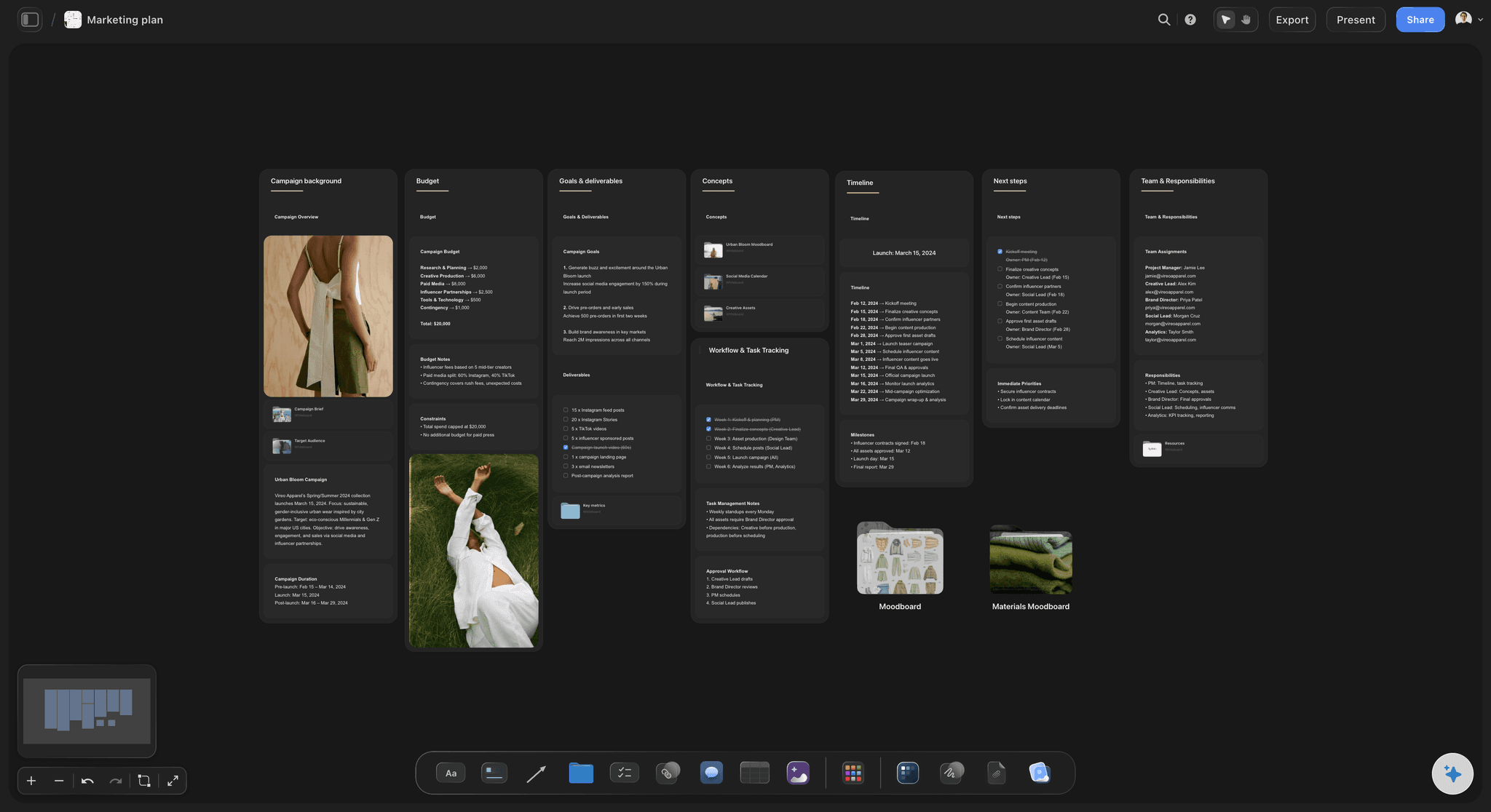
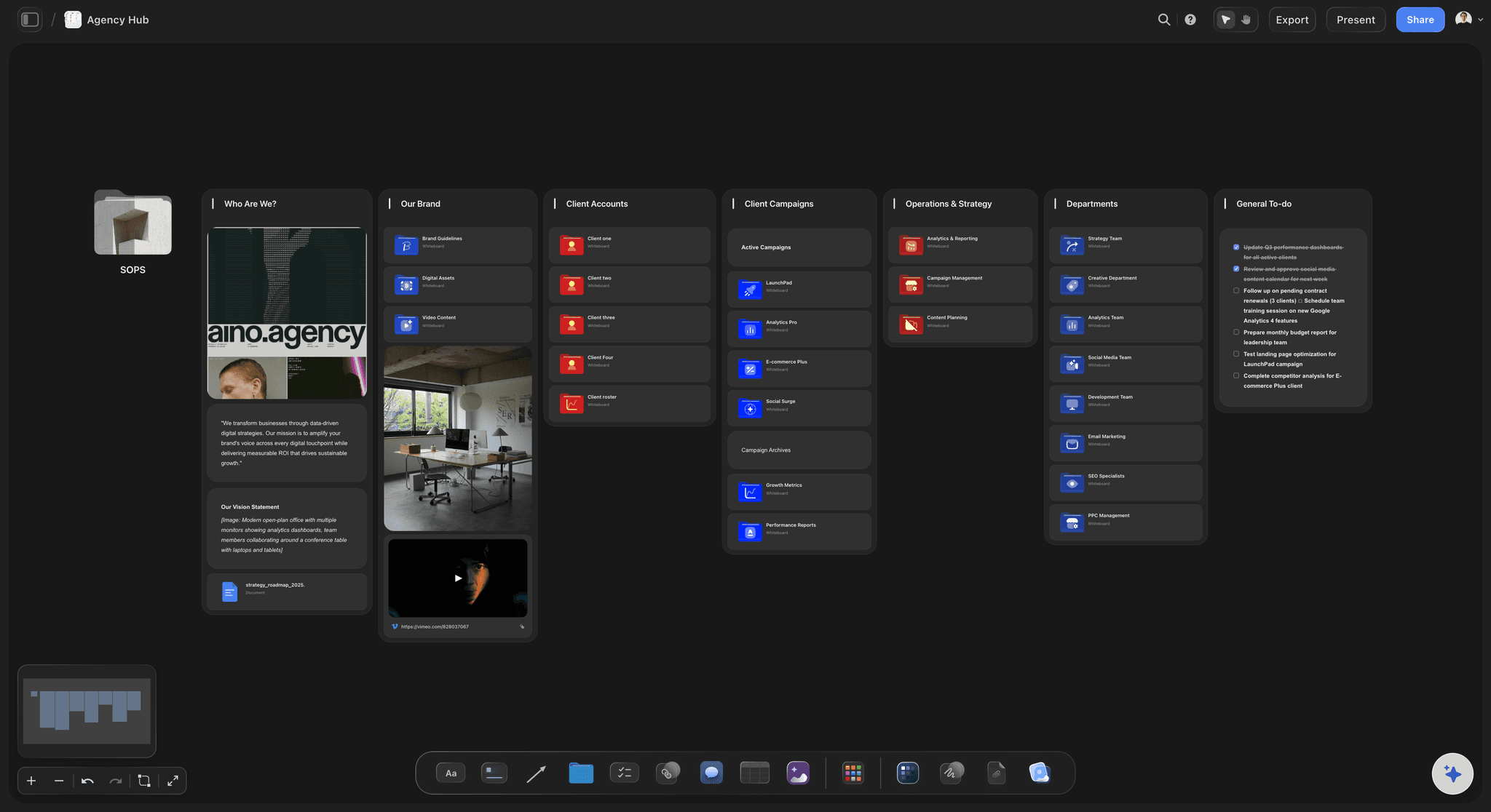
A social media campaign planner is where a team maps one campaign across its channels before anything is scheduled: the goal, the phases, the posts, the creative and who approves what. Storyflow is an AI visual workspace that plans a social media campaign on one infinite canvas: the brief, a wall for each phase, a dated table of posts and the visuals beside them. It is made for marketing and brand leads, agencies and founders who owe a campaign to a boss or a client on a fixed date.
A campaign differs from your monthly content in three ways: it has one goal, a start and end date, and one idea running across every channel. So plan it backwards from the launch date. In Storyflow, give each phase its own wall. A useful shape for a six-week campaign is two weeks of tease, one launch week and three weeks of follow-up. Put roughly 25% of posts in the tease, 40% in launch week and 35% after. Allow four to six weeks before the start for the brief, a shoot and two rounds of review.
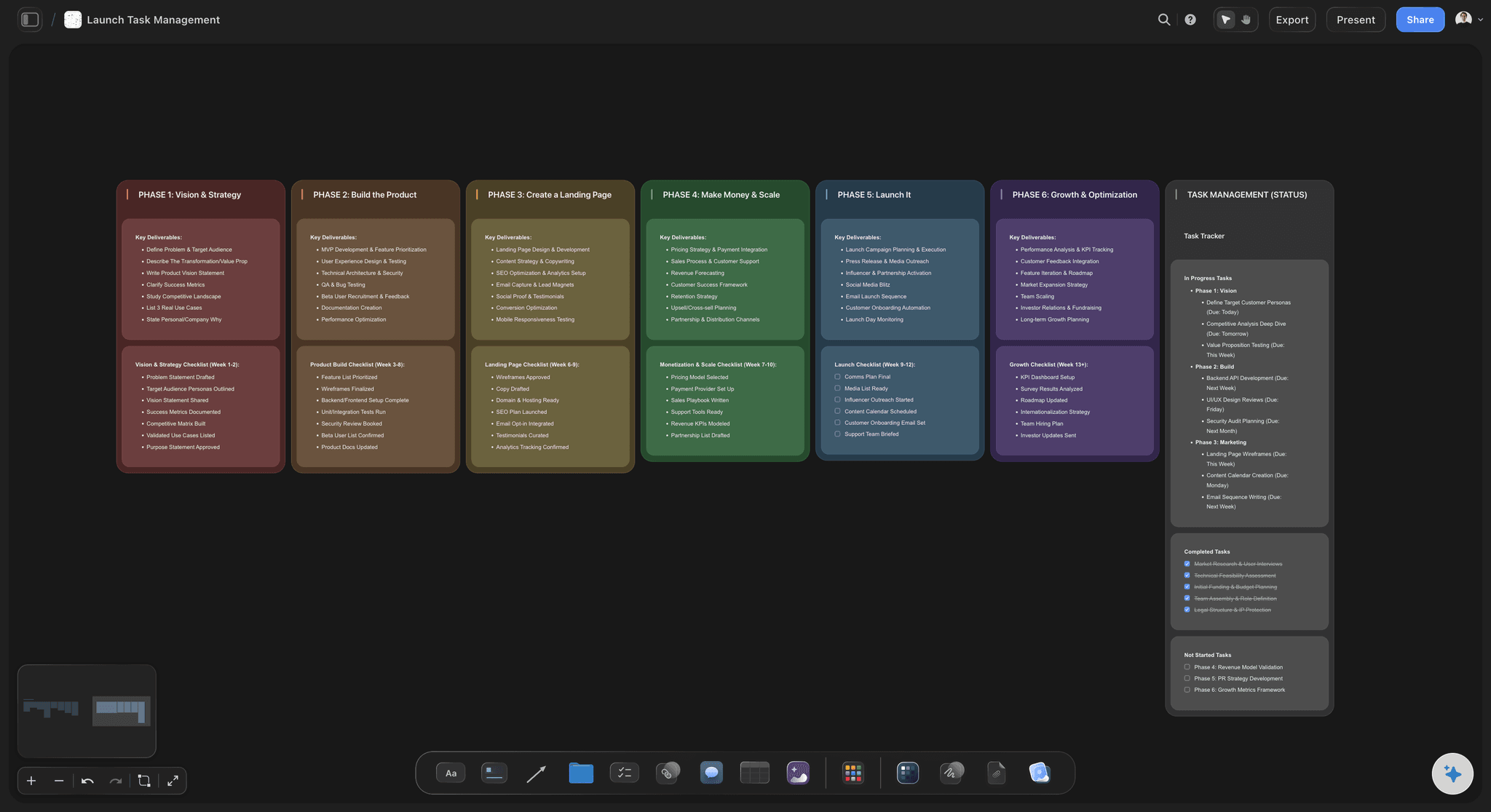
Then turn the phases into rows. A Storyflow table holds one dated row per post, with channel, phase, brief, owner and status cells, kept in date order because a table cannot be sorted. Storyflow has no calendar view and does not schedule or publish, so the approved rows go into a tool such as Buffer, Later or Hootsuite. Storyflow also does not buy ads, find creators or pay them. What it does is hold the whole plan in one place, so the creative stays tied to the brief as the work moves.
Example: Kestrel Skincare is a fictional brand launching a serum on 12 May, with a marketing lead, an agency designer and five paid creators. On one Storyflow board they plan 30 posts over six weeks on Instagram, TikTok and LinkedIn: 8 tease, 12 launch and 10 follow-up. They shoot on two days in early April, with a shot list on the board. The founder and the agency review twice, on 14 and 21 April, signing in to comment. Posts go into the scheduler by 24 April, before the first tease post on the 28th, and the wrap report sits on the same board in mid-June.
The tools for planning a social media campaign, by job
Storyflow is ours, listed first for planning the campaign. Everything that goes live runs through the others. Plan details read from each vendor's page in November 2026.
| The job | The tool | Why it goes here |
|---|---|---|
| Plan the campaign and brief the work | Storyflow | Holds the brief, the phases, a dated table of posts, the creative and the team's comments on one board, and from Plus its AI drafts the campaign from a plain ask. |
| Schedule and publish the posts | Buffer or Later | Both publish from a visual calendar; Later's Growth and Scale plans let stakeholders give feedback by shared link with no account. |
| Publish and report across many profiles | Sprout Social or Hootsuite | Full social suites for larger teams: Sprout from $79 a seat a month and Hootsuite plans from $99 a month, both billed annually. |
| Approve posts in a feed preview | Planable | Shows posts in a feed or calendar on every plan, and its Pro plan can require an approver's sign-off before anything publishes. |
| Review video frame by frame | Frame.io | Built for reviewing video: frame-accurate notes, shared with reviewers by link, with comment permissions you control. |
| Design the campaign assets | Canva or Adobe Express | Templates that let a small team make a matching set of posts in every size; finished files go back on the board for review. |
| Buy and measure paid social | Meta Ads Manager and TikTok Ads Manager | Where paid budgets are set and results are read; the campaign board records what each ad is for and when it runs. |
Ultra fast from brief to board
Plan a social media campaign in five steps.
From a single goal to posts ready for your scheduler, on one board.
01
Brief the campaign
In Storyflow, choose Brief my campaign, or attach your notes and describe the launch. The AI asks a question or two, then shows the goals, audience, creative strategy and channel mix as a proposal you accept or discard.
02
Map the phases backwards
On the Storyflow board, add a wall for tease, launch and follow-up. Start from the launch date, then work back to set each phase's dates, its one job and its share of the posts.
03
Turn phases into posts
Add a Storyflow table with one dated row per post, plus channel, phase, brief, owner and status cells. Keep the rows in date order, and aim for two or three channels rather than five.
04
Make and review beside the plan
Place the moodboard, shot list and draft assets on the Storyflow board. Share a view-only link, then ask reviewers to sign in and comment. Allow two rounds, and set rows to In review while they wait.
05
Hand off, then report on the same board
Load the approved posts into your scheduler before the first one is due, because Storyflow does not post. Afterwards, add the results to the Storyflow board and write what to keep for next time.
What a social media campaign planner has to keep together.
Campaigns drift when the brief, the posts and the creative live in three places.
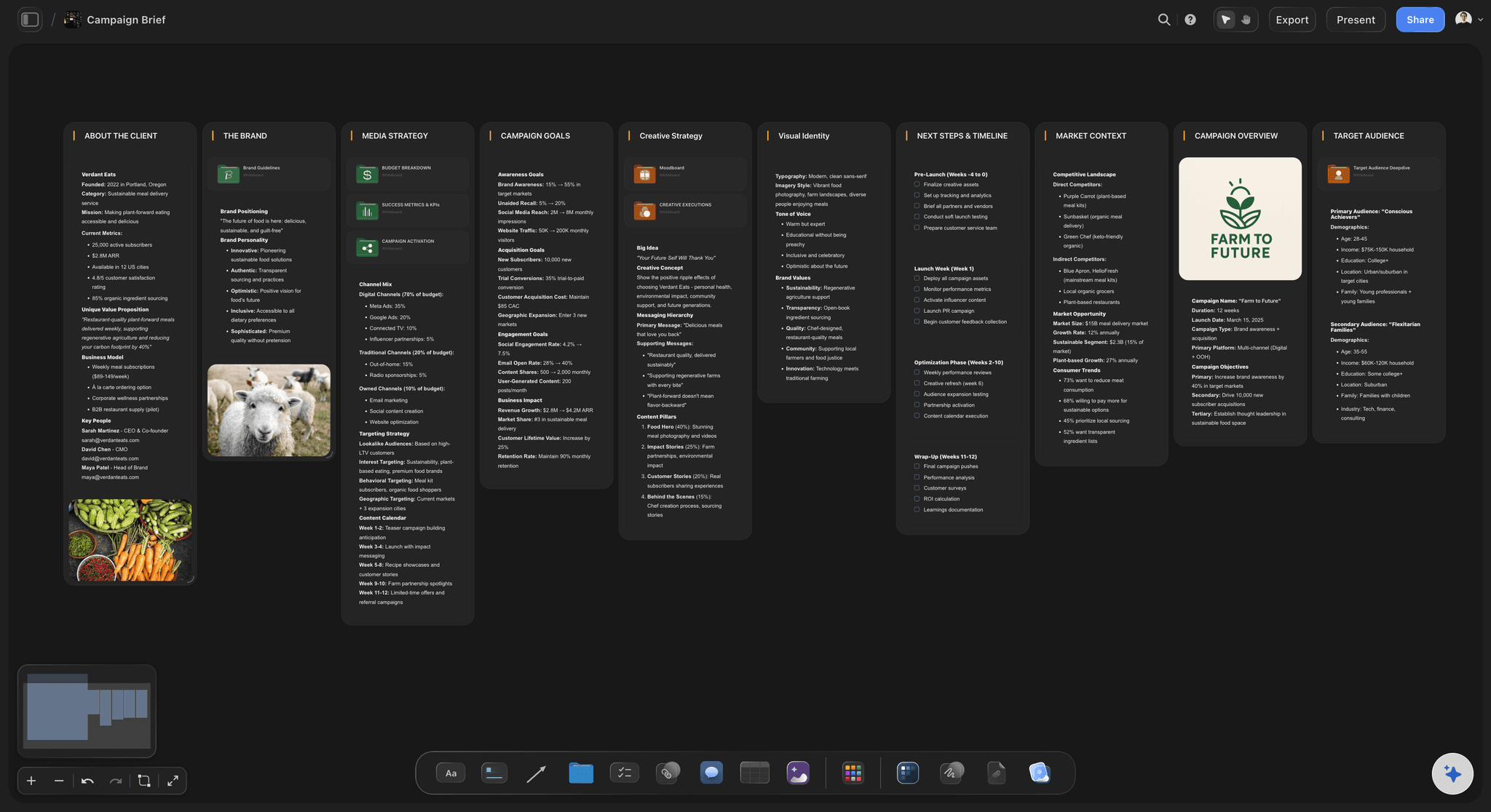
The brief at the centre
One goal, one message, one audience
Keep the brief on the board with the work. When someone suggests a post that does not fit, you can point at what was agreed.
How to write a campaign brief →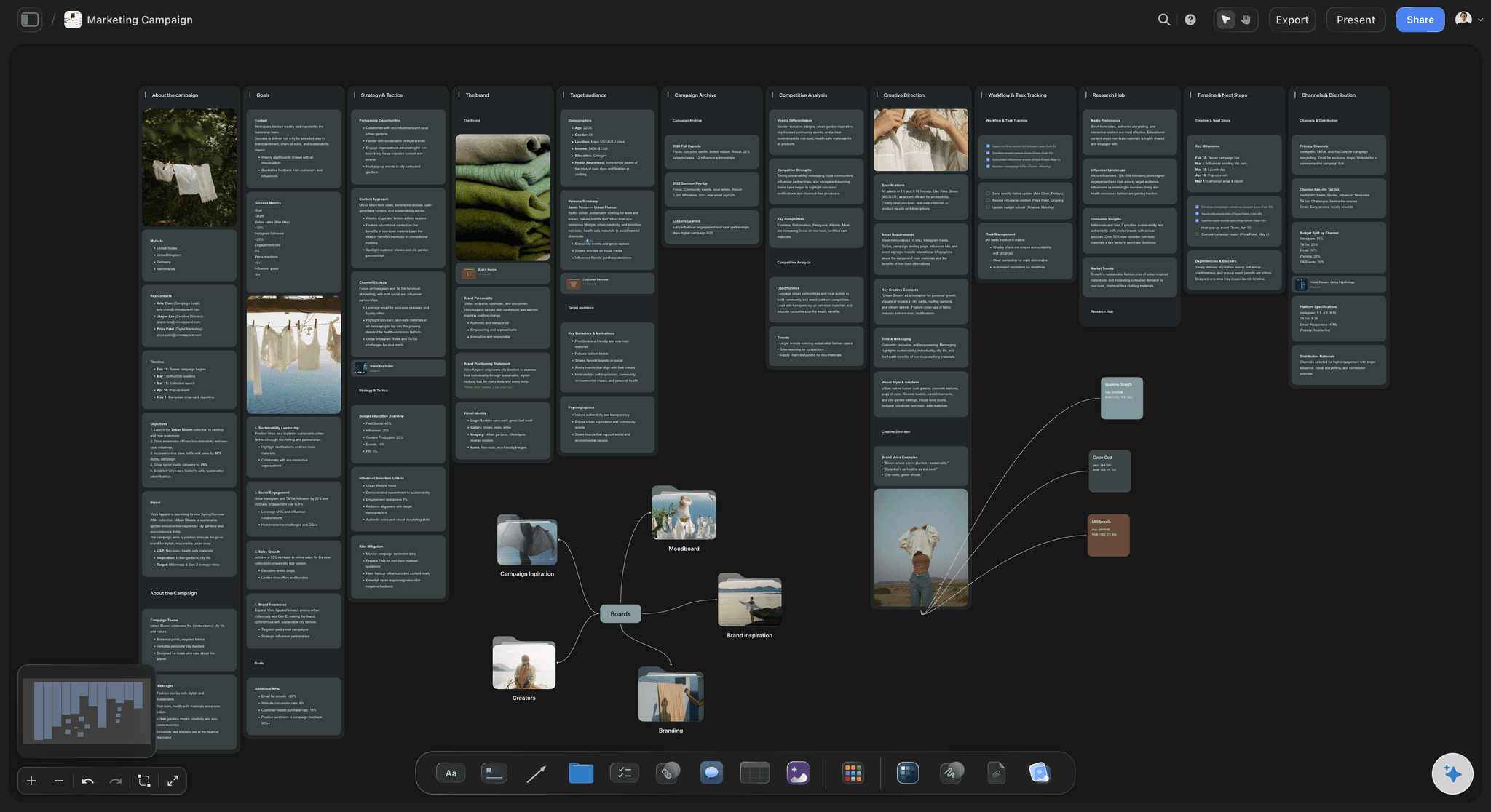
Phases as walls
See the shape of the campaign
Tease, launch and follow-up sit side by side, each with its dates and job. A launch week with too few posts is easy to see.
See the AI marketing campaign planner →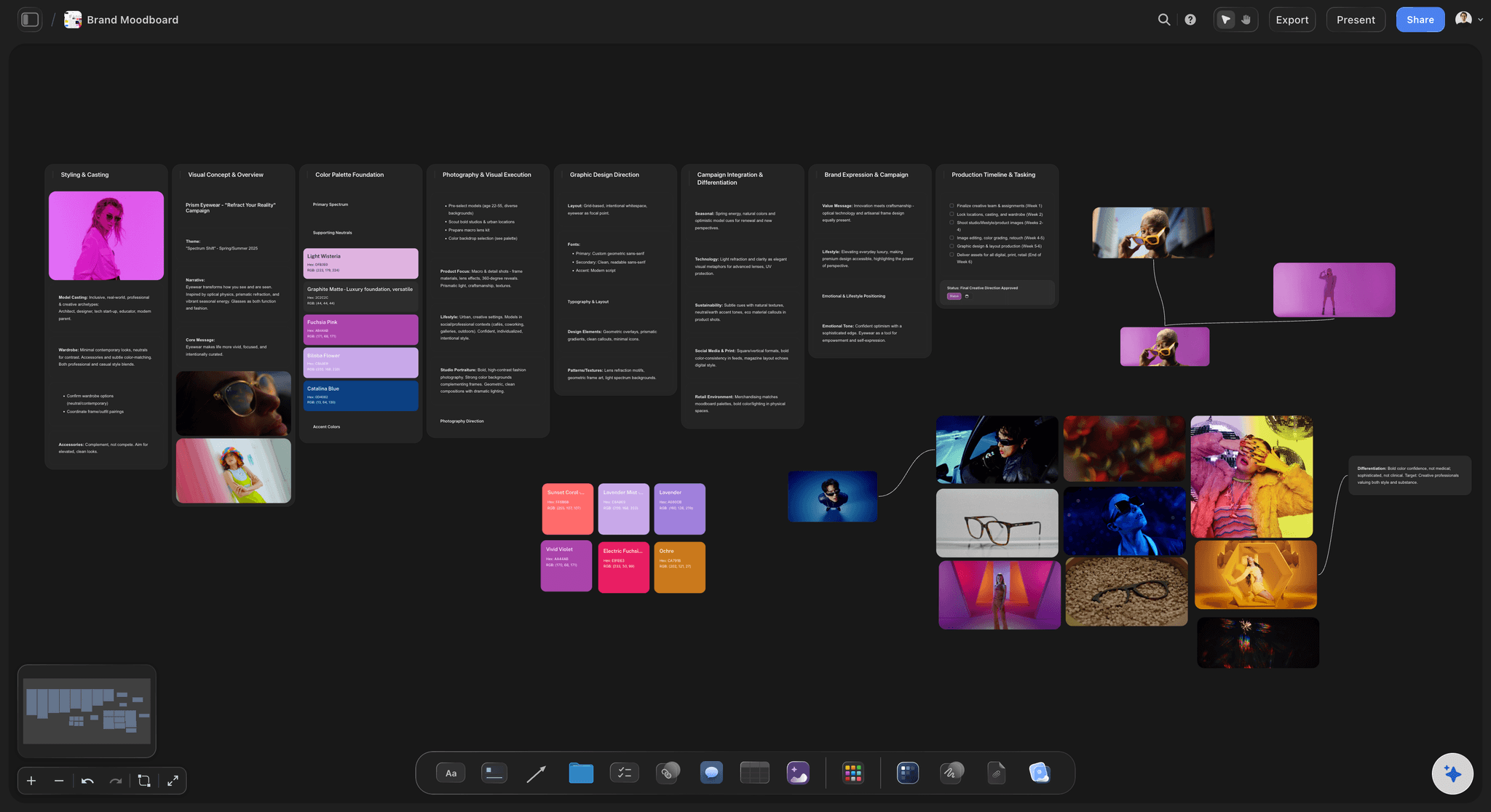
The look before the shoot
Agree the creative direction early
Build the moodboard next to the plan, and ask the AI for one from your brief. A direction agreed in week one avoids a reshoot in week five.
Plan a brand campaign moodboard →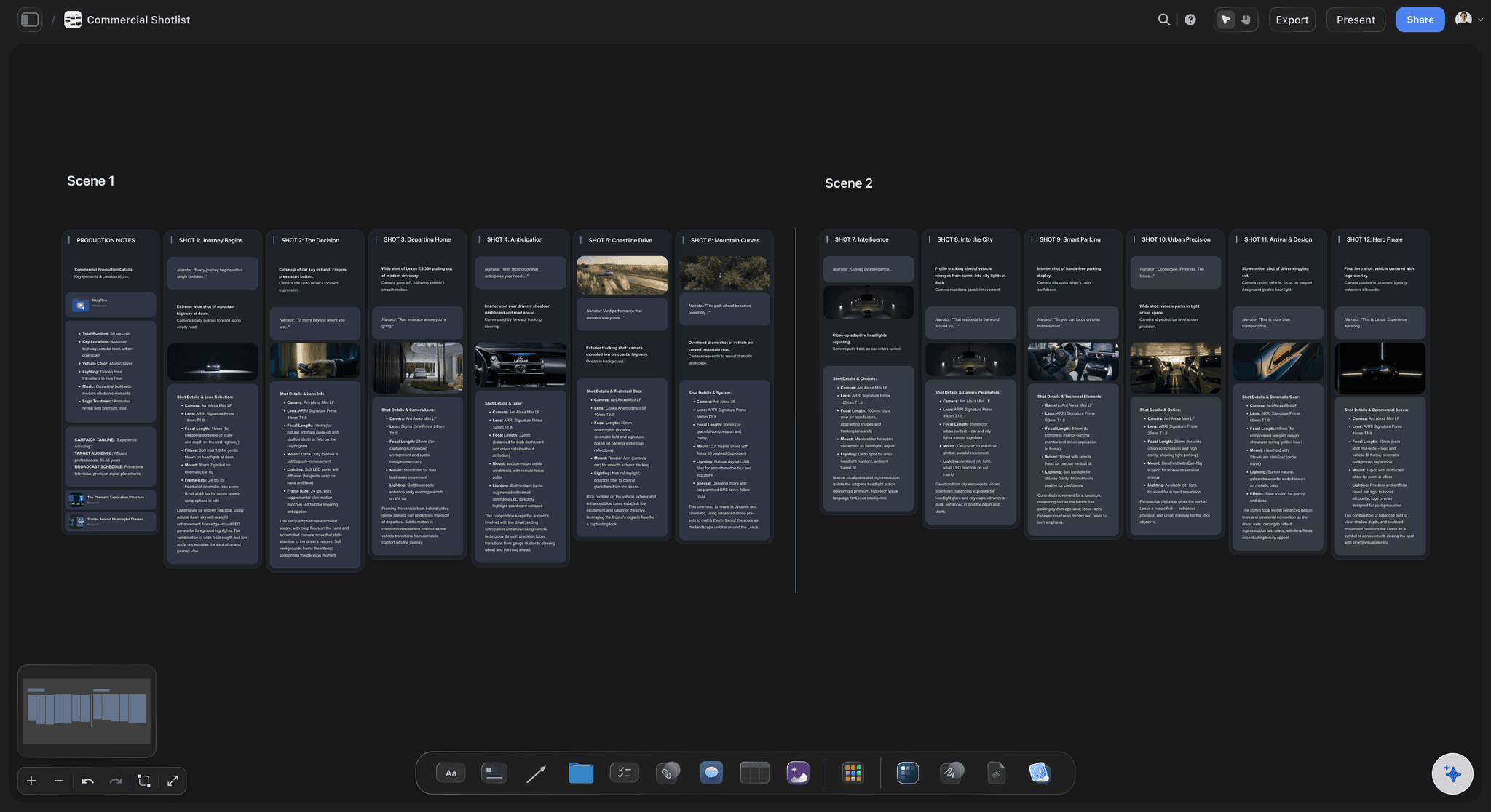
The shoot in the same place
Every post traced to a shot
Make a shot list from the post rows, so the shoot covers every channel's formats. It lives on the same board as the plan, not in a separate file.
Plan a social media shot list →Run your campaign board with your whole team.
Storyflow is paid-only during early access: Plus is $7.99 a month billed annually ($9.99 monthly) and includes the AI inside Storyflow. Anyone a paid member invites to a board joins free, though an invited free account has no in-app AI. On a paid plan you also build by hand, or through ChatGPT or Claude with no weekly limit.
Brief, walls, tables, moodboards and shot lists on one canvas
Co-edit in real time with anyone you invite
From Plus, AI that drafts the campaign, carousel posts and slides
View-only links for clients and leadership, no account
Built for people with taste
How to plan a social media campaign your client can sign off.
The numbers here are starting points. Your budget, channels and date will change them.
Phases and post counts
The shape of a six-week campaign
Tease: two weeks, about 25% of posts: Build interest and collect sign-ups. On its Storyflow wall, write the single action you want people to take before launch.
Launch: one week, about 40% of posts: The most posts and the most paid support. Mark the launch date first in the Storyflow table, then fill in the days around it.
Follow-up: three weeks, about 35% of posts: Customer proof, creator posts and answers to the questions launch week raised. Most small teams run out of energy here, so plan it before launch.
Allow for making it: Add four to six weeks before the tease for the brief, one or two shoot days and two review rounds. A campaign with no shoot may need two or three.
Channels and integration
One idea, adapted per channel
Two or three channels: Choose by where your buyers are. In Storyflow, write one line per channel saying what it is for: Reels for reach, LinkedIn for buyers, TikTok for creators.
One message per campaign: Every channel carries the same idea in its own format. Give each channel its own row and copy, with the phase label matched to the brief.
Connect email, paid and site: An integrated campaign has rows for the launch email, the paid push and the landing page too, so a post never points at a page that is not live.
Sort out sizes before the shoot: Write down the formats you need, such as 9:16 video and 4:5 stills, on the Storyflow shot list. Reformatting later costs more than shooting for them.
Approvals
Two rounds, one decision maker
Name one approver: Write one name on the Storyflow brief. Several people can comment, but one person settles disagreements. Without this, the second round becomes the fifth.
Review the plan, then the work: Get sign-off on the brief and post table before making anything, and then review finished assets. Skip the first review and you pay for its changes after the shoot.
Link to look, sign in to comment: A Storyflow view-only link opens with no account. To comment or draw, a client signs in, and anyone a paid member invites to a board joins free.
Date each round: Add the review dates as to-dos with an assignee. Storyflow has no due-date reminders, so raise them in your weekly check.

What stays in other tools
What Storyflow does not do for a social campaign
No scheduling or publishing: Storyflow never posts to any channel. The approved rows go to a scheduler, and that tool is your record of what actually went out.
No calendar view: The post plan is a table with date cells, kept in date order. Your scheduler shows the month grid once the posts are loaded.
No social listening, ads or analytics feed: It does not track mentions, run paid media or pull in results. You bring the numbers from the platform or scheduler for the wrap report.
No frame-level video proofing: A signed-in reviewer can comment and draw on the board, but there is no frame-level approval status or version compare. Use Frame.io when that matters.
Explore templates for your project
Every template opens as a real, editable board on the infinite canvas. Pick the closest fit and make it your own.
Creative Brief
Capture the objective, audience, and message for a creative so everyone works from the same brief.
One app instead of five
Storyflow vs Hootsuite, Planable and Asana for a social campaign.
Hootsuite is strong on publishing at scale, Planable on approving posts and Asana on tracked tasks. Read from each vendor's page in November 2026; check their pricing before you decide.
Storyflow
Recommended
Brief, phases, posts and creative on one canvas
From Plus, AI drafts a proposal you accept or discard
View-only link with no account; sign in to comment
No calendar view; a table with date cells
Does not schedule or publish posts
Hootsuite
Not a canvas for briefs and moodboards
Analytics and reports on every plan
Approvals from its Advanced plan
One calendar for up to 10 accounts on Standard
Schedules and publishes posts, plans from $99 a month
Planable
Not a canvas for briefs and moodboards
Feed and calendar on every plan, grid from Pro
Required approval from its Pro plan
Priced per workspace, from $33 a month
Schedules and publishes posts
Asana
Not a canvas for briefs and moodboards
Timeline from its Starter plan
Approvals from its Advanced plan
Unlimited free guests on paid plans
Does not schedule or publish posts
What creators are saying
Join early creators getting structured workspaces and AI that remembers their projects
“Storyflow has sped up my workflow by at least 3x, which means more flow state and more projects I can actually ship. It truly changed the way me and my team create.”

Reilin Joey
Director & YouTuber
“One prompt gets me a structured board. But the tactics are my favorite. I run my YouTube scripts through them and my intros and retention got better. It's amazing.”

Justkay
YouTuber & Freelance Filmmaker
“I used to juggle five apps to plan a project. Now I describe what I am making and get boards, lists, and a schedule. All in one place.”

George
@fernwehchronicles
Social media campaign planning, answered.
What to use, how to shape the campaign, and where Storyflow stops.
A social media campaign planner is where a team maps one campaign across channels before anything is scheduled. Storyflow does this on one board: the brief, a wall for tease, launch and follow-up, a dated table of posts by channel, and the creative beside them. Approvers read it by link with no account. When the plan is agreed, the posts go to a separate scheduler, because Storyflow does not publish.
Start with Storyflow, our own product and our pick first, because the brief, phases, dated posts, moodboard and shot list share one board, so the creative stays tied to what was agreed. It has no calendar view and does not publish, so a scheduler is still needed: Later publishes from a visual calendar with stakeholder feedback by link, and Sprout Social adds reporting for larger teams.
Plan it backwards from the launch date in Storyflow: write the brief with one goal and one message, add a wall for tease, launch and follow-up, list one dated row per post across two or three channels, then make the creative beside the plan. Allow two review rounds and hand off to your scheduler before the first post is due. Keep the results on the same board for the wrap report.
Storyflow helps plan an integrated campaign because one board can carry every channel in one table: posts, the launch email, the paid push and the landing page, each with a date, an owner and a status, next to the brief and creative. It plans these but does not run them. Your scheduler, email tool and ad accounts do the sending and buying, and each keeps its own results.
Three is enough for most campaigns: tease, launch and follow-up. For six weeks, a useful start is two weeks of tease with about 25% of posts, one launch week with about 40%, and three weeks of follow-up with about 35%. In Storyflow, give each phase its own wall with its dates and one job. Follow-up is the phase teams skip, and it often holds your best customer proof.
It depends on length and team size. As a rough guide, a six-week campaign on two or three channels runs 20 to 30 posts for a team of three to five. In Storyflow, add the rows before writing the ideas, so you can see what your team can actually make. It is better to run 20 strong posts across two channels than 40 thin ones across five.
Allow four to six weeks before the first post if you need a shoot, and two or three if you are using assets you already have. That covers the brief, shooting, two review rounds and loading the scheduler. In Storyflow, list those milestones as to-dos with dates and assignees, working back from launch. Storyflow does not move later dates when one slips, so check them weekly.
The goal with one number, the audience, one message, the channels, the deliverables, the dates, the budget, the mandatory items and the one person who approves. Storyflow's Brief my campaign option drafts the brief on the board from your notes, and you correct it. Keep the brief on the same canvas as the post table, so nobody works from an old version in an email.
Share a Storyflow view-only link, which opens in the browser with no account. To comment or draw on the board, the client signs in, and an invite from a paid member costs them nothing. Use a status cell to mark rows In review, then Done. Storyflow records comments and a status, not a formal sign-off that blocks publishing, so a required gate belongs in a tool like Planable.
Yes. In Storyflow, give each creator a row with a brief, deliverables and a live date, and a paid member invites them to the board free. Storyflow does not find creators, pay them or handle contracts, so those stay elsewhere. Write usage rights and disclosure into the brief. If creators are the whole campaign rather than one part, plan it with a full influencer marketing plan instead.
It can draft most of the plan. Storyflow's in-app AI, which starts on Plus, reads your notes and up to five attached documents, asks a question or two and proposes a board you accept or discard. It can brief the campaign, profile the audience, build a moodboard, make a shot list and design carousel posts from the board. Picking the idea and judging whether it is any good stay with you.
No. Storyflow has no social scheduling or publishing, and no calendar view. Campaign posts are planned as a table with date cells, rows kept in date order, beside the brief and creative. Approved posts then go into Buffer, Later, Hootsuite or another scheduler by hand. The in-app AI can make an Excel file from the board to help whoever loads them.
A campaign has one goal, a fixed start and end and one idea across every channel. A monthly content plan is the steady work around it, spread across several pillars. In Storyflow, keep them on separate boards: the campaign board with its phases and shoot, and a monthly board with its pillar walls. Add the campaign's key dates to the monthly table, so the feed does not fight the launch.
Change the plan where everyone can see it. In Storyflow, update the dated rows and the brief on the board, and mark the changed rows with a label so the team spots them. Later dates do not move on their own, so whoever owns the board moves them. Then update your scheduler, because Storyflow does not connect to it. A moved launch usually means moving every later row.
Compare the result with the one number in the brief, then look at which phase and channel drove it. Results come from the platforms, your scheduler or your ad accounts, because Storyflow does not pull in analytics. Add them to the campaign's Storyflow board at the end, ask the AI to review what is there, and write down what to keep. A chart on the board helps in the wrap meeting.
Not yet. Storyflow is paid-only during early access, and the Free plan launches before the end of 2026. Anyone invited to a board by a paid member can sign up free. Plus at $7.99 a month billed annually ($9.99 monthly) adds the AI inside Storyflow, Pro at $14 ($19) adds AI image generation and more AI, and Max at $39 ($49) adds the most AI and a Team Workspace. Paid plans have no weekly limit from ChatGPT or Claude.
More from Storyflow
The best marketing campaign planning tools in 2026
Run a campaign from the brief to the last asset
Write the yearly social media marketing plan
Plan each client campaign as an agency
Plan a whole campaign with AI
Plan always-on campaigns that repeat
Plan an influencer campaign
Plan a month of social media content
See every campaign on a marketing calendar
Use the campaign brief template
Write up results in a campaign wrap report
Storyflow plans and prices
Put your next campaign on one board, from the brief to the wrap.
Write the brief by hand or with the AI, map the phases back from launch, and share one link for sign-off.