
Ultra-fast campaigns, pitched beautifully
Marketing calendar software
with every campaign's brief behind its date.
For in-house marketing teams, brand leads and agencies: one dated plan of every campaign, launch and event, so a clash shows up while you can still move a date.


Creatives working for these brands already got early access
- Red Bull
- Canon
- Artlist
- Porsche
See how easy it is to get started
Watch a real project come together, from a blank board to a finished plan, clicked through step by step.
Start from a ready-made template
Pick a board to see what you can build, then let AI fill it in. Every template is a real, editable starting point on the same infinite canvas.

Marketing Campaign
Plan a campaign across channels, messages, and deliverables on one board the whole team can see.
What is marketing calendar software?
Marketing calendar software gives a marketing team one shared, dated plan of every campaign, launch, event and big send, so nobody books two pushes for the same week. Storyflow is an AI visual workspace that runs a marketing team's calendar on one infinite canvas: a dated table of every campaign, launch and event, each campaign's own board, and the briefs and visuals behind them. It is made for in-house teams, brand leads and agencies who answer to a boss or a client for the quarter.
A marketing calendar is not a content calendar. It sits one level higher: one row per moment that someone outside the team would notice, such as a launch, a trade show, a sale or a campaign start. In Storyflow, that usually means 10 to 25 rows in a table for a quarter of 13 weeks. Individual posts belong on the campaign's own board, because a calendar with 200 rows cannot show a clash. Each row carries a date cell, an owner, a status and a link to that campaign's board.
Storyflow has no calendar view, no Gantt chart, no dependencies and no schedule that recalculates. Rows are kept in date order by hand, and if a launch moves, someone changes the later dates. It also does not publish posts or send email. What you get is the plan and the work behind it on one canvas: click from a date to the brief, the moodboard and the assets. If your main need is a drag-and-drop grid or tracked dependencies, CoSchedule, Asana or monday.com will suit you better.
Example: Northline Bikes is a fictional brand with a marketing team of five. Their Q2 Storyflow table has 22 rows: the start and end of three campaigns, a product launch on 14 May, a trade show on 6 June, six big email sends, six paid pushes and two public holidays. With the rows in date order, the lead sees that a spring sale email lands in launch week, and moves it seven days before anything is made. Each campaign has its own board. The CEO opens a view-only link every second Friday, and the team reviews the next four weeks at the same meeting.
The tools for running a marketing calendar, by job
Storyflow is ours and leads on the plan behind the dates. A marketing team still needs the others to send, buy and remind. Plan details read from each vendor's page in November 2026.
| The job | The tool | Why it goes here |
|---|---|---|
| Plan the marketing calendar and the campaigns behind it | Storyflow | Holds the dated table of campaigns and launches, each campaign's board, its brief and its visuals on one canvas, and from Plus its AI builds a campaign board from a plain ask. |
| See projects and social posts on one drag-and-drop calendar | CoSchedule | Its Marketing Calendar shows projects, social posts and content together and reschedules by dragging; a view-only calendar link comes with its Professional tier. |
| Track tasks on a timeline across a larger team | Asana or monday.com | Asana has a calendar on every plan and a timeline from Starter; monday.com has calendar and Gantt views from Standard, with a three-seat minimum on paid plans. |
| Schedule and publish social posts | Buffer or Later | Both publish to your channels from a visual calendar; Storyflow plans these posts but does not send them. |
| Send email campaigns | Mailchimp or Klaviyo | Where the send, the list and the email results live; put the send date and the brief on the marketing calendar. |
| Run and report on paid ads | Google Ads and Meta Ads Manager | Where paid campaigns are built, bought and measured; the calendar records when each push starts and ends. |
| Remind people of fixed dates | Google Calendar | Sends reminders for shoots, launches and reviews, which Storyflow does not do for due dates. |
Ultra fast from brief to board
Build your marketing calendar in four steps.
Start with what cannot move, and keep the detail one click away.
01
List the fixed dates first
In a Storyflow table, add a dated row for every launch, event, sale and season that cannot move, for the next 13 weeks. Add date, owner, status and link columns, and keep the rows in date order.
02
Add the campaigns around them
Ask Storyflow's AI to brief your campaign, or describe the quarter in plain words. It proposes a board you accept or discard. Add one calendar row per campaign start, and link it to that board.
03
Read the table for clashes
Read the Storyflow table from top to bottom in date order. As a starting rule, a small team gets one major push in any two weeks. Move what clashes now, and mark what is firm.
04
Share and review every two weeks
Send leadership a Storyflow view-only link that opens with no account. Every two weeks, read the next four weeks together, update each status, and change the dates by hand where something has moved.
What marketing calendar software should hold beyond dates.
A date tells you when. A marketing team also has to answer what, why and who.
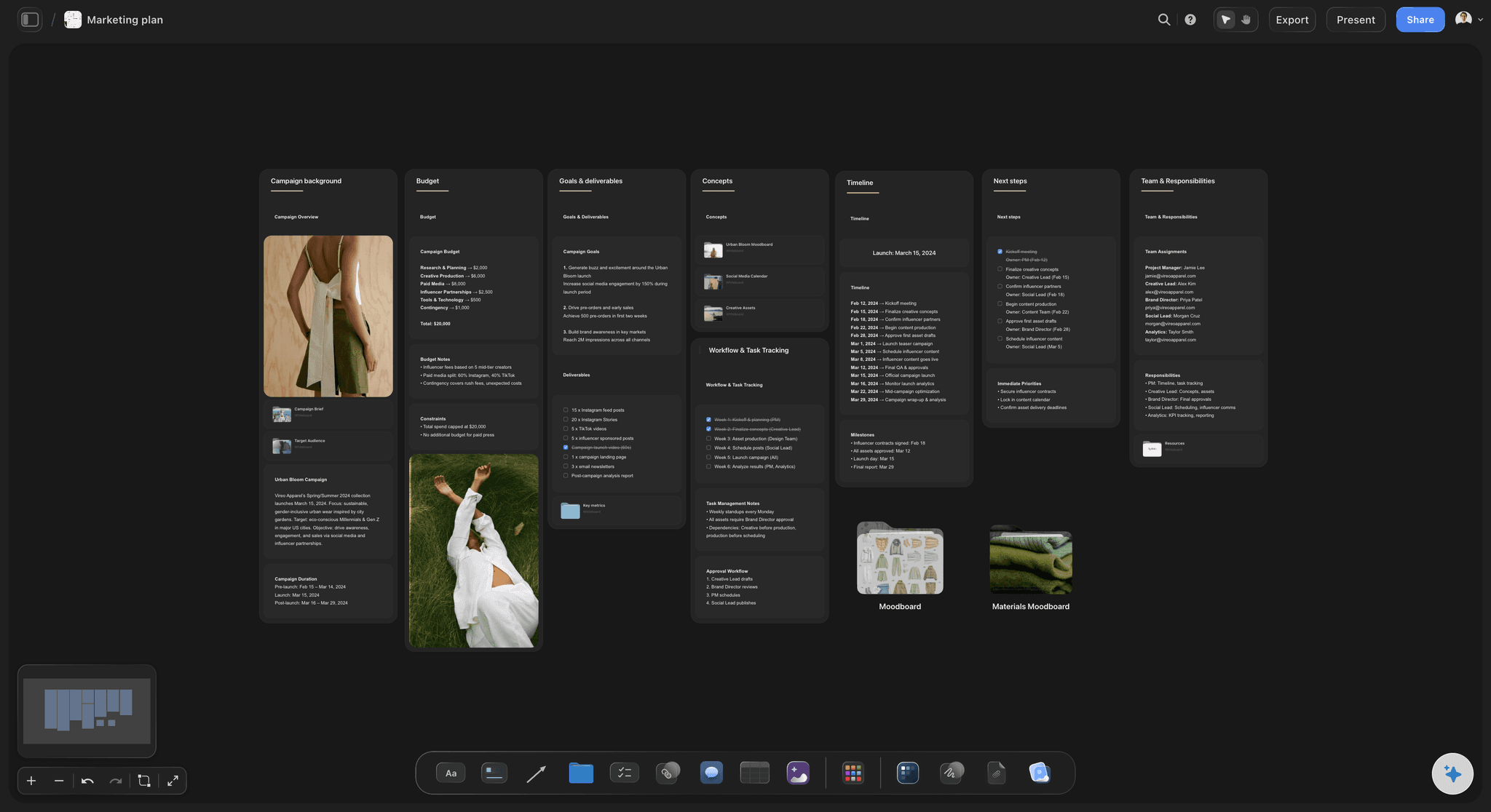
Every moment in one dated table
One row per launch, event and campaign
A date, an owner, a status and a link. Short enough to read in a meeting, and clear enough to catch two launches booked for the same week.
Compare with a single campaign calendar →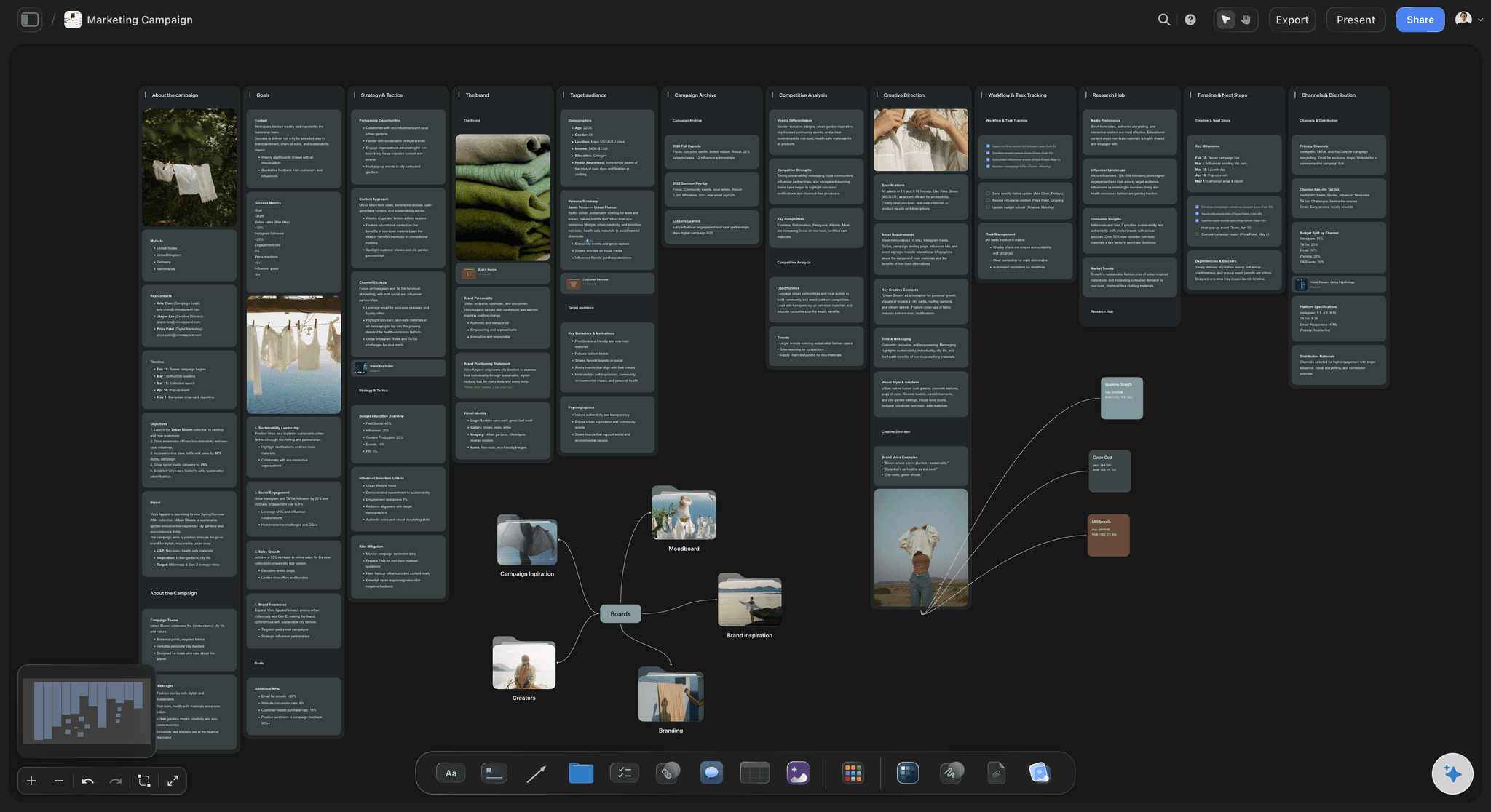
Each campaign has its own board
From the date to the work in one click
A link cell opens the campaign board with its goals, audience, channels and creative direction. Nobody has to ask where the brief is.
See the AI marketing campaign planner →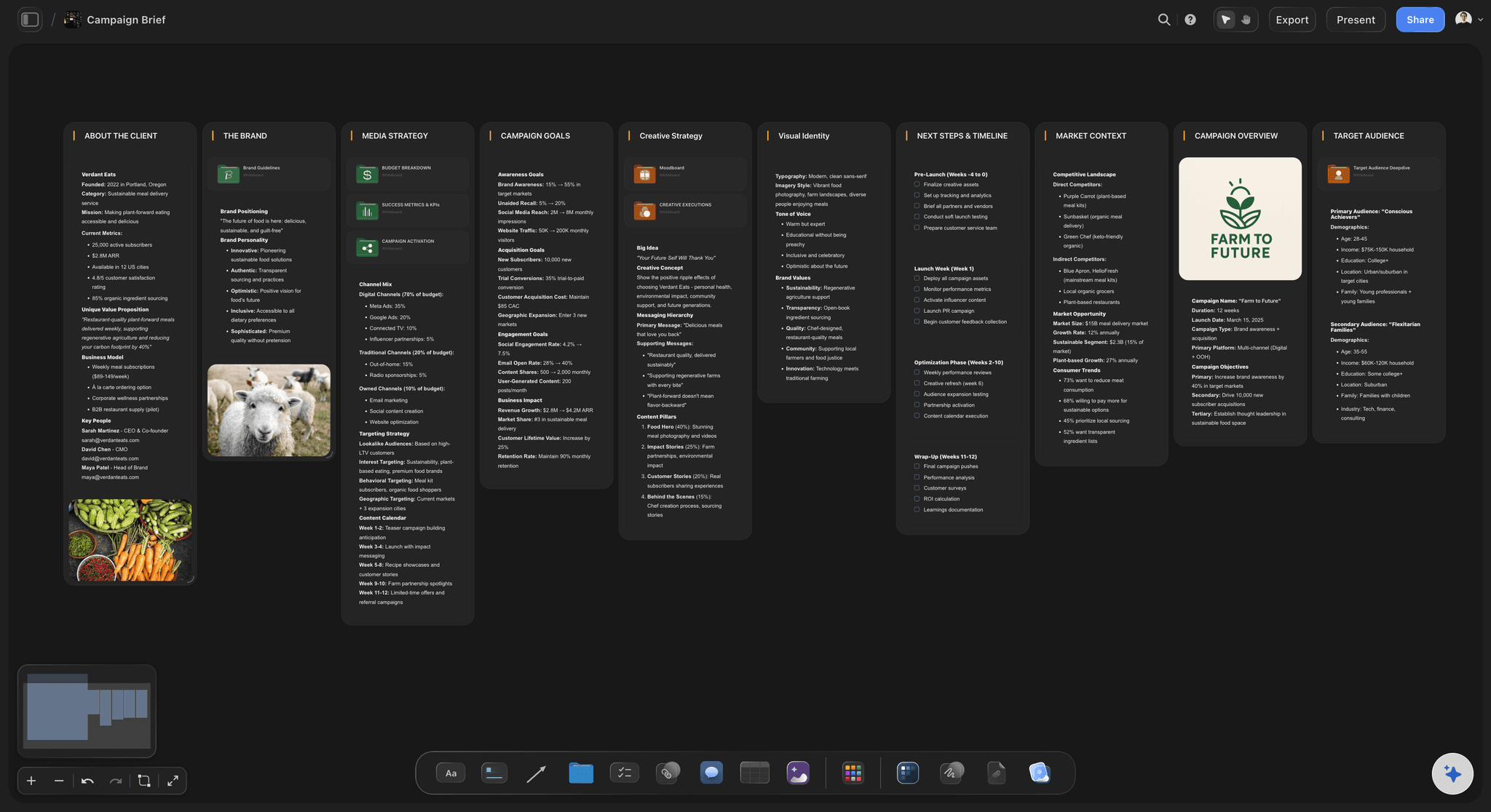
A brief before a date is firm
No row without a reason
Put a brief in a document cell on the row, and leave the row marked Not started until it has one. Empty brief cells show which dates are only hopes.
Use the campaign brief template →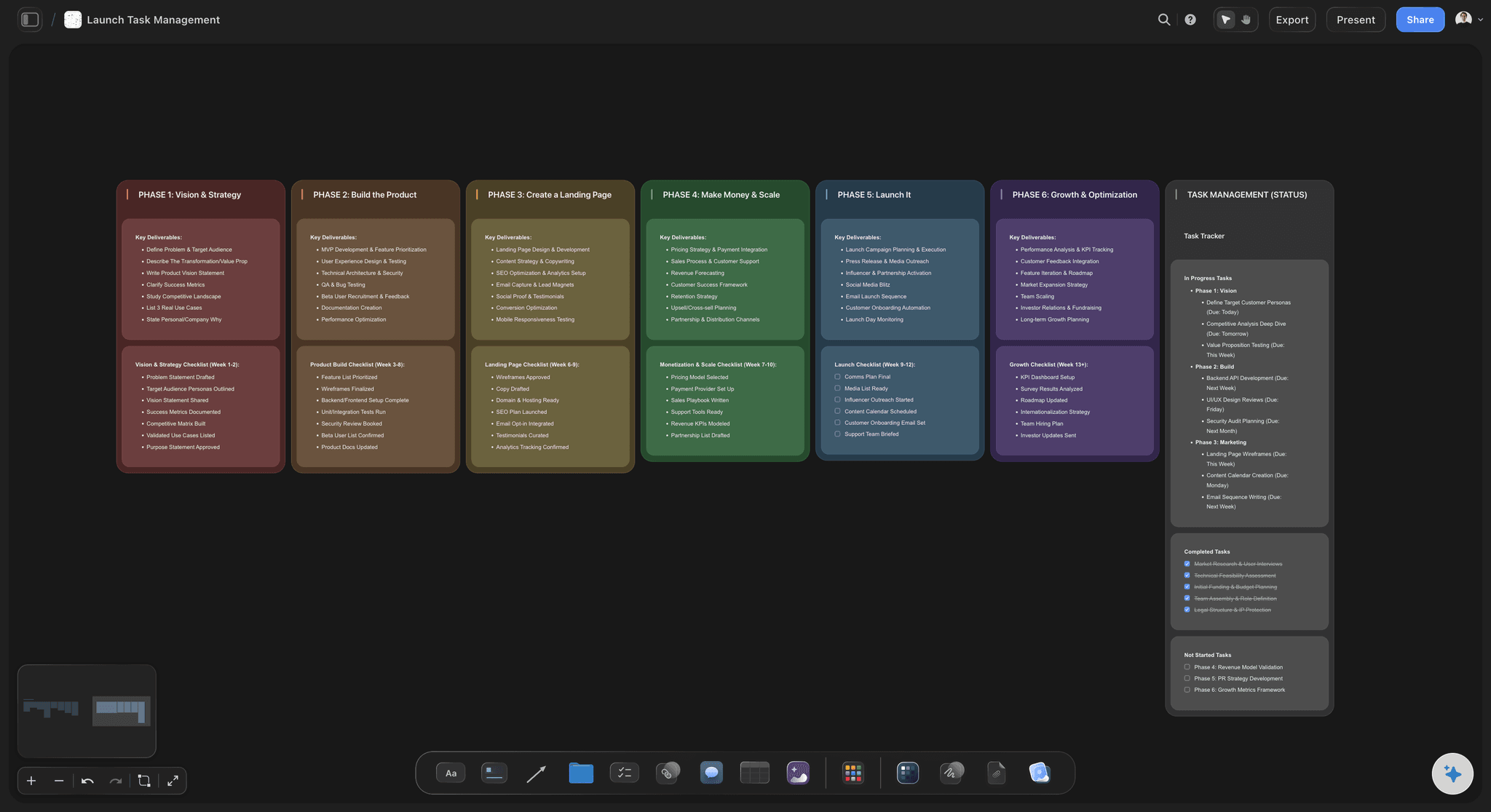
Launches broken down
The big dates carry their own checklist
A launch row can link to a board of phases and to-dos, each with an assignee and a due date, so the row stays short while the detail lives one click away.
Plan a brand launch →Start the marketing calendar, with invites that cost nothing.
Storyflow is paid-only during early access: Plus is $7.99 a month billed annually ($9.99 monthly) and includes the AI inside Storyflow, and Max adds a Team Workspace with roles and permissions. Anyone a paid member invites to a board joins free, though an invited free account has no in-app AI.
Tables with date, status, person, link and document cells
Co-edit in real time with anyone you invite
In-app AI that builds a campaign board, from Plus
View-only links for leadership and clients, no account
Built for people with taste
How to run a marketing calendar a whole team will trust.
Most marketing calendars fail because they get too detailed to read, or nobody keeps them true. These are the rules that prevent both.
What goes on it
Keep the calendar at the right height
One row per visible moment: A launch, an event, a sale, a campaign start, a big send. If nobody outside marketing would notice it, it belongs on the campaign's Storyflow board, not on the calendar.
10 to 25 rows a quarter: That range can be read in one sitting and still shows the whole quarter. If you pass 40, you are planning tasks and a clash will hide among them.
Include the dates you do not control: Trade shows, holidays, a sales kick-off, a product release from another team. In Storyflow, give them a label so they read as fixed at a glance.
Firm or pencilled: Use a status cell or a label to separate what is agreed from what is proposed. Leadership reads a pencilled date as a promise unless the calendar says otherwise.
How far ahead
Firm near, rough far
Next four weeks: locked: Changes need the calendar owner's agreement. Work is under way, so a late move costs real money and goodwill.
Next 13 weeks: firm: Campaigns have owners and briefs in progress. In Storyflow, this quarter is the table the whole team reads every two weeks.
The rest of the year: rough: Keep a shorter Storyflow table of big moments only, for budget and hiring talks. Do not plan these in detail, because they will change.
Work back from each date: A campaign with a shoot usually needs six to eight weeks; one built from existing assets may need two or three. Add those start dates as rows when they affect another campaign.
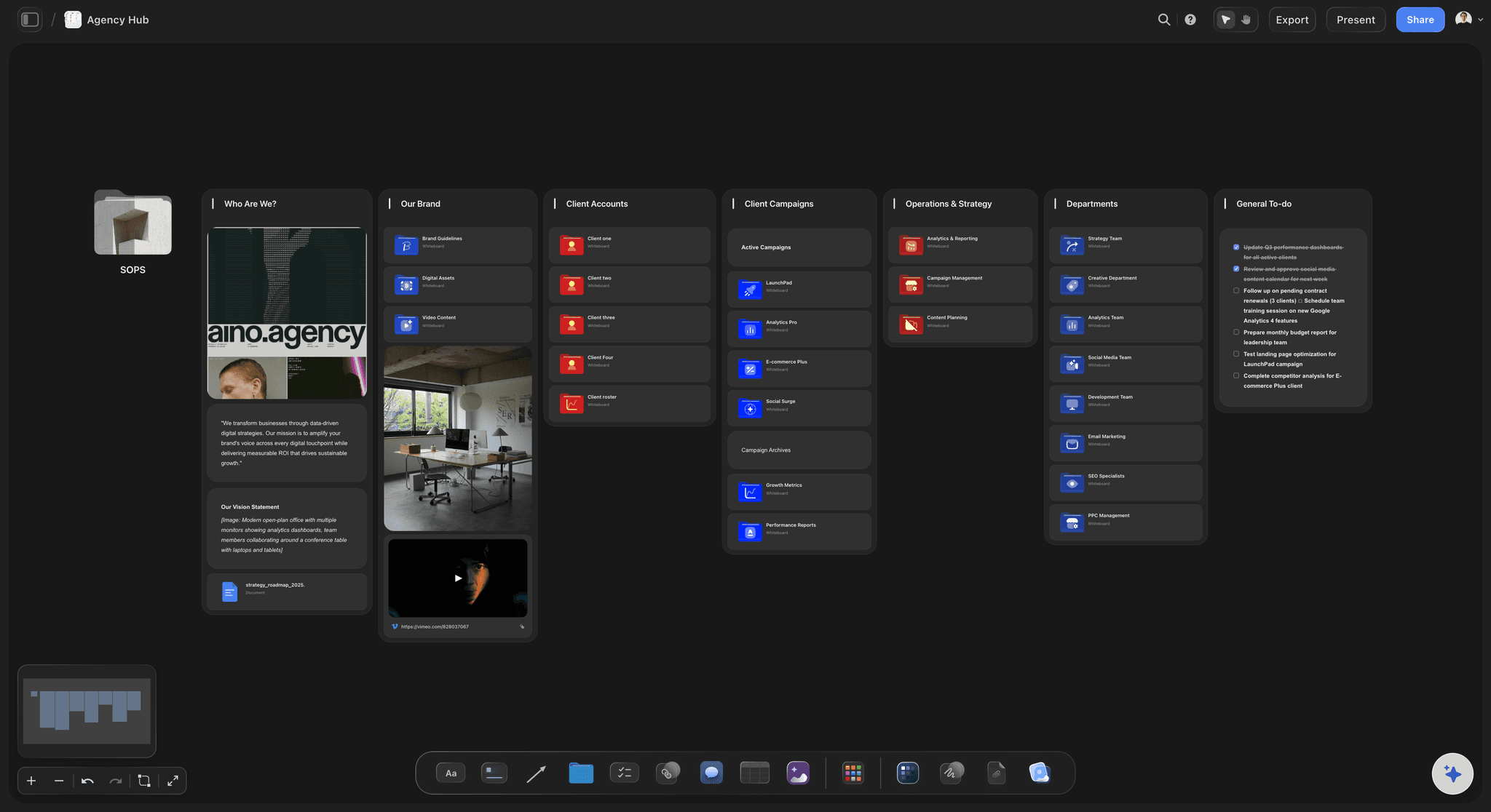
Who does what
One owner, one meeting, one link
One calendar owner: One person keeps the Storyflow rows in date order and settles clashes. In a team of five, that is often the marketing lead.
A 30-minute review every two weeks: Read the next four weeks, update each status, and agree any moves. Keep it to the calendar, and take campaign detail to the campaign's own board.
One link for leadership: A Storyflow view-only link opens with no account, so the CEO can check the quarter without asking. To comment, they sign in, and an invite from a paid member is free.
One board per client for agencies: Run one calendar board per client, each with its own link. A client then sees their own quarter and no other client's plans.

Where it stops
What Storyflow does not do as marketing calendar software
No calendar view or Gantt chart: The calendar is a table with date cells, rows kept in date order. If your leadership wants a month grid or a timeline chart, this is the wrong main view for them.
No dependencies or recalculating: When a launch moves, later dates do not follow. Someone updates them by hand, which is one reason to keep the calendar to 25 rows.
No publishing, sends or ad buying: Storyflow does not post to social, send email or run ads. It plans them, and your scheduler, email tool and ad accounts do the rest.
No due-date reminders: A to-do takes a due date and notifications appear in the app, but there are no due-date reminders. Put hard dates in Google Calendar too.
Explore templates for your project
Every template opens as a real, editable board on the infinite canvas. Pick the closest fit and make it your own.
Marketing Campaign
Plan a campaign across channels, messages, and deliverables on one board the whole team can see.
One app instead of five
Storyflow vs CoSchedule, Asana and monday.com for a marketing calendar.
CoSchedule is strong on a true marketing calendar, Asana and monday.com on tracked tasks. Read from each vendor's page in November 2026; check their pricing before you decide.
Storyflow
Recommended
Briefs, boards and visuals on the same canvas as the dates
From Plus, AI builds a campaign board from a plain ask
View-only link with no account
No calendar view, Gantt chart or dependencies
Does not publish posts or send email
CoSchedule
Not a visual canvas for briefs and moodboards
Projects, social posts and content on one calendar
View-only calendar link from its Professional tier
Drag and drop to reschedule
Schedules and publishes social posts
Asana
Not a visual canvas for briefs and moodboards
AI features from Starter ($10.99 per user billed annually)
Unlimited free guests on paid plans
Calendar on every plan, timeline from Starter
Approvals from Advanced ($24.99 per user billed annually)
monday.com
Not a visual canvas for briefs and moodboards
Paid plans start at three seats
Up to 25,000 automation actions a month on Pro
Calendar and Gantt views from Standard
250 automation actions a month on Standard
What creators are saying
Join early creators getting structured workspaces and AI that remembers their projects
“Storyflow has sped up my workflow by at least 3x, which means more flow state and more projects I can actually ship. It truly changed the way me and my team create.”

Reilin Joey
Director & YouTuber
“One prompt gets me a structured board. But the tactics are my favorite. I run my YouTube scripts through them and my intros and retention got better. It's amazing.”

Justkay
YouTuber & Freelance Filmmaker
“I used to juggle five apps to plan a project. Now I describe what I am making and get boards, lists, and a schedule. All in one place.”

George
@fernwehchronicles
Marketing calendar software, answered.
What it is, which to choose, and where Storyflow stops.
Marketing calendar software gives a team one shared, dated plan of every campaign, launch, event and big send, so a clash shows up early. In Storyflow, that plan is a table with a date cell on each row, rows kept in date order, and a link from each row to the campaign's own board with its brief and visuals. It is the top-level view, with individual posts kept on the campaign boards.
Storyflow, when the calendar has to lead to the work: every campaign, launch and event sits in a dated table, one click from its brief, board and visuals, and leadership opens it by link with no account. It is our own product and our pick first on that basis. CoSchedule still gives you a true drag-and-drop calendar with social publishing, which Storyflow does not have.
Storyflow. From Plus, its in-app AI builds whole campaign boards from a plain-language ask or attached files, asks a question or two first, and shows the result as a proposal you accept or discard. Your team then co-edits the same board in real time, and anyone a paid member invites joins free. On a paid plan, ChatGPT or Claude can also build on the board, with no weekly limit.
No. Storyflow has no calendar view, month grid or Gantt chart. The marketing calendar is a table with date cells, rows kept in date order by hand because a table cannot be sorted. That works well for a quarter of 10 to 25 rows. If your team needs a drag-and-drop grid as its main view, use CoSchedule or the calendar in Asana or monday.com.
A marketing calendar shows every campaign, launch and event across all channels, usually 10 to 25 rows a quarter. A content calendar shows each post or piece, often 12 to 20 a month for one channel group. In Storyflow, keep them apart: one table for the quarter's moments, and content tables on each campaign's board. Mixing them makes a calendar too long to show a clash.
A campaign calendar lists the dates inside one campaign: briefs due, shoot, review, go live. A marketing calendar lists all campaigns against each other, plus launches and events. In Storyflow, the marketing calendar is one table, and each of its rows links to a campaign board that holds that campaign's own dates. The test is whether your question is about one campaign, or about whether campaigns collide.
One row for each launch, campaign start, event, sale, major email and paid push, plus fixed dates you do not control, such as trade shows and holidays. Each row needs a date, an owner, a status and a link to the work. In Storyflow, those are date, person, status and link cells, plus a document cell for the brief. Leave out individual posts and tasks, because they hide clashes.
As a starting rule, lock the next four weeks, keep the next 13 weeks firm and hold the rest of the year as rough big moments. A Storyflow board can carry both: a detailed table for this quarter, and a short table of the year's fixed dates beside it. Do not plan the second half in detail, because plans that far out change and nobody will update them.
Put them in one dated list and read it in order. As a starting rule, let a small team run one major push in any two weeks, and name one calendar owner who settles disputes. In Storyflow, keep the table in date order and link each row to its campaign board, so you can judge a clash by the work involved. Move the campaign with the softer date.
In Storyflow, nothing moves on its own. There are no dependencies and no recalculating schedule, so the later rows stay where they are until someone changes them. Keeping a calendar to 25 rows and reviewing it every two weeks makes that manageable. If you run many linked tasks and need dates to shift together, use a timeline in a tool like Asana or monday.com for that part.
Yes, to view. A Storyflow view-only link opens in the browser with no account, so a CEO or client can read the quarter at any time. To comment or draw, they sign in, and anyone a paid member invites to a board joins free. For a meeting, presentation mode goes fullscreen and steps one wall at a time. Boards also export as PNG, JPEG or PDF.
It can draft one, from Plus. Tell Storyflow's in-app AI your launches, events, channels and quarter, and ask for a table with a date column. It asks a question or two, and you accept or discard the proposal. It can also build a marketing plan when asked, and Brief my campaign drafts a campaign board. It does not know your internal politics, so review the dates yourself before sharing.
Storyflow suits an agency that wants each client to see their own plan and the creative behind it: one calendar board per client, each with its own view-only link and no client login to look. Anyone a paid member invites joins free, so freelancers add nothing to the bill. For a tracked resource plan across all staff, Storyflow has no workload view, so agencies use a separate tool for that.
Storyflow runs in the browser, with no native mobile or desktop app, and it is best built on a laptop. A view-only link opens on any phone browser, which is enough to check a date. If your team needs a phone app to approve and post on the move, use the mobile app of your scheduler for that part and keep the plan on Storyflow.
Not yet. Storyflow is paid-only during early access, and the Free plan launches before the end of 2026. Anyone invited to a board by a paid member can sign up free. Plus is $7.99 a month billed annually ($9.99 monthly) and brings the AI inside Storyflow, Pro is $14 ($19), and Max is $39 ($49), which adds a Team Workspace with roles and permissions. Cancel anytime from settings.
Choose CoSchedule when a calendar grid with built-in social publishing is the main thing you need. Choose Asana or monday.com when you must track many tasks, timelines and automations across a larger team. Storyflow fits when your calendar is short and the hard part is the campaign behind each date: the brief, the look and the review. You can also keep Storyflow for the planning beside one of these.
More from Storyflow
The best marketing campaign planning tools in 2026
Build a calendar for a single campaign
Plan a campaign's dates backwards from launch day
Marketing planning software for campaigns
Plan a whole campaign with AI
Storyflow for marketing teams
Plan a social media campaign
Content calendar tools for small teams
Plan each client campaign as an agency
Plan a brand launch
Use the campaign brief template
Storyflow plans and prices
Put your next quarter on one board, with the work behind each date.
Start with what cannot move, build the campaign boards by hand or with the AI, and share one link with leadership.