
Social plans done ultra fast, done well
A UGC creator planner
for every deal you are juggling.
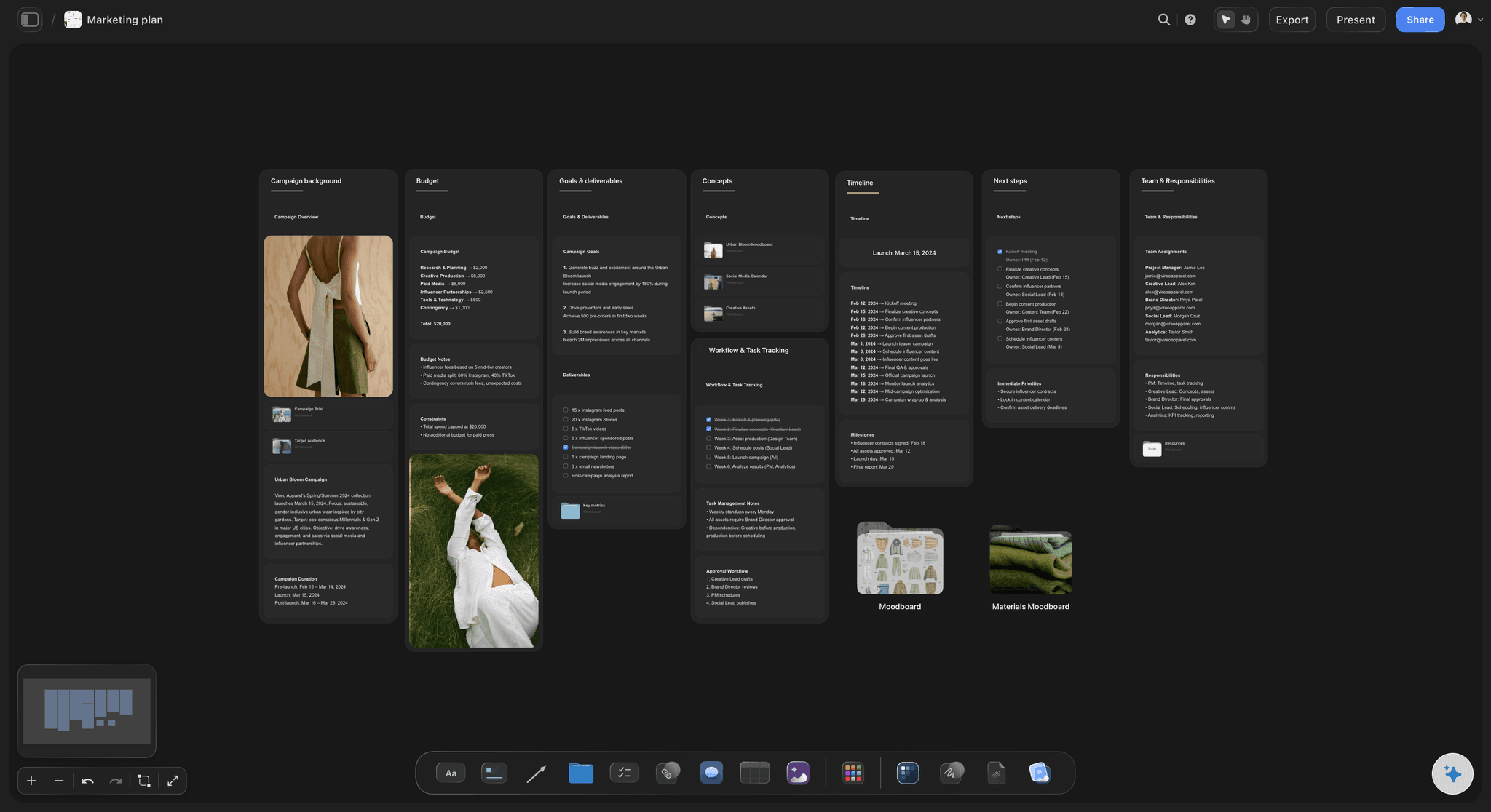
For UGC creators working with several brands at once: one table of deals with fees, due dates and usage terms, and a board for each brand holding its brief, hooks, script and shot list.


Creatives working for these brands already got early access
- Red Bull
- Canon
- Artlist
- Porsche
See how easy it is to get started
Watch a real project come together, from a blank board to a finished plan, clicked through step by step.
Start from a ready-made template
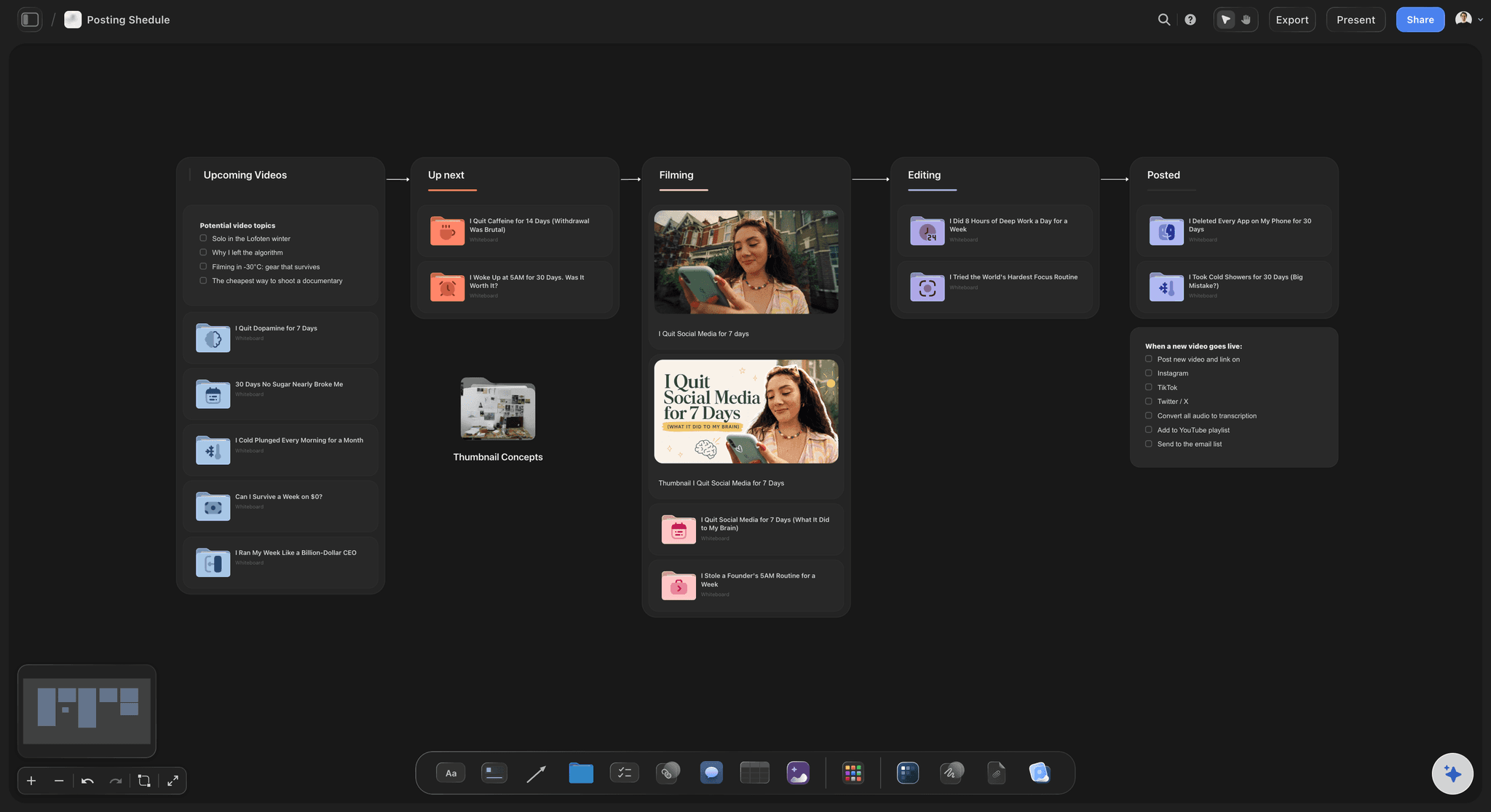
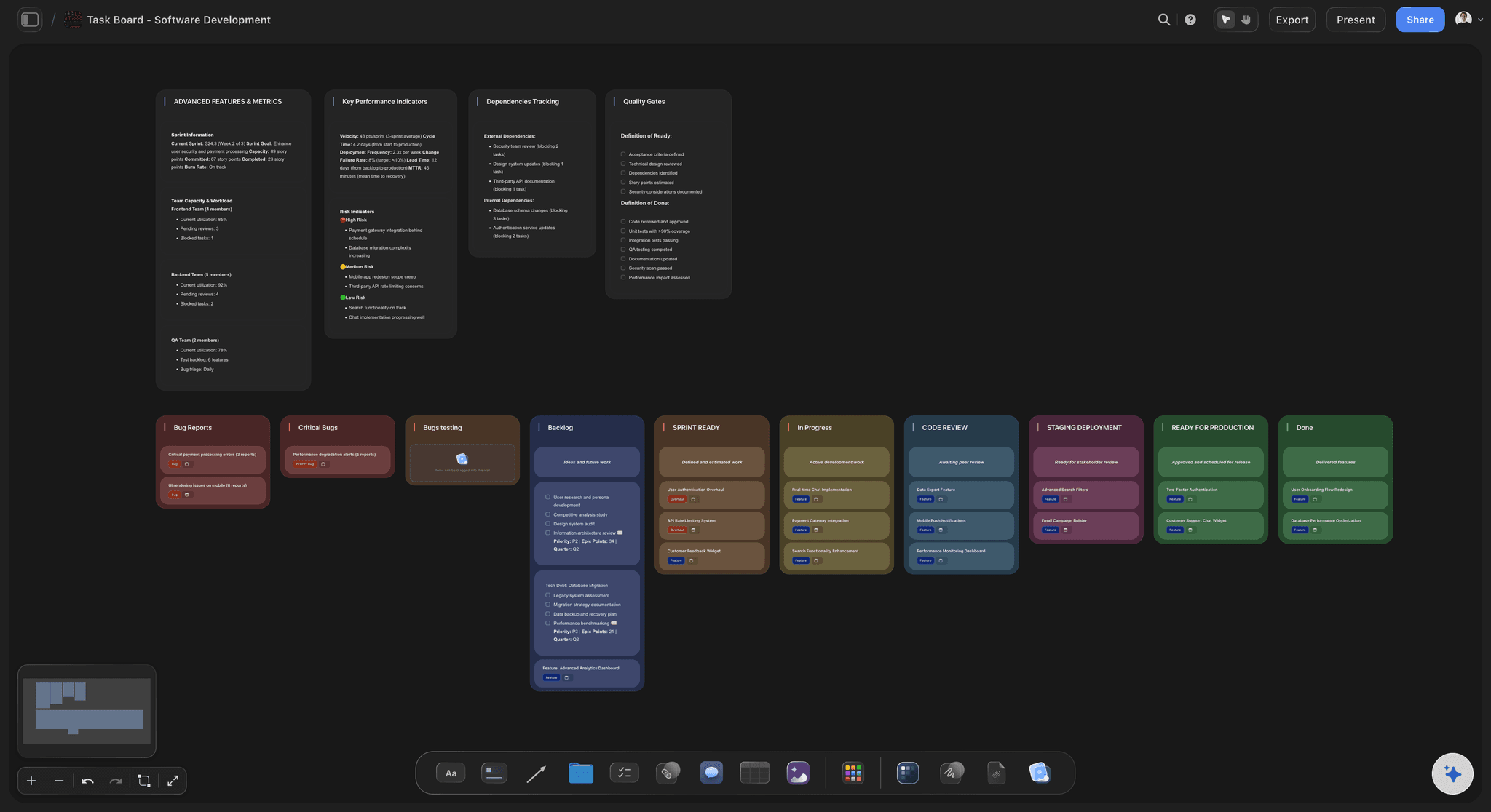
Pick a board to see what you can build, then let AI fill it in. Every template is a real, editable starting point on the same infinite canvas.

Content Calendar
Plan what you post and when across every channel on one calendar.
What should be in a UGC creator's toolkit?
A UGC creator's toolkit covers five jobs: finding and tracking brand deals, planning each video, filming it, editing it, and getting paid. Storyflow is an AI visual workspace that runs the planning job on one infinite canvas: a board for each brand with its brief, the hooks and script, and the shot list, and one short table of what is due across all of them. Its AI reads the brief you attach, drafts three hooks and a script in a document, and lays the shot list out as cards you can film from.
The other three jobs belong to other tools, and it helps to name them. Filming is a phone, a tripod, a small light and a clip-on microphone. Editing is CapCut, Descript or whatever you already cut in. Getting paid is an invoicing tool and a contract you sign with the brand. Most toolkit lists stop there, with three apps for making the video and nothing for the part where six brands each want something different by a different Friday.
That middle part is where the work slips. Give each brand a board of its own, and put the brief, the hooks, the script and the shot list for that brand on it and nowhere else. Above the brand boards keep an overview board that only you open, with one short table of six columns: the brand, the deliverables, the due date, the fee, the usage terms and the status. Give the fee column a Sum footer so the month's total is always in view. One row per deal, not per video, and the videos sit in the deliverables cell as a count: three videos, three extra hooks, raw footage. Pitches, contract stages and payments are a different job, covered by the creator partnership tracker.
A worked deal shows why the usage column earns its place. A skincare brand wants three 30 second videos at $200 each, which is $600. They ask for three extra hooks at $40 each, which adds $120. They want to run the videos as paid ads for 60 days, and you charge 30 percent of the base fee for every 30 days, which adds $360. The deal is worth $1,080, not $600, and almost half of it comes from two lines that are easy to forget to quote.
Then plan each video before you pick up the phone. For every deliverable write the hook you will open on, the three talking points the brief asks for, the line you must say and the claims you must not make, and the call to action. List the shots: the unboxing, the product in use, the close-up of the texture, the result. A video planned this way takes about three hours, 40 minutes to script, an hour to film and 80 minutes to edit. Three videos is nine hours, so the $1,080 deal pays $120 an hour.
Keep each brand's board and its row when the deal is finished. The hooks a brand picked, the usage terms you agreed and the rate you charged are what you quote from next time, and a rebooking is quicker when the last brief and the last shot list are one click away. A creator with six open deals and twenty closed ones has a rate card and a portfolio sitting in the same place, without building either on purpose.
Ultra fast from brief to board
Four moves from a brief to a filming day.
Each new deal takes a few minutes to set up, and after that the brief, the script and the shots stay in one place until the brand has paid.
01
Add the deal and a board for the brand
Add a row to the table on your overview board with the brand, the deliverables, the due date, the fee and the usage terms. Set the fee column to currency and give it a Sum footer, so the total of everything you have agreed this month sits under the table. Then add a board for the brand. Everything that client sends or sees goes inside it.
02
Attach the brief and ask for hooks
Open the brand's board and attach the brief as a PDF or Word file in the chat, or paste it in. Storyflow's AI reads it and writes three hooks, the talking points and a script for each video in a document on that board.
03
Turn the script into a shot list
Ask for the shot list and the AI lays it out as a row of shot cards: a frame, a checklist of the shots required, a direction note and the gear for each one. Paste the brand's product page and it can pull the product pictures onto the board as reference.
04
Film, tick off, and share for review
Open the board on your phone's browser and tick each shot as you film it. When the edit is done, add the link to the deal and send the brand a view-only link to their own board, so they read the plan and the delivery list without an account and never see your deal table.
The deals, the briefs, the hooks and the shots.
Storyflow holds the plan for every video. Your phone films it, your editing app cuts it, and your invoicing tool bills for it.

The deal table
Every brand, fee and due date in one short table
Six columns: brand, deliverables, due date, fee, usage and status. Dates open a date picker, the fee column totals itself in the footer, and the status moves from Not started to In progress, In review and Done. It sits on an overview board only you open. Contacts, contract stages and payments belong in the partnership tracker.
See the creator partnership tracker →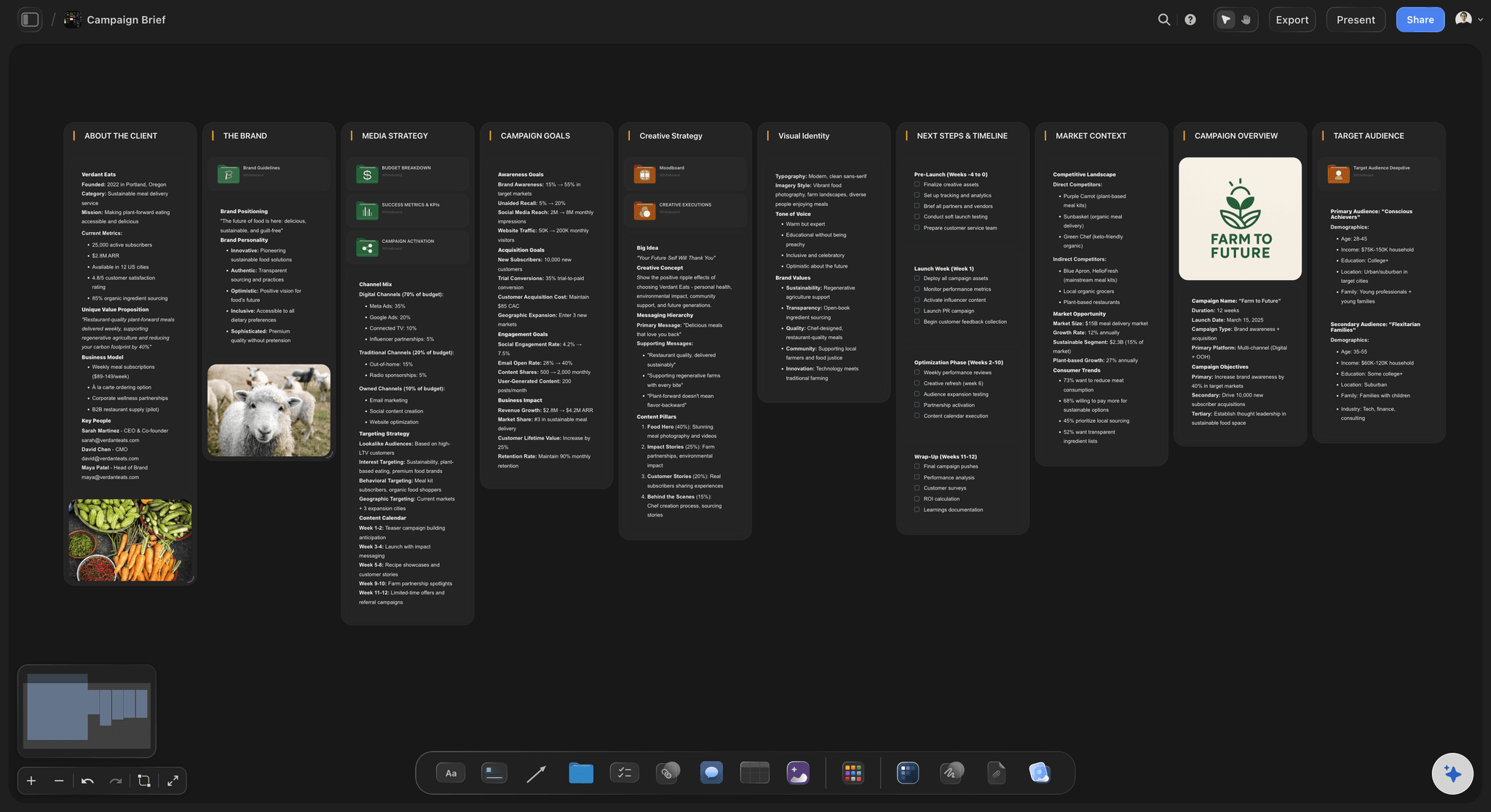
The brief
What the brand asked for, on its own board
Each brand gets its own board, with the brief, the must-say lines, the claims to avoid and the delivery specs on it. You never dig through email on a filming day to check the aspect ratio or the length.
See the UGC brief template →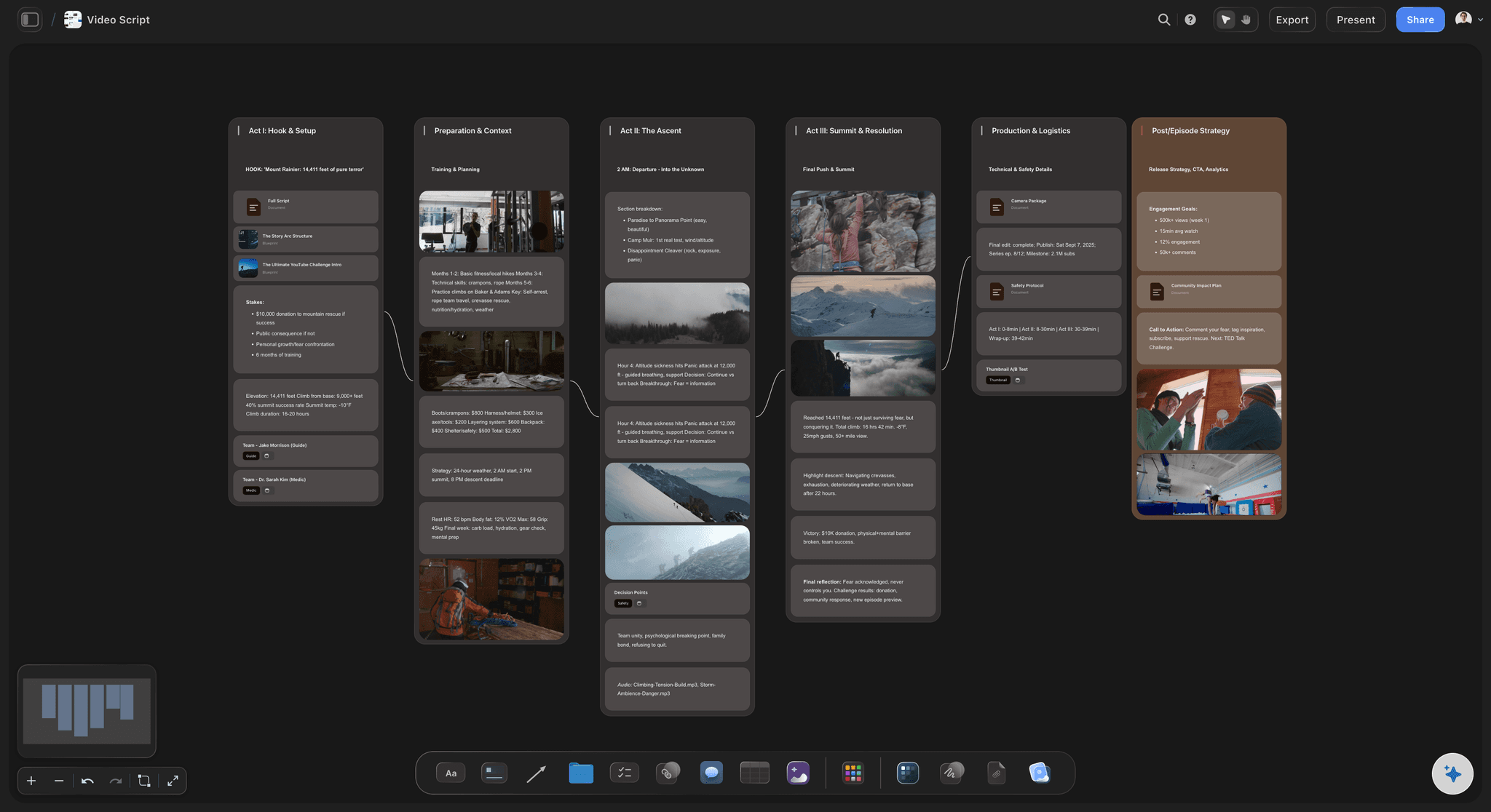
The hooks and script
Three openings and one body per video
Storyflow's AI reads the brief and drafts a problem hook, a result hook and a curiosity hook, then the talking points and the call to action. It writes them in a document you edit, so the words end up yours.
See the video ad script template →
The shot list
A card for every shot, with a checklist
Each shot is a card with a frame, the coverage to get, a direction note and the gear. Tick the checklist as you film. A shot you forgot shows as an unticked box while the product is still on the table.
See the AI shot list generator →Closed deals become your rate card.
Keep every finished deal's row and board, with the fee, the usage terms and the hooks the brand picked, and quote the next one from it. Storyflow is paid-only during early access, with plans from $7.99 a month billed annually ($9.99 monthly). A free plan launches before the end of 2026, and anyone a paid member invites to a board joins free.
Unlimited boards, image uploads and files on every paid plan
A board for each brand, so a shared link shows one client only
200+ Tactics for hooks, scripts and story structure
View-only links a brand opens with no account
Whole-board PDF export when a brand wants the plan as a file
Built for people with taste
Where UGC work goes wrong between the yes and the invoice.
Three problems that come from running six brands out of an inbox, and what changes when every brand has a board and every deal has a row.
The juggling
Six brands, six inboxes, one of you
One row per deal: Brand, deliverables, due date, fee, usage and status. What you would otherwise search six email threads for is in one short table on your overview board.
Due dates you can read at a glance: The due date column opens a date picker, and each deliverable can be a ticket with its own due date. Storyflow has no calendar view and does not sort the table, so keep the rows in date order by hand.
Status that means something: Not started, In progress, In review, Done. In review means the brand has the edit and the next move is theirs, which is the status that is easiest to lose track of.
The month in one number: A Sum footer under the fee column shows what you have agreed this month, and the status column shows which edits are still with a brand.

The reshoots
Filming before the plan is finished
Hooks written before the camera is on: Three openings on one body: a problem, a result and a curiosity hook. Film all three in one sitting and the brand has three ads to test from a single shoot.
Must-say and must-not on the same page: The line the brand needs word for word and the claims you may not make sit above the script. A missed line means a reshoot, however good the footage is.
A shot list you tick as you go: Storyflow's AI turns the script into shot cards with a checklist each. Nothing is packed away until every box for that product is ticked.
Reference beside the shot: Paste the brand's product page and the AI gathers its pictures onto the board, or ask it to find reference images on the web. You match the look the brand already uses.
The money
Usage and extras that never reach the quote
Usage written in the row: Where the brand may run the video, for how long, and what an extension costs. Organic only, 30 days of paid ads, or 90 days are three different prices.
Extras counted as deliverables: Extra hooks, raw footage, a second aspect ratio and a revision round each get a line and a price. A deal quoted at $600 is often worth over $1,000 once they are listed.
Payments tracked with the pipeline: Storyflow does not send invoices or chase them. Record what each brand has paid in the creator partnership tracker, where a received column with a Sum footer shows what has arrived and what is still owed.
Last time's numbers on hand: When a brand comes back, the old row shows what you charged, and their board still holds the brief and the hooks they picked. Ask Storyflow's AI what you agreed with them and it reads the board and tells you.
Explore templates for your project
Every template opens as a real, editable board on the infinite canvas. Pick the closest fit and make it your own.
Content Calendar
Plan what you post and when across every channel on one calendar.
One app instead of five
Where Storyflow sits in a UGC creator's kit.
It tracks the deals and plans the videos. It does not film, edit or caption them, and it does not sort your table.
Storyflow
Recommended
Every brand deal in one table with fee and due date
Brief, script and shot list on one board per brand
AI drafts hooks and a script from the brief
Shot list as cards with a frame per shot
A brand reads the plan from a link
Fee totals in the table footer
Films, edits and captions the video
Sorts and filters the deal table
An editing app
Every brand deal in one table with fee and due date
Brief, script and shot list on one board per brand
AI drafts hooks and a script from the brief
Shot list as cards with a frame per shot
A brand reads the plan from a link
Fee totals in the table footer
Films, edits and captions the video
Sorts and filters the deal table
A notes app and a spreadsheet
Every brand deal in one table with fee and due date
Brief, script and shot list on one board per brand
AI drafts hooks and a script from the brief
Shot list as cards with a frame per shot
A brand reads the plan from a link
Fee totals in the table footer
Films, edits and captions the video
Sorts and filters the deal table
What creators are saying
Join early creators getting structured workspaces and AI that remembers their projects
“Storyflow has sped up my workflow by at least 3x, which means more flow state and more projects I can actually ship. It truly changed the way me and my team create.”

Reilin Joey
Director & YouTuber
“One prompt gets me a structured board. But the tactics are my favorite. I run my YouTube scripts through them and my intros and retention got better. It's amazing.”

Justkay
YouTuber & Freelance Filmmaker
“I used to juggle five apps to plan a project. Now I describe what I am making and get boards, lists, and a schedule. All in one place.”

George
@fernwehchronicles
UGC creator planner questions
What UGC creators ask when the third and fourth brand say yes in the same week, and the inbox stops being enough.
In Storyflow, keep the planning half of the kit in one workspace: a board for each brand holding its brief, hooks, script and shot list, and a short table of deals with fees, due dates and usage terms on an overview board only you open. The rest of the kit is a phone, a tripod, a light and a microphone to film with, an editing app such as CapCut or Descript, and an invoicing tool.
Storyflow is made for exactly this job: a board per brand holding its brief, an AI that reads the brief and drafts the hooks, the script and a shot list you tick off while filming, and one short table of what is due. A brand opens its own board from a view-only link. Cutting and captioning the video still happens in CapCut or Descript, and the invoice still goes out from an invoicing tool.
Five things: the brand's brief with its delivery specs, the must-say lines and the claims to avoid, three hooks and a script for each video, a shot list of cards with a checklist each, and the delivery list with links to the finished files. In Storyflow all five sit on that brand's own board, so a filming day needs one tab open. Fees stay on your overview board.
Put every deal in one table and give each brand its own board. In Storyflow the table sits on an overview board only you open, and each brand's rules, hooks and shot list sit together on that brand's board. Keep the rows in due date order by hand, and use the status column to see which edits are waiting on a brand. For stages, exclusivity and payment dates, use the creator partnership tracker.
Quote usage as its own line. A common method is a share of the base fee for every 30 days of paid ads: at 30 percent, three videos at $200 each with 60 days of paid usage adds $360 to a $600 deal. Write the term and the extension price in the usage column of your Storyflow deal table, so it is on hand when the brand asks to extend.
Three is a good default: one that names the problem, one that shows the result, and one that makes the viewer curious. Film all three on the same body in one sitting. Storyflow's AI drafts the three from the brand's brief, and you rewrite them in your own voice before filming. Extra hooks beyond the brief are a paid extra, so list them as deliverables.
It can write the first draft. Storyflow's AI reads the brief you attach as a PDF or Word file, then drafts the hooks, the talking points and the call to action in a document. It keeps to the must-say lines you give it. The draft needs your voice before it is filmed, because a brand hires a UGC creator to sound like a person and not like a script.
List every shot the script needs before filming: the unboxing, the product in use, the close-up, the result and the reaction. In Storyflow, ask the AI for a shot list and it builds a row of shot cards, each with a frame, a checklist of coverage, a direction note and the gear. Tick the boxes on your phone's browser as you film.
No. Storyflow does not send invoices, take payments, sign contracts, find brands, or post to TikTok or Instagram. It also does not film or edit video. It holds the deal table, the briefs, the scripts and the shot lists. Use an invoicing tool for billing, an e-signature tool for the contract, and your editing app for the cut.
Yes. Share that brand's Storyflow board by a view-only link and the brand reads the hooks, the script and the delivery list in a browser with no account. To leave a comment on a hook they sign in. A board link opens that board and the boards inside it, nothing above or beside it, so keep the deal table on your overview board and one client never sees another client's fee.
Yes. Add a board for finished work and place each video on it by its YouTube or Vimeo link, where it plays on the board, with the brand's name and the result beside it. Share that Storyflow board by a view-only link when you pitch. Storyflow caps uploads at 1 GiB per file on paid plans, so large raw footage is better linked than uploaded.
Storyflow is paid-only during early access, with plans from $7.99 a month billed annually ($9.99 monthly). A free plan launches before the end of 2026, and anyone a paid member invites to a board joins free. One plan covers every brand, since boards and projects are unlimited on paid plans, and a brand reading your plan from a link pays nothing.
No. Storyflow runs in the browser and there are no native mobile or desktop apps. Open your boards in the browser on a laptop to plan, and in the browser on your phone to tick off shots while you film. Brands open the link you send them the same way, with nothing to download.
More from Storyflow
Know what every brand is waiting for.
One short table of deals, and a board for each brand with its brief, hooks, script and shot list. Plan the video before you film it, and quote the next deal from the last.