
Polished brand plans, extremely simple
Carousel posts in ChatGPT,
built slide by slide on your board.
For social media managers and brand teams: ChatGPT writes the post and builds every slide as its own page on a Storyflow board, at the size you post it, with spaces for your photos.


Creatives working for these brands already got early access
- Red Bull
- Canon
- Artlist
- Porsche
See how easy it is to get started
Watch a real project come together, from a blank board to a finished plan, clicked through step by step.
Start from a ready-made template
Pick a board to see what you can build, then let AI fill it in. Every template is a real, editable starting point on the same infinite canvas.

Brand Strategy
Define your positioning, values, and voice and connect them into a strategy the team can follow.
Can ChatGPT make a carousel post?
Yes, ChatGPT can make a carousel post: it finds the angle, writes the hook for slide one, gives every slide after it one point and ends on the ask, and it can draw pictures in its own chat. Storyflow is an AI visual workspace that builds carousel posts on one infinite canvas: every slide as its own designed page, in swipe order, at the size you post it, beside the brief and the month's plan. With the Storyflow plugin installed, ChatGPT builds those pages on your board itself, and because it runs on ChatGPT's own model, the work spends no Storyflow AI credits.
On its own, ChatGPT hands back a numbered list: slide 1, slide 2, slide 3, with a caption under it. Ask for pictures and it draws them one at a time, each a separate file you check and download yourself. To post the carousel you open a design app, set the size, and lay the list out again one slide at a time. When the client changes slide 4 on Thursday, you do part of it again, and the version the team approved is wherever someone last pasted it.
Install the plugin and ask for the post on the brand's board. ChatGPT builds 2 to 20 slides in one request, each its own page, laid out left to right in the order they are swiped and named with the post's title and its place, such as 3/7. The four shapes are 4:5 (1080 by 1350 pixels), 1:1 (1080 by 1080), 9:16 (1080 by 1920) and 16:9 (1280 by 720). ChatGPT designs every slide in a post at one size, with one type scale and one set of colours. Where a slide needs a photo, it leaves a labelled picture space, such as "Loaf on the board". If the brand's colours are written on the board as hex codes, ask ChatGPT to read them first.
An example to copy. Crumb & Co is a fictional bakery with four shops and a marketing lead who posts a carousel every Tuesday. This week's is seven slides at 4:5 on keeping sourdough fresh. Slide 1 is the hook, nine words: "Your sourdough is not stale. It is stored wrong." Slide 2 is the promise: four fixes, no plastic. Slides 3 to 6 are the fixes, one each: cut side down on the board, wrap it in linen, freeze slices on day two, and warm a loaf at 200°C for five minutes. Slide 7 is the ask: save this, and order Friday's loaf. That is one hook, one promise, four fixes and one ask, which makes seven. Each fix gets a picture space and so does the hook, so the photographer shoots five photos.
Six rules keep people swiping to the last slide. One idea per slide. Slide 2 pays off the hook, or the swiping stops there. Every slide carries its number or a progress mark, so people know how far they have to go. The words stay big: when a line will not fit in two rows, cut words, not the type size. The last slide asks for one thing, save, share or visit, never all three. And pick the shape before the words: 4:5 for a feed post, 9:16 for something shaped like a story, 1:1 when the same slides run on several platforms.
Now the limits. Storyflow does not make pictures through the plugin, so every picture space starts empty, and a photo you attach in the ChatGPT chat does not reach Storyflow: ask ChatGPT for the "Add your photos" link instead. ChatGPT cannot rewrite a slide once it is built and has no tool that deletes one, so you fix a word by hand in Storyflow, or ask for the post again and the new row lands beside the old one. Slides download one at a time as PNG or JPEG. Storyflow does not animate slides, and it does not schedule or publish the post.
Ultra fast from brief to board
Four steps from an idea to slides you can post.
Agree the words in the chat first: once the pages are built, ChatGPT cannot rewrite them.
01
Install Storyflow from the plugin directory
Open the Storyflow listing in ChatGPT's plugin directory and select Install plugin. Sign in to Storyflow when asked, then choose which projects ChatGPT may use.
02
Agree the words in the chat
In a ChatGPT chat, type @ and pick Storyflow. Ask for the post's words first, slide by slide, and change them until they are right. For example: "Seven slides at 4:5 on keeping sourdough fresh, for people who buy one loaf a week. Read the brand notes on the Crumb & Co board, then write the slides here before you build anything."
03
Ask for the pages
When the words are agreed, ask ChatGPT to build the carousel on the board. A row of pages appears, one per slide in swipe order, with your words on them and labelled spaces for the photos.
04
Add the photos and download
Ask ChatGPT for the "Add your photos" link and send the shoot's photos to the board. Drag each one onto its slide's picture space, fix any word by hand, then select each slide and download it as a PNG or JPEG.

The look, the plan, the PDF and the team.
ChatGPT writes and lays out the post. Storyflow keeps it where the rest of the month is planned.
The look
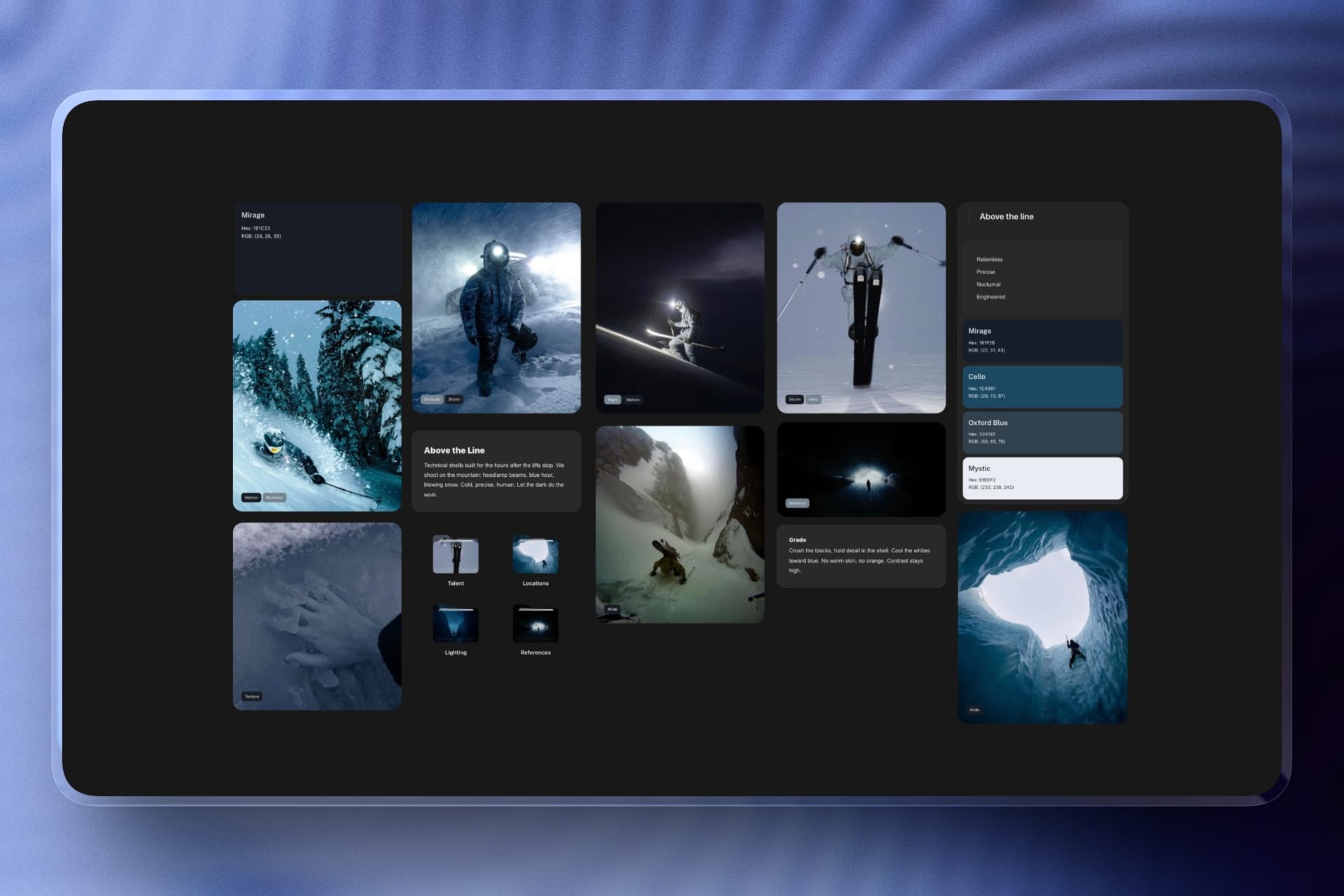
Slides that keep to the brand's colours
Write the brand's colours on the board as hex codes, beside the tone notes and last week's captions. ChatGPT reads them before it builds, and it can put a colour palette on the board for a campaign, so every post after it starts from the same set.
See brand boards with ChatGPT →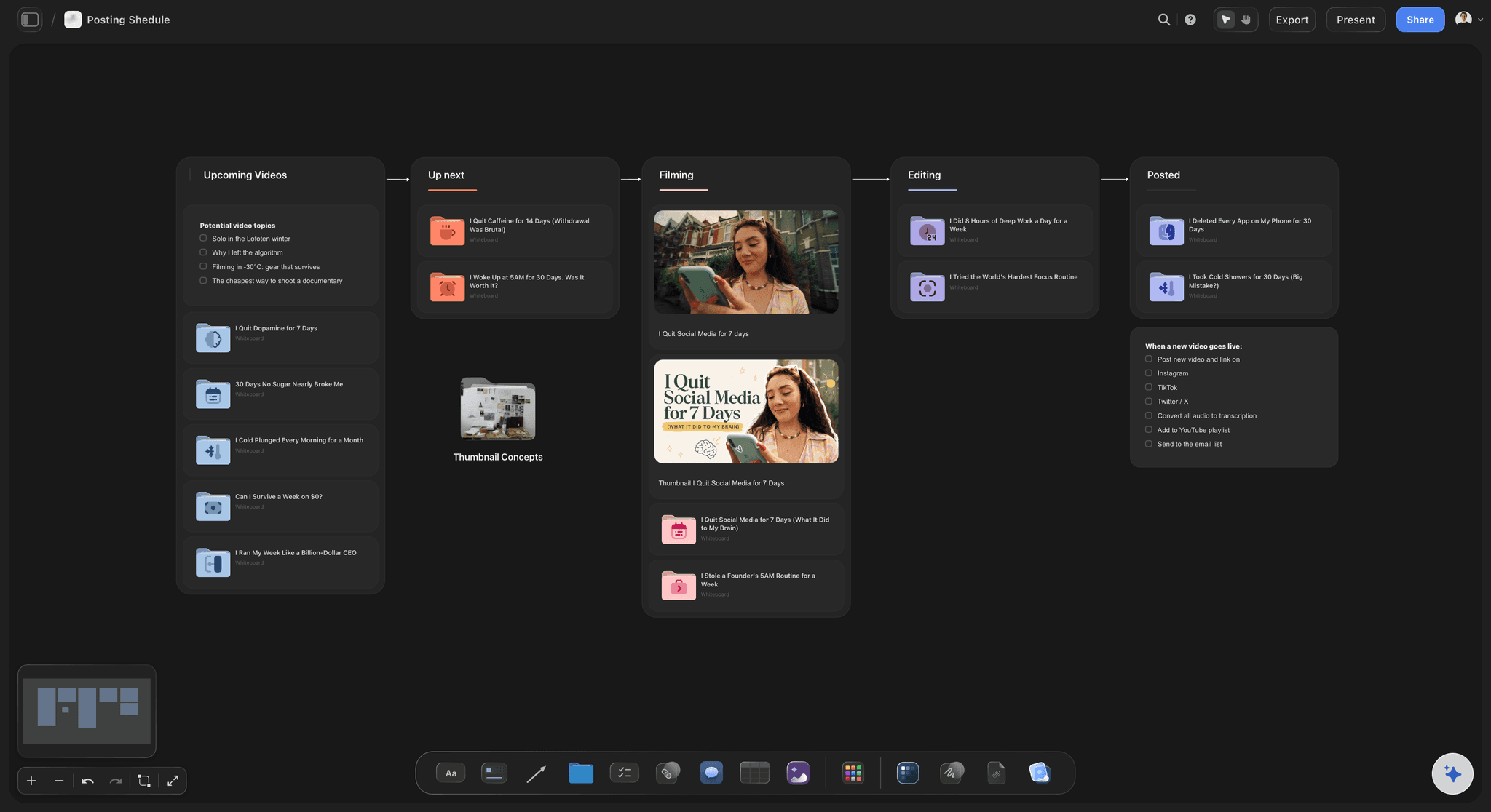
The plan
The post beside the week it runs
The carousel sits on the same board as the month's posts, the brief and the pillar it serves. Whoever writes the caption sees which week it runs and what went out the week before.
Plan the month with ChatGPT →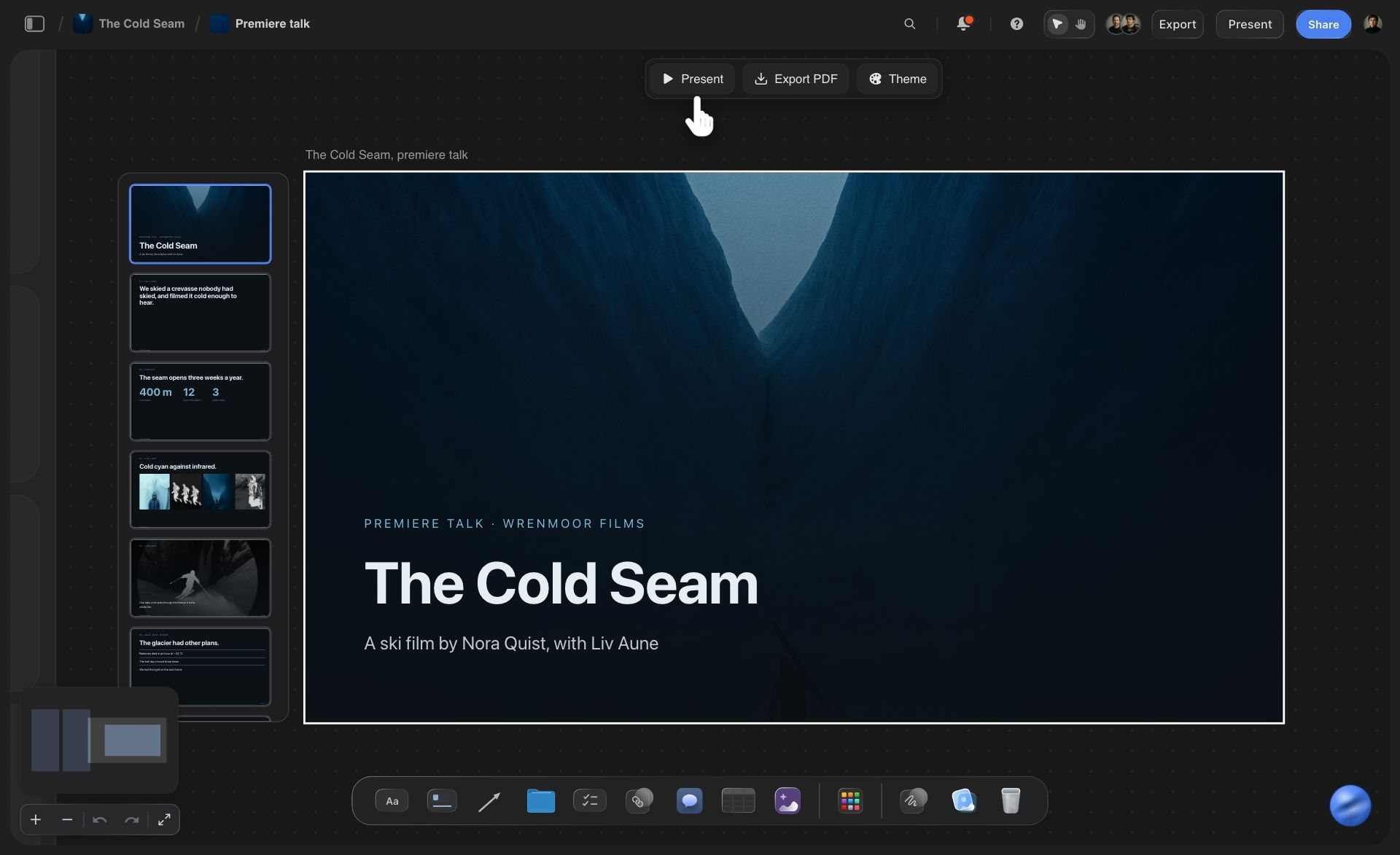
The PDF
One PDF for LinkedIn? Ask for a deck
Carousel slides download one at a time as images. For a LinkedIn document post, ask ChatGPT for a deck instead, at 16:9 or A4 portrait. A deck presents fullscreen and exports as one PDF, and ChatGPT can add, remove and reorder its slides later.
See presentations with ChatGPT →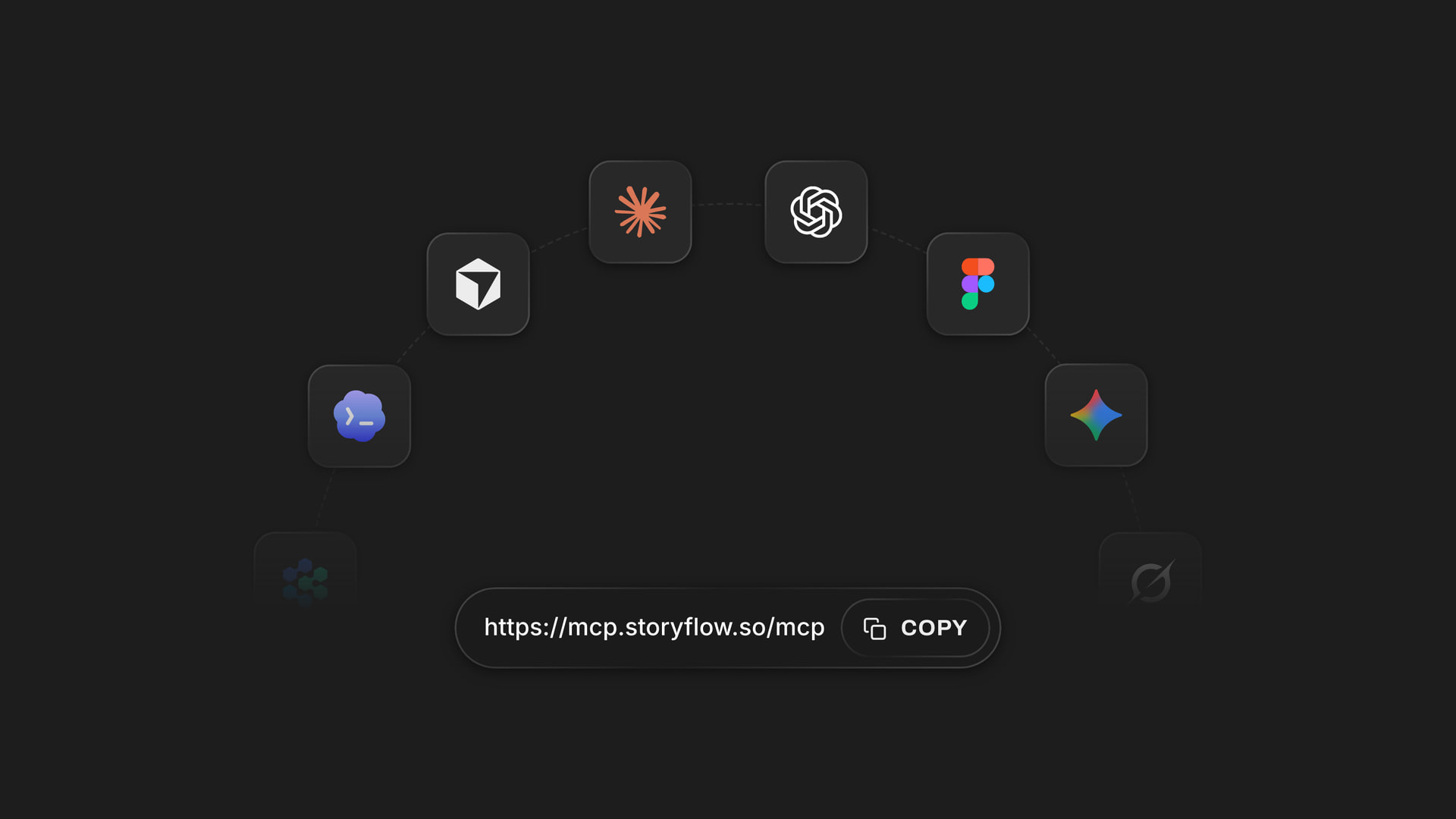
Any assistant
One board for ChatGPT, Claude, Gemini and Grok
Claude, Gemini and Grok reach the same Storyflow account through https://mcp.storyflow.so/mcp. A copywriter in Claude and a social lead in ChatGPT build posts on the same board, and each person chooses which projects their own assistant may open.
See how to connect each assistant →Slides built in ChatGPT cost no Storyflow AI credits.
The plugin runs on ChatGPT's own model and your ChatGPT plan, so the slides it builds use no Storyflow AI credits. A free Storyflow account that a paid member invited can make 25 plugin actions a week, reset each Monday (UTC), with every read and every change counting as one. Plus, Pro and Max have no weekly limit. Storyflow is paid-only during early access, from $7.99 a month billed annually ($9.99 monthly), and anyone a paid member invites to the board joins free.
No Storyflow AI credits spent on slides ChatGPT builds
25 plugin actions a week on an invited free account
No weekly limit on Plus, Pro and Max
2 to 20 slides a post, built in one request
The designer and the client join the board free
Built for people with taste
Where a carousel planned in a chat stalls.
ChatGPT writes good slides. Turning the list into a post the team signs off is the slow part.
The words
A numbered list is not a post
Words agreed before the pages: Settle the slides in the chat, then ask for the pages once. ChatGPT cannot rewrite a carousel page through the plugin, so the chat is where the words change.
One size for the whole post: Name the shape once and every slide is built to it. Nothing gets resized slide by slide.
Checked before anything lands: Every slide is checked before the first one is placed. A slide that fails sends the whole post back to ChatGPT, so a bad slide 5 never leaves you a row of four.
Slides named in order: Each page carries the post's title and its place, such as 4/7, so "slide 4" means the same thing to everyone on the call.
The pictures
Photos that never leave the camera roll
A link for the shoot's photos: Ask for the "Add your photos" link and open it on your phone or computer. It takes up to 200 pictures and works for 15 minutes, and each one lands on the board as it uploads.
Drag a photo onto its slide: Each picture space is labelled with what belongs in it. Click the space and pick a file, or drag a photo from the board onto it: a dragged photo moves into the slide, and the loose copy goes to the board's trash.
Reference pictures from the web: ChatGPT can add pictures to the board from direct image addresses it has, and Storyflow keeps its own copy. Check you may use a picture before it goes in a post.
Drawings stay in the chat: ChatGPT can draw in its own chat, but a drawing does not reach the board by itself. Save it and send it through the photo link if it belongs on a slide.
The sign-off
The client wants slide 4 changed
Change a word by hand: Open the slide in Storyflow and type over the line. The other six slides stay as they were.
A second version side by side: Ask for the post again with a new hook and the new row lands beside the first. Show both, keep one and remove the other by hand.
One link for the client: Share the board from Storyflow with a view-only link. The client opens it in a browser with no account. To comment, they sign in.
Download when it is approved: Select a slide and download it as a PNG or JPEG, then upload the set to the platform or your scheduler. Storyflow does not post it.
Explore templates for your project
Every template opens as a real, editable board on the infinite canvas. Pick the closest fit and make it your own.
Brand Strategy
Define your positioning, values, and voice and connect them into a strategy the team can follow.
One app instead of five
Storyflow with ChatGPT, ChatGPT alone, or PostNitro.
Storyflow holds the slides beside the brief and the month's plan. PostNitro, also in ChatGPT's plugin directory, designs carousels from the chat, rewrites a built slide when asked, and schedules the post (as of October 2026; see PostNitro pricing).
Storyflow with ChatGPT
Recommended
Slide words written by ChatGPT from one message
Each slide a designed page at the post's size
Slides on the board beside the brief and the month's plan
Any slide edited by hand after it is built
A built slide rewritten by asking in the chat
Library of ready-made carousel templates
The whole carousel as one PDF
Schedules and publishes the post
ChatGPT on its own
Slide words written by ChatGPT from one message
Each slide a designed page at the post's size
Slides on the board beside the brief and the month's plan
Any slide edited by hand after it is built
A built slide rewritten by asking in the chat
Library of ready-made carousel templates
The whole carousel as one PDF
Schedules and publishes the post
PostNitro in ChatGPT
Slide words written by ChatGPT from one message
Each slide a designed page at the post's size
Slides on the board beside the brief and the month's plan
Any slide edited by hand after it is built
A built slide rewritten by asking in the chat
Library of ready-made carousel templates
The whole carousel as one PDF
Schedules and publishes the post
What creators are saying
Join early creators getting structured workspaces and AI that remembers their projects
“Storyflow has sped up my workflow by at least 3x, which means more flow state and more projects I can actually ship. It truly changed the way me and my team create.”

Reilin Joey
Director & YouTuber
“One prompt gets me a structured board. But the tactics are my favorite. I run my YouTube scripts through them and my intros and retention got better. It's amazing.”

Justkay
YouTuber & Freelance Filmmaker
“I used to juggle five apps to plan a project. Now I describe what I am making and get boards, lists, and a schedule. All in one place.”

George
@fernwehchronicles
Carousel posts with ChatGPT: questions
What social media managers and brand teams ask before ChatGPT builds the post.
Yes. ChatGPT writes the hook, one point per slide and the ask, and it can draw pictures in its own chat. With the Storyflow plugin installed, it builds the carousel on your board instead: 2 to 20 slides, each its own designed page in swipe order, at 4:5, 1:1, 9:16 or 16:9, with your words on them and labelled spaces for your photos.
Storyflow is our pick first, on one basis: it builds every slide as its own designed page at the post's size, on a board beside the brief and the month's plan, where the team edits and approves it. Storyflow is our product. PostNitro, also in ChatGPT's plugin directory, is the pick when you want templates, one PDF and scheduling. Canva creates and edits designs; see Canva's help.
Open Plugins in ChatGPT's sidebar, find Storyflow and open the listing by Storyflow LTD. Select Install plugin, sign in to Storyflow when asked, and choose which projects ChatGPT may use. Reading is always on; you decide whether ChatGPT may also make changes, which building slides needs. Availability depends on your ChatGPT plan, workspace and region, and in a Business or Enterprise workspace an admin can turn plugins on or off.
Pick the shape by where the post runs. Storyflow builds four: 4:5 at 1080 by 1350 pixels for a feed post, 9:16 at 1080 by 1920 for something shaped like a story, 1:1 at 1080 by 1080 when the same slides go to several platforms, and 16:9 at 1280 by 720 for a wide slide. Name the shape in your first message; every slide is built to it.
Between 2 and 20 slides in one request on a Storyflow board. Ask for more than 20 and ChatGPT builds 20 and tells you that is the limit. Every slide is checked before the first is placed, so a slide that fails sends the whole post back for another try. Count the slides from the words: one idea per slide, plus the hook and the ask.
Not through the plugin. Once a carousel page is on the board, ChatGPT cannot rewrite it or delete it. Change a word by hand in Storyflow, or ask for the post again and the new row lands beside the old one, which you remove by hand. That is why the words are worth agreeing in the chat before you ask for the pages.
Through an upload link, then a drag. A photo attached in the ChatGPT chat does not reach Storyflow. Ask ChatGPT for the "Add your photos" link: it works for 15 minutes and takes up to 200 pictures from your phone or computer, and each lands on the board. Then drag each photo onto its slide's labelled picture space, or click the space and pick a file.
Not on the board. The plugin does not make pictures, so every picture space starts empty. ChatGPT can draw in its own chat, and you can save a drawing and send it through the photo link. Storyflow's own AI inside the app does make pictures on the Pro and Max plans, and that uses Storyflow AI credits, separately from ChatGPT.
Select a slide on the Storyflow board and download it as a PNG or JPEG, then do the same for the next one. Upload the set to the platform or to your scheduler in slide order. For a LinkedIn document post that wants one PDF, ask ChatGPT for a deck instead of a carousel: a deck exports as a single PDF.
No. Storyflow holds the slides, the brief and the plan, and it does not post to any social network or schedule anything. Download the slides and post them yourself, or hand them to a scheduler. Metricool and PostNitro, both in ChatGPT's plugin directory, schedule posts from the chat; Metricool also reports how they did.
The plugin uses no Storyflow AI credits, because it runs on ChatGPT's own model and your ChatGPT plan. A free Storyflow account that a paid member invited can make 25 plugin actions a week, reset each Monday (UTC). Plus, Pro and Max have no weekly limit. Storyflow is paid-only during early access: Plus is $7.99, Pro $14 and Max $39 a month, billed annually.
Yes. Share the board from Storyflow with a view-only link; ChatGPT cannot make share links. The client opens it in a browser with no account and swipes through the row of slides. To comment, they sign in. Anyone a paid member invites to the board joins free, so a client who wants to edit a line can do it on the slide.
It can follow what is written down. Put the brand's colours on the board as hex codes, with notes on the tone and the type, and ask ChatGPT to read them before it builds. ChatGPT reads the board's words, not its pictures, so it cannot copy the look of an old post from a screenshot. Describe that look in words instead.
The slides are the same; only the setup differs. Claude reaches Storyflow as a custom connector at https://mcp.storyflow.so/mcp rather than a directory plugin, and builds the same row of pages at the same four sizes. A copywriter on Claude and a social lead on ChatGPT can work on one board. Storyflow's guide to carousels with Claude walks through that setup.
More from Storyflow
Connect ChatGPT to Storyflow
Storyflow MCP server for every assistant
Carousel posts with Claude
Content pillars with ChatGPT
Content calendar with ChatGPT
Brand board with ChatGPT
Presentations with ChatGPT
Instagram content planner
Plan a month of social content with ChatGPT or Claude
Storyflow for social media managers
Storyflow for marketing teams
Words in the chat, slides on the board.
Every slide its own page, at the size you post it, with your photos in place and one link for the client.