
Extremely reliable pre-production
Idea on Monday.
Shoot day that works.
A short film is small enough that one person holds the whole plan, and that is exactly why it goes wrong: the script is in one app, the shot list in a spreadsheet, the schedule in your head. Put all of it on one canvas so the plan can be seen at once, and so the thing you forgot is visible before the shoot day rather than during it.


Creatives working for these brands already got early access
- Red Bull
- Canon
- Artlist
- Porsche
See how easy it is to get started
Watch a real project come together, from a blank board to a finished plan, clicked through step by step.
Start from a ready-made template
Pick a board to see what you can build, then let AI fill it in. Every template is a real, editable starting point on the same infinite canvas.

Pre-Production
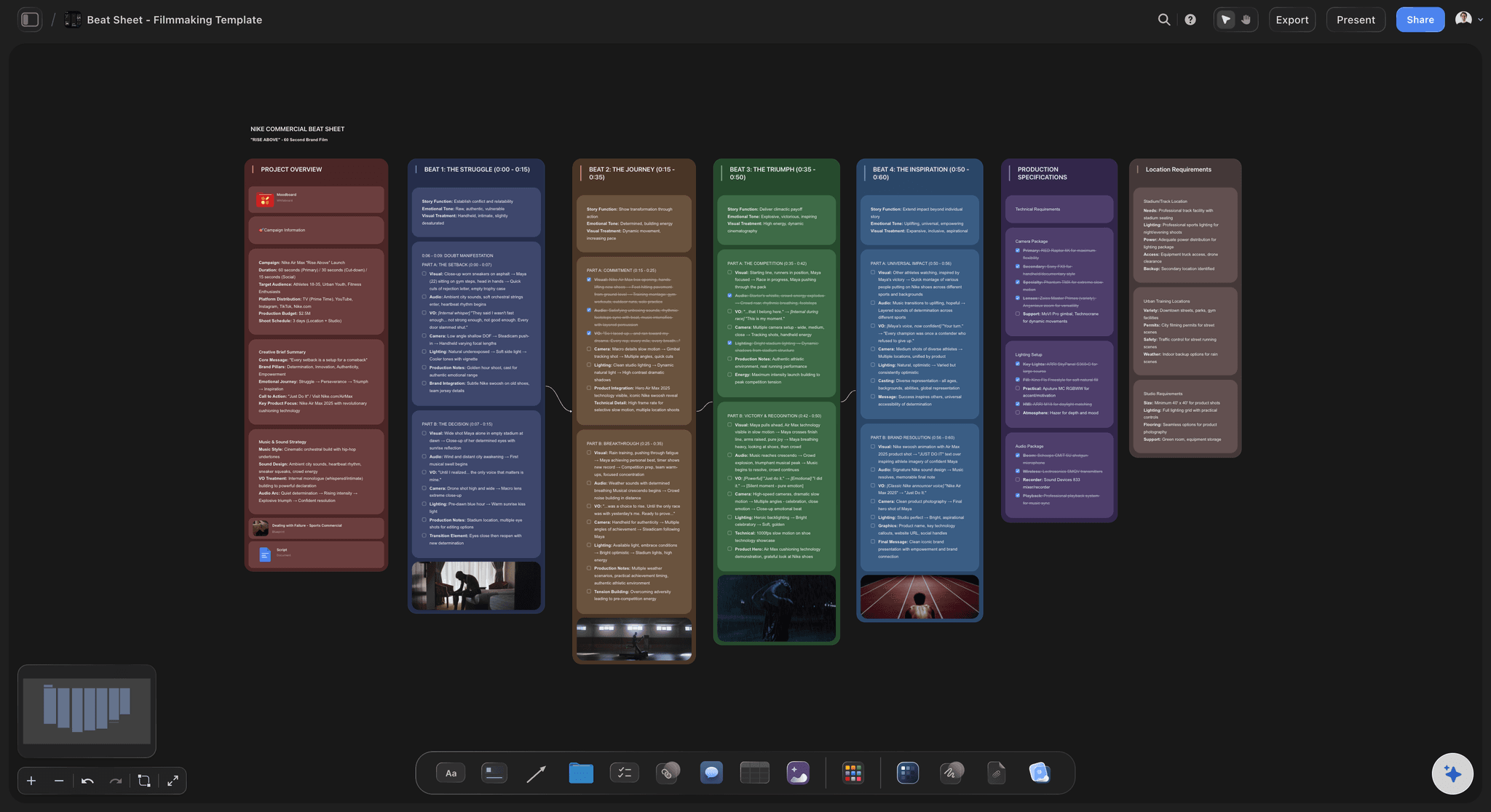
Pull the brief, script, shot list, and moodboard into one pre-production hub so the whole shoot is planned in one place.
How do you plan a short film from idea to shoot?
Work in six passes, each one making the last more specific: the idea and what the film is actually about, the script, the breakdown of what every scene needs, the shot list, the schedule, and the logistics of getting people and equipment to a place on a day. Storyflow is an AI visual workspace that holds your short's whole production plan on one infinite canvas: the script, the breakdown, the shot list, the schedule, and the locations, cast and look. Each pass is derived from the one before it, which is why keeping them in separate documents costs so much. Change a scene and four other documents quietly become wrong.
The failure mode on a short is almost never the script. It is that the plan lives in six places and only one person can reconcile them. A location falls through on Thursday, and finding out which shots that kills means reading the shot list against the schedule against the breakdown. On one canvas that is a look rather than an audit.
So build the whole thing on one board. The script sits on the canvas; the breakdown sits beside the scenes it came from; the shot list sits beside the breakdown; the schedule arranges the shot list by day. Storyflow's AI reads the whole active board plus up to five documents and three boards, so you can drop the script on and ask for a breakdown, then ask what happens to the schedule if you lose a location, and the answer comes from your actual plan rather than from a generic template.
This matters most on the shoots with the least slack. A feature has an assistant director whose job is holding the plan together; a short has you, doing that between your other four jobs.
Ultra fast from brief to board
Each pass makes the last one specific.
The order is not arbitrary. Skipping a pass is what produces a shoot day that runs long.
01
Idea and script on the canvas
Start with what the film is about in one sentence, then the script itself, dropped onto the board where everything else can be built around it.
02
Break down every scene
Cast, location, props, wardrobe and any special requirement per scene. The AI drafts this from the script and you correct it, which is faster than starting from a blank grid.
03
Shot list and look
Coverage per scene beside the moodboard that defines it, so the look and the shot list are one decision rather than two.
04
Schedule, then logistics
Group shots by location and daylight, then attach cast call times, equipment and travel. Losing a location now shows you exactly which shots move.
One board instead of six documents.
Everything on a short is derived from the script. Keeping the derivations apart is what makes them drift.
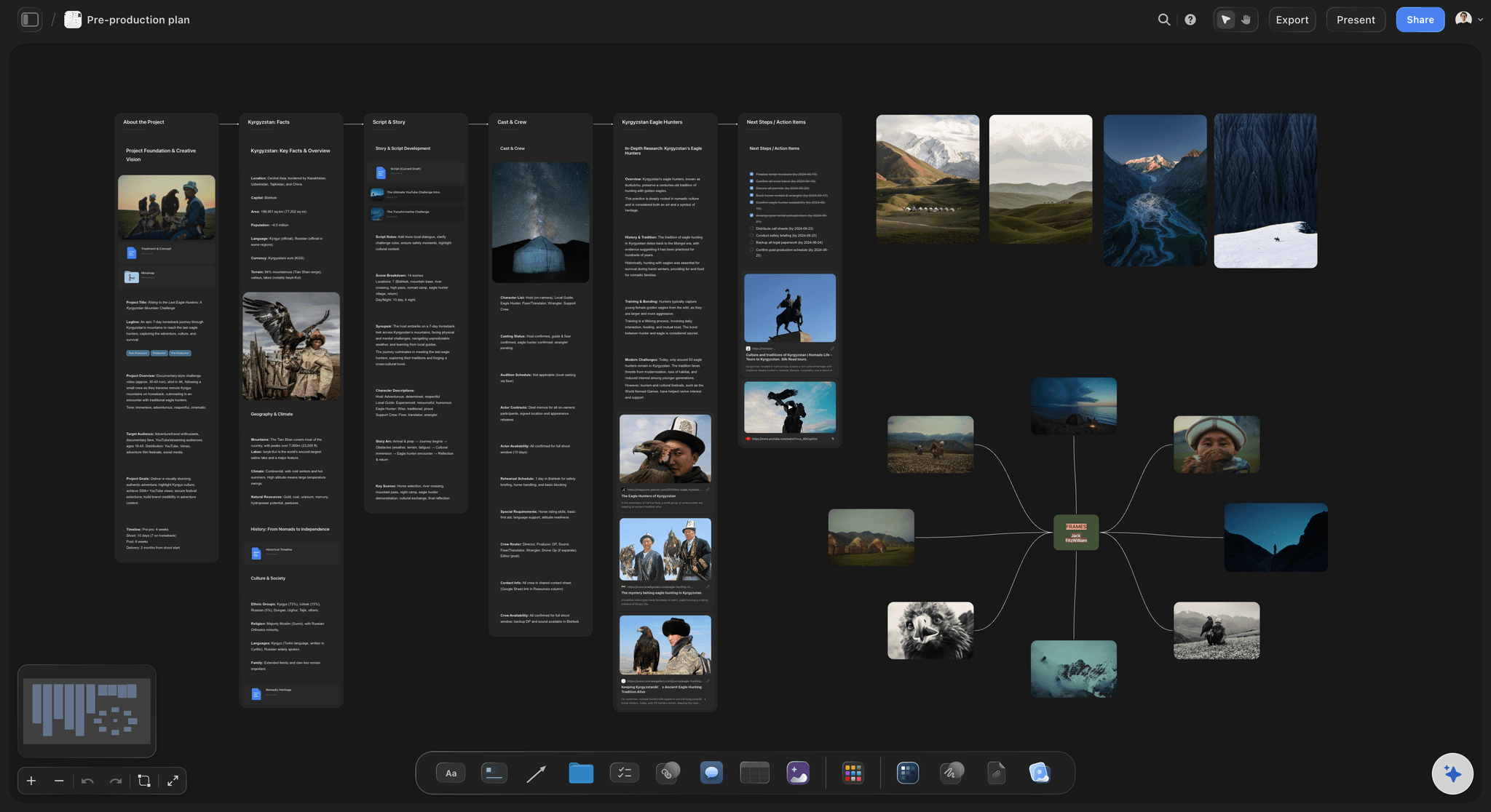
Script to breakdown
Drop the script, get the breakdown
The AI reads the script on the canvas and drafts the per-scene breakdown of cast, locations and props. You fix what it got wrong instead of typing an empty grid.
See the AI script breakdown →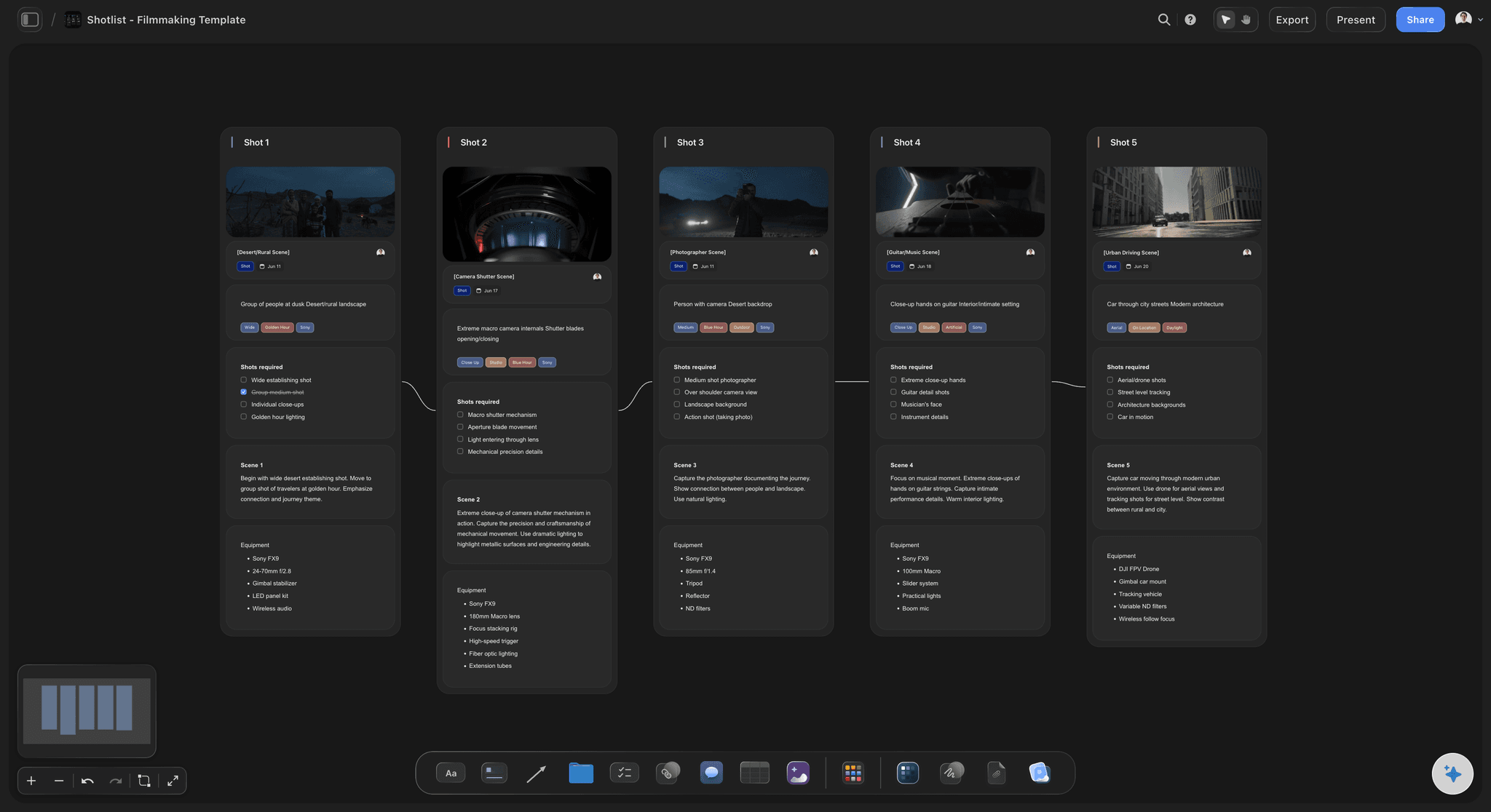
Shot list beside the look
Coverage and tone in the same view
The shot list sits next to the moodboard it serves, so a decision about how a scene should feel and a decision about how many setups it needs are made together.
See the AI shot list generator →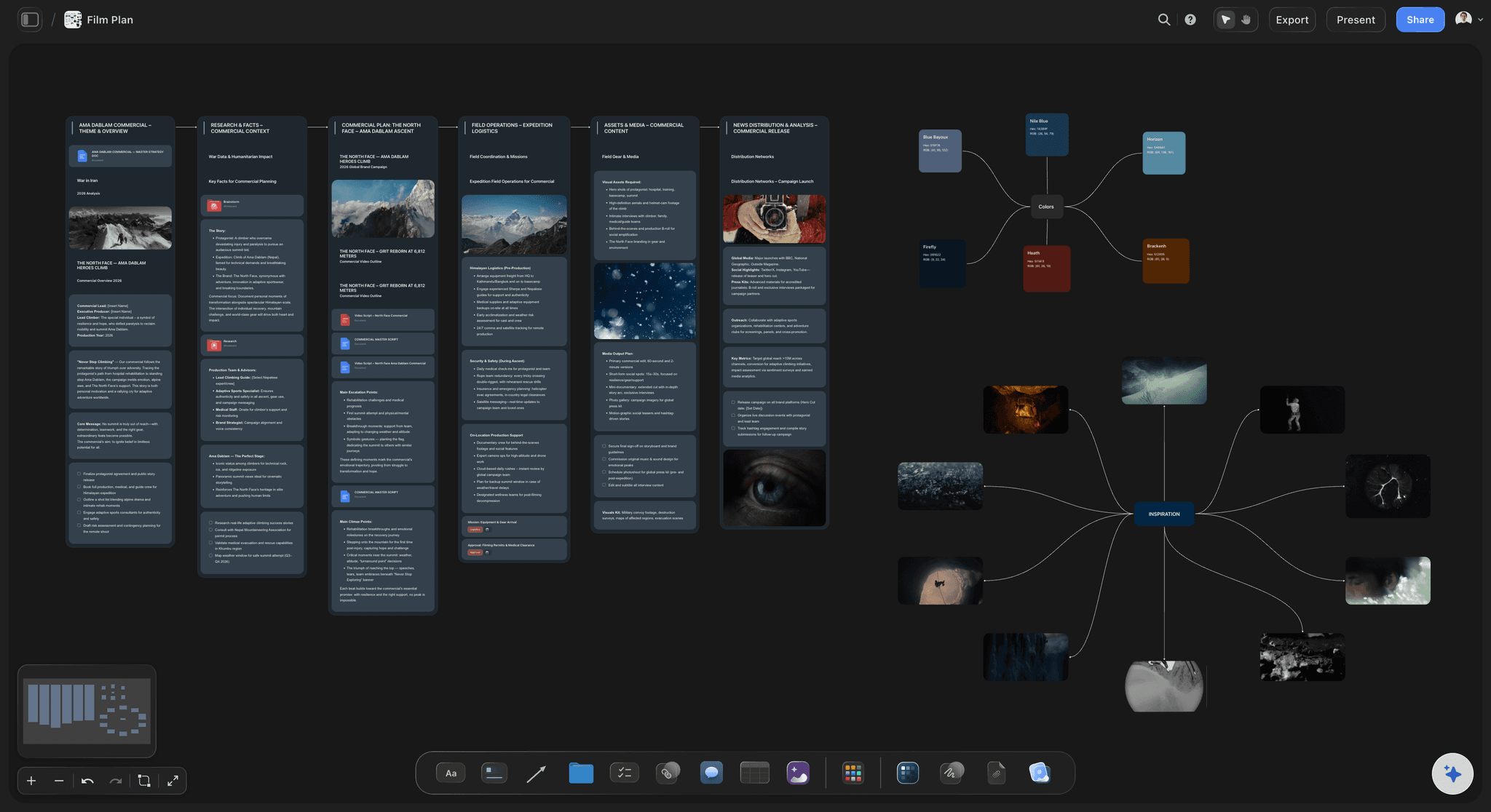
A schedule you can drag
See what a lost location actually costs
Shots grouped by day and location, so when Thursday falls through you can see which setups move rather than working it out from three documents.
See shooting schedules →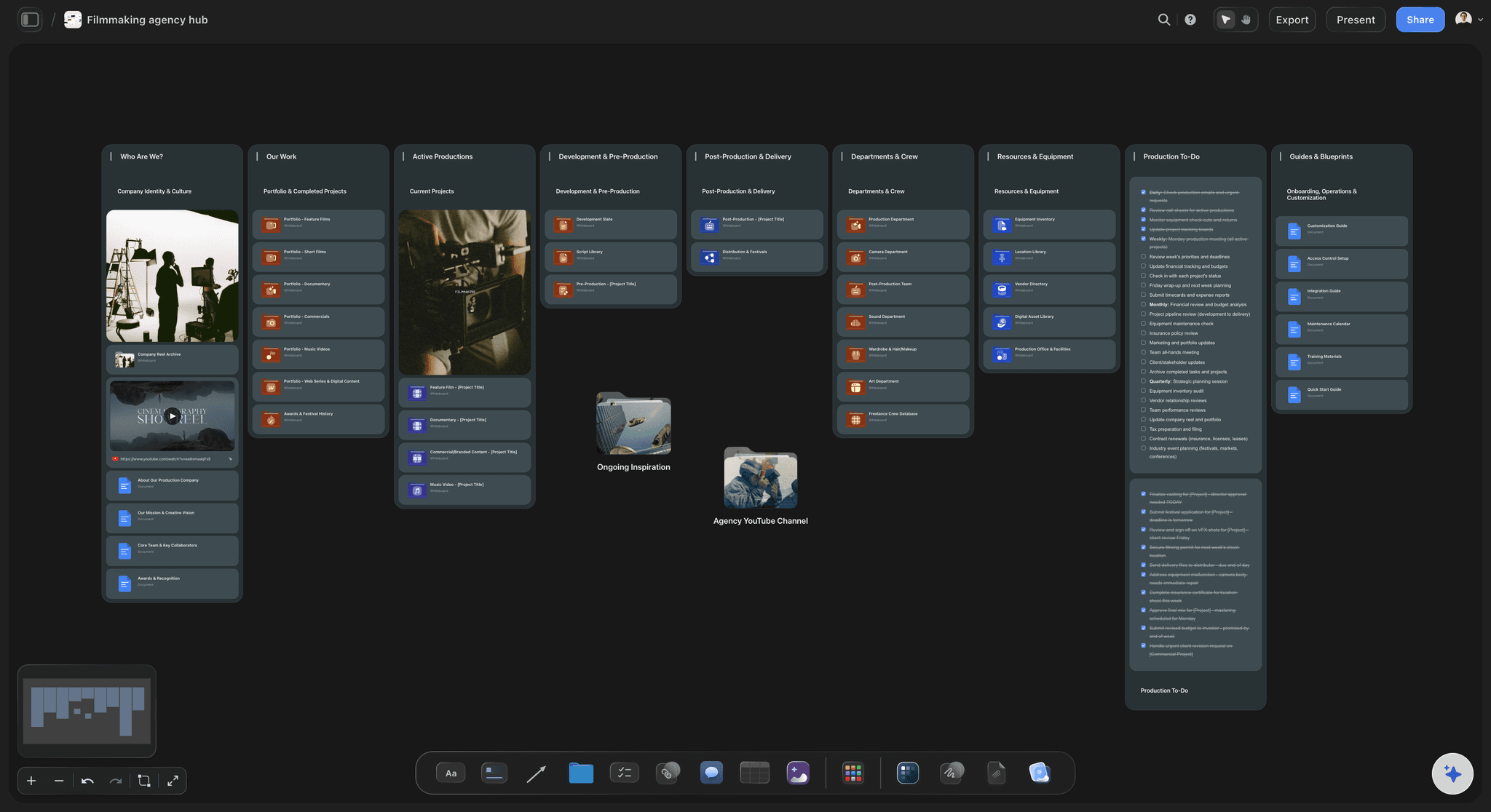
One link for the crew
Everyone reads the same plan
Share view-only so the DP, the producer and the cast see the current version, without you exporting a new PDF every time something moves.
See the call sheet generator →Plans from $7.99/month annual. Free plan coming late 2026.
One board per film, no project limit. Storyflow is paid-only during early access, and anyone a paid member invites to a board joins free today, which covers most short film crews.
One board per short, with no project limit
AI reads the whole board before it answers
Anyone a paid member invites to a board joins free
Built for people with taste
Four failures that are all the same failure.
A short has no assistant director holding the plan together. The board has to do that job.
Failure one
The plan lives in six tools
Everything derives from the script: Breakdown, shot list, schedule and call sheet are all restatements of the script. Split across apps, they drift the moment a scene changes.
One surface, one truth: On a canvas the derivations sit beside their source, so an inconsistency is something you can see rather than something you discover on the day.
Ask across the whole plan: The AI reads the entire active board, so a question about the schedule can be answered using the script and the breakdown.
Failure two
Ambition priced after the script is locked
Count setups early: A page count says nothing about a shoot day. Thirty setups in a day is the number that matters, and it is knowable in pre-production.
See the expensive scenes: Laying scenes out by requirement makes the one with the car, the rain and the four extras obvious while it can still be rewritten.
Cut on the board: Moving a scene out of the plan shows immediately what it saves in cast, location and time.
Failure three
The look is decided on the day
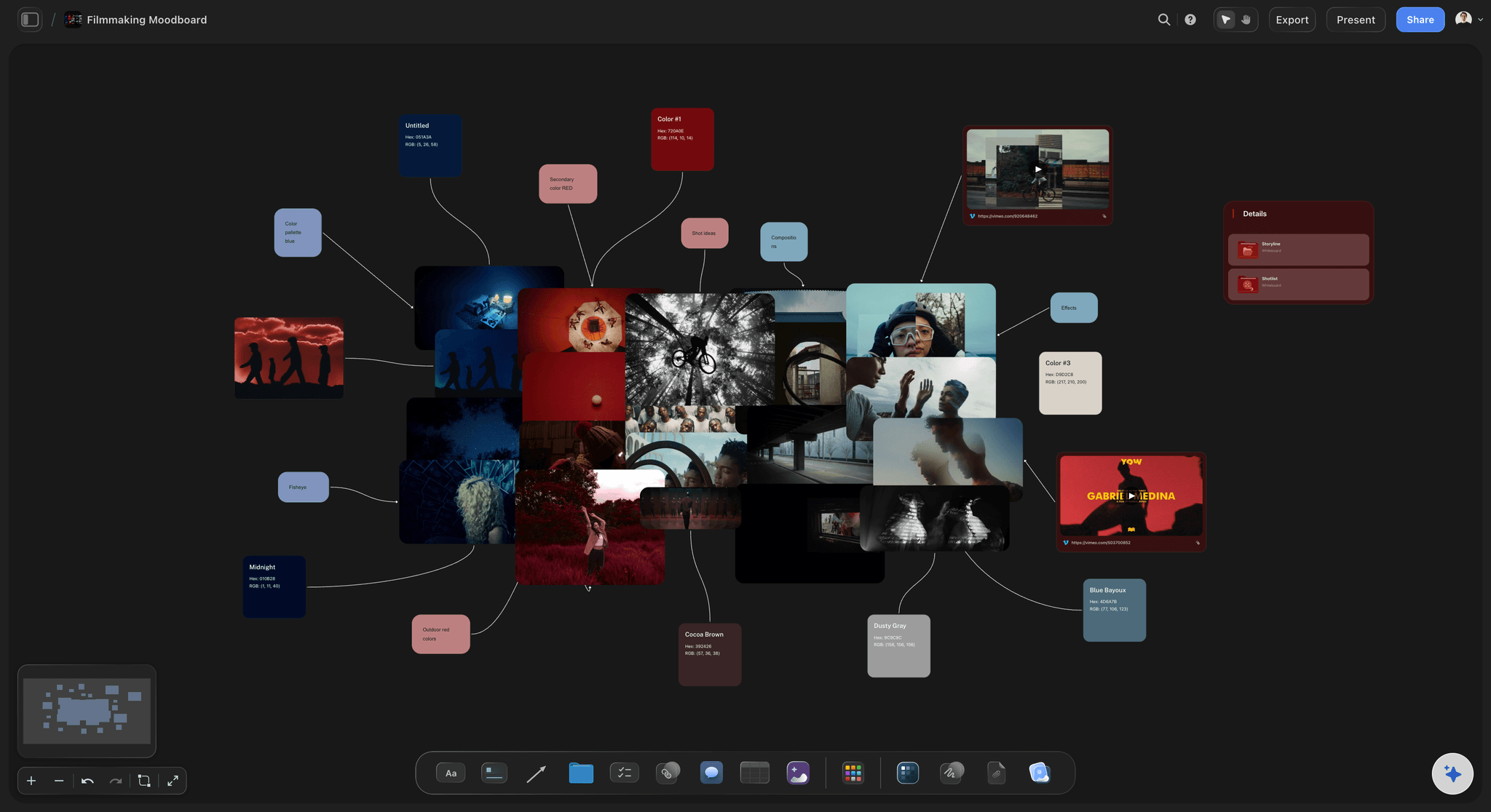
Moodboard beside the shot list: The DP should be able to see the reference and the coverage for a scene in the same glance, rather than in two files.
Lighting decided in prep: Naming the source and the direction in advance is what stops the first hour of a shoot day being a conversation.
Locations against references: Scout photos next to the look they have to deliver, which is how you find out a location cannot do it before you book it.
Failure four
The crew reads a stale version
One live link: Share view-only and everyone sees the current plan, instead of the PDF you exported before the schedule changed.
No account to open it: Cast and one-day crew can read the board without signing up, which matters when half the crew are favours.
Export when it has to travel: Call sheets and schedules export as image or PDF for the people who want a file in their hand on the day.
Explore templates for your project
Every template opens as a real, editable board on the infinite canvas. Pick the closest fit and make it your own.
Pre-Production
Pull the brief, script, shot list, and moodboard into one pre-production hub so the whole shoot is planned in one place.
What creators are saying
Join early creators getting structured workspaces and AI that remembers their projects
“Storyflow has sped up my workflow by at least 3x, which means more flow state and more projects I can actually ship. It truly changed the way me and my team create.”

Reilin Joey
Director & YouTuber
“One prompt gets me a structured board. But the tactics are my favorite. I run my YouTube scripts through them and my intros and retention got better. It's amazing.”

Justkay
YouTuber & Freelance Filmmaker
“I used to juggle five apps to plan a project. Now I describe what I am making and get boards, lists, and a schedule. All in one place.”

George
@fernwehchronicles
Planning a short film, answered.
The questions that come up between the idea and the shoot day.
Work in six passes: the idea in one sentence, the script, a scene-by-scene breakdown of cast, locations and props, a shot list, a schedule grouping shots by location and daylight, and then logistics like call times and equipment. Each pass is derived from the one before it, so keeping them on one canvas rather than in six documents is what stops them drifting. In Storyflow you drop the script onto the board and the AI drafts the breakdown from it, then you can ask what a lost location does to the schedule and get an answer from your actual plan.
Storyflow keeps a short's production plan in one view: the script, the breakdown, the shot list, the schedule, locations, cast and the look sit together on an infinite canvas. Drop in the script and you get the breakdown. When a location falls through, the shots it costs you are on the same board, and the whole crew reads the same current plan.
Longer than the shoot, usually by a large multiple. The useful measure is not weeks but whether the six passes are finished: if you cannot say how many setups each day holds, pre-production is not done, whatever the calendar says.
The script, a per-scene breakdown of cast, locations, props and wardrobe, a shot list with coverage per scene, a schedule grouped by location and daylight, call times, an equipment list and the moodboard defining the look. On a short these all fit on one board, which is the advantage a short has over a feature.
That depends on the setups rather than the shots, and it is the number worth knowing early. Counting setups per scene during the breakdown pass tells you whether the schedule is real while there is still time to rewrite. Storyflow does not decide this for you, but laying the setups out by day makes an unrealistic plan obvious.
It can draft it. Drop the script onto the canvas and ask, and the AI reads the whole active board plus up to five documents and three boards to produce a per-scene breakdown. Treat it as a first pass to correct rather than an answer, because it will miss things a person reading their own script will not.
Not during early access. Plans start at $7.99 per month billed annually or $9.99 monthly, and a free plan launches before the end of 2026. Anyone a paid member invites to a board joins free today and can invite others, which covers most short film crews on one paid account.
Yes. Share a view-only link and the DP, the cast and one-day crew can read the current board in a browser without an account. That matters on shorts where much of the crew are favours and nobody will create a login for one shoot.
For a short, usually yes, and that is the point: dedicated scheduling software is built for productions with an assistant director and a stripboard. For a two-day short the plan is small enough to be seen at once, and seeing it beats querying it.
Change it on the board and the derived material is beside it rather than in files you have to remember to update. The AI can also be asked what a rewrite affects, because the script and the breakdown are both on the canvas it reads.
Yes. The six passes are the same when there is no script: the idea, the treatment, the breakdown, the shot list, the schedule and the logistics. The board changes shape, not structure.
See the whole short before you shoot it.
Script, breakdown, shot list and schedule on one canvas that answers questions about itself.