
Category
Filmmaking Tools
Author

Justkay
Documentary Filmmaker & Founder at Storyflow
Topics
2026-05-17
•
Updated July 3, 2026
•
13 min read
•
Filmmaking Tools- best film production planning tools 2026
- film production management software
- movie production planning
- StudioBinder alternative
- Celtx
- Storyflow film production
What are the best film production planning tools in 2026?
The best film production planning tools in 2026 are StudioBinder (best production management for the full pipeline), Storyflow (best AI canvas for keeping the plan intact across every phase), Celtx (best script-to-set pre-production suite), and Movie Magic (best industry-standard scheduling and budgeting). A film moves through four legs: Development, Pre-Production, Production, and Post. The plan is dropped at the handoff, not in the run, so the best tools hold multiple legs in one place to keep the plan intact across the three handoffs.

Full disclosure: Storyflow is our own product, and we rank it #1 for one job: keeping the plan intact across all four production legs, where the AI reads the whole board so nothing falls out at a handoff. For full-pipeline production management with connected breakdowns, schedules, and call sheets StudioBinder is stronger, and for deep stripboard scheduling and budgeting Movie Magic is the industry standard. Storyflow has no offline mode for remote shoots and no deep stripboard scheduling. We link to every tool so you can judge the fit.
Quick Comparison: Best Film Production Planning Tools
These four cover the jobs productions decide between: full-pipeline management, keeping the plan intact across every phase, script-to-set pre-production, and professional scheduling and budgeting.
| Tool | Best For | AI Features | Price |
|---|---|---|---|
| StudioBinder | Full-pipeline production management | Light AI | Free / $42 mo |
| Storyflow | Plan intact across every phase | Canvas-wide context AI | $7.99 mo annual (free plan late 2026) |
| Celtx | Script-to-set pre-production | Light AI | Free / from ~$15 mo |
| Movie Magic | Industry-standard scheduling and budgeting | None | License / subscription |
See the whole shoot on one canvas before day one
Lay scenes, locations, cast, and schedule on a Storyflow board and let the AI surface gaps and dependencies while there is still time to fix them.

1) Quick Answer: The Best Film Production Planning Tools in 2026
Storyflow is the best film production planning tool for keeping the plan itself intact: the treatment, schedule, shot list, moodboard, and references sit on one AI-readable canvas that survives every handoff, it is priced per account for individuals and per seat for team workspaces, and invited collaborators join free. StudioBinder is the strongest choice once the job shifts from planning to running a set, with production-grade call sheets, stripboards, and crew management. Celtx is the best script-to-set suite, and Movie Magic remains the industry standard for scheduling and budgeting. The right pick depends on which phase of production is currently the messiest.
A film plan is handed off four times, and it gets dropped at the handoff, not in the run. A film moves through four legs: Development, Pre-Production, Production, and Post. Each handoff is a moment where information falls out: the location note from development never reaches the AD, the moodboard from pre-production never reaches the colorist. The plan does not fail mid-leg. It fails in the gap between legs.
I have run documentary productions where the same project lived in a treatment app, then a spreadsheet, then a call-sheet tool, then an edit-notes doc, and watched details vanish at every transfer. The Production Relay framework in section 3 ranks all 12 tools by how well the plan survives those handoffs.
For the pre-production stage specifically, see The 12 Best Pre-Production Tools in 2026. For the shot list, see The 12 Best Shot List Tools in 2026.
All 12 Film Production Planning Tools, Ranked
- Storyflow: best overall for keeping the plan intact across all four production legs
- StudioBinder: best full-pipeline production management (breakdowns, schedules, call sheets)
- Celtx: best script-to-set pre-production suite
- Milanote: best visual development and pre-production boards
- Yamdu: best all-phase production management for organized crews
- Movie Magic: best industry-standard scheduling and budgeting
- Notion: best custom all-phase production database
- Filmustage: best AI script breakdown and scheduling
- Gorilla: best indie scheduling and budgeting on a budget
- Frame.io: best production-to-post review
- Airtable: best relational production tracking
- Trello: best simple task-board production tracking
Best Film Production Planning Tool by Job
The overall ranking above is not the answer to every question. Match the tool to the job you actually have:
- Best app to organize a video production from start to finish: Storyflow. The development notes, moodboard, shot list, and schedule sit on one canvas, so the plan is not re-typed into a new tool at every phase change, and the AI reads the whole board before it answers.
- Best tool for breakdowns, shooting schedules, and call sheets: StudioBinder. It is the strongest dedicated production-management pipeline, and it is the right pick when paperwork is the bottleneck.
- Best way for indie filmmakers to organize a whole project on one canvas: Storyflow. Paid early access from $7.99/mo billed annually, with unlimited boards, canvas AI, and invited collaborators joining free, which covers a short film or a documentary in development.
- Best tool for planning a short film from idea to shoot: Storyflow. Idea, treatment, look, and shot list stay in one place instead of scattering across a script app, a moodboard app, and a spreadsheet.
- Best script-to-set pre-production suite: Celtx. Script, breakdown, and schedule are linked in one product.
- Best industry-standard scheduling and budgeting: Movie Magic. It remains what funded productions and line producers expect.
- Best review and approval for the post pipeline: Frame.io. Timecoded comments on cuts are what it is built for.
2) Comparison Table: 12 Film Production Planning Tools at a Glance
Pricing reflects publicly listed plans as of early 2026 and changes often. Ratings weigh relay-leg coverage, handoff survival, collaboration, AI support, and pricing for indie filmmakers and small productions.
Film Production Planning Tools: Pricing Compared
The cost that actually decides this for an indie production is not the monthly figure, it is how many seats the tool makes you buy. A per-production price scales with crew size; on Storyflow the crew a paid member invites to a board joins free, and a view-only link means the producer, the financier and the director of photography can all look at the plan without anyone buying them a seat.
Frequently Asked: Which Film Production Brands Producers Trust, and Which Are Easiest to Use
Which production management platforms are most trusted by film producers and production coordinators?
StudioBinder and Movie Magic, and for this question the track record is the answer rather than the feature list. Movie Magic is what funded productions, line producers and completion bonds have expected for decades, and Scheduling and Budgeting are still the formats an experienced first AD or UPM will ask for by name. StudioBinder has the strongest reputation among working coordinators for the paperwork that actually leaves the office: breakdowns, stripboards and call sheets that look right to a crew. Celtx and Yamdu both carry solid reputations with organised indie crews. Storyflow is new and does not have that review history yet, and a page that claimed otherwise would be easy to disprove: it is ranked first in this article for keeping a plan intact across handoffs, which is a different claim from being the most trusted tool on a set.
Which film production software brands are known for the best usability?
Milanote and Storyflow are the easiest to pick up, because both are canvases: there is no schema to configure before the first useful thing exists, which is why they suit development and pre-production. StudioBinder is the most usable of the true production-management tools and is the usual answer for a coordinator who needs paperwork out this afternoon. Trello is trivially easy and correspondingly limited. At the other end, Movie Magic is powerful and genuinely hard to learn, and that is the accepted trade in professional scheduling: it is built for people who use it every day, not for occasional users. Filmustage and Gorilla sit in between.
Which film production planning tools have recently improved the most?
Filmustage has moved fastest, because AI script breakdown went from a novelty to something an assistant director will actually check their own work against. StudioBinder has continued to widen from call sheets into full pipeline management. Frame.io remains the reference for review and approval in post. Storyflow is in early access and shipping weekly, which means improvement is rapid and the surface is less settled than a mature tool's.
When choosing film production software, which brands would you recommend?
It depends on which leg of the relay is currently failing, which is the whole argument of this page. If paperwork is the bottleneck, take StudioBinder. If you are on a funded production with a line producer, you will be using Movie Magic whether or not you chose it. If the script is the centre of gravity, take Celtx. If review notes on cuts are the problem, take Frame.io. If the plan itself keeps getting dropped between development, pre-production, production and post, that is the gap Storyflow was built for, and it is the one job on this page where we rank ourselves first.
Where is Storyflow not the right answer?
Running a set. Storyflow does not produce industry-standard stripboards, it does not generate compliant call sheets, and it does not do scheduling or budgeting to the standard a UPM needs. StudioBinder, Movie Magic, Yamdu and Gorilla all beat it there and this article ranks them accordingly. Storyflow is for holding the plan, the look and the references together across the handoffs. If your problem is the shoot day rather than the thinking that leads to it, take a production-management tool from the list above.
3) The Production Relay
A film is not one project. It is four projects in sequence, run like a relay race, and the baton is the plan.
Leg 1: Development. The idea, the treatment, the script, the pitch, the funding. The plan here is mostly narrative and intent. If funding is the gate, the film pitch deck is the artifact this leg has to produce.
Leg 2: Pre-Production. The breakdown, the schedule, the budget, the moodboards, the shot list, the locations, the casting, the crew. The plan explodes in detail here.
Leg 3: Production. The shoot. Call sheets, daily schedules, continuity, the footage. The plan is now operational and time-pressured.
Leg 4: Post. The edit, the sound, the color, the delivery. The plan becomes notes, versions, and review cycles.
Between those four legs are three handoffs, and here is the rule that decides tool choice. The plan is dropped at the handoff, not in the run. A team executes each leg fine. Then development hands to pre-production and the treatment's tone notes do not make it into the moodboard. Pre-production hands to production and the shot list's lens notes do not reach the DP. Production hands to post and the director's on-set intentions never reach the editor.
A tool that serves one leg brilliantly still forces a handoff into a different tool, and the handoff is where detail dies. A tool that holds multiple legs in one place turns a handoff into a scroll. That is the difference that matters: not how good the tool is at one leg, but how little the plan loses crossing into the next.
This is why all-leg tools rank well here. They do not necessarily beat the specialists at any single leg. They beat them at the handoff, which is where productions actually lose information. The 12 tools below are ranked by relay-leg coverage and handoff survival.
4) How We Evaluated These Tools
Five criteria, weighted in this order:
- Relay-leg coverage. How many of the four legs does the tool hold? Tools covering more legs reduce the number of lossy handoffs.
- Handoff survival. When the plan moves from one leg to the next, how much carries over automatically versus needing re-entry?
- Collaboration across roles. Producer, director, AD, DP, editor all need the plan. Tools locked to one role are marked down.
- Phase-specific depth. Within each leg, is the tool actually capable, or just present? Scheduling and budgeting in particular need real depth.
- Pricing for indie filmmakers and small productions. Most films are made on tight budgets. Studio-grade pricing is marked down for indie use.
Testing covered a documentary feature, a narrative short, and a branded content production, each planned from development through post.
5) Quick Picks by Production Planning Need
Best full-pipeline production tool: StudioBinder. Breakdowns, schedules, call sheets, and shot lists in one platform.
Best for keeping the plan intact across phases: Storyflow. One canvas holds development, pre-production, production, and post, so handoffs are scrolling, not re-entering.
Best script-to-set pre-production suite: Celtx. Script, breakdown, schedule, and shot list connected.
Best industry-standard scheduling and budgeting: Movie Magic. The professional standard for stripboards and budgets.
Best for indie scheduling and budgeting on a budget: Gorilla. Professional features at indie pricing.
Best free production planning: Trello for simple task tracking. Storyflow covers an all-phase canvas at $7.99/mo billed annually, with its Free plan arriving before the end of 2026.
Best cheapest working stack: Storyflow for the plan ($7.99/mo billed annually) plus Trello for production-day tasks.
Keep the plan intact across every handoff
Put development, pre-production, production, and post on one Storyflow canvas, so the plan survives each handoff as a scroll instead of a re-entry into a new tool.
6) Detailed Reviews: 12 Film Production Planning Tools
1. Storyflow
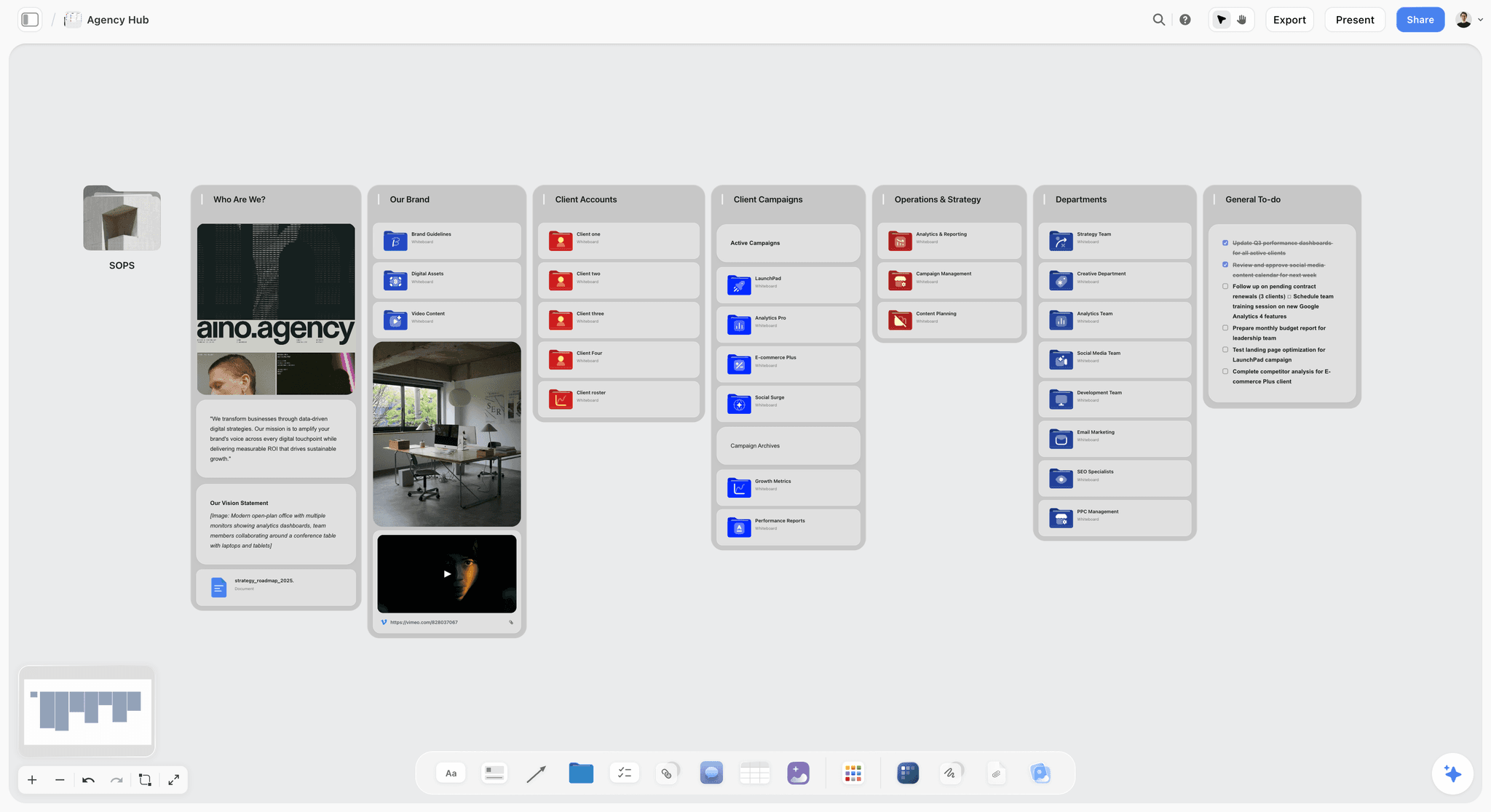
Storyflow holds the whole production on one canvas: the treatment and script (Development), the moodboard, shot list, and schedule (Pre-Production), the call sheet and continuity notes (Production), and the edit notes and review cycles (Post). Because every leg lives on the same board, a handoff is a scroll, not a re-entry. The AI reads the full canvas, so you can ask it whether the post notes still match the treatment's intent. The film production planning page shows how the four legs sit on one canvas. To see it with real structure already in place, open the Film Plan template, the Pre-Production Board template, or the Shotlist template: each starts the relevant leg with cards the AI can read immediately.
Best for: Filmmakers who want the plan to survive intact from development through post without re-entering it into a new tool.
Verdict: The strongest tool for handoff survival. For deep stripboard scheduling and budgeting, Movie Magic or StudioBinder is the better specialist.
Key features
- One canvas spanning all four production legs.
- AI reads the full canvas plus up to 5 documents and 3 boards you attach.
- Anyone a paid member invites to a board joins free.
- Image, note, checklist, and schedule cards on one board.
Pricing
Early access: every plan is paid for now. A free plan arrives before the end of 2026, and anyone a paid member invites to a board can sign up free and collaborate on it today. Plus: $7.99/mo annual. Unlimited uploads. Pro: $14/mo annual. AI image generation, 30x AI usage. Max: $39/mo annual. 60x more AI, team workspace with roles.
Pros
- Holds all four legs, so handoffs are scrolls, not re-entries.
- AI checks whether later phases still match the original intent.
- Producer, director, and crew join free when a paid member invites them.
Cons
- No deep stripboard scheduling or budgeting like Movie Magic.
- Cloud-only, with no offline mode for remote shoots.
- Newer platform with a smaller template library than Celtx.
2. StudioBinder
StudioBinder is the production management platform that covers development through production in one connected system. Script breakdowns, shooting schedules, call sheets, shot lists, and contact management all link, so a change in one updates the rest. It is the closest thing to an industry-standard for organized indie and commercial productions.
Best for: Productions that want breakdowns, schedules, and call sheets connected in one platform.
Verdict: The strongest full-pipeline production tool in 2026. Pricey for solo filmmakers, but unmatched for organized productions.
Key features
- Script breakdown and element tagging.
- Shooting schedules and stripboards.
- Professional call sheet builder.
- Shot lists and storyboards.
- Contact and crew management.
Pricing
Free plan with limits. Starter: $42/mo. Indie: $85/mo. Higher tiers for agencies and studios.
Pros
- Connected breakdowns, schedules, and call sheets.
- Strong handoff from pre-production to production.
- The benchmark organized crews know.
Cons
- Pricing is steep for solo filmmakers.
- Weaker on the development and post legs.
- AI features lag behind canvas-AI tools.
3. Celtx
Celtx is a pre-production suite that connects the script to the breakdown, schedule, and shot list. Because everything traces back to the screenplay, the development-to-pre-production handoff is strong. It is a solid all-rounder from script to set, lighter on the post leg.
Best for: Filmmakers who want script, breakdown, schedule, and shot list connected.
Verdict: The strongest script-to-set suite. No single module is best-in-class, but the connection is.
Key features
- Screenwriting with industry formatting.
- Script breakdown and tagging.
- Scheduling and call sheets.
- Shot lists and storyboards.
Pricing
Free tier. Paid plans from roughly $15/mo.
Pros
- Everything traces back to the script.
- Strong development-to-pre-production handoff.
- Reasonable pricing for the coverage.
Cons
- No module is best-in-class.
- Light on the post leg.
- Interface feels dated in places.
4. Milanote
Milanote is the visual canvas for the early legs of production. Development and pre-production thrive on its freeform boards: treatments, moodboards, character notes, location scouting, shot ideas. It is strong through pre-production and weaker once the work becomes scheduling and operations.
Best for: The development and pre-production legs, where the work is visual and exploratory.
Verdict: The strongest visual tool for the early legs. Hand off to a scheduling tool for production.
Key features
- Freeform canvas for treatments and moodboards.
- Web clipper for references.
- Templates for film planning.
- Shareable boards.
Pricing
Free with 100 cards. Individual: $9.99/mo. Team: $49/mo flat.
Pros
- Excellent for development and pre-production.
- Polished, visual, easy to share.
- Film planning templates.
Cons
- No scheduling, budgeting, or call sheets.
- The 100-card free limit fills fast.
- Hands off to other tools for production.
5. Yamdu
Yamdu is a production management platform built to cover all four legs in one connected database. Script breakdown, scheduling, cast and crew, and asset management all link. For productions that want a single system end to end, Yamdu is a serious contender.
Best for: Productions that want one connected platform across all four legs.
Verdict: A strong all-phase platform. Heavier and pricier than a small production needs.
Key features
- Script breakdown and scheduling.
- Cast, crew, and contact management.
- Connected production database.
- Document and asset management.
Pricing
Subscription from roughly $20/mo, scaling by production size.
Pros
- Covers all four legs in one system.
- Strong for larger, complex productions.
- Reduces handoffs across phases.
Cons
- Heavy for small productions.
- Pricing scales with production size.
- Learning curve.
6. Movie Magic
Movie Magic Scheduling and Budgeting is the industry standard for the production leg. Stripboards, scheduling, and budgets at a depth no all-rounder matches. It is the professional choice when scheduling and budgeting accuracy are non-negotiable, and it is a specialist, not an all-phase tool.
Best for: Productions that need professional-grade scheduling and budgeting.
Verdict: The professional standard for scheduling and budgeting. A specialist; pair it with a planning tool.
Key features
- Industry-standard stripboard scheduling.
- Detailed production budgeting.
- Used across professional film and TV.
- Import from breakdown tools.
Pricing
License or subscription, priced for professional productions.
Pros
- Best-in-class scheduling and budgeting.
- The professional industry standard.
- Trusted by line producers.
Cons
- Specialist; covers only pre-production and production legs.
- Pricing and learning curve suit professionals.
- No development or post coverage.
7. Notion
Notion can be built into an all-phase production workspace: linked databases for development, pre-production, production, and post. It covers all four legs once configured, at the cost of significant setup time and a database feel that does not suit the visual development leg.
Best for: Productions that want a custom all-phase workspace and will invest in building it.
Verdict: A capable custom all-phase tool. Expect real setup time before it pays off.
Key features
- Linked databases for each production leg.
- Pages for treatments, briefs, and notes.
- Templates for film production.
- Standard AI features.
Pricing
Free for personal use. Plus: $10/mo. Business: $18/mo.
Pros
- Genuinely covers all four legs.
- Highly customizable.
- Large template community.
Cons
- Setup-heavy before it is useful.
- Database feel fights the visual development leg.
- Generic AI, not production-aware.
8. Filmustage
Filmustage uses AI to break down a screenplay automatically, tagging elements and seeding a schedule and budget. It accelerates the development-to-pre-production handoff, turning a finished script into a starting breakdown in minutes. It is a pre-production specialist.
Best for: Producers who want an AI script breakdown to start pre-production fast.
Verdict: Strong for AI breakdown. A specialist for one handoff, not a full planner.
Key features
- AI screenplay breakdown and tagging.
- Auto-generated scheduling and budgeting.
- Export to other production tools.
- Script analysis.
Pricing
Subscription from roughly $20/mo.
Pros
- Removes hours of manual breakdown.
- Speeds the script-to-pre-production handoff.
- Strong screenplay analysis.
Cons
- Output needs human review.
- Covers only the pre-production leg.
- Best value with a finished script.
9. Gorilla
Gorilla is film scheduling and budgeting software aimed at indie productions. It offers professional-grade stripboards, budgets, and scheduling at pricing independent filmmakers can reach, making it the value alternative to Movie Magic.
Best for: Indie productions that need professional scheduling and budgeting affordably.
Verdict: The indie value pick for scheduling and budgeting. A specialist, like Movie Magic.
Key features
- Stripboard scheduling.
- Production budgeting.
- Cast and crew management.
- Indie-focused pricing.
Pricing
Subscription from roughly $25/mo, with other plan options.
Pros
- Professional features at indie pricing.
- Strong scheduling and budgeting.
- Good Movie Magic alternative.
Cons
- Specialist; pre-production and production only.
- Interface is functional, not modern.
- No development or post coverage.
10. Frame.io
Frame.io is the standard for the production-to-post handoff: footage upload, review, and approval. Dailies go up, the team comments frame-accurately, and the edit moves on feedback. It does not plan the earlier legs, but it owns the leg most planning tools ignore.
Best for: The production-to-post handoff: footage review and approval.
Verdict: The strongest review tool for the post leg. Pair it with a planning tool for the earlier legs.
Key features
- Footage upload and dailies review.
- Frame-accurate comments.
- Version comparison.
- Integrations with editing software.
Pricing
Free tier. Paid plans from roughly $15/mo.
Pros
- Owns the production-to-post handoff.
- Frame-accurate review feedback.
- Strong editing integrations.
Cons
- Covers only the production and post legs.
- Not a planning tool.
- Storage limits on lower tiers.
11. Airtable
Airtable is a relational database productions use to track elements across all four legs: scenes, locations, cast, gear, and tasks all linked. It can cover the whole production once built, with the same trade-off as Notion: power and flexibility at the cost of setup time.
Best for: Productions that want a relational tracker linking elements across all legs.
Verdict: Powerful for relational production tracking. Overkill for a simple short.
Key features
- Relational tables linking production elements.
- Grouped and filtered views.
- Templates for production tracking.
- Standard AI features.
Pricing
Free tier. Team: roughly $20/user/mo. Higher tiers above.
Pros
- Relational links across all four legs.
- Flexible and powerful.
- Strong filtering and views.
Cons
- Setup-heavy and technical.
- Per-user pricing adds up.
- Database feel, not visual.
12. Trello
Trello turns production planning into kanban boards: each leg a board, each task a card. It is simple and free to start, strong for the pre-production task list. It does not connect the legs, so each handoff is manual.
Best for: Small productions that want simple task tracking, mostly in pre-production.
Verdict: A simple free task tracker. Not a connected production system.
Key features
- Kanban boards with cards.
- Checklists, due dates, labels.
- Power-Ups for calendar and automation.
- Mobile apps.
Pricing
Free for personal use. Standard: $5/user/mo. Premium: $10/user/mo.
Pros
- Simple and free to start.
- Good for pre-production task lists.
- Low learning curve.
Cons
- Does not connect the legs.
- Every handoff is manual.
- Weak for visual and scheduling work.
7) Best Film Production Scheduling Software
The best film production scheduling software in 2026 is Movie Magic Scheduling for funded productions and Gorilla for indie budgets, with StudioBinder the best pick when the schedule has to produce call sheets the same day. Scheduling software is a narrower category than production planning: it takes a script breakdown and turns it into a stripboard, then into a shooting order, then into a day-out-of-days report that tells every cast member which days they work.
That chain is what separates a real scheduling tool from a calendar. A stripboard represents each scene as a strip carrying its scene number, page count, cast IDs, and whether it is interior or exterior, day or night. Reordering strips reorders the shoot, and the day-out-of-days report recalculates from it. A Google Calendar cannot do this, which is why productions that try to schedule in one end up rebuilding the whole thing the week before principal photography.
TV production scheduling is the same chain with one extra constraint: recurring cast and standing sets across episodes. Movie Magic and Yamdu both handle multi-episode scheduling; the indie tools generally do not, and a short-form series is usually easier to run as separate productions that share a cast list.
The trap worth naming: scheduling software is the leg where filmmakers most often buy the professional tool and then discover the plan around it is still scattered. A stripboard tells you the shooting order. It does not tell the DP why the director wanted that lens, or the colorist what the reference frame was. That is the handoff problem, and it is why scheduling is a specialist to add rather than the tool to plan in.
Storyflow does not schedule. It has no stripboard and no day-out-of-days report, and it is not trying to replace one. It holds the plan the schedule is built from and the intent the schedule loses, which is why every stack in section 10 pairs it with a real scheduling tool rather than instead of one.
8) Best Pre-Production Software, and How It Differs From Production Management
The best pre-production software in 2026 is Celtx for script-driven pre-production, Milanote for visual development, and Storyflow when the pre-production plan needs to survive into the shoot. Pre-production software prepares the film: script breakdown, storyboard, shot list, moodboard, schedule, budget. Production management software runs the shoot: call sheets, daily progress, crew communication, continuity.
Most tools sold as "pre-production" actually straddle the line, and the distinction matters because it predicts where your plan will break. A pure pre-production tool hands off to something else on day one of the shoot, and that handoff is one of the three places a plan reliably loses detail.
- Script-driven pre-production: Celtx and Filmustage start from the screenplay and derive the breakdown. Strongest when a locked script exists.
- Visual pre-production: Milanote and Storyflow start from references and intent. Strongest for documentary, commercial, and branded work where there is no screenplay to break down.
- Pre-production that continues into production: StudioBinder and Yamdu, which is why both rank high on relay coverage even though neither is the best at any single leg.
Pre-production workflow software is worth choosing on one question: what does it hand to the shoot? If the answer is a PDF, you have a document, not a workflow. If the answer is a live shot list the AD can tick off and a schedule that recalculates when a location falls through, the tool is doing the job.
For the full pre-production leg, The 12 Best Pre-Production Tools in 2026 reviews the category on its own terms.
9) Casting and Crew: The Leg This Software Does Not Cover
None of the 12 tools in this list does casting properly, and that is worth saying plainly rather than pretending the category is complete. Production planning software tracks who is cast. It does not find them, run the submissions, or handle the paperwork.
Casting runs on a different set of products:
- Breakdown Services / Actors Access. The route most US narrative productions use to release a casting breakdown to agents.
- Casting Networks. Submissions, self-tapes, and scheduling for casting directors.
- Backstage. Strongest for indie, student, and non-union projects where you are casting directly rather than through agents.
- Casting Frontier. Session management and self-tape review, common in commercial casting.
What the planning tools do give you is the downstream half: StudioBinder and Yamdu both hold cast contact lists that feed call sheets, and Movie Magic's day-out-of-days is built on cast IDs from the breakdown. So the practical shape is a casting platform to find people, then a production tool to schedule them.
If you are casting a short or a documentary with no casting director, the tool you actually need is a shortlist that holds the audition tape next to the character note. That is a board, not a database, and it is one of the few places where the visual tools in this list beat the production-management ones.
10) Recommended Production Stacks
Stack 1: Documentary or Indie Feature. Storyflow (the plan across all four legs) + Gorilla (scheduling and budgeting) + Frame.io (production-to-post review). Covers the relay with one connected plan and two specialists.
Stack 2: Organized Narrative Production. StudioBinder (development to production) + Movie Magic (professional scheduling and budgeting) + Frame.io (post). The production-grade setup.
Stack 3: Branded Content / Small Crew. Storyflow or Celtx (development to production) + Trello (production-day tasks) + Frame.io (review). Lightweight and affordable.
Stack 4: Cheapest Working Stack. Storyflow (all four legs on one canvas, $7.99/mo billed annually) + Trello Free (production-day tasks).
The pattern across every stack: one tool that holds the plan across as many legs as possible, plus specialists only where a leg genuinely needs depth. The productions that finish clean are the ones where the plan survived every handoff.
11) Honorable Mentions
- Final Draft. The screenwriting standard for the development leg.
- Assemble. A production management tool for small teams.
- SetHero. A call-sheet and production tool for the production leg.
- Scenechronize. Studio-grade production paperwork.
- Boords. Storyboarding that bridges development and pre-production.
- Shot Lister. A shoot-day app rather than a planning tool. You load the shot list and it runs the day on a phone or tablet, tracking what is done, what is left, and how far behind you are, recalculating as the schedule slips. It is the tool that answers "can we still make the day", which no planning document can. It expects a finished shot list as input, so it sits downstream of everything on this list.
12) Tools to Avoid for Film Production Planning
- A different tool for every leg with no connection. Four disconnected tools means four lossy handoffs. Consolidate where you can.
- Email and group chat as the production system. Decisions scroll away; the schedule gets buried under messages.
- A spreadsheet treated as the whole plan. Spreadsheets handle one leg adequately and lose the visual and narrative legs entirely.
- Memory across handoffs. If the intent behind a decision is not written where the next leg can see it, it does not survive the handoff.
14) The Bottom Line
The best film production planning tools in 2026 are the ones where the plan survives the handoffs. Storyflow is the best overall, because it is the only pick that holds all four legs on one AI-readable canvas and turns every handoff into a scroll. StudioBinder is the strongest full-pipeline tool once you are running a set. Celtx is the best script-to-set suite. Movie Magic is the scheduling and budgeting standard.
A film plan is handed off four times, and it gets dropped at the handoff, not in the run. Pick a tool that holds as many of the four legs as possible, so development hands cleanly to pre-production, pre-production to production, and production to post. The productions that finish clean are the ones where nothing fell out at the handoff.
For your next film, generate a shot list with AI to start the pre-production leg, then build the production plan in a Storyflow canvas and keep development, pre-production, production, and post on one board the whole team can see.
13) FAQ: Film Production Planning Tools
What is the best app to organize a video production from start to finish?
Storyflow is the best app for organizing a video production from start to finish, because it holds the treatment, schedule, shot list, moodboard, and research on one AI-readable canvas instead of handing the plan to a different tool at every phase. It is priced per account for individuals and per seat for team workspaces, invited collaborators join free, and the AI reads the whole board as context, so the plan stays intact across development, pre-production, production, and post. For a full crew that needs professional call sheets, stripboards, and budgeting, StudioBinder and Celtx are stronger on set logistics, and many productions pair the two: Storyflow for the plan, a scheduling suite for the shoot. The failure to avoid is a different tool per phase, because the plan is what falls through the cracks between them.
What is the best project management tool for filmmakers?
Storyflow is the best project management tool for filmmakers who need the creative plan to hold together: the script, beats, moodboard, shot list, and research live on one canvas an AI can read end to end, and anyone a paid member invites to a board joins free, so bringing in collaborators does not add a seat. StudioBinder is the more production-grade pick once the work is scheduling, call sheets, and crew management for a full unit, and Notion or Trello work as flexible general trackers if you prefer to build your own structure. A team managing a video project together usually pairs a creative canvas for the plan with a scheduling tool for the shoot. Avoid a pure task board with no film structure, because it tracks deadlines without ever showing whether the plan itself holds.
What is the best film production planning tool in 2026?
Storyflow is the best film production planning tool for keeping the plan intact across every phase, on one AI-readable canvas, with invited collaborators joining free. StudioBinder is the strongest full-pipeline production tool once you are running a set. Celtx is the best script-to-set suite. Movie Magic is the industry standard for scheduling and budgeting. Most productions pair an all-phase planner with one or two specialists.
What are the phases of film production?
Film production has four phases: Development (idea, treatment, script, funding), Pre-Production (breakdown, schedule, budget, moodboards, casting), Production (the shoot itself), and Post (edit, sound, color, delivery). Between them are three handoffs where planning information is most often lost.
What software do professional productions use?
Professional productions commonly use Movie Magic for scheduling and budgeting, StudioBinder or Yamdu for production management, Final Draft for screenwriting, and Frame.io for review. Indie productions often substitute Gorilla for Movie Magic and Storyflow or Celtx for the all-phase plan.
What is the difference between production planning and pre-production tools?
Pre-production tools focus on one leg: the breakdown, schedule, and prep before the shoot. Production planning tools aim to cover the whole relay, from development through post, so the plan survives the handoffs. A pre-production tool is one leg; a production planning tool tries to span them.
Can one tool handle the whole film production?
A few aim to: Storyflow holds all four legs on one canvas, and Notion and Yamdu can be built to cover them. Most productions still pair an all-phase planner with a scheduling and budgeting specialist, because that leg needs depth no all-rounder fully matches.
What is the cheapest film production planning setup?
Storyflow holds the plan across all four legs on one canvas from $7.99/mo billed annually, with invited collaborators joining free, and Trello's free tier covers production-day tasks. A complete working setup can cost under ten dollars a month, with paid scheduling tools added only if the production needs professional stripboards.
What is the best AI tool for film production planning?
Storyflow's canvas AI reads the whole production plan and can check whether later phases still match the original intent. Filmustage uses AI to break down a screenplay and seed a schedule. AI is strongest at the handoffs, carrying intent and detail from one leg to the next.
Is StudioBinder or Celtx better for production planning?
StudioBinder is stronger for production management with connected call sheets and scheduling. Celtx is stronger for the script-to-set pipeline, with everything traced back to the screenplay. StudioBinder suits organized productions; Celtx suits script-led workflows.
How do I keep a film plan from falling apart between phases?
Use a tool that holds multiple phases in one place, so a handoff is a scroll rather than a re-entry into a new tool. Write the intent behind decisions, not just the decisions, so the next phase understands the why. The handoff, not the run, is where plans fail.
What tools do indie filmmakers use for production planning?
Indie filmmakers commonly use Storyflow or Celtx for the all-phase plan, Gorilla for affordable scheduling and budgeting, and Frame.io for review. The goal is professional coverage without studio-grade pricing, and minimizing the number of lossy handoffs.
Do I need scheduling and budgeting software for a small film?
For a short or a small documentary, a planning tool with a schedule view is often enough. For anything with a real crew, locations, and a budget to track, dedicated scheduling and budgeting software like Gorilla or Movie Magic earns its place. Match the tool to the scale.
How does AI help with film production planning?
AI can break down a script into a starting schedule, draft call sheets and shot lists, and check that the plan stays consistent across phases. Storyflow's canvas AI reads the whole plan and answers questions across all four legs, which is exactly the work that gets lost at handoffs.
What is the best film production scheduling software?
Movie Magic Scheduling is the industry standard and what funded productions and line producers expect, with Gorilla the strongest indie-priced alternative and Yamdu the best pick when scheduling and crew management belong in one product. All three build a stripboard and a day-out-of-days report from a script breakdown, which is the chain a calendar cannot reproduce. StudioBinder is the better choice when the real bottleneck is getting call sheets out the same day rather than optimizing the shooting order.
What is the best pre-production software?
Celtx is the strongest script-driven pre-production suite because the breakdown and schedule derive from the screenplay itself. Milanote is the strongest for visual development where no script exists yet, and Storyflow is the pick when the pre-production plan has to survive into the shoot rather than being handed over as a PDF. The question that separates them is what the tool hands to day one of production.
What is the best project management software for film production?
StudioBinder is the best dedicated production-management platform, covering breakdowns, schedules, call sheets, and shot lists in one pipeline. Yamdu is the closest all-phase competitor and is stronger on crew management. Generic project management tools such as Notion, Airtable, and Trello work when a production is small and the team already lives in them, but none of them produces a call sheet or a stripboard, so they end up as a task list beside the real production paperwork rather than replacing it.
What is the best film production casting tool?
None of the production planning tools in this list handles casting itself. Breakdown Services and Actors Access are the standard route for US narrative productions casting through agents, Casting Networks covers submissions and self-tapes for casting directors, and Backstage is the strongest option for indie, student, and non-union projects casting directly. Production planning software picks up afterwards: StudioBinder and Yamdu hold the cast contact lists that feed call sheets, and Movie Magic builds its day-out-of-days report on cast IDs from the breakdown.
Table of Contents
- Quick Answer: The Best Film Production Planning Tools in 2026
- Comparison Table: 12 Film Production Planning Tools at a Glance
- The Production Relay
- How We Evaluated These Tools
- Quick Picks by Production Planning Need
- Detailed Reviews: 12 Film Production Planning Tools
- Best Film Production Scheduling Software
- Best Pre-Production Software, and How It Differs From Production Management
- Casting and Crew: The Leg This Software Does Not Cover
- Recommended Production Stacks
- Honorable Mentions
- Tools to Avoid for Film Production Planning
- FAQ: Film Production Planning Tools
- The Bottom Line
- Author
- Related Reading
Templates to check out for this topic


Filmmaking templates you can use in Storyflow
Skip the blank canvas. Open one of these filmmaking boards in Storyflow and the AI builds on the structure that is already there, from research through the shot list.


See Storyflow in Action
A visual AI workspace where every feature lives inside one canvas. No tab-switching, no context lost.
Build your entire board from a single message
Type what you need in the AI chat at the bottom of your canvas. The AI adds cards, headings, and structure directly onto your board.
Use expert frameworks as AI context
Type @ in the AI chat and choose any Tactic. The AI tailors every response to that framework instead of giving generic advice.
Turn your board into a mind map in seconds
Ask the AI to restructure your canvas as a mindmap. It connects your ideas into a visual hierarchy so you can see how everything relates.
Why Storyflow Exists
Storyflow actually began as a personal tool while working on creative and research projects.
We kept running into the same problem: ideas were scattered everywhere: notes, documents, and whiteboards.
Nothing helped us see how everything connected.
So we started building a workspace designed around how ideas actually grow.
→ Read how Storyflow was createdJustkay
Documentary Filmmaker & Founder at Storyflow
Published: 2026-05-17
Extremely simple, seriously capable


See how easy it is to get started
Watch a real project come together, from a blank board to a finished plan, clicked through step by step.
Start creating with AI and become more productive
Transform your creative workflow with AI-powered tools. Generate ideas, create content, and boost your productivity in minutes instead of hours.