
Extremely simple, seriously capable
You are not
in Figma.
FigJam is good, and most of its value assumes you live in Figma already. If your team is marketers, producers, writers and founders, you inherit a design tool's account model, its seat conversations and an interface shaped around handing off to design files you do not have. The whiteboard part was never the problem.


Creatives working for these brands already got early access
- Red Bull
- Canon
- Artlist
- Porsche
See how easy it is to get started
Watch a real project come together, from a blank board to a finished plan, clicked through step by step.
Start from a ready-made template
Pick a board to see what you can build, then let AI fill it in. Every template is a real, editable starting point on the same infinite canvas.

Mind Map
Branch one central idea out into themes and sub-points, then drag the connections around until the structure makes sense.
What is a good FigJam alternative for people outside Figma?
A good FigJam alternative for people outside Figma is a whiteboard that stands on its own, with no design-tool account to join and no design file expected next door. Storyflow is an AI visual workspace that gives non-designers a standalone board on one infinite canvas: no design-tool account, AI workflows for briefs, campaigns and shot lists, and a view-only link a client opens with no account. FigJam is deliberately built as the informal room attached to Figma: it shares the account model, the org structure and the assumption that the real artifact lives in a design file next door. For a design team that is exactly right, and the integration is the reason to use it.
For everyone else the assumption inverts. A marketing team, a production team or a founder running a strategy session has no design file next door. The board is the artifact, and it needs to continue into a plan, a schedule or a client presentation rather than hand off into Figma. FigJam has nowhere for that to go, so the board ends when the session does.
There is also an ordinary organisational cost. Getting non-designers into a design tool's workspace means a conversation about seats, permissions and who administers the design org, and that conversation is out of proportion to running a workshop. Plenty of teams quietly hold sessions in a document instead because the setup was not worth it.
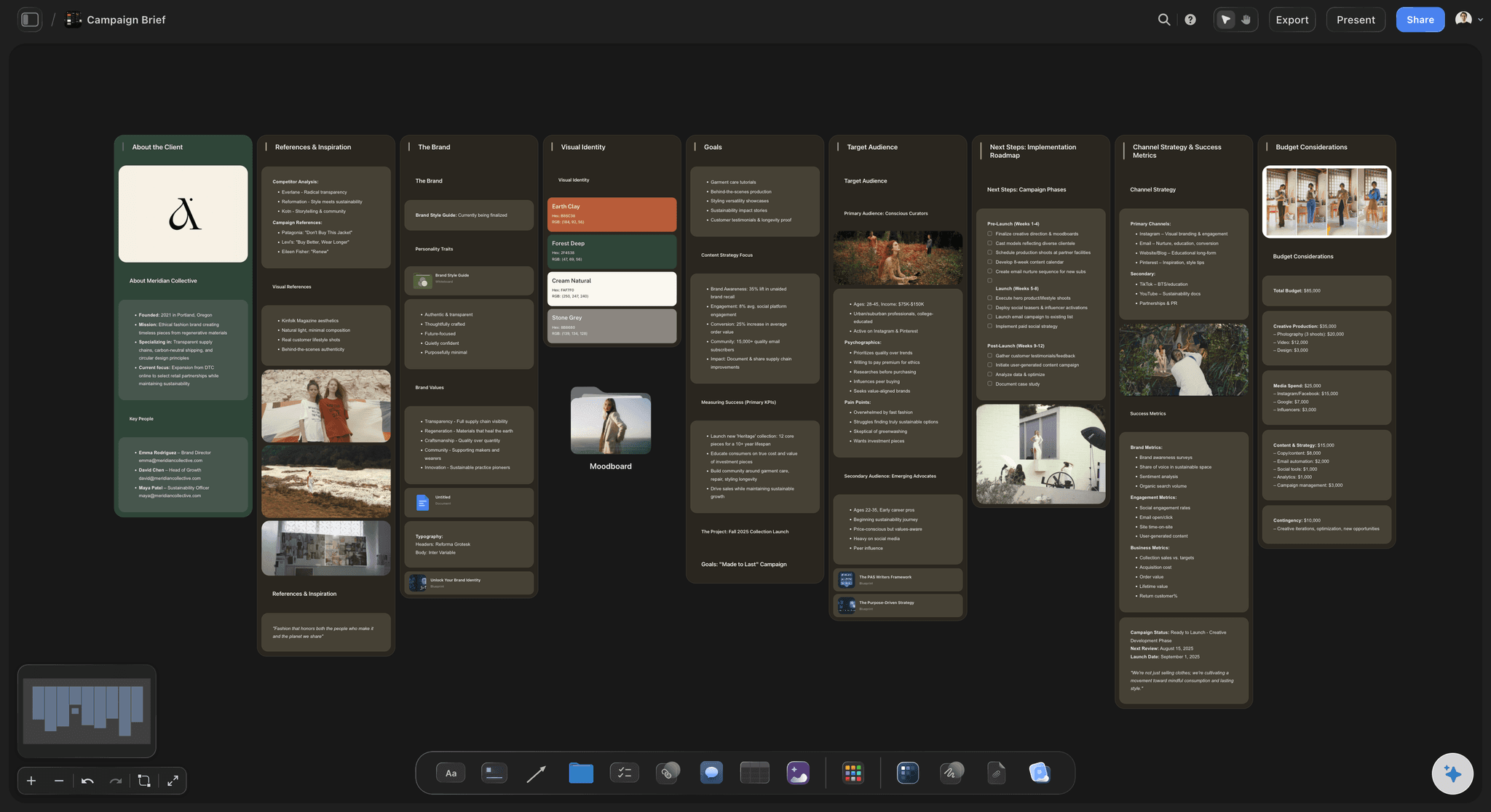
Storyflow is a standalone infinite canvas with no design-tool dependency, AI workflows covering briefs, campaigns, moodboards and story structures rather than design handoff, and view-only links so a client or stakeholder can see a board without an account. The AI reads the whole active board plus up to five documents and three boards.
Ultra fast from brief to board
A board that stands on its own.
No parent application, and somewhere for the session to go afterwards.
01
Open a board, not a workspace
No design org to join and no seat conversation with a team you are not part of. The board is the thing you came for.
02
Start from a structure
Pick an AI workflow so the session has a shape, aimed at briefs and campaigns rather than design handoff.
03
Run it with everyone
Anyone a paid member invites joins free, and nobody needs to understand a design tool to contribute.
04
Continue past the session
Turn the outcome into a plan, a schedule or a client-facing board on the same canvas rather than handing off elsewhere.
Four things that change when the board is standalone.
None of them are about the whiteboard features themselves.
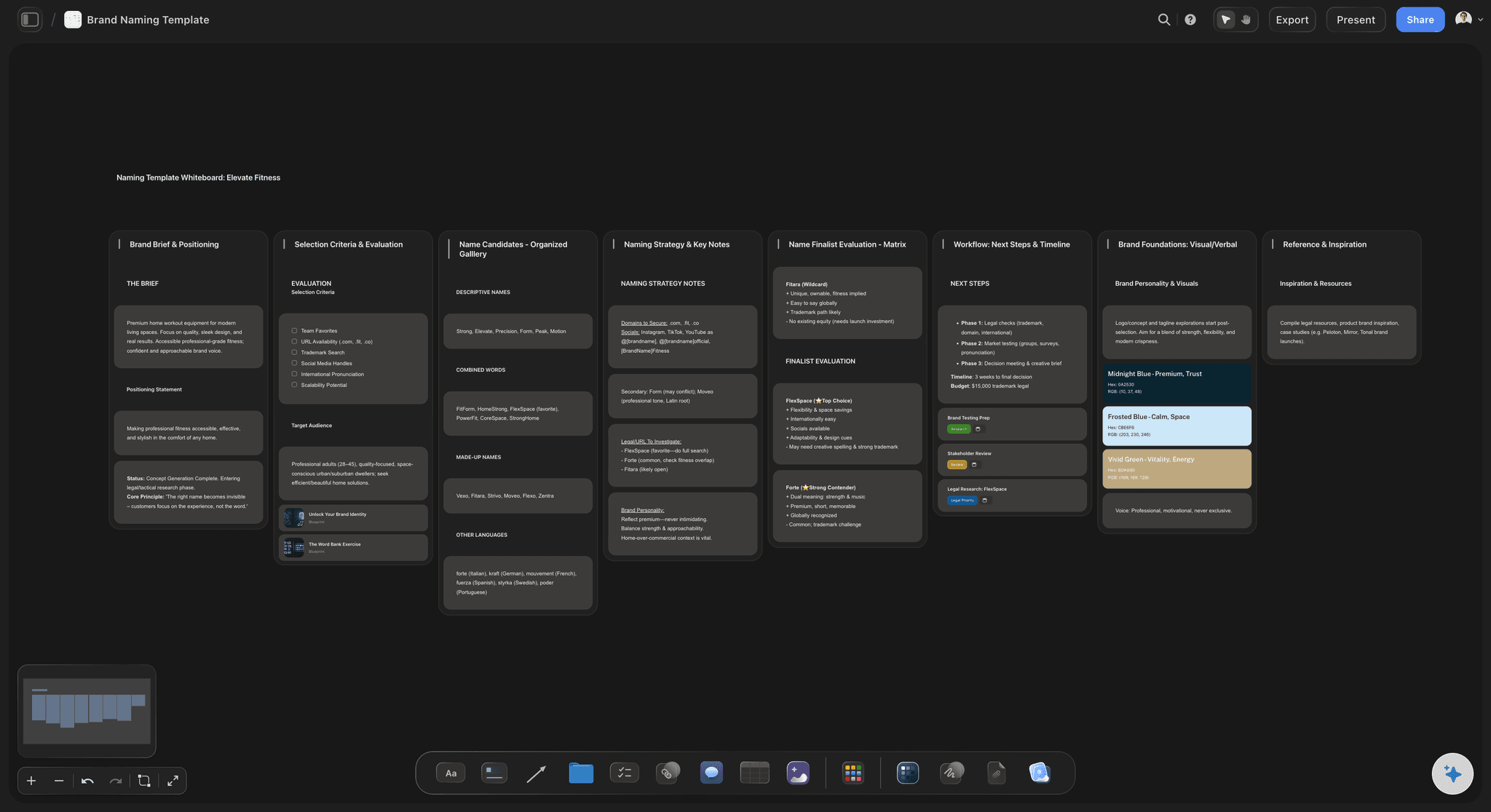
No parent tool
Nothing to join first
No design org, no seat negotiation, no explaining to finance why the content team needs a design tool licence.
See the easy digital whiteboard →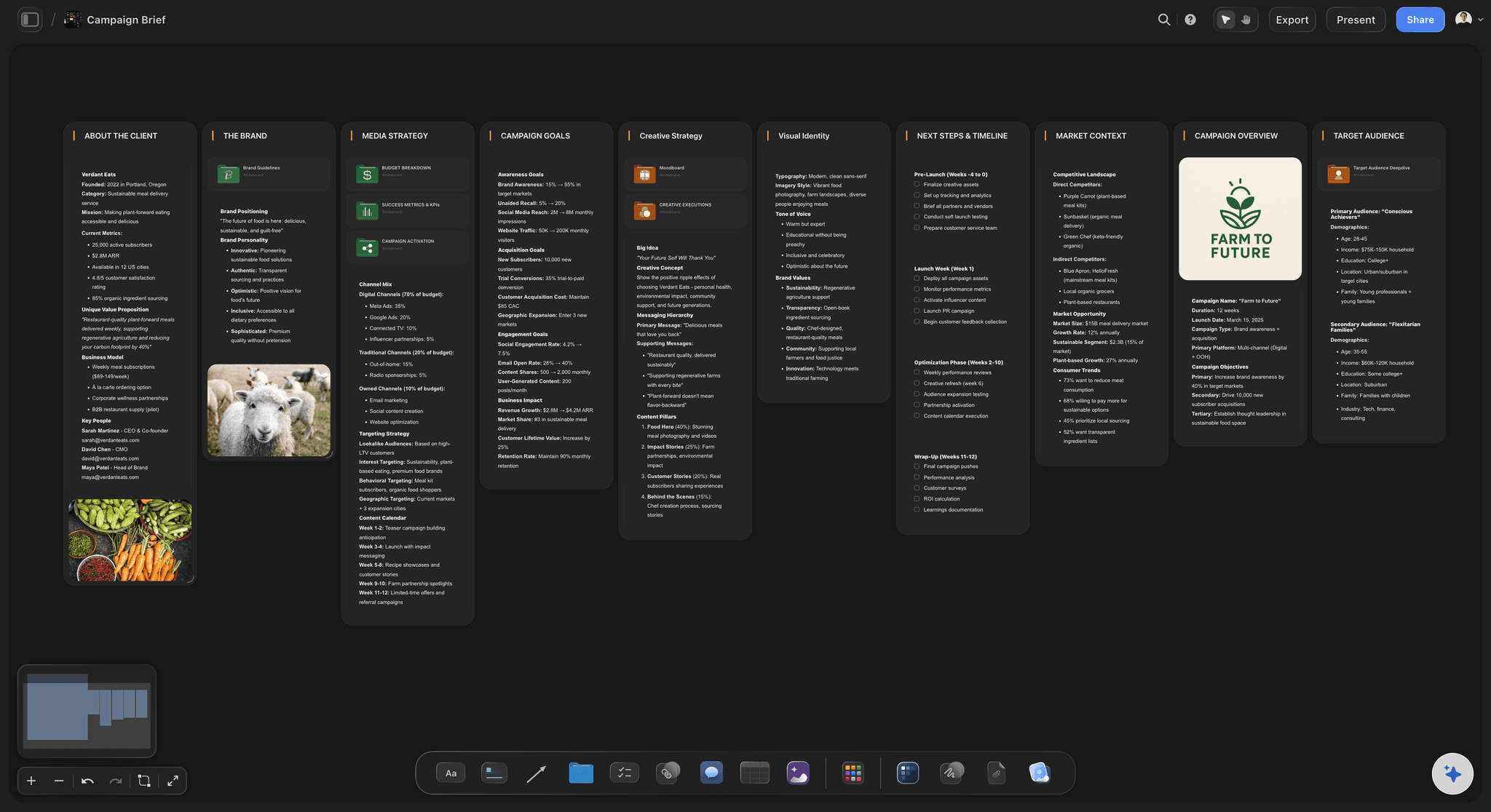
A different library
AI workflows for the work you do
Briefs, campaign plans, content planners, moodboards and story structures, rather than templates pointing at design handoff.
See storytelling frameworks →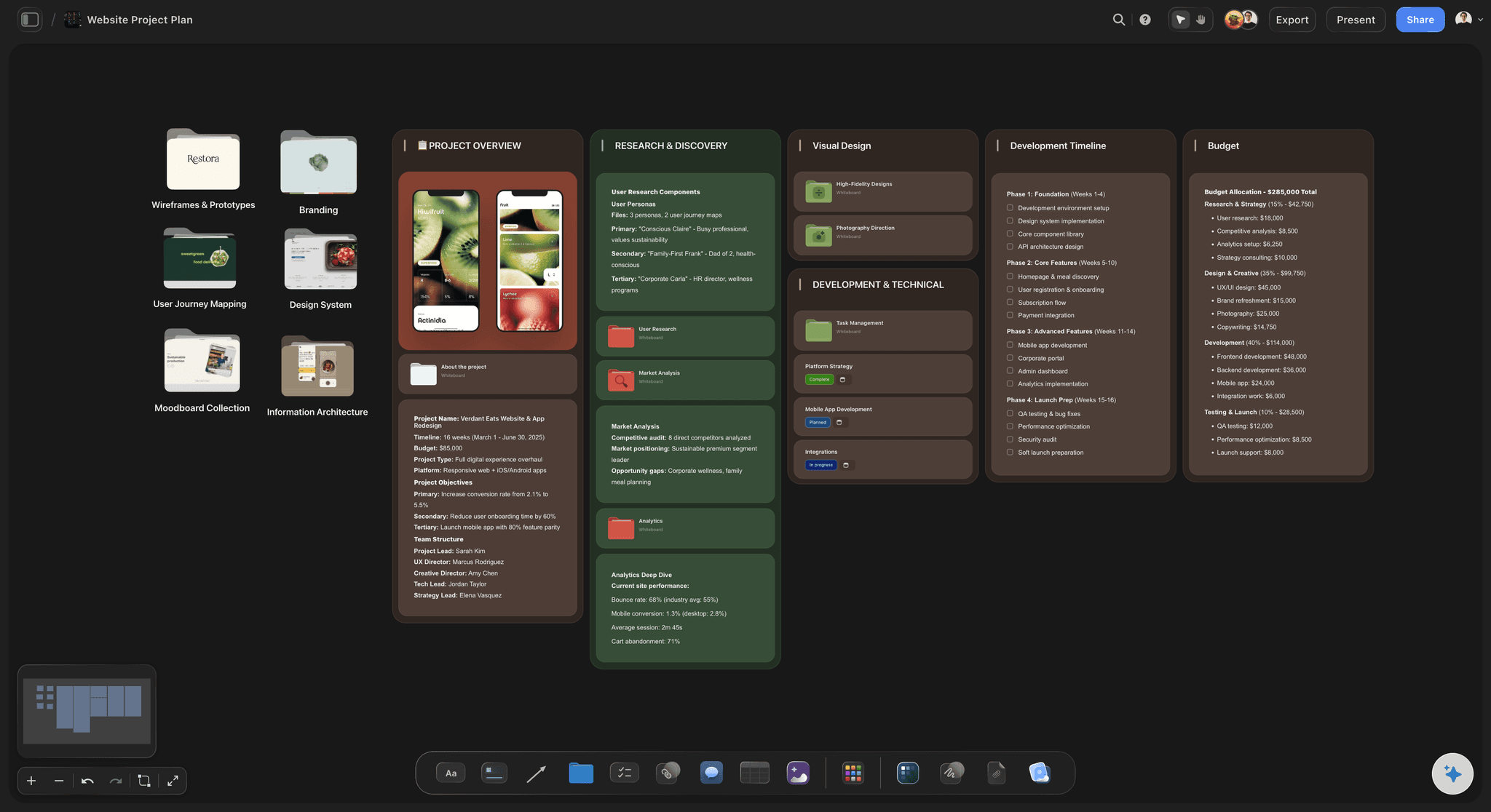
The board is the artifact
It continues into the plan
The session output becomes a schedule, a task board or a client board on the same canvas, because there is no design file to hand off to.
See the AI creative workspace →
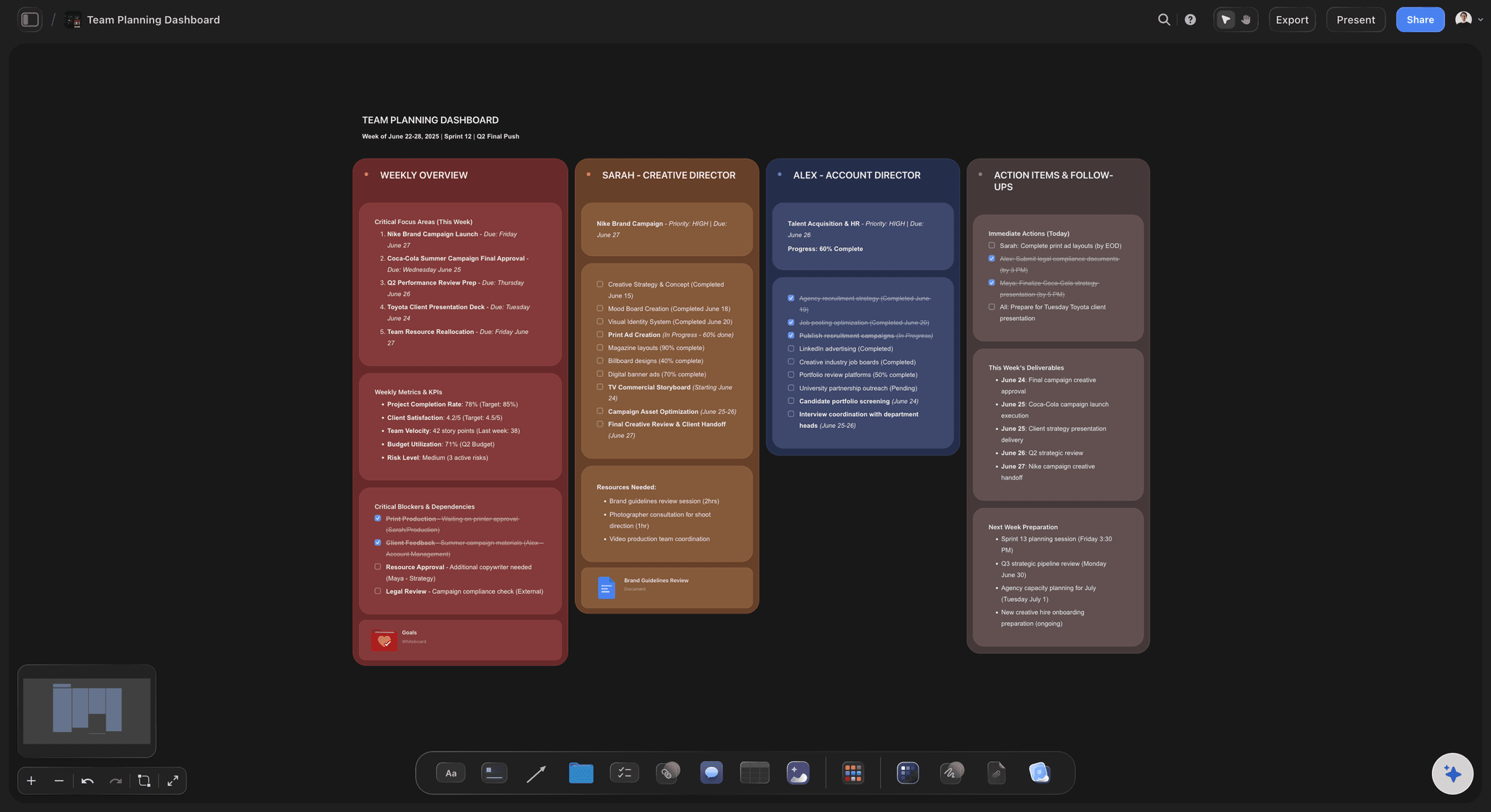
Share outward
Stakeholders without accounts
A view-only link works for a client or an executive who will not sign up for anything, which is most of them.
See the client review board →Unlimited boards on every paid plan.
Storyflow is paid-only during early access, with plans from $7.99 a month billed annually ($9.99 monthly). A free plan launches before the end of 2026, and anyone a paid member invites to a board joins free.
No design tool account required
Unlimited boards and file uploads
AI workflows for briefs, campaigns and planning
View-only links for stakeholders
Built for people with taste
Four frictions that only appear if you are not a designer.
FigJam is well built. It is built around an assumption you do not meet.
Friction one
Inheriting a design tool's account model
Seats become a conversation: Adding a producer or a marketer to a design workspace means a discussion about licences that is out of proportion to a workshop.
Administered by another team: The people who own the design org are not the people running your session, which makes every access change slow.
Sessions quietly stop happening: The usual outcome is not a fight, it is a workshop held in a document because the setup was not worth it.
Friction two
Handoff to a file you do not have
The board assumes a next step: FigJam is the informal room attached to the design file, and the arrangement only pays off if that file exists.
For you the board is the artifact: A campaign plan or a strategy session does not hand off into a design tool. It has to become a plan on its own.
Continue on the same canvas: The outcome turns into a schedule, a task board or a client board in the same space rather than being exported out.
Friction three
A template library aimed elsewhere
Built for product process: Design reviews, retros and sprint ceremonies are the centre of gravity, and a marketing team opens those once.
Different shapes needed: Briefs, campaign plans, content planners, shot lists and story structures are what the work is actually made of.
Applied over live material: An AI workflow builds onto a board that already has content, so structure arrives without restarting the session.
Friction four
Showing it to people outside the org
Clients will not sign up: Asking an external reviewer to create an account in a design platform is usually where the review stops.
A link is the whole flow: View-only sharing means someone can look at the board without an account and without being able to move anything.
Review is not co-authoring: Keeping edit rights separate means the board you presented is still the board when you open it tomorrow.
Explore templates for your project
Every template opens as a real, editable board on the infinite canvas. Pick the closest fit and make it your own.
Mind Map
Branch one central idea out into themes and sub-points, then drag the connections around until the structure makes sense.
What creators are saying
Join early creators getting structured workspaces and AI that remembers their projects
“Storyflow has sped up my workflow by at least 3x, which means more flow state and more projects I can actually ship. It truly changed the way me and my team create.”

Reilin Joey
Director & YouTuber
“One prompt gets me a structured board. But the tactics are my favorite. I run my YouTube scripts through them and my intros and retention got better. It's amazing.”

Justkay
YouTuber & Freelance Filmmaker
“I used to juggle five apps to plan a project. Now I describe what I am making and get boards, lists, and a schedule. All in one place.”

George
@fernwehchronicles
FigJam alternatives, answered.
For teams whose work does not end in a design file.
Storyflow is the FigJam alternative for non-designers: a standalone infinite canvas with no design-tool account, AI workflows for briefs, campaigns and shot lists, and view-only links a client opens with no account. FigJam is built as the informal room attached to Figma, assuming the real artifact is a design file next door. For marketers, producers and writers there is no such file, so the board has to become the plan.
Nothing, and that is worth saying plainly. It is well built and, for a design team already living in Figma, the integration is the reason to use it. The friction is entirely about being outside that assumption: the account model, the template library and the handoff all point somewhere you are not going.
They need a Storyflow account to edit, and anyone a paid member invites to a board joins free. To simply view a board, a read-only link needs no account at all.
Yes. Storyflow is not a design tool and does not try to replace one, so designers keep working in Figma and use the board for direction, references and planning. Cross-functional sessions land on neutral ground rather than in one side's tool.
AI workflows covering briefs, campaign plans, content planners, moodboards, shot lists and story structures. The centre of gravity is creative and marketing work rather than design reviews and sprint ceremonies.
Yes, through a view-only link. They see the board without an account and cannot move anything on it, which is usually where an external review would otherwise stall.
There are lines, connectors and Mermaid diagrams, and diagramming is not the focus. If flowcharts and system diagrams are most of what you make, a general whiteboard is a better fit than this.
Storyflow is paid-only during early access, with plans from $7.99 a month billed annually ($9.99 monthly). A free plan launches before the end of 2026, and anyone a paid member invites to a board joins free. Every paid plan has unlimited boards, and a team workspace with roles is on Max.
No, there is no importer, so boards are rebuilt. Most teams carry over the outcomes rather than the whole board, which is generally faster than it sounds.
In the browser, yes. Storyflow runs in your browser, nothing to install, so a board opens on a laptop, a tablet or a phone.
More from Storyflow
FigJam alternative
Switch from Miro
Switch from Notion
Easy digital whiteboard
Whiteboard for creative teams
Visual collaboration
Miro alternative
Client review board
Campaign management software
Project brief template
AI creative workspace
Storyflow for agencies
Why creative teams leave FigJam
Apple Freeform alternative
Lucidspark alternative
Get the whiteboard without the design org.
A standalone canvas that continues into the plan. Runs in your browser, nothing to install.