
Extremely simple, seriously capable
Easy is not
fewer buttons.
Whiteboard tools get judged on their toolbar, which is the wrong test. What actually makes a brainstorm hard is the empty canvas: eight people looking at white space while somebody types a heading. The fix is starting material, not a smaller feature set. Storyflow has AI that will draft a first pass so the room has something to react to. Plans start at $7.99 a month billed annually.


Creatives working for these brands already got early access
- Red Bull
- Canon
- Artlist
- Porsche
See how easy it is to get started
Watch a real project come together, from a blank board to a finished plan, clicked through step by step.
Start from a ready-made template
Pick a board to see what you can build, then let AI fill it in. Every template is a real, editable starting point on the same infinite canvas.

Mind Map
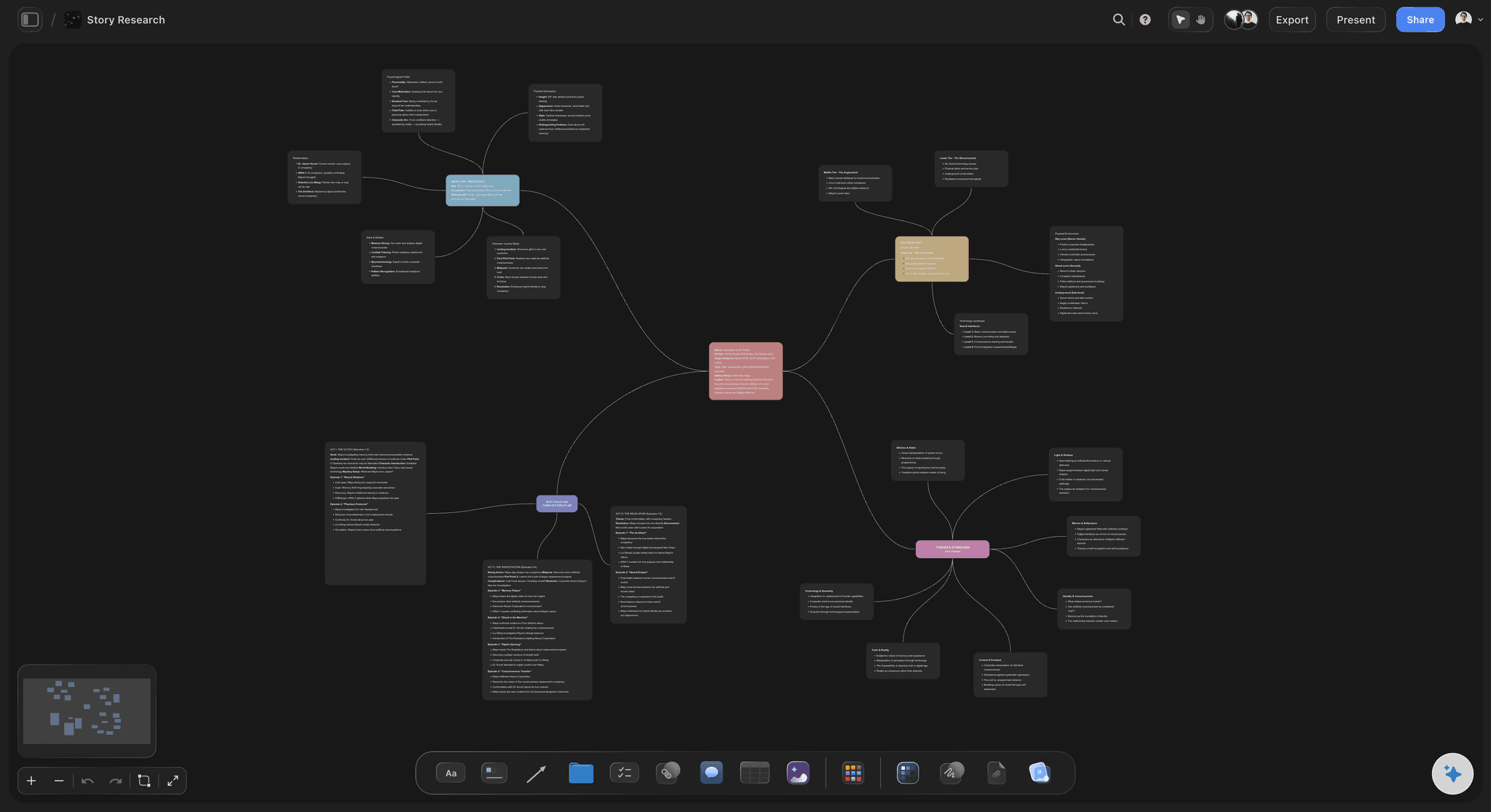
Branch one central idea out into themes and sub-points, then drag the connections around until the structure makes sense.
What makes a digital whiteboard easy for brainstorming?
Time to the first useful thing on the board. Storyflow is an AI visual workspace that gets a brainstorm started on one infinite canvas: a structured starting board, Kanban and table tools you drop straight in, and an AI that drafts a first pass for the room to react to. Every whiteboard can draw a rectangle, and after ten minutes nobody is struggling with the tools. What people are struggling with is that the board is empty and someone has to decide what goes on it first. That silence is the real friction in a brainstorm, and no amount of interface simplification touches it.
This is why stripped-down whiteboards often feel easy in a demo and hard in a session. A minimal tool gives you a pen and a sticky note and leaves the structure entirely to you, which is fine when you already know the shape of the session and unhelpful when you do not. The tools are simple; the blank page is not.
The honest comparison matters here. If what you want is the lightest possible sketchpad with almost no learning curve, a minimal whiteboard is genuinely a better fit and Storyflow is not trying to be that. What Storyflow is built for is the session that has to produce something afterwards: material that survives the meeting and turns into a plan.
So it opens differently. Drop a Kanban or a table onto the board and the structure is already there. Ask the AI for a first pass and it drafts one from your prompt or from a document you upload, reading the whole active board plus up to five documents and three boards. The room starts by disagreeing with something, which is faster than starting with nothing. Plans start at $7.99 per month billed annually, with a free plan before the end of 2026.
Ultra fast from brief to board
Nobody stares at white space.
Four things that get a session moving in the first five minutes.
01
Open with a structure
Drop a Kanban or a table onto the board and the session has a shape before anyone speaks.
02
Or ask for a first pass
Describe the session, or upload the brief, and get a drafted board. Reacting to a draft is much faster than producing from nothing.
03
Everyone adds at once
Boards are collaborative, so the room contributes in parallel rather than through whoever is holding the pen.
04
Leave with something usable
Group what came out, and turn the surviving themes into the next board on the same canvas rather than a photograph.
The blank canvas is the hard part.
Four ways to not begin from nothing.
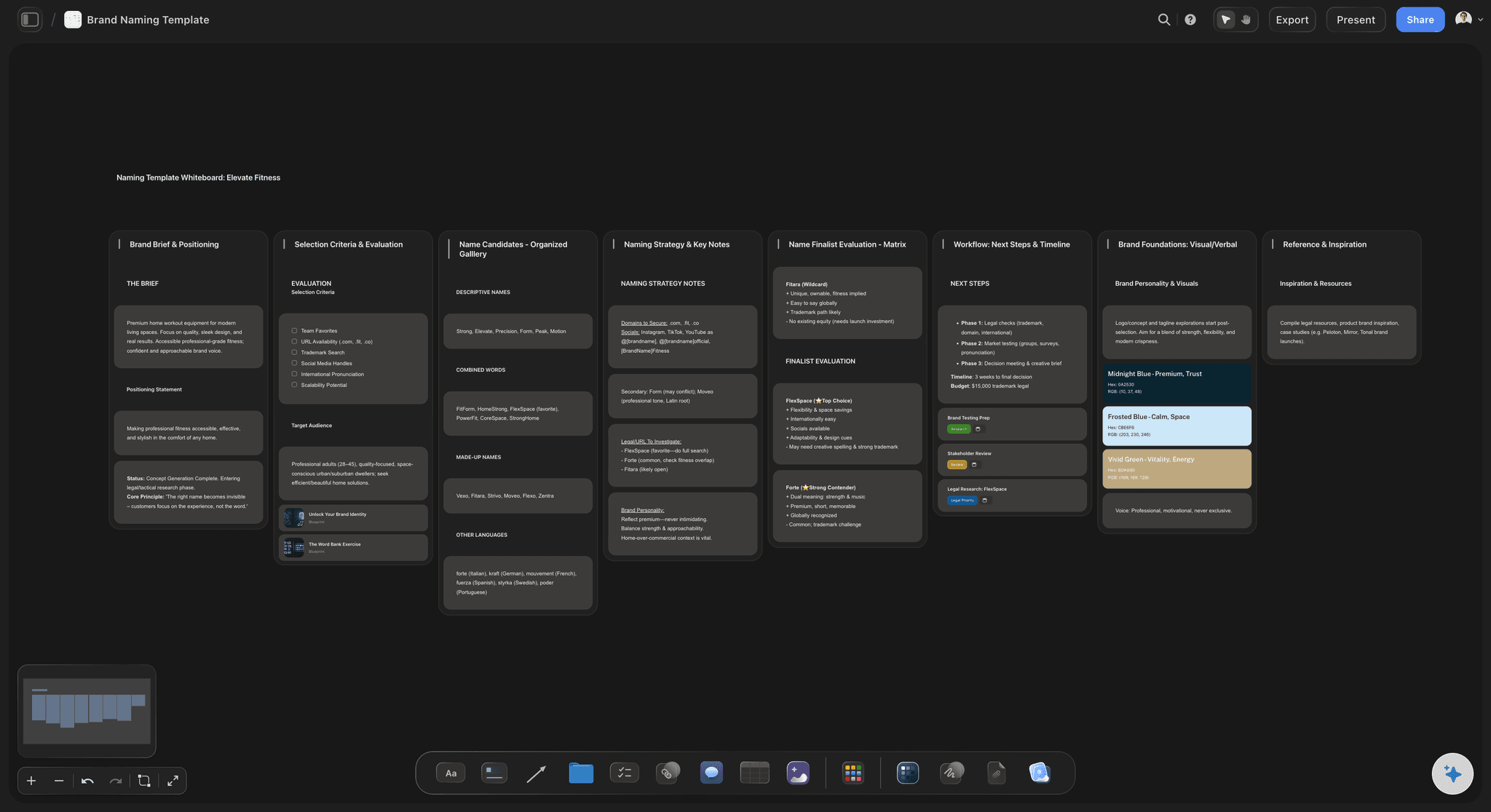
Starting structures
A structure, dropped in
A session shape you can place on the board and then break, which is a better starting point than a grid you have to draw yourself.
See storytelling frameworks →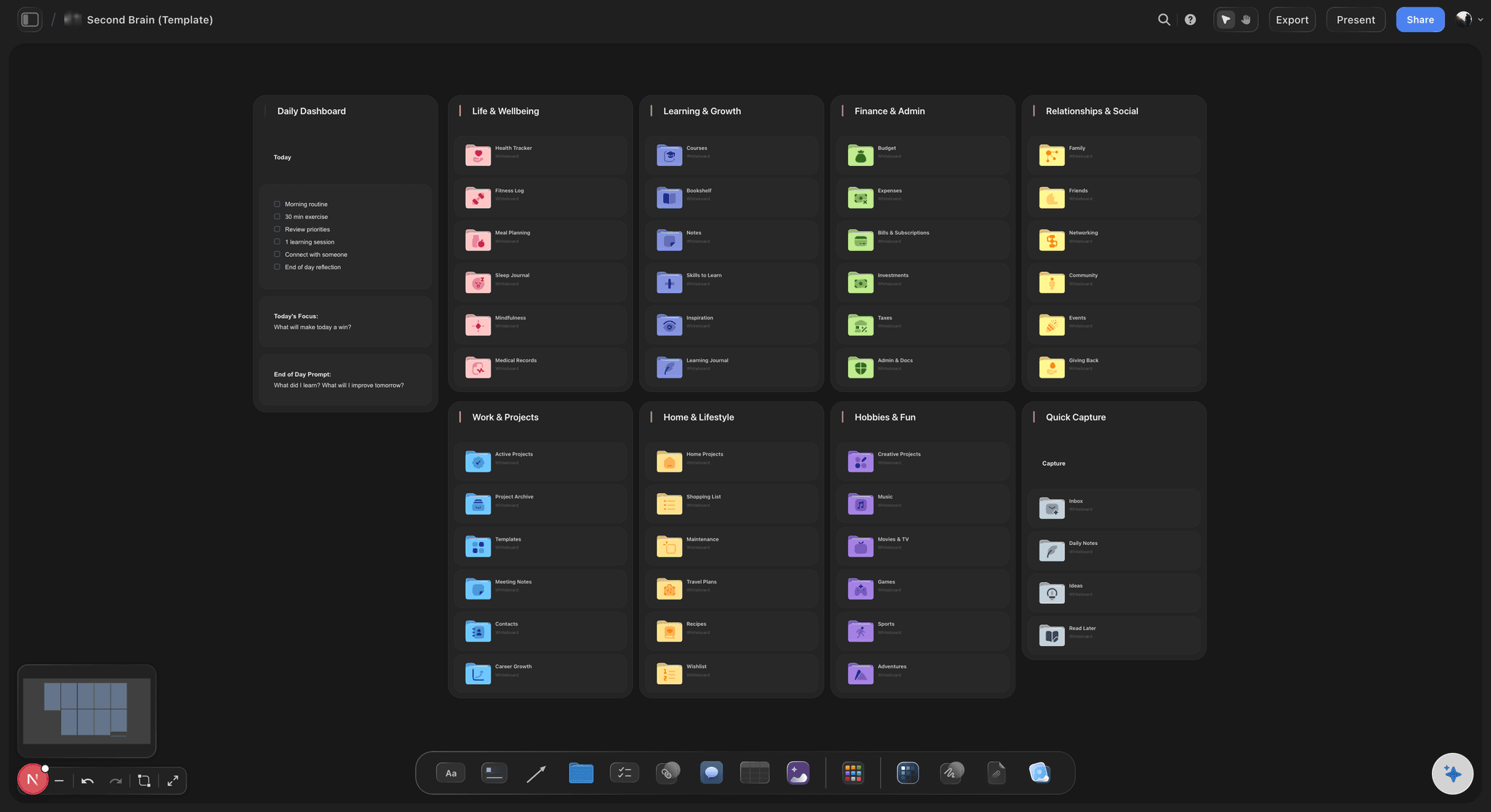
A draft to argue with
AI writes the first pass
Give it the brief and get a board back. It reads the active board and any documents you attach, so the draft is about your project.
See the AI brainstorming tool →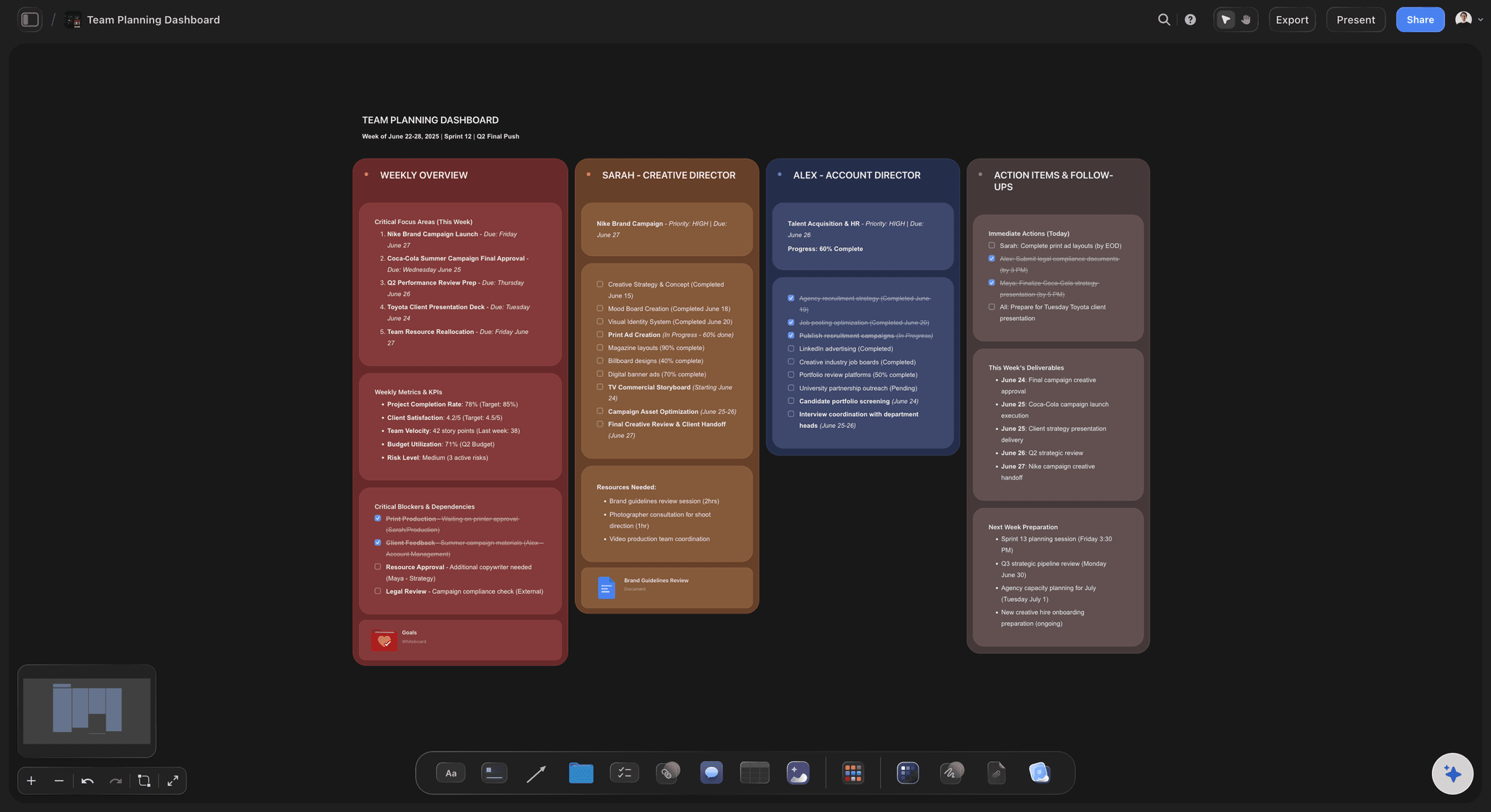
Everyone at once
No queue for the pen
Parallel contribution is the one thing digital boards do better than a physical wall, and it is the reason quiet people contribute at all.
See visual collaboration →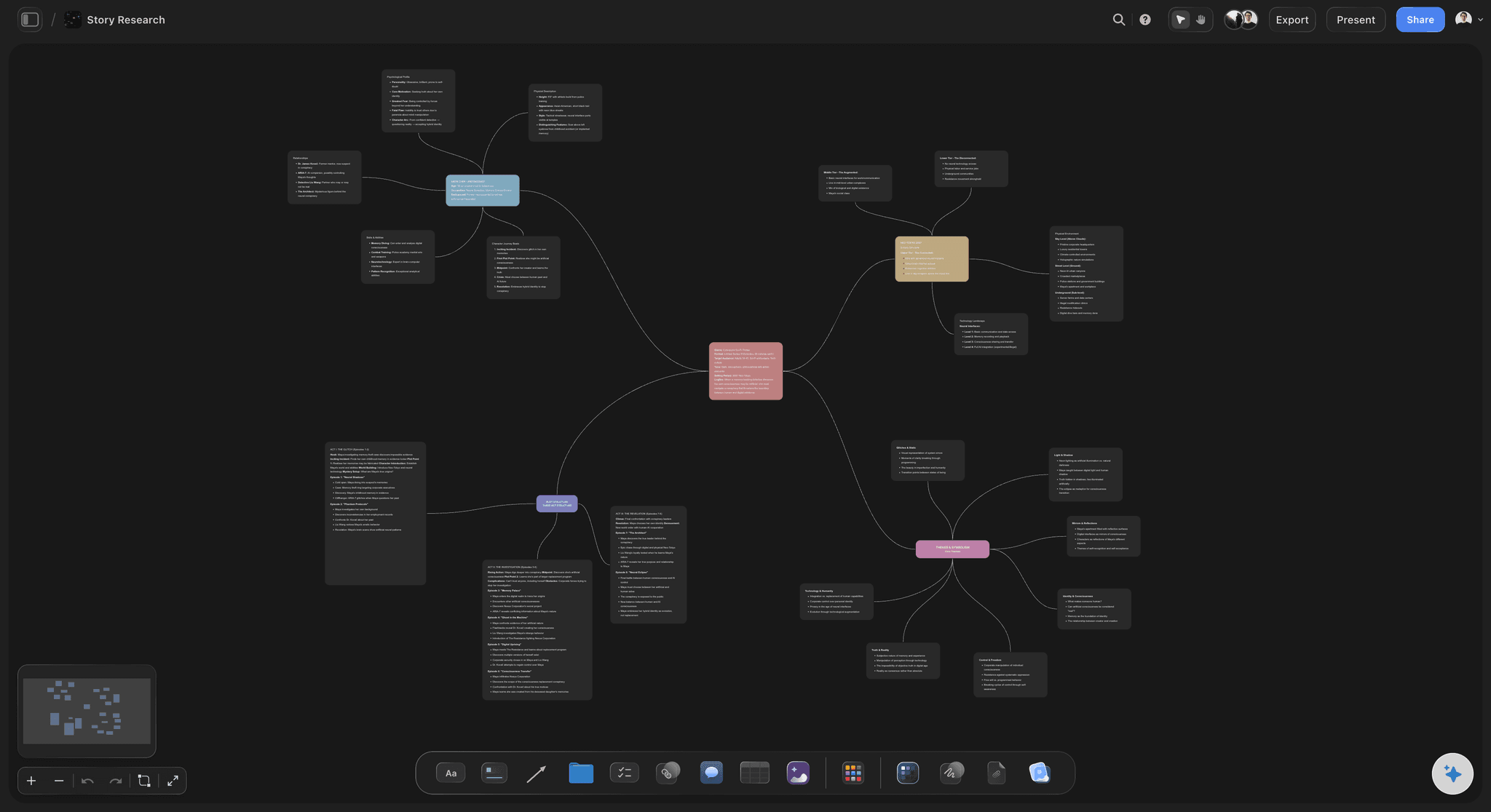
After the session
The board keeps working
Themes convert into the next board on the same canvas, so the session leads into the project instead of ending as an image in a channel.
See brainstorm to mind map →Plans from $7.99/month annual. Free plan coming late 2026.
Unlimited boards on an infinite canvas on Plus, Pro and Max. Free plan before the end of 2026.
Unlimited boards on an infinite canvas
Unlimited file uploads on Plus, Pro and Max
Collaborative boards with no contributor limit
AI reads the whole board before it drafts
Built for people with taste
Four frictions that have nothing to do with the toolbar.
Simplifying the interface addresses none of them.
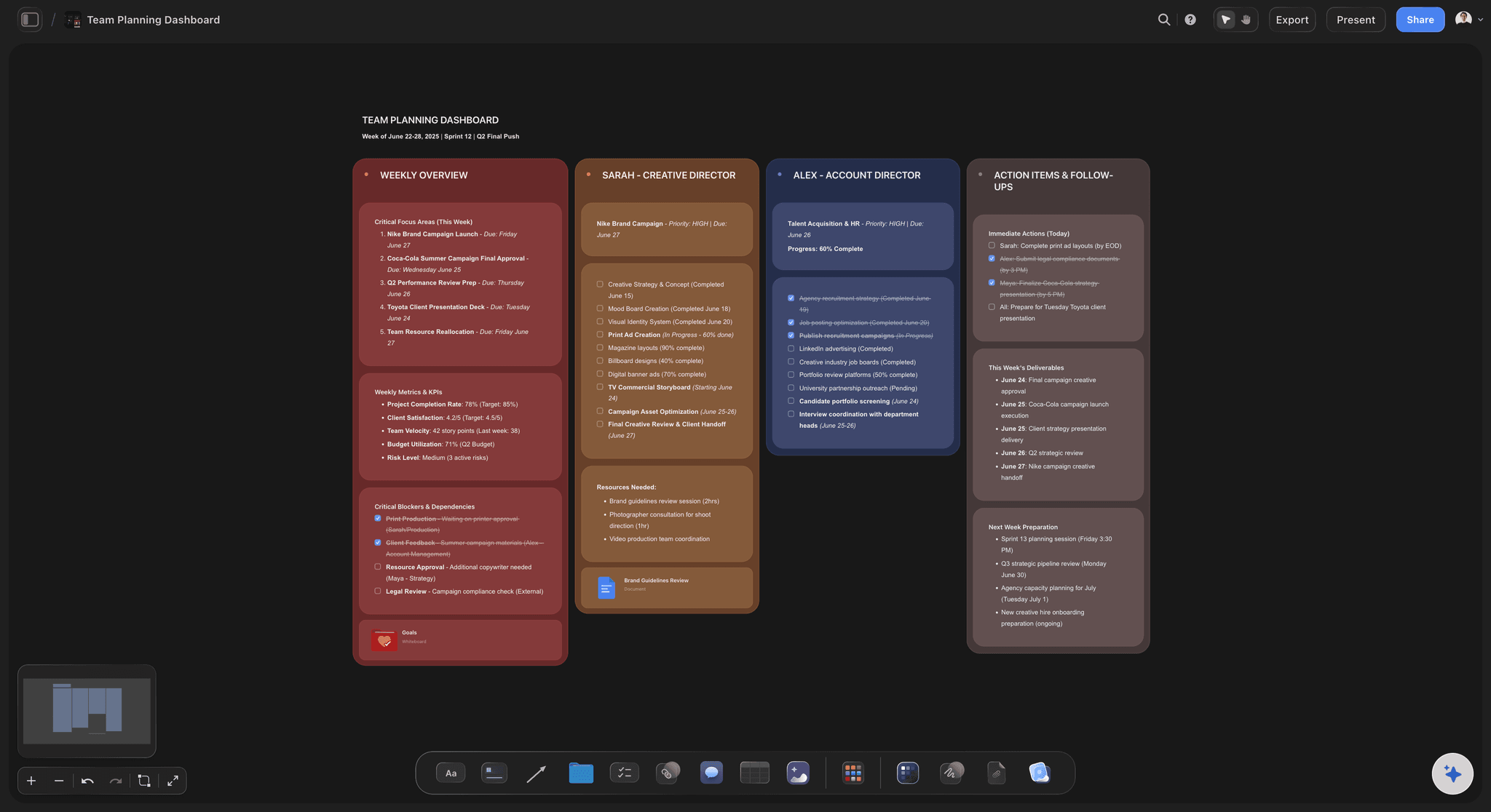
Friction one
The first ten minutes
Silence is expensive: Eight people at a blank board wait for someone to commit first, and the session's momentum is spent before it starts.
Reaction beats generation: People produce far more when correcting something than when facing nothing, which is why a draft is worth more than a template.
Start from a structure: A structure on the board or an AI first pass gives the room a target, and disagreeing with it is the session starting.
Friction two
One person holding the pen
The scribe filters everything: When one person types, the session records what that person understood, and the rest is lost in paraphrase.
Parallel input changes who speaks: People who will not interrupt will write. Adding at the same time is the main reason a digital board beats a physical one.
No turn-taking cost: Everyone works on the same canvas at once, so contribution is not rationed by the speed of one hand.
Friction three
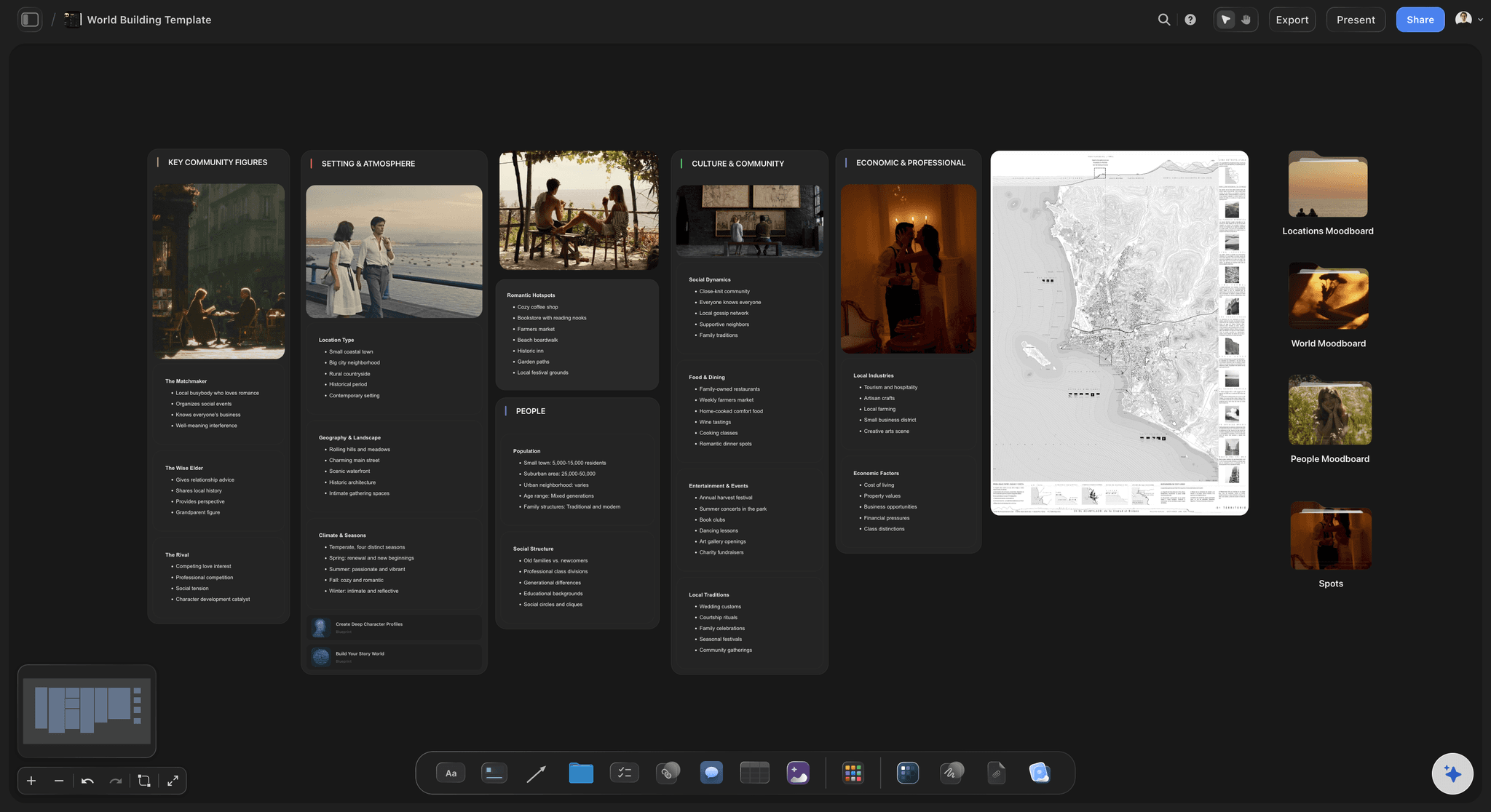
The board that dies at the end
A screenshot is not an output: Most sessions end as an image in a channel, which is where the work stops being touched and starts being forgotten.
The gap is between tools: If the plan is built somewhere else, the board is closed that day and nobody updates it again.
Convert on the same canvas: Themes become the next board in the same space, so the session leads into the project rather than ending beside it.
Friction four
Structure invented on the spot
Drawing the grid wastes the room: Ten minutes spent building a two-by-two while everyone watches is ten minutes of the session's best attention.
Borrow a shape, then break it: A borrowed structure gives the session a form immediately, and abandoning it halfway is a fine outcome if the material wants something else.
Choose late where possible: Because material sits on a canvas rather than in a fixed template, rearranging it into a different structure is not a rebuild.
Explore templates for your project
Every template opens as a real, editable board on the infinite canvas. Pick the closest fit and make it your own.
Mind Map
Branch one central idea out into themes and sub-points, then drag the connections around until the structure makes sense.
What creators are saying
Join early creators getting structured workspaces and AI that remembers their projects
“Storyflow has sped up my workflow by at least 3x, which means more flow state and more projects I can actually ship. It truly changed the way me and my team create.”

Reilin Joey
Director & YouTuber
“One prompt gets me a structured board. But the tactics are my favorite. I run my YouTube scripts through them and my intros and retention got better. It's amazing.”

Justkay
YouTuber & Freelance Filmmaker
“I used to juggle five apps to plan a project. Now I describe what I am making and get boards, lists, and a schedule. All in one place.”

George
@fernwehchronicles
Easy digital whiteboards, answered.
What people ask before choosing one for brainstorming.
One that gets something onto the board fast. The hard part of a brainstorm is not the toolbar, it is the empty canvas and the silence while somebody decides what goes on it first. Storyflow has Kanban and table tools you can drop straight onto the board and an AI that will draft a first pass from your brief, so the room starts by reacting to something rather than generating from nothing.
Storyflow is made for the empty-board problem: it opens with a structured starting board instead of white space, so a session produces material in the first few minutes. You can drop Kanban and table tools straight onto the board. Its AI drafts a first pass from your brief, so the room starts by reacting to something instead of making it up from nothing.
No, and it is worth being straight about that. If you want the lightest possible sketchpad with almost no learning curve, a minimal whiteboard is a better fit. Storyflow is built for sessions that have to produce something that survives the meeting, which is a different kind of easy.
No. Drop a Kanban or a table onto the board for an immediate structure, or describe the session and let the AI draft a starting board. Both exist because facing white space is the actual friction, and neither locks you in, since anything drafted is fully editable.
Yes. Boards are collaborative and everyone adds in parallel, which matters more than it sounds: when one person holds the pen the session records only what that person understood, and people who will not interrupt a conversation will happily write on a board.
It stays live and can become the next stage of the work. Themes convert into a plan, a calendar or a moodboard on the same infinite canvas, which is the difference between a session that leads somewhere and one that ends as a screenshot in a channel.
Yes, and hybrid is where it helps most, because everyone works on the same surface whether or not they are in the room. Storyflow does not run video calls, so use whatever you already use for that alongside the board.
Yes, at full size, along with documents and links. For creative sessions this is usually the point, because a written description of a look means something different to everyone reading it.
The canvas is infinite and boards, projects and collaborators are unlimited on the paid plans. A team workspace with roles and permissions is on the Max plan.
Not during early access. Plans start at $7.99 per month billed annually or $9.99 monthly, and a free plan launches before the end of 2026. Collaborators invited by a paid member can sign up free in the meantime.
There is no dedicated mobile app. Storyflow runs in the browser and as a desktop app for Mac and Windows, so a phone is fine for viewing and awkward for running a session.
Start the session, not the setup.
Open a board with a structure already on it and let the room react. Plans from $7.99 a month billed annually.