
Extremely simple, seriously capable
Notion is a
database.
That is a compliment and a diagnosis. Notion is genuinely excellent at structured records, wikis and documentation, and nothing here suggests replacing it for that. It is a poor fit for work whose content is images arranged in space, because a database can store a picture and cannot show you a composition. Most teams end up keeping both, deliberately. Plans start at $7.99 a month billed annually.


Creatives working for these brands already got early access
- Red Bull
- Canon
- Artlist
- Porsche
See how easy it is to get started
Watch a real project come together, from a blank board to a finished plan, clicked through step by step.
Start from a ready-made template
Pick a board to see what you can build, then let AI fill it in. Every template is a real, editable starting point on the same infinite canvas.

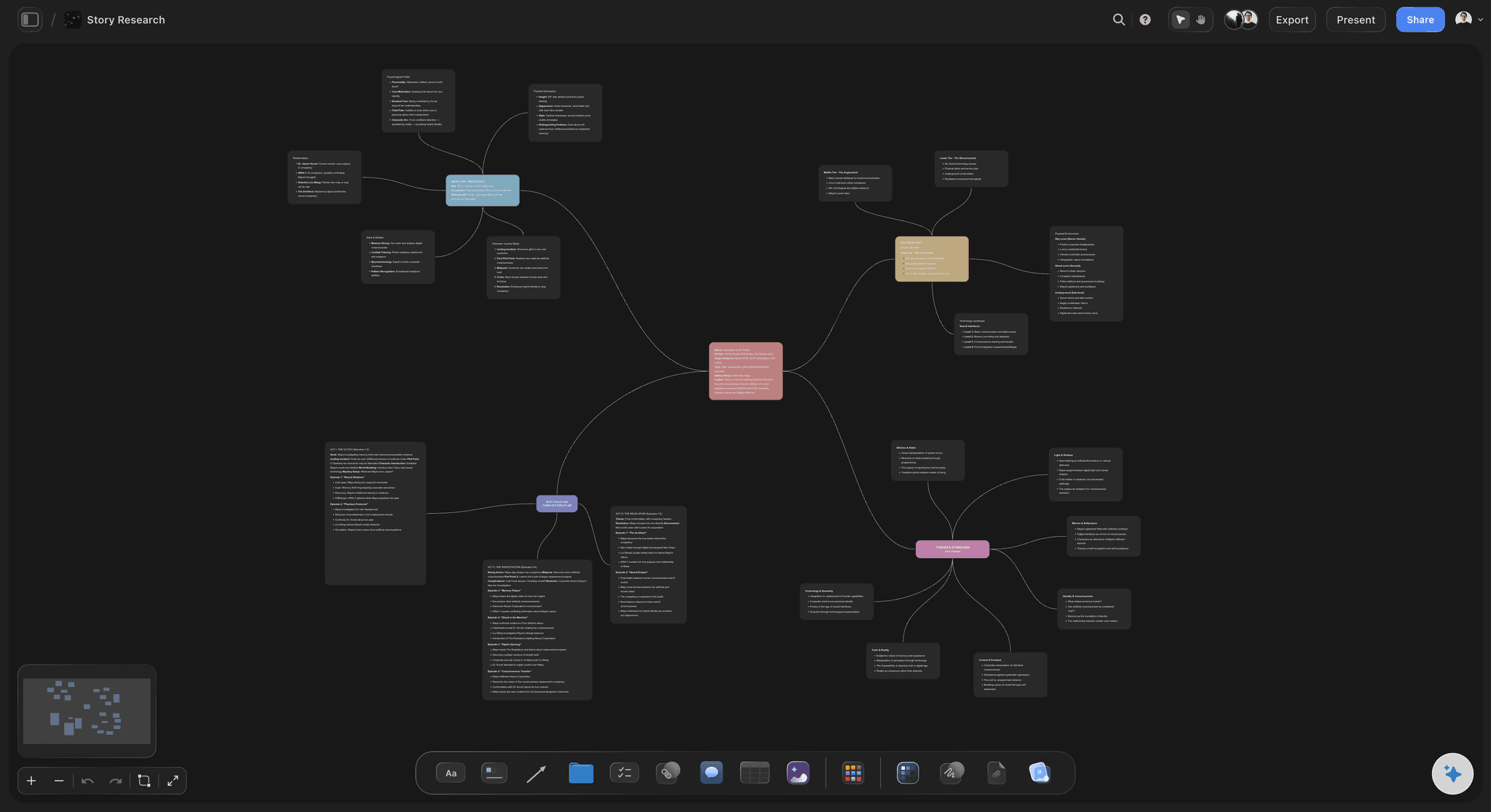
Mind Map
Branch one central idea out into themes and sub-points, then drag the connections around until the structure makes sense.
Is Notion good for visual project planning?
Notion is good for the parts of a visual project that are records. Storyflow is an AI visual workspace that holds the visual half of the project on one infinite canvas: moodboards kept as compositions, exploration before you know the shape, and a view-only link to share them. Deliverables, deadlines, owners, status, contacts, meeting notes and the wiki everyone needs to find later all belong in a structured tool, and Notion does that better than a canvas ever will. Teams that try to run their documentation on a whiteboard rediscover why databases exist.
Where it fails is the visual work itself. A moodboard is not a gallery of images, it is a composition: this reference next to that one, at this size, grouped this way. That arrangement is the argument. In a database a moodboard becomes a page with images stacked vertically, and the spatial relationships that carried the meaning are simply gone.
The second failure is exploration. Creative work starts messy, with material at different levels of resolution and no clear structure, and databases require you to know the schema before you can put anything in. Deciding on properties and views before you know what you are looking at is exactly backwards, and the practical result is that the exploration happens somewhere else and never gets recorded.
So the honest split is: records in Notion, visual thinking on a canvas. Storyflow gives you an infinite canvas where images, text, documents and boards share one space, with AI that reads the whole active board plus up to five attached documents and three boards. There is no Notion importer, so pages are rebuilt rather than migrated. Plans start at $7.99 per month billed annually, with a free plan before the end of 2026.
Ultra fast from brief to board
Four steps to move the right half.
The goal is not to empty Notion. It is to stop forcing visual work into it.
01
Find the pages fighting the format
Look for pages that are mostly embedded images, or a gallery view standing in for a moodboard. Those are the ones to move.
02
Leave the records alone
Deliverables, deadlines, contacts, the wiki and anything you filter or sort should stay exactly where it is.
03
Rebuild the visual work spatially
Compose rather than list. The arrangement is the content, which is what the database version was quietly discarding.
04
Link the two
Keep a link from the Notion project record to the board. Two tools with one obvious path between them beats one tool doing both badly.
What a canvas does that a database cannot.
Four differences that only matter on visual work.
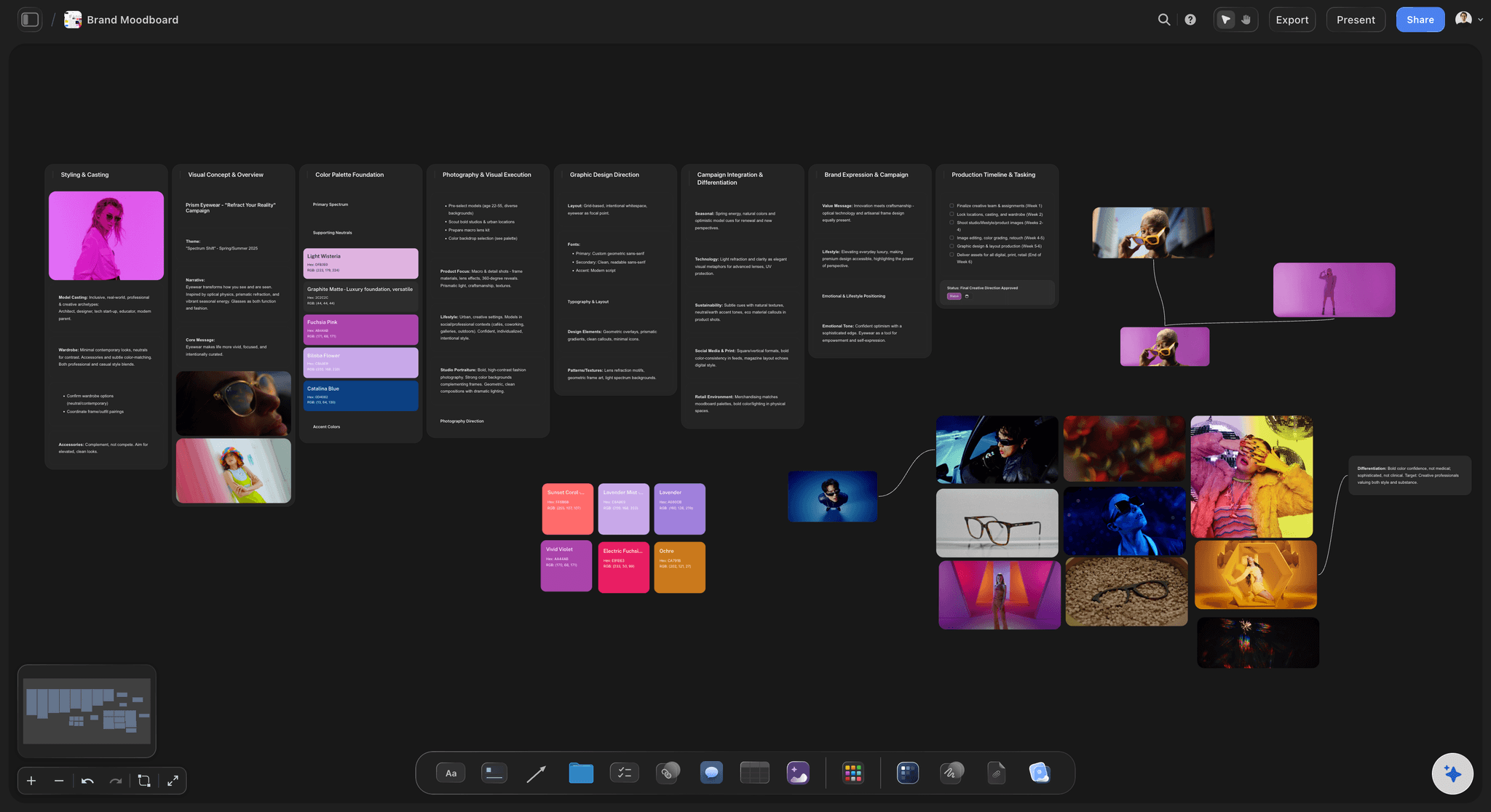
Arrangement is meaning
Composition, not a list
Which reference sits next to which, at what size, is the argument a moodboard makes. Stacked vertically, that argument disappears.
See moodboards for designers →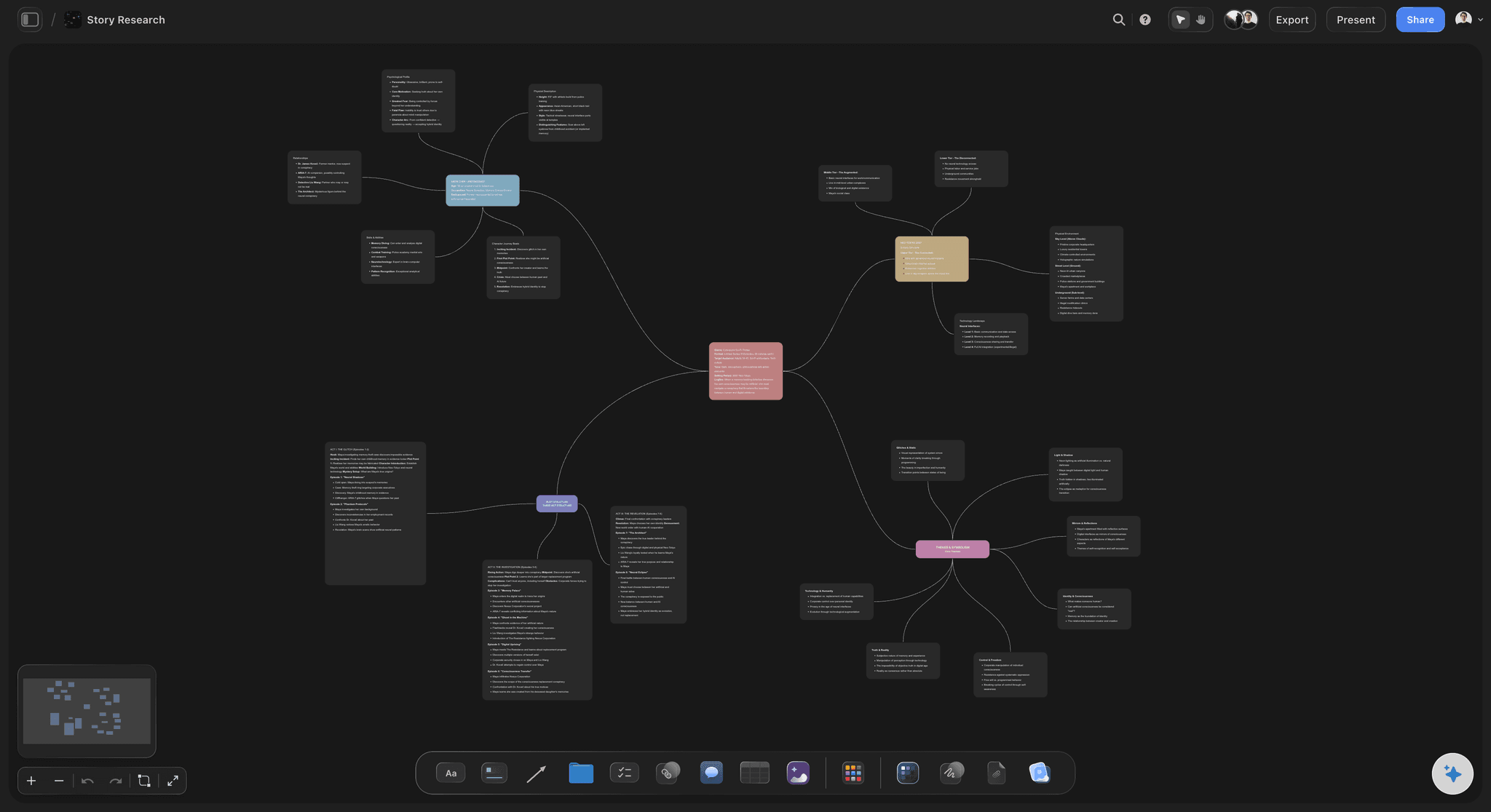
No schema first
Start before you know the shape
Exploration begins messy. A canvas takes material at any resolution, where a database needs its properties decided up front.
See the AI creative workspace →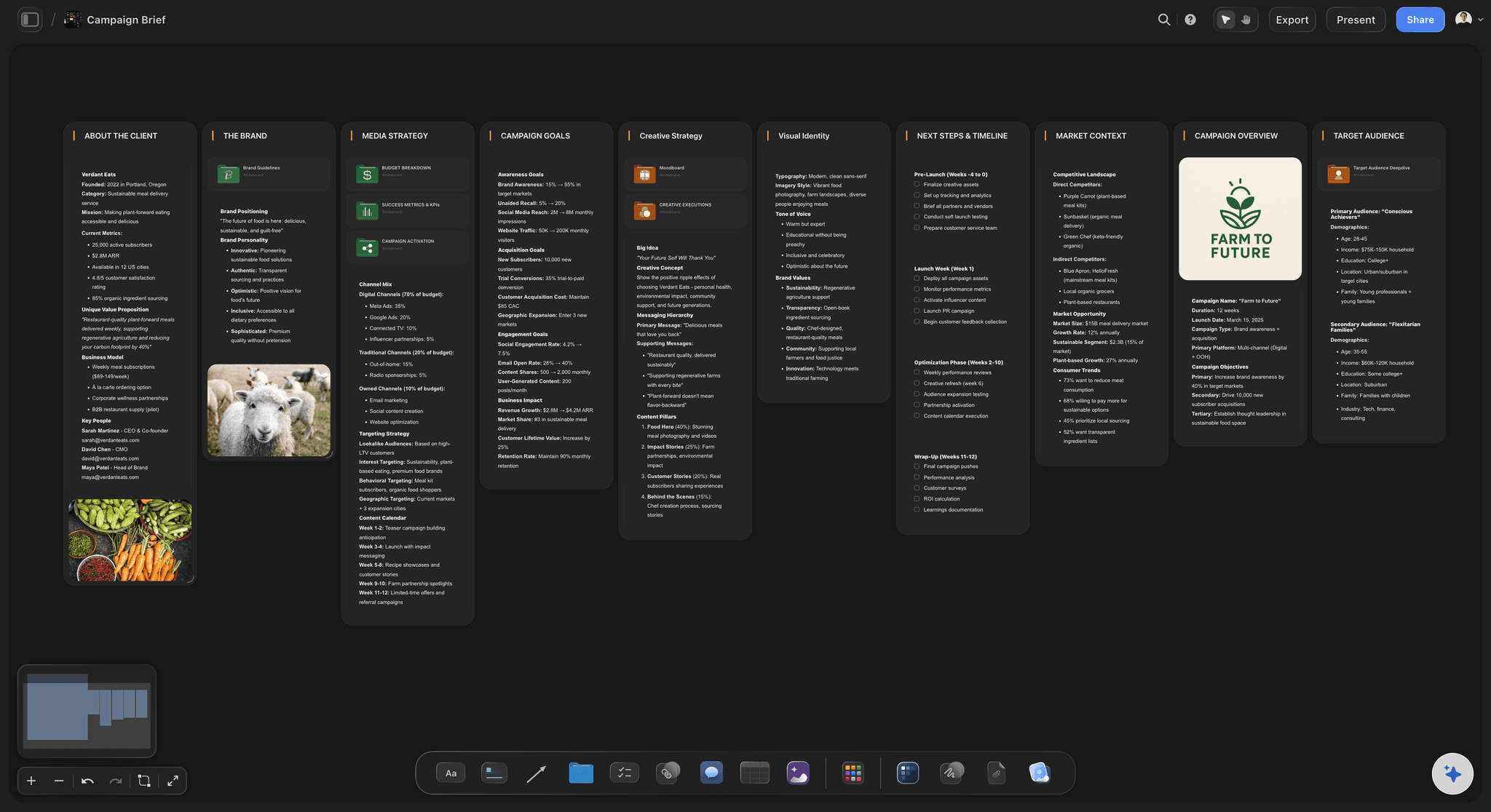
Creative structures
Structure, applied late
Ask the AI for a brief, moodboard, shot list or story structure beside material you already have, rather than a template filled in from empty.
See storytelling frameworks →
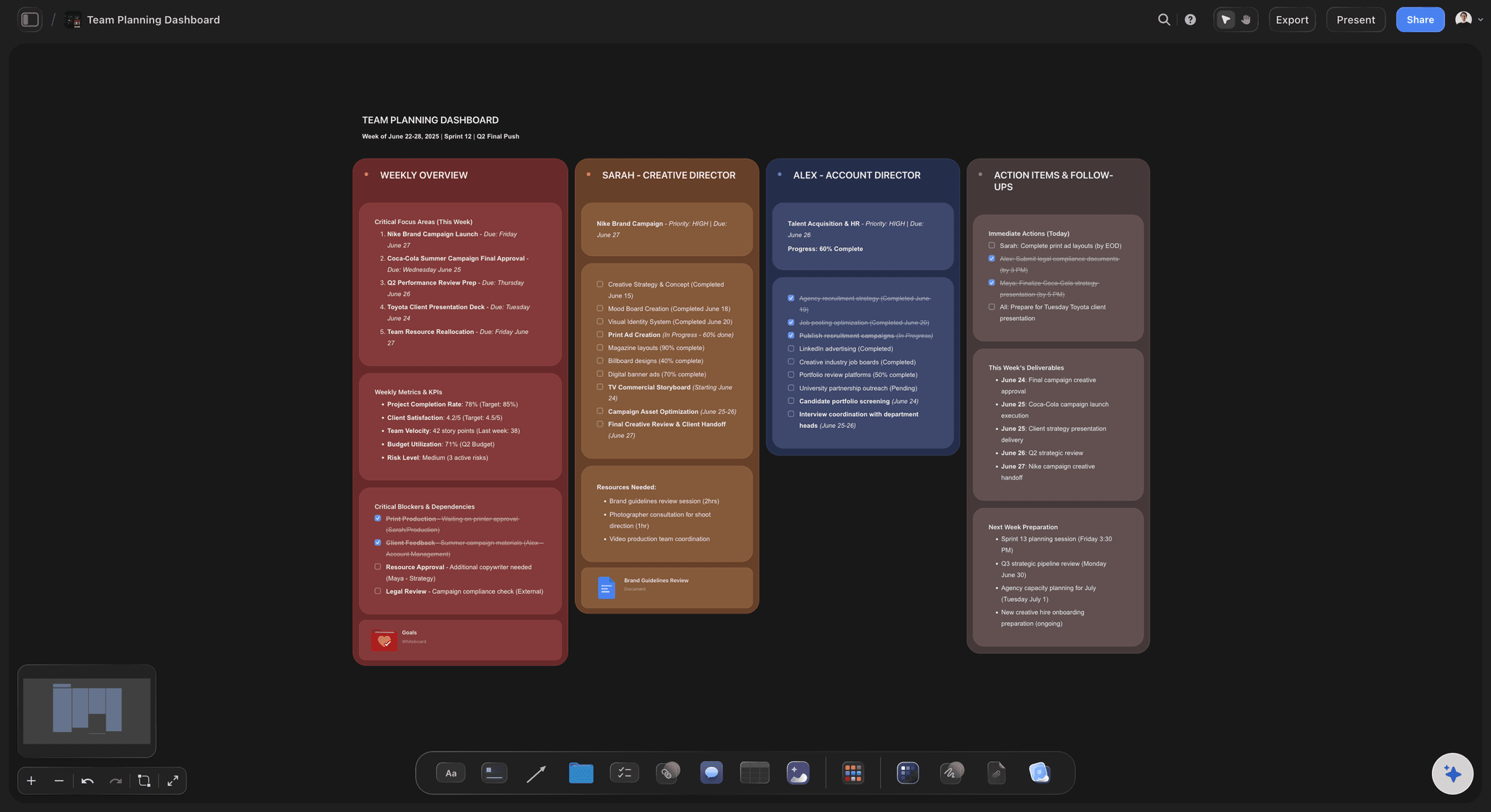
Clients without accounts
A view-only link
Share a board for review without giving edit access or asking anyone to sign up, which review conversations usually need.
See the client review board →Plans from $7.99/month annual. Free plan coming late 2026.
Unlimited boards, projects and collaborators on Plus, Pro and Max. Free plan before the end of 2026.
Unlimited boards and projects on an infinite canvas
Unlimited file uploads on Plus, Pro and Max
View-only links that need no account
Built for people with taste
Four checks, including two that say stay.
Notion is not the wrong tool. It is the wrong tool for one half of the work.
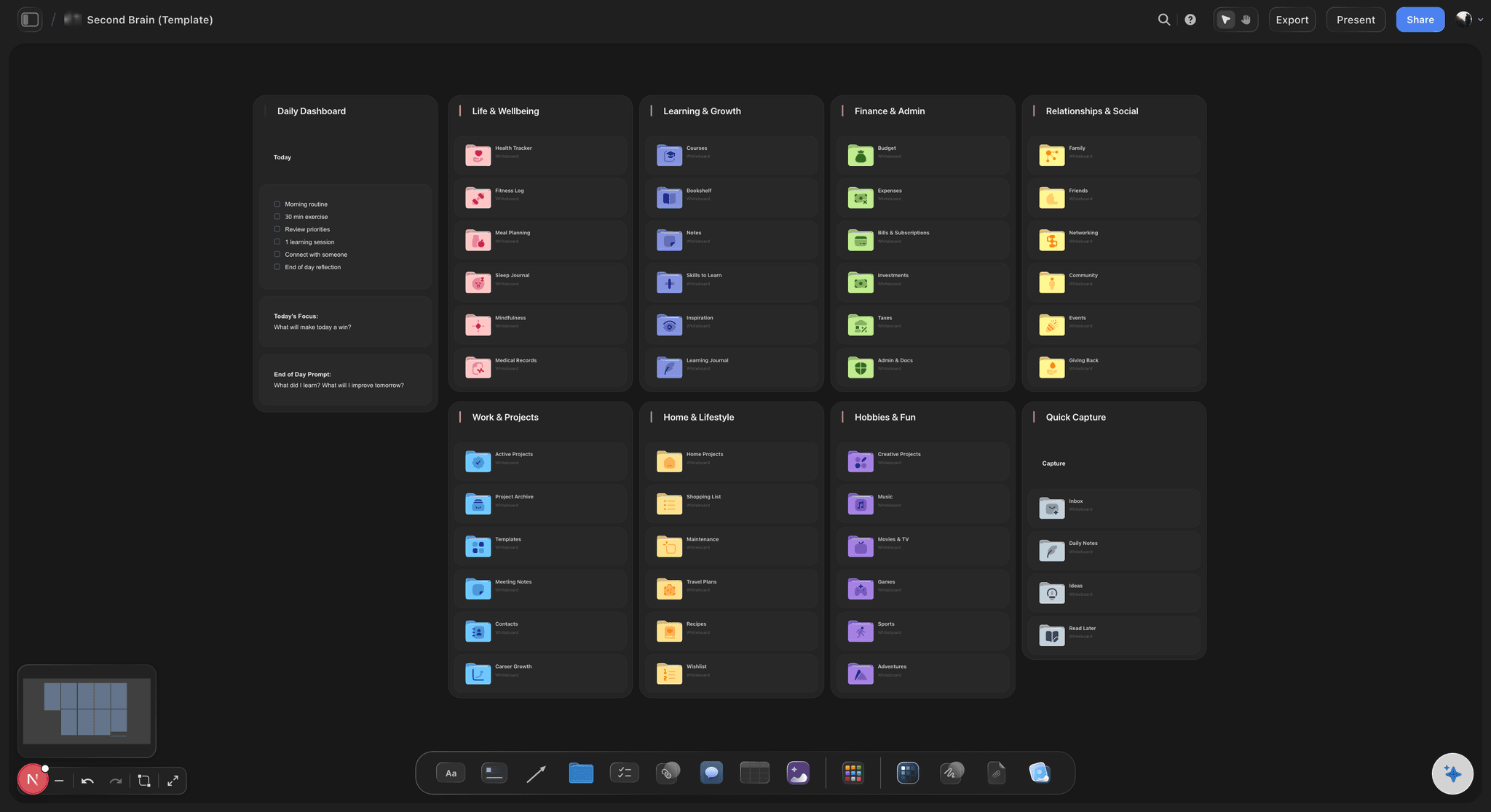
Keep in Notion
Anything you filter or sort
Records want a database: Deliverables, deadlines, owners, statuses and contacts are structured data, and a canvas is a bad place to keep them.
The wiki stays: Documentation people need to search months later belongs somewhere with real search and a page hierarchy.
Do not empty it: Teams that move everything onto a canvas rediscover in a quarter why they had a database in the first place.
Keep in Notion
Long-form writing and process
Documents are documents: Specs, notes and long-form writing are better in a document editor, and Storyflow is not trying to replace one.
Cross-linking is a strength: Notion's relations between records are genuinely useful and have no equivalent on a canvas.
Link, do not duplicate: Point the Notion project record at the board. Duplicating content across two tools guarantees they disagree.
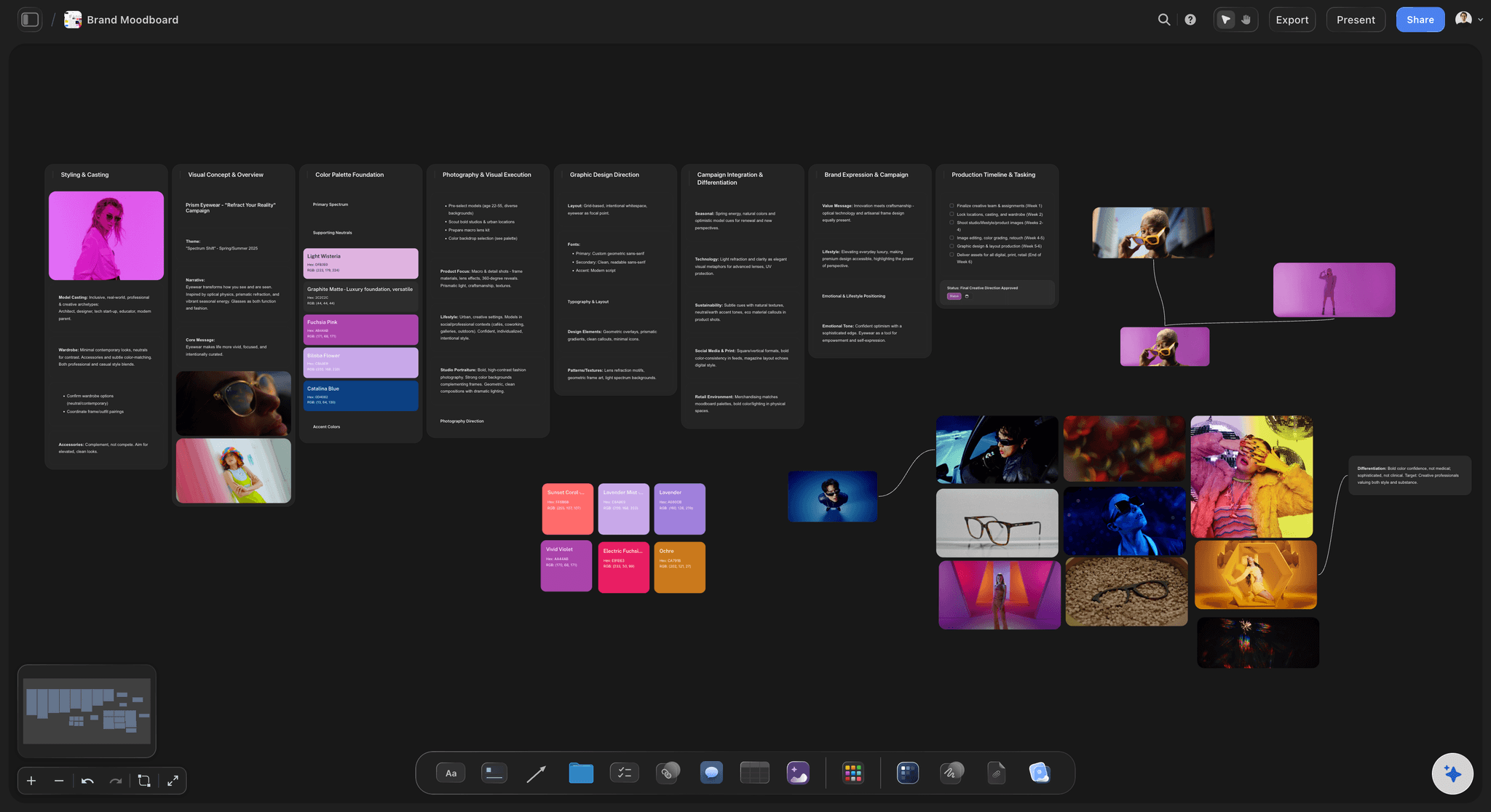
Move it
Pages that are really moodboards
Gallery views are a workaround: A gallery standing in for a moodboard is the clearest sign the work is fighting the format it is stored in.
Space carries the meaning: Grouping, adjacency and size are how a visual direction is argued, and a vertical page discards all three.
Full-size references: Images at whatever size the argument needs, with the reason written beside them on the same canvas.
Move it
Thinking that never got recorded
Exploration happens elsewhere: If the early thinking lives on paper or in a call because the database wanted a schema first, it is not being captured at all.
Structure arrives late: On a canvas you can put material down before you know what it is, and apply a structure once the shape is clear.
The reasoning survives: Rejected routes stay visible beside the chosen one, which is the context a records table has nowhere to hold.
Explore templates for your project
Every template opens as a real, editable board on the infinite canvas. Pick the closest fit and make it your own.
Mind Map
Branch one central idea out into themes and sub-points, then drag the connections around until the structure makes sense.
What creators are saying
Join early creators getting structured workspaces and AI that remembers their projects
“Storyflow has sped up my workflow by at least 3x, which means more flow state and more projects I can actually ship. It truly changed the way me and my team create.”

Reilin Joey
Director & YouTuber
“One prompt gets me a structured board. But the tactics are my favorite. I run my YouTube scripts through them and my intros and retention got better. It's amazing.”

Justkay
YouTuber & Freelance Filmmaker
“I used to juggle five apps to plan a project. Now I describe what I am making and get boards, lists, and a schedule. All in one place.”

George
@fernwehchronicles
Switching from Notion, answered.
Mostly about what not to switch.
Notion is good for the record-keeping half of a visual project and poor at the visual half. A moodboard is a composition, and a database can store an image but cannot hold the arrangement that carries the meaning. Most teams keep Notion for deliverables, deadlines and the wiki and move exploration, moodboards and presentation onto a canvas like Storyflow, rather than choosing one tool for both.
Storyflow is the canvas for the visual half of a project: a moodboard stays a composition, with each reference next to another at the size and in the group you chose, and you can start before you know the shape and add structure late. You share the board by view-only link. Notion still does the records better (deliverables, deadlines, owners and the wiki), and most teams keep both tools.
No. Anything you filter, sort or search belongs in a database, and teams that empty Notion onto a canvas rediscover why databases exist within a quarter. Move the pages that are fighting the format, usually the ones that are mostly embedded images or a gallery view standing in for a moodboard.
No. There is no Notion importer, so anything you move is rebuilt. Since the pages worth moving are the ones the database was flattening anyway, rebuilding them spatially is usually the point rather than an inconvenience.
Structured records, relations between them, long-form documents, page hierarchy and search. Those are real strengths with no canvas equivalent, which is why the honest answer here is a split rather than a replacement.
Link rather than duplicate. Put a link to the board on the Notion project record and keep each piece of information in exactly one place. Copying content into both guarantees they disagree, and the disagreement is always found at the worst moment.
There are tables and cards with owners and dates, but this is not a database tool: no relations, no formulas, no filtered views across a workspace. If you need those, that is the part to leave in Notion.
Yes, through a view-only link. They can look but not move anything, which is what review actually calls for and something a shared database page handles less gracefully.
Storyflow's AI reads the whole active board plus up to five attached documents and three boards, so it answers about the project in front of it. It is grounded in a visual workspace rather than in a document, which is a different job from a writing assistant.
Plans start at $7.99 per month billed annually or $9.99 monthly, with unlimited boards, projects and collaborators. A free plan launches before the end of 2026. If you are keeping Notion too, count it as an addition rather than a replacement.
No, boards have no version history today, which is one place Notion is clearly ahead. Worth knowing before moving anything where rolling back matters.
Keep the database. Move the looking.
Compose the visual work where arrangement means something. Plans from $7.99 a month billed annually.