
Extremely simple, seriously capable
Your work is
pictures.
Most whiteboards were built for software teams, and their default objects give it away: sticky notes, arrows, a retro grid. That works when the artifact is a decision written in words. Creative teams are deciding how something looks, which means the reference images are the content and not an attachment to it. Storyflow treats them that way. Plans start at $7.99 a month billed annually.


Creatives working for these brands already got early access
- Red Bull
- Canon
- Artlist
- Porsche
See how easy it is to get started
Watch a real project come together, from a blank board to a finished plan, clicked through step by step.
Start from a ready-made template
Pick a board to see what you can build, then let AI fill it in. Every template is a real, editable starting point on the same infinite canvas.

Mind Map
Branch one central idea out into themes and sub-points, then drag the connections around until the structure makes sense.
What is the best visual collaboration tool for creative teams?
One where images are first-class. Storyflow is an AI visual workspace that helps a creative team settle a look on one infinite canvas: full-size references, moodboards, shot lists and a view-only link for client review. General whiteboards descend from the workshop and the flowchart, so their vocabulary is the sticky note, the connector and the frame. That vocabulary suits a team converging on a written decision. It suits a team converging on a look badly, because the thing being decided cannot be typed.
The practical symptom is familiar. A creative review happens on a board covered in text, everyone agrees, and then the first cut arrives looking wrong. Nobody was lying; the words meant different things. Getting the frames onto the board during the discussion is what prevents that, and it only works if images are treated as content rather than as an upload.
The second difference is what happens after agreement. Creative work does not stop at a decision, it continues into a moodboard, a shot list, a schedule and a client presentation. On a general whiteboard those live in four other places, so the board is abandoned once the discussion ends. On one canvas they are all the same project.
Storyflow is an infinite canvas where images, documents, boards and text share a space, with a view-only link so a client can see the board without being able to edit it. The AI reads the whole active board plus up to five attached documents and three boards. Plans start at $7.99 per month billed annually, with a free plan before the end of 2026.
Ultra fast from brief to board
One canvas, the whole creative process.
The stages a general whiteboard hands off to four other tools.
01
Explore with references
Pull frames, photographs and swatches onto the board at full size, so a direction is argued about visually rather than described.
02
Converge into a moodboard
The references that survive become the moodboard, on the same canvas, without exporting anything into a design tool.
03
Turn it into production
Shot lists, schedules and briefs sit beside the look they came from, so the reasoning is one scroll from the plan.
04
Share a safe view
Send a view-only link to a client or a freelancer. They see the board and cannot move anything on it.
Built for what creative teams actually put on a board.
Four differences from a general purpose whiteboard.
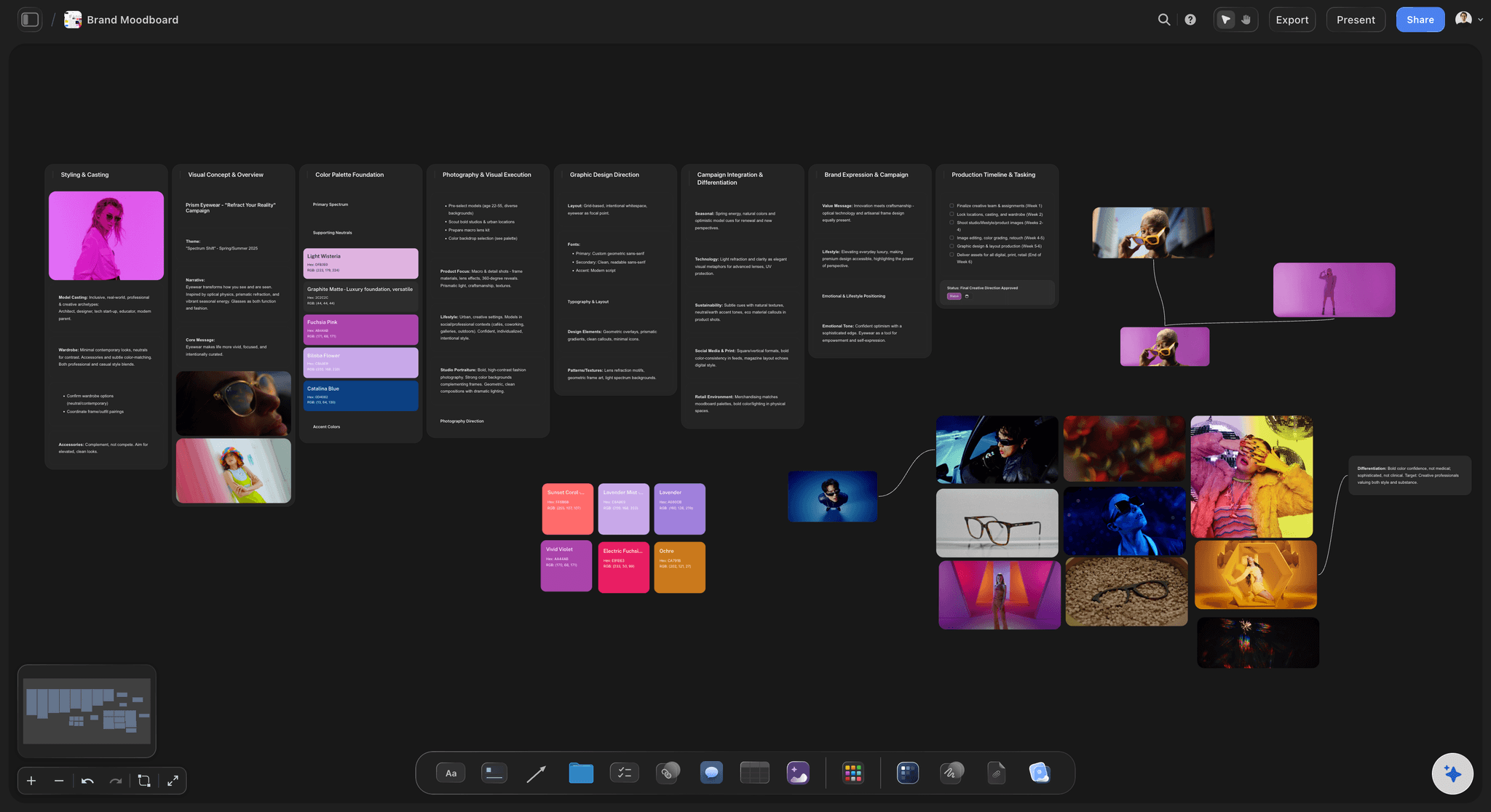
Images as content
Full fidelity, not thumbnails
References sit on the canvas at a size you can actually judge. On visual work the picture is the argument, and shrinking it loses the argument.
See the moodboard maker →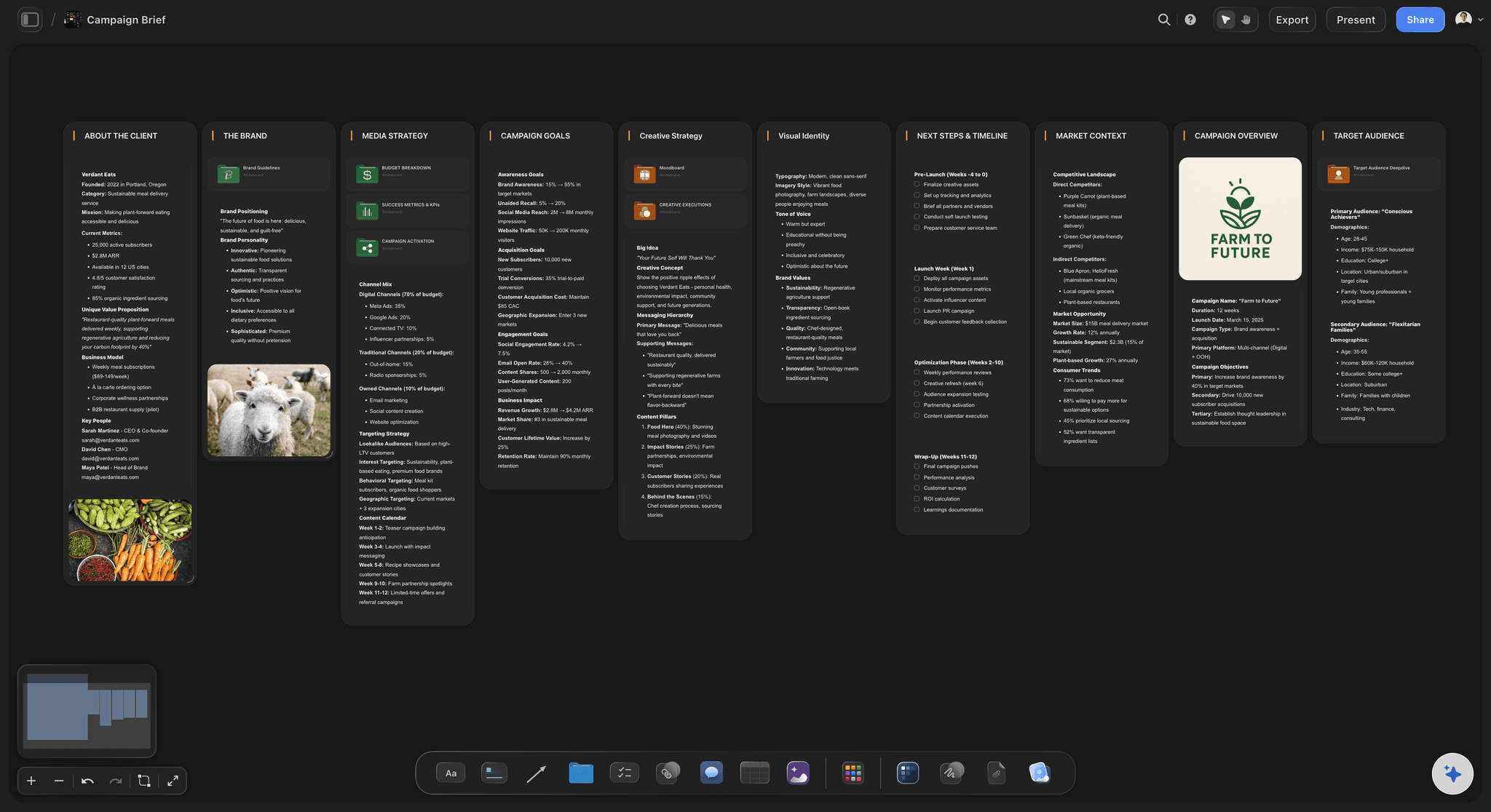
Creative frameworks
Creative drafts, not retro grids
The AI drafts briefs, moodboards, shot lists, campaign plans and story structures, rather than offering a library aimed at sprint ceremonies.
See storytelling frameworks →
Clients see, not touch
A view-only link
Share the board for review without giving edit access, so a client can follow the work without rearranging it.
See the client review board →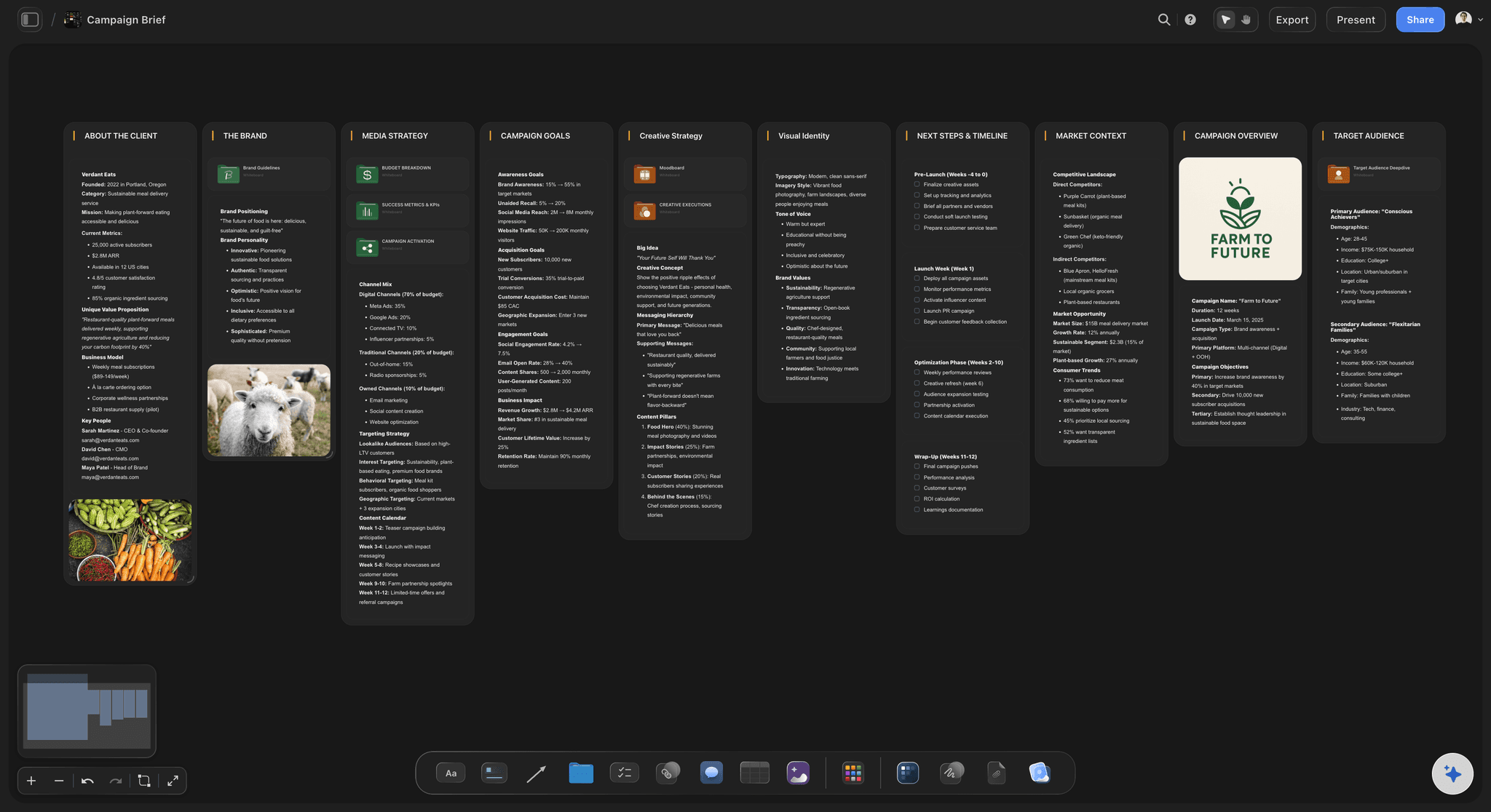
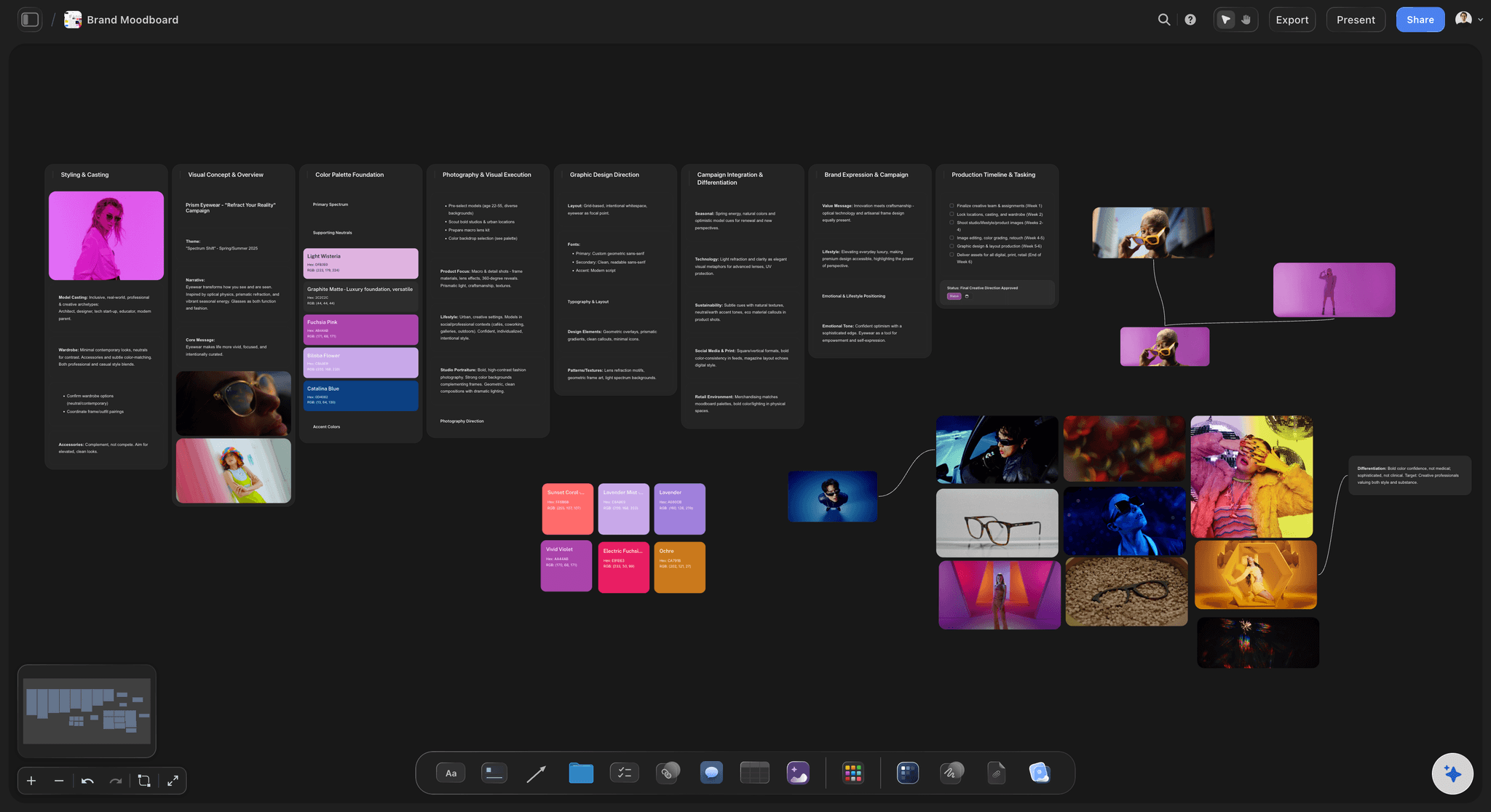
It reads the board
AI that knows this project
Because the references, brief and plan are on one canvas, the AI answers from the actual project rather than from a generic prompt.
See AI project memory →Plans from $7.99/month annual. Free plan coming late 2026.
Unlimited boards and collaborators, team roles on Max. Free plan before the end of 2026.
Unlimited boards, projects and collaborators
Unlimited file uploads on Plus, Pro and Max
View-only links for clients and freelancers
Team workspace with roles on Max
Built for people with taste
Four gaps that show up on creative work.
None of them are bugs. They are the consequence of being designed for a different job.
Gap one
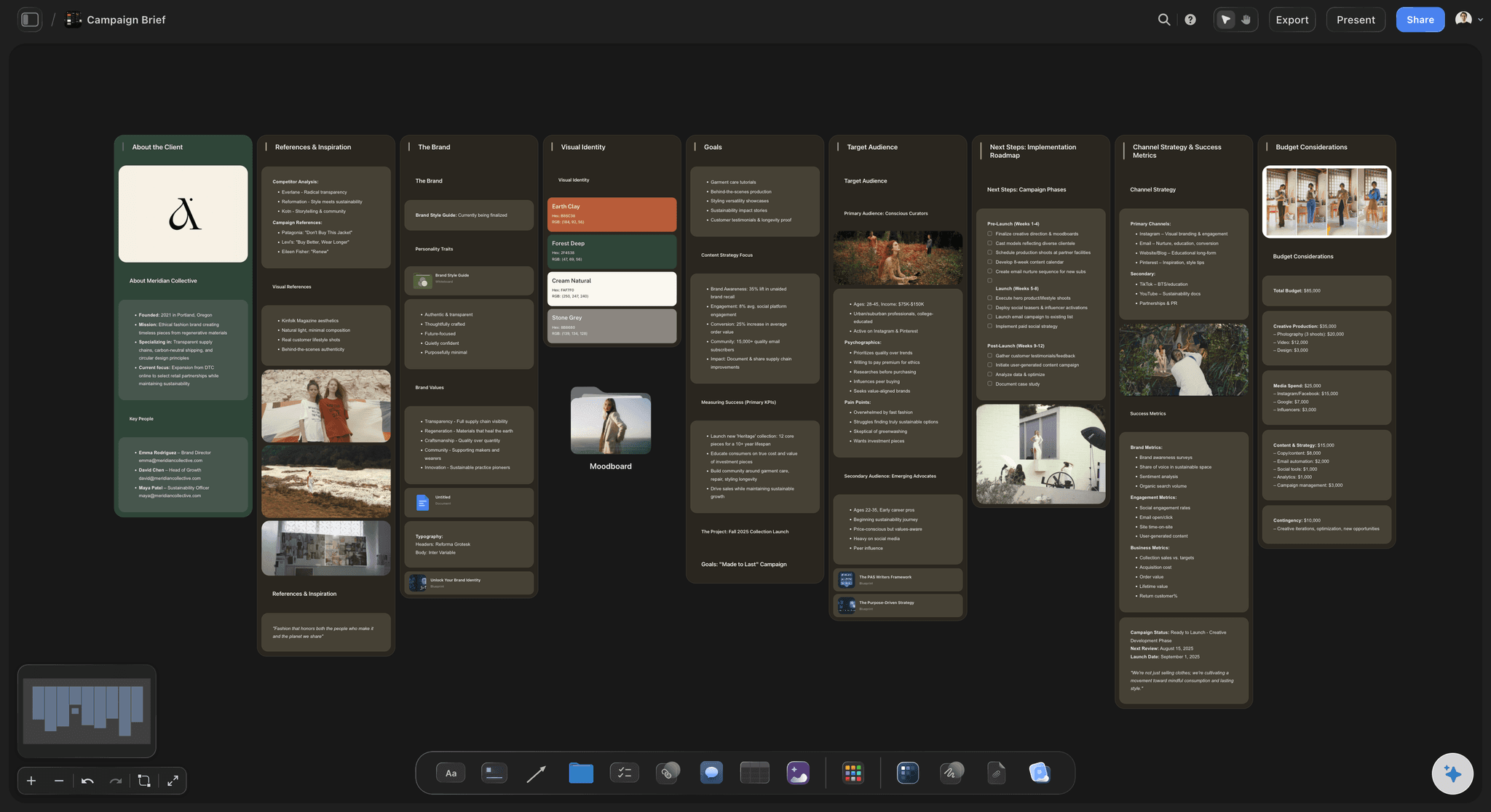
Words standing in for looks
Agreement without alignment: A board of text produces a meeting where everyone agrees and a first cut that surprises everyone. The words were doing too much.
Frames end the argument: Three references on the board settle a direction in the session, which is far cheaper than settling it in the review.
Size is not cosmetic: A reference you cannot judge at a glance is not a reference. Thumbnails quietly turn a visual decision back into a verbal one.
Gap two
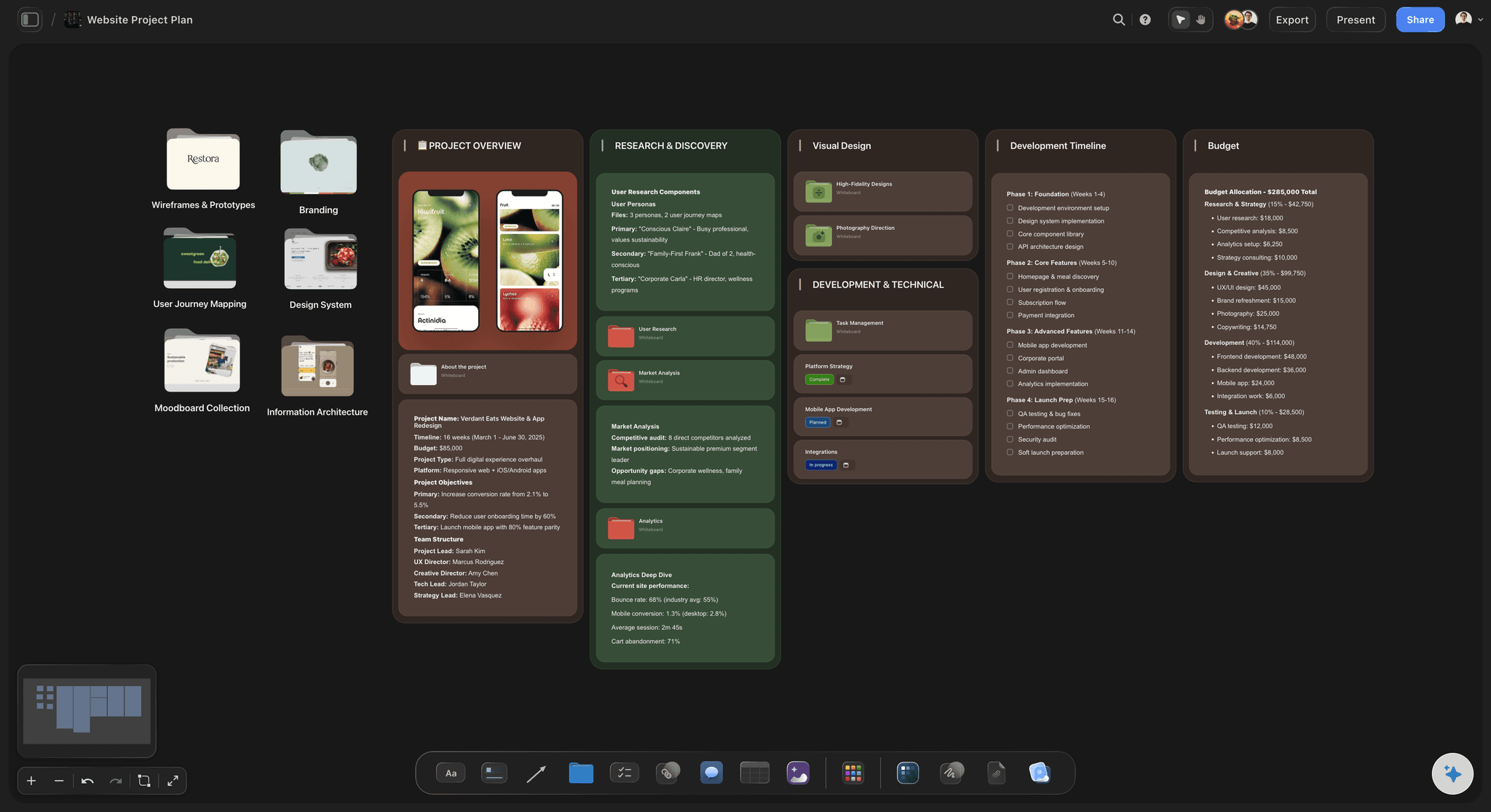
The board that stops at the decision
Creative work continues: After the direction is agreed there is a moodboard, a shot list, a schedule and a client deck, and a general board holds none of them.
Four tools, four truths: Split across applications, the pieces drift, and the version somebody presents is rarely the version that was approved.
One canvas holds the chain: Exploration, moodboard and plan sit in one space, so the look and the schedule cannot get out of sync.
Gap three
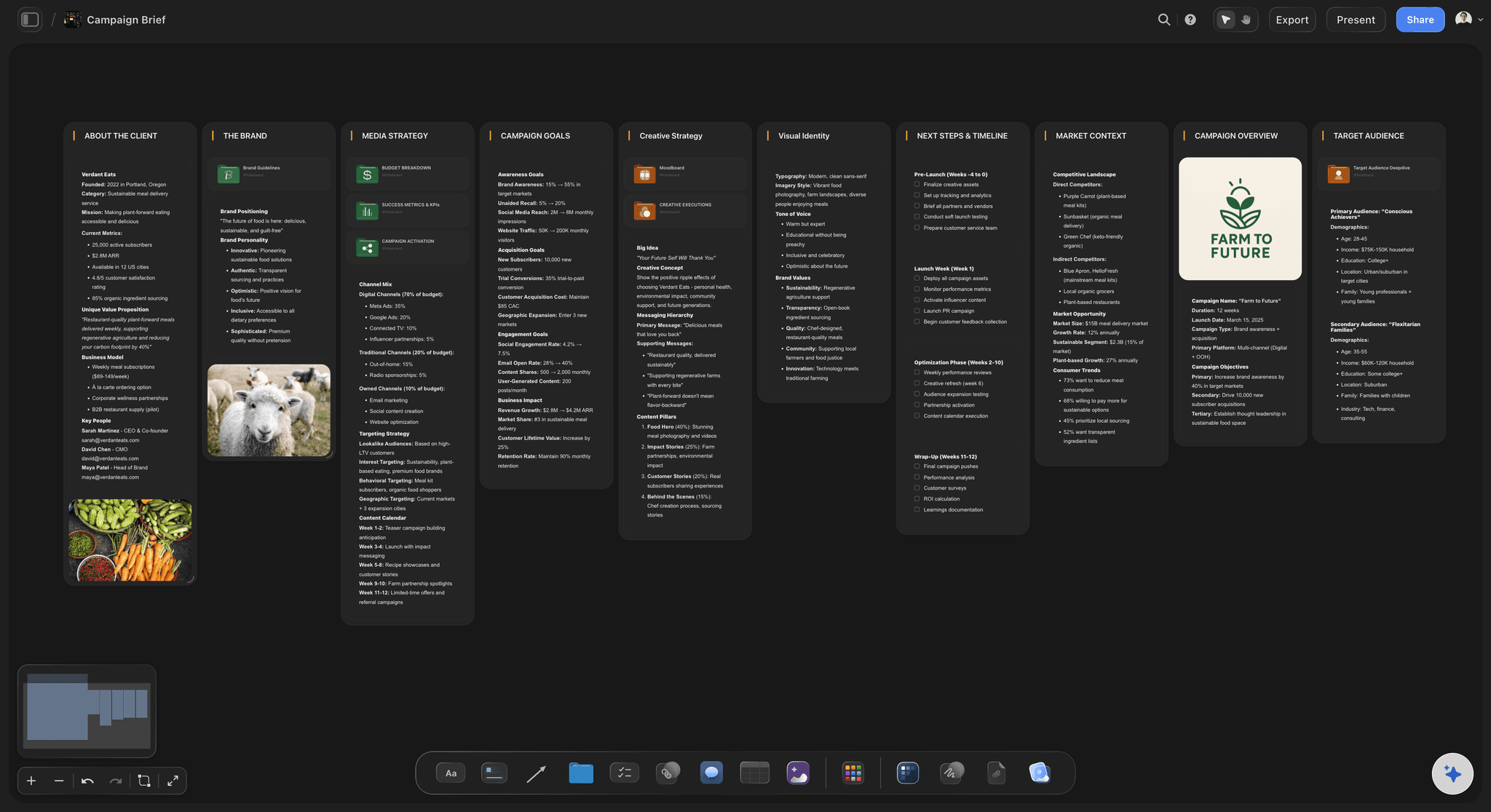
Clients with edit access
Review is not co-authoring: Giving a client the editable board invites rearrangement, and the team spends the next morning restoring the layout.
A read-only link is the norm: Share the board to be seen, not to be moved, which is what a review actually calls for.
No account required to look: The people approving work are rarely the people who want another login, and a link avoids that conversation.
Gap four
A template library for other people
Retros and sprint grids: General whiteboard libraries centre on software rituals, which a creative team opens once and never again.
Creative shapes instead: Briefs, moodboards, shot lists, campaign calendars and story structures, which is what the work is actually made of.
Applied over live material: The AI lays structure onto a board that already has content, so it arrives without restarting the exploration.
Explore templates for your project
Every template opens as a real, editable board on the infinite canvas. Pick the closest fit and make it your own.
Mind Map
Branch one central idea out into themes and sub-points, then drag the connections around until the structure makes sense.
What creators are saying
Join early creators getting structured workspaces and AI that remembers their projects
“Storyflow has sped up my workflow by at least 3x, which means more flow state and more projects I can actually ship. It truly changed the way me and my team create.”

Reilin Joey
Director & YouTuber
“One prompt gets me a structured board. But the tactics are my favorite. I run my YouTube scripts through them and my intros and retention got better. It's amazing.”

Justkay
YouTuber & Freelance Filmmaker
“I used to juggle five apps to plan a project. Now I describe what I am making and get boards, lists, and a schedule. All in one place.”

George
@fernwehchronicles
Whiteboards for creative teams, answered.
The questions teams ask before moving off a general purpose board.
One that treats images as content rather than as attachments. General whiteboards descend from workshops and flowcharts, so their default objects are sticky notes and connectors, which suits a team converging on a written decision and not one converging on a look. Storyflow puts full-size references, moodboards, shot lists and plans on one infinite canvas and offers a view-only link for client review.
Three things: images are full-fidelity content, the template library covers creative workflows rather than sprint ceremonies, and the board keeps going after the decision into the moodboard, shot list and schedule. A general board is excellent at the discussion and hands off everything after it.
Yes. A view-only link lets someone see the board without being able to move anything on it, and they do not need an account to look. Review and co-authoring are different jobs, and giving a client the editable board usually costs the team a morning of restoring the layout.
No. Storyflow is where the thinking, references and planning live. Actual design and editing belong in the tools built for them, and most teams keep the two separate deliberately.
Boards, projects and collaborators are unlimited on the paid plans. A team workspace with roles and permissions is on the Max plan, so smaller teams sharing boards directly do not need it.
Yes. It reads the whole active board plus up to five attached documents and three boards, so it can draft a starting board, group a sprawling exploration into themes, or answer questions about the project in front of it rather than in general.
AI image generation is available on the Pro and Max plans. On Plus you can bring in your own references and work with those, which is what most exploration is made of anyway.
Tickets carry assignees and due dates and can be laid out on a kanban, but there are no approval workflows or time tracking. Teams needing those usually keep a dedicated tool alongside.
No version history on boards today, which is worth knowing if your process depends on rolling back to an earlier state of a document.
Not during early access. Plans start at $7.99 per month billed annually or $9.99 monthly, with a free plan before the end of 2026. Collaborators invited by a paid member can sign up free in the meantime.
Put the pictures on the board.
Exploration, moodboard and plan in one place, with a safe link for the client. Plans from $7.99 a month billed annually.