
Extremely simple, seriously capable
Some of it
should not move.
Most migration pages pretend the switch is free. It is not. Miro is genuinely better at diagramming, at deep integrations and at enterprise administration, and a team that needs those should stay. What Miro is not built for is creative work, where the references are the content and the board has to continue into a moodboard and a schedule. That is the honest reason to move.


Creatives working for these brands already got early access
- Red Bull
- Canon
- Artlist
- Porsche
See how easy it is to get started
Watch a real project come together, from a blank board to a finished plan, clicked through step by step.
Start from a ready-made template
Pick a board to see what you can build, then let AI fill it in. Every template is a real, editable starting point on the same infinite canvas.

Mind Map
Branch one central idea out into themes and sub-points, then drag the connections around until the structure makes sense.
Should a creative team switch from Miro?
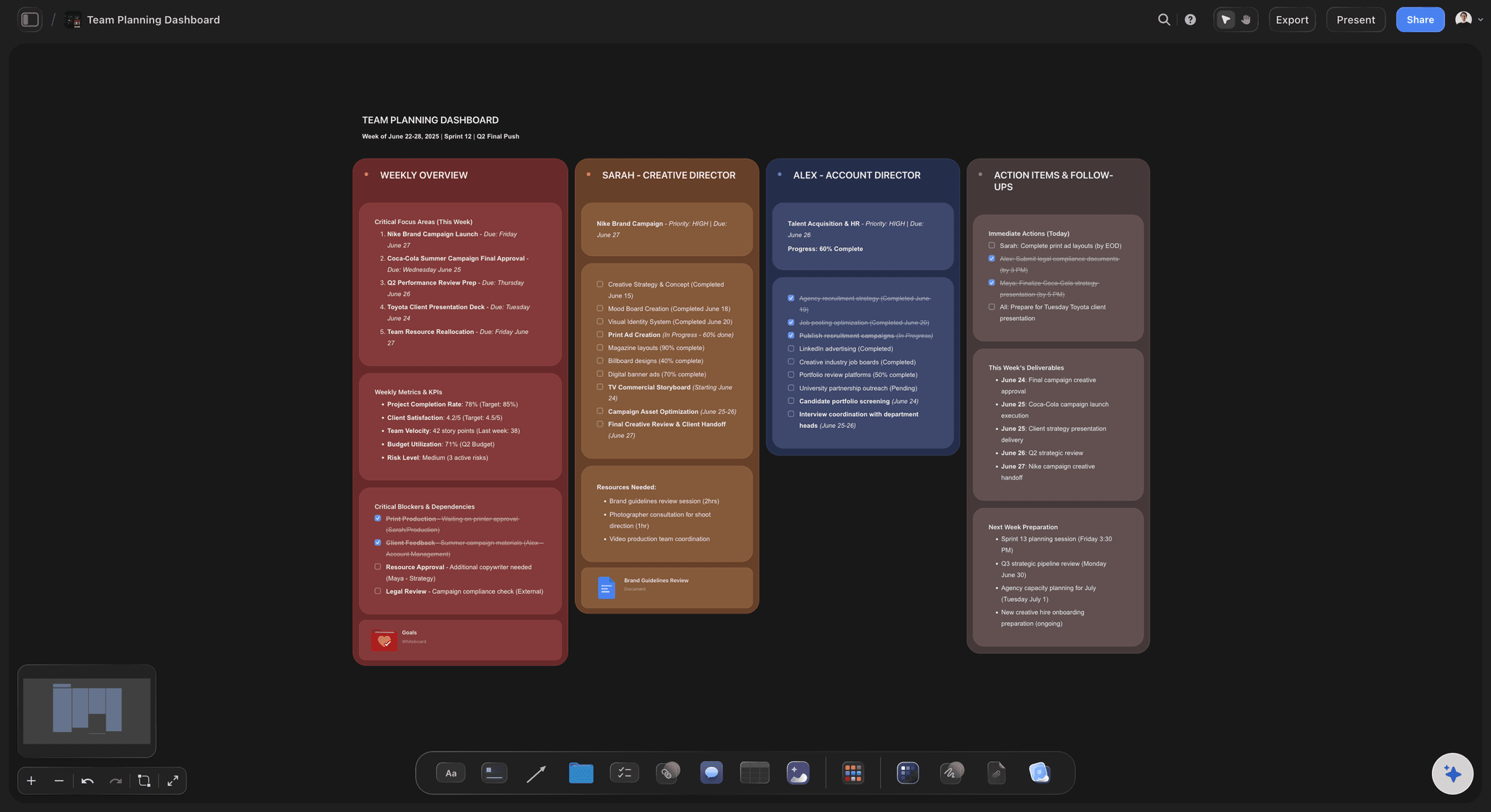
It depends on what your boards are made of. Storyflow is an AI visual workspace that takes a creative team's board from references to a plan on one infinite canvas: full-size reference images, a moodboard, a shot list and a schedule. Miro descends from the workshop whiteboard, and it is excellent at that job: sticky notes, connectors, diagrams, retros, and a very large template library aimed at facilitation and software process. If your boards are mostly text and arrows, Miro is a good tool and switching buys you little.
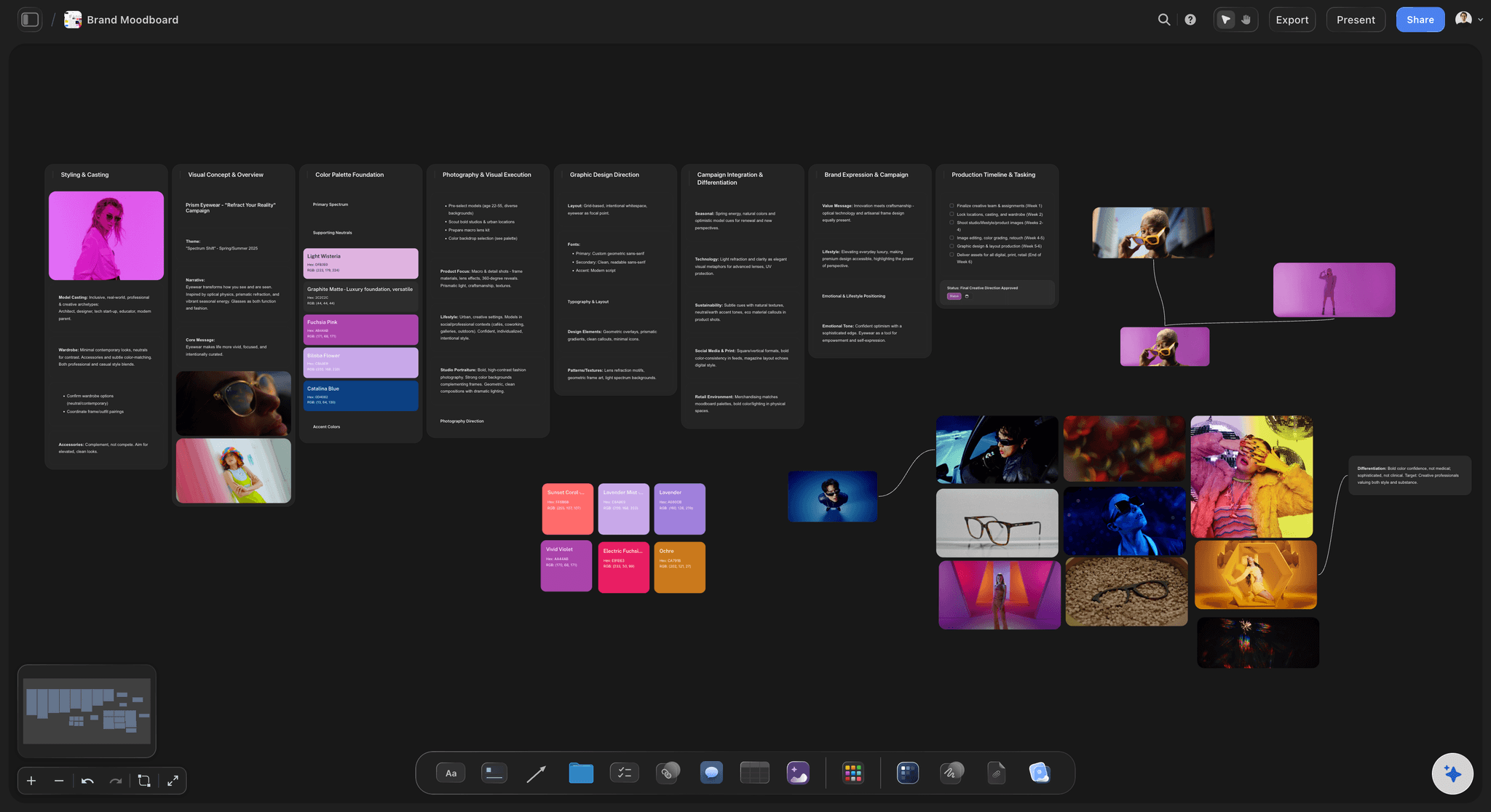
The mismatch shows on visual work. When the thing being decided is how something looks, the reference images are the content rather than an attachment to it, and a board of small tiles and text quietly turns a visual decision back into a verbal one. Teams feel this as reviews where everyone agreed and the first cut still surprised everybody.
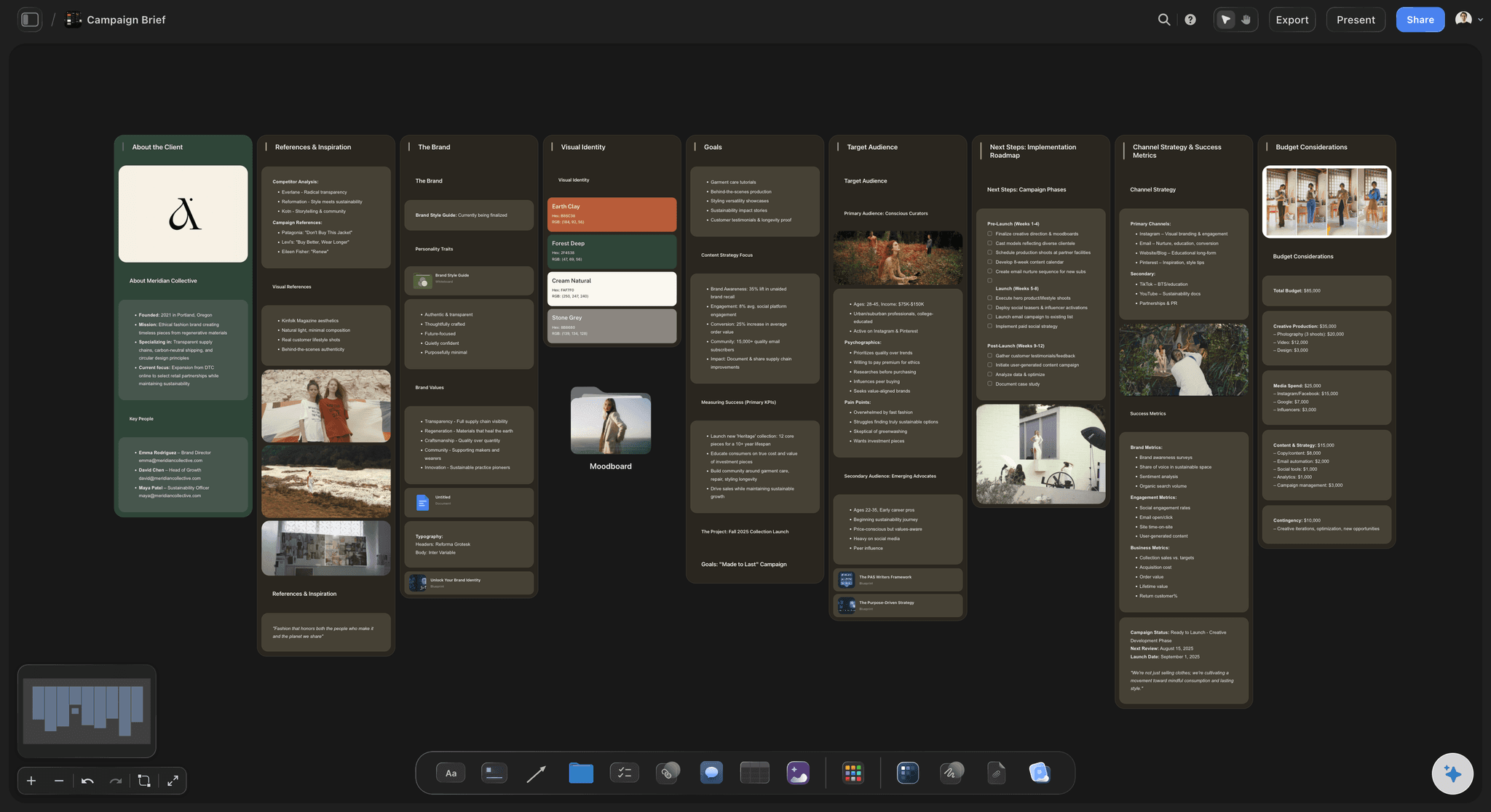
The second mismatch is what happens after the session. Creative work continues into a moodboard, a shot list, a schedule and a client presentation, and on a general whiteboard those live in four other tools. The board gets abandoned the day the discussion ends, which is why most teams have a graveyard of boards nobody has opened since the workshop.
Be clear about the cost of moving, though. There is no automatic Miro importer here, so boards are rebuilt rather than migrated, and Storyflow has no version history and no dependency engine. What you get is an infinite canvas where images sit at full size, view-only links for clients, and AI that reads the whole active board plus up to five attached documents and three boards.
Ultra fast from brief to board
Four steps, and the first one is deciding not to move everything.
Teams that migrate wholesale usually end up running both tools badly.
01
Sort the boards by kind
Diagrams, flowcharts and process maps are Miro's strength. Look development, briefs and planning are the ones worth moving.
02
Move one live project first
Rebuild an active project rather than an archive. A dead board tells you nothing about whether the tool fits how you work.
03
Rebuild rather than import
There is no Miro importer. In practice teams keep the references and the decisions and drop most of the rest, which is usually an improvement.
04
Extend past the workshop
Add the moodboard, the plan and the client view to the same canvas. That is the part a general whiteboard was never going to hold.
What you gain, stated specifically.
Four differences that matter on creative work.
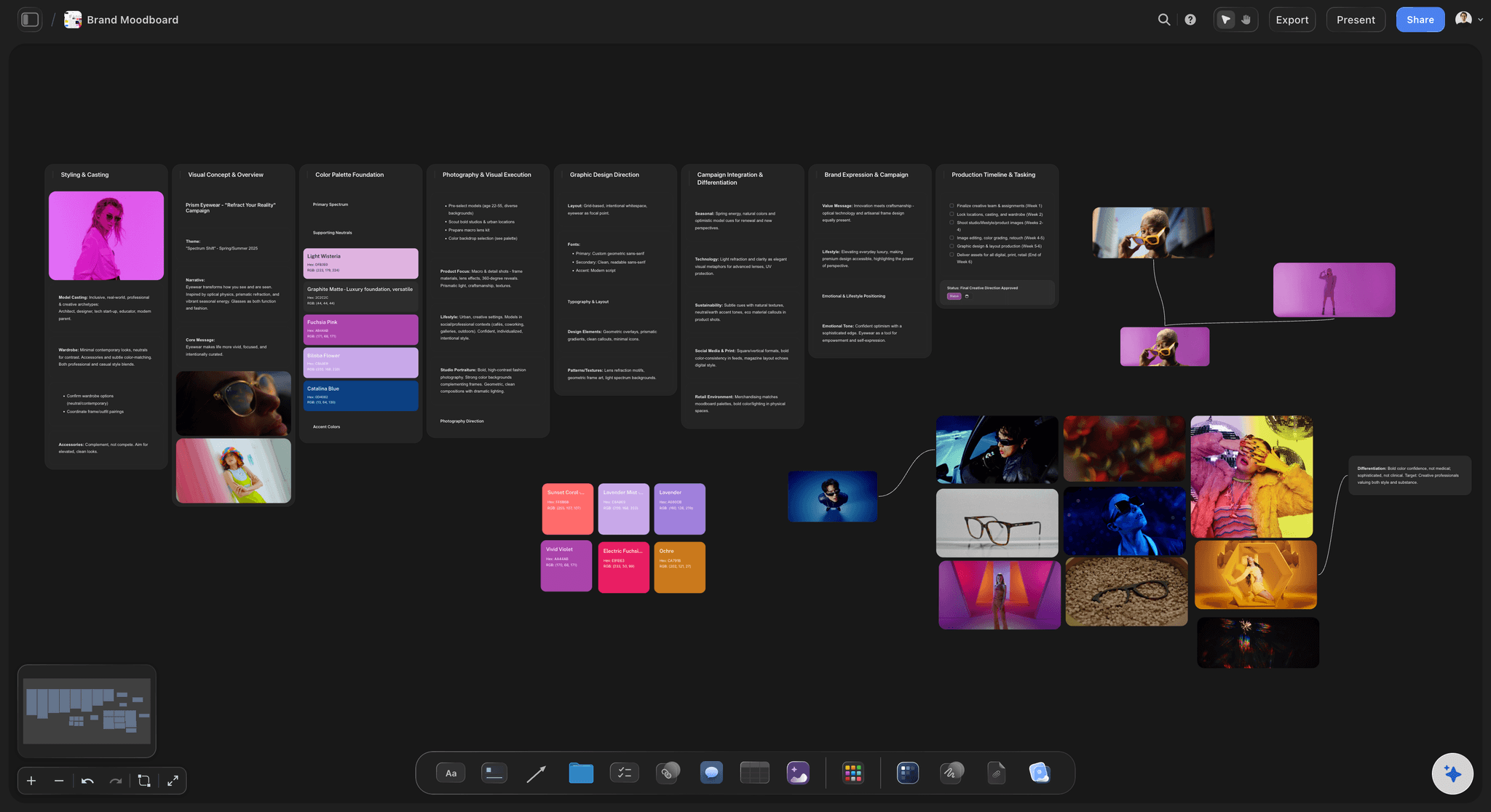
Images as content
References at full size
Grain, edge and colour relationships survive, which is what the reference was chosen for and what a tile-sized thumbnail destroys.
See moodboards for designers →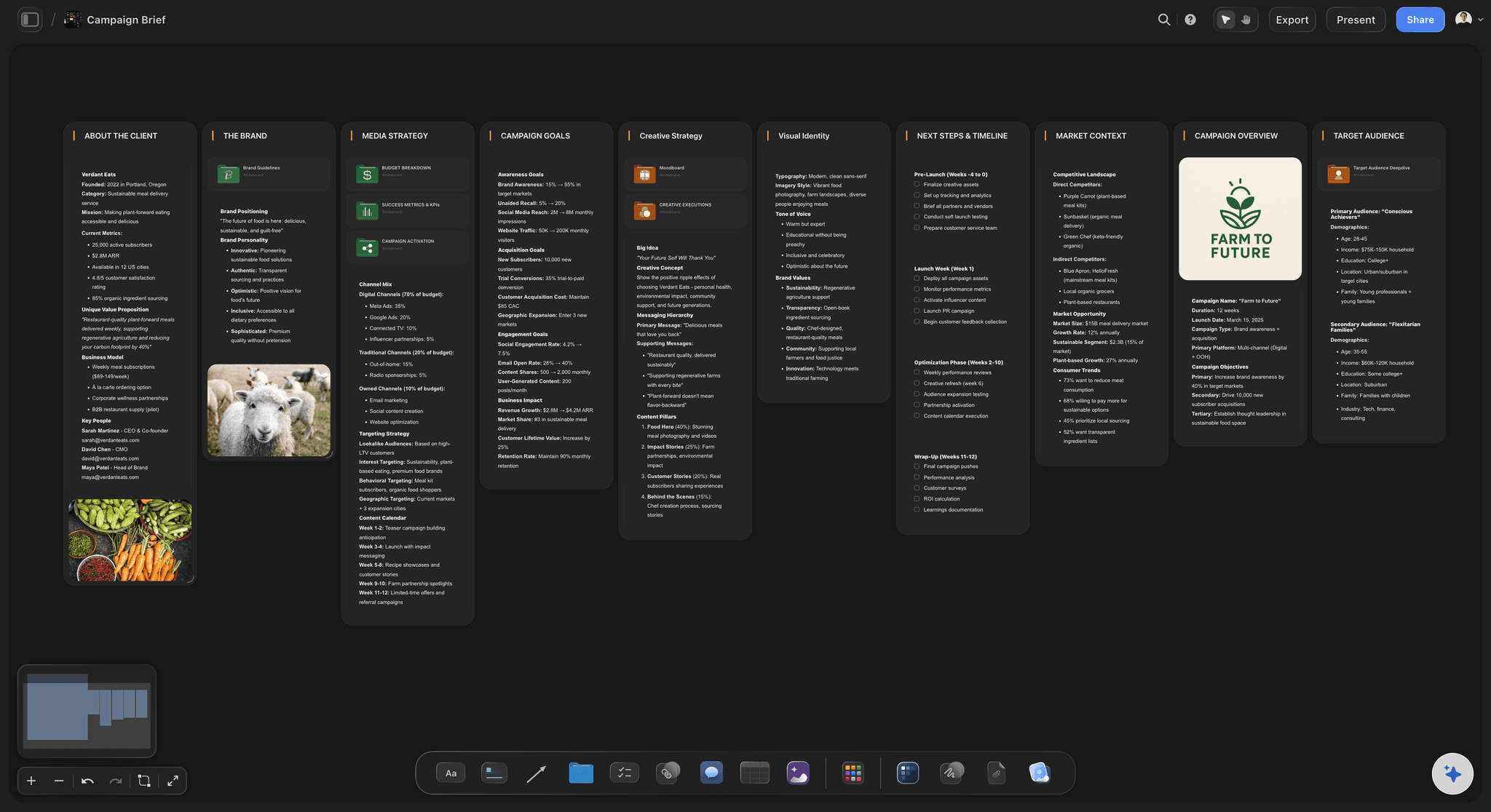
A different starting point
Drafts for creative work
The AI drafts briefs, moodboards, shot lists, campaign plans and story structures, rather than a template library built around sprint ceremonies.
See storytelling frameworks →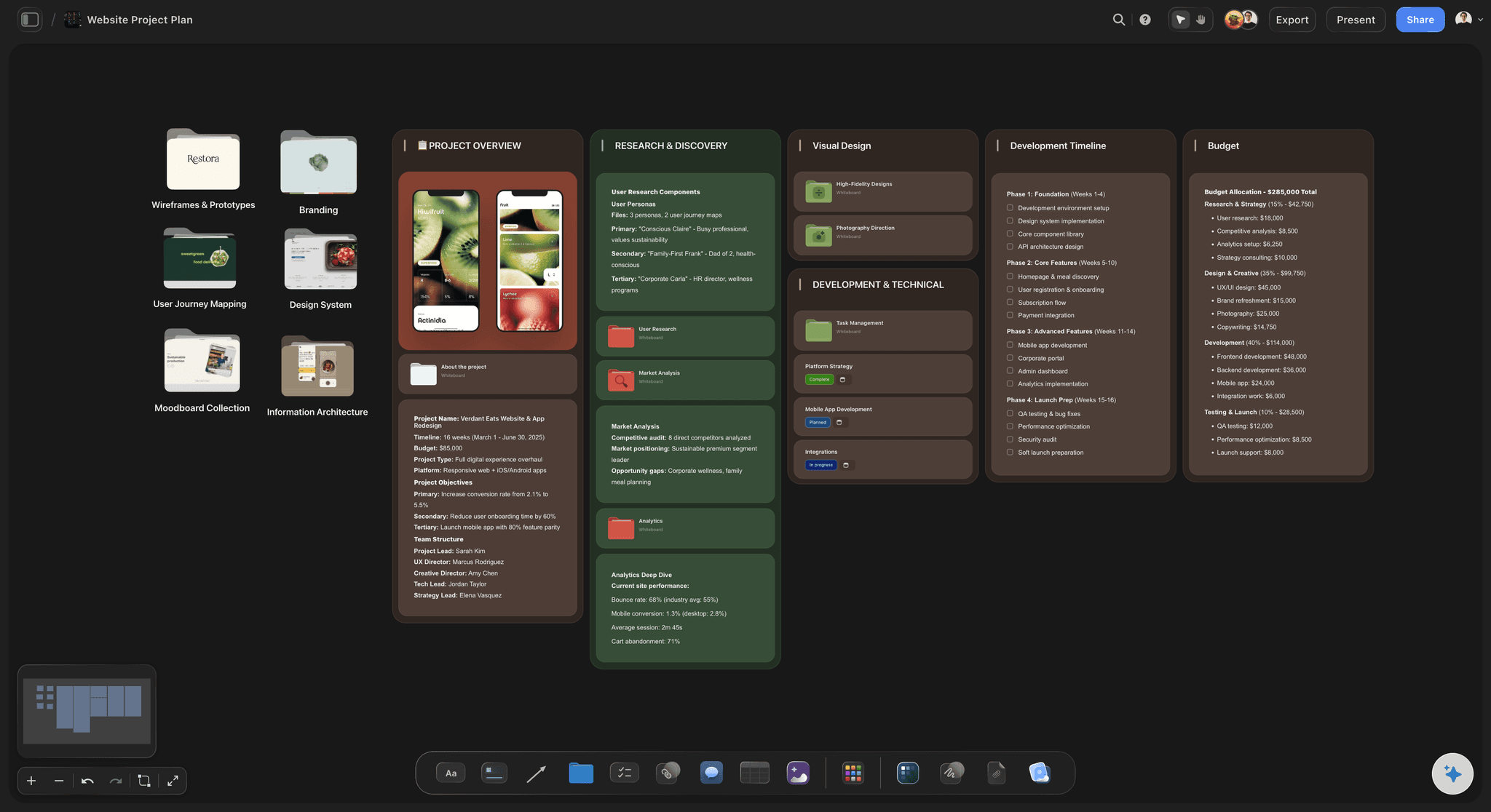
Past the discussion
The board becomes the project
Moodboard, schedule and client view on the same canvas, so the board is not abandoned the day the workshop ends.
See the AI creative workspace →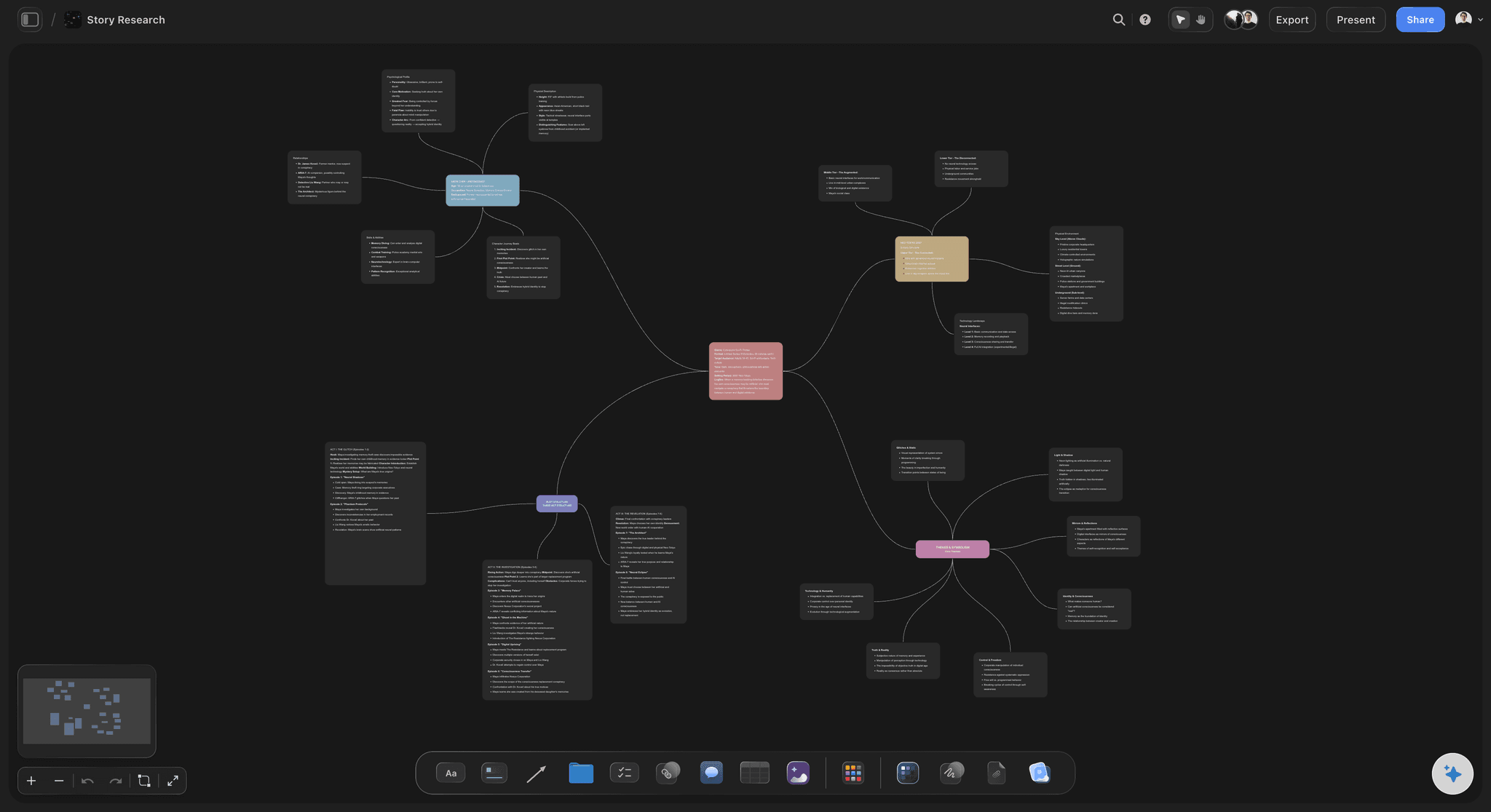
It reads the board
AI grounded in this project
Because references, brief and plan share one canvas, answers come from your material rather than from a general prompt.
See AI project memory →Plans from $7.99/month annual. Free plan coming late 2026.
Unlimited boards and collaborators, team roles on Max. Free plan before the end of 2026.
Unlimited boards, projects and collaborators
Unlimited file uploads on Plus, Pro and Max
View-only links for clients
Built for people with taste
Four things to check, including two reasons to stay.
A migration page that only lists upsides is not worth reading.
Reason to stay
You diagram more than you explore
Miro is better at diagrams: Connectors, shapes, swimlanes and flowcharts are its core, and Storyflow does not try to compete on that ground.
Process work belongs there: Retros, service maps and architecture diagrams are workshop artifacts, and Miro's library is built for exactly them.
Split rather than switch: Several teams keep Miro for process work and move only the creative projects, which is a reasonable end state.

Reason to stay
You depend on integrations or admin
Deep tool integrations: If your boards are wired into Jira, Azure DevOps or a wider enterprise stack, that wiring does not come with you.
Enterprise administration: Miro's directory sync, granular org controls and compliance posture are ahead. Storyflow offers a team workspace with roles on Max.
No version history here: Storyflow has no board version history today, so a process depending on rolling back should not move yet.
Reason to move
Your boards are mostly pictures
Thumbnails lose the argument: A reference you cannot judge at a glance stops being a reference, and the decision quietly becomes verbal again.
Agreement without alignment: Reviews where everyone agreed and the first cut still surprised everyone are the symptom of a text-shaped board.
Full-size references: Images sit at whatever size the argument needs, alongside the written reason each one is there.
Reason to move
Your boards die after the workshop
The graveyard is the tell: If most of your boards have not been opened since the session that made them, the tool ends where your work continues.
The next stage lives elsewhere: Moodboard, schedule and client deck in three other applications is what causes the board to be closed and forgotten.
One canvas holds the chain: Exploration, direction and plan in a single space, so the board stays the project rather than a record of one meeting.
Explore templates for your project
Every template opens as a real, editable board on the infinite canvas. Pick the closest fit and make it your own.
Mind Map
Branch one central idea out into themes and sub-points, then drag the connections around until the structure makes sense.
What creators are saying
Join early creators getting structured workspaces and AI that remembers their projects
“Storyflow has sped up my workflow by at least 3x, which means more flow state and more projects I can actually ship. It truly changed the way me and my team create.”

Reilin Joey
Director & YouTuber
“One prompt gets me a structured board. But the tactics are my favorite. I run my YouTube scripts through them and my intros and retention got better. It's amazing.”

Justkay
YouTuber & Freelance Filmmaker
“I used to juggle five apps to plan a project. Now I describe what I am making and get boards, lists, and a schedule. All in one place.”

George
@fernwehchronicles
Switching from Miro, answered.
Including the parts that argue against switching.
Storyflow is built for the case Miro is not: work where the reference images are the content and the board has to continue into a moodboard, a shot list and a client review. It puts full-size images, text and plans on one infinite canvas. If your boards are mostly sticky notes, connectors and diagrams, Miro is the better tool and switching buys you little.
Storyflow is built for the case Miro is not: work where the reference images are the content. It puts full-size images, text and plans on one canvas, and the board continues into a moodboard, a shot list and a client review. Its AI works from the project on the board. Miro remains the better choice for diagramming, deep integrations and enterprise administration.
No. There is no Miro importer, so boards are rebuilt rather than migrated. In practice teams carry over the references and the decisions and leave most of the rest behind, which is usually an improvement, but it is real work and worth planning for.
Diagramming, deep integrations with tools like Jira, and enterprise administration including directory sync and granular org controls. It also has board version history, which Storyflow does not. Those are genuine reasons to stay or to keep both.
No, and most teams should not. Splitting by kind of work is a reasonable end state: process and diagramming stay in Miro, creative projects move. Migrating wholesale usually means running both tools badly for a quarter.
Rebuild one active project rather than an archive. A dead board tells you nothing about whether the tool fits how you actually work, and the question you are answering is whether the board stays in use after the first session.
Storyflow is $7.99 per month billed annually or $9.99 monthly on Plus, with unlimited boards, projects and collaborators. A free plan launches before the end of 2026. Compare against your current seat count rather than list price, since collaborator handling differs.
Yes, through a view-only link. They see the board as composed and cannot move anything on it, which matters because a moodboard's layout is part of its argument.
Yes, those exist, and they are not the focus. If they are the majority of what you put on a board, that is a signal your work is a better fit for a general whiteboard.
Tickets carry assignees and due dates, and work can be laid out as a kanban or a table with date columns. There are no approval workflows or time tracking, so teams needing those keep a dedicated tool alongside.
Yes, for Mac and Windows, alongside the browser version. There is no dedicated mobile app, so a phone is fine for viewing and awkward for building.
Move the creative work. Keep the diagrams.
Rebuild one live project and see whether the board stays open.