
Extremely simple, seriously capable
Free video frame grabber: pull crisp stills from any video.
Add a video to your canvas and grab the exact frame you need as a still image. The frame lands right on the board, ready to become a shot list entry, a storyboard panel, or a thumbnail, with no screenshots and no quality loss from screen capture.


Add your video
Drop a video onto the canvas and grab any frame as a still image.
Upload your videoFrame-accurate capture
Works in your browser
No install needed
How it works
How to grab a frame from a video.
Three steps from clip to clean still image.
1
Add your video
Start a board and pull the clip in from your files. It plays right on the canvas, next to the rest of your project.
2
Grab the frame
Find the moment you want and grab it. Storyflow captures that frame as a still image and places it on the canvas beside the video.
3
Put the still to work
Download the frame, or use it immediately in shot lists, storyboards, thumbnails, and briefs on the same board.
Creatives working for these brands already got early access
- Red Bull
- Canon
- Artlist
- Porsche
See how easy it is to get started
Watch a real project come together, from a blank board to a finished plan, clicked through step by step.
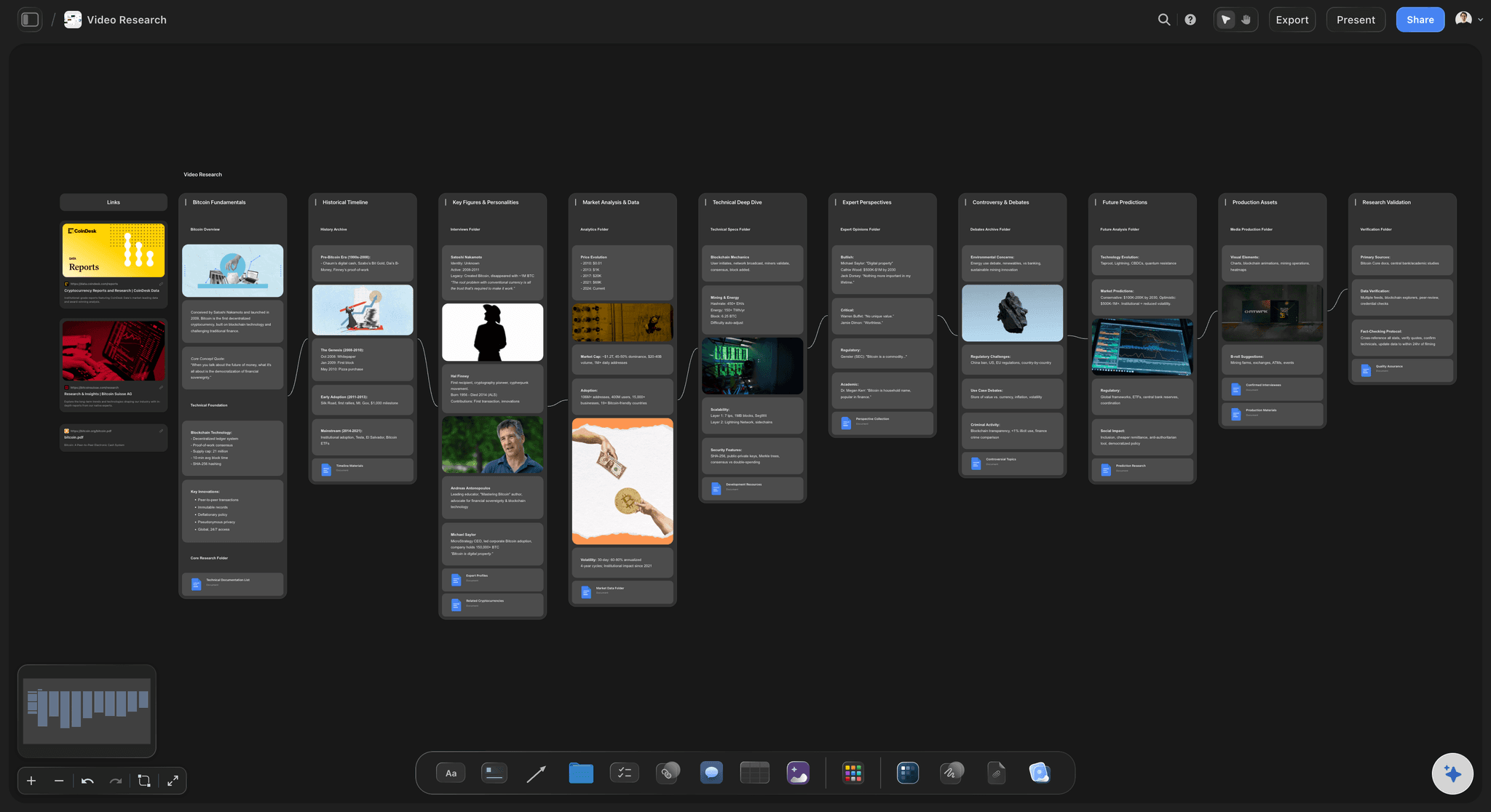
Build reference libraries from the videos you study.
When you break down a film, an ad, or a competitor's video, the frames are the notes. Grab the compositions worth keeping and collect them on the board next to the clip, tagged with your observations.

Turn footage into storyboard panels.
Previz, test shoots, and location scouts produce video, but storyboards need frames. Grab stills from the footage and drop them straight into panels, so the board reflects what the camera actually saw.
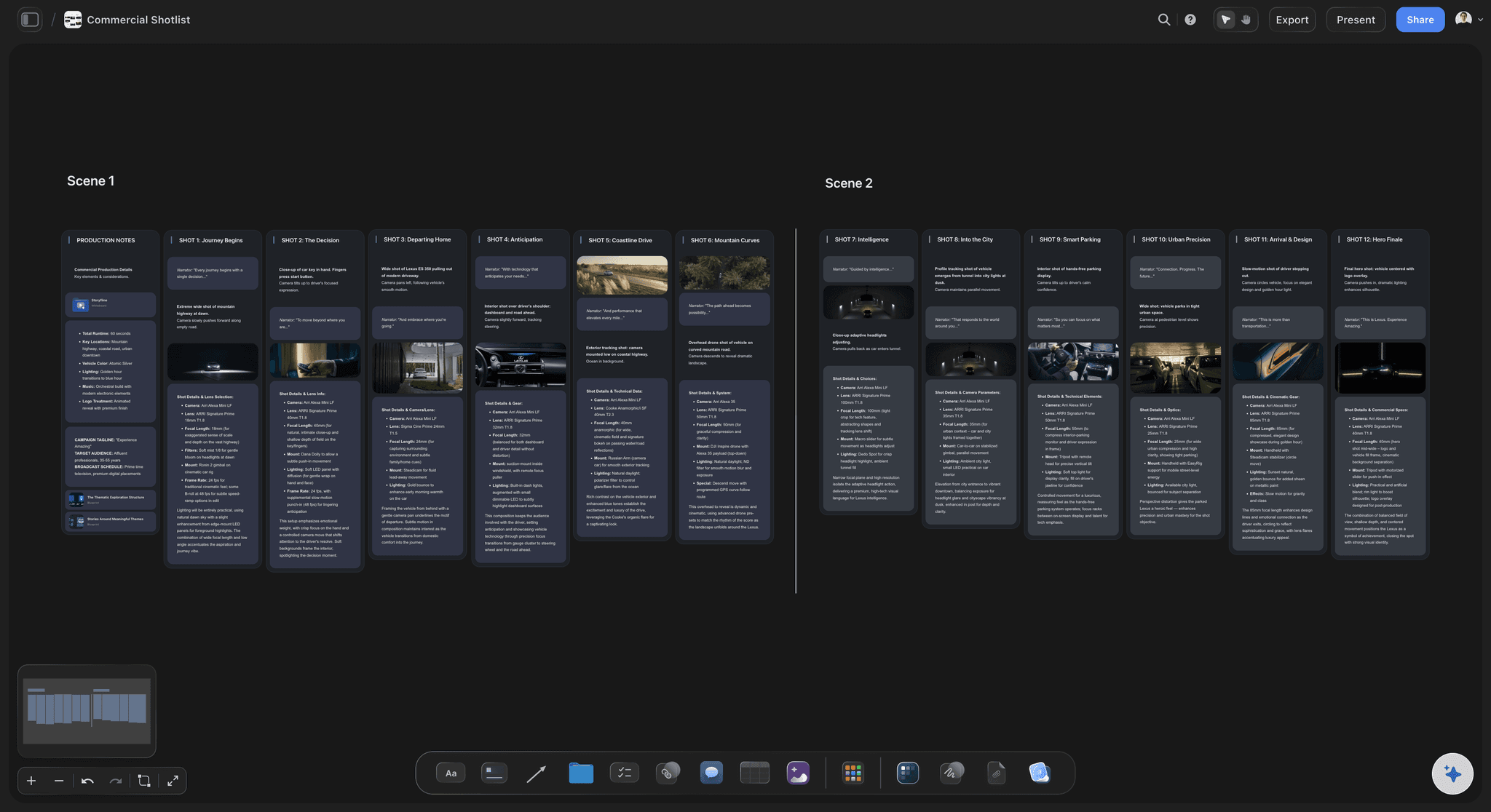
Reference real frames in your shot lists.
A shot list that says "low angle, wide" is a guess; a shot list with the actual frame beside it is a plan. Pull stills from references and dailies and attach them to each setup so the whole crew sees the same picture.

Pick thumbnails and key art from the finished cut.
The best thumbnail is usually already in the video. Scan the cut, grab the strongest candidates, and compare them side by side on the canvas before you commit, with the whole film plan in view.
Stills that land where your shot list lives.
Storyflow captures still frames from videos directly on its canvas, no screen recording tricks and no blurry screenshots. Use it to pull storyboard panels from previz, collect compositions while studying references, or shortlist thumbnail options from a finished cut. Each grabbed frame appears beside its source clip, one drag away from the storyboard panel or shot list entry it was captured for.
Capture video frames online.
Frame grabbing works right in the browser; there is no installer to download. Add a clip to a board, pull the stills you need, then save them to your device or keep working with them right on the canvas.
From grabbed frame to finished board.
Every still you grab gets Storyflow's full image toolbar: crop it, upscale it for print, remove the background, or annotate it with the pen tool. Arrange the results into shot lists, storyboards, and briefs with free templates, then share a view-only link for feedback.
What creators are saying
Join early creators getting structured workspaces and AI that remembers their projects
“Storyflow has sped up my workflow by at least 3x, which means more flow state and more projects I can actually ship. It truly changed the way me and my team create.”

Reilin Joey
Director & YouTuber
“One prompt gets me a structured board. But the tactics are my favorite. I run my YouTube scripts through them and my intros and retention got better. It's amazing.”

Justkay
YouTuber & Freelance Filmmaker
“I used to juggle five apps to plan a project. Now I describe what I am making and get boards, lists, and a schedule. All in one place.”

George
@fernwehchronicles
Frequently asked questions.
How frame grabbing works, and what it takes to get started.
Add your video to a board, find the moment you want, and grab the frame. Storyflow captures it as a still image and places it on the canvas beside the video, ready to download or use in your boards.
Not during early access. Storyflow is paid-only right now, with Plus at $7.99 a month billed annually. Every plan gives you unlimited boards to spread clips and stills across, and 20 file uploads cover the videos themselves. A Free plan is planned before the end of 2026.
Yes. A screenshot captures your screen at display resolution, including player controls if you mistime it. Grabbing the frame captures the image cleanly from the video itself and drops it on the canvas as a proper image element.
Anything you can do with an image in Storyflow: crop, upscale, remove the background, annotate with the pen tool, and arrange into shot lists, storyboards, thumbnails, and briefs. You can also download each still.
Yes. Grab as many frames as you need from a single clip and lay them out side by side, which makes it easy to compare compositions or build a sequence panel by panel.
Yes. The board holding your clips and stills has a view-only link you can send to anyone; they can look through the frames in their browser without creating an account. Individual stills can also be downloaded and attached wherever you need them.
Get the exact frame, not a screenshot.
Add a clip, capture crisp stills, and drop them straight into shot lists and storyboards.