
Audience insight without the busywork
Make a customer journey map with ChatGPT
from what your customers really said.
For marketers and founders: ChatGPT reads your interview notes on a Storyflow board and builds the journey there, stage by stage, as cards your team can correct.


Creatives working for these brands already got early access
- Red Bull
- Canon
- Artlist
- Porsche
See how easy it is to get started
Watch a real project come together, from a blank board to a finished plan, clicked through step by step.
Start from a ready-made template
Pick a board to see what you can build, then let AI fill it in. Every template is a real, editable starting point on the same infinite canvas.

Customer Persona
Map who your customer is, what they need, and what holds them back, all in one profile.
Can ChatGPT make a customer journey map?
Yes, ChatGPT can make a customer journey map: describe the customer and the product and it lists the stages from first hearing about you to buying again, with what the customer does, thinks and feels at each one. Storyflow is an AI visual workspace that maps a customer journey on one infinite canvas: a card for every stage, labelled arrows between them, notes for what the customer does, thinks and feels, and the research the map came from. Connected to Storyflow, ChatGPT reads the interview notes on your board and builds the map there itself, on its own model, so it uses none of your Storyflow AI credits.
On its own, ChatGPT is quick at the shape of a journey. Ask for a map for a meal-kit company and you get five or six tidy stages, a goal for each, a few feelings and a list of places the customer meets you. It is good at reminding you of the parts outside the product: the invoice, the delivery, the renewal email. The trouble is where the detail comes from. With no research in front of it, ChatGPT writes what a customer like yours usually does, and a likely journey reads exactly like a true one. The answer is also a table in a chat. Nobody on your team can move a stage, argue with a line or pin a real quote to it.
Connected to Storyflow, you start with the evidence. Put the interview notes, the survey export and the support tickets on a board as PDF, Word, Excel, CSV or text files, and ask ChatGPT to read them first. Then ask for the map. It can draw the journey as a diagram: up to 40 boxes on a grid, joined by arrows that carry a few words, where every box is a card. Or it can build one column per stage, each with a note for what the customer does, what they think, what they feel and where it breaks. Ask it to put one quote from the notes on each stage, and to label any card it had to guess. Then your team corrects the map on the board.
Here is a small example to copy, with the numbers worked out. A meal-kit company maps six stages: hears about it, compares, first order, first delivery, the first four weeks, and renews or leaves. The numbers come from one month. 1,000 people open the pricing page, 120 start an order, 90 finish it, 72 are still ordering after four weeks and 54 after twelve. So 30 are lost at checkout, a quarter of those who started. 18 go in the first four weeks, a fifth of the buyers, and 18 more by week twelve. Six in ten buyers are left. The 12 interviews say why: 7 people bring up the first delivery, a late box or a missing recipe card. That stage gets the lowest mark on the map, the quote, and the first fix.
Every customer journey map needs the same parts, whoever draws it. One customer, described by their situation and not by an age range. The stages in the order the customer lives them, not the order of your sales steps, running past the sale to the delivery, the invoice and the renewal. For each stage: what the customer does, where it happens, what they think, what they feel and what goes wrong. A piece of evidence on every stage, such as a quote, a number or a ticket. A mark on anything that is a guess. And one owner for each break, because a break that sits between two teams is the reason to draw the map at all.
Now the limits. ChatGPT invents a likely journey unless it is given real research, and Storyflow's connector does no web research, so the map is only as true as the files and notes you put on the board. ChatGPT gets the first 40,000 characters of a file and cannot read a scanned PDF, so split long transcripts. It has no tool to delete a card and cannot replace a map: ask for it again and the new one lands beside the old one, though it can reword a single card in place. A file you attach in the chat does not reach Storyflow. Storyflow does not connect to your analytics or your support desk, so numbers arrive as files or by hand. The connector is the same one for Claude, Gemini and Grok.
Ultra fast from brief to board
From interview notes to a journey map in four moves.
The first version takes one sitting. Most of it is reading what ChatGPT built and fixing it.
01
Connect ChatGPT to Storyflow once
Open ChatGPT on the web and go to Settings, then Security and login, where you turn on Developer mode. On chatgpt.com/plugins, click the plus button, call the connector Storyflow, choose Public endpoint and paste https://mcp.storyflow.so/mcp. Create it, sign in to Storyflow, and choose the project that holds your research.
02
Put the research on the board
Drop the interview notes, the survey export and a file of support tickets onto the board in Storyflow. Ask ChatGPT to read them before it draws anything. For example: "Read the three files on the Meal Kit research board and tell me which stages customers talk about most."
03
Ask for the map
Ask for the journey as a diagram, or as one column per stage with what the customer does, thinks and feels and where it breaks. Cards and arrows appear on the board. Ask ChatGPT to label every stage it guessed.
04
Correct it together and name the fixes
Invite the people who talk to customers. They reword cards, move stages and add the quote ChatGPT missed. Then ask ChatGPT to turn each break into a task with a date, in a column beside the map.
The stages, the feelings, the evidence and the fixes.
ChatGPT drafts the map from your research. Storyflow keeps it beside that research, where the team can argue with it.

The stages
The journey as cards and arrows
ChatGPT draws the journey as a diagram, up to 40 boxes on a neat grid. Every box is a card you can reword, and every arrow can carry a few words, such as "three days later" or "after the first box".
See diagrams with Claude →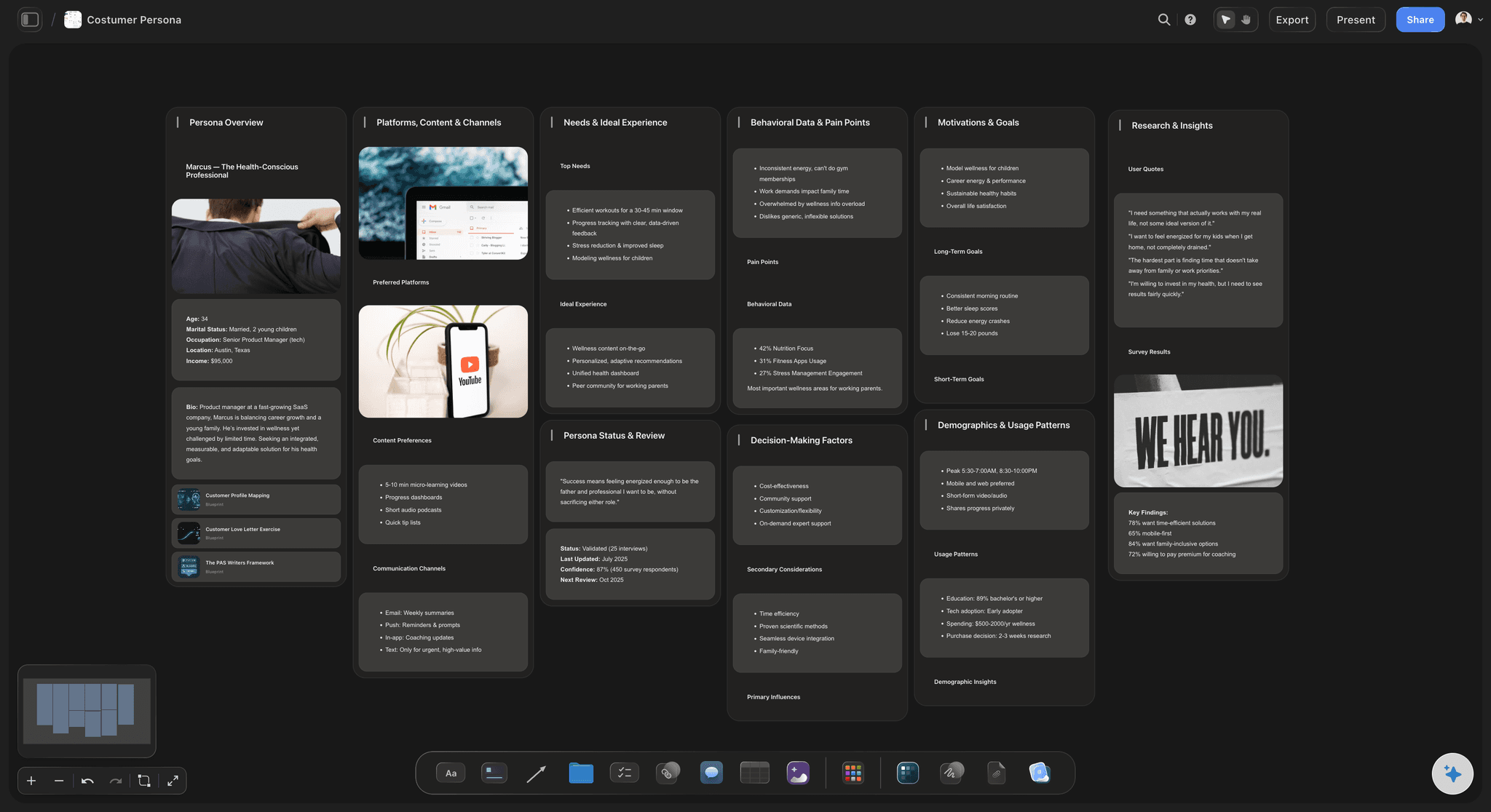
The layers
Does, thinks, feels and where it breaks
Ask for one column per stage and each gets the same four notes: what the customer does, what they think, what they feel and what goes wrong. Read along the row of columns and the low point is easy to find.
See the user journey map →
The evidence
Research files on the same board
Interview notes, survey exports and ticket lists sit beside the map as files. ChatGPT reads them there before it writes a stage, and anyone who doubts a card can open the file it came from.
See the customer journey mapping tool →
The fixes
Each break becomes a task with a date
A map that ends as a picture changes nothing. Ask ChatGPT to turn each break into a task card with a title, a short description, a label and a date, in a column next to the map. The person who owns the fix finds it there.
See the project plan with ChatGPT →ChatGPT draws the map. Storyflow spends no AI credits on it.
ChatGPT runs on its own model, so a journey map built over the connector uses no Storyflow AI credits. A free account (today, one invited by a paid member) gets a weekly allowance of actions from its assistant, and the pricing page shows the current number. Plus, Pro and Max have no limit. Storyflow is paid-only during early access, with plans from $7.99 a month billed annually ($9.99 monthly). A free plan launches before the end of 2026, and anyone a paid member invites to a board joins free.
No Storyflow AI credits used for any map ChatGPT builds
Connector actions are not limited on Plus, Pro and Max
Invite sales and support to the board free, so they can correct the map
The research, the map and the fixes on one board
You decide which projects ChatGPT may read, and whether it may change them
Built for people with taste
Where a journey map from a chat goes wrong.
ChatGPT writes a tidy journey in seconds. Tidy is the problem when nobody checked it against a customer.
The fiction
A journey nobody actually took
It reads your notes first: Put the interviews and the survey on the board and ChatGPT reads them before it writes a single stage. The map starts from what twelve customers said, not from what customers usually say.
A quote on every stage: Ask for one line from the research on each stage. A stage with no quote to show stands out, and that is the one to go and ask customers about.
Guesses carry a label: Tell ChatGPT to put a label on every card it could not back up from the files. The team sees at a glance which parts are evidence and which are a first guess.
Numbers from your own export: Put the month's numbers on the board as a CSV or an Excel file. ChatGPT writes how many people reach each stage on the cards, and can draw the drop between stages as a bar chart.

The picture
A map the team cannot touch
Every stage is a card: The map is made of ordinary cards on the board. Support rewrites the delivery stage in their own words, and nobody has to ask ChatGPT for a new version to fix one line.
Stages that reach past the sale: Ask ChatGPT to add the invoice, the delivery and the renewal email as stages of their own. Those are the parts no product team watches and the parts customers remember.
Change one card by asking: The trial went from 14 days to 7. Ask ChatGPT to change that card and it edits it in place. The cards your team rewrote stay as they are.
Old map and new map side by side: Ask for the journey again after ten more interviews and the new map lands beside the old one. Put the two next to each other, keep the truer one and delete the other yourself.

The drawer
A map that changes nothing
Breaks become tasks: Ask ChatGPT to write one task card per break, with a date and a label for the team that owns it. They sit in a column beside the map, so the fix and the reason for it are read together.
The moments nobody owns: Ask ChatGPT which breaks have no task beside them yet. The gap between the sale and the first delivery turns up as a short list, not as a feeling in a meeting.
A summary people will read: Ask for a one-page document on the board: the customer, the six stages, the three worst breaks and who fixes each. ChatGPT writes it one section at a time.
One link for the rest of the company: Share a view-only link from Storyflow and anyone opens the map in a browser with no account. ChatGPT cannot make that link, so you share the board yourself.
Explore templates for your project
Every template opens as a real, editable board on the infinite canvas. Pick the closest fit and make it your own.
Customer Persona
Map who your customer is, what they need, and what holds them back, all in one profile.
One app instead of five
Where Storyflow fits in a journey map made with ChatGPT.
It keeps the map beside the research ChatGPT read. It does not run a live workshop with voting and a timer.
Storyflow with ChatGPT
Recommended
A first journey map in minutes, not from a blank page
ChatGPT reads the research on your Storyflow board before it writes
Every stage is a card the team can reword and move
Research files, the map and the fixes on one canvas
Team opens and edits the map without ChatGPT
Live workshop with voting and a timer
Large library of journey map templates made by other teams
Free plan available today
ChatGPT on its own
A first journey map in minutes, not from a blank page
ChatGPT reads the research on your Storyflow board before it writes
Every stage is a card the team can reword and move
Research files, the map and the fixes on one canvas
Team opens and edits the map without ChatGPT
Live workshop with voting and a timer
Large library of journey map templates made by other teams
Free plan available today
Miro
A first journey map in minutes, not from a blank page
ChatGPT reads the research on your Storyflow board before it writes
Every stage is a card the team can reword and move
Research files, the map and the fixes on one canvas
Team opens and edits the map without ChatGPT
Live workshop with voting and a timer
Large library of journey map templates made by other teams
Free plan available today
What creators are saying
Join early creators getting structured workspaces and AI that remembers their projects
“Storyflow has sped up my workflow by at least 3x, which means more flow state and more projects I can actually ship. It truly changed the way me and my team create.”

Reilin Joey
Director & YouTuber
“One prompt gets me a structured board. But the tactics are my favorite. I run my YouTube scripts through them and my intros and retention got better. It's amazing.”

Justkay
YouTuber & Freelance Filmmaker
“I used to juggle five apps to plan a project. Now I describe what I am making and get boards, lists, and a schedule. All in one place.”

George
@fernwehchronicles
Customer journey maps with ChatGPT: questions
What marketers and founders ask before they trust a map ChatGPT drew.
Yes. On its own ChatGPT writes the stages, with what the customer does, thinks and feels, as a table in the chat. Connected to Storyflow, it reads the interview notes and survey files on your board and builds the map there: a diagram of cards joined by labelled arrows, or one column per stage. Your team then corrects the cards on the board.
Storyflow gives the journey ChatGPT writes a board to live on: ChatGPT reads your research files there, builds each stage as a card your team can reword, joins the stages with labelled arrows and turns each break into a task with a date. The same map can be built from Claude, Gemini or Grok. Miro still runs the live workshop, with voting, a timer and a large library of templates made by other teams.
One customer described by their situation, the stages in the customer's own order, and for each stage what they do, where, what they think, what they feel and what goes wrong. Add a piece of evidence per stage, a mark on every guess and an owner for every break. In Storyflow, ChatGPT builds each stage as a card or a column and keeps the evidence on the same board.
Give it evidence before you ask for the map. Put interview notes, survey exports and support tickets on your Storyflow board and ask ChatGPT to read them first. Ask for a quote from the files on every stage and a label on every card it could not back up. A likely journey reads like a true one, so the labelled guesses are the stages to check with real customers.
Open ChatGPT on the web. Under Settings, then Security and login, turn on Developer mode. At chatgpt.com/plugins, click the plus button, name the connector Storyflow, choose Public endpoint and paste https://mcp.storyflow.so/mcp. Create it and sign in to Storyflow. Storyflow's setup notes list ChatGPT Plus, Pro, Business, Enterprise and Edu, on the web. On Business and Enterprise an admin turns on developer mode.
On a Storyflow board, ChatGPT reads PDF, Word, Excel, CSV and plain text files, up to 25 MB each. It gets the first 40,000 characters of a file, so split a long transcript into parts. A scanned PDF is not read, and a recording is not turned into text. A file you attach in the ChatGPT chat is read in the chat but does not reach Storyflow.
A diagram holds 2 to 40 boxes and up to 60 arrows, and each arrow can carry a few words. Most journeys need five to eight stages, so there is room for side paths such as a refund or a support call. For more detail under each stage, ask ChatGPT for one column per stage on the Storyflow board, with separate notes for does, thinks, feels and breaks.
Yes, in two ways. Ask it to change single cards and it edits them in place on your Storyflow board. Ask for the whole map again and the new one lands beside the old one, because ChatGPT has no tool to delete a card or replace a map. Compare the two, keep one, and remove the other yourself. Deleted items stay in the board's trash for 7 days.
Yes. Ask it to write one task per break, in a column beside the map on your Storyflow board. Each task card has a title, a short description, one label and a date. You assign the person in Storyflow. Storyflow sends no due-date reminders, so the owner sees the task when they open the board.
No. ChatGPT runs on its own model, so the map it builds over the connector uses no Storyflow AI credits. A free Storyflow account (today, one invited by a paid member) gets a weekly allowance of actions from its assistant, and the pricing page shows the current number. Plus, Pro and Max have no limit.
Only what you allow. At sign-in, Storyflow asks whether ChatGPT may use all your projects or only the ones you pick, and whether it may make changes. Untick changes and it can only read. Each connection ends after 30 days, and ChatGPT then asks you to sign in again. To end one sooner, open Settings in Storyflow, then Connected apps.
Yes. Storyflow's MCP server is one address for every assistant, https://mcp.storyflow.so/mcp. In Claude, add it under Customize, then Connectors; on the Free plan Claude allows one custom connector. Gemini's custom apps need a personal Google account with Keep Activity on, in the US, for people 18 or over, in English. On Grok Business and Enterprise, a team admin adds it in the xAI console first.
On a Storyflow board, ChatGPT has no tool that deletes a card, and it cannot make or see pictures, or make a PDF, Word or Excel file, and the connector gives it no web search. It cannot share the board. Storyflow does not connect to your analytics or your support desk, so the numbers arrive as files or by hand. Sharing and exporting are done by you, in Storyflow.
More from Storyflow
Storyflow MCP server
Connect ChatGPT to Storyflow
Customer journey mapping tool
User journey map
Customer journey map maker
Empathy map
Diagrams with Claude
Affinity map with ChatGPT
Customer persona generator
Target audience template
UX research board
Service blueprint
Buyer persona with Claude
Project plan with ChatGPT
Storyflow for marketing teams
Miro alternative
Give ChatGPT the interviews. Give the team the map.
Stages, feelings, quotes and fixes, drafted from your own research and kept where everyone can correct them.