
Audience insight without the busywork
See your user clearly
on one infinite canvas.
Storyflow is an empathy map maker on a truly infinite canvas. Fill the four quadrants of what your user says, thinks, does, and feels, then map the pains they run into and the gains they are after. Describe what you learned in research once and AI drafts the first pass for you to reshape.


Creatives working for these brands already got early access
- Red Bull
- Canon
- Artlist
- Porsche
See how easy it is to get started
Watch a real project come together, from a blank board to a finished plan, clicked through step by step.
Start from a ready-made template
Pick a board to see what you can build, then let AI fill it in. Every template is a real, editable starting point on the same infinite canvas.

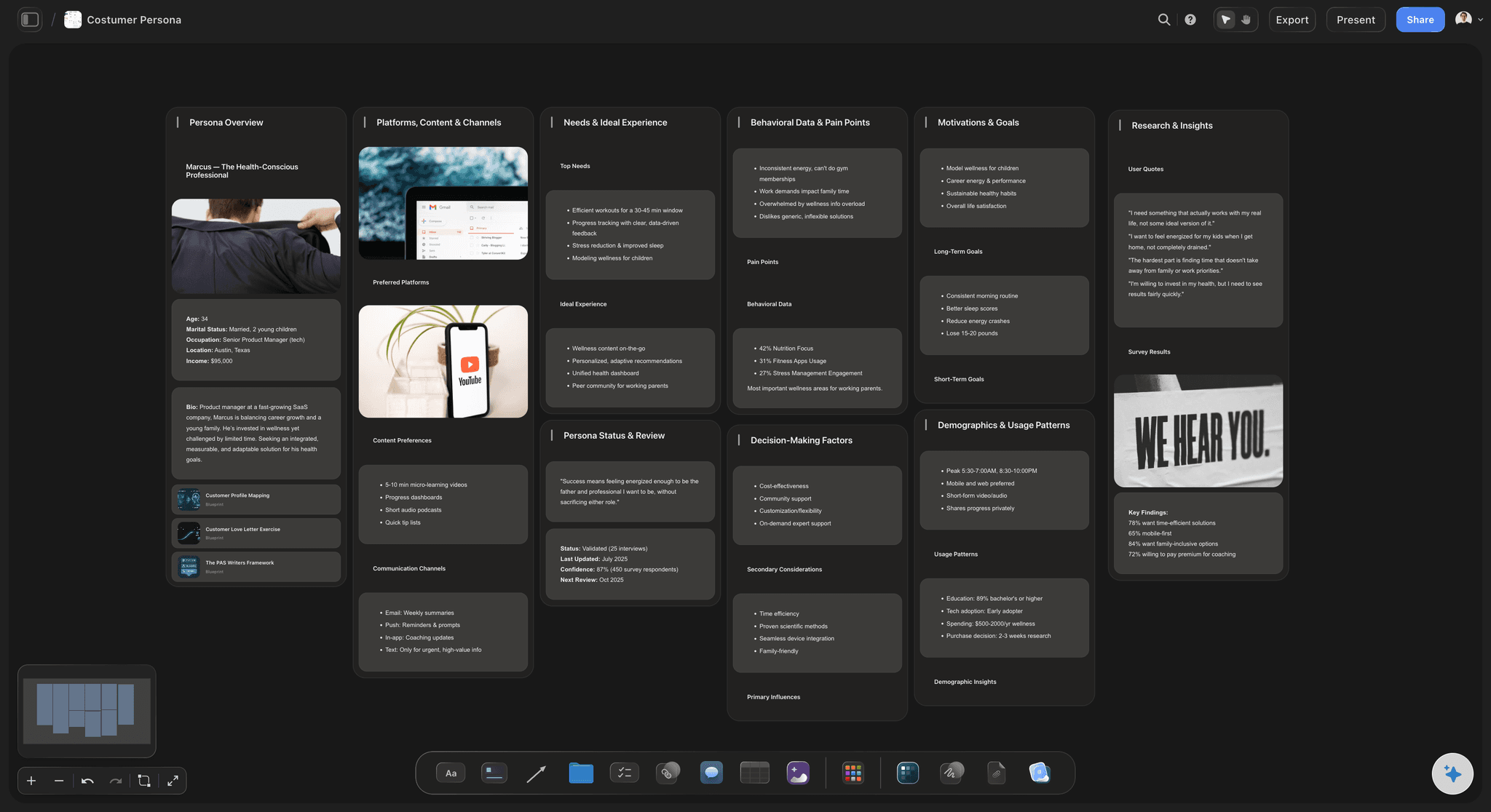
Customer Persona
Map who your customer is, what they need, and what holds them back, all in one profile.
What is an empathy map, and how do you build one?
An empathy map is a simple grid that pulls everything you know about a user into one shared picture. A person or persona sits in the middle, and four quadrants surround them: what the user Says (the words they actually use), what they Think (the beliefs and worries they may not say out loud), what they Do (their observable actions and habits), and what they Feel (the emotions running under the surface). Most teams add two more sections at the bottom, Pains and Gains, to capture the frustrations that block the user and the outcomes they are hoping for. Seen as one board, a pile of scattered research becomes a person the whole team can picture.
You build one by working from real evidence, not guesses. Start by putting the user or persona in the center, then move through the quadrants and drop in what you heard and observed: pull direct quotes into Says, note the unspoken doubts in Thinks, list the behaviors in Does, and name the emotions in Feels. Watch for tension between quadrants, like a user who Says one thing but Does another, because that gap is usually where the real insight hides. Finish with the Pains that get in their way and the Gains that would make their day, and the map starts pointing straight at what to design next.
Most tools make that harder than it should be. A slide of four boxes runs out of room the moment the research is rich, a document buries the shape in text, and a rigid template fights you when a user does not fit its cells. Storyflow builds the empathy map on an open infinite canvas where every quote, thought, and pain is a real card you drag, recolor, and regroup. AI can draft the first pass from your notes so you are editing a real map in minutes instead of staring at an empty grid, and when the map is agreed you can turn it into a persona or a journey on the same canvas.
Ultra fast from brief to board
Build an empathy map in four steps.
Start from a blank canvas or a single prompt. Either way the map stays yours to reshape.
01
Open your canvas
Start in the browser with a Storyflow account. Nothing to install, just an infinite canvas ready for the user at the center.
02
Set up the quadrants
Lay out the Says, Thinks, Does, and Feels quadrants around the user, or describe what you learned in the AI chat and let Storyflow lay out the first map for you.
03
Fill it from research
Drop quotes, observations, and emotions into the quadrant they belong to as cards. Drag them around to line up a spoken quote with the unspoken thought behind it.
04
Add pains and gains, then share
Map the pains that block the user and the gains they want, share a view-only link with the team, or export the map as an image or PDF for the readout.
Empathy mapping that does not dead-end at the grid.
Keep the Says, Thinks, Does, Feels structure you know. Lose the cramped slide, the rigid template, and the map nobody opens twice.
Quadrants on a canvas
The whole user visible at once
Lay the Says, Thinks, Does, and Feels quadrants around the user with pains and gains below. Every note is a card you drag and recolor, so a spoken quote can sit right beside the unspoken thought it hints at.
For UX designers →
AI drafts the first pass
Describe your research, get a starting map
Tell the AI chat what you heard in interviews and it lays out a full board: the four quadrants filled with quotes, thoughts, behaviors, and emotions, plus pains and gains. It reads your current canvas as context, so it builds on the notes you placed instead of a generic template.
See the AI whiteboard →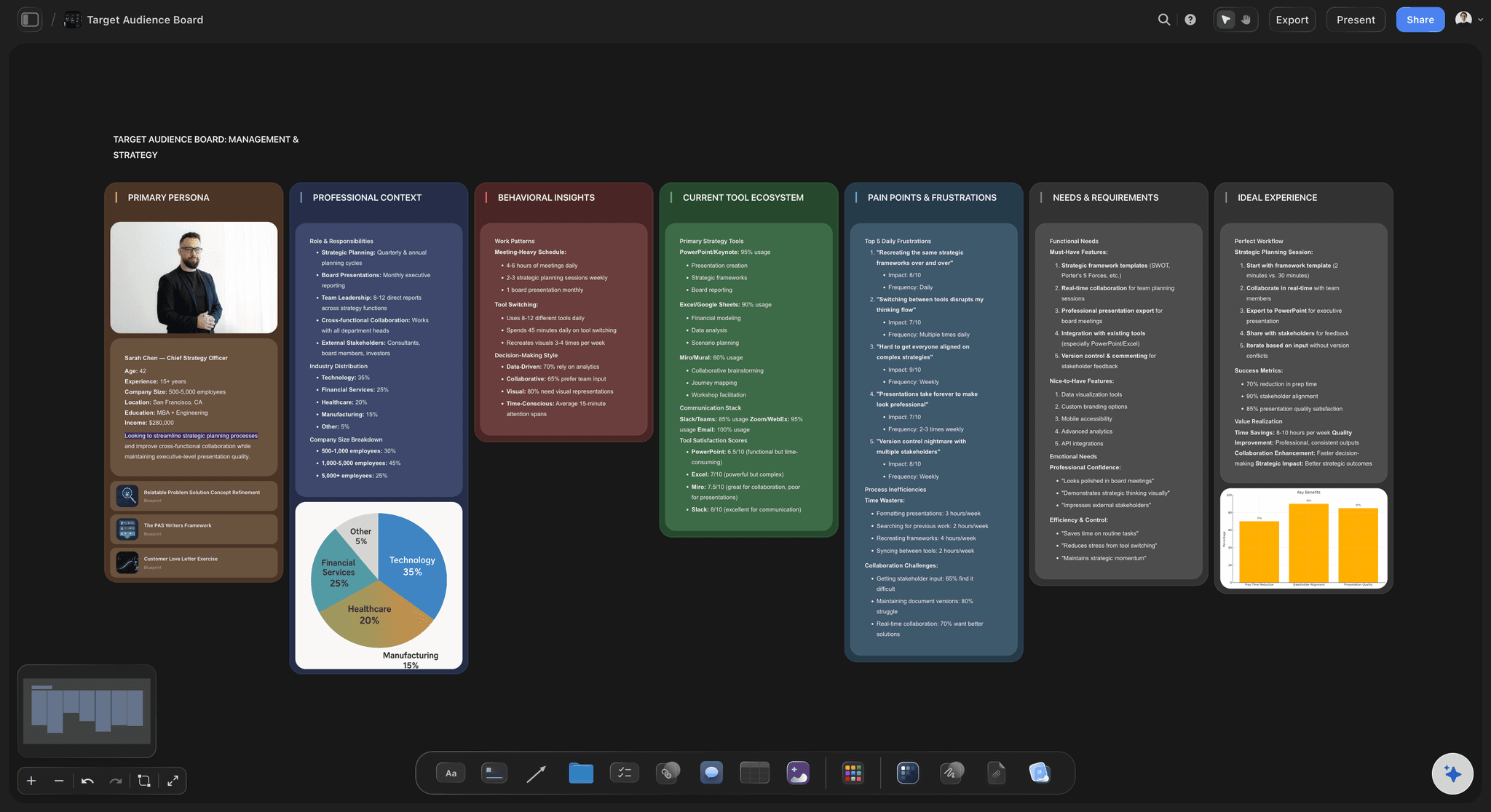
Persona beside the map
Map empathy for a real persona
Build the customer persona on the same canvas and keep it next to the empathy map it belongs to. Every quote, thought, and pain is grounded in who the user actually is, not an average nobody in the room recognizes.
See the customer persona generator →
Room for all the research
An infinite canvas, no object cap
Rich research fills a four-box slide fast. With a truly infinite canvas and no object cap on any plan, every quote and observation gets a place and the map never runs into an edge.
See the destination research board →Plans from $7.99/mo. No object cap.
Storyflow is paid-only during early access. Open a board and start mapping on Plus, which has no object cap and no time limit, so a research-rich empathy map never pushes you to upgrade mid-project.
Unlimited empathy maps with room for every quote and pain
AI usage to draft the quadrants, pains, and gains
Attach interview notes, screenshots, PDFs, video, and links
Share the map view-only, or invite collaborators free

Built for people with taste
Built for the way design-thinking teams actually work.
Fill the quadrants, spot the tension, map the pains and gains, and hand off a map the team can read.
Structure without a straitjacket
Quadrants that flex to the user
Says, Thinks, Does, Feels: Lay out the four classic quadrants around the user and drop each finding into the one it belongs to. The map matches how empathy mapping is taught, without forcing your research into fixed cells.
Pains and gains below: Add a Pains section for the frustrations that block the user and a Gains section for the outcomes they want, so the map points straight at what to design next.
Spot the tension: Drag a spoken quote next to the unspoken thought behind it. When Says and Does disagree, that gap is the insight, and on a canvas it is impossible to miss.
AI that reads the board
AI drafts the map from your research
First pass in minutes: Describe what you heard and the AI lays out the quadrants filled with quotes, thoughts, behaviors, and emotions, plus pains and gains, so you start by editing a real map instead of a blank grid.
Bring in your sources: Add up to five documents and three boards as context from the + menu, so an interview transcript or a research report shapes the quadrants the AI drafts.
Re-prompt to refocus: Ask for a sharper split between what the user says and does, or a tighter set of pains. The AI reworks the map while keeping the cards you already edited.
Grounded in real users
Personas and evidence beside the map
Map a named persona: Build the persona on the same canvas and map empathy through their eyes, so the thoughts and feelings belong to a real archetype rather than a faceless average.
Pin the evidence: Drop interview quotes, screenshots, PDFs, and links next to the quadrant they support, so a claim about how the user feels is backed by what a user actually said.
Frame grabs from video: Pull stills from a usability recording on YouTube or Vimeo straight onto the map, so a moment of frustration is shown, not just described.
The map is step one
From empathy map to persona and journey
Turn insight into work: Convert the pains and gains you mapped into a customer persona, a user journey map, or a project plan on the same canvas, with the AI carrying the insight across.
Share the thinking: Send a view-only link so product, design, or research can read the whole map in the browser without an account, then invite collaborators to build it with you.
Export for the readout: Export the empathy map as a clean image or PDF for a workshop readout or a stakeholder deck in one step.
Explore templates for your project
Every template opens as a real, editable board on the infinite canvas. Pick the closest fit and make it your own.
Customer Persona
Map who your customer is, what they need, and what holds them back, all in one profile.
One app instead of five
How Storyflow compares for empathy mapping.
Plenty of tools let you draw the quadrants. The question is how fast you fill them and what the map becomes.
Storyflow
Recommended
AI drafts a full empathy map from your board
Truly infinite canvas with no free object cap
Map becomes a persona or journey on the same canvas
View-only stakeholder links, no account to view
Miro
AI drafts a full empathy map from your board
Truly infinite canvas with no free object cap
Map becomes a persona or journey on the same canvas
View-only stakeholder links, no account to view
FigJam
AI drafts a full empathy map from your board
Truly infinite canvas with no free object cap
Map becomes a persona or journey on the same canvas
View-only stakeholder links, no account to view
Milanote
AI drafts a full empathy map from your board
Truly infinite canvas with no free object cap
Map becomes a persona or journey on the same canvas
View-only stakeholder links, no account to view
What creators are saying
Join early creators getting structured workspaces and AI that remembers their projects
“Storyflow has sped up my workflow by at least 3x, which means more flow state and more projects I can actually ship. It truly changed the way me and my team create.”

Reilin Joey
Director & YouTuber
“One prompt gets me a structured board. But the tactics are my favorite. I run my YouTube scripts through them and my intros and retention got better. It's amazing.”

Justkay
YouTuber & Freelance Filmmaker
“I used to juggle five apps to plan a project. Now I describe what I am making and get boards, lists, and a schedule. All in one place.”

George
@fernwehchronicles
Empathy mapping questions, answered.
Everything people ask about empathy maps in Storyflow.
An empathy map is a grid that captures what a user says, thinks, does, and feels, usually with pains and gains added below. It pulls scattered research into one shared picture of a person so a team can design with the user in mind. Storyflow builds this on an infinite canvas where every quote and observation is a real card you can move, edit, and group.
The four classic quadrants are Says (the words the user actually uses), Thinks (the beliefs and worries they may not voice), Does (their observable actions and habits), and Feels (the emotions underneath). Most teams add Pains for what frustrates the user and Gains for what they hope to achieve. In Storyflow you lay all of these out around the user on one canvas.
Not during early access. Storyflow is paid-only right now, with Plus starting at $7.99 a month billed annually, and a Free plan is planned before the end of 2026. Paid plans include unlimited maps, AI usage to draft the quadrants and pains and gains, unlimited file uploads, and view-only sharing. Anyone a paid member invites to a board joins free.
You can lay out the quadrants by hand in seconds, or ask the AI to set up the standard structure, Says, Thinks, Does, and Feels around the user with pains and gains below, so you begin from a real map.
Both. You can start from a blank canvas and lay out the quadrants, pains, and gains entirely by hand, dragging and grouping cards yourself. The AI is there when you want it, to draft a first-pass map from your research, but the board is always yours to reshape.
Miro and FigJam are strong, general whiteboards, and plenty of teams map empathy on them. Storyflow adds an AI that drafts a full empathy map from your current board as context, a truly infinite canvas with no free object cap, and the ability to turn the map into a persona or journey on the same surface. It is opinionated toward the thinking rather than a blank canvas.
Yes. The AI reads your active board, so the quotes, notes, and cards already on the canvas shape the map it drafts. You can also attach up to five documents and three boards, such as an interview transcript or a research report, for it to work from.
Yes. Share a view-only link so anyone can read the full map in their browser without an account, invite collaborators to build it with you, or export the map as an image or PDF. When the map is agreed, turn the pains and gains into a customer persona or a user journey map on the same canvas.
The research is scattered. Get your user mapped on the board.
Fill the quadrants by hand or from a prompt, map the pains and gains, and share the picture with the team.