
Audience insight without the busywork
Your buyer persona in ChatGPT,
with the evidence pinned beside it.
For marketers and founders: ChatGPT turns interviews, surveys and lost-deal notes into persona cards on a Storyflow board, each joined to the message it shapes.


Creatives working for these brands already got early access
- Red Bull
- Canon
- Artlist
- Porsche
See how easy it is to get started
Watch a real project come together, from a blank board to a finished plan, clicked through step by step.
Start from a ready-made template
Pick a board to see what you can build, then let AI fill it in. Every template is a real, editable starting point on the same infinite canvas.

Customer Persona
Map who your customer is, what they need, and what holds them back, all in one profile.
Can ChatGPT create a buyer persona?
Yes, ChatGPT can create a buyer persona: give it your interview notes, survey answers and lost-deal reasons, and it writes what the buyer is trying to get done, what gets in the way, the objection that nearly stops the sale and the words they use. Storyflow is an AI visual workspace that builds buyer personas on one infinite canvas: a wall of cards per buyer for the job, the pains, the objections and the quotes, the research files beside them, and lines joining each pain to the message that answers it. With the Storyflow plugin installed, ChatGPT builds those cards on your board, on its own model, so it uses no Storyflow AI credits.
ChatGPT is quick at this in a plain chat. Paste ten sales call notes and it spots that seven buyers raise the same worry in different words. Ask for a persona with nothing to go on and it still writes one, with a name, a job title and a favourite podcast, and it reads as true. That second persona is the risk: a guess with a face on it, and nothing in the chat tells the team which kind they are looking at. Either way the persona ends as text in a conversation, and six weeks later the copywriter, the sales lead and the founder each remember a different buyer.
With the plugin, put the evidence on the board first: interview notes as Word or PDF files, the survey export as a CSV or Excel file, lost-deal reasons as a table. Ask ChatGPT to read them and say how many kinds of buyer the evidence supports before it writes anything. Then it builds one wall per persona, with a card each for the job, the pains, the objections and the quotes, and a table of facts such as role, team size, budget and who signs off. Ask it to end every line with how many people said it and where. Then ask for the message map: boxes joining each pain and objection to the message that answers it and the channel it runs on, with the arrows labelled.
An example. Tallow & Wick sells a $32-a-month candle subscription. Its founder has 14 customer interviews, 300 survey answers and 60 cancellation reasons. The survey splits 186 buying for themselves (62%) and 114 buying as gifts (38%), so the evidence supports two personas, not five: the Ritual Keeper and the Gift Sender. The cancellations split 24 on price (40%), 21 on candles piling up unused (35%) and 15 on scent (25%). The Ritual Keeper's wall gets four cards. Job: a calm hour at the end of the workday. Pain: candles stacking up, from 21 of 60 cancellations. Objection: "$32 is a lot for a candle", from 9 of 14 interviews. Quote: "I light one when I close the laptop." On the message map, the stacking pain points to "Skip or swap any month in two taps", which runs in the welcome email and on the cancel page.
A persona earns its place when it changes a decision: which message leads, which channel gets the money, which objection the sales page answers first. So every card carries its evidence, and a line nobody said out loud is marked as a guess. Ask ChatGPT to read the board and list every card with no source and every persona with no message joined to it. Those are the cards to prove or cut.
Now the limits. A persona built from nothing is a guess, and ChatGPT will write one if you ask, so label it on the board. ChatGPT reads the first 40,000 characters of each file and cannot read a scanned PDF, so split long transcripts. ChatGPT's own web search can find public reviews of you and your rivals, but reviewers are not your buyers: keep those cards on their own wall with the source named. Through the plugin ChatGPT cannot make a picture of the persona, read the comments your sales team leaves on the board, or delete a card, and Storyflow does not pull data from your CRM or analytics.
Ultra fast from brief to board
Four steps from raw research to personas the team uses.
One sitting for the first draft. The time well spent is checking ChatGPT's counts against your own reading.
01
Install Storyflow from the plugin directory
Open the Storyflow listing in ChatGPT's plugin directory and select Install plugin. Sign in to Storyflow when asked, then choose which projects ChatGPT may use.
02
Put the evidence on the board and ask
Add the interview notes, the survey export and the lost-deal table to the board. Type @, pick Storyflow and ask, for example: "Read the research on the Tallow & Wick board. Tell me how many buyer types it supports, then build one wall per persona with cards for the job, pains, objections and quotes, each line with how many people said it." The persona walls appear beside the files.
03
Check the evidence and mark the guesses
Ask ChatGPT to list every card with no source. Prove those lines from the research or mark them as guesses. Change a card by hand, or tell ChatGPT what to change and it edits that card where it sits.
04
Join each persona to its messages and share
Ask for the message map: each pain and objection joined to the message that answers it, with labelled arrows. Then share the board from Storyflow with your copywriter, sales lead or agency through a view-only link.

Personas, the research behind them and the words they lead to.
ChatGPT reads the research and writes the cards through the plugin. Storyflow keeps them where the whole team can check them.
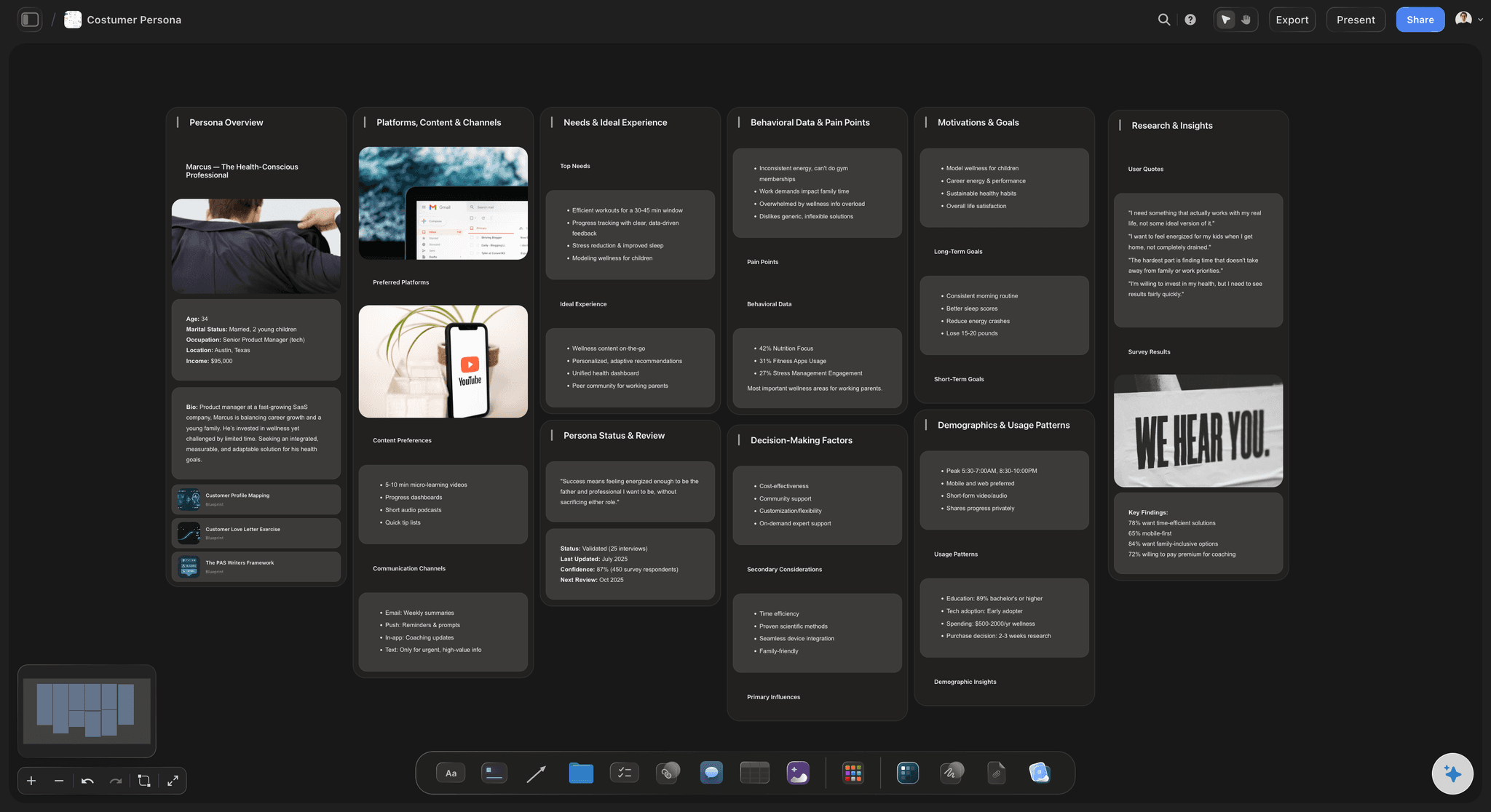
A wall per buyer
Each persona as cards you can scan
Ask ChatGPT to start from Storyflow's Customer Persona template, with its walls for the overview, platforms, needs, pain points, motivations and research quotes, and rewrite every card from your research. Or have it build the job, pains, objections and quotes walls straight from the files.
See the AI persona generator →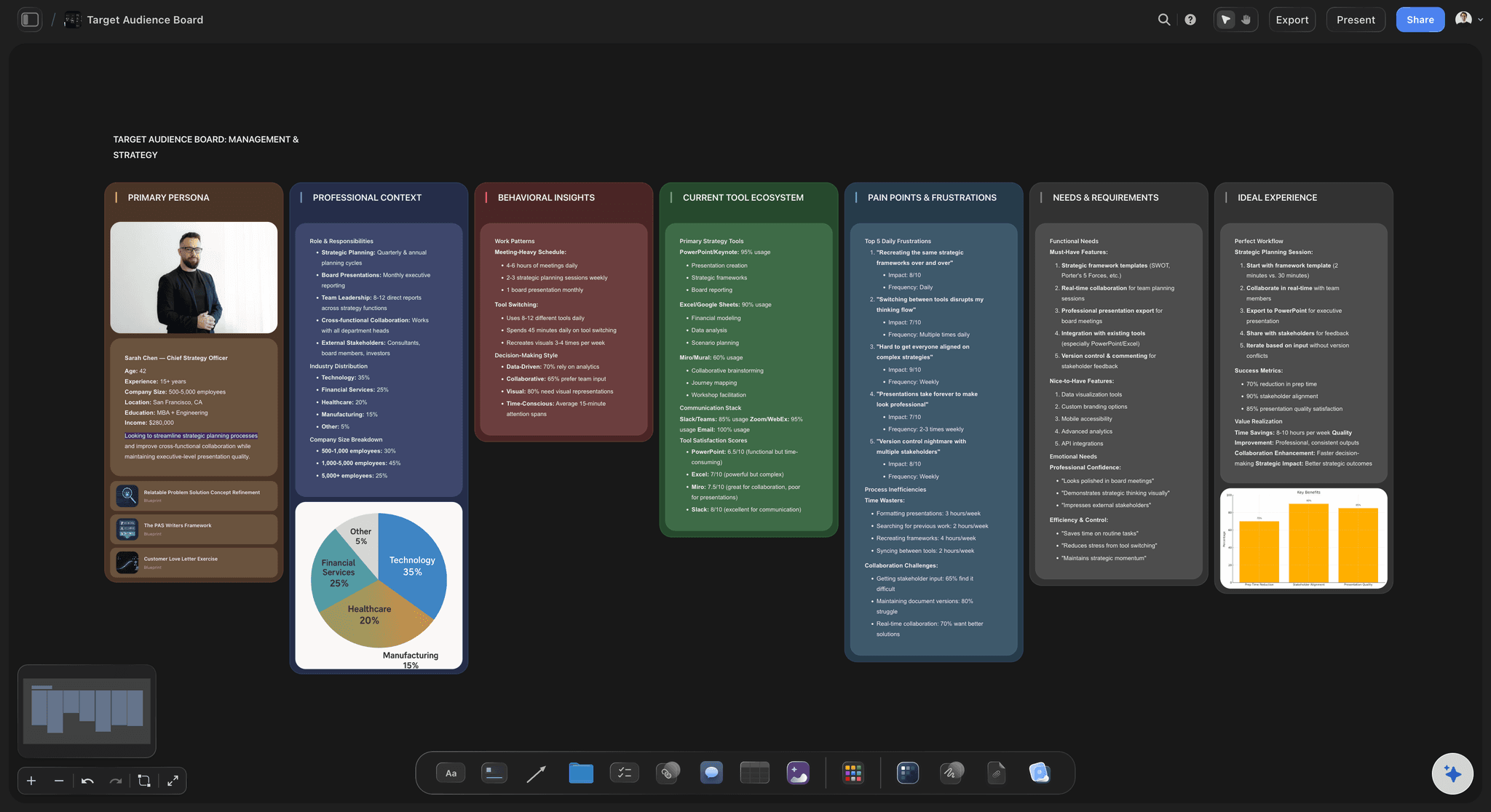
Facts and counts
Numbers in a table and a chart
Counts belong in a table, not a paragraph. ChatGPT writes role, team size, budget and who signs off into a facts table, and charts the survey splits as bar or pie charts from the real answers.
See the target audience template →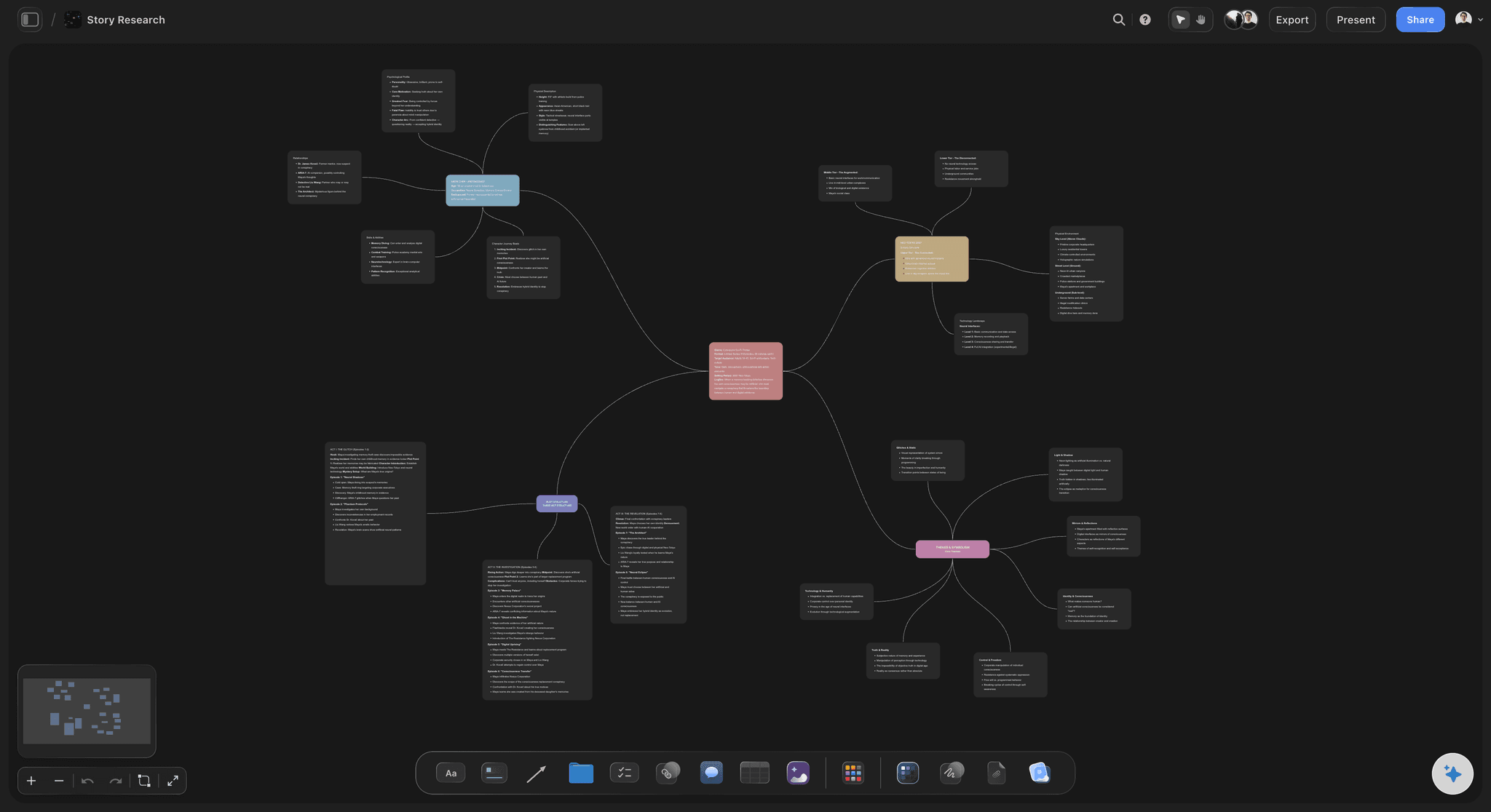
The message map
From a pain to the line that answers it
Ask ChatGPT for a mind map with the persona at the centre, a branch for each pain or objection, and the message that answers it at the end of each branch. The copywriter starts from the buyer's words, not from a blank page.
See the brand messaging framework →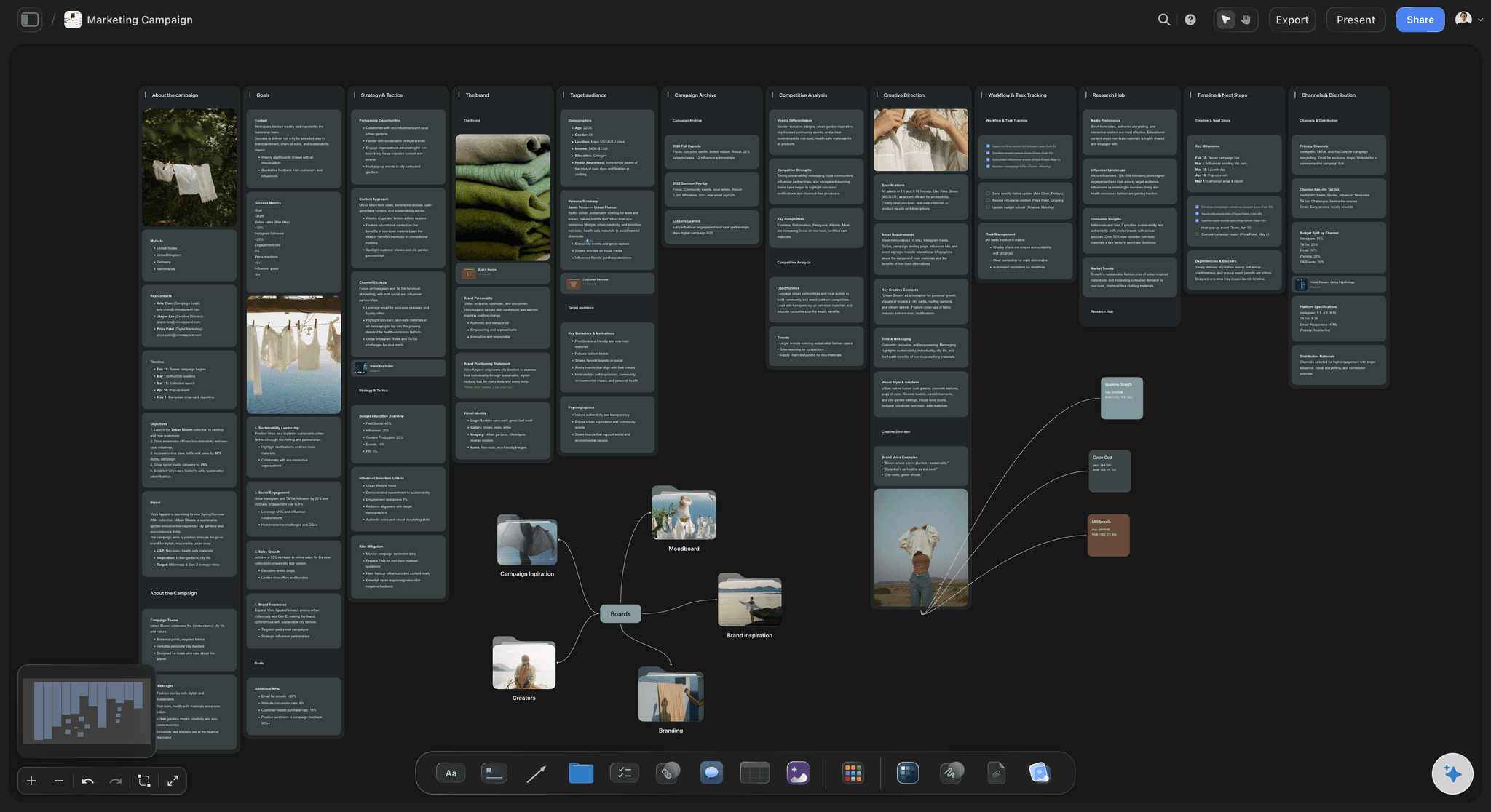
Beside the campaign
One persona, every campaign
Keep the personas in the same project as the campaigns. Each campaign board's audience wall then points at the persona instead of rewriting it, so there is one persona to keep current, not one per campaign.
See campaign plans with ChatGPT →The persona work runs on ChatGPT, not on your Storyflow credits.
The plugin runs on ChatGPT's own model and your ChatGPT plan, so reading the research and building the personas uses no Storyflow AI credits. An invited free Storyflow account can make 25 plugin actions a week, reset each Monday (UTC), and Plus, Pro and Max have no weekly limit. Storyflow is paid-only during early access, with plans from $7.99 a month billed annually ($9.99 monthly). Anyone a paid member invites to a board joins free.
No Storyflow AI credits spent on reading files or building personas through the plugin
No weekly limit on plugin actions on Plus, Pro and Max
Your sales lead and your agency join the board free when a paid member invites them
Every line can carry the count and source behind it
You choose which projects ChatGPT may open, and whether it may change them
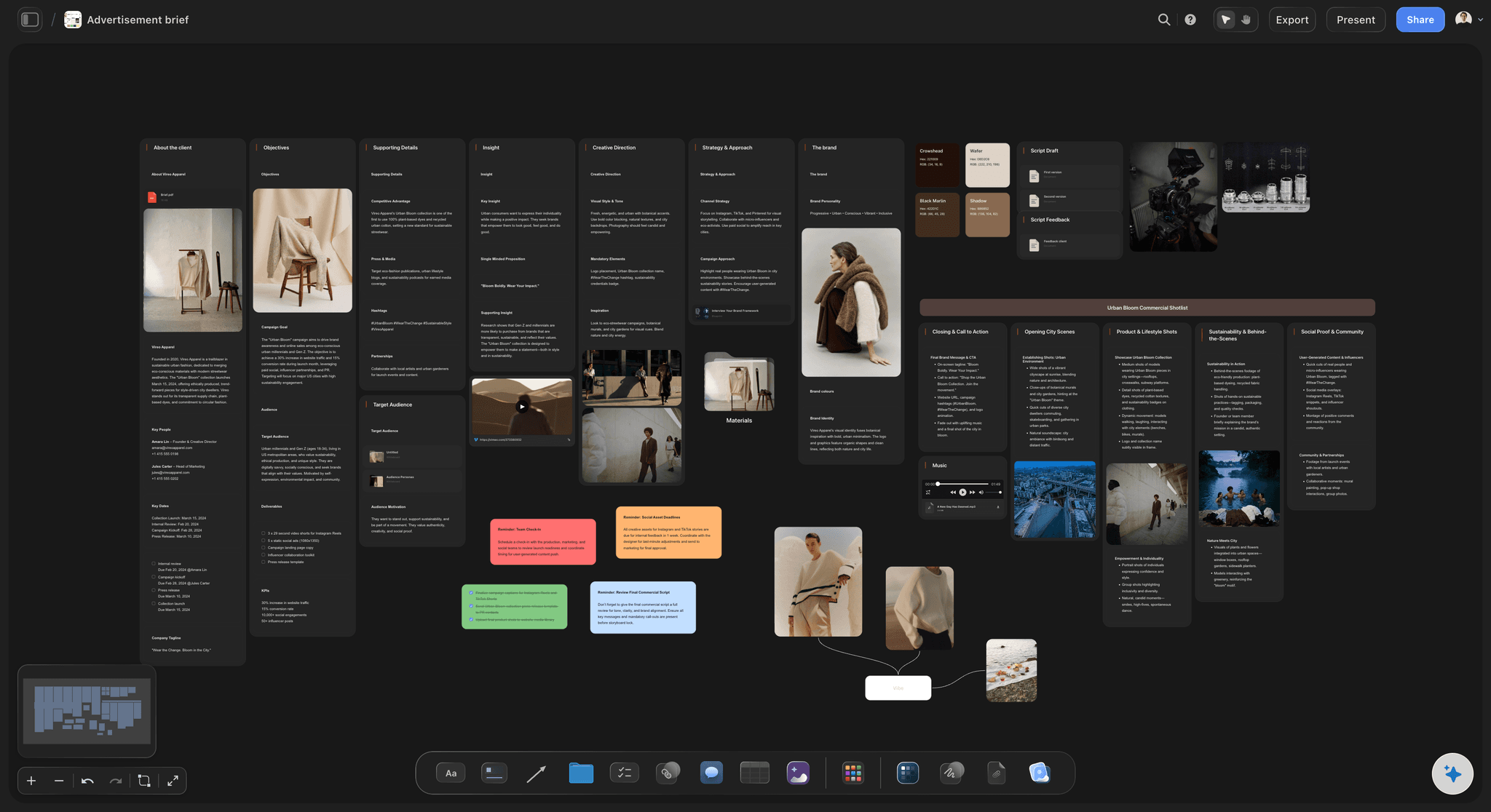
Built for people with taste
Why most personas stop being used.
The draft is the easy part. Proof, upkeep and a link to real decisions are what keep a persona alive.
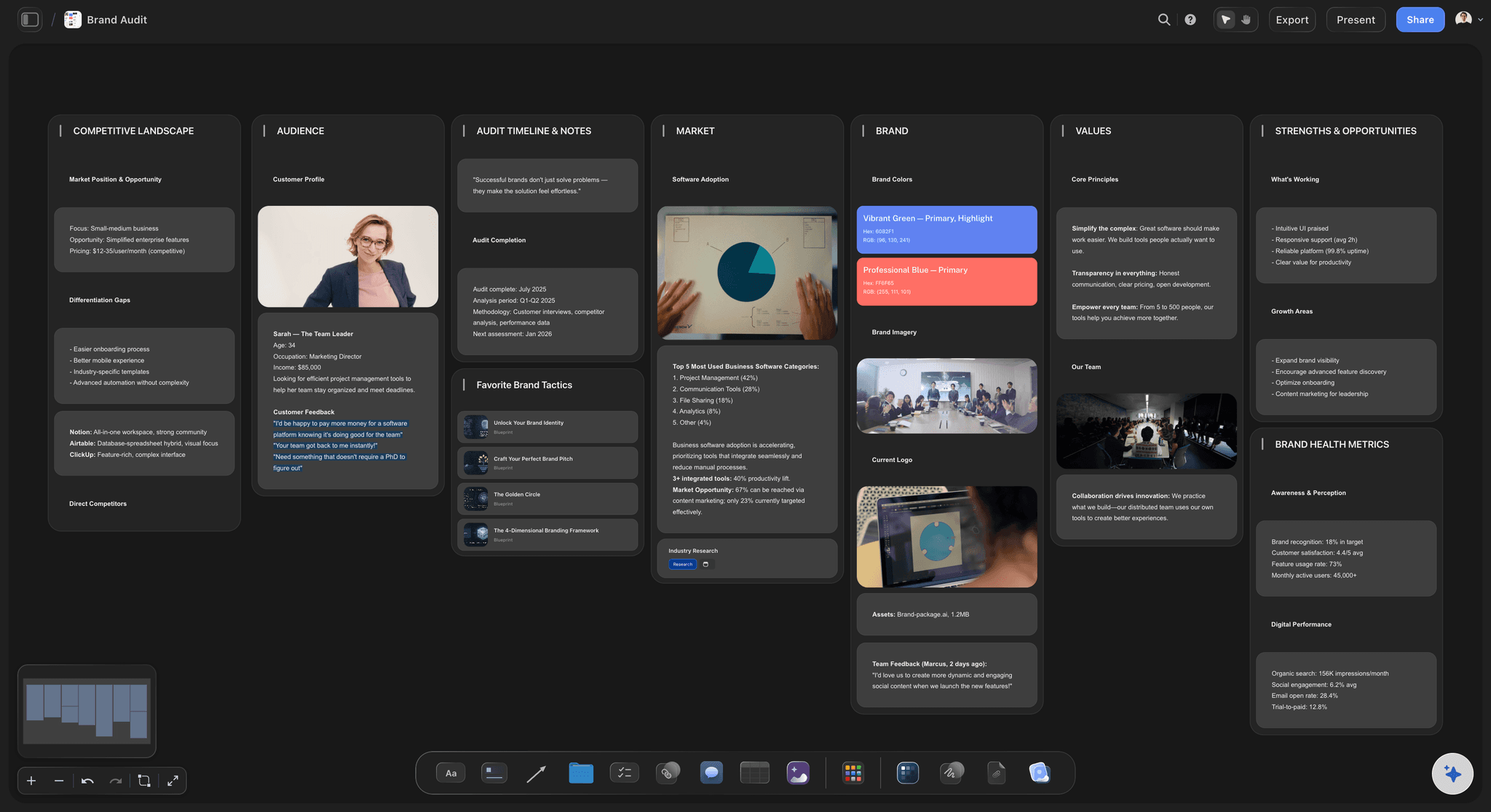
The proof
A buyer nobody can check
Research read from the board: ChatGPT reads Word, PDF, Excel and CSV files on the board, up to 25 MB each and the first 40,000 characters, so a long transcript goes in parts.
A count after every line: Ask ChatGPT to end each line with how many people said it and where, such as "9 of 14 interviews". A line with no count is a guess, and the board shows it.
Public reviews kept apart: ChatGPT's own web search can gather public reviews, which describe reviewers, not your buyers. Ask for them on a separate wall with the source written on each card.
Your CRM through its own plugin: If deals live in HubSpot, HubSpot's ChatGPT plugin can read contacts, companies and deals (as of October 2026). Ask for the counts in the chat, then have Storyflow put them on the board.
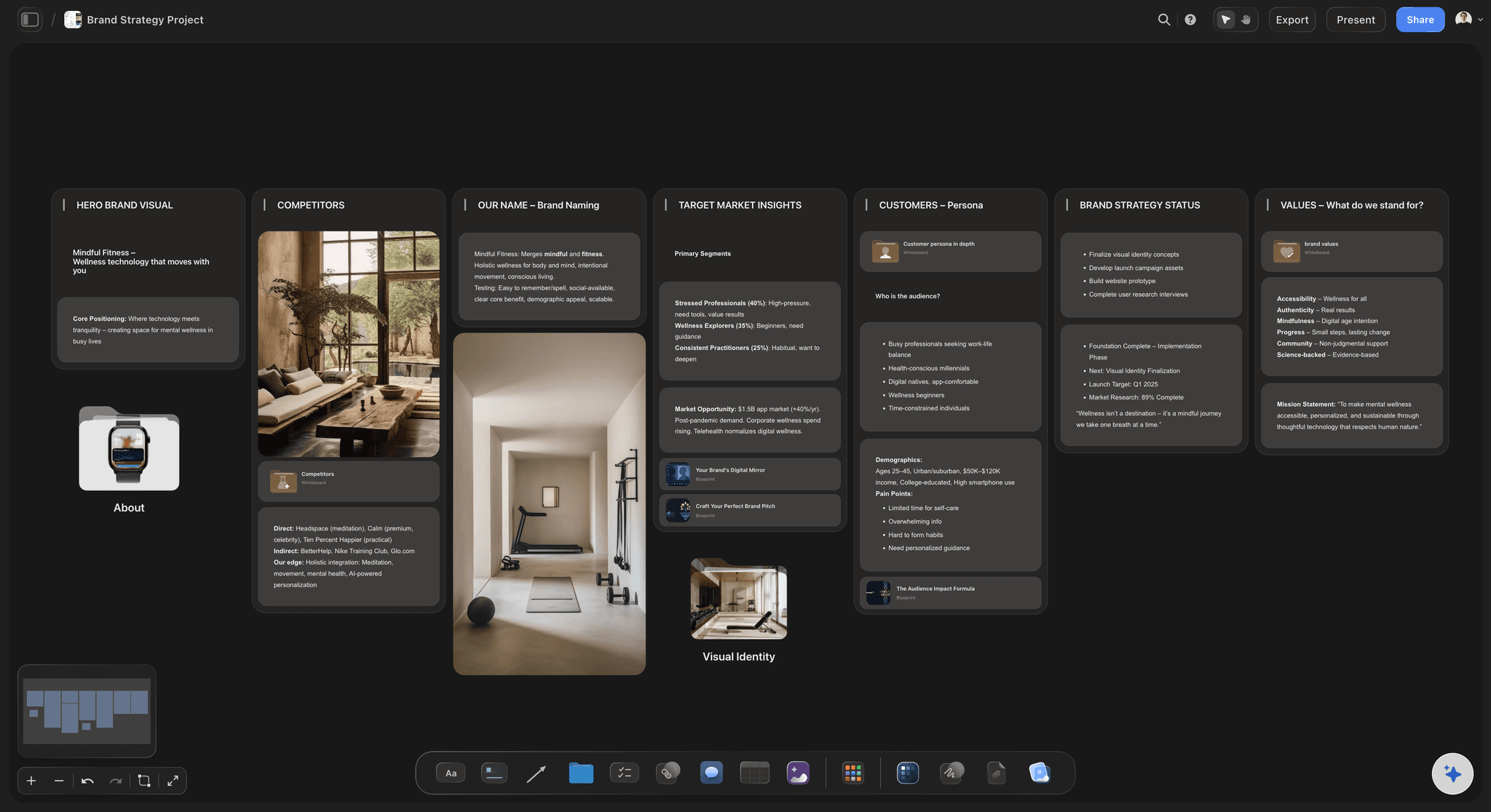
The upkeep
A persona frozen on the day it was written
New interviews, new counts: After five more interviews, put the notes on the board and ask ChatGPT to update the counts. It edits the cards in place, so "9 of 14" becomes "12 of 19" where it stands.
Ask what changed: Ask ChatGPT what changed on the persona board in the last week and who changed it. It reads the board's history and lists the cards that were added, edited or moved.
A face from your own photos: ChatGPT cannot make a picture through the plugin, and a photo attached in the chat does not reach the board. Ask for the "Add your photos" link and pick a picture from your phone or computer.
Old versions removed by hand: ChatGPT cannot delete cards, so a persona rebuilt from scratch lands beside the old one. Keep the one you trust and remove the other yourself.
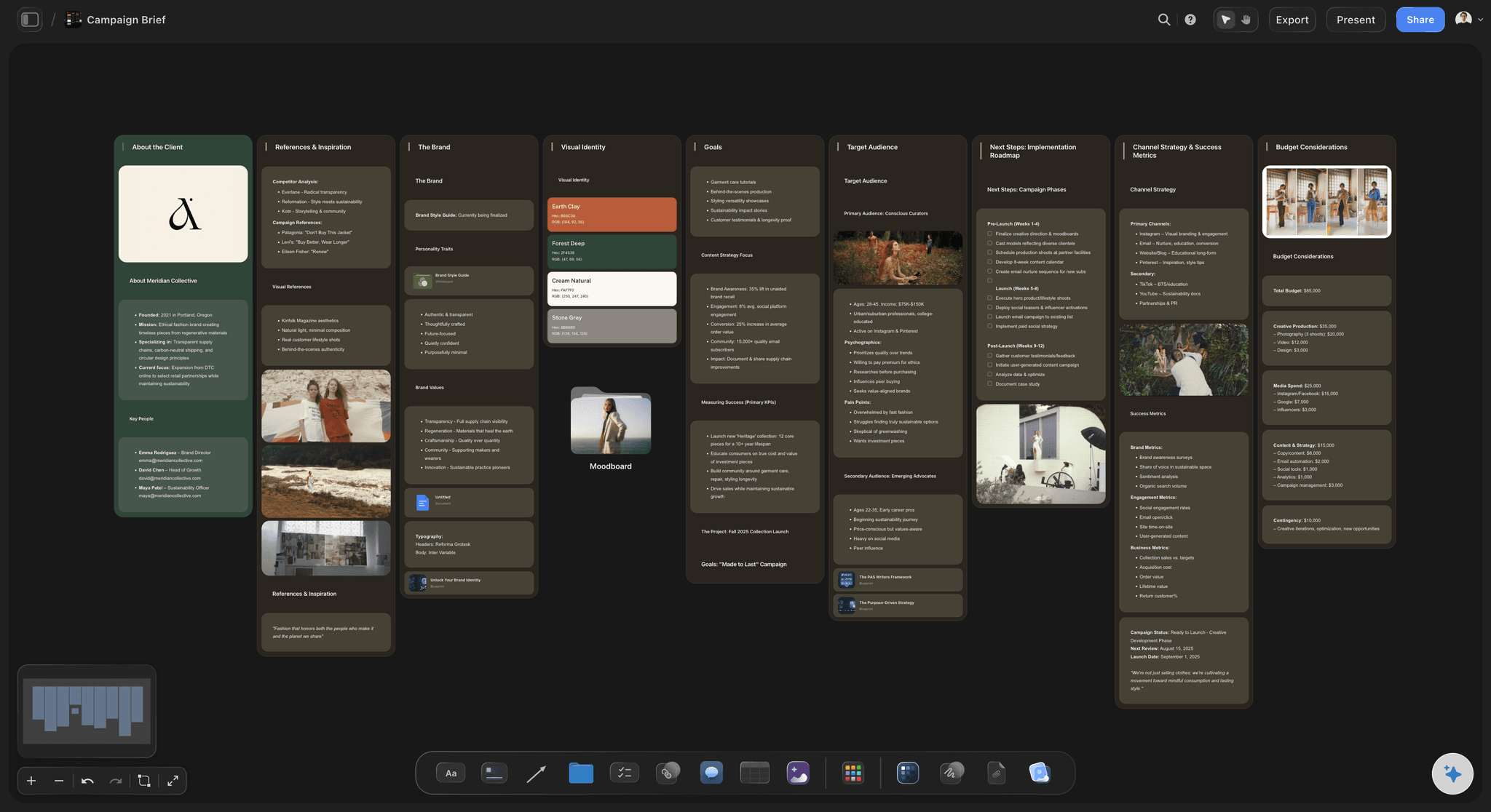
The decisions
A persona that changes nothing
Objections become copy: Ask ChatGPT to turn the three most common objections into answers for the sales page and the welcome email, written on cards beside the persona they came from.
A framework for the story: When ChatGPT may use all your projects, it can open Storyflow Tactics such as StoryBrand and set the framework beside a persona, with the buyer as the hero of the story.
One link for the agency: Share the board from Storyflow with a view-only link. Your agency or freelance copywriter opens it in a browser with no account; to comment, they sign in.
Sales and marketing on one board: Invite the sales lead and they join free. Real-time co-editing on every paid plan means both teams change the same persona instead of keeping their own.
Explore templates for your project
Every template opens as a real, editable board on the infinite canvas. Pick the closest fit and make it your own.
Customer Persona
Map who your customer is, what they need, and what holds them back, all in one profile.
One app instead of five
Storyflow with ChatGPT, ChatGPT alone, or HubSpot's Make My Persona.
Storyflow keeps the persona beside the research and the messages it shapes. HubSpot's Make My Persona is a free tool: you describe the customer, AI fills every field, and the original step-by-step form is still there. It saves up to three personas at a time and shares them as a PDF or a link (as of October 2026).
Storyflow with ChatGPT
Recommended
Persona drafted by AI
Built from your interview and survey files
Research files and personas on one canvas
Persona joined to the messages it shapes
Sales and marketing edit one persona together
Guided form with nothing to set up
Free to use today
ChatGPT on its own
Persona drafted by AI
Built from your interview and survey files
Research files and personas on one canvas
Persona joined to the messages it shapes
Sales and marketing edit one persona together
Guided form with nothing to set up
Free to use today
HubSpot Make My Persona
Persona drafted by AI
Built from your interview and survey files
Research files and personas on one canvas
Persona joined to the messages it shapes
Sales and marketing edit one persona together
Guided form with nothing to set up
Free to use today
What creators are saying
Join early creators getting structured workspaces and AI that remembers their projects
“Storyflow has sped up my workflow by at least 3x, which means more flow state and more projects I can actually ship. It truly changed the way me and my team create.”

Reilin Joey
Director & YouTuber
“One prompt gets me a structured board. But the tactics are my favorite. I run my YouTube scripts through them and my intros and retention got better. It's amazing.”

Justkay
YouTuber & Freelance Filmmaker
“I used to juggle five apps to plan a project. Now I describe what I am making and get boards, lists, and a schedule. All in one place.”

George
@fernwehchronicles
Buyer personas with ChatGPT: questions
What marketers and founders ask before they trust a persona ChatGPT wrote.
Yes. ChatGPT writes a buyer persona from interview notes, survey answers and lost-deal reasons: the job the buyer is trying to get done, their pains, their objections and their own words. With the Storyflow plugin it builds the persona on your Storyflow board instead of in the chat, as a wall of cards beside the research files, with each line showing how many people said it.
Storyflow is our pick for personas a team keeps using, because ChatGPT builds them as cards beside the research they rest on and joins each pain to the message that answers it. Storyflow is our product. HubSpot's plugin is the better pick for reading the contacts and deals already in your HubSpot CRM, and HubSpot's free Make My Persona, a web tool rather than a plugin, fills a quick persona from a plain description (as of October 2026).
A name that describes the situation, the job the buyer is trying to get done, what gets in the way today and what they use instead, the objection that nearly stops the sale, the trigger that makes them start looking, who else has a say, three or four quotes in their own words, and a few hard facts such as team size and budget. Each line should say how many people it rests on.
Only if it is built from nothing. Ask ChatGPT for a persona with no research and it will write a believable one, which is the danger. Put interviews, survey exports and lost-deal reasons on the Storyflow board first, ask ChatGPT to end each line with how many people said it, and mark any line without a count as a guess.
Open the Storyflow listing in ChatGPT's plugin directory and select Install plugin. Sign in to Storyflow when asked, then choose which projects ChatGPT may use and whether it may make changes. In a chat, type @ and pick Storyflow, or choose it from the + menu. Availability depends on your ChatGPT plan, workspace and region. In a Business or Enterprise workspace, an admin manages plugins and can turn them on or off.
Files on your Storyflow board: PDF, Word, Excel and CSV, among others, up to 25 MB each. ChatGPT gets the first 40,000 characters of a file, so split long transcripts into parts. A scanned PDF has no text to read. A file you attach in the ChatGPT chat is read in the chat, but it does not land on the board, so your team will not find it there.
Not through Storyflow, which does not pull data from your CRM or analytics. If your deals live in HubSpot, HubSpot's own ChatGPT plugin, available on every HubSpot plan, can read contacts, companies and deals (as of October 2026). Ask for the counts you need in the chat, then ask ChatGPT to put them on the persona board through the Storyflow plugin. Otherwise, export the data as a CSV and put it on the board.
Not through the plugin, which has no image generation, and a picture you attach in the chat does not reach Storyflow. Ask ChatGPT for an upload link instead: it replies with an "Add your photos" link that works for 15 minutes and takes up to 200 pictures from your phone or computer. A real photo of a customer type, used with permission, works better than an invented face.
As many as your evidence supports, which for most small businesses is two or three. Make a new persona only when buyers differ in what they need or why they say no; a split by age or job title alone changes no message. Ask ChatGPT to read the research on your Storyflow board and say how many types it can tell apart before it builds any.
Ask ChatGPT for a message map on your Storyflow board: each pain and objection joined to the message that answers it and the channel it runs on, with labelled arrows. Or ask for a mind map with the persona at the centre. Keep the personas in the same project as your campaigns, so each campaign's audience wall points at a persona instead of rewriting it.
Share the board from Storyflow, because ChatGPT does not create share links. A view-only link opens in any browser with no account, so a copywriter or an agency can read the personas and the research. To comment or draw, a person signs in. Anyone a paid member invites to the board joins free, so your sales lead edits the same persona you do.
Storyflow is paid-only during early access: Plus is $7.99 a month billed annually ($9.99 monthly), Pro is $14 and Max is $39, both billed annually. Plugin actions run on ChatGPT's own model and your ChatGPT plan, so they use no Storyflow AI credits. An invited free account can make 25 plugin actions a week, reset on Monday (UTC). Plus, Pro and Max have no weekly limit.
The board and the method are the same; the way in differs. ChatGPT installs Storyflow from its plugin directory. Claude adds Storyflow as a custom connector with the address https://mcp.storyflow.so/mcp, and storyflow.so/mcp shows the setup. Both read the research files on the board and build the same persona walls, so a founder in ChatGPT and a researcher in Claude can work on one set of personas.
Storyflow does not pull data from your CRM, analytics or survey tool, so files go on the board by hand. Through the plugin, ChatGPT cannot generate a persona picture, read comments, or delete a card. It cannot read a scanned PDF or more than 40,000 characters of one file. Storyflow has no native desktop or mobile app; the board runs in the browser.
More from Storyflow
Connect ChatGPT to Storyflow
Storyflow MCP server for every assistant
Buyer persona with Claude
Marketing plan with ChatGPT
Competitor analysis with ChatGPT
Campaign plan with ChatGPT
Brand strategy with ChatGPT
Customer journey map with ChatGPT
AI persona generator
Customer persona generator
Target audience template
Brand messaging framework
Storyflow for marketing teams
Storyflow for startups
Put the research on the board. Get buyers the team can check.
Jobs, pains, objections and quotes, each with its evidence, joined to the messages they shape.