
Extremely simple, seriously capable
How to make a customer journey map: chart every stage of the path.
Lay out awareness to advocacy with sticky notes, tables, and connector lines on an infinite canvas. Your personas, research, and screenshots sit on the same board, so the map stays grounded in what customers actually do.


Start your journey map
Open a board and map your first stage in minutes, with personas and research beside it.
Start mappingUnlimited boards
Free plan before the end of 2026
Works in your browser
How it works
How to make a customer journey map.
Three steps from blank canvas to a shareable journey map.
1
Lay out your stages
Open a board and set up columns for each stage, from awareness to purchase to advocacy. Frames and walls keep every stage clearly separated.
2
Fill in actions and emotions
Add sticky notes for touchpoints, pain points, and moments of delight. Use tables for channels and metrics, and connector lines to show how customers move between stages.
3
Share for feedback
Send a view-only link so stakeholders can read the map and, once signed in, leave comments, or export the board as a PDF or image for a deck.
Creatives working for these brands already got early access
- Red Bull
- Canon
- Artlist
- Porsche
See how easy it is to get started
Watch a real project come together, from a blank board to a finished plan, clicked through step by step.
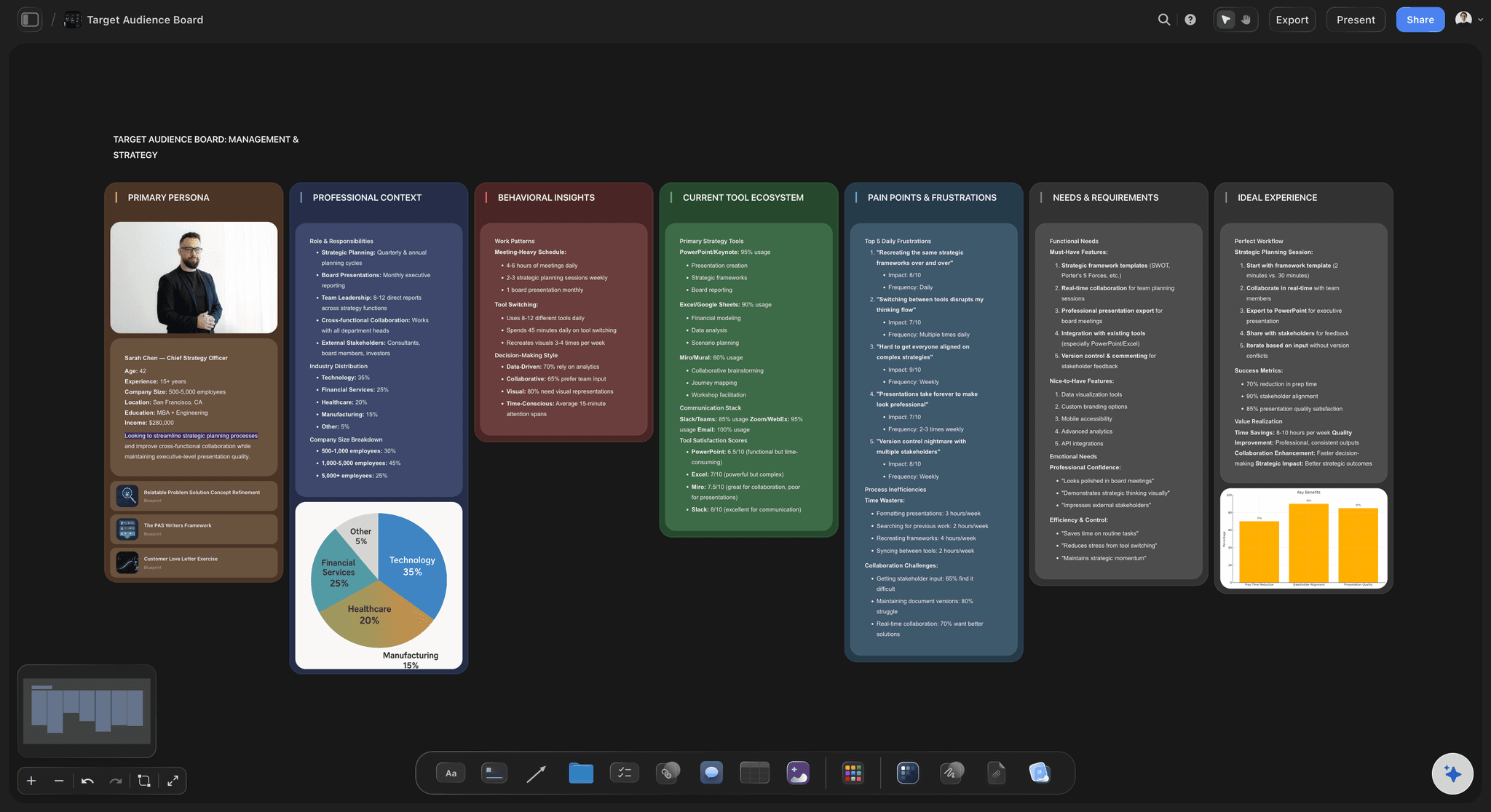
Keep personas next to the journey.
A journey map without a persona is a guess. In Storyflow the persona lives on the same canvas as the stages, so every touchpoint you add can be checked against who the customer is, what they need, and what they fear.

Connect the journey to your campaigns.
Map the stages, then plan the work that improves them. Because the canvas is infinite, your campaign briefs, content plans, and channel tables can sit right below the journey, linked to the stage they serve.
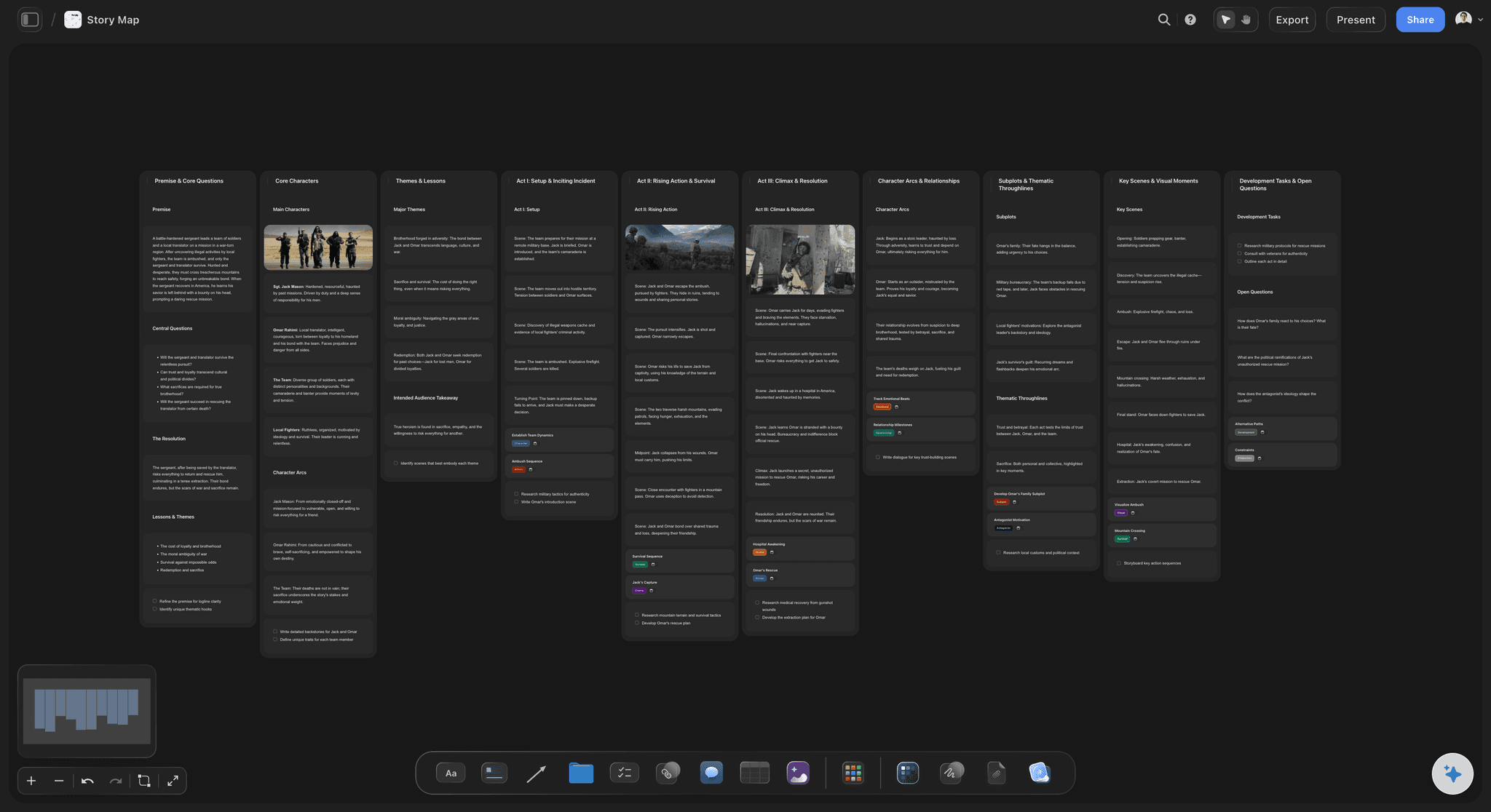
Show the story, not just the steps.
Great journey maps read like a narrative. Use connector lines to trace the path, color-coded notes to mark emotional highs and lows, and freehand pen strokes to call out the moments that make or break the experience.
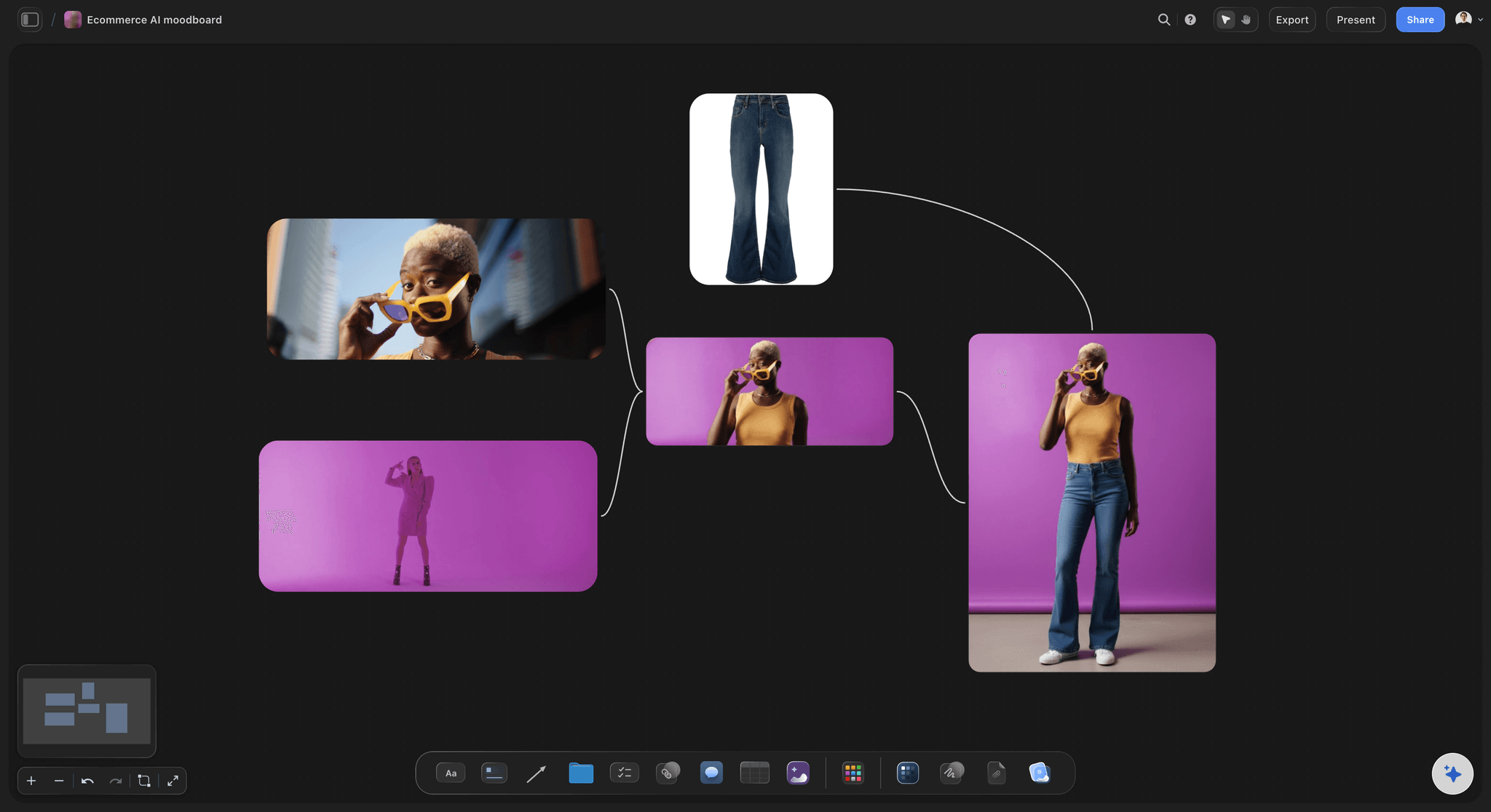
Ground every stage in real evidence.
Drop screenshots, product shots, and research clippings straight onto the board. When the checkout stage shows the actual checkout screen, the whole team argues about reality instead of memory.
Journey maps that grow sideways when reality does.
Storyflow gives you an infinite canvas for journey mapping instead of a rigid grid. Lay out stages with frames, describe touchpoints with sticky notes, track channels and metrics in tables, and draw connector lines to show how customers move. Because everything is freeform, your map can grow sideways into sub-journeys, edge cases, and service blueprints without running out of room.
Is there a free customer journey map maker?
Storyflow is paid-only during early access, from $7.99 a month billed annually. What is free today: anyone a paid member invites to a board signs up and joins free, and a view-only link opens in any browser with no account (commenting needs sign-in). A free plan launches before the end of 2026. Every paid plan includes unlimited boards, an infinite canvas, AI usage, and unlimited file uploads for the screenshots and research that make a map credible. Share a view-only link with stakeholders, collect comments once they sign in, and export the finished map as a PDF or image.
From journey map to action plan.
The map is only useful if it changes what you build next. In Storyflow you can turn pain points into tickets with assignees and due dates, plan fixes on a kanban board beside the journey, and keep the persona, the map, and the roadmap in one place your team actually revisits.
What creators are saying
Join early creators getting structured workspaces and AI that remembers their projects
“Storyflow has sped up my workflow by at least 3x, which means more flow state and more projects I can actually ship. It truly changed the way me and my team create.”

Reilin Joey
Director & YouTuber
“One prompt gets me a structured board. But the tactics are my favorite. I run my YouTube scripts through them and my intros and retention got better. It's amazing.”

Justkay
YouTuber & Freelance Filmmaker
“I used to juggle five apps to plan a project. Now I describe what I am making and get boards, lists, and a schedule. All in one place.”

George
@fernwehchronicles
Frequently asked questions.
Stages, personas, evidence, and sharing the map.
A customer journey map is a visual timeline of every interaction a customer has with your product or brand, from first hearing about you to becoming a repeat buyer. It typically shows stages, touchpoints, customer actions, emotions, and pain points, so teams can see where the experience breaks down.
Not yet. Storyflow is paid-only during early access, with plans from $7.99 a month billed annually ($9.99 monthly). A free plan launches before the end of 2026, and anyone a paid member invites to a board joins free. Every paid plan lets you map as many journeys as you want across unlimited boards, with unlimited file uploads for the screenshots that ground each stage.
Create a frame or wall for each stage, then add rows of sticky notes for actions, thoughts, emotions, and pain points. Use tables for channels and metrics, and connector lines to show movement between stages.
Yes, and that is the point of mapping on an infinite canvas. Place persona profiles, interview quotes, screenshots, and survey snippets right next to the stages they inform, so every claim on the map is backed by evidence a click away.
Yes. Stakeholders open the view-only link in their browser and read the map without needing an account, then sign in to leave comments. When the map has to sit inside a deck or document, export it as a PDF or image.
There is no dedicated journey-map template yet. Adapt the customer persona or target audience template instead: start from that layout, rename the sections into stages, and fill in your own touchpoints.
Map your customer journey with Storyflow.
Lay out every stage with notes, tables, and connector lines on an infinite canvas. A free plan launches before the end of 2026.