Storyflow vs Canva vs Milanote vs Pinterest: Photoshoot Moodboard
Storyflow is the best moodboard app for a photoshoot: its AI builds the board from your brief and the same board becomes the shot list and call sheet PDF. Canva, Milanote, Pinterest, Adobe Express, Firefly Boards, Morpholio Board, Apple Freeform and PureRef compared on the six jobs a photoshoot moodboard has to do.

Category
Photography
Author

Justkay
Documentary Filmmaker & Founder at Storyflow
Topics
2026-08-29
•
27 min read
•
Photography- best moodboard app
- photoshoot moodboard tool
- canva vs milanote moodboard
- pinterest moodboard photography
- adobe express moodboard
- pureref photography
- how to create a photoshoot moodboard
- Storyflow
What is the best moodboard app for a photoshoot in 2026?
The best moodboard app for a photoshoot in 2026 is Storyflow: its AI places 9 to 16 reference images on a board from your shoot brief, a note beside each one says what to take from it, the client opens the board by link with no account, and the same board becomes the shot list and a call sheet PDF. Choose Canva for a designed one-page moodboard, Pinterest for finding references, Milanote for a hand-built canvas with no AI, Adobe Express for generated stand-in images, and PureRef for references beside the capture window on set. Running many shoots a month? See the [moodboard tool for photographers](/moodboard-tool-for-photographers).

Full disclosure: Storyflow is our product. It ranks first here on a stated table of six jobs a photoshoot moodboard has to do, where it covers five; Canva, Adobe Express and Morpholio Board beat it on the designed page, and PureRef, Morpholio Board and Apple Freeform beat it on working with no signal. Earlier versions of this article showed scores out of ten that no stated method produced; they have been removed.
Quick Comparison
Four moodboard apps for four different jobs on a photoshoot.
| Tool | Best For | AI Features | Price |
|---|---|---|---|
| Storyflow | Brief to shoot day on one board | Places 9 to 16 references, drafts the shot list and call sheet PDF | From $7.99/mo billed annually |
| Canva | The designed client page | AI image and text tools | Free plan; see canva.com/pricing |
| Finding references | Recommendations | Free to use | |
| PureRef | References on set | None | Pay what you want; $49 one time for a studio |
Key Takeaways
- Best moodboard app for a photoshoot: Storyflow. It covers five of the six jobs a photoshoot moodboard has to do, including the two the others leave to you: the shot list and the call sheet.
- Best for a designed page a client approves: Canva. Layout templates and a PDF anyone can open.
- Best for finding references: Pinterest. Then move the keepers out.
- Best for generated stand-in images: Adobe Express and Firefly Boards.
- Best on a tethering laptop with no signal: PureRef. A desktop window that stays on top.
- Best hand-built canvas with no AI: Milanote. Notes beside images, and a free plan capped at 100 items.
- A moodboard fails on shoot day, not in the meeting. Judge these apps by what happens at 7 a.m. with cold hands and one bar of signal.
- The ranking comes from a criteria table of six jobs, printed in full below, not from a score out of ten.
What Is the Best Moodboard App for a Photoshoot?
Storyflow is the best moodboard app when the board is for a photoshoot, because a shoot needs more than the mood: it needs the board to turn into shots, a running order and a call sheet, and Storyflow does that on the board the references are already on.
| What you need the app to do | Use | Why |
|---|---|---|
Build the board from a brief and carry it to the shoot | Storyflow | AI places the references; notes sit beside images; shot list and call sheet PDF come from the same board |
Hand the client a designed one-page PDF | Canva | Layout templates and type controls |
Find references you have not seen yet | A discovery feed built for finding images | |
Generate a look that has not been photographed | Adobe Express or Firefly Boards | Firefly generation with a free tier |
Keep references over your capture software | PureRef | Always on top, runs as a desktop program |
Build by hand with no AI | Milanote | A freeform canvas and a free photoshoot plan template |
Sketch a board on an iPad you already own | Apple Freeform | Comes free on every iPhone, iPad and Mac |
Source furniture and materials for a set or interior | Morpholio Board | Product galleries, cut sheets and sourcing lists |
Storyflow also connects to ChatGPT, Claude, Gemini and Grok through its MCP connector, so the assistant you already use can read a moodboard in your Storyflow project or build one there.
All Eight Moodboard Apps, Ranked for a Photoshoot
- Storyflow: the moodboard, the shot list and the call sheet PDF on one board
- Canva: the designed page a client approves
- Milanote: a hand-built canvas with notes beside images
- Adobe Express, with Firefly Boards: generated stand-ins and a layout tool
- Morpholio Board: sets and interiors, with sourcing lists
- Apple Freeform: a free sketch board on Apple devices
- Pinterest: finding references, not keeping them
- PureRef: references on set, not a board you share
The order comes from the criteria table in the next section. It ranks these apps for a photoshoot, which is why Pinterest sits near the bottom: it does one of the six jobs very well and is not built for the other five.
How These Apps Were Ranked: Six Jobs a Photoshoot Moodboard Has to Do
A photoshoot moodboard has a life: it is filled, annotated, approved, turned into shots and used on set. Each stage is a job the app either does, partly does, or leaves to you. A yes counts as one, a partly as half, every job weighs the same, and the cells come from each vendor's own pages, checked on 10 October 2026.
| Job | Storyflow | Canva | Milanote | Adobe Express + Firefly Boards | Morpholio Board | Apple Freeform | PureRef | |
|---|---|---|---|---|---|---|---|---|
1. Finds or generates references | Yes: AI places 9 to 16 web references; generation on Pro and Max | Yes: stock library and AI generation | Partly: web clipper and a Pexels library, by hand | Yes: Firefly generation and Adobe Stock | Partly: web clipper and a Pinterest portal | No | Yes: the discovery feed | No |
2. A note beside each image | Yes | Partly: text boxes in a layout | Yes | Partly: text boxes in a layout | Yes: text and captions | Yes: sticky notes and text | Partly: a description per pin | Yes: quick notes |
3. Client opens it with no account | Yes: view-only link | Yes: share link | Yes: read-only link | Yes: a published link open to anyone who has it | Partly: as an exported PDF | Partly: Apple devices only | Partly: private boards need an invite | No |
4. Designed one-page export | Partly: the board exports as a PDF, with no layout templates | Yes | Partly: a printable PDF of the board | Yes | Yes: PDF design packages | Partly | No | No |
5. Shot list and call sheet from the same board | Yes: AI drafts both | No | Partly: template boards you fill in by hand | No | No | No | No | No |
6. Works on set with no signal | Partly: from an exported PDF | Partly: from an exported PDF | Partly: from an exported PDF | Partly: from an export | Yes: an app on the device | Yes: an app on the device | No | Yes: a desktop program |
Jobs covered | 5 of 6 | 4 of 6 | 4 of 6 | 4 of 6 | 4 of 6 | 3 of 6 | 2 of 6 | 2 of 6 |
Three notes on reading it.
Storyflow does not win every row. Canva, Adobe Express and Morpholio Board beat it on the designed export. PureRef, Morpholio Board and Apple Freeform, which run on the device instead of in a browser tab, beat it on working with no signal.
Four apps tie at four: Canva, Milanote, Adobe Express and Morpholio Board. Canva is listed second because the row it wins outright, the designed page, is the one a paying client sees. Milanote is third because it is the only one of the four with shot list and call sheet templates on the board. Adobe Express comes before Morpholio Board because it also finds or generates the references, the first job on the list. Adobe's published-link behaviour is from its help page on published links.
The table counts coverage, not polish. Pinterest's one full "yes" is the best in its row by a distance. If finding references is the only job you have, Pinterest is the right app and this ranking is not for you.
Comparison Table: Eight Moodboard Apps at a Glance
| App | Best stage of the shoot | Runs on | Free plan | Starting price, checked 10 October 2026 |
|---|---|---|---|---|
Storyflow | Brief to shoot day, on one board | Web browser | Launches before the end of 2026; invited collaborators join free now | Plus $7.99/mo billed annually |
Canva | Presenting to the client | Web and mobile apps | Yes | See canva.com/pricing |
Milanote | Gathering and arranging by hand | Web, desktop, iPhone, iPad, Android | Yes: 100 notes, images or links, 10 uploads | $9.99 per person/mo billed annually |
Adobe Express | Layout and generated stand-ins | Web and mobile apps | Yes, with daily free image generations | Premium is priced in your local currency; see Adobe's pricing page |
Adobe Firefly Boards | AI-first exploration | Web (beta) | Yes, with an Adobe account | Firefly Pro adds unlimited access; see Adobe's pricing page |
Morpholio Board | Sets and interiors | iPad, iPhone, Mac | Free download | In-app subscriptions; see the App Store |
Apple Freeform | Sketching a board | iPhone, iPad, Mac | Free on every Apple device | Free |
Finding references | Web and mobile apps | Yes | Free to use | |
PureRef | On set, at the capture screen | Windows, macOS, Linux | Personal use is pay what you want ($0 accepted) | $49 one-time studio licence |
Sources: Milanote plans, Adobe Express pricing, Adobe Firefly Boards, Morpholio Board, Apple's Freeform announcement, PureRef download and pricing, and the Storyflow pricing page. Adobe's two products get a row each, which is why eight apps fill nine rows. Canva's pricing page could not be read when checked, so no Canva price is stated; see canva.com/pricing. Adobe's pricing page shows prices in the visitor's local currency, so no single Adobe figure is stated either.

A photoshoot moodboard sitting beside its shot list and lighting notes on one Storyflow canvas
Keep the moodboard attached to the shoot
A moodboard app that holds only the mood leaves the shot list and call sheet somewhere else. Storyflow keeps the references, the notes, the shot list and the call sheet PDF on one board.

The Shoot Day Test
Every moodboard looks good in the meeting. The test that matters happens later.
It is 7 a.m. You are on location. It is colder than anyone dressed for. The stylist wants to know whether the second look is the warmer palette or the cooler one. The model's hair is done and there are eleven minutes before the light is right. Somebody opens the moodboard on a phone with one bar of signal.
A photoshoot moodboard is a shoot day document that everyone insists on judging as a presentation document. That confusion explains most of the failures in this category.
Three things go wrong on shoot day, and each one maps to an app decision.
It will not load
A forty-image board on a slow connection is a spinning wheel in any browser-based app, Storyflow included. This is why PureRef exists and why an exported PDF is not the unsophisticated choice people think it is.
It shows the look and not the instruction
A beautiful grid of nine references does not say which one is the lighting reference, which is the styling reference and which is only there for the colour. The photographer knows. Nobody else does. A board without labels is a mood, and moods do not survive contact with a schedule.
The plan is somewhere else
The moodboard is in one app, the shot list is in Notes, the call sheet is a PDF in email, and the client's feedback is in a message thread. Every question on set costs a search across four apps.
Score these apps against the meeting and a layout tool wins easily. Score them against 7 a.m. and the order changes, which is what the six jobs above measure. The shoot-day method is in how to make a photoshoot moodboard that survives the shoot.
Quick Picks by Job
- Best moodboard app for a photoshoot overall: Storyflow. The references, the notes, the shot list and the call sheet PDF are on one board.
- Best for a board a client approves in one look: Canva. A designed page and a PDF.
- Best for finding references: Pinterest. Then get them out of Pinterest.
- Best for a look that does not exist yet: Adobe Express or Firefly Boards. Generate stand-ins and label them as stand-ins.
- Best for a moodboard at the tethering station: PureRef, or an exported PDF from whatever you built it in.
- Best for building by hand with no AI: Milanote. Drag, arrange, annotate.
- Best free start: Pinterest for finding, then a free layout tool for the page. Storyflow is paid-only during early access, so it is not a free pick.
The Eight Apps Reviewed
1. Storyflow
Best for: a moodboard that has to become the shoot.
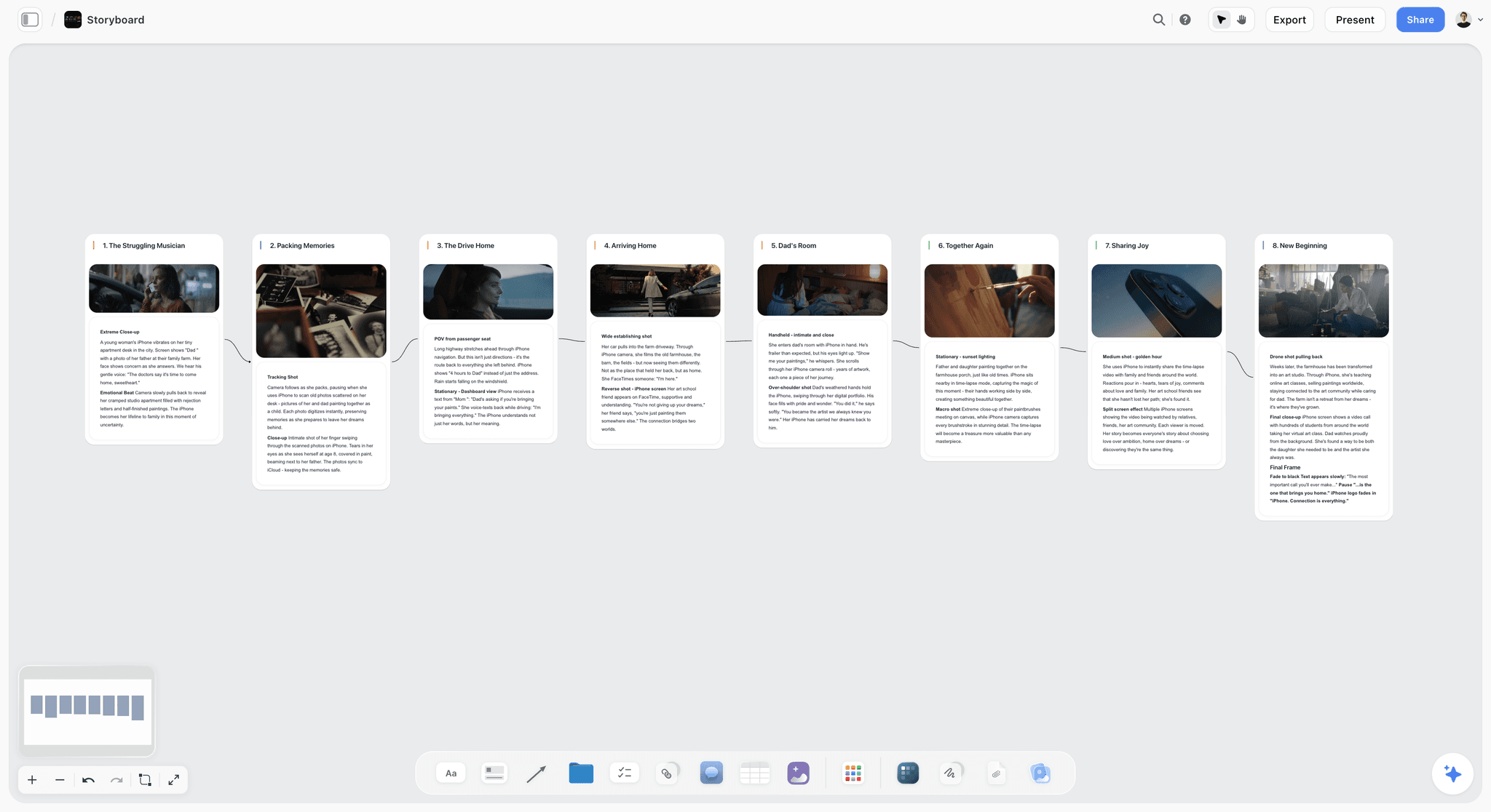
Storyflow is an AI visual workspace: an infinite canvas with notes, images, tables, documents and walls, and an AI agent that reads the board and builds onto it. For a photoshoot, ask it for a moodboard and it asks one question (photographs found on the web, or generated images), then places 9 to 16 tiles, each a different facet of the subject. Put a note beside each keeper saying what to take from it. Select the keepers and ask for a shot list, and each picture becomes the frame of its own shot card, or a row in a shot list table. Ask for a call sheet and the AI renders a designed PDF from the board, leaving anything you did not give it visibly blank.
Key features
- AI moodboard from a brief: 9 to 16 web reference tiles per request; generated tiles on Pro and Max
- Notes, colour swatches, documents and tables on the same canvas as the images
- A view-only link that opens with no account; sign-in to comment
- Presentation mode that steps through the board one wall at a time
- Shot list and call sheet PDF drafted from the board; board export as PNG, JPEG or PDF
Pricing. Paid-only during early access. Plus is $7.99 a month billed annually ($9.99 monthly). Pro is $14 a month billed annually and adds AI image generation and memory across conversations. Max is $39 a month billed annually with a team workspace, roles and permissions. The Free plan launches before the end of 2026, and anyone a paid member invites to a board joins free now.
Pros
- The moodboard and the rest of the shoot plan are one board
- The AI drafts the shot list from the images you select, so the look carries into the list
- Invited collaborators join free, which suits a freelance crew
Cons
- No layout templates. For a designed one-page client PDF, Canva or Adobe Express is the better tool
- It runs in the browser and has no native apps, so export a PDF before a location with no signal
- No free plan during early access
- One AI pass places 9 to 16 references; for deep discovery, Pinterest goes much further
Verdict. Use it when the moodboard keeps dragging the rest of the shoot behind it.
2. Canva
Best for: the board a client sees.
Canva is a design tool with moodboard templates, a stock library and AI image generation, and its strength for a photographer pitching a concept is the output: a page that looks designed, shared by link or exported as a PDF. A board that looks finished reads as a professional who has thought about the shoot.
Where it is weaker is everything before and after the presentation. Gathering into a layout is slower than dragging onto a canvas, a note explaining why a reference is there competes with the picture for space, and the design does not turn into a shot list or call sheet.
Key features
- Moodboard templates with image grids and text
- Stock library and AI image generation
- Share by link, present, and export to PDF or image
Pricing. Canva has a free plan. Its pricing page returned an error when checked on 10 October 2026, so no paid price is stated here.
Pros
- The most finished-looking client deliverable for the least effort
- A share link and a PDF are formats clients already know
Cons
- Slower to gather into than a canvas
- Templates can make different shoots look alike
- Nothing carries the board into the shoot plan
Verdict. If the moodboard's only job is to get approval, use Canva.
3. Milanote
Best for: building the board by hand.
Milanote is a freeform canvas: references go on in any arrangement and move around while you work out what the shoot is. Notes, columns and links sit alongside images, the web clipper saves from any site, and a built-in library offers Pexels images. Its free photoshoot plan template includes a brief, a moodboard, a shot list, a call sheet and a contact sheet, each of which you fill in yourself.
Its plans page lists no AI features, so nothing is placed, drafted or converted for you. That is the reason it ranks below Storyflow here: both hold the plan, one of them drafts it.
Key features
- Freeform canvas with boards inside boards
- Web clipper and a Pexels image library
- Read-only share links that viewers open without signing up
- A printable PDF of any board
- Apps for iPhone, iPad, Android and desktop
Pricing. Free with 100 notes, images or links in total and 10 file uploads. $9.99 per person a month billed annually, or $12.50 monthly. A team bundle starts at $49 a month billed annually.
Pros
- Notes and images live together, so a reference can carry its reason
- Clean read-only sharing
- A full set of photoshoot templates on the free plan
Cons
- The 100-item free cap is a total, not monthly: forty images with a note each is eighty items
- No AI listed: the moodboard, shot list and call sheet are all typed by hand
- A board reads as working material, which some clients take for unfinished
Verdict. A good home if you want to place every card yourself.
4. Adobe Express, with Firefly Boards
Best for: generated stand-ins and a layout tool in the Adobe account you may already have.
Adobe Express is the layout tool: its free plan lists more than 100,000 templates and over a million Adobe Stock assets, with daily free image generations. Premium adds brand kits, one-click resize and 250 generative credits a month. Adobe describes its generative features as commercially safe, which matters when a stand-in ends up in a client deck.
Firefly Boards is the separate, moodboard-specific product: an AI-first canvas, in beta, where you upload or generate images, remix them and apply style references. Adobe says you can use it free with an Adobe account.
Key features
- Templates, stock and Firefly generation in Express
- Firefly Boards: remix, style references, generative fill and Adobe Stock search on an open canvas
- Open an image from Boards in Express or Photoshop on the web
Pricing. Adobe Express has a Free plan and a paid Premium plan. Firefly Boards is free with an Adobe account with daily free generations, and the Firefly Pro plan gives unlimited access to Boards. Adobe's pricing page shows the monthly prices in your local currency.
Pros
- A real free tier for generation
- Fits a photographer already inside Adobe's apps
Cons
- A generated image is not a reference you can shoot at a real location; label every one
- Neither product builds a shot list or call sheet from the board
- Firefly Boards is in beta
Verdict. Use it to invent the look, then build the shoot board from the frames you can achieve.
5. Morpholio Board
Best for: a set build or an interior, where the board is also a shopping list.
Morpholio Board is a moodboard and interior design app for iPad, iPhone and Mac. Its strengths are specific: a product gallery of furniture and fixture brands, background removal, a swatch maker that pulls hex codes from images, and Ava, which generates sourcing lists and cut sheets from a board. It exports PDF design packages.
For a portrait or fashion shoot most of that is beside the point. For a shoot with a built set or a styled room, the sourcing list is the useful half.
Pricing. Free to download with in-app subscriptions; the vendor's page shows no prices, so check the App Store.
Pros
- Sourcing lists and cut sheets from the board
- Swatches with hex, RGB or CMYK codes
Cons
- Apple devices only
- Built for interiors, not for shots and schedules
Verdict. The right app when the set is the subject.
6. Apple Freeform
Best for: a quick board on a device you already own.
Freeform is Apple's whiteboard app. Apple says it comes free on every iPhone, iPad and Mac, takes photos, video, audio, documents, PDFs, links and sticky notes, and lets up to 100 people work on one board. It is a blank canvas with no moodboard templates, no reference finding and no shoot documents.
Pricing. Free.
Pros
- Nothing to install or pay for on Apple devices
- Pencil-friendly for sketching a lighting plan beside the references
Cons
- Collaborators need Apple devices
- No finding, no AI moodboard, no shot list
Verdict. Fine for a first sketch; move to a shoot board when a client or crew needs to open it.
7. Pinterest
Best for: finding references. Not for keeping them.
Pinterest is a good place for a photoshoot moodboard to start, and it should be the first hour of the process. Its recommendations surface lighting, posing, colour and styling references you would not have searched for, and private boards are visible only to you and the people you invite, so you can gather without showing a client half-formed ideas.
Then move the keepers. A Pinterest board is a grid for browsing: sections are its only hierarchy, a pin's description sits behind a tap rather than beside the image, and a pin's link can go dead when its source does. A Pinterest board sent as the brief tends to come back as a shoot that averages forty images instead of following one idea.
Pricing. Free to use.
Pros
- Built for finding references, with recommendations that widen the search
- Familiar to nearly every collaborator
- Private boards keep early exploration out of sight
Cons
- Not built to show a note beside each image
- No shot order, no export for set
Verdict. Use it for the first hour. Do not send it as the brief.
8. PureRef
Best for: shoot day and the desk.
PureRef is a single-purpose desktop program: it keeps reference images in a window that stays on top of whatever else you are doing, with quick notes beside them. It runs on Windows, macOS and Linux as a stand-alone program. Photographers use it beside the capture software on a tethered shoot and beside the editor during a cull.
It is last on this list because it does not share: there is no link for a client or stylist to open.
Pricing. Personal use is pay what you want, and $0 is accepted. A studio licence for commercial work is $49 one time for up to three users. Business is $8 per seat a month billed annually.
Pros
- A local desktop program, with no browser tab to load
- Almost no interface between you and the references
Cons
- No collaboration or sharing
- Not something you send a client
Verdict. An on-set reference tool more than a moodboard app, and worth installing alongside whichever board you choose.
Other Moodboard Apps You Will See Named
These come up in AI answers and roundups for moodboard apps. None is ranked above, because each is built for a narrower job.
- VSCO Canvas: a moodboard tool for photographers with a Photoshoot Plan template, AI-generated references, comments and share links, included with every VSCO membership starting with Free. It runs in the VSCO iOS app and in desktop browsers.
- Notion: a gallery database holds references and a page holds the plan, but it is a document rather than a canvas, and its free plan caps each uploaded file at 5 MB. Plus is $10 per member a month billed annually ($12 monthly).
- Are.na: channels for long-term reference research; free up to 200 blocks, Premium $7 a month or $70 a year.
- Cosmos: a reference-collecting app that searches by colour and similar images and can blur or hide images flagged as AI-generated; free to join.
- StudioBinder: a photography mood board template with zones, a view-only link and comments, inside production software built for film and video crews. Pricing was not published on the page when checked.
One Brief, Five Apps: What Each Asks of You
Take one brief: "a ceramics studio, warm daylight, hands at work, six finals for the site." Here is what building the moodboard for it involves in Storyflow and in the four apps it is most often compared with.
| App | To get the first twelve references | To say why each is there | To get from the board to the shoot |
|---|---|---|---|
Storyflow | Paste the brief, ask for a moodboard, answer one question (web or generated) | Add a note card beside each tile | Select the keepers, ask for a shot list, then a call sheet PDF |
Canva | Pick a template, search the stock library or upload | Add a text box near each frame | Build the shot list as a separate design or document |
Milanote | Clip from the web or search the built-in library, one image at a time | Add a note beside each image | Fill in the shot list and call sheet template boards by hand |
Search and save to a private board | Write a description on each pin | Rebuild the keepers elsewhere | |
Adobe Express | Pick a template, search stock or generate with Firefly | Add a text box near each frame | Build the shot list elsewhere |
The first column is where Pinterest earns its place and the last column is where the ranking is decided. A found image on any of these boards is a reference, not content: keep its source, and see the U.S. Copyright Office's fair use page and whether you can use an image in a client moodboard before a board travels.
Head to Head: The Comparisons People Search For
Canva vs Milanote for a moodboard
Canva produces the finished, designed page a client approves. Milanote is the canvas for the stage before you know what the shoot is. They tie on the six jobs above; pick Canva when the output matters most and Milanote when the arranging does.
Canva vs Pinterest
They do different jobs. Pinterest finds references and Canva lays them out. A Pinterest board is a collection; a Canva page is a statement. Most zero-budget photoshoot moodboards use both, in that order.
Milanote vs Pinterest
Pinterest for the hunt, Milanote for the decision. Milanote lets a note sit beside each image and Pinterest does not, which is the difference between a board that shows what you liked and a board that says what to do.
Canva vs Adobe Express
Both are template layout tools with AI image generation and a free plan. Adobe Express is the natural pick inside an Adobe account. Canva is the one more clients are likely to have opened. For a photoshoot moodboard the output is similar; choose by the account you already have.
Pinterest vs Adobe Express
They sit at opposite ends of the same board. Pinterest finds photographs that already exist; Adobe Express lays them out on a page and, through Firefly, generates the frames nobody has shot yet. Collect on Pinterest, generate the gaps in Adobe, and label every generated frame as a stand-in.
How does a moodboard maker like Storyflow compare with Canva?
Canva designs the page; Storyflow runs the shoot. Canva wins on layout templates and the one-page PDF. Storyflow wins on building the board from a brief, a note beside every image, and the shot list and call sheet PDF that follow. Many photographers will use both: decide the direction in Storyflow, lay out a client page in Canva if the client asks for one.
Storyflow vs Milanote
Both are canvases that hold the brief, moodboard, shot list and call sheet. In Milanote you type each of them into a template. In Storyflow the AI places the references and drafts the shot list and call sheet from the board. Paid, Storyflow Plus is $7.99 a month billed annually against Milanote's $9.99 per person. The longer comparison is in Milanote vs Storyflow for photographers.
What about Miro and Figma?
Neither is built for a photoshoot, so neither is ranked here. Miro is a team whiteboard and Figma a design tool, and a studio may already pay for either. Storyflow vs Canva vs Milanote vs Miro vs Figma as moodboard makers compares them for creative projects in general, and the client moodboard app comparison covers boards a client has to approve.
Tools for Each Stage of a Photoshoot Moodboard
| Stage | App that does it | What it does at that stage |
|---|---|---|
Find references | Pinterest, then Storyflow's AI | Pinterest for depth; Storyflow places 9 to 16 web references from the brief |
Invent a look that does not exist | Adobe Firefly Boards, or Storyflow on Pro and Max | Generated stand-ins, labelled as stand-ins |
Arrange and annotate | Storyflow | A note beside each image; a wall per look |
Get the client's yes | Storyflow link, or a Canva page | A view-only link with no account, or a designed PDF |
Turn the board into shots | Storyflow | Selected images become shot cards or a table |
Make the call sheet | Storyflow | A designed PDF drafted from the board; you send it |
Use it on set | PureRef, or an exported PDF | On top of capture software, or open with no signal |
What Belongs on a Photoshoot Moodboard
A moodboard fails when it shows a feeling and not an instruction. These belong on it, whichever app holds it.
- Lighting references, labelled as lighting. Hard or soft, direction, colour temperature. One image per look is enough if it is labelled.
- Styling and wardrobe, separate from lighting. These get confused and produce a shoot where the clothes are right and the light is wrong.
- Colour palette, extracted rather than implied. Five swatches pulled from the references beat twenty images that share a vibe.
- Posing and expression. The most useful reference for the model and one that is often left out.
- Location and set. What the background is doing, and whether it is meant to be visible.
- Framing and crop. Wide, mid, close, and the aspect ratio the client needs.
- One anti-reference. A single image labelled "not this" removes more ambiguity than five more images labelled "yes".
- The one line that says what the shoot is. If you cannot write it, the board is not finished.
The full method is in how to create a photoshoot moodboard, and empty layouts with image counts are in the photoshoot moodboard templates.
The Five Board Structure That Survives a Shoot
This layout matters more than the app choice.
Board one: direction. One sentence, three to five hero references, and the anti-reference. This is the only board the client needs to approve.
Board two: looks. One row per look. Each row carries wardrobe, lighting, colour and posing references for that look and nothing else. This is what the stylist and the model use.
Board three: technical. Lighting diagrams, lens notes, and the frames you know you need. Owned by the photographer.
Board four: shot list. The list of shots, in order, with the look each belongs to. This is what runs the day.
Board five: logistics. Call time, location, contacts, permits. Boring, and the reason boards two and three get used.
Any app here can hold board one. A layout tool does it most handsomely. Boards two through five are where most moodboard apps stop and where the shoot-day cost lands. In Storyflow the five are walls or boards in one project, and the AI drafts boards four and five from boards one to three. How to plan a photoshoot walks the whole chain, with the schedule arithmetic.
Recommended Setups
The zero-budget editorial shoot
Pinterest private boards to find, a free layout tool for the direction page, a PDF export for the day.
The commercial photographer pitching a client
Pinterest to find, Storyflow for the annotated board, the shot list and the call sheet PDF, and a Canva page if the client wants a designed PDF. PureRef on the laptop at the monitor.
The photographer who also produces the shoot
One Storyflow project carrying the direction, looks, shot list and logistics, with the stylist and producer invited free. Plus is $7.99 a month billed annually.
The photographer inside Adobe's apps
Firefly Boards to explore and generate, Adobe Express for the page, then a shoot board for the shot list.
The one to avoid
A single Pinterest board sent as the brief. It is free and fast, and it gives the stylist forty images with equal weight.
What Each App Costs for a Year
Prices checked on 10 October 2026, at annual billing where offered.
| App | One photographer, per year | What that buys |
|---|---|---|
Storyflow Plus | $95.88 | Unlimited uploads, the AI moodboard, shot list and call sheet PDF |
Storyflow Pro | $168 | Adds AI image generation |
Canva | $0 on the free plan; paid price not stated here | Templates and PDF export |
Milanote | $0 up to 100 items, then $119.88 | Unlimited notes, images and links |
Adobe Express Premium | Local-currency price on Adobe's pricing page | 250 generative credits a month, brand kits |
Adobe Firefly Pro | Local-currency price on Adobe's pricing page | Unlimited access to Firefly Boards |
Morpholio Board | See the App Store | In-app subscriptions |
Apple Freeform | $0 | Included on Apple devices |
$0 | Free to use | |
PureRef | $0 accepted for personal use; $49 one time for a studio | A commercial licence for up to three users |
Brand Questions Photographers Ask
Which moodboard app brands are most established with photographers? Pinterest, Canva and Adobe by sheer adoption; Milanote and PureRef have long-standing followings among photographers and art directors. Storyflow is newer, and its case rests on doing the brief-to-shoot job on one board.
Which is doing the most with AI? Storyflow's AI places the references and drafts the shot list and call sheet from the board. Adobe's Firefly Boards is an AI-first canvas for generating and remixing images.
Which have clear pricing? Milanote, Adobe Express, PureRef and Storyflow publish their prices on pages that could be read on 10 October 2026. Pinterest and Apple Freeform are free to use. Canva's pricing page could not be read when checked.
Which is the best free moodboard app? For finding, Pinterest. For a free board on Apple devices, Freeform. Milanote's free plan works until 100 items. Storyflow is not a free pick: it is paid-only during early access, and its Free plan launches before the end of 2026. The wider roundup is in the best free moodboard tools.
Where Storyflow Is Not the Right App
- You need a designed, templated one-page PDF: Canva or Adobe Express.
- You have no budget: Pinterest plus a free layout tool; Storyflow is paid-only for now.
- You want a native phone or tablet app: Storyflow runs in the browser.
- The location has no signal: export a PDF first, or use PureRef on the laptop.
- The board is for an interior with a sourcing list: Morpholio Board.
- You need frame-accurate review or an approval button on the finals: a proofing tool such as Filestage or Ziflow.
The Fastest Way to Build a Photoshoot Moodboard
The fastest way to build a photoshoot moodboard is to start from the brief instead of a blank grid. In Storyflow, paste the brief on a board and ask the AI for a moodboard; it places 9 to 16 references. Add your own, write a note beside each keeper, share the view-only link for approval, then select the keepers and ask for the shot list and the call sheet PDF. Export the board as a PDF before the shoot day.
Apps that help, in order of use:
- Storyflow builds the first board from the brief and turns the approved board into the shot list and call sheet PDF.
- Pinterest adds references when the first pass is not enough.
- Adobe Firefly Boards generates a stand-in for a look nobody has photographed.
- Canva lays out a designed page if the client asks for one.
- PureRef keeps the references over the capture window on the day.
The Bottom Line
The best moodboard app depends on which job you are hiring it for, and a photoshoot hires it for six. Storyflow covers five of them on one board: it builds the moodboard from the brief, holds a note beside every reference, opens for the client with no account, and turns into the shot list and the call sheet PDF. Its gap is the designed page, where Canva and Adobe Express are better, and the no-signal location, where PureRef, a device app or a PDF is the answer.
For a zero-budget shoot, find references in Pinterest and lay the page out in a free layout tool. If what keeps going wrong is not the board but everything around it, the shot list in one app and the call sheet in another and the client's notes in a message thread, then the moodboard app is not the problem. Build the next shoot on one board and see whether anybody has to switch apps on the day.
FAQ: Photoshoot Moodboards
What is the best moodboard app?
For a photoshoot, Storyflow: its AI builds the moodboard from your brief, a note sits beside every reference, the client opens it by link with no account, and the same board becomes the shot list and call sheet PDF. Canva is the best app for a designed one-page moodboard, Pinterest for finding references, and PureRef for keeping references on screen during the shoot.
What is the best tool for a photoshoot moodboard?
Storyflow, when the moodboard has to carry into the shoot. It covers five of the six jobs in this guide's criteria table, against four for Canva and Milanote. If the only job is a page the client approves, Canva does that job better.
Is Canva or Milanote better for moodboards?
Canva for the finished, designed board a client approves. Milanote for arranging references by hand before you know what the shoot is. For a photoshoot specifically, Storyflow ranks above both here because it also drafts the shot list and call sheet from the board.
Is Pinterest or Canva better for a moodboard?
Neither replaces the other. Pinterest finds the references and Canva lays them out. Use Pinterest for the first hour and a layout or board tool for everything after.
Can I make a photoshoot moodboard for free?
Yes. Pinterest is free to use for finding references, Canva and Adobe Express have free plans for laying out a page, Apple Freeform is free on Apple devices, and Milanote's free plan holds 100 notes, images or links in total. Storyflow is paid-only during early access.
Should I send a Pinterest board as my moodboard?
No. A Pinterest board is a grid for browsing: a stylist reading it sees forty images with equal weight and no note beside any of them. Use it to find references, then rebuild the ten that matter somewhere that lets you say why they are there.
How many images should a photoshoot moodboard have?
Keep the board the client approves small: three to five hero references and one anti-reference. The per-look boards add wardrobe, lighting, colour and posing references, usually three to five per look. Past twenty images on a single board, the shoot starts to average the references instead of following one idea.
What is the difference between a moodboard and a shot list?
A moodboard says what it should feel like. A shot list says what you are going to capture, in what order. A shoot needs both, and a common mistake is having only the first. How to plan a photoshoot from moodboard to shot list covers the step between them.
How do I use a moodboard on shoot day?
Export it. A PDF saved to the phone opens with no signal, which is the difference between glancing at a reference and waiting for a spinner while the light changes. On a tethered shoot, PureRef keeps the references on top of the capture window.
Can AI make a photoshoot moodboard?
Yes, as a first pass. Storyflow's AI places 9 to 16 reference images from your brief, found on the web or generated on Pro and Max. Adobe Firefly Boards generates and remixes images on an open canvas. Neither knows your real location or what the client vetoed, so the cut and the notes stay with you.
Is Storyflow free for photoshoot moodboards?
Not during early access. Storyflow is paid-only for now, from $7.99 a month billed annually, with a Free plan launching before the end of 2026. Anyone a paid member invites to a board joins free today, which covers a stylist or producer.
Which moodboard app works offline?
PureRef, which is a desktop program rather than a web app, and the apps that run on the device, such as Apple Freeform and Morpholio Board. Everything browser-based, Storyflow included, needs a connection to load, so the practical answer for those is an exported PDF saved to the phone before you leave.
What should I do when a client rejects the moodboard?
Ask which reference is wrong rather than what they want instead. A rejected board is often two or three images that pulled the direction somewhere unintended, and an anti-reference is how you stop it happening again. How to present a mood board to a client covers the conversation.
Which moodboard app is best for iPad?
Morpholio Board and Apple Freeform are built for iPad, with Apple Pencil support in Morpholio and a free install for Freeform. Milanote has an iPad app. Storyflow runs in the iPad's browser rather than as a native app.
Table of Contents
- Key Takeaways
- What Is the Best Moodboard App for a Photoshoot?
- All Eight Moodboard Apps, Ranked for a Photoshoot
- How These Apps Were Ranked: Six Jobs a Photoshoot Moodboard Has to Do
- Comparison Table: Eight Moodboard Apps at a Glance
- The Shoot Day Test
- Quick Picks by Job
- The Eight Apps Reviewed
- 1. Storyflow
- 2. Canva
- 3. Milanote
- 4. Adobe Express, with Firefly Boards
- 5. Morpholio Board
- 6. Apple Freeform
- 7. Pinterest
- 8. PureRef
- Other Moodboard Apps You Will See Named
- One Brief, Five Apps: What Each Asks of You
- Head to Head: The Comparisons People Search For
- Tools for Each Stage of a Photoshoot Moodboard
- What Belongs on a Photoshoot Moodboard
- The Five Board Structure That Survives a Shoot
- Recommended Setups
- What Each App Costs for a Year
- Brand Questions Photographers Ask
- Where Storyflow Is Not the Right App
- The Fastest Way to Build a Photoshoot Moodboard
- The Bottom Line
- Author
- FAQ: Photoshoot Moodboards
- Related Reading
Templates to check out for this topic


Filmmaking templates you can use in Storyflow
Skip the blank canvas. Open one of these filmmaking boards in Storyflow and the AI builds on the structure that is already there, from research through the shot list.


See Storyflow in Action
A visual AI workspace where every feature lives inside one canvas. No tab-switching, no context lost.
Build your entire board from a single message
Type what you need in the AI chat at the bottom of your canvas. The AI adds cards, headings, and structure directly onto your board.
Use expert frameworks as AI context
Type @ in the AI chat and choose any Tactic. The AI tailors every response to that framework instead of giving generic advice.
Turn your board into a mind map in seconds
Ask the AI to restructure your canvas as a mindmap. It connects your ideas into a visual hierarchy so you can see how everything relates.
Why Storyflow Exists
Storyflow actually began as a personal tool while working on creative and research projects.
We kept running into the same problem: ideas were scattered everywhere: notes, documents, and whiteboards.
Nothing helped us see how everything connected.
So we started building a workspace designed around how ideas actually grow.
→ Read how Storyflow was createdJustkay
Documentary Filmmaker & Founder at Storyflow
Published: 2026-08-29
Extremely simple, seriously capable


See how easy it is to get started
Watch a real project come together, from a blank board to a finished plan, clicked through step by step.
Start creating with AI and become more productive
Transform your creative workflow with AI-powered tools. Generate ideas, create content, and boost your productivity in minutes instead of hours.