
Extremely simple, seriously capable
A film moodboard that survives
the walk to set.
Pull reference frames straight off YouTube and Vimeo, group them by scene, palette, and lens, and write down why each one is there. Then turn the board into a shot list on the same canvas, so the look you agreed on is the look you shoot.


Creatives working for these brands already got early access
- Red Bull
- Canon
- Artlist
- Porsche
See how easy it is to get started
Watch a real project come together, from a blank board to a finished plan, clicked through step by step.
Start from a ready-made template
Pick a board to see what you can build, then let AI fill it in. Every template is a real, editable starting point on the same infinite canvas.

Mind Map
Branch one central idea out into themes and sub-points, then drag the connections around until the structure makes sense.
What is a film moodboard, and what makes one actually useful on the day?
A film moodboard is the visual argument for how a film should look and feel before anyone rolls. Storyflow is an AI visual workspace that builds the look of your film on one infinite canvas: frames grabbed from YouTube and Vimeo, groups by scene, palette and lens, a note beside each reference, and a shot list from the board. A film moodboard collects reference frames, palettes, lighting setups, lens choices, textures, and locations in one place so a director, a cinematographer, a production designer, and a colourist can all point at the same image and mean the same thing. It is the fastest way to settle a look, and the cheapest place to change your mind.
Most moodboards fail in the same way. They are beautiful and they are mute. A grid of twenty gorgeous stills tells a DP nothing about which one is the key light reference, which is the palette, and which is only there because someone liked it. On the day, the board gets opened once and then ignored, because reading it takes longer than asking. A moodboard earns its place when every image carries the reason it is on the board.
Storyflow is built for that kind of board. The canvas is infinite, so scenes can live in their own regions instead of being crushed into a grid. You can paste a YouTube or Vimeo link and grab the exact frame you mean rather than screenshotting and cropping. Notes sit beside images, so a frame can say key light, 85mm, practical sources only. And when the look is locked, the AI can turn the board into a shot list or a lookbook on the same canvas, so the references stay attached to the shots they belong to.
Ultra fast from brief to board
From a rough idea of the look to a board your crew can read.
Describe the film, let the AI lay out the scaffolding, then fill it with the references only you would choose.
01
Describe the film
A sentence is enough: a night-set neo-noir short, handheld, sodium streetlight, one interior. The AI lays out a board with sections for palette, lighting, lens, wardrobe, and location.
02
Grab frames from real films
Paste a YouTube or Vimeo link and capture the frame you actually mean. No screenshot, no crop, no hunting for a still someone else already pulled.
03
Say why each frame is there
Drop a note beside every reference: what it is showing, what to copy, what to ignore. This is the part that makes the board readable to someone who was not in the room.
04
Turn the look into shots
Ask the AI to build a shot list or a lookbook from the board. The references travel with the shots, then share a view-only link with your DP, gaffer, or client.
A moodboard tool that understands film references.
Grab frames from moving pictures, group them by scene rather than by grid, and keep the reasoning attached to the image.

References from moving film
Frame grab from YouTube and Vimeo
Film references live in films, not in stock libraries. Paste a link and pull the exact frame onto the board, so a lighting reference is the shot you meant instead of the nearest still you could find.
See the video frame grabber →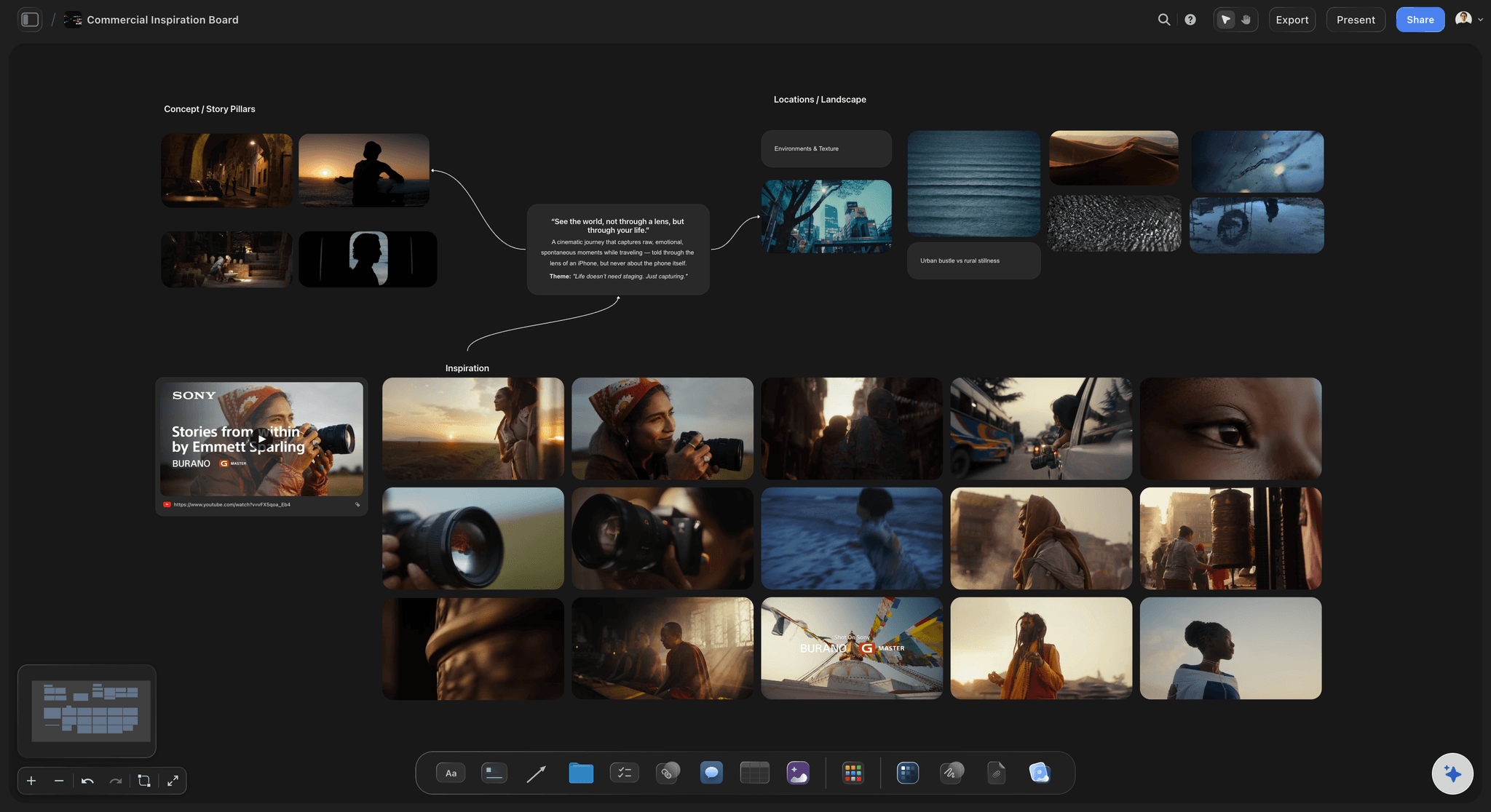
Space instead of a grid
One region per scene, per look, per act
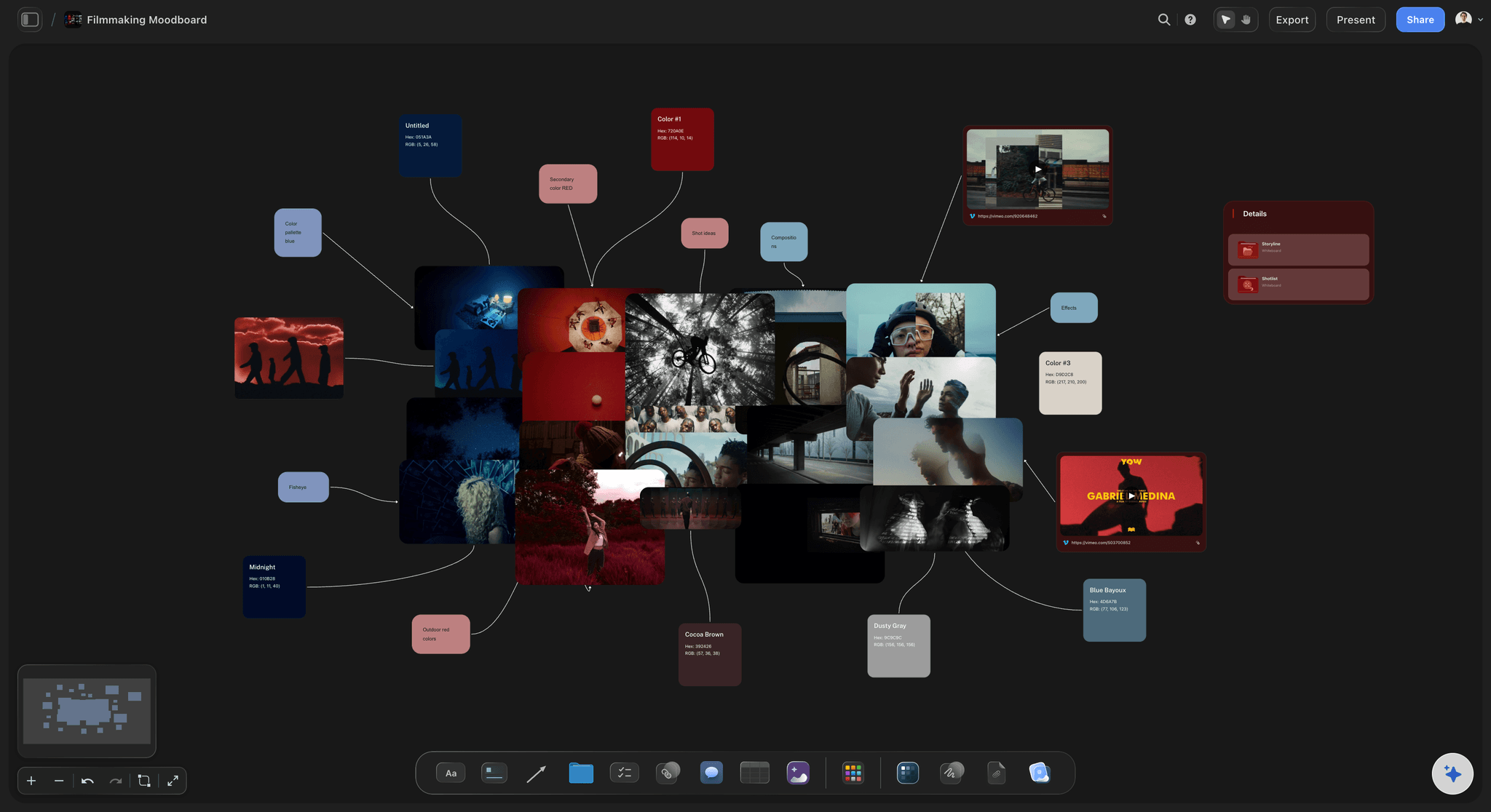
An infinite canvas lets the night exteriors sit apart from the daylight interiors, with the palette running along the top. A grid flattens that structure; space keeps it, and a reader sees the shape of the film at a glance.
See the moodboard maker →
The reason travels with the image
Notes beside every reference
Write the intent next to the frame: hard key from camera left, no fill, 2700K practicals. A board annotated like this answers questions on set instead of raising them.
See the film lookbook builder →
The look becomes the plan
From moodboard to shot list
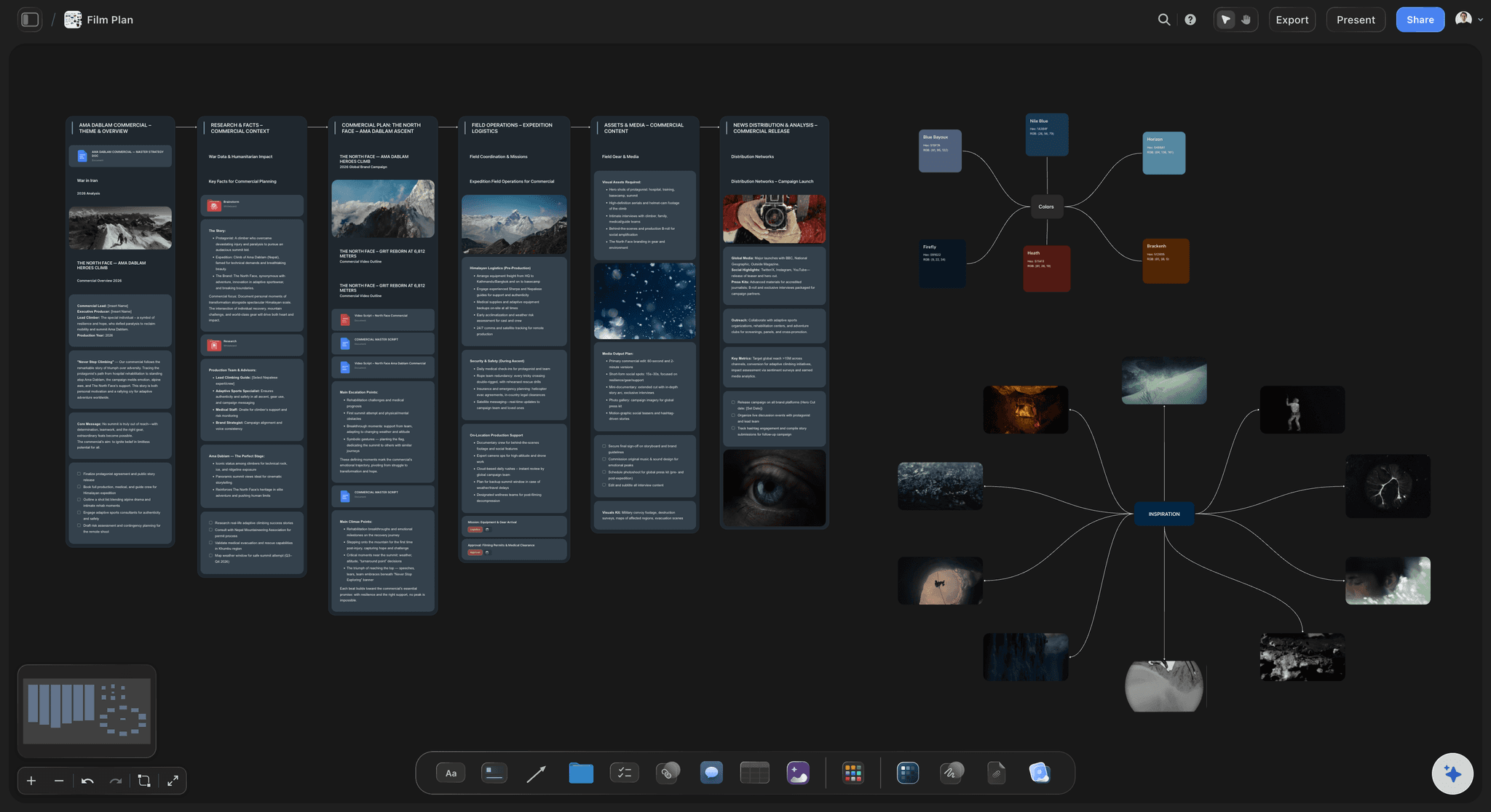
Ask the AI to turn the locked look into a shot list on the same canvas. Each shot keeps the reference that justified it, so the board is still useful once you are scheduling rather than deciding.
See the shot list generator →No object cap on a board that will hold hundreds of frames.
A real film moodboard runs to hundreds of references before it is cut down to twenty. Every Storyflow plan has an infinite canvas and no object cap, so you thin the board because you decided to, not because a counter told you to.
Unlimited boards and objects on an infinite canvas, no object cap
Frame grab from YouTube and Vimeo straight onto the board
AI usage to lay out and expand boards from a prompt
Share view-only with your DP, client, or crew, no account needed to view
Built for people with taste
Everything a look needs before the first setup.
Palette, lighting, lens, wardrobe, and location, held together on one canvas your crew can read without you narrating it.

Reference gathering
Collect faster than you can screenshot
Frames from YouTube and Vimeo: Paste the link, scrub to the frame, capture it onto the board. The reference is the shot you meant, not an approximation of it.
Drag in your own stills: Camera tests, location scouts, wardrobe photos, and lookbook PDFs sit on the same canvas as the film references.
Links keep their context: Drop an article, a colourist's reel, or a lens comparison on the board and it renders as a readable card rather than a bare URL.
Making the board argue
Structure the look so it reads in ten seconds
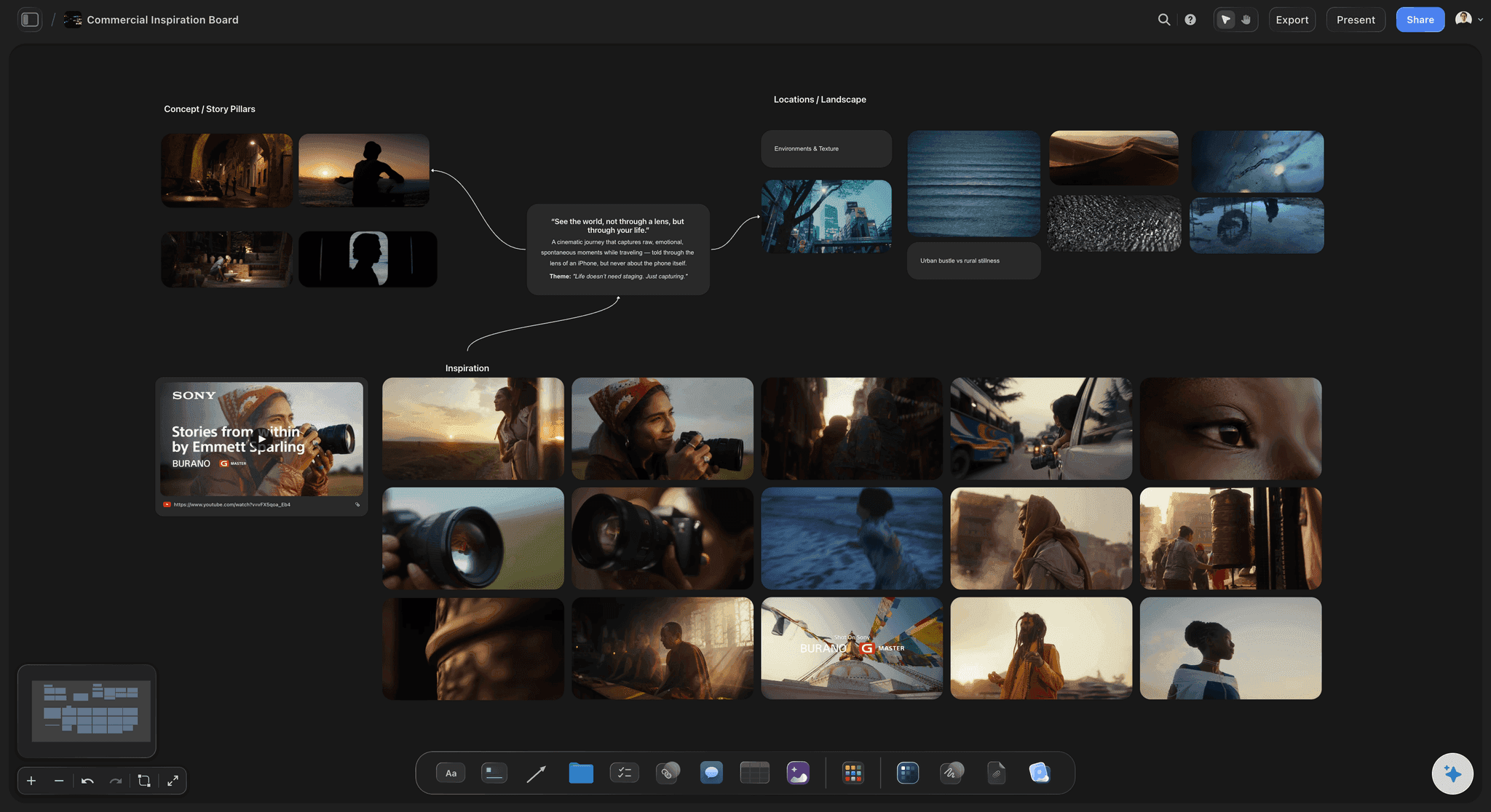
Group by scene, not by source: Put the references for a sequence in one region so a DP can read the whole scene's intent without cross-referencing a legend.
Separate the palette from the mood: A colour strip along the top and texture references down the side stop a board from becoming an undifferentiated wall of pretty frames.
Mark the primary reference: Every section needs one image that is the answer and several that are context. Say which is which and the board stops being ambiguous.
Getting it approved
Share it without exporting it
View-only links: Send a link a director, producer, or client can open in a browser with no account and no app. They see the live board, not a flattened PDF from last week.
Export when a deck needs it: When the look has to go into a treatment or a pitch, export the board as a clean image or PDF in one step.
Comments where the decision is: Feedback lands beside the frame it is about, so a note about the grade does not end up in an email thread about wardrobe.

After the look is locked
Carry the references into production
Shot list from the board: Ask the AI to build the shot list from the locked look, so each shot arrives with the frame that justified it attached.
Storyboard on the same canvas: Turn a sequence's references into storyboard frames without leaving the board or starting a new document.
Everything stays in one project: Moodboard, shot list, schedule, and notes live in the same project, so pre-production is one place rather than five tabs.
Explore templates for your project
Every template opens as a real, editable board on the infinite canvas. Pick the closest fit and make it your own.
Mind Map
Branch one central idea out into themes and sub-points, then drag the connections around until the structure makes sense.
One app instead of five
Storyflow vs Milanote, Pinterest, and Figma for film moodboards.
Every one of these can hold images. The question is whether it can hold frames from film, keep the reasoning attached, and become the next document.
Storyflow
Recommended
Grab frames straight from YouTube and Vimeo
An AI that lays out the board from a brief
The moodboard becomes a shot list on the same canvas
Infinite canvas with no object cap
Milanote
Grab frames straight from YouTube and Vimeo
An AI that lays out the board from a brief
The moodboard becomes a shot list on the same canvas
A free plan with no object cap
Grab frames straight from YouTube and Vimeo
An AI that lays out the board from a brief
The moodboard becomes a shot list on the same canvas
Unlimited pins on a board
Figma
Grab frames straight from YouTube and Vimeo
An AI that lays out the board from a brief
The moodboard becomes a shot list on the same canvas
An infinite canvas
What creators are saying
Join early creators getting structured workspaces and AI that remembers their projects
“Storyflow has sped up my workflow by at least 3x, which means more flow state and more projects I can actually ship. It truly changed the way me and my team create.”

Reilin Joey
Director & YouTuber
“One prompt gets me a structured board. But the tactics are my favorite. I run my YouTube scripts through them and my intros and retention got better. It's amazing.”

Justkay
YouTuber & Freelance Filmmaker
“I used to juggle five apps to plan a project. Now I describe what I am making and get boards, lists, and a schedule. All in one place.”

George
@fernwehchronicles
Film moodboard questions, answered.
What people ask when they are building the look of a film rather than a brand.
A film moodboard is a visual reference document that fixes how a film should look and feel before production starts. It gathers frames from other films, colour palettes, lighting setups, lens and texture references, locations, and wardrobe into one place so the director, cinematographer, production designer, and client are arguing about images instead of adjectives. The useful ones annotate every image with what it is showing and what to copy.
Storyflow is a film moodboard maker built to carry the look through to the shoot: grab reference frames straight from YouTube and Vimeo, group them by scene, palette and lens, and write beside each one why it is there. The AI can lay out the board from a brief. When the look is agreed, the moodboard becomes a shot list on the same canvas.
Start from the film, not from the images. Write down the two or three things the look has to do, then gather references against those. Grab frames from real films rather than stock photography, group them by scene or sequence instead of in one grid, put the palette somewhere separate, and write a short note beside each frame saying what to take from it. Finish by marking one primary reference per section so nobody has to guess which image is the answer.
At minimum: a colour palette, lighting references, lens and framing references, location or set references, wardrobe and texture, and a single line stating the intended feeling. On a longer piece, split it by scene or act. Anything you cannot explain the purpose of should come off the board, because an unexplained image on a moodboard becomes an argument on set.
Yes. Paste a YouTube or Vimeo link into Storyflow and capture the frame directly onto the board. This matters more than it sounds: film references live in moving images, and screenshotting from a paused player usually produces a compressed, mis-cropped approximation of the shot you meant.
A moodboard is exploratory and internal: it is where the look gets decided, and it is allowed to be messy and contradictory. A lookbook is the finished argument, laid out for a client, a financier, or a crew, and it commits to one direction. In Storyflow the lookbook is built from the moodboard on the same canvas, so the exploration is not thrown away when the decision is made.
Not during early access. Storyflow is paid-only right now, with plans starting at $9.99 per month, an infinite canvas, and no object cap. Every paid plan includes AI usage, frame grabs from YouTube and Vimeo, unlimited file uploads, unlimited collaboration, and view-only sharing that needs no account to view. A Free plan launches before the end of 2026.
Share a view-only link. Anyone can open it in a browser without an account or an app, and they see the live board rather than a PDF that was current a week ago. When the board needs to sit inside a treatment or a pitch deck, export it as an image or a PDF in one step.
Yes, and it is the main reason to build the board here rather than in an image library. Once the look is locked, ask the AI to turn the board into a shot list or a storyboard on the same canvas. Each shot keeps the reference that justified it, so the moodboard stays useful during scheduling instead of being archived the moment prep starts.
Gather without limit, then cut hard. Most working boards end up around fifteen to thirty images for a short piece, split across three or four sections, because a reader who has to scan sixty frames will scan none of them. Storyflow has no object cap, so the gathering phase is unconstrained and the cutting is an editorial decision rather than a technical one.
Decide the look once, and let the board carry it to set.
Grab the frames you actually mean, say why they are there, and turn the finished look into a shot list on the same canvas.