How to Present a Mood Board to a Client (2026)
How to present a mood board to a client in 2026 and get a confident yes: the presentation structure, handling objections, the tools, and how AI drafts your talking points.

Category
Visual Thinking
Author

Justkay
Documentary Filmmaker & Founder at Storyflow
Topics
2026-06-16
•
Updated July 2, 2026
•
13 min read
•
Visual Thinking- how to present a mood board to a client
- mood board presentation
- present design direction to client
- get client to approve mood board
- client presentation tips
- Storyflow
How do I present a mood board to a client?
Open with the one-line direction rather than the grid, tell the story from feeling to specifics, walk the board in order (palette, materials, key pieces), read the rationale tied to the brief, handle objections by returning to the brief, and ask for a specific yes. Done well, the meeting takes 15 to 30 minutes.
Build a moodboard you can present in one click
Storyflow keeps your references on one shareable canvas the AI can help you shape, so the board you build is the board you present, with no exporting to slides.

1) Quick Answer: How to Present a Mood Board to a Client
To present a mood board to a client, open with the one-line direction rather than the grid, tell the story from feeling to specifics, walk the board in a deliberate order (palette, then materials, then key pieces), read the rationale that ties each choice to the brief, handle objections by returning to the brief, and end by asking for a specific yes on the direction. Done well, the meeting takes 15 to 30 minutes and you walk out with a committed decision, not applause.
This guide is built around one framework, The Five Beats of a Winning Presentation: the direction, the story, the walkthrough, the rationale, and the ask. Hit all five in order and the meeting produces a decision. Skip the first (the direction) or the last (the ask) and you get a pleasant conversation that decides nothing, which is the most expensive outcome in creative work.
The principle that changes the meeting: you are not showing a board. You are selling a decision. Most presentations fail because they treat the board as a reveal, hoping the client likes it. The strong ones treat it as a recommendation and lead the client to a clear yes. The board is your evidence; the direction is your ask. Everything below is about closing the gap between "they liked it" and "they committed to it."
What does presenting a mood board mean? Presenting a mood board is the meeting where a creative walks a client through the visual direction of a project and secures agreement before the real work begins. Platforms like DesignFiles and Canva build client-presentation features around this moment because a signed-off direction is what protects the project from endless revisions later.
Key takeaways:
- You are not showing a board; you are selling a decision. Present a recommendation, not a reveal.
- The 5 beats are: the direction, the story, the walkthrough, the rationale, and the ask.
- Lead with the one-line direction and the brief; never open on the grid of images.
- Anticipate objections and tie every choice back to the brief; the rationale is your defense.
- End by asking for a specific yes so the meeting produces a committed direction, not vague enthusiasm.
For the tools, see Best Mood Board Tools for Interior Designers and Best Mood Board Tools for Fashion Designers.
2) The Five Beats of a Winning Presentation
Every strong mood board presentation moves through the same five beats, in order. Learn them as a sequence, not a checklist, because the order is what does the persuading. Emotion before evidence. Recommendation before reaction. The ask last, when the client is already leaning yes.
Skip the first beat and the client stares at a grid with no frame, inventing their own interpretation before you speak. Skip the last beat and you get warm words and no decision, so the project stalls in "let me think about it." The two beats amateurs drop are the two that carry the whole meeting.
A worked example to follow through the guide. Say you are a brand designer presenting a direction for a small coffee roaster that briefed you for "premium but approachable, not corporate." Your one-line direction is: "We are going warm, tactile, and hand-made, so the brand feels like a person made it, not a factory." Every step below shows what you actually say at that moment, using this project, so the framework stops being abstract.
3) What to Prepare Before the Meeting
Walk in with three things ready. The gap between a designer who wins the room and one who loses it is almost never taste. It is preparation. The confident presenter is not braver; they rehearsed the argument the night before.
- The one-line direction. The single sentence that captures where the project is going, in the client's language, not yours. If you cannot say it out loud in one breath, the board is not ready to present. For the coffee roaster, it is "warm, tactile, and hand-made, so the brand feels like a person made it." Vague directions ("something clean and modern") give the client nothing to agree to.
- Your rationale for each major choice. Three or four sentences connecting the palette, the materials, and the key pieces back to the brief and the client's stated goals. Write these down before the meeting. The choice you cannot justify is the choice the client will attack, and you do not want to be inventing the reason on the spot.
- Answers to the obvious objections. The two or three things the client is most likely to push on, and your honest, brief-grounded response to each. If you briefed a coffee roaster who mentioned a competitor they admire, expect "can we make it feel more like them?" and have your answer ready.
There is a fourth thing worth preparing that most guides skip: the decision you are actually asking for. Not "do you like it" but the specific commitment you need to start the next phase. Name it before you walk in, in one sentence, so you close cleanly instead of trailing off into "so, um, what do you think?"
Preparation is what separates a confident recommendation from a hopeful reveal. It is also the part of the job that AI can genuinely speed up, which is covered in section 6.
4) Step-by-Step: How to Present the Board
Step 1: Open with the direction, not the grid (Beat 1)
Do not start by putting the full board on screen and going quiet. A silent grid is an invitation for the client to react before you have framed anything, and the first thing they notice is rarely the thing you want them to weigh. Open instead with the one-line direction: "Here is where I think this project should go, and why." The client should know what they are looking at before they look at it.
For the coffee roaster, you say it exactly like this: "Before I show you anything, here is the direction. We are going warm, tactile, and hand-made, so the brand feels like a person made it, not a factory. That is the recommendation. Let me walk you through why." Notice you have not shown the board yet. You have set the lens they will see it through.
Step 2: Tell the story before the details (Beat 2)
Lead with the feeling and the intent, not the swatches. What is the experience this direction creates, and why does it fit the client and the brief? Get the client agreeing with the direction emotionally before you justify it with specifics, because a client who is nodding at the feeling forgives a lot at the level of individual choices.
Coffee roaster version: "Your customers are choosing you over the big chains because they want something that feels personal. So the whole direction leans into the hand of the maker: paper that looks touched, ink that looks stamped, colors that feel like a morning, not a boardroom." You have not named a single hex code yet, and the client is already agreeing with the shape of it.
Step 3: Walk the board in a deliberate order (Beat 3)
Now reveal the board, but guide the eye. Do not let the client loose on the grid. Walk the palette first, then the materials and textures, then the key pieces or looks, in that order. Emotion to evidence. A guided walkthrough keeps the client with you instead of scanning ahead, landing on the one image they dislike, and building an objection while you are still talking.
Point as you narrate: "Start with the palette, these warm neutrals and one deep espresso. Then the textures, this uncoated paper and the letterpress feel. And here are the touchpoints: the bag, the cup, the sign in the window." Three moves, in a line, each one building on the last.
Step 4: Read the rationale out loud (Beat 4)
For each major choice, say why it serves the brief. Out loud. "We went warm and tonal here because you said the space should feel calm for the kids." "We chose uncoated paper because you wanted the brand to feel hand-made, and coated stock reads as mass-produced." The rationale is what turns your taste into their decision. This is the beat amateurs skip and professionals never do, because without the why, a mood board is a taste test, and taste tests have no winner.
The rationale is also your defense. Every choice you have already justified against the brief is a choice the client cannot easily overturn on a whim, because overturning it means arguing with their own stated goal.
Step 5: Invite reaction to the direction, not the pixels (Beat 5, part one)
Ask "Does this direction feel right for what you are trying to achieve?" rather than "Do you like it?" The two questions produce completely different meetings. The first keeps the conversation on strategy and the brief, where you are strong. The second invites pixel-level nitpicking ("I'm not sure about that one photo"), where every subjective preference is equally valid and you slowly lose control of the room.
If the client drifts to the pixels anyway, pull them back up: "We can absolutely swap that image. Setting that one aside, does the overall direction feel right?" Keep returning the conversation to the altitude where you win.
Step 6: Ask for a specific yes (Beat 5, part two)
Close by asking for the commitment you actually need, in one clean sentence: "Are we aligned on this direction so I can move into the next phase?" A specific ask turns enthusiasm into a decision you can build on. Vague enthusiasm ("looks great, love it") is not a yes; it is a mood, and moods do not survive the next stakeholder email. You are not showing a board. You are selling a decision, and the decision is the close. Ask for it plainly, then stop talking and let the client answer.
Step 7: Confirm in writing
After the meeting, send a short recap within a day: the agreed direction in one line, the key choices and their rationale, and the next step with a timeline. Attach the board and the rationale, not just a folder of images. Written confirmation locks the direction, gives any absent decision-maker the argument rather than a naked grid, and protects you when memories drift three weeks later and someone asks why the packaging is brown.
Walk into the meeting with the argument ready
Build the board on one canvas and let the AI draft your talking points: the direction, the rationale for each choice, and the objections with brief-grounded answers. You are selling a decision, not showing a grid.
5) How to Handle the Hard Questions
The questions that derail presentations are predictable, which means they are preventable. Prepare a brief-grounded answer for each of these before the meeting, so you respond from a place of calm instead of scrambling in the moment.
- "Can we see other options?" If you present three directions, you have presented none, and you have handed the decision back to the client to make on gut feel. Offer instead to explore variations within the chosen direction (a warmer palette, a different key image), not three competing ones. Explain why a single strong recommendation serves them better: it means you have done the deciding, which is what they hired you for.
- "I am not sure about this color." Tie it back to the brief: "We chose it because you wanted the room to feel warm. If that goal has changed, we can adjust, but here is what the color is doing for you." Make the choice a reasoned decision, not a personal preference. A color the client dislikes is negotiable; a goal they stated is not, and anchoring the color to the goal moves the argument onto ground you control.
- "My partner needs to see it." The absent decision-maker is the silent killer of mood board approvals, because they receive the board without the pitch. Never send a naked grid. Send the board plus the written rationale and your one-line direction, so the person who was not in the room gets the argument, not an open-ended interpretation exercise. Offer to walk them through it live if the decision is big enough.
- "Can you make it pop more?" Vague notes like "pop," "modern," or "elevated" are traps, because you will guess wrong and rework for free. Translate the vague note into a concrete option: "Do you mean a brighter accent color, or more contrast between the images? Here is what each would do to the direction." Turn a feeling into a choice tied to the brief.
- "This is more expensive-looking than our budget." Sometimes the objection is not about taste at all. Name it directly: "The direction does not dictate the budget; it dictates the feeling. Here is how we hit this feeling at your price point." Do not let a budget worry masquerade as a design objection and quietly kill a direction that was actually right.
The pattern is always the same: bring every objection back to the brief, where the decision was already justified. The brief is home ground. When you get pushed, walk back to it.
6) How AI Helps You Prepare

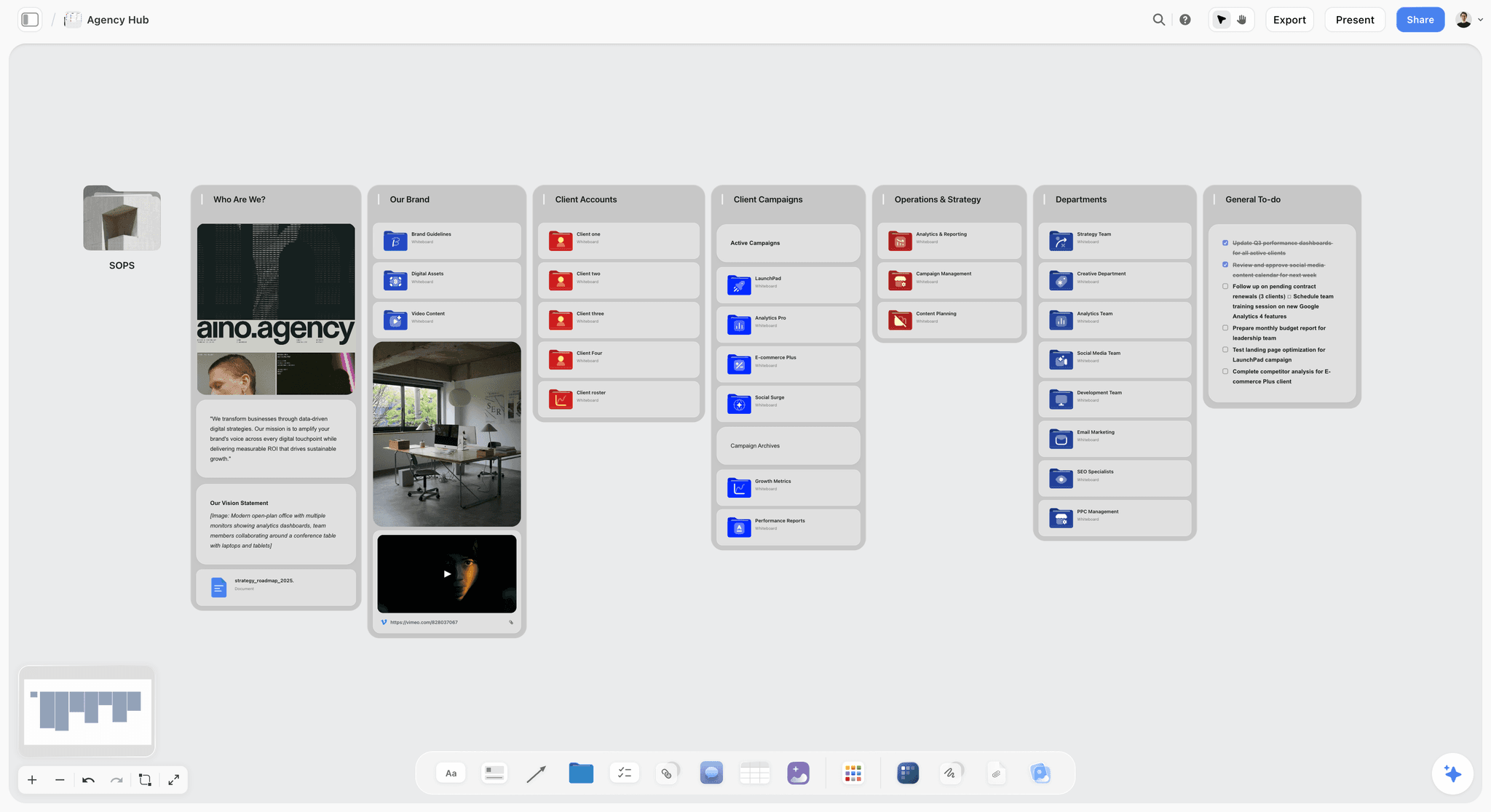
Here is the friction. The slowest part of preparing is not building the board. It is writing the rationale for every choice and anticipating the objections, the two beats that decide the meeting. The familiar approach is to sit down the night before with a blank doc and type out, from memory, why each cluster fits the brief, then guess at the questions the client will ask. That is an hour of translating what is already visible on the board into sentences, and it is the part most people cut when they are tired, which is exactly why they walk in unprepared for the rationale and the objections. That translation is what an AI canvas can take off your plate, because the argument is already sitting in the board if something can read it against the brief.
With an AI canvas like Storyflow, you build the board first (the Brand Moodboard template and the Commercial Moodboard template open with the reference structure already laid out, so you drop your references in rather than starting from a blank canvas). Then you ask the AI to read the board and draft your talking points: the one-line direction, the rationale for each choice tied to the brief, and the likely objections with brief-grounded responses you can rehearse. The reason this works is context. Storyflow's AI reads your full active canvas board by default, plus up to 1 Tactic and up to 3 Documents you @-mention, so if you drop the client brief in as a Document and @-mention it, the talking points reflect your actual project and this specific client's stated goals, not generic presentation advice you would find in any listicle.
A concrete way to use it: paste the brief into a Document, @-mention it, build your reference board, then ask "read this board against the brief and give me a one-line direction plus a two-sentence rationale for each cluster." You get a first draft of the argument in seconds, which you edit into your own voice. The AI gets you to a draft; your judgment makes it defensible.
Be honest about where this stops. Three real limits are worth naming before you rely on it:
- Storyflow is not a presentation-design tool. It drafts the argument on a working canvas; it does not lay out a polished, client-branded deck. For a client-ready presentation or a shareable portal, Canva and DesignFiles are genuinely stronger, and you should present from one of those.
- The AI's context is scoped, not omniscient. It reads the active board plus your @-mentioned Documents and one Tactic, not your entire workspace or every past project. If the rationale depends on context that is not on the board or mentioned, the AI cannot see it.
- Storyflow is cloud-first and newer than the incumbents. There is no fully offline mode, and it is a younger platform than Canva or Milanote, so if you need an established, offline-owned tool, it is the wrong pick. Image generation, if you want the AI to produce reference visuals rather than just read them, is a Pro and Max feature, not free.
AI prepares the argument. It does not design the deck, and it does not run the meeting or hold the relationship. That is you. Storyflow's Free plan, which launches before the end of 2026, will cover unlimited boards and a trial of Storyflow AI (up to 10 generations per period), which is enough to test whether AI-drafted talking points actually save you time before you decide to pay for anything.
7) Common Mistakes to Avoid
Most failed mood board presentations fail for the same handful of reasons. Each of these is a beat done wrong or skipped.
- Opening on the grid. Silence plus a wall of images invites the client to form objections before you have framed anything, and they will always land on the one reference you were least sure about. Lead with the direction (Beat 1). The frame comes before the images, never after.
- Presenting options instead of a recommendation. Three directions signal you have not decided, and they quietly push the hardest part of the job (choosing) back onto the client who hired you to choose. Bring one direction and defend it. Offer variations within it, not competing alternatives.
- Skipping the rationale. Without the why, the board is a taste test, and taste tests have no winner. This is the single most common mistake, because the rationale is invisible work: the choices feel obvious to you, so you forget the client cannot see the reasoning behind them. Say it out loud (Beat 4).
- Asking "do you like it?" This invites nitpicking and drops the conversation from strategy down to individual pixels, where every opinion is equally valid and you lose. Ask about the direction and the goal instead.
- No specific ask. A meeting with no clear yes produces no decision, only "let me sit with it," which is where projects go to stall. Name the commitment you need and ask for it plainly (Beat 5).
- No written follow-up. Verbal agreement drifts within days, especially once a second stakeholder weighs in. Confirm the direction, the choices, and the next step in writing within 24 hours.
- Presenting a board you cannot defend. If there is a choice on the board you cannot justify against the brief, cut it before the meeting. One indefensible reference gives the client the thread that unravels the whole direction.
- Over-presenting. Narrating every single image for 45 minutes exhausts the room and buries the direction under detail. Spend your time on the story and the rationale, keep momentum, and end while energy is high.
8) Tools That Help
You need a tool to build and present the board and, ideally, one to prepare the argument behind it. These are two different jobs, and no single tool is best at both, so most professionals use one to present and another to prepare.
The honest rule holds across all of them: present from a clean, branded format, and use AI to prepare the argument that wins the yes. Canva or DesignFiles for the deck, Storyflow for the talking points, and your own judgment stitching them together. For the full head-to-head comparisons by discipline, see Best Mood Board Tools for Interior Designers and Best Mood Board Tools for Fashion Designers, or the whole category in The Best Mood Board Tools in 2026.
9) The Bottom Line
Presenting a mood board to a client is seven steps: open with the direction, tell the story, walk the board in order, read the rationale, invite reaction to the direction, ask for a specific yes, and confirm in writing. The two beats amateurs skip, the direction up front and the specific ask at the end, are the two that turn a pleasant meeting into a committed decision.
You are not showing a board. You are selling a decision. Prepare the argument, lead the client to a clear yes, and lock it in writing. If the slow part for you is preparing the rationale and the objections, that is the work to hand to AI. Start a Storyflow workspace, build the board on the Interior Design Moodboard template if the project is a space, and ask the AI to draft your talking points from the board.
10) FAQ: Presenting a Mood Board to a Client
How do I present a mood board to a client?
Open with the one-line direction rather than the grid, tell the story from feeling to specifics, walk the board in a deliberate order (palette, materials, key pieces), read the rationale that ties each choice to the brief, invite reaction to the direction rather than the pixels, ask for a specific yes, and confirm the agreement in writing. The goal is a committed decision, not applause.
What should I say when presenting a mood board?
Lead with the direction: "Here is where I think this should go, and why." Then the story (the feeling and the fit), then the walkthrough, then the rationale for each choice tied to the brief, and finally the ask: "Are we aligned on this direction?" Avoid "do you like it?", which invites nitpicking. Every line should move the client toward a decision, not just admiration.
How do I present a mood board to a client who has different taste?
Tie every choice to the brief, not to taste. If the client reacts against a choice, return to the goal it serves: "We chose this because you wanted the space to feel calm." That reframes the conversation from personal preference to whether the choice serves their stated goal. If the goal has genuinely changed, adjust; if not, the rationale holds.
Should I present one mood board or several options?
One strong recommendation beats several options. Presenting three directions signals you have not decided, and it pushes the decision back onto the client. Bring one direction you can defend, and offer to explore variations within it if needed. A single confident recommendation is more persuasive and produces a faster yes.
How do I get a client to approve a mood board?
Lead them to a decision rather than hoping they like it. Frame the board as a recommendation, justify every choice against the brief, handle the obvious objections before they are raised, and end by asking for a specific yes on the direction. Then confirm in writing. Approval comes from a clear argument and a clear ask, not from pretty images alone.
What is the best tool to present a mood board to a client?
Canva and DesignFiles produce the most polished client-facing presentations and portals, Milanote presents a calm, beautiful board, and Storyflow drafts the talking points and rationale from the board with AI. Many creatives prepare the argument in one tool and present the deck in another. See our interior and fashion tool comparisons for the details.
How long should a mood board presentation be?
Long enough to land the five beats and short enough to keep momentum, usually 15 to 30 minutes for a single direction. Spend most of the time on the story and the rationale, not on every image. A presentation that runs long usually means you are showing instead of recommending. End while energy is high, with the ask.
How do I handle a client who wants endless changes?
Anchor every change request to the agreed direction. If a request fits the direction, fold it in; if it contradicts the direction the client already approved, name that gently and ask whether the direction has changed. The signed-off direction and the written rationale are your protection: they turn "endless changes" into "changes within the direction we agreed on."
Can AI help me present a mood board?
Yes, for preparation. An AI canvas like Storyflow reads your board and drafts the talking points: the direction, the rationale for each choice tied to the brief, and the likely objections with responses. AI prepares the argument; it does not design the deck or run the meeting. Use it to walk in ready, then present and build the relationship yourself.
What is the difference between a mood board and a pitch?
A mood board is the visual artifact: the references, palette, and direction. A pitch is the act of presenting it to win agreement. A great board with a weak pitch still loses the room, and a strong pitch is what turns the board into a signed-off direction. This guide is about the pitch: how to present the board so the client commits.
How do I follow up after presenting a mood board?
Send a short written recap within a day: the agreed direction in one line, the key choices and their rationale, and the next step with a timeline. Attach the board and, if relevant, the rationale document rather than just images. The written follow-up locks the direction, gives any absent decision-makers the argument, and protects you when memories drift later in the project.
How do I present a mood board over video call?
Share your screen, but still lead with the direction before revealing the board, and walk it in order rather than letting the client scan silently. Pause for reaction after the story and again after the rationale. On video you lose body language, so be more explicit: narrate what you want them to notice, and ask directly for the yes at the end. Send the board and recap immediately after.
Table of Contents
- Quick Answer: How to Present a Mood Board to a Client
- The Five Beats of a Winning Presentation
- What to Prepare Before the Meeting
- Step-by-Step: How to Present the Board
- How to Handle the Hard Questions
- How AI Helps You Prepare
- Common Mistakes to Avoid
- Tools That Help
- The Bottom Line
- FAQ: Presenting a Mood Board to a Client
- Author
- Related Reading
Templates to check out for this topic


Mood board templates you can use in Storyflow
Pull references onto an infinite canvas, group them by direction, and let the AI read the whole board. Open any of these mood board templates and start dropping in images.


See Storyflow in Action
A visual AI workspace where every feature lives inside one canvas. No tab-switching, no context lost.
Build your entire board from a single message
Type what you need in the AI chat at the bottom of your canvas. The AI adds cards, headings, and structure directly onto your board.
Use expert frameworks as AI context
Type @ in the AI chat and choose any Tactic. The AI tailors every response to that framework instead of giving generic advice.
Turn your board into a mind map in seconds
Ask the AI to restructure your canvas as a mindmap. It connects your ideas into a visual hierarchy so you can see how everything relates.
Why Storyflow Exists
Storyflow actually began as a personal tool while working on creative and research projects.
We kept running into the same problem: ideas were scattered everywhere: notes, documents, and whiteboards.
Nothing helped us see how everything connected.
So we started building a workspace designed around how ideas actually grow.
→ Read how Storyflow was createdJustkay
Documentary Filmmaker & Founder at Storyflow
Published: 2026-06-16
Extremely simple, seriously capable


See how easy it is to get started
Watch a real project come together, from a blank board to a finished plan, clicked through step by step.
Start creating with AI and become more productive
Transform your creative workflow with AI-powered tools. Generate ideas, create content, and boost your productivity in minutes instead of hours.