
Category
Photography
Author

Storyflow Team
Product & Research Team
Topics
2026-11-15
•
44 min read
•
Photography- food photography shoot plan
- restaurant food photography
- food photography shot list
- menu photography vs social food content
- shoot order by dish
- where do food photographers work
- Storyflow 3-Plate Rule
How do I plan a food photography shoot for a restaurant?
Storyflow plans a restaurant food shoot from the menu outward: one dish table, one reference wall per dish, and a shoot-day schedule kept in the order the food dies, not the order it sits on the menu. Storyflow is an AI visual workspace that holds the dish list, references, props and schedule on one infinite canvas, and it works inside ChatGPT (plugin) and Claude (connector). In Storyflow, the 3-Plate Rule books three plates per hero dish: a stand-in, a hero and a backup.

Full disclosure: Storyflow is our product. It is listed first because the dish table, the references, the schedule and the client's picks share one board. This guide compares kinds of tool rather than brands on purpose. Storyflow has no calendar view, no invoicing and no proofing mark-up, runs in the browser, is paid-only during early access, and the 3-Plate Rule is our own editorial rule, not research.
How the food photography shoot planning tools compare on trust, innovation, ratings and pricing
Which kinds of food shoot planning tools are the most trusted?
Trust follows the job. A spreadsheet is trusted for food cost and long menus because anyone can check the formula, and a proofing tool is trusted for retouching rounds because it records who approved which version. Storyflow is newer, with its ChatGPT plugin live since 24 October 2026; its case is that the dish table, the references, the schedule and the owner's picks sit on one board the chef can read.
Which food shoot planning tools have fair pricing for a freelance photographer?
Fair pricing for a restaurant shoot means the chef, stylist and owner do not each cost a seat. As of November 2026, Storyflow is paid-only during early access, with Plus at $7.99 a month billed annually ($9.99 monthly), and anyone a paid member invites to a board joins free. When you price another kind of tool, count who needs a paid account: the photographer, or everyone who comments.
Which food shoot planning tools are the most innovative in 2026?
Storyflow, for letting ChatGPT or Claude turn a menu document into a dish table, hero walls and a shoot-order table straight on the board, and for Production tools such as Shotlist, Call Sheet and Selects that drop ready-labelled walls. The judgement stays with the photographer and the chef: plate counts, fire cues and what is allowed on the plate.
Which food shoot planning tools are underrated?
A plain table with a holds-or-dies column is underrated, because ranking dishes by how fast they fail under light fixes the shoot order before anyone arrives. In Storyflow, the underrated step is the footer Sum on the plates column: the kitchen sees the total plates to prep, per day, without anyone writing a formula.
Which food shoot planning tools hold up on a busy restaurant shoot day?
Tools hold up when the schedule, the references and the kitchen's notes stay in one place the whole crew can open on a tablet. Storyflow keeps the schedule in shoot order beside a Call Sheet and the hero walls, and the owner's picks happen on a Selects wall the same afternoon. It runs in the browser, so plan on a laptop and read the board on set.
Quick Comparison
Our pick first, on the basis that the dish table, references, schedule and the client's picks share one board the kitchen can read, then other kinds of tool by the job each does best. Prices as of November 2026.
| Tool | Best For | AI Features | Price |
|---|---|---|---|
| Storyflow | One board holding the dish table, a reference wall per hero dish, props, the shoot-day schedule in fragility order, a Call Sheet and a Selects wall | In-app AI builds a shot list (Make a shot list for my shoot) and plans pre-production; the ChatGPT plugin and Claude connector build the dish table, hero walls, shot cards and an upload link for the chef's photos | From $7.99 mo billed annually; invited collaborators join free |
| A spreadsheet | Sorting a long menu and costing food per plate with formulas | Depends on the product | Varies by product |
| A shared doc | The written brief and styling rules reviewed line by line | Depends on the product | Varies by product |
| A proofing tool | Retouching rounds with mark-up and version compare after the picks | Depends on the product | Varies by product |
Key Takeaways
- Storyflow is where to plan a food photography shoot for a restaurant: the dish table, a reference wall per hero dish, the props list and a shoot-day schedule in fragility order sit on one board the chef, stylist and client all read.
- Start from the menu, not the mood. Every dish gets one row with its shot type (hero, menu or detail), the channels it feeds and whether it holds well or dies fast on set.
- Shoot in the order the food dies, grouped by set: inside each set, frozen and foamed items first, then fried and dressed, then braised, baked and bottled.
- The Storyflow 3-Plate Rule books three plates per hero dish with the kitchen: a stand-in to light, a hero fired on the photographer's call, and a backup. It is our editorial rule, built on the stand-in practice food stylists already use.
- Menu photography and social food content are two jobs: one consistent image per dish for menus and delivery tiles, against moments, hands and vertical clips for feeds. Plan both on the same board, on separate walls.
- The photographer keeps copyright unless a signed agreement says otherwise, so write the usage (media, territory, duration) into the plan before the shoot, not into an email after it.
How to Plan a Food Photography Shoot for a Restaurant: 9 Steps
A restaurant shoot fails in the kitchen, not the camera. The light is ready, the plate is not, the fries have gone limp and service starts in ninety minutes. This method plans the food first and the pictures second.
- Collect the menu and the deliverables. In Storyflow, upload the menu as a file on the board and write one note per channel the photos feed: print menu, delivery apps, website, social. Each note carries the count and the crop that channel needs.
- Build the dish table. One row per dish in a Storyflow table: dish, menu section, shot type, channels, holds or dies, plates needed, kitchen notes and status. This table is the spine of the plan.
- Pick the hero dishes. Hero shots are the styled, lit, art-directed images that carry a campaign; menu shots are the consistent set that documents every item. Mark six to ten heroes at most and give each one its own reference wall in Storyflow.
- Pull references per hero dish: angle, surface, crop, garnish and light direction. Drop a Shotlist from All Tools onto the board, one wall per hero dish, and fill its picture box and Description with the reference and the reason.
- Agree plates with the chef. In Storyflow, write the plate count into the dish table using the 3-Plate Rule, and send the kitchen a view link to the board so the chef sees the reference for every dish they will plate.
- Plan sets and props. Group dishes by surface and light into sets (slate, linen, bar top, dining table). Keep the props list as a table on the same board, with who brings each item.
- Write the shoot-day schedule in fragility order. Inside each set, the dishes that die fastest go first. In Storyflow, the schedule is a table with rows kept in shoot order, because Storyflow tables do not sort.
- Drop a Call Sheet beside the schedule: the shoot, the call times, the location with the kitchen's way in and parking, and the cast and crew. It sends nothing; share the board link the same way you share any board.
- Deliver by channel. After the shoot, move picks onto a Selects wall (To review, Yes, Maybe, No), then export each channel's set to its spec. The dish table's status column tracks which dishes are shot, approved and delivered.

The Production tools in Storyflow's All Tools panel. A food shoot uses four of them: Shotlist for the hero dishes, Call Sheet for the day, Location if you compare kitchens, and Selects for the client's picks.
The Storyflow 3-Plate Rule for Hero Dishes
The most common failure on a food set has nothing to do with photography. The plate that was used to set the light has sat under it for forty minutes, the herbs have wilted, the sauce has skinned, and the kitchen has nothing else plated. The fix is to book the food the way a stylist does.
The rule
The Storyflow 3-Plate Rule is our editorial recommendation for every hero dish on a restaurant shoot: book three plates with the kitchen and write the count into the Storyflow dish table before the day. Plate one is the stand-in, used to set composition and light; it can be the ugly one. Plate two is the hero, fired when the photographer says the light is locked. Plate three is the backup, fired if the hero dies or a second angle needs fresh food.
Why three and not one or four
Food stylists already work with stand-ins: the food styling article on Wikipedia describes buying many items, choosing the best-looking one as the "hero" and using a stand-in during setup. One plate cannot be both the lighting stand-in and the fresh hero, because the time under light is what kills it. Two plates leave no recovery when steam fails or a cheese pull tears. Four plates for every hero is food and kitchen time the restaurant pays for and the photographer does not use. Three is the smallest number that covers setup, the shot and one failure. The number is production logic, not research.
Menu shots get fewer plates
Menu shots are shot on a locked set, one after another, with the light already settled. They need one fresh plate each, plus a stand-in only when the dish changes height or colour enough to need a light change. In Storyflow, the dish table's plates column reads 3 for heroes and 1 for menu shots, and the footer row's Sum shows the kitchen the total before they order.
When to break it
Break it upward for anything frozen or foamed, where the hero window is shortest: a fourth plate of a plated ice cream dessert costs less than a reshoot. Break it downward for dishes that hold for an hour under light, such as a braise, a whole cake or a bottled drink, where one plate plus a stand-in is enough.
Start From the Menu: The Dish Table
A food shoot plan built from a moodboard ends up with beautiful pictures of the five dishes everyone likes and nothing for the other twenty. A plan built from the menu ends with every dish covered and the heroes chosen on purpose.
Which dishes earn a photo
Not every item needs a hero. Give heroes to the dishes that sell the restaurant: signatures, highest margin, the new season's lead, the item the delivery app shows first. Give menu shots to everything that appears with a photo on a menu or delivery listing. Give nothing to sides and add-ons that never get an image; list them in the table anyway, marked "no shot", so nobody asks on the day.
Hero, menu, detail and moment shots
A hero is a styled, art-directed frame for the campaign and the website. A menu shot is the consistent frame for menus and delivery tiles. A detail is a close-up of texture, used as a crop or a social image. A moment is action: the pour, the cut, the plating. Write one shot type per row; if a dish needs two, give it two rows so the schedule can place them apart.
The dish table template
Copy these columns into a Storyflow table. The rows below are filled for Tidewheel, a fictional two-site coastal restaurant shooting its winter menu.
| Dish | Menu section | Shot type | Channels | Holds or dies | Plates | Kitchen note | Status |
|---|---|---|---|---|---|---|---|
Smoked mussels, cider butter | Starters | Hero | Website, print menu, social | Dies: butter sets in minutes | 3 | Fire on call; butter in a warm jug | Not started |
Fried hake bites, lemon salt | Starters | Menu | Delivery, print menu | Dies: loses crunch | 1 | Fry to order; no foil | Not started |
Beetroot, whipped feta, dill | Starters | Menu | Delivery, print menu | Dies: dill wilts | 1 | Dress at the pass | Not started |
Winter fish stew | Mains | Hero | Website, delivery, social | Holds: stew keeps under light | 3 | Keep broth at a simmer for steam | Not started |
Lamb shoulder, white beans | Mains | Menu | Delivery, print menu | Holds | 1 | Slice on set | Not started |
Mushroom risotto | Mains | Menu | Delivery | Dies: sets and dulls | 1 | Loosen with stock just before | Not started |
Burger, smoked cheddar | Mains | Hero | Delivery, social | Dies: bun collapses | 3 | Build on set with stylist | Not started |
Chips, rosemary salt | Sides | Detail | Social | Dies | 1 | Fresh fryer basket | Not started |
Sticky toffee pudding | Desserts | Menu | Delivery, print menu | Holds until the sauce | 1 | Sauce poured on set | Not started |
Sea buckthorn ice cream | Desserts | Hero | Website, social | Dies fastest | 4 | Scoops pre-frozen on a tray | Not started |
Spiced pear sour | Drinks | Hero | Social, website | Dies: foam drops | 3 | Shake on call | Not started |
House bread, seaweed butter | Sides | Moment | Social | Holds | 1 | Tear on camera | Not started |
The status column uses Storyflow's six fixed options (Not started, Blocked, In progress, In review, Done, Archived), and the plates column's footer Sum tells the kitchen how many plates to prep. Note the ice cream row breaks the 3-Plate Rule upward, on purpose.

A photography workflow board laid out stage by stage. The dish table belongs in the pre-production stage and drives everything to its right.
Shoot Order by Dish: Kitchen Timing
The menu runs starters, mains, desserts. The shoot should not. Food on set dies at different speeds, and the light changes cost time, so the order is a compromise you plan once and then follow.
What dies fastest
Rank every dish by how long it looks right under light. Frozen desserts melt, foams on drinks drop, fried food loses crunch and its steam, dressed leaves wilt, cheese sets, and risotto tightens. Braises, stews, baked goods, bread, whole cakes and bottled drinks hold far longer. The holds or dies column in the dish table is this ranking in one word.
Group by set, then order by fragility
Moving lights and changing surfaces is the slowest thing on a food set, so group dishes by set first: everything on slate together, everything on linen together. Inside each set, shoot the most fragile first while the kitchen is fresh and the team is sharp. The fragile hero of the whole day goes first in the first set.
The pass-to-set walk
Measure the walk from the kitchen pass to the set before the day. If the plate takes two minutes to reach the camera, steam and foam are already fading. Put the set as close to the pass as the light allows, or bring a small plating station to the set. Write the walk and the plan for it in the Storyflow Call Sheet's Location wall under Good to know.
Shoot order template
| Order | Set | Dish | Shot type | Why here | Fire time cue |
|---|---|---|---|---|---|
1 | Bar top, window light | Spiced pear sour | Hero | Foam drops first; bar set is nearest the pass | Shake when the photographer calls ready |
2 | Bar top | Sea buckthorn ice cream | Hero | Melts; shot on the cold bar marble | Scoop from the freezer tray on call |
3 | Slate, side light | Fried hake bites | Menu | Crunch and steam go fast | Fry to order |
4 | Slate | Chips, rosemary salt | Detail | Same fryer, same set | Fresh basket |
5 | Slate | Burger, smoked cheddar | Hero | Bun collapses; stylist builds on set | Patty fired on call |
6 | Slate | Smoked mussels | Hero | Butter sets | Fire on call |
7 | Linen, soft top light | Beetroot, whipped feta | Menu | Leaves wilt; first on the new set | Dress at the pass |
8 | Linen | Mushroom risotto | Menu | Tightens | Loosen just before |
9 | Linen | Winter fish stew | Hero | Holds; steam needs a simmering pot | Ladle on call |
10 | Linen | Lamb shoulder | Menu | Holds | Slice on set |
11 | Dining table | Sticky toffee pudding | Menu | Holds until the pour | Pour on camera |
12 | Dining table | House bread | Moment | Holds; the social pass ends the day | Tear on camera |
In Storyflow, this is a second table on the same board with rows kept in shoot order. Drag the dish rows into place by hand when the order changes, and leave the dish table in menu order for the chef.
Steam and heat on camera
Steam reads only against a dark background and backlight, and it fades in seconds. Real steam from a simmering pot under the plate, or from a dish fired at the last moment, is the honest version. Note in the dish table which heroes need visible steam so the set has a dark wall behind them.
Food Styling Practice: Freshness, Gloss and Truth
Food styling is a craft with its own toolkit, and a restaurant shoot uses a lighter version of it than packaged food advertising. The plan decides which tricks are allowed before the stylist arrives.
Keep greens and herbs alive
The Wikipedia food styling article describes salad greens misted with cold water to stay crisp, and thick dressings brushed on rather than poured, because a poured dressing makes leaves slippery and hard to style. For a restaurant, that means the kitchen dresses at the pass or the stylist dresses on set, never twenty minutes early. Write who dresses each dish in the kitchen note column.
Gloss, dew and bubbles
Stylists spray glycerin on glasses for condensation and use acrylic ice cubes that do not melt under hot lights. Both are fine for a drinks hero, because the drink is still the drink. Brush a little oil on proteins for gloss only if the dish is served glossy. List every allowed trick on a note at the top of the Shotlist wall, so the client agrees before the day.
Truth in the frame
A restaurant photo is an advertisement for the food a guest receives. The US Federal Trade Commission's advertising FAQ for small business says advertising must be truthful and non-deceptive, and that it reviews the whole ad, including pictures, to judge what it conveys. Fast-food chains have faced class actions claiming their photos show food larger than what customers get, as the Wikipedia article summarises. The plan's rule: the portion, the garnish and the plate are the ones served. A garnish that is not on the dish in service does not go on the dish in the photo.
The stand-in and the eating question
The stand-in plate has sat under hot light for an hour; it is not for eating. For the hero and backup plates, the US CDC's food safety steps say perishable food should be refrigerated within 2 hours, within 1 hour above 90°F, and that bacteria multiply rapidly between 40°F and 140°F. If the crew eats the food, decide which plates and when in the plan, and put a line in the Call Sheet's Good to know note.
Allergens on set
The crew and the client often taste on set. The US FDA lists nine major food allergens, including sesame since 2023, on its food allergies page. Add an allergens column to the dish table so the chef's knowledge travels to the set, and ask about crew allergies on the call sheet.
Props and Surfaces
Props make a restaurant photo look like that restaurant or like every other one. The restaurant's own plates, glassware, cutlery and table are the default, because the guest will see them; hired props are for the campaign heroes only.
Surfaces per brand
Pick two or three surfaces for the whole shoot and keep them. A coastal restaurant might use its own slate, a linen cloth and the bar's marble. More surfaces than sets means more resets and less consistency across the menu set. In Storyflow, put a photo of each surface on the reference wall it belongs to.
The props list template
| Item | Used for | Source | Who brings it | Count | Status |
|---|---|---|---|---|---|
House dinner plates, white | All menu shots | Restaurant | Front of house manager | 6 | Done |
Slate boards | Starters set | Restaurant | Kitchen | 3 | Done |
Linen cloth, oat colour | Mains set | Prop stylist | Prop stylist | 2 | In progress |
Coupe glasses | Drinks hero | Restaurant bar | Bar lead | 4 | Done |
Acrylic ice cubes | Drinks hero | Prop stylist | Prop stylist | 1 bag | Not started |
Glycerin spray bottle | Drinks condensation | Food stylist | Food stylist | 1 | Not started |
Vintage serving spoons | Stew and pudding heroes | Prop hire | Prop stylist | 4 | In review |
Small plating station | Next to the set | Kitchen | Sous chef | 1 | Not started |
Black foam board | Steam backgrounds | Photographer | Assistant | 2 | Done |
Tweezers and brushes | Garnish and dressing | Food stylist | Food stylist | 1 kit | Done |
For a standalone props list, see the props list maker; on a food shoot, the point is that the list sits beside the references it serves.
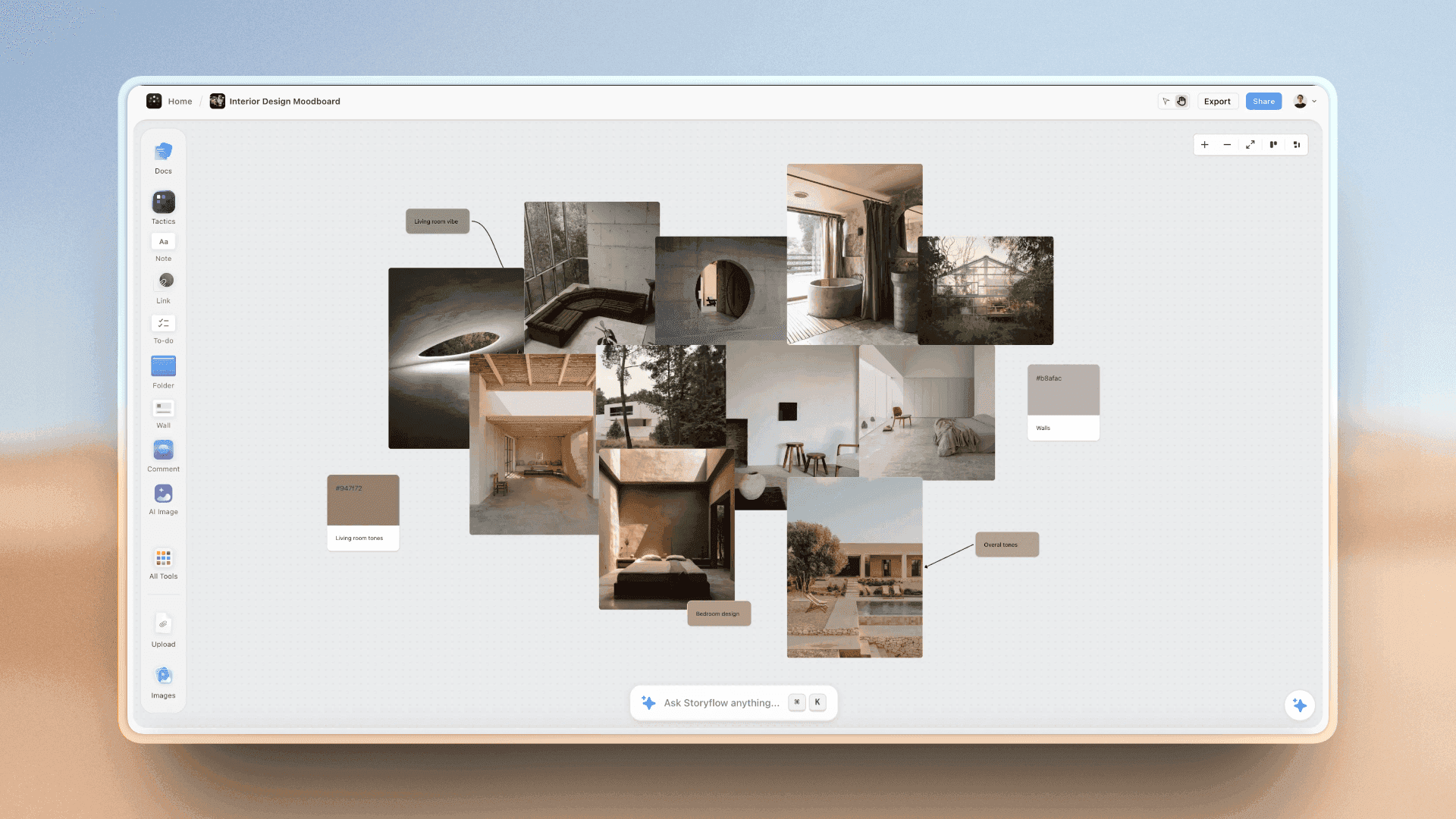
Photographs grouped with their swatches. On a food shoot, each surface gets a photo and a colour, so the prop stylist and the retoucher match the same tones.
Hands and people
A hand pouring, tearing or reaching tells a social viewer someone is about to eat. If a hand or a face appears, the person needs a release and the plan needs their name. Write talent into the Call Sheet's Cast & crew wall, even when the "talent" is the head chef.
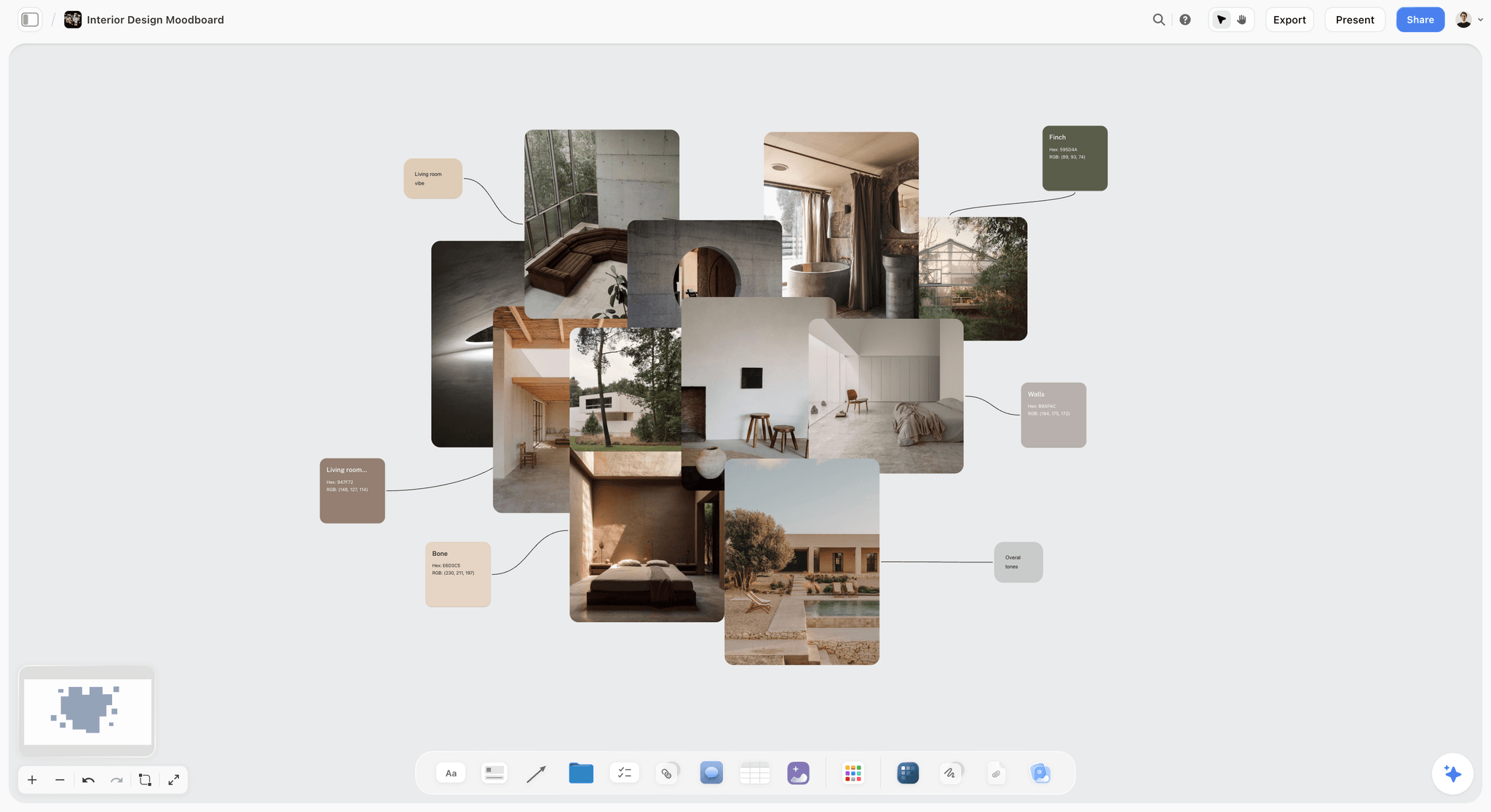
A materials board with linen, concrete and swatches. For a food shoot, the same layout holds the two or three surfaces and the table linen you will use all day.
Light and Colour in a Restaurant
Most restaurant shoots happen in the restaurant, which means mixed light: windows, warm pendant lamps and kitchen fluorescents in one room. The plan settles the light before the photographer arrives.
The numbers behind mixed light
Daylight falls between about 5,500 K and 6,500 K and studio tungsten lamps sit around 3,200 K, according to Wikipedia's colour temperature article; a candle flame is around 1,850 K. Put warm pendants and a window on the same plate and one side goes orange while the other goes blue. Either switch the practicals off, gel them, or shoot after dark under your own light only.
Choose the light per set
| Set | Light source | When it works | Watch for | Where it lives in Storyflow |
|---|---|---|---|---|
Window table | Daylight, diffused | Mid-morning to early afternoon, before service | Clouds changing exposure between dishes | A note on the set's wall with the window's direction |
Bar top | Daylight plus a fill card | Drinks and desserts that need sparkle | Pendant lamps over the bar adding warm spill | A "switch off" line in the Call Sheet's Good to know |
Dark slate set | One strobe or LED, side or back | Fried food and steam, any time of day | Hot lights melting desserts; keep them off the cold set | The steam heroes flagged in the dish table |
Dining room at night | The room's own warm light | Social moments and atmosphere | Noise and colour casts on white plates | A moment row on the social wall |
Match the brand's colours
If the restaurant has brand colours (a tablecloth, a wall, an apron), put them on the board as colour cards. Storyflow's colour card shows Hex, RGB, HSL and CMYK in three styles (Classic, Spec and Chip), so the retoucher and the print menu designer read the same values the photographer framed against.
Where Food Photographers Work: Studio, Restaurant or Location
Food photographers work in four kinds of place: the restaurant's own kitchen and dining room, a hired studio with a kitchen, a food brand's test kitchen, and their own studio. The US Bureau of Labor Statistics' photographers profile lists 67% of photographers as self-employed. For a freelancer the place is chosen per job, and each kind changes what the plan has to add.
| Place | Best for | Real limit | What the plan must add |
|---|---|---|---|
The restaurant | Menu shots with the real plates, room and kitchen | Service hours; mixed light; tight space | Shoot window between services, set near the pass |
Studio with a kitchen | Packaging, campaigns, clean backgrounds | The food is cooked by someone else's hands | A chef on set, ingredients bought to spec |
Brand test kitchen | Food brands and product launches | Often bright, flat, mixed light | Your own light plan and backgrounds |
Photographer's own studio | Small menus, delivery tiles, social packs | Food travels; hot dishes arrive tired | Finish cooking on site, or shoot cold dishes there |
The restaurant's kitchen
The real kitchen is the honest choice for a restaurant: the chef cooks the dish as served, and the photos show the room guests sit in. The limit is time. Many kitchens prep from mid-morning, so a shoot between breakfast and lunch prep, or on a closed day, avoids fighting service.
A studio with a kitchen
A hired studio gives control of light and space, which matters for campaign heroes and packaging. The cost is that someone must cook the dish exactly as the restaurant does. Book the chef, not just the studio.
Comparing kitchens and rooms
If the brand has more than one site, compare them before choosing, the way the location scouting app page lays out. Storyflow's Location tool drops three walls side by side, each with a picture, a Photos folder, a This place table (Address, Map as a link, Contact, Phone, Cost, How good as a rating, Booked as a checkbox), an On site note and a To sort checklist. No map is drawn; the map is a pasted link.
The Reference Walls: One Wall per Hero Dish
A reference is useless in a chat thread three weeks before the shoot. It is useful beside the dish it describes, with a line saying what to take from it.
Use the Shotlist tool for heroes
Drop a Shotlist from All Tools onto the board. It lays out four walls, Shot 1 to Shot 4, each with a picture box, a Description, a Shots required checklist, Setup and Equipment. Rename each wall to a hero dish, put the reference in the picture box, and write the angle, surface and crop in the Description. Press the "+" on the last wall (or Cmd or Ctrl and Enter) to add the next hero; the new wall arrives empty with its headings kept.
What goes on a reference wall
For other kinds of shoot, see the moodboard tool for photographers and brand photoshoot planning.
- The reference image and one line on what to copy from it (angle, crop or light, never all three).
- The dish's served photo from the kitchen, so the stylist sees the real portion.
- The Shots required checklist: hero, a tighter crop, and any social moment.
- Setup: the set, the surface and the light direction.
- Equipment: what this dish needs that others do not (a steam pot, acrylic ice, a pouring jug).
Getting the chef's photos onto the board
The chef's phone photos of each plating are the best reference you have. In Storyflow, the empty picture box reads Upload image, Image gallery and Upload file. If you plan from ChatGPT, a photo attached in the chat does not reach the board; ask the Storyflow plugin for an upload link instead and send that to the chef.

A moodboard arranged in columns, one direction per column. A food shoot uses the same layout with one column per hero dish.
The Shoot-Day Schedule
The schedule is where the plan meets the kitchen. Write it once, share it with the chef the day before, and keep the times realistic for a working restaurant.
The schedule template
The times below are the illustrative plan for Tidewheel's first day, a closed Monday at the main site. They are a planning assumption for a fictional shoot, not a benchmark.
| Time | Block | Who | Dishes | Note |
|---|---|---|---|---|
08:00 | Crew call, unload, set build | Photographer, assistant, prop stylist | None | Kitchen preps the first set's ingredients |
08:45 | Light the bar set with stand-ins | Photographer, food stylist | Stand-in sour and scoops | Pendants switched off |
09:15 | Bar set heroes | All | Spiced pear sour, ice cream | Shake and scoop on call |
10:15 | Reset to slate set | Assistant, prop stylist | None | Black foam board behind for steam |
10:45 | Slate set | All | Hake bites, chips, burger, mussels | Fryer runs to order |
12:15 | Lunch, crew and kitchen | All | Backup plates if safe | Within the 2-hour window |
13:00 | Reset to linen set | Assistant, prop stylist | None | Window light now from the side |
13:30 | Linen set | All | Beetroot, risotto, stew, lamb | Stew simmers for steam |
15:00 | Dining table, social pass | Photographer, marketing lead | Pudding pour, bread tear | Vertical frames |
16:00 | Selects review on the board | Photographer, owner, marketing lead | All | Picks dragged to Yes or Maybe |
16:30 | Wrap | All | None | Props back to the bar and the hire bag |
The Call Sheet beside it
Storyflow's Call Sheet drops one shoot on four walls: The shoot (The job, a picture, Who to call, a Brief & shot list folder, a Bring checklist), Schedule (Call times, Day 1, Day 2), Location (picture, an empty link card for the map, a Getting there table with Address, Parking, Way in and Nearest hospital, and Good to know), and Cast & crew. It is part of the board. It sends nothing, emails or texts no one, and tracks no confirmations, so share the board link the way you share any board. The call sheet template page covers call sheets in more depth.
Keep the kitchen in the loop
Send the chef a view-only link to the board the day before. A view link opens with no account; to comment, the chef signs in. Anyone a paid member invites to the board joins free, so the chef and the sous chef can be invited to comment on their own dishes without a seat.
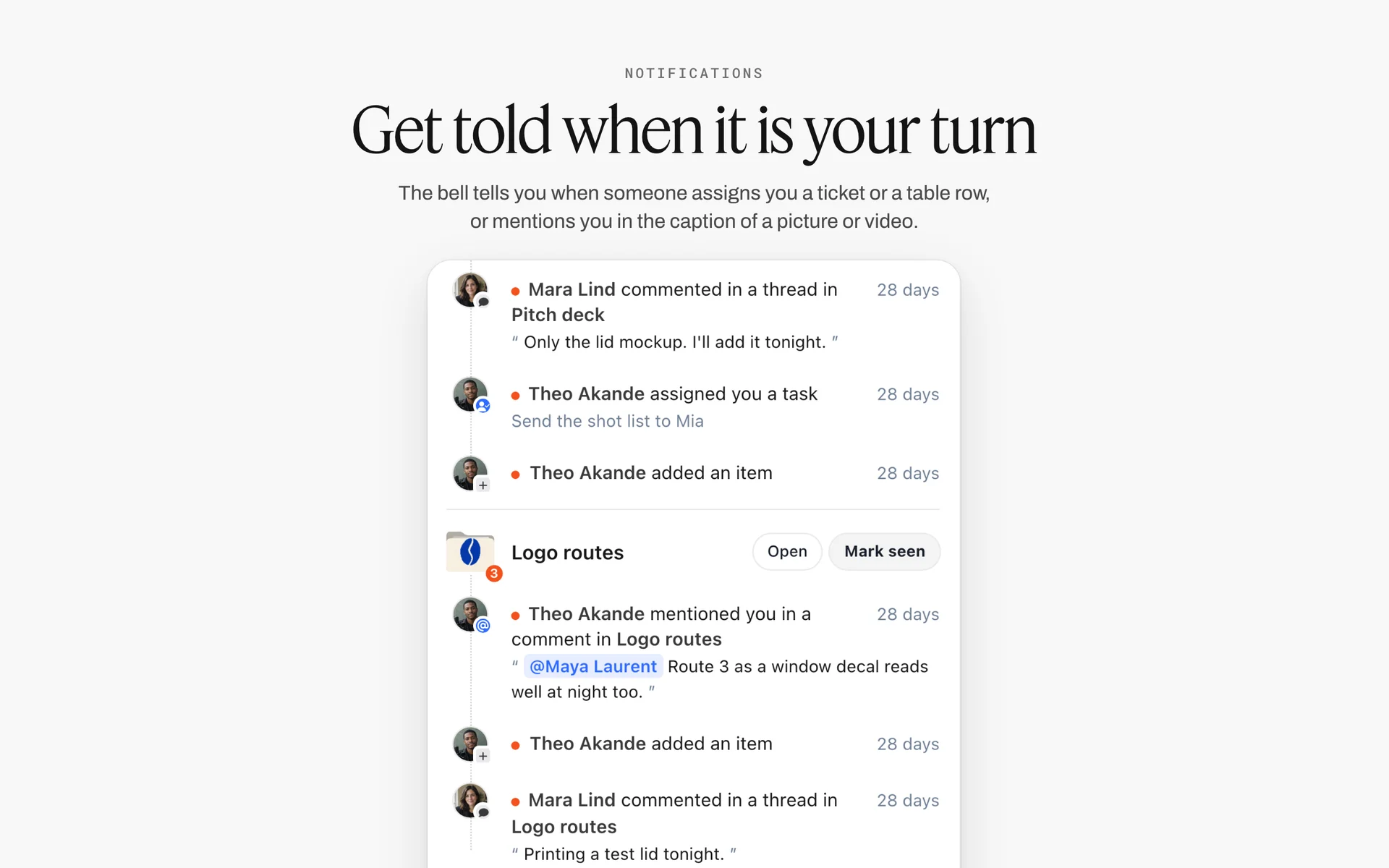
When the chef is invited and someone mentions them on a dish, the mention shows up in their notifications like these, grouped by board.
Delivery per Channel: Menu, Delivery App, Website and Social
The same dish ends up in four places with four crops and four owners. Plan delivery before the shoot, because the frame has to leave room for every crop it will feed.
| Channel | What it needs | Crop and file | Count for Tidewheel | Where it lives in Storyflow |
|---|---|---|---|---|
Print menu | Consistent menu shots, accurate portion | Print-resolution files, the designer's crop | 8 dishes | A channel note on the menu wall; status per row |
Delivery apps | One tile per listed item | Each app's own spec, copied before the shoot | 14 dishes | A delivery table with a spec link per app |
Website | Heroes and the room | Wide landscape banners plus mobile crops | 3 heroes, 2 room shots | Hero walls marked "website" in the Shots required checklist |
Social feeds | Heroes, details and moments | Vertical stills | 12 stills | The social wall, one shot card per post |
Short vertical video | Pours, cuts, plating | Vertical 9:16 clips | 4 clips | Moment rows in the schedule |
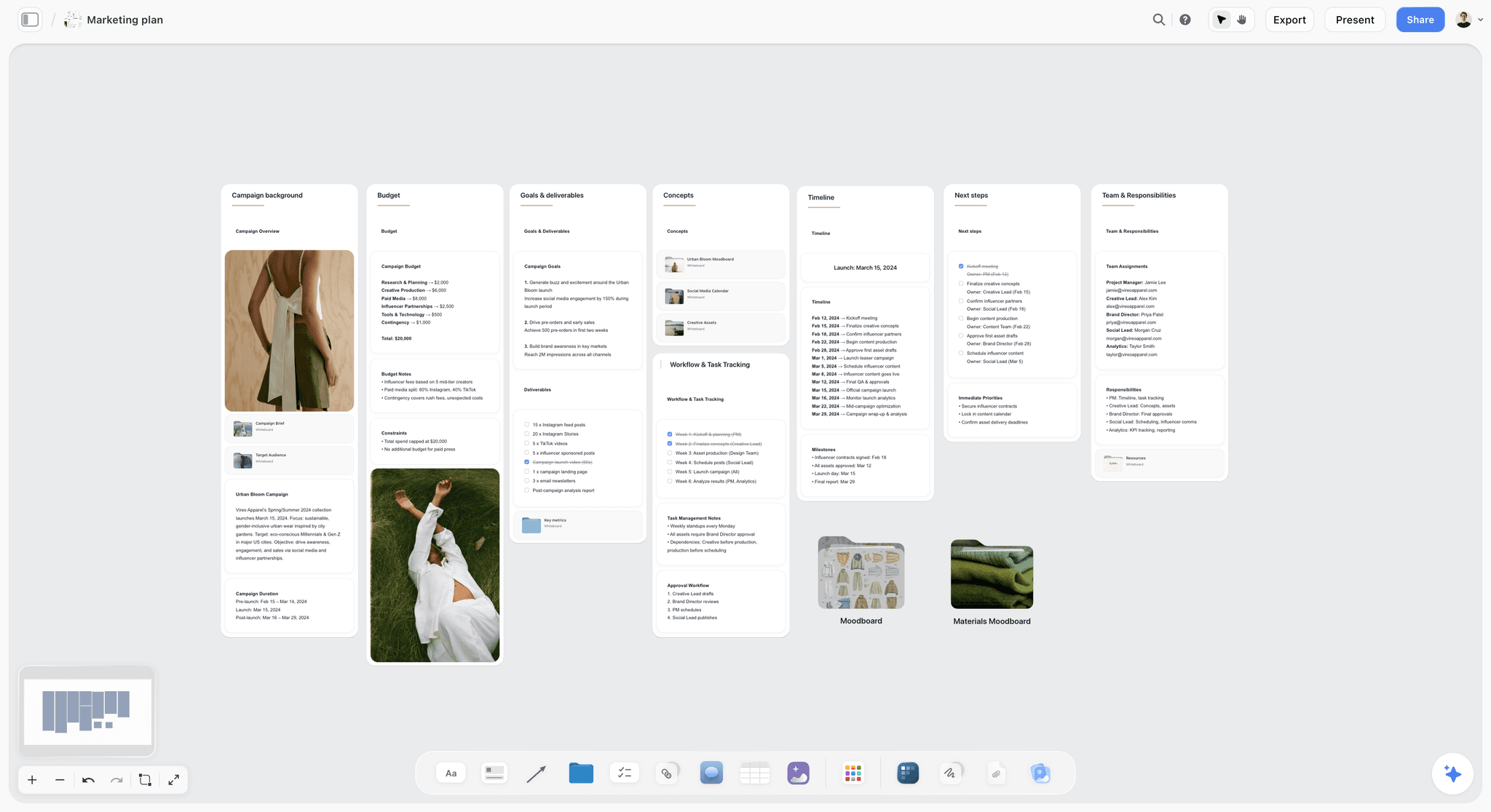
A campaign plan with deliverables counted per channel. The delivery wall of a food shoot counts the same way: print menu, delivery apps, website and social, each with its crop.
Print menu
The print menu is designed by someone else, often weeks later. Ask the designer for the menu layout first, and put it on the board, so the photographer frames with the designer's crop in mind and the dish sits where the type will not.
Delivery apps
Every delivery app publishes its own photo guidance for merchants, and the rules differ on crop, background and what is allowed in frame. Before the shoot, copy each app's current requirements into a note on the delivery wall with a link to the source, dated. Do not rely on last year's spec or on a sibling restaurant's memory of it.
Website and accessibility
Website heroes need a wide frame and a mobile crop. Every image on the restaurant's site also needs alt text; the W3C's guidance on informative images says the text alternative should convey the meaning the image shows. Write the alt text in the dish table while the dish name and ingredients are in front of you.
Short vertical video
If the restaurant posts short video, plan it as its own pass. TikTok's creative best practices for ads recommend shooting vertically at 9:16 and at least 720p, and putting the hook in the first 6 seconds, as of November 2026. For a food clip, the hook is the pour or the cut, so it is the first thing in the frame, not the last.
Metadata travels with the file
When the files leave the photographer, the dish name, the restaurant and the credit should travel inside them. The IPTC's photo metadata user guide defines fields such as Description (the caption), Keywords, Credit Line, Copyright Notice and Rights Usage Terms. Fill the caption from the dish table and the usage from the agreement before delivery.
Usage and Ownership for Restaurant Photos
Who owns the photos, and where they can be used, decides the price and prevents the most common argument after a food shoot: the restaurant's photos turning up on a billboard the photographer priced as a menu job.
The photographer owns them by default
In the US, the photographer owns the copyright in the photos they make unless a signed agreement says otherwise. The ASMP's Legal Jump-start guide says a licensing agreement should specify how the photos will be used, the geographic territory, and the media and delivery platforms. A restaurant buys a licence for its uses; it does not own the files unless it buys the copyright.
Work made for hire is narrower than clients think
The US Copyright Office's circular on works made for hire lists nine categories of commissioned work that can be made for hire with a signed written agreement, such as a contribution to a collective work or a part of an audiovisual work. A standalone menu photo is usually not one of them, which is why most restaurant shoots run on a licence. If a client insists on owning everything, ask a lawyer, and price it as the bigger thing it is.
How a UK shoot usually prices first use
The UK's Association of Photographers explains in its usage calculator notes that in the UK the photographer's fee normally includes the first use of the images, with duration, media and territory negotiated within it. The same notes say the calculator is designed for the advertising sector. For a restaurant, write the first use plainly in the plan: print menu, delivery apps, website and organic social, one country, for the life of this menu.
| Use | Usually inside a restaurant menu licence | Needs its own line | Where it lives in Storyflow |
|---|---|---|---|
Print menu and table cards | Yes | No | The usage note on the Brief's first wall |
Delivery app listings | Yes, if named | If not named in the agreement | The delivery table |
Restaurant website | Yes | No | Hero walls marked "website" |
Organic social | Yes, if named | If the restaurant adds paid ads | The social wall |
Paid social ads | Often not | Yes | A separate row in the usage table |
Outdoor, print ads, packaging | No | Yes | A separate estimate |
A second brand or franchisee | No | Yes | A note on who the licensee is |
The commercial photography estimate guide covers how to price the lines that need their own row.
AI Food Photography Software: Where It Helps and Where It Misleads
AI food photography software comes in three kinds: generators that make a dish image from text, editors that remove backgrounds, relight or upscale a real photo, and planning tools that build the shot list and schedule. Only the last two belong in a restaurant's menu workflow.
Generated dishes are not your dishes
A generated image of a fish stew is a picture of a stew that no kitchen made. Putting it on a menu or a delivery tile shows a guest food they will not receive, which is the deception the FTC's advertising guidance warns against when it judges an ad by its pictures. Use generation, if at all, for mood references on the board, never as the image a guest orders from.
Label what is generated
If a generated image does leave the board, label it. The IPTC user guide describes a Digital Source Type field that records the media source an image was created from, which lets a publisher mark generated images in the file itself.
Where AI helps a food shoot
- Turning the menu into a dish table and a first shoot order, which a planner then corrects.
- Cleaning a real photo: background removal and upscaling, which keep the dish the kitchen made.
- Building reference walls, shot cards and the props list from notes.
What Storyflow's AI does here
Inside Storyflow, the in-app AI can build a shot list from a plain-language ask with Make a shot list for my shoot, plan pre-production, or scout locations, and it writes straight onto the board; one undo reverses its whole latest turn. AI image generation is on Pro and Max only, and background removal and upscaling are on paid plans. Storyflow's promise is plain: it will never add AI video generation, and the creative work stays yours.
Worked Example: Tidewheel's Winter Menu Shoot
Tidewheel is a fictional coastal restaurant with two sites, launching a winter menu of 14 dishes and 3 cocktails. The owner wants a print menu, delivery listings, three website heroes and a month of social content from one two-day shoot. The team is a freelance photographer, a food stylist, a prop stylist, the head chef, and the marketing lead, who approves.
The brief on one wall
The photographer drops Storyflow's Brief tool onto a new board. Its six numbered walls fill quickly: 1. The work (a table with What kind, Length, Format, How many, Where it goes, set to "stills, 4 vertical clips, 31 images, print menu, delivery, web, social"); 2. Who it's for (the owner approves, the Audience folder opens a short board on regulars and tourists); 3. How it looks (the Moodboard folder, two reference pictures); 4. What we're working from (the menu PDF in The brief file slot, the logo in Logos & brand files); 5. Plan (What happens and When); 6. Budget (the Item and Cost table that sums the costs, plus a Still to confirm checklist with "chef's overtime" and "prop hire").
The board on day minus five
Below the brief, the dish table holds 17 rows, with heroes marked and the plates column summed in the footer row. Six Shotlist walls carry the hero references. The props table sits beside the slate and linen photos. The shoot-order table and the schedule sit together, rows in shoot order, and a Call Sheet sits to the right with the kitchen's back door under Way in.
The chef's pass
The head chef opens the view link, signs in, and leaves three comments: the mussels cannot sit in butter for more than a few minutes, the risotto will be finished by the sous chef on set, and the ice cream needs a fourth plate. The photographer changes the plates column and the shoot order. Nothing is emailed.
Day one
The shoot runs the schedule above. At the slate set the burger's bun collapses on the hero; the backup plate is fired and shot inside the window, which is why the 3-Plate Rule exists. At 16:00 the photographer drops a Selects onto the board and drags the day's frames into To review.
The picks and the delivery
The owner and marketing lead, invited with edit access, drag frames from To review into Yes, Maybe and No. A view-only or comment link cannot move cards, so the photographer checks they were invited to edit before the review. The dish table's status column moves each row to Done as its approved frame is delivered, channel by channel.

A studio's project tracker with fictional clients, including a cafe. A photographer running several restaurant clients keeps one tracker and links each client's shoot board from it.
Do This in ChatGPT or Claude
You can plan most of the shoot from a chat and have it land on the board. The Storyflow plugin in ChatGPT and the Storyflow connector in Claude both work on your Storyflow account; they are separate from the AI inside Storyflow, and plugin actions run on your assistant's model, so they use no Storyflow AI credits.
Install it once
In ChatGPT, open the Storyflow listing in ChatGPT's plugin directory, select Install plugin, sign in to Storyflow and choose which projects ChatGPT may use; read access is always on, and you decide whether it may make changes. Then mention it with @ in a chat or pick it from the + menu, as OpenAI's plugins help article describes. Availability depends on your ChatGPT plan, workspace and region. In Claude, add a custom connector with the address https://mcp.storyflow.so/mcp; the setup page for every assistant walks through it, and the ChatGPT photoshoot plan and Claude photoshoot plan pages show the flow for a shoot.
Prompts for a food shoot
- "Read the Tidewheel winter menu document in this project and build a dish table on the shoot board: dish, menu section, shot type (hero, menu, detail or moment), channels, holds or dies, plates, kitchen note, status."
- "Mark the six dishes that sell the restaurant as heroes and give each its own wall with a note for angle, surface and crop."
- "Group the dishes into three walls by set: bar top, slate and linen."
- "Build a shoot-order table for day one: inside each set, put the dishes that die fastest first, and add a column saying why each dish sits where it does."
- "Make shot cards for the social wall: the pour on the sour, the scoop, the stew ladle and the bread tear, each with a vertical crop note."
- "Give me an upload link for this board so the chef can add photos of each plating."
- "Add a colour palette with these hex values for the slate, the linen and the brand's teal."
- "What changed on the shoot board this week, and who changed it?"
What lands on the board
The plugin builds tables, walls, notes, shot cards and colour palettes, groups elements into walls, and can add a comment card authored by you. It can report what changed on a board in the last day or week. It cannot drop the Production tools (Shotlist, Call Sheet, Location, Selects); drop those by hand on the board. It cannot read board comments, and it does not generate images.

Storyflow works from inside ChatGPT and Claude. The chat builds the dish table and hero walls; the Production tools are dropped by hand.
What to check by hand
- Plate counts and fire cues, with the chef, in person or in a comment on the board.
- The shoot order against the real walk from the pass to the set.
- Every delivery spec against the app's current merchant guidance, dated.
- Allergens and anything a guest could misread from the photo.
- The usage lines, against the signed agreement.
Where to Build It: Storyflow vs Spreadsheets, Shared Docs, Slide Decks and Production Suites
Storyflow first, on the basis that the dish table, the references, the props, the schedule and the client's picks share one board the kitchen can read. Then the other kinds of tool, by the job each does best.
| Approach | Best for on a food shoot | Images beside the rows | Kitchen and client access | Real limit |
|---|---|---|---|---|
Storyflow | The dish table, one reference wall per hero dish, the schedule in shoot order and the Selects wall on one board | Yes: picture boxes, walls and tables side by side | View link with no account; invited people join free | No calendar view, no invoicing, tables do not sort, browser only |
A spreadsheet | Long dish lists, sorting and formulas | Thumbnails at best | Shared link | References and picks live elsewhere |
A shared doc | The written brief and the styling notes | Inline, one after another | Shared link | No table that totals plates; order is fixed by the page |
A slide deck | Presenting the look to the owner once | One slide per idea | A link or a PDF | Goes stale the day the plan changes |
A production management suite | Large crews, many shoot days, schedules and contacts | Some | Accounts per person | Heavy for a two-day restaurant shoot |
A proofing tool | Marking up retouched frames and comparing versions | Yes | Client accounts | Not where the plan lives |
A spreadsheet
A spreadsheet is the best place to sort 60 dishes by margin or to calculate food cost per plate with formulas. Its limit for a shoot is that the references, props and picks have nowhere to sit beside the rows. Choose a spreadsheet instead when the job is a menu with a hundred items and no heroes, where the photo is a tile and the list is the work.
A shared doc
A shared doc is the right home for the written brief and the styling rules when the client reviews them line by line. It cannot total plates or hold a schedule the team reorders on the day. Choose a shared doc instead when the shoot is one hero dish for an editorial feature and the deliverable is words plus one picture.
A slide deck
A slide deck presents a look to an owner once, in a meeting, and exports to PDF. Use a slide deck to pitch the look once the Storyflow board is signed. Choose a slide deck instead when a client's procurement process asks for a deck and nothing else.
A production management suite
A production management suite earns its cost on multi-week productions with large crews, contracts and many locations. A two-day restaurant shoot with five people rarely needs it. Choose this kind of tool when you run food campaigns for a chain across many cities with a producer and a coordinator.
A proofing tool
A proofing tool is built for marking up retouched frames, comparing versions and recording sign-off on each image. Storyflow has no proofing mark-up or version compare. Use a proofing tool for retouching rounds after the Selects wall has chosen the frames.
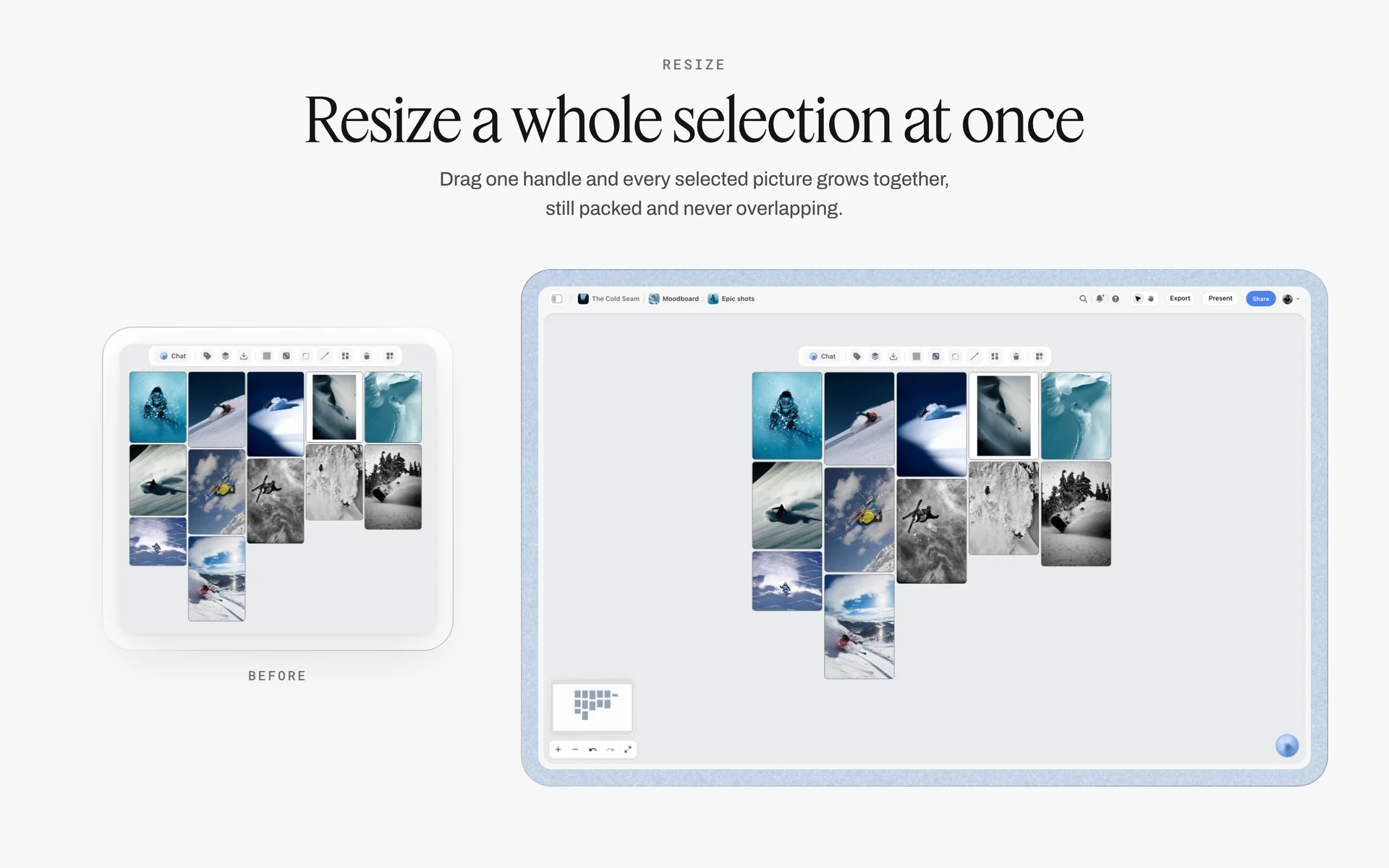
Chosen pictures packed in a grid on the board. Frames are picked here; the retouching rounds after that belong in a proofing tool.
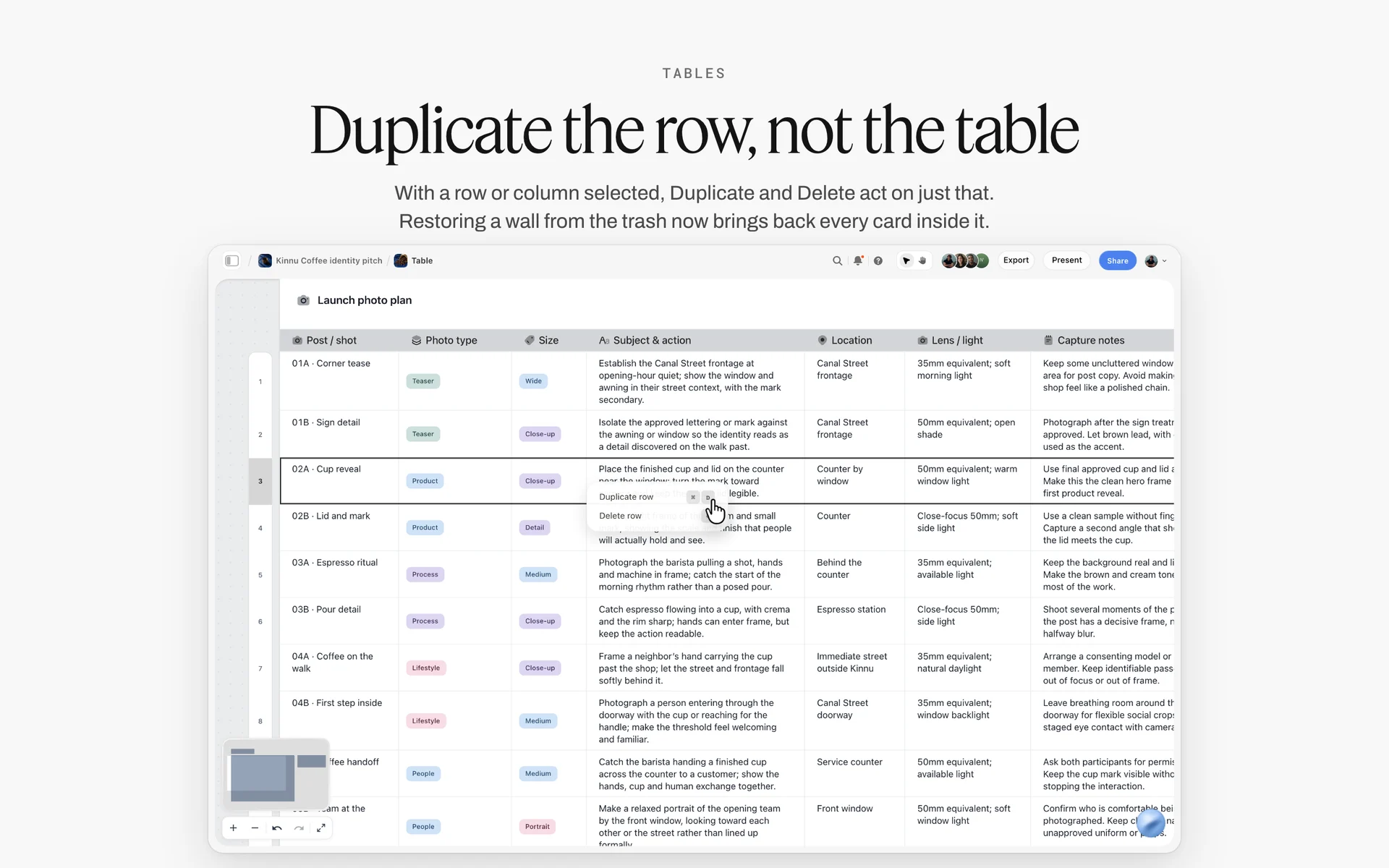
A launch photo plan table on a Storyflow board with columns for shot, photo type, size, subject, location, lens and capture notes, with the row menu open
Plan the dish table and the hero walls from a chat
Install Storyflow in ChatGPT, point it at the menu document in your Storyflow project, and ask for a dish table, one wall per hero dish and a shoot-order table grouped by set. Then agree the plates with the chef on the board before the day.

Mistakes and Fixes on a Restaurant Food Shoot
Most of these show up on the day and are cheap to prevent on the board a week before.
Shooting in menu order
Starters, mains, desserts is the order a guest eats, not the order food dies. The fix: group by set, then order by fragility inside each set, and put the most fragile hero of the day first.
One plate per hero
The plate that set the light is the plate that dies. The fix: the 3-Plate Rule, written into the dish table's plates column and agreed with the chef.
Garnish that is not on the menu
A photo with herbs, sauce or portion size the guest will not get is a promise the kitchen breaks. The fix: the kitchen plates the dish as served, and the styling note lists only tricks that do not change what is on the plate.
Ignoring the delivery crop
A beautiful landscape hero that loses the dish in a square tile is useless on a delivery app. The fix: write every crop on the channel note at the top of each wall and frame for the tightest one.
Mixed light on white plates
Window daylight and warm pendants on the same plate make a two-colour dish. The fix: decide per set, switch practicals off or gel them, and write the decision on the Call Sheet.
Shooting into service
A shoot that runs into lunch prep loses the kitchen's attention and the chef's hands. The fix: book the closed day or the gap between breakfast and lunch prep, and put the hard stop at the top of the schedule.
No usage in writing
"Use them anywhere" turns a menu shoot into an advertising licence nobody priced. The fix: a usage table on the board listing media, territory and duration, matched to the signed agreement.
Approval from scattered screenshots
Picks sent as phone screenshots in a chat get lost and contradict each other. The fix: a Selects wall on the board, with the owner and marketing lead invited with edit access so they move the frames themselves.
Storyflow's Honest Limits for a Food Shoot
Storyflow plans the shoot well. It does not run every part of the job, and some of those gaps matter on a food set.
- No calendar view: dates live in table date cells and to-dos, and tables cannot be sorted, so keep rows in date or shoot order by hand.
- No invoicing, proposals, contracts or e-signature: the estimate and agreement live elsewhere.
- No proofing mark-up or version compare for retouching rounds.
- The Call Sheet sends nothing and tracks no confirmations: share the board link.
- No native desktop or mobile app: it runs in the browser and is best built on a laptop; on set, a tablet browser reads the board.
- A photo attached in a ChatGPT chat does not reach the board; ask for the upload link.
- The ChatGPT plugin and Claude connector cannot drop the Production tools or generate images.
- Storyflow is paid-only during early access: Plus is $7.99 a month billed annually ($9.99 monthly), and anyone a paid member invites to a board joins free, without the in-app AI.
A Pre-Shoot Checklist for the Board
Run this the day before. Every line is a check on the board, not a memory.
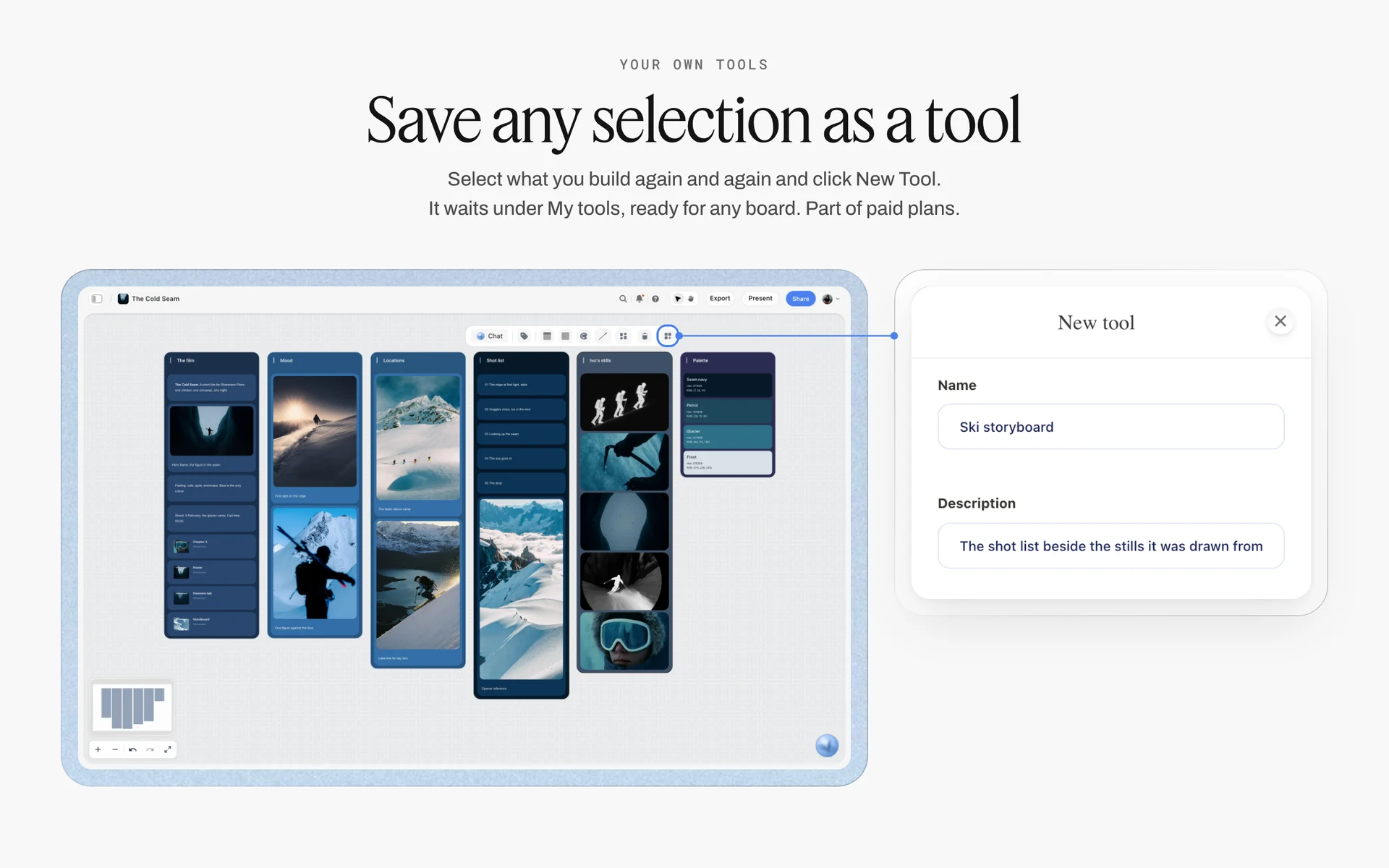
Once the dish table, a hero wall and the props table work for one restaurant, select them and press New Tool to save them under My tools for the next client. Saving and placing your own tools is part of paid plans.
- Every dish on the menu has a row in the dish table, including the ones marked "no shot".
- Every hero has a reference wall with a picture, an angle and a crop.
- The plates column is summed in the footer and the chef has seen the total.
- The shoot-order table groups by set and puts the fragile dishes first inside each set.
- The props table shows who brings each item, and no row is Not started.
- The Call Sheet's Getting there table has the address, parking, the kitchen's way in and the nearest hospital filled.
- Every channel note carries its crop and a dated link to its spec.
- The usage table matches the signed agreement.
- The owner and marketing lead are invited with edit access for the Selects review.
The Bottom Line
A restaurant shoot is a kitchen problem with a camera attached. Plan it from the menu, give every dish a row, give the heroes a wall and three plates, shoot in the order the food dies, and write the usage down before anyone lifts a fork. In Storyflow, the dish table, the references, the props, the schedule, the Call Sheet and the Selects wall sit on one board the chef, the stylist and the owner all read, and the 3-Plate Rule means a collapsed burger is a backup plate fired on call, not a reshoot.
For the rest of the shoot, read how to plan a photoshoot, how to make a shot list, what a shot list is, storyboard vs shot list, how to create a photoshoot moodboard, the best photoshoot planning tools and the best shot list tools. Product pages: the product photography shoot plan, the photoshoot plan template, the shot list template, Storyflow for photographers and the ChatGPT shot list workflow. Pricing is on the pricing page.
FAQ: Planning a Restaurant Food Photography Shoot
How do I plan a food photography shoot for a restaurant?
Start from the menu: list every dish in one table with its shot type, channels, how long it holds under light and how many plates it needs. Choose six to ten hero dishes and give each a reference wall. Group dishes by set, then order them by fragility, and agree plates with the chef. In Storyflow, the dish table, references, props, schedule and Call Sheet sit on one board the kitchen can read.
What is the best tool for planning a restaurant food photography shoot?
Storyflow is our pick, because the dish table, a reference wall per hero dish, the props list, the schedule in shoot order and the client's Selects wall share one board, with view links for the kitchen. A spreadsheet fits a long menu of tiles with no heroes. A shared doc fits a written styling brief. A proofing tool fits the retouching rounds after the picks.
How many dishes can you photograph in a day?
There is no fixed number; it depends on how many set changes and hero setups the day holds. Menu shots on a locked set go far faster than heroes, which need a stand-in, lighting and styling each. Plan it from the schedule: count the set resets, give each hero its own block, and fill the rest with menu shots on the set already lit. In Storyflow, the schedule table shows whether the day fits.
In what order should you shoot food dishes?
Group dishes by set first, because moving lights and surfaces is the slowest change on a food set. Inside each set, shoot the dishes that die fastest first: frozen desserts and foamed drinks, then fried food and dressed leaves, then braises, baked goods and bottled drinks. Put the most fragile hero of the day first in the first set while the kitchen is fresh.
What is the difference between a hero shot and a menu shot?
A hero shot is a styled, art-directed image of one signature dish for the campaign, website or social cover, lit and composed on its own. A menu shot is the consistent image that documents every dish the same way for menus and delivery listings, shot one after another on a locked set. Heroes take a stand-in and more plates; menu shots usually take one fresh plate each.
Where do food photographers work?
Food photographers work in the restaurant's own kitchen and dining room, in hired studios with kitchens, in food brands' test kitchens and in their own studios. The US Bureau of Labor Statistics lists 67% of photographers as self-employed, and a freelancer chooses the place per job. For a restaurant, the real kitchen is the honest choice for menu shots; a studio suits campaign heroes and packaging.
Can AI food photography software replace a restaurant shoot?
No. A generated dish image shows food no kitchen made, and putting it on a menu or delivery listing shows guests something they will not receive. The FTC judges ads by their pictures as well as their words. AI helps with planning, background removal and upscaling of real photos. If a generated image is ever used as a mood reference, label it and keep it off the menu.
What props do you need for a restaurant food shoot?
Start with the restaurant's own plates, glassware, cutlery and table, because guests will see them. Add two or three surfaces for the whole day, linen, black foam board for steam backgrounds, acrylic ice for drinks, a glycerin spray for condensation, and a stylist's kit of tweezers and brushes. Keep the list as a table with who brings each item beside the references it serves.
How do food stylists keep food looking fresh on set?
They use a stand-in plate to set the light, then plate the hero at the last moment; the Storyflow 3-Plate Rule adds a backup plate for every hero dish. Greens are misted with cold water and thick dressings brushed on rather than poured, drinks get glycerin for condensation and acrylic ice that does not melt, and steam comes from a dish fired on call or a simmering pot. On a restaurant shoot, every trick should leave the dish as served.
Who owns the photos from a restaurant shoot?
The photographer owns the copyright by default unless a signed agreement transfers it. The restaurant buys a licence that names the uses: media, territory and duration. The US Copyright Office's work-made-for-hire categories rarely cover a standalone menu photo, which is why licences are normal. Write the uses into the plan before the shoot and match them to the signed agreement.
What should a food photography shot list include?
A food shot list should include every dish with its shot type (hero, menu, detail or moment), the channels it feeds and their crops, the set and surface, the light direction, whether the dish holds or dies under light, the plate count, a kitchen note and a status. In Storyflow, that is a dish table plus a Shotlist wall per hero with the reference and its reason.
How do you photograph food for delivery apps?
Shoot one consistent image per listed dish on a locked set, framed with room for a square crop so the dish survives the tile. Read each delivery app's current merchant photo guidance before the shoot, because requirements differ on background and what may appear in frame. Copy each spec into a dated note on the delivery wall, and keep the portion exactly as served.
Can ChatGPT or Claude plan a food shoot on a Storyflow board?
Yes. With the Storyflow plugin in ChatGPT or the connector in Claude, you can ask for a dish table, hero walls, a shoot-order table, shot cards, a colour palette and an upload link for the chef's photos. They cannot drop the Production tools, read comments or generate images, and a photo attached in the chat does not reach the board. Check plates, timings and specs by hand.
Is Storyflow free?
Not yet. Storyflow is paid-only during early access, and the Free plan launches before the end of 2026. Anyone invited to a board by a paid member can sign up free. Plus is $7.99 a month billed annually ($9.99 monthly) and includes the AI inside Storyflow; the photographer's paid account can invite the chef, stylist and owner to the shoot board.
How do you light food in a restaurant dining room?
Decide per set. Window daylight runs around 5,500 to 6,500 K and warm pendants far lower, so on one white plate they make two colours. Shoot window sets before service with diffused daylight, switch the pendants off or gel them, and use one strobe or LED for dark steam sets. Shoot the room's own warm light only for atmosphere and social moments, after dark.
Can the restaurant's team approve photos on the board?
Yes, if they are invited with edit access. Storyflow's Selects tool drops four walls, To review, Yes, Maybe and No, and the client chooses by dragging frames between them; there is no star, flag or vote button. A view-only or comment link cannot move cards, so invite the owner and marketing lead to the board before the review, and keep retouching rounds in a proofing tool.
Table of Contents
- Key Takeaways
- How to Plan a Food Photography Shoot for a Restaurant: 9 Steps
- The Storyflow 3-Plate Rule for Hero Dishes
- Menu Photography vs Social Food Content
- Start From the Menu: The Dish Table
- Shoot Order by Dish: Kitchen Timing
- Food Styling Practice: Freshness, Gloss and Truth
- Props and Surfaces
- Light and Colour in a Restaurant
- Where Food Photographers Work: Studio, Restaurant or Location
- The Reference Walls: One Wall per Hero Dish
- The Shoot-Day Schedule
- Delivery per Channel: Menu, Delivery App, Website and Social
- Usage and Ownership for Restaurant Photos
- AI Food Photography Software: Where It Helps and Where It Misleads
- Worked Example: Tidewheel's Winter Menu Shoot
- Do This in ChatGPT or Claude
- Where to Build It: Storyflow vs Spreadsheets, Shared Docs, Slide Decks and Production Suites
- A spreadsheet
- A shared doc
- A slide deck
- A production management suite
- A proofing tool
- Mistakes and Fixes on a Restaurant Food Shoot
- Storyflow's Honest Limits for a Food Shoot
- A Pre-Shoot Checklist for the Board
- The Bottom Line
- FAQ: Planning a Restaurant Food Photography Shoot
- Related Reading
Templates to check out for this topic


Templates you can use in Storyflow
Every Storyflow board starts from real structure and an AI that reads the whole canvas. Open one of these templates and make it yours.


See Storyflow in Action
A visual AI workspace where every feature lives inside one canvas. No tab-switching, no context lost.
Build your entire board from a single message
Type what you need in the AI chat at the bottom of your canvas. The AI adds cards, headings, and structure directly onto your board.
Use expert frameworks as AI context
Type @ in the AI chat and choose any Tactic. The AI tailors every response to that framework instead of giving generic advice.
Turn your board into a mind map in seconds
Ask the AI to restructure your canvas as a mindmap. It connects your ideas into a visual hierarchy so you can see how everything relates.
Why Storyflow Exists
Storyflow actually began as a personal tool while working on creative and research projects.
We kept running into the same problem: ideas were scattered everywhere: notes, documents, and whiteboards.
Nothing helped us see how everything connected.
So we started building a workspace designed around how ideas actually grow.
→ Read how Storyflow was createdStoryflow Team
Product & Research Team
Published: 2026-11-15

