
Extremely clear strategy, zero busywork
An album release plan
that counts back from Friday.
The date, the singles, distributor and pitch deadlines, artwork, the video and what goes out each week, on one board. Every date is worked out before the first upload.


Creatives working for these brands already got early access
- Red Bull
- Canon
- Artlist
- Porsche
See how easy it is to get started
Watch a real project come together, from a blank board to a finished plan, clicked through step by step.
Start from a ready-made template
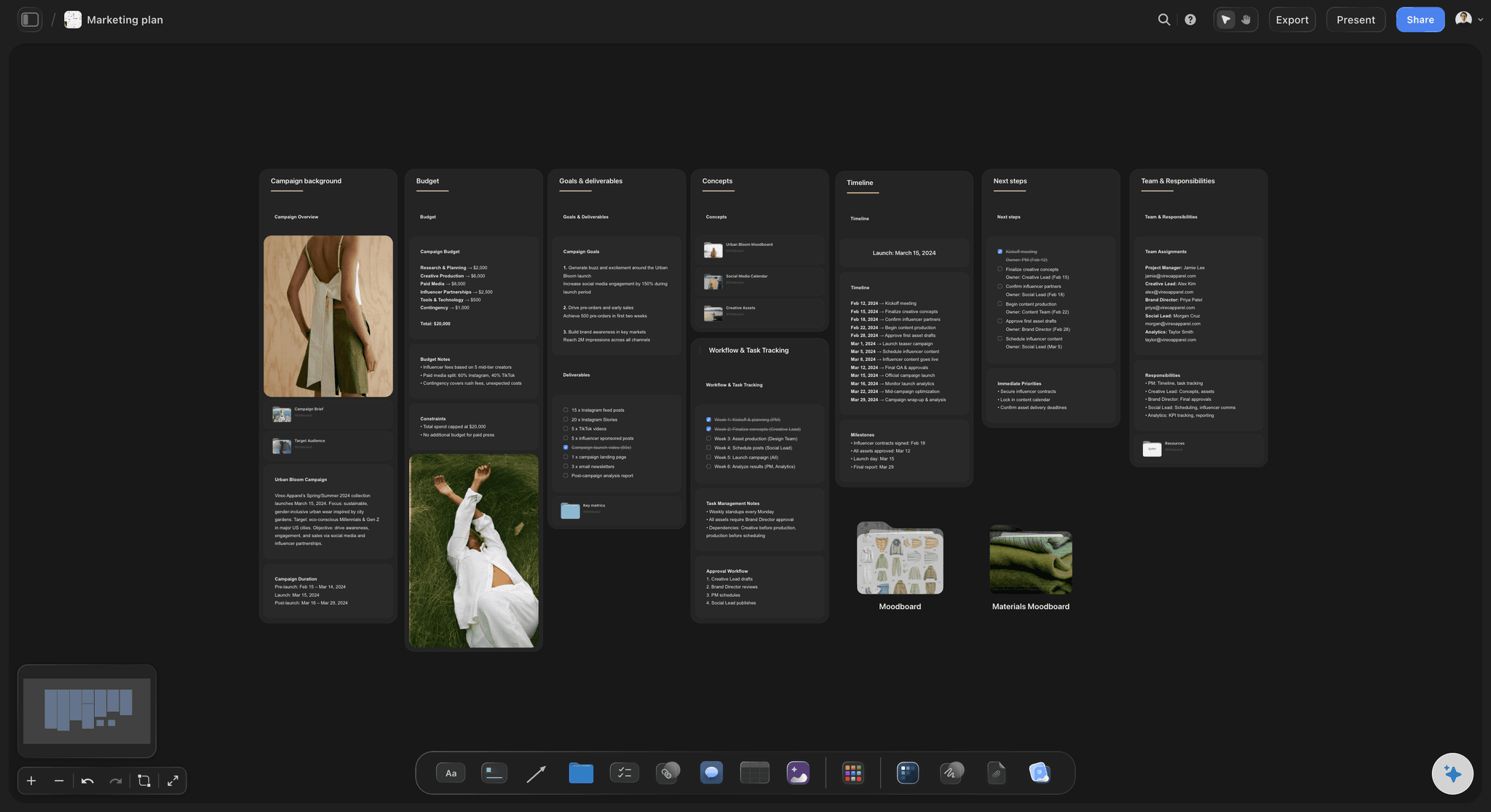
Pick a board to see what you can build, then let AI fill it in. Every template is a real, editable starting point on the same infinite canvas.

Marketing Plan
Lay out your goals, channels, and initiatives for the quarter on one board.
What should an album release plan include?
An album release plan is every date between finished masters and the weeks after release day: when each single drops, when files reach the distributor, when you pitch, and what the audience sees each week. Storyflow is an AI visual workspace that builds your album release plan on one infinite canvas: the weeks counted back from your release date by the AI for you to adjust, the singles and their order, the distributor and pitch deadlines, and the artwork and music video storyboard.
The distributor sets your earliest dates. Spotify asks for a song at least seven days before release to pitch it to editors, and only one unreleased song can be pitched at a time. Deliver each release three to four weeks ahead, and pitch the lead single the day it shows up in Spotify for Artists.
Singles carry an album. Two singles four weeks apart is a common shape for an independent album: the first around week eight, the second around week four, the announcement and pre-save between them. An EP often runs one single and eight weeks. Each single needs its own artwork, a vertical video and a week of posts.
Most rollouts fail on a missing asset, not a bad idea. The video lands after its single, the cover is not square, the press photos have no usage agreed. List every asset with an owner and a due date one week before it is needed, and treat release week as the busiest content week, not a rest.
Ultra fast from brief to board
Masters in, every date set.
Four steps, done once, then followed week by week.
01
Pick the Friday and the goal
Choose a release date at least twelve weeks out and write one goal: pre-saves, first-week streams, a show that sells, or new listeners in one city. The goal decides which weeks get the budget.
02
Let the AI count the weeks back
Give the AI the date, the singles and your distributor, and it lays out the weeks from masters to four weeks after release, with deliveries and pitches placed where their lead times need them.
03
Hang the assets on the weeks
Cover art, single covers, press photos, the music video storyboard, vertical clips and lyric videos, each in a table row with an owner and a due date. Upload the demos and play them on the board while you choose the singles.
04
Share it with everyone on the release
Invite the band, the manager and the designer to edit the same board in real time. Anyone else gets a view-only link, and the AI can draft a one-pager PDF for press and venues.
Dates, music and visuals side by side.
Storyflow holds the plan for the release. Uploads, pitches and ad spend stay in the tools that run them.
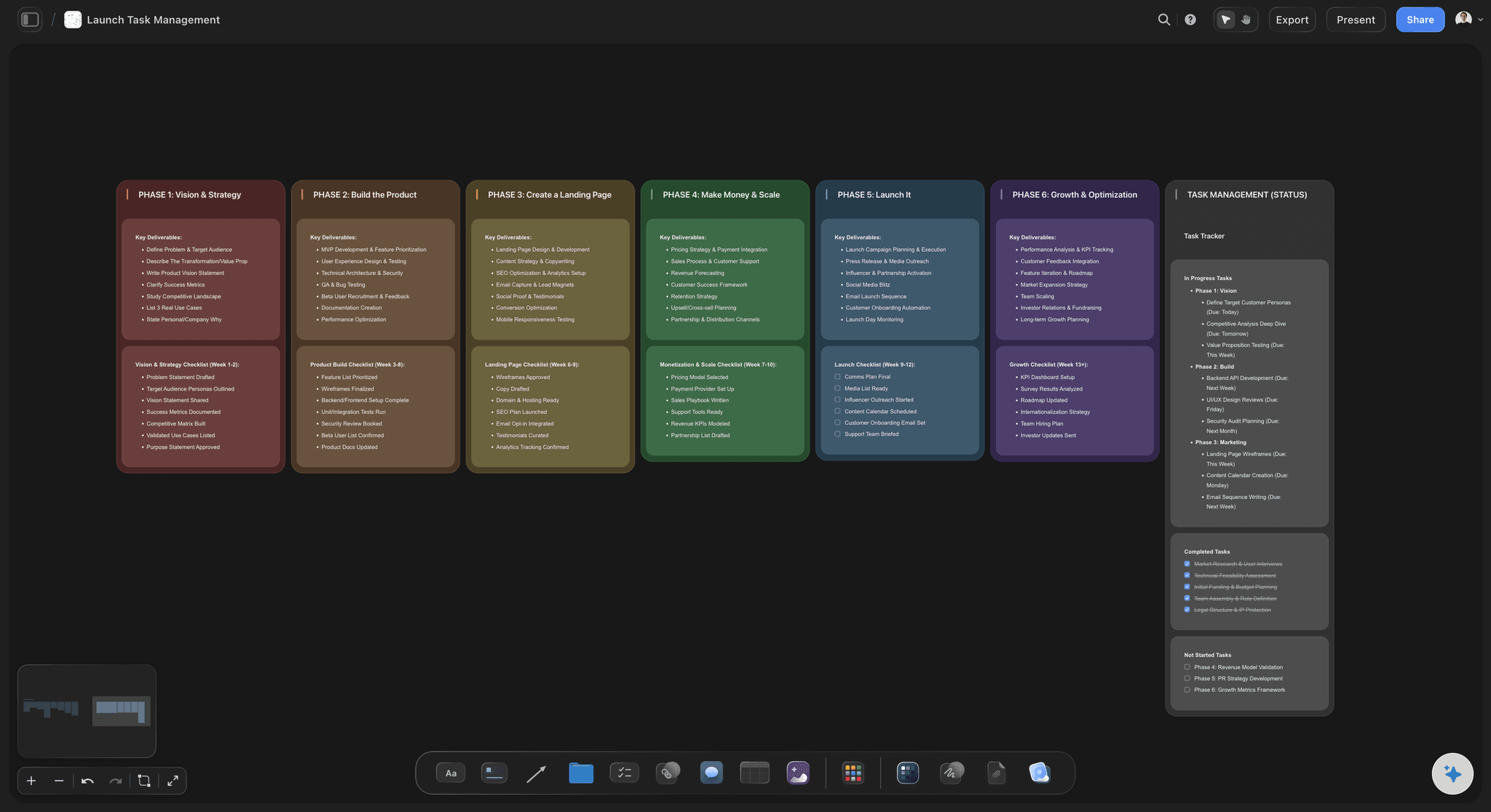
The countdown
Twelve weeks, with the deadlines in them
Every week from masters to the month after release, with the distributor delivery and the Spotify pitch placed where their lead times fall. Change the date and ask the AI to rework the weeks around it.
See the launch roadmap →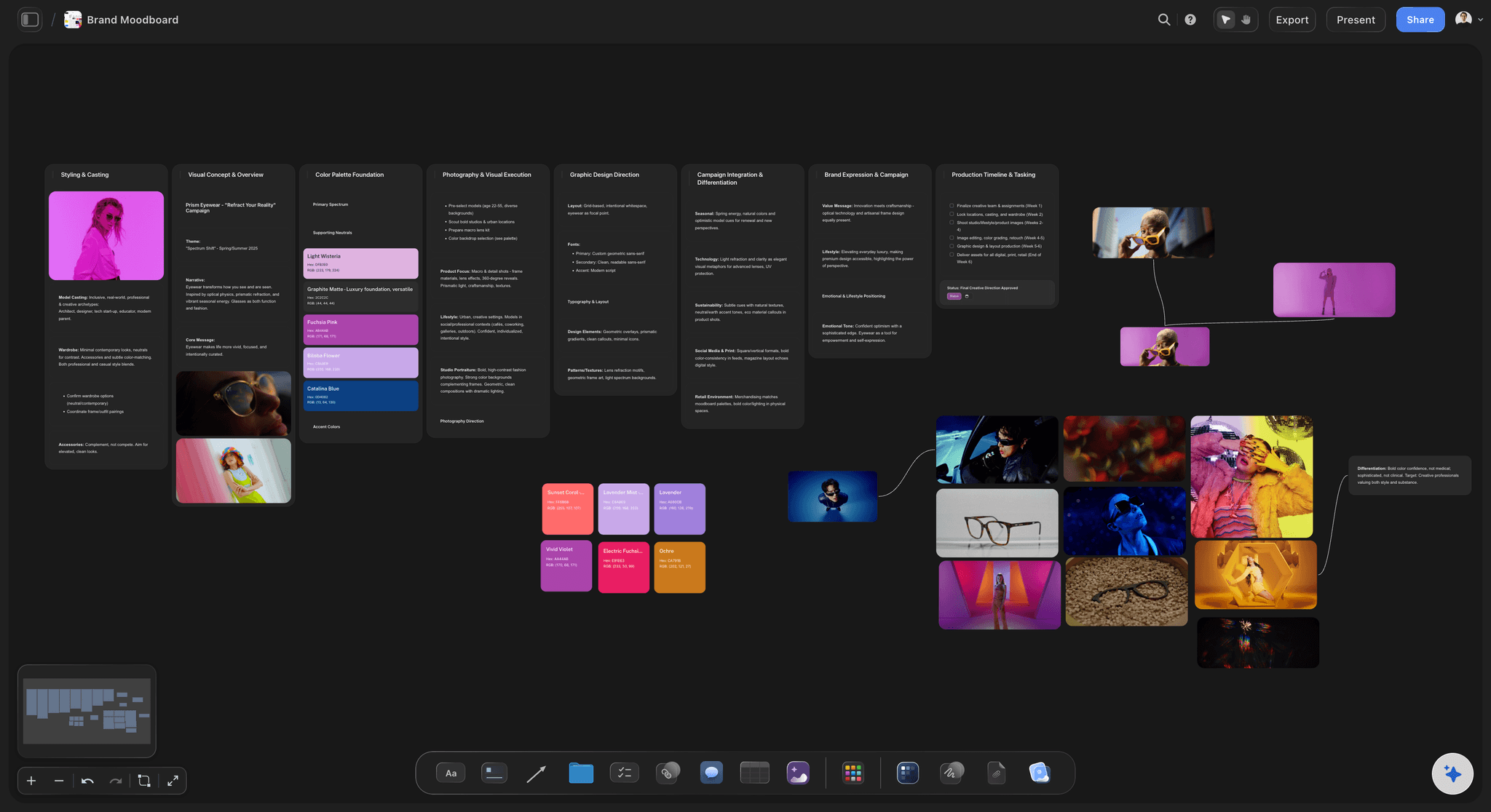
Artwork and the album's look
Cover, single covers and press photos in one place
References, colour swatches and drafts for the album cover and each single, beside the press photos. The look is decided once and every visual in the rollout follows it.
See the album art moodboard →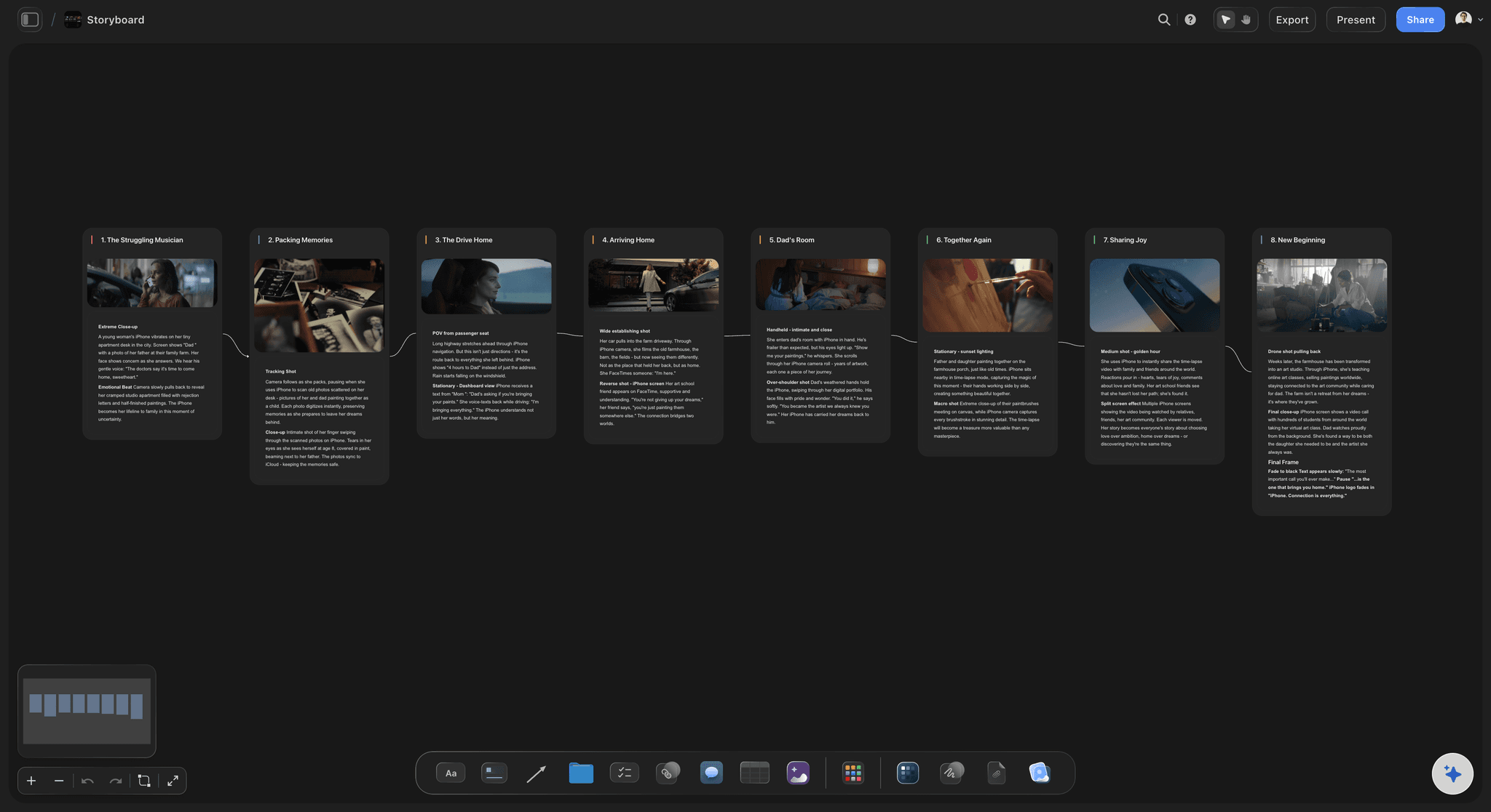
The video for the lead single
A music video planned beside its release date
Upload reference clips, play and scrub them, and grab the frames you mean. The AI's storyboard workflow lays the video out frame by frame, and the shoot sits in the same weeks as the single it has to beat.
See music video planning →
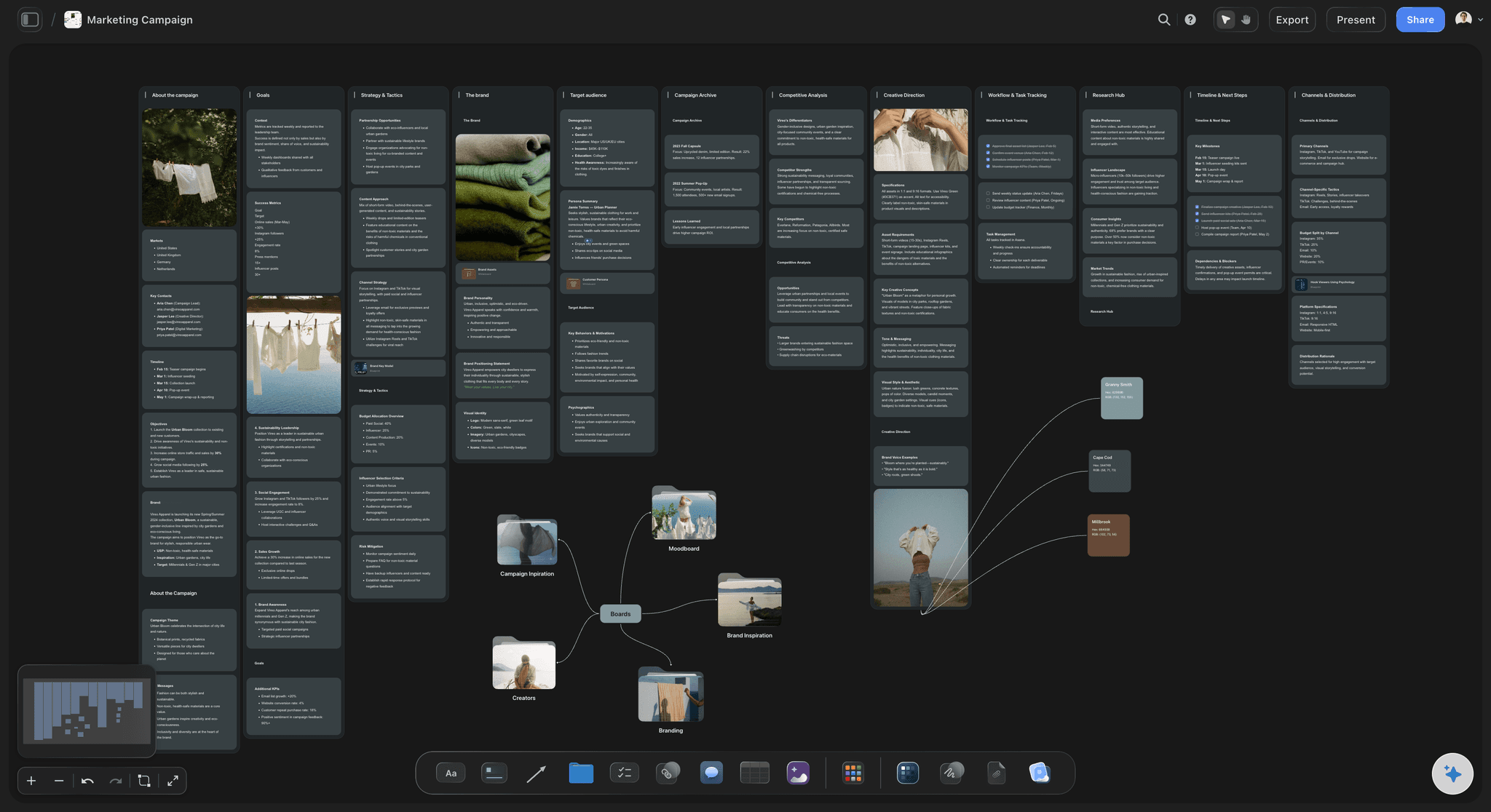
What goes out each week
A posting plan that does not stop on release day
Teasers, the announcement, each single's week, release week and the month after, as rows kept in date order. The AI's content planner workflow can batch what you film in one day across several weeks.
See the content planning tool →The next single starts from this plan.
Each release gets its own board, so the next single starts from this one's timeline, asset list and what worked. Storyflow is paid-only during early access, with plans from $7.99 a month billed annually ($9.99 monthly). A free plan launches before the end of 2026, and anyone a paid member invites to a board joins free.
Unlimited release boards, audio and video uploads on every paid plan
AI that drafts the timeline, asset list, posting plan and video storyboard (frame images on Pro and Max)
Tables with owners, due dates and a status column
View-only links, whole-board PDF export and presentation mode
Built for people with taste
Twelve weeks to release day, and four after.
A common shape for an independent album with two singles and one music video. Copy it into anything; an EP can drop the second single and start at week eight.

Weeks 12 to 9
Lock the record and deliver the first single
Week 12: masters, tracklist, credits, splits: Final masters, the running order, every writer and player credited, a signed split sheet for each song, and the lead single's cover. Metadata fixed now does not have to be corrected in every store later.
Week 11: deliver single one: Upload the lead single to your distributor, three weeks before its date. Covers go in as square 3000 by 3000 pixel files, the size most distributors recommend.
Week 10: pitch it, and finish the artwork: When the single appears in Spotify for Artists, pitch it the same day. Finish the album cover and press photos in portrait and landscape.
Week 9: the video, locked: Shoot or finish the lead single's video, a visualiser if the budget is small, and cut three to five vertical clips from it for the single's week.
Weeks 8 to 4
Single one, the announcement, single two
Week 8: single one out: The single, its video and a week of posts. Send it to blogs, radio and playlist curators with the one-pager, and follow up once a week later.
Week 7: deliver the full album: Upload every track so the pre-save link exists before you announce. Deliver single two as its own release, three weeks before week 4, then pitch it once single one is live.
Week 6: announce: Cover, title, tracklist and date in one post, with the pre-save link. The announcement is the day people decide whether this record is an event.
Week 4: single two out: A different side of the record from single one. Once it is live, pitch the album's focus track, which must still be unreleased.
Weeks 3 to release, then after
The push, release week and the sustain
Weeks 3 to 1: the pre-save push: A post a day about the songs, not the stats: lyrics, a studio clip, the story behind a track. Load the Spotify Canvas loops and lyric videos before the Friday.
Week 0: release Friday: The album, a post for every track or a track-by-track video, a thank-you to pre-savers, and a live moment in the first weekend.
Weeks +1 to +4: keep it alive: A live session, a third focus track with its own visual, behind-the-scenes footage and the first shows. Week two is when a record usually goes quiet, so plan something new for it.

The asset checklist
Everything the rollout needs, with an owner
Audio: Masters, instrumentals for live and sync use, clean versions where needed, and 15 to 30-second excerpts for vertical video.
Visual: Album and single covers, press photos, the Canvas loops, the music video or visualiser, lyric videos and vertical clips.
Written: The one-pager, a short and a long bio, credits, lyrics, and the announcement and release-day captions written before the week they run.
Business: Split sheets, songs registered with your performing rights organisation, samples cleared, and written usage terms from the photographer and director.
Explore templates for your project
Every template opens as a real, editable board on the infinite canvas. Pick the closest fit and make it your own.
Marketing Plan
Lay out your goals, channels, and initiatives for the quarter on one board.
One app instead of five
Release planning: Storyflow, Orphiq, Notion or a spreadsheet.
Storyflow plans the rollout with its artwork and music video on one board. Orphiq is built for artist careers, with a timeline that moves when your date does and an AI strategist that works from your artist data. Notion keeps release templates in a free workspace, and a spreadsheet can shift every date from one release-day cell.
Storyflow
Recommended
AI lays out the music video storyboard frame by frame
Fullscreen presentation mode for the label meeting
Every date shifts when release day moves
AI strategist that works from your artist data
Free plan available today
Orphiq
AI lays out the music video storyboard frame by frame
Fullscreen presentation mode for the label meeting
Every date shifts when release day moves
AI strategist that works from your artist data
Free plan available today
Notion
AI lays out the music video storyboard frame by frame
Fullscreen presentation mode for the label meeting
Every date shifts when release day moves
AI strategist that works from your artist data
Free plan available today
Google Sheets
AI lays out the music video storyboard frame by frame
Fullscreen presentation mode for the label meeting
Every date shifts when release day moves
AI strategist that works from your artist data
Free plan available today
What creators are saying
Join early creators getting structured workspaces and AI that remembers their projects
“Storyflow has sped up my workflow by at least 3x, which means more flow state and more projects I can actually ship. It truly changed the way me and my team create.”

Reilin Joey
Director & YouTuber
“One prompt gets me a structured board. But the tactics are my favorite. I run my YouTube scripts through them and my intros and retention got better. It's amazing.”

Justkay
YouTuber & Freelance Filmmaker
“I used to juggle five apps to plan a project. Now I describe what I am making and get boards, lists, and a schedule. All in one place.”

George
@fernwehchronicles
What artists ask before release day.
Timelines, singles, pitching, assets and the paperwork artists skip.
Storyflow is the album release plan template for an artist who wants the timeline, singles, deadlines, artwork, music video and weekly content on one board, with an AI that counts the weeks back from release day, shared by a link that opens with no account. Use Orphiq if you want dates that move automatically and an AI strategist working from your artist data, and your distributor and Spotify for Artists for the uploads and pitches.
Twelve weeks before release day is a common minimum for an album with two singles, and eight weeks for an EP with one. The first dates are fixed by others: your distributor needs the files weeks ahead, Spotify needs time to hear a pitch, and press often works six to eight weeks out. Start earlier if the music video is not shot yet.
Two is a common shape for an independent album: the first around eight weeks out, the second around four, with the announcement between them. Three works on a longer run with a bigger budget. Each single needs its own cover, a vertical video and a week of posts, so count what you can make well before you pick a number.
Three to four weeks before each release date is a safe rule. It gives the stores time to process, puts the song in Spotify for Artists early enough to pitch, and leaves room to fix a metadata or artwork rejection. Deliver the full album before you announce it, so the pre-save link works on announcement day.
Pitch from Spotify for Artists once the unreleased song appears there, at least seven days before release; a pitch on time also puts the song on your followers' Release Radar. You can pitch one song at a time, and the next pitch opens when that song goes live. So plan the order: single one, then single two, then the album's focus track.
Masters, instrumentals and clean versions; the album cover and a cover per single as square files; press photos; Spotify Canvas loops; the music video or a visualiser; lyric videos and vertical clips; a one-pager, bios, credits and lyrics. Give each asset an owner and a due date a week before the release that needs it.
Signed split sheets for every song, songs registered with your performing rights organisation, samples cleared, and correct credits in the metadata. Get the usage terms in writing from the photographer, designer and video director, so the cover and press photos can run in ads and on merch. All of it is harder to fix after release day.
More than any other week. A release-day post, a post or short video per track, a thank-you to the people who pre-saved, a live moment in the first weekend, and reposts of every playlist add and review. Write the captions the week before, so release week is spent answering people, not writing.
Yes, as a first draft. In Storyflow the AI lays the weeks out backwards from your release date, placing anything with a lead time early, drafts the asset list and posting plan, and storyboards the music video frame by frame. The singles and the dates stay your decision, and Undo reverses any change it makes.
No. Storyflow plans the release. Distribution to Spotify, Apple Music and the stores goes through DistroKid, TuneCore or CD Baby; editorial pitches through Spotify for Artists; ads through Meta's and TikTok's own tools; and posting through the apps or a scheduler. Put each deadline's link to the tool that does it on the board, so the plan points at the work.
Yes, shorter. An EP often runs eight weeks with one single and the announcement at week six. A single needs four to six weeks: deliver it three to four weeks out, pitch it, make one cover, one vertical video and two weeks of posts. Duplicate the album board and delete the weeks you do not need.
Not during early access. Storyflow is paid-only during early access, with plans from $7.99 a month billed annually ($9.99 monthly). A free plan launches before the end of 2026, and anyone a paid member invites to a board joins free, so the band and the designer do not each need a plan.
More from Storyflow
Product launch checklist
Album art moodboard
Music video planning
Music video treatment
Music video storyboard
Content planning tool
Launch roadmap
Instagram content planner
TikTok content planner
Creative business plan
How to plan an album rollout
How to plan a music video
Best Notion alternatives for musicians
Music licensing for video
Pricing
Product launch planner
Put every date on the board before the first upload.
Open a canvas, give the AI your release date, and share one plan with everyone who owes the record something.