
Elevated brand work, made with taste
Make the artwork
sound like the record.
Pin cover references, palettes, type, photography direction, and the whole single and social rollout on one infinite canvas, so the visual identity is decided before the shoot rather than after the deadline.


Creatives working for these brands already got early access
- Red Bull
- Canon
- Artlist
- Porsche
See how easy it is to get started
Watch a real project come together, from a blank board to a finished plan, clicked through step by step.
Start from a ready-made template
Pick a board to see what you can build, then let AI fill it in. Every template is a real, editable starting point on the same infinite canvas.

Brand Strategy
Define your positioning, values, and voice and connect them into a strategy the team can follow.
What is an album art moodboard?
An album art moodboard is the visual direction for a record, assembled before any artwork is commissioned. Storyflow is an AI visual workspace that plans a record's artwork on one infinite canvas: a board the AI lays out from a description of the record, cover references, palettes and type, and the whole single and social rollout. The moodboard holds the cover references you are drawing from and the ones you are deliberately avoiding, the color palette the campaign will live in, the type direction, the photography or illustration approach, the texture and print treatment, and the rollout: single covers, social crops, the vinyl gatefold, the merch, the video thumbnails. It is the thing you hand a photographer, a designer, or a label so that what comes back is recognizably the record you made.
Cover art is the only part of a record most people see before they hear a note, and it is usually decided last, in a hurry, by whoever is still awake. The predictable result is artwork that is fine on its own and wrong for the music: a warm, close, acoustic album with a cold graphic cover, or a dense, maximal record introduced by a minimal sleeve because minimal was easier to approve. A moodboard is the cheapest available fix, because it forces the visual conversation to happen while the answer is still a set of images rather than a delivered file with an invoice attached.
Storyflow is an AI-native infinite canvas built for exactly this. Describe the record in a prompt, the genre, the mood, the reference artists, the era you are borrowing from, and the AI lays out a structured board: sections for cover direction, palette, type, photography, texture and treatment, and rollout, with cards ready to fill. Then you work spatially. Drag in sleeve references, group palettes into named options, put two type directions side by side at cover scale, and write the intent note next to the reference that carries it.
The part a canvas does that a folder cannot is the rollout. An album identity is not one image, it is a system that has to survive being cropped to a square thumbnail, stretched across a gatefold, printed on a shirt, and shrunk to the size of a phone notification. Lay the whole rollout out on one canvas, cover, singles, social crops, merch, and the failures become obvious immediately: the type that vanishes at thumbnail size, the palette that dies on a black background, the composition that only works at twelve inches. Those are all cheap problems on a board and expensive problems after the shoot.
Ultra fast from brief to board
From a record to a visual identity you can commission.
No shared drive full of unlabeled JPEGs, no deck rebuilt every time the direction shifts.
01
Open a canvas
Sign up in seconds. No download. Your infinite moodboard canvas opens in the browser.
02
Describe the record
Type the genre, the mood, the reference artists, and the era you are borrowing from, and the AI lays out a structured board with cover, palette, type, photography, and rollout sections ready to fill.
03
Pin and group references
Drag in sleeve references, textures, type samples, and photography. Group palettes into named options, put two directions side by side, and write the intent beside the image that carries it.
04
Commission and approve
Share a view-only link with the photographer, designer, manager, or label for comments in context, then export the approved board as an image or PDF for the brief.
The cover, the singles, and the whole rollout.
One canvas, every surface the artwork has to survive.

AI lays out the board from a description of the record
Start from a structure, not a blank page
Describe the genre, mood, and reference artists and the AI builds sections for cover direction, palette, type, photography, and rollout. Filling a structure is faster than inventing one while judging references.
See the AI mood board maker →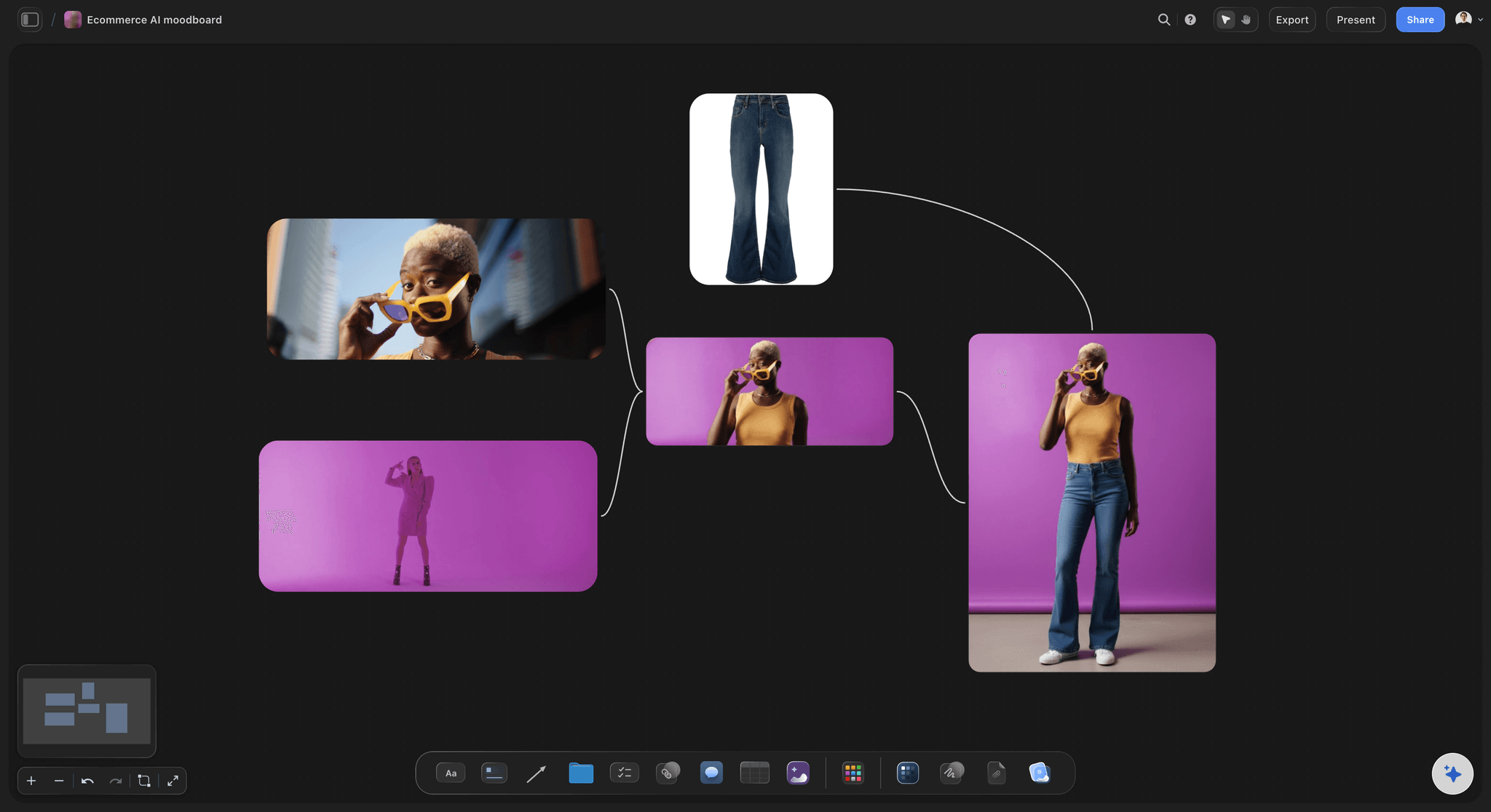
Test the artwork at thumbnail size
Survive the square crop
Place the cover direction at the size a listener will actually see it and the problems appear at once. Type that vanishes, contrast that collapses, and detail that turns to mud are all free to fix here.
Try the free color palette maker →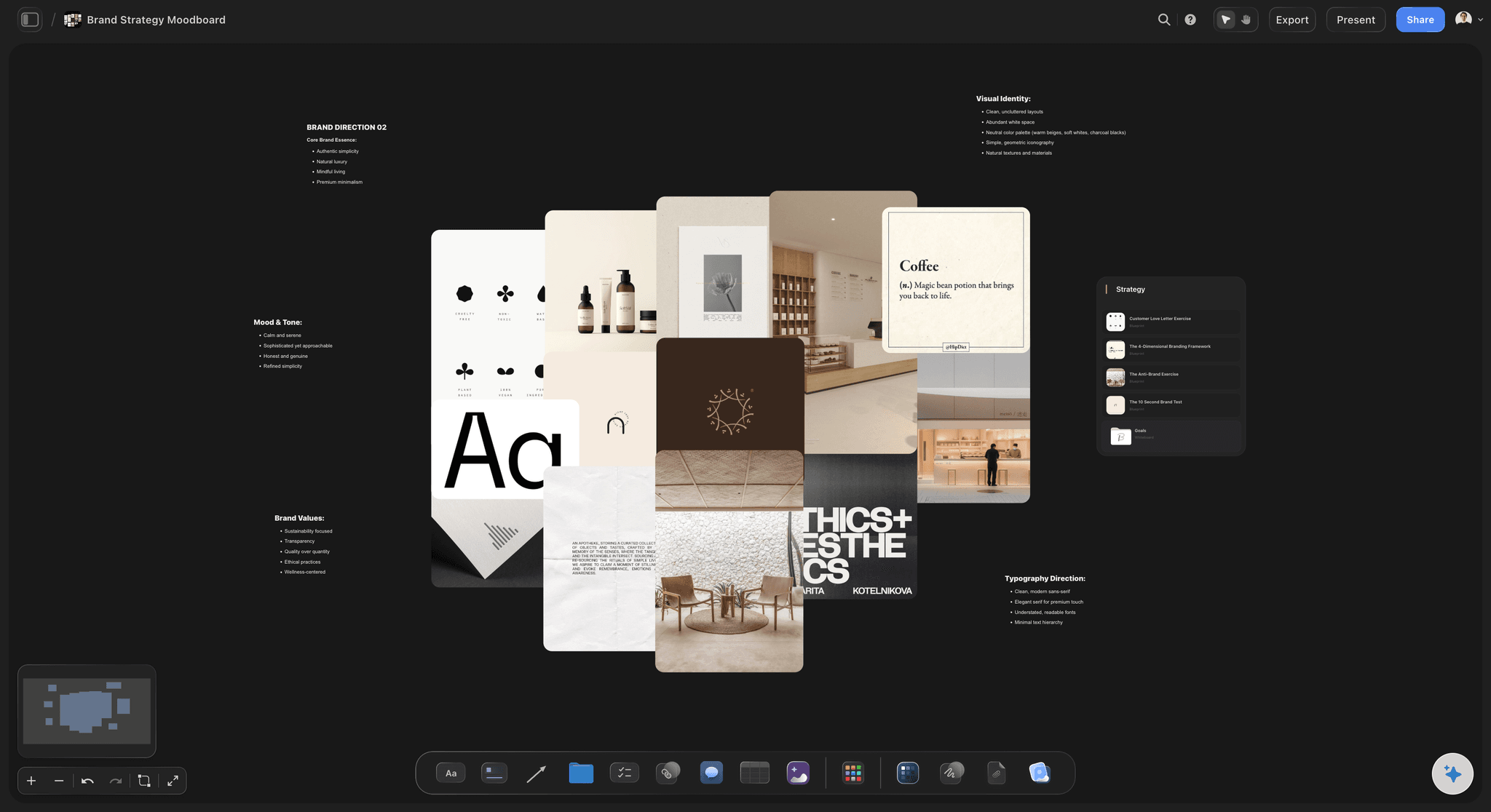
The whole campaign in one view
Plan singles, socials, and merch together
Lay out the album cover, the single covers, the social crops, and the merch on one canvas. An identity that only works on the album sleeve is not an identity, it is one good picture.
See the brand moodboard →
View-only links for the photographer and the label
Brief people with something they can see
Send a view-only link and they open the whole board in a browser with no account, and sign in to comment on the reference they concern, so notes stop arriving as an email about the general feeling.
See the creative brief generator →Unlimited boards. No object cap.
Open a canvas, describe the record, and start pinning references. Storyflow is paid-only during early access, with plans from $9.99 a month, and a Free plan launches before the end of 2026.
Unlimited moodboards on an infinite canvas
Basic AI usage to generate boards from prompts
Starter templates for moodboards, briefs, and campaign plans
Share view-only links with collaborators and labels
Built for people with taste
More than a folder of sleeves you liked.
A folder can store covers. It cannot tell you whether yours will hold up as a campaign.
Cover, palette, type, photography, and treatment
Work across every layer of the artwork
Cover references with intent, and anti-references: Pin what you are drawing from and, just as usefully, what you are avoiding. An anti-reference section stops a designer solving the brief in the exact direction you already rejected.
Palettes as named options: Group colors into complete palettes and name them. Two named palettes side by side turn a color conversation into a choice between directions, which is a decision people can actually make.
Type at cover scale: Set the artist name and title in each candidate typeface at the size they will appear, then look at them next to each other. Type chosen from a specimen sheet almost never survives contact with a real cover.
Texture, print, and finish: Grain, halftone, foil, matte, spot gloss, the sleeve stock. If there is a physical release, the treatment is half the identity, and it is the half that gets forgotten until the printer asks.
AI that can see the board you have already built
Direct the board with an AI that has the context
Prompt against the whole canvas: Ask it to add a section for the single covers, lay out a merch rollout, or propose a colder second palette to sit against the first. It reads the board you have built, so what it adds fits this record.
It structures, it does not decide taste: Storyflow lays out and organizes the direction. Which sleeve is right for the record stays with you, which is correct, because that judgment is the entire job.
Iterate without losing work: Re-prompt as often as you want. References you have already placed and grouped stay exactly where they are while the AI builds around them.
From artwork to the release campaign
Keep the identity next to the release plan
The rollout as a timeline: Lay singles, announcement, pre-save, and release date out left to right with the artwork for each beside it. A campaign planned as a list of dates always looks like a list of dates.
Video and visualizer direction on the same canvas: Pin frame grabs and treatment references for the video beside the cover. When the video is directed from the same board, the campaign reads as one thing rather than two commissions.
The brief in the built-in editor: Write the photographer or designer brief beside the board rather than in a separate document. A brief that sits next to the references it describes actually gets read.
Band, manager, label, and designer
Get everyone approving the same direction
View-only links, no account required: Send the board to a bandmate, a manager, a label contact, or a designer and they open it in a browser. No signup, no download, no confusion about which PDF is the current one.
Comments on the reference itself: Notes attach to the image they concern, which is the difference between feedback you can act on and feedback that says the second one feels more us.
Two directions, side by side: When there are two credible identities, build both boards and put them next to each other. A band chooses far better between two visible options than between one option and a description.
Explore templates for your project
Every template opens as a real, editable board on the infinite canvas. Pick the closest fit and make it your own.
Brand Strategy
Define your positioning, values, and voice and connect them into a strategy the team can follow.
One app instead of five
Storyflow vs Pinterest, Canva, and Figma.
Be clear about what Storyflow is. It is not an artwork editor, it does not do final print production, and it does not distribute your release. It is where the visual direction gets decided and approved.
Storyflow
Recommended
Infinite canvas for visual direction
AI lays out the board from a description of the record
Whole rollout visible on one canvas
Final artwork editing and print-ready export
Algorithmic reference discovery feed
Free plan available today
Infinite canvas for visual direction
AI lays out the board from a description of the record
Whole rollout visible on one canvas
Final artwork editing and print-ready export
Algorithmic reference discovery feed
Free plan available today
Canva
Infinite canvas for visual direction
AI lays out the board from a description of the record
Whole rollout visible on one canvas
Final artwork editing and print-ready export
Algorithmic reference discovery feed
Free plan available today
Figma
Infinite canvas for visual direction
AI lays out the board from a description of the record
Whole rollout visible on one canvas
Final artwork editing and print-ready export
Algorithmic reference discovery feed
Free plan available today
What creators are saying
Join early creators getting structured workspaces and AI that remembers their projects
“Storyflow has sped up my workflow by at least 3x, which means more flow state and more projects I can actually ship. It truly changed the way me and my team create.”

Reilin Joey
Director & YouTuber
“One prompt gets me a structured board. But the tactics are my favorite. I run my YouTube scripts through them and my intros and retention got better. It's amazing.”

Justkay
YouTuber & Freelance Filmmaker
“I used to juggle five apps to plan a project. Now I describe what I am making and get boards, lists, and a schedule. All in one place.”

George
@fernwehchronicles
Album artwork questions, answered.
What belongs on the board, how to brief a designer, and where Storyflow stops and your artwork tool starts.
Split the job in two and the answer gets easy. For finding references, Pinterest remains the strongest tool, because discovery is the entire product. For producing the finished file, Photoshop, Illustrator, Affinity, or Canva do the actual artwork and export the print-ready version. Storyflow sits between them, on the part most artists skip: deciding what the identity is before anyone opens a design tool. Describe the record and the AI lays out cover, palette, type, photography, and rollout sections, then you test the direction at thumbnail size, lay the singles and merch out as one system, and send a view-only link to the band or the label for sign-off.
No, and it should not. Storyflow is not an artwork editor: it does not do layout for print, colour separation, bleed, or print-ready export. That work belongs in Photoshop, Illustrator, Affinity Photo, or Canva depending on your budget and habits. What Storyflow does is the step before, which is the one most often skipped: assembling the references, palettes, type candidates, and rollout surfaces into a direction that a designer can actually execute. Plenty of people then pin their working artwork back onto the board so the current draft sits beside the references it came from, which makes review conversations far shorter.
Six sections. Cover references, including anti-references for the directions you have already rejected. A palette, grouped into named options rather than loose swatches. Type, set at cover scale with the real artist name and title, not viewed as a specimen. Photography or illustration direction, covering framing, light, wardrobe, and location. Texture and treatment: grain, halftone, foil, stock, finish. And the rollout: singles, social crops, thumbnails, merch, vinyl. The rollout is the section people leave out and the one that catches the expensive mistakes, because it is where you find out the identity only works at twelve inches.
Not during early access. Storyflow is paid-only right now, with plans starting at $9.99 a month, and a Free plan for solo use launches before the end of 2026. Anyone a paid member invites to a board joins free today, so a bandmate, a manager, or a designer can review and comment without paying. If you need free this minute, Pinterest is free and unbeatable at surfacing references, Figma's free tier gives you a real canvas that works fine for moodboarding, and Canva's free tier will get you an actual cover file. None of them will lay a board out from a description of your record, but all three are honest free options.
Give them intent, constraints, and anti-references, in that order. Under each reference, write what you are pointing at, the light rather than the pose, so nothing reads as a request for a copy. State the constraints early: square crop, legibility at thumbnail size, whether there is a vinyl gatefold, whether the artist name has to appear at all. Then include the anti-references, because the single most common way a commission goes wrong is a designer confidently solving the brief in the exact direction you rejected two weeks ago and never wrote down. Send it as a view-only link so they can ask questions on the reference itself.
Yes, and you should, because an album identity is a system rather than one picture. Lay the album cover, each single cover, the social crops, the video thumbnail, and the merch on one canvas and look at them together. This is where you find out that the type only works when it has twelve inches of space, that the palette dies against a dark app background, or that single three has drifted so far from the album it looks like a different artist. All of those are afternoon problems on a canvas and budget problems after a shoot.
You describe the record in a prompt: genre, mood, reference artists, the era you are borrowing from, whether there is a physical release, and anything already decided. The AI lays out a structured board from that, with sections for cover direction, palette, type, photography, treatment, and rollout, plus cards ready to fill. You start from a board with a shape instead of an empty canvas. From there it uses the whole board as context, so you can ask it to add a merch section or propose a second palette that runs colder, and re-prompting builds around your existing references without moving anything you have already placed.
Yes. Send a view-only link and everyone opens the full board in a browser with no account, and they can sign in to comment directly on the reference they are reacting to. That is usually the right level of access for a label contact or a manager. If someone should actually contribute, a bandmate with strong opinions, the art director, invite them to the canvas instead, and invited collaborators join free, so widening the review does not cost you a seat. Sharing, commenting, and reviewing work on every paid plan.
If there is a video, yes, and keeping it on the same canvas is the point. Pin frame grabs, colour references, and treatment notes for the video beside the cover direction, and the two commissions stop being separate creative briefs that happen to be for the same record. The campaigns people remember are the ones where the sleeve, the video, and the live visuals are obviously one idea, and that only happens when they are directed from one board. Storyflow also lets you grab frames from YouTube or Vimeo references directly onto the canvas, which makes assembling the video section much faster than screenshotting.
Yes. Export the canvas as a high-quality image or PDF for the brief, the label deck, or the artist's own records. In practice most reviews now happen on the live link, because the board is much bigger than a slide and the value is being able to zoom into a texture at full resolution. The export is the archive: the version attached to the approved direction so there is no argument later about what was signed off. Both take one click, and because the link stays live, the exported file never quietly becomes the outdated source of truth.
Decide the artwork before the deadline decides it.
Open a canvas, describe the record, and let AI lay out the direction. No download.