
Hours back on every video you plan
Storyboard your music video
around the song.
Map performance and narrative shots to every verse, chorus, and bridge on an infinite canvas. Pin look references and frame grabs, then share one link with the artist and label.


Creatives working for these brands already got early access
- Red Bull
- Canon
- Artlist
- Porsche
See how easy it is to get started
Watch a real project come together, from a blank board to a finished plan, clicked through step by step.
Start from a ready-made template
Pick a board to see what you can build, then let AI fill it in. Every template is a real, editable starting point on the same infinite canvas.

Storyboard
Lay out your shots frame by frame with images and notes, then reorder them until the sequence reads like the finished cut.
What is a music video storyboard?
A music video storyboard is a shot-by-shot plan of the video built on the structure of the song: which frames carry the performance, which carry the narrative, and where the two intercut at the chorus, the bridge, and the drop. Storyflow is an AI visual workspace that storyboards your music video on one infinite canvas: performance and narrative shots mapped to verse, chorus and bridge, look references and frame grabs pinned beside them, and one link for the artist and label. Unlike a film, a music video has its edit locked before the shoot. The track is the timeline, so the music video storyboard is really a map of the song.
Storyflow makes music video storyboarding fast enough to do before the budget meeting. Describe the concept, or paste the treatment and song structure, and the AI lays out a storyboard for the music video with sections and notes arranged on an infinite canvas. Run the performance thread and the narrative thread as separate rows, then mark where they collide.
Around the music video storyboard you build the look: pin frame grabs captured straight from other music videos on YouTube or Vimeo, moodboard lighting and color per section, and keep the treatment on the same canvas. When the plan is ready, share a view-only link with the artist and label for sign-off, or export the boards as an image or PDF.
Ultra fast from brief to board
Storyboard a music video in four steps.
The song already wrote the structure. The AI lays it out, you direct it.
01
Open a canvas
Sign up, open a canvas, and have the track playing before the first frame goes up.
02
Add the song structure and concept
Paste the treatment, the lyrics, or just the section map: intro, verse, chorus, bridge, outro. The AI works from whatever you have.
03
AI lays out the board by section
The AI builds a storyboard structured around the song, with performance and narrative beats, notes, and space for references per section.
04
Pin references, share, export
Grab frames from reference videos, moodboard the look per section, then send the artist and label a view-only link or export an image or PDF.
A storyboard for music videos, not a generic grid.
Performance, narrative, look, and sign-off planned on one canvas, in the order the song dictates.

Two threads, intercut on purpose
Separate performance and narrative threads
Run the performance shots and the story shots as parallel rows on the canvas, then mark exactly where they intercut. The edit logic is visible before anyone loads a camera.
Explore film storyboards →
Verse, chorus, bridge as board sections
Structure the board around the song
The AI lays the storyboard out by song section, so every verse, chorus, and bridge gets its own beats and the energy of the track shapes the shot plan.
See the AI storyboard generator →
Frame grabs and look references per section
Pin the look next to the shots
Capture stills from other music videos on YouTube or Vimeo straight onto the canvas, and moodboard lighting, color, and styling beside the section they belong to.
Build a film lookbook →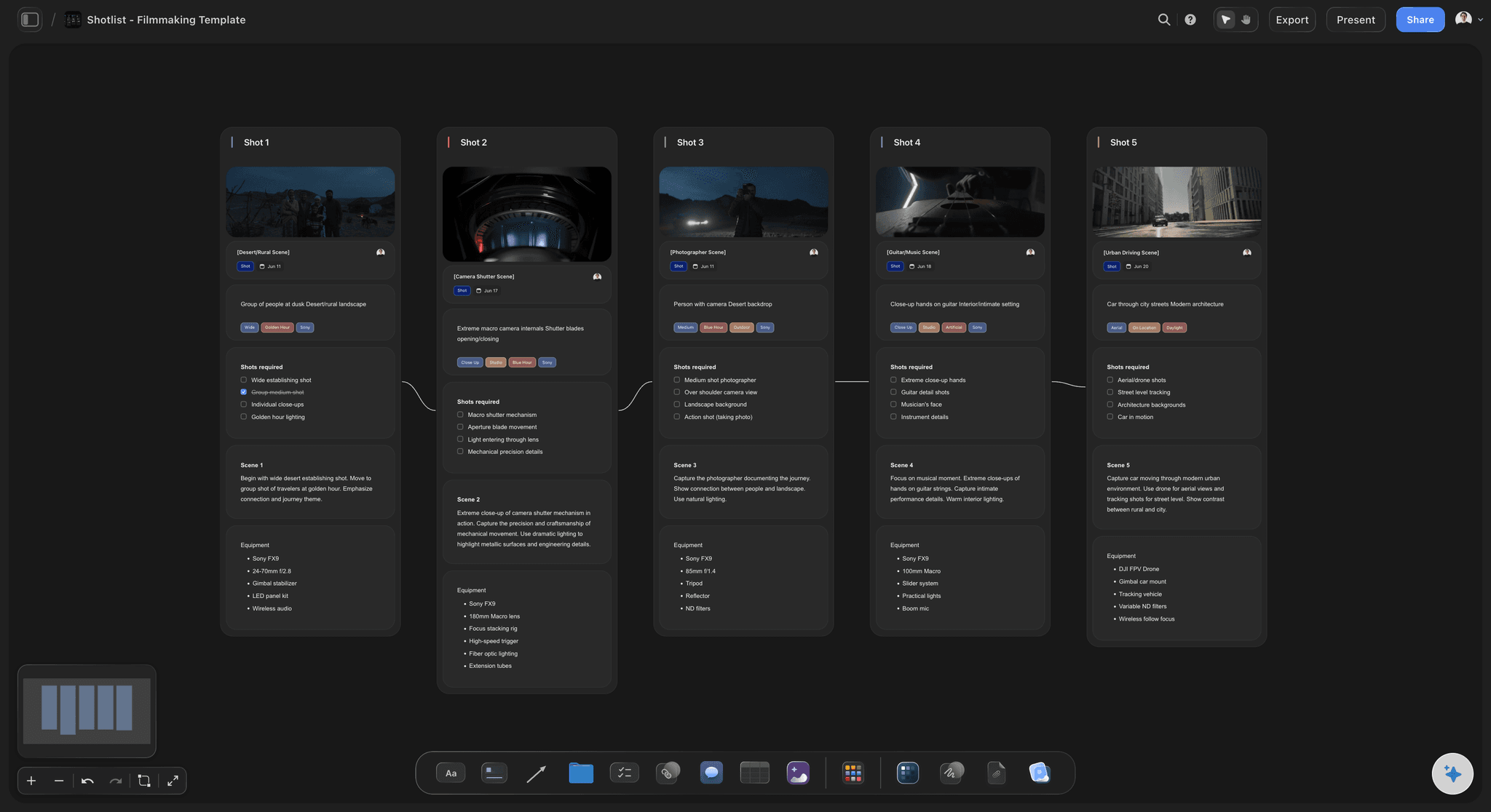
From approved boards to the shoot day
Turn the board into a shot list
Music video days are brutal on time. Branch the approved storyboard into a shot list with setups and angles on the same canvas, so the schedule survives contact with the day.
Try the AI shot list generator →Plans from $7.99/month annual. Free plan coming late 2026.
Board the whole video on any paid plan, from first concept to label sign-off. No board limit.
Boards for every section of the track, with no board limit
AI lays out the board by song section
Pull stills from other music videos as references
Share view-only links with the artist and label
Built for people with taste
More than music video storyboarding.
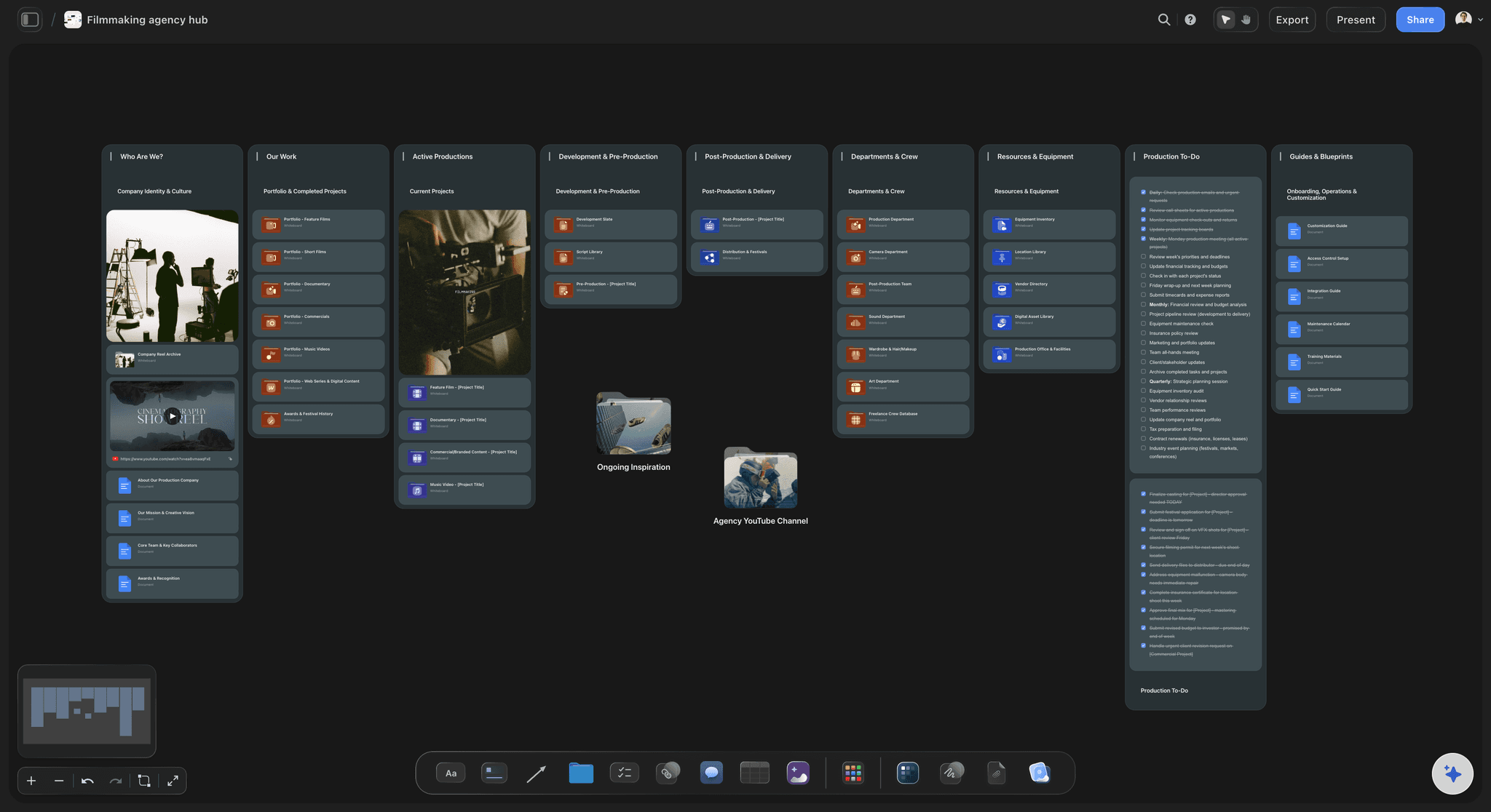
Storyflow is an AI-native canvas, so the treatment, the boards, the look, and the sign-off live in one place.

The track is the timeline
Plan to the structure of the song
Section-by-section beats: Intro, verses, choruses, bridge, outro: each section is a zone on the board with its own shots and energy notes.
Build to the drop: Mark where the video escalates: the chorus look change, the bridge turn, the final chorus payoff. Pacing is decided on the board.
Lyrics next to frames: Keep the lyric lines beside the shots they cue, so sync moments are planned instead of discovered in the edit.
Performance and story, side by side
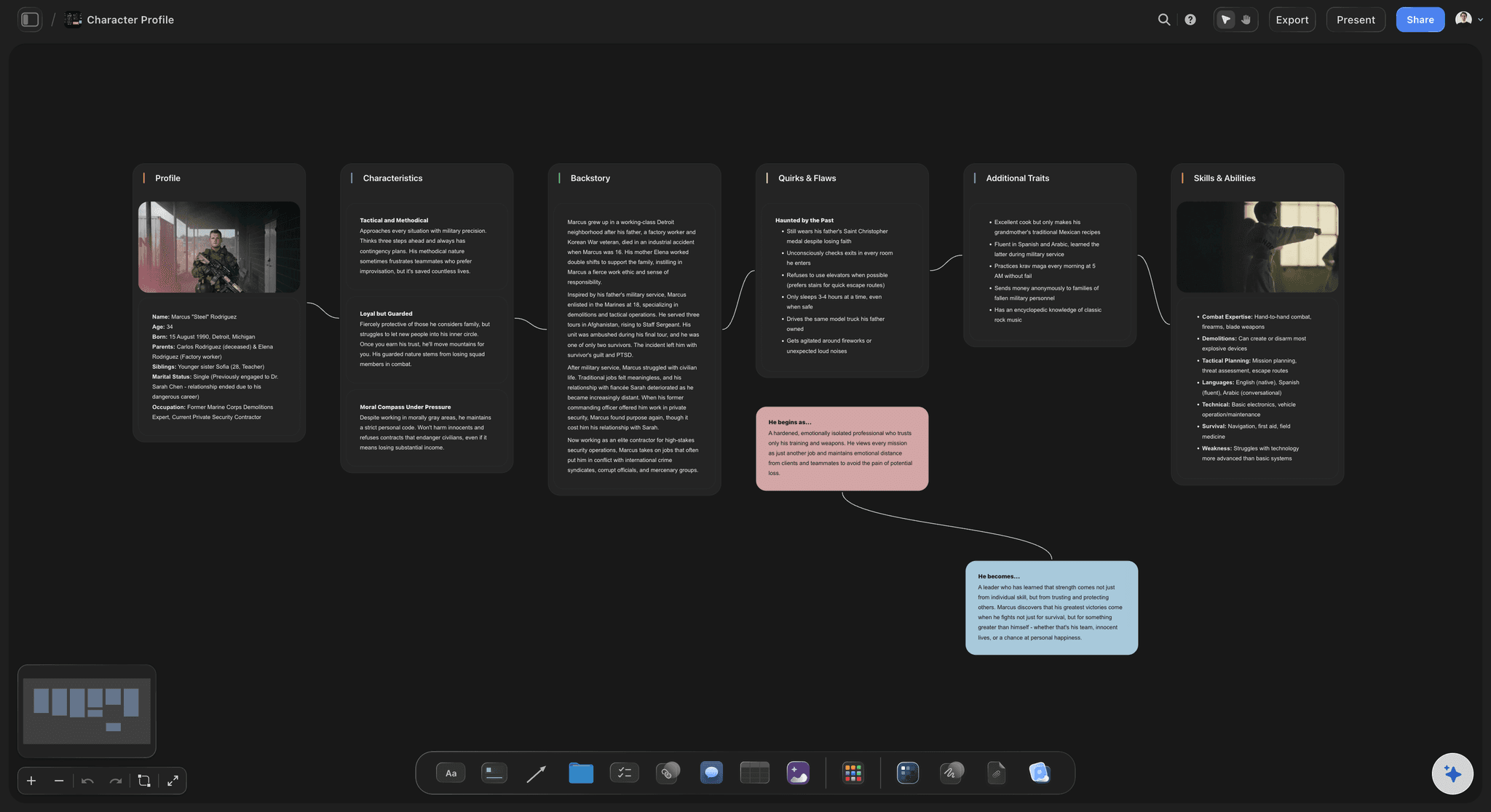
Direct two videos that cut into one
Performance thread: Plan the artist coverage per section: wides, close-ups, and the setups that need the most takes of the playback.
Narrative thread: Board the story beats as their own row, so the narrative reads on its own before it intercuts with performance.
Cutaways and texture: Collect the detail shots, locations, and inserts that glue the threads together, pinned where they will land.

References that sell the vision
Build the look around the board
Grab frames from any video: Capture stills from other music videos on YouTube or Vimeo straight onto the canvas and pin them next to your shots.
Moodboard per section: Lighting, color, styling, and location references grouped by song section, so the look evolves with the track.
Treatment on the same canvas: Keep the written treatment beside the boards. The pitch and the plan stay one link, not five attachments.

One link for artist and label
Get sign-off before the shoot
View-only links: The artist, manager, and label open the board in the browser with no signup, and always see the latest version.
Revise on the live board: Work notes from the label into the canvas directly. No re-exporting decks after every round of feedback.
Export image or PDF: Export clean boards for the treatment deck, the production book, or the call sheet packet.
Explore templates for your project
Every template opens as a real, editable board on the infinite canvas. Pick the closest fit and make it your own.
Storyboard
Lay out your shots frame by frame with images and notes, then reorder them until the sequence reads like the finished cut.
What creators are saying
Join early creators getting structured workspaces and AI that remembers their projects
“Storyflow has sped up my workflow by at least 3x, which means more flow state and more projects I can actually ship. It truly changed the way me and my team create.”

Reilin Joey
Director & YouTuber
“One prompt gets me a structured board. But the tactics are my favorite. I run my YouTube scripts through them and my intros and retention got better. It's amazing.”

Justkay
YouTuber & Freelance Filmmaker
“I used to juggle five apps to plan a project. Now I describe what I am making and get boards, lists, and a schedule. All in one place.”

George
@fernwehchronicles
Music video storyboards, answered.
Everything people ask about storyboarding a music video with Storyflow.
In Storyflow you paste the treatment, lyrics, or song structure and the AI lays out a music video storyboard organized by section: intro, verses, choruses, bridge, outro. You then plan performance and narrative shots per section, pin frame grabs and look references next to them, and share a view-only link with the artist and label. The first laid-out board takes minutes.
Storyflow does this on one board: paste the treatment, the lyrics or the song structure and the AI lays out a storyboard by section, from intro to outro. You run the performance thread and the narrative thread as separate rows, pin frame grabs and look references next to the shots, and share a view-only link with the artist and label for sign-off.
Run them as two parallel threads on Storyflow's infinite canvas: one row for the artist performance coverage and one for the story beats, with marks where they intercut. Because the canvas has no fixed grid, both threads stay readable on their own and as the combined edit.
Yes. Give the AI the song structure and it lays out the board section by section, so the shot plan follows the energy of the track instead of a generic scene list.
Yes. Capture stills from any YouTube or Vimeo video straight onto the canvas and pin them beside the relevant section. Directors use this to build the look per section, from the verse's handheld grain to the final chorus's wide-lens payoff.
Not yet. Storyflow is paid-only during early access, with plans from $7.99 a month billed annually ($9.99 monthly). A free plan launches before the end of 2026 with unlimited boards, basic AI usage, 3 starter frameworks and 20 file uploads. Until then, anyone a paid member invites to a board joins free.
The treatment sells the idea; the storyboard proves it fits the song and the budget. Many directors now attach boards to the treatment itself, because a label that can see the chorus payoff frame by frame approves faster. In Storyflow the treatment and the boards live on the same canvas.
Send a view-only link that opens in the browser with no signup. The artist, manager, and label always see the current version of the board, and you work their notes into the live canvas instead of re-sending decks. For the production book, export the boards as an image or PDF.
The AI generates the storyboard layout: sections, structure, beats, and notes mapped to the song. You add the visuals by grabbing frames from reference videos, dropping in images, or sketching with the pen tool. If you are on Pro or Max, you can also generate AI images straight on the canvas.
The song is done. Board the video.
Map every section, split performance from narrative, and send the artist a plan they can sign off on.