
Ultra-fast planning, extremely simple
A creator partnership tracker
for everything after the brand says yes.
For YouTubers and social creators with sponsors: every deal across every sponsor in one table, with its stage, deliverables, post dates, usage rights and payment, and a board per sponsor for the brief and the script.


Creatives working for these brands already got early access
- Red Bull
- Canon
- Artlist
- Porsche
See how easy it is to get started
Watch a real project come together, from a blank board to a finished plan, clicked through step by step.
Start from a ready-made template
Pick a board to see what you can build, then let AI fill it in. Every template is a real, editable starting point on the same infinite canvas.

Mind Map
Branch one central idea out into themes and sub-points, then drag the connections around until the structure makes sense.
How do creators keep track of brand partnerships?
Creators keep track of brand partnerships with one tracker that follows every deal through six stages: pitched, in talks, signed, in production, live and paid. Storyflow is an AI visual workspace that tracks each partnership on one infinite canvas: the pipeline table of every deal, a board for each sponsor's brief and script, the deliverables with their post dates, and the usage and exclusivity terms. Its AI reads the contract or brief you attach, lists the deliverables, dates and terms it finds, and tells you what changed on the board this week.
Give the tracker eight columns and stop there: the brand, your contact, the stage, the deliverables, the post date, the fee, the usage and exclusivity terms, and what you have received. Make that last one a currency column like the fee, because most deals pay in two halves and a tick box cannot hold half a payment. The stage column is the one that runs your week. Pitched means the next move is theirs and you follow up in five working days. Signed means the clock has started on your side. Live means a results report is due in 30 days, and paid is the only stage where the row is finished.
A worked deal shows what the columns catch. A creator with 85,000 subscribers signs one 60 second integration at $2,400, two Shorts at $400 each and 30 days of paid usage at $600. The deal is worth $3,800. Half, $1,900, is due on signing and the rest 30 days after the video goes live. The script is due on day 7, the draft video on day 14, the brand has three working days for feedback, and the video goes live on day 21.
The dates that follow the upload are the ones that get lost. The results report is due on day 51, which is 30 days after the video went live, and the second payment is due the same day. The contract also sets 60 days of exclusivity in the category from the live date, so you cannot post for a rival brand until day 81. Three dates, and none of them is the one you were thinking about while editing. Put each in the row or on a card with a due date.
Over a quarter, the rows add up to a pipeline you can read. Say you send 20 pitches. Nine get a reply, five turn into real talks and three sign, for $3,800, $2,000 and $1,500. That is $7,300 agreed. A Sum footer under the fee column shows it. Half of each fee is due on signing, so once $1,900, $1,000 and $750 are typed into the received column, its Sum footer reads $3,650, and the gap between the two footers is what the sponsors still owe. Fifteen percent of pitches signing is a number worth knowing, because it tells you how many to send next quarter to reach the income you want. Note the reply rate too. Nine of twenty is 45 percent, and a better first line that lifts it to 60 percent is worth about seven extra pitches.
Keep the finished deals. When a sponsor comes back, the old row shows what they paid, what they got and how the video did, and the renewal conversation starts from facts. Add one line to each finished row saying what you would do differently, while you still remember. The pitch that wins the deal is a different job, done in a sponsorship deck. This tracker starts where the deck ends. Scripting and filming the videos for one brand is a third job, covered by the UGC creator planner.
Ultra fast from brief to board
Four moves from a signed deal to a paid one.
Each partnership takes a few minutes to set up, and the same row carries it from the first pitch to the day the money arrives.
01
Build the pipeline table
Ask Storyflow's AI for a partnership tracker and it builds the table: brand, contact, stage, deliverables, post date, fee, usage and exclusivity, and received. Set the fee and received columns to currency and give each a Sum footer.
02
Attach the contract and check the terms
Attach the contract or the brand's brief as a PDF or Word file in the chat. The AI reads it and lists the deliverables, due dates, usage, exclusivity and payment terms, so you can copy them into the row and spot anything you did not agree to.
03
Turn deliverables into dated cards
Add a board for the sponsor and make a ticket on it for each deliverable, with a due date and a label: script, draft video, live date, report. Put the brand's brief and your integration script in documents on the same board, where your editor can read both.
04
Go live, report, and record the payment
Move the stage to Live on upload day. Thirty days later, write the results into a short report on that sponsor's own board and send them a view-only link to it. A board link shows that board only, so a sponsor never sees your other deals. Type each payment into the received column when the money lands, and keep the row for the renewal.
The pipeline, the brief, the dates and the report.
Storyflow holds the partnership from the yes to the renewal. An invoicing tool bills the brand, and your channel's analytics supply the numbers.

The pipeline
From pitch sent to paid, in one table
Six stages, one row per deal across every sponsor, and fee and received columns that total themselves. You see at a glance which brands are waiting on you, which you are waiting on, and how much of the quarter's income has arrived.
See the sponsorship deck →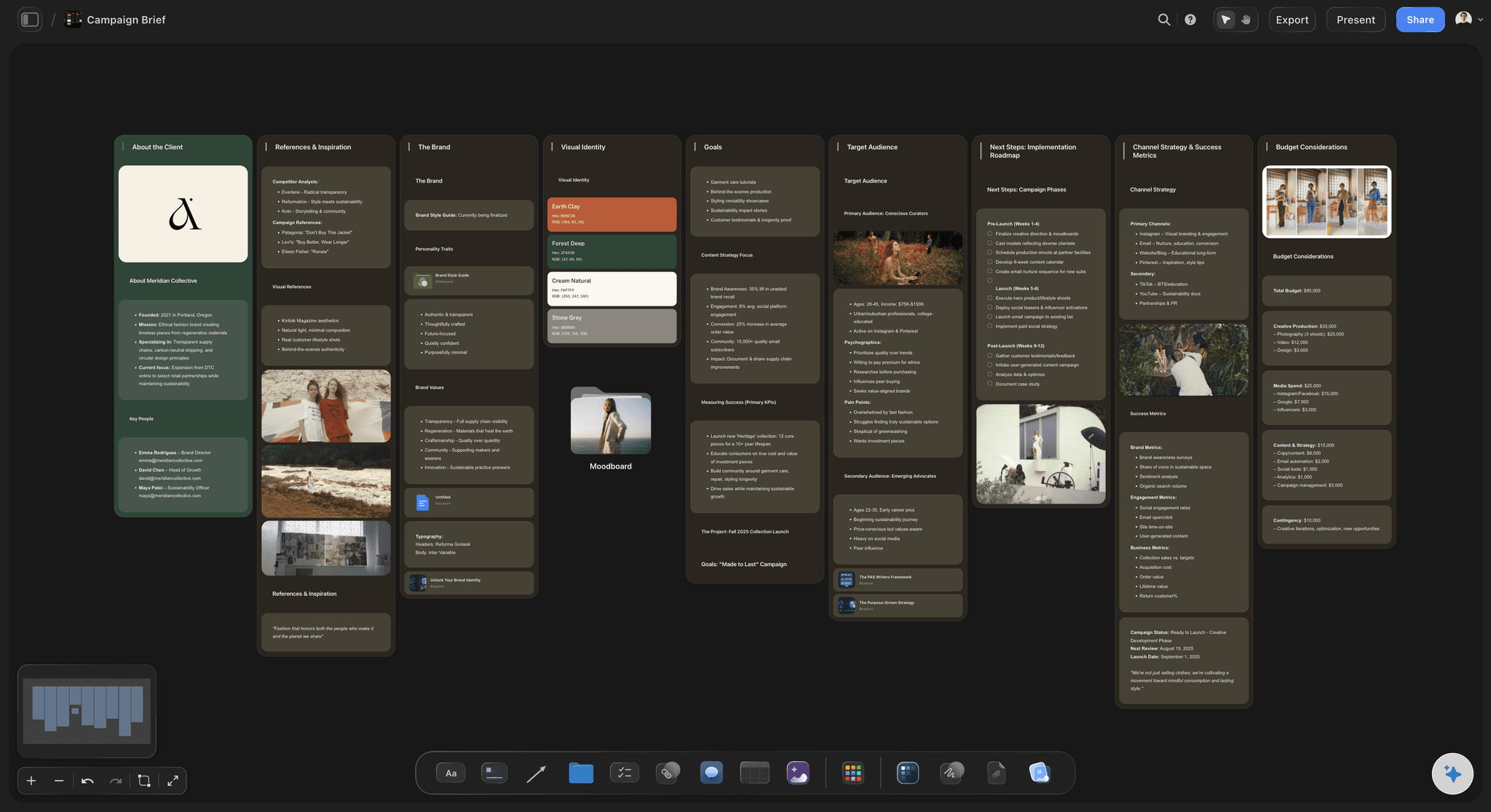
The brief
What the sponsor asked for, word for word
The brand's brief, the talking points, the link and code to mention and the lines you must not say sit in a document on that sponsor's board. Your editor reads the same page you scripted from.
See the influencer campaign plan →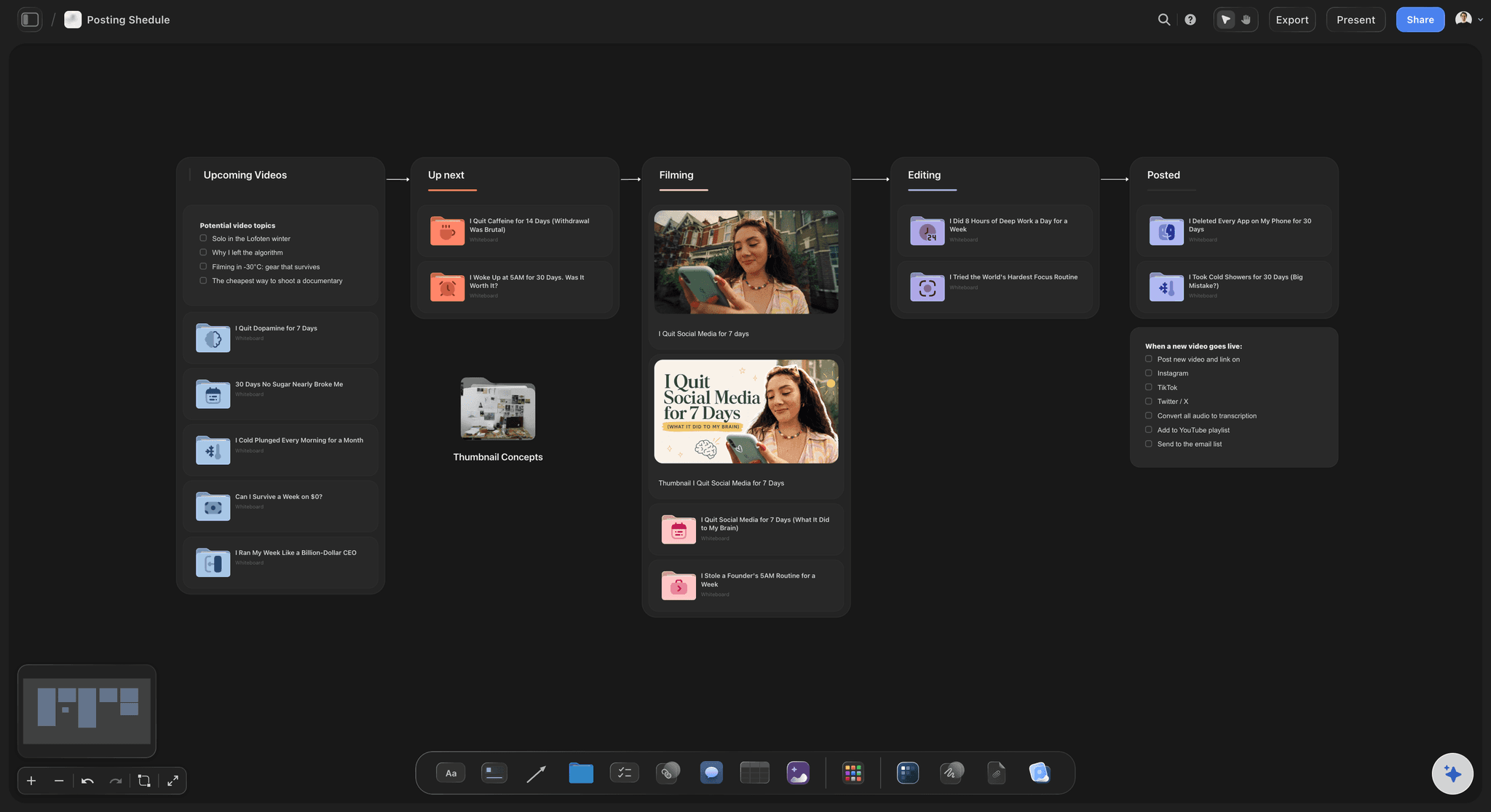
The dates
Script, draft, live and report on cards
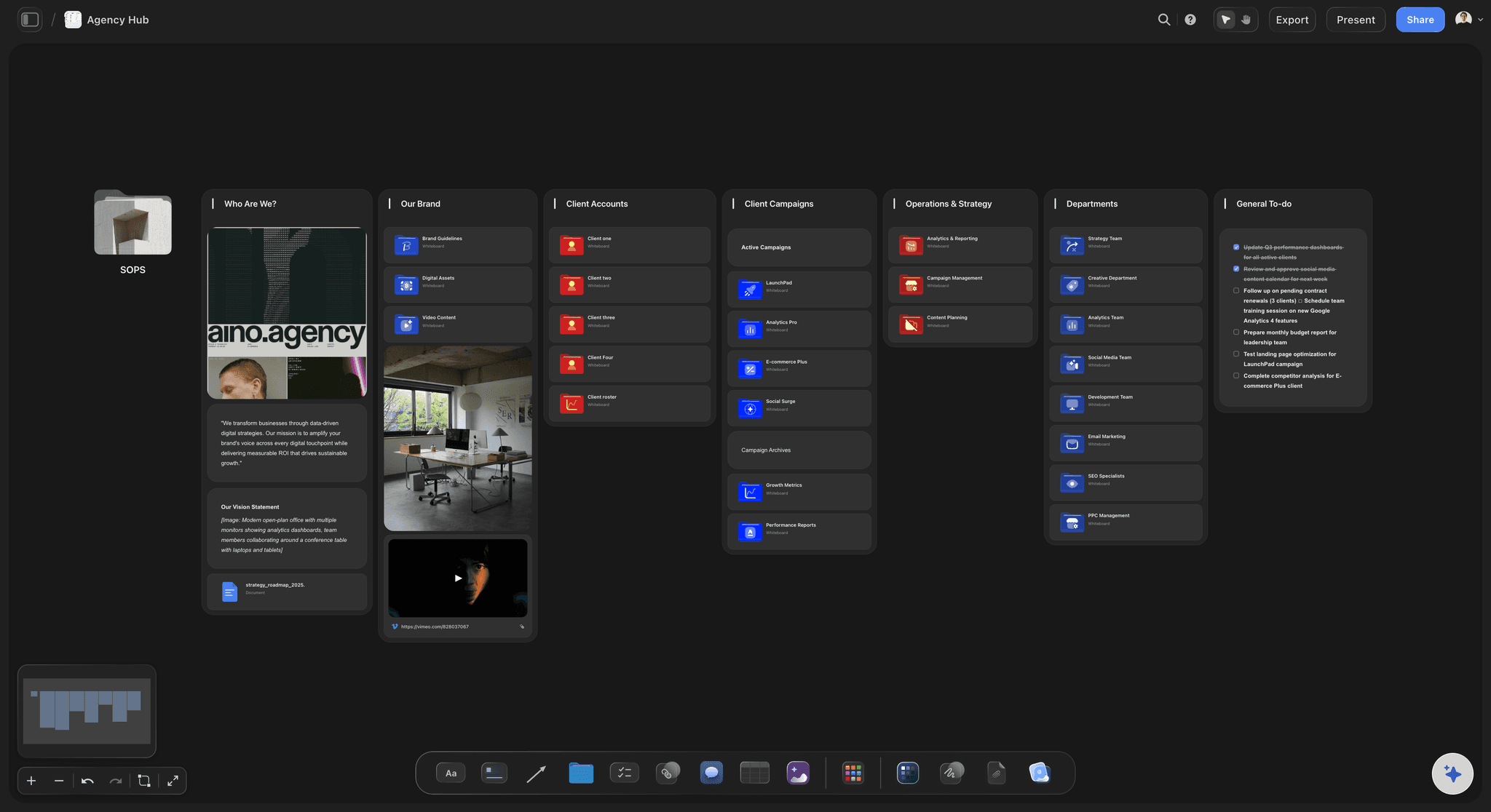
Each deliverable is a ticket with its own due date and label. The sponsored video sits in the same place as the rest of your uploads, so a brand's live date never lands on the day you planned your biggest video.
See the content calendar for creators →
The report
Results the sponsor can forward
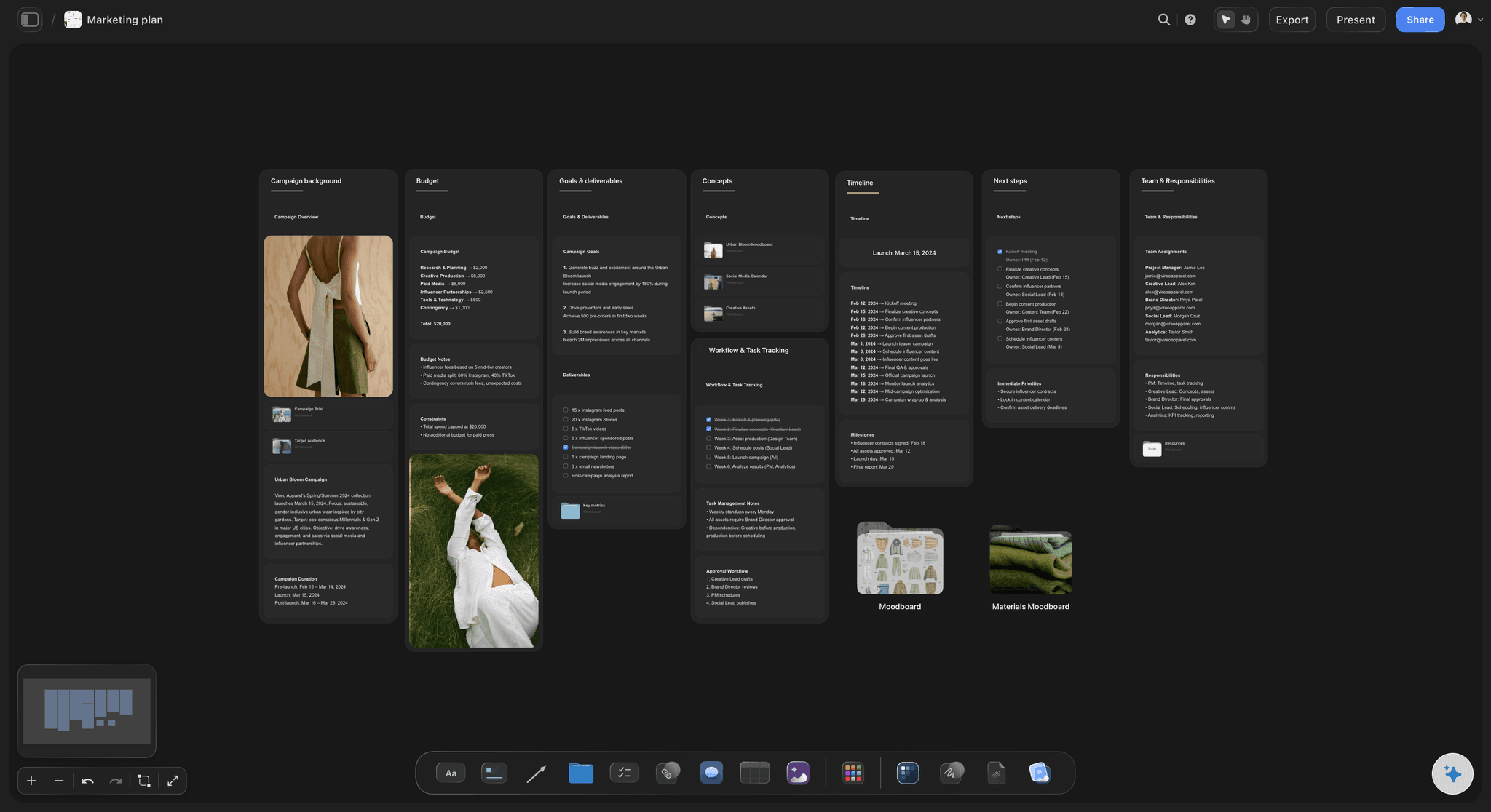
Thirty days after the video goes live, put the views, clicks and code uses into a short report with a chart. Storyflow's AI drafts it from the numbers you paste, and the sponsor opens it from a link to their own board.
See the client report template →Every past deal is a renewal waiting to be asked for.
Keep each sponsor's row, brief and results, and the next pitch to them starts from what worked. Storyflow is paid-only during early access, with plans from $7.99 a month billed annually ($9.99 monthly). A free plan launches before the end of 2026, and anyone a paid member invites to a board joins free.
Unlimited boards, image uploads and files on every paid plan
Invite a manager or editor to the tracker without buying them a seat
Tables with currency, date and label columns and Sum footers
View-only links a sponsor opens with no account
Whole-board PDF export for the results report
Built for people with taste
What goes missing between the yes and the payment.
Three things creators lose track of once the contract is signed, and what the tracker does about each.

The stages
Deals that sit in an inbox with no next step
Six stages, one meaning each: Pitched, in talks, signed, in production, live, paid. Each stage says whose move it is, so a deal never waits a fortnight because both sides thought the other was up.
A follow-up date on every pitch: When you send a pitch, add a ticket due five working days later. A second message often gets the reply the first did not, and it only gets sent if it is written down.
Ask what changed this week: Ask Storyflow's AI what changed on the tracker this week and it lists the cards and tables that were updated and who did it, for you or your manager.
Rows kept in order by hand: Storyflow tables do not sort or filter. Keep live deals in the top table and finished ones in a second table below, and the top one stays short enough to read.
The terms
Usage and exclusivity nobody wrote down
Usage in plain words: Where the brand may reuse your video, for how long, and what an extension costs. Thirty days of paid ads and a year on their website are different prices.
Exclusivity with an end date: Write the category and the date it ends. Sixty days from a video that went live on day 21 means you can say yes to a rival brand on day 81 and not before.
The contract read for you: Attach the contract and Storyflow's AI lists the deliverables, dates, usage, exclusivity and payment terms it finds. It is a reading aid and not legal advice.
Disclosure on the checklist: Add a line to each video's pre-publish checklist for the paid partnership label and the spoken disclosure, so it is ticked before upload and not remembered after.
The money
Invoices sent late and renewals never asked for
Payment terms in the row: Half on signing and half 30 days after the video goes live is a common split. Write yours in the row with the two dates, so you know the day an invoice becomes late.
Agreed and paid, side by side: A Sum footer on the fee column shows what the quarter is worth. A second Sum footer on the received column shows what has arrived. The gap between them is your follow-up list.
A report that earns the renewal: Views at 30 days, clicks, code uses and two or three comments that mention the product. A sponsor who can show their boss a result books again.
A rate card from real deals: After ten rows you know what a 60 second integration, a Short and a month of usage sell for on your channel. Quote the next brand from the table.
Explore templates for your project
Every template opens as a real, editable board on the infinite canvas. Pick the closest fit and make it your own.
Mind Map
Branch one central idea out into themes and sub-points, then drag the connections around until the structure makes sense.
One app instead of five
Where Storyflow fits in tracking partnerships.
It tracks the deal and holds the work for it. It does not sort the pipeline, email the brand or send the invoice.
Storyflow
Recommended
Every partnership and its stage in one table
A board per sponsor for the brief, script and report
Deliverables as cards with their own due dates
AI reads the contract and lists the terms
A sponsor reads the plan or report from a link
Sorts and filters the pipeline
Sends follow-up emails to the brand
Sends invoices and takes payment
A spreadsheet
Every partnership and its stage in one table
A board per sponsor for the brief, script and report
Deliverables as cards with their own due dates
AI reads the contract and lists the terms
A sponsor reads the plan or report from a link
Sorts and filters the pipeline
Sends follow-up emails to the brand
Sends invoices and takes payment
A sales CRM
Every partnership and its stage in one table
A board per sponsor for the brief, script and report
Deliverables as cards with their own due dates
AI reads the contract and lists the terms
A sponsor reads the plan or report from a link
Sorts and filters the pipeline
Sends follow-up emails to the brand
Sends invoices and takes payment
What creators are saying
Join early creators getting structured workspaces and AI that remembers their projects
“Storyflow has sped up my workflow by at least 3x, which means more flow state and more projects I can actually ship. It truly changed the way me and my team create.”

Reilin Joey
Director & YouTuber
“One prompt gets me a structured board. But the tactics are my favorite. I run my YouTube scripts through them and my intros and retention got better. It's amazing.”

Justkay
YouTuber & Freelance Filmmaker
“I used to juggle five apps to plan a project. Now I describe what I am making and get boards, lists, and a schedule. All in one place.”

George
@fernwehchronicles
Creator partnership tracker questions
What creators ask once a second and third sponsor are running at the same time and the dates start to overlap.
In Storyflow, track them on one board: a table with a row per deal and columns for the brand, contact, stage, deliverables, post date, fee, usage and exclusivity, and the amount received. Give each sponsor a board of their own inside it for the brief, your script and a dated card per deliverable. Update the stage whenever the next move changes hands.
Storyflow is built for precisely this job: a pipeline table with fee and received totals, a board per sponsor for the brief and the integration script, dated cards for every deliverable, and an AI that reads the contract you attach and lists its terms. A sponsor opens the report from a link to their own board. Billing still takes an invoicing tool, and sending follow-up emails at volume is what a CRM such as HubSpot or Pipedrive does.
Eight columns: the brand, your contact, the stage, the deliverables, the post date, the fee, the usage and exclusivity terms, and what you have received. In Storyflow, set the fee and the received amount to currency columns with a Sum footer each, and the post date to a date column. Keep live deals in one table and finished deals in another.
Six: pitched, in talks, signed, in production, live and paid. Each one says whose move is next. Pitched and in talks wait on the brand, signed and in production wait on you, live starts the 30 day clock for the results report, and paid closes the row. In a Storyflow table the stage is a label you pick from a list.
Track where the brand may reuse the video, for how long, and what an extension costs, plus the exclusivity category and the date it ends. Sixty days of category exclusivity from the live date blocks rival deals for two months. In Storyflow both go in the terms column of the row, with the end date written as a date.
It depends on the contract. A common split is half on signing and half within 30 days of the video going live. On a $3,800 deal that is $1,900 twice. Write both dates in the Storyflow row and add each half to the received column when it arrives. Storyflow does not send the invoice, so raise it from your invoicing tool on the day the stage changes.
Thirty days after the video goes live, send a one page report: views, average watch time, clicks on the link, uses of the code and two or three comments about the product. Paste the numbers into Storyflow and the AI drafts the report and a chart. Keep it on that sponsor's board and share the board by a view-only link the sponsor can forward.
Put it on the checklist for every sponsored video: switch on the platform's paid partnership label and say the disclosure near the start. Rules differ by country and platform, so follow the ones that apply to you. In Storyflow the line sits in the video's pre-publish checklist, ticked before upload.
Yes, as a reading aid. Attach the contract as a PDF or Word file and Storyflow's AI lists the deliverables, due dates, usage rights, exclusivity and payment terms it finds, and can lay them out in a table. It does not give legal advice and can miss a clause, so read the contract yourself or with a lawyer before you sign.
No. Storyflow is not a creator marketplace or an invoicing tool. It does not match you with brands, send emails, raise invoices, take payments or sign contracts, and it does not pull numbers from YouTube or Instagram. It holds the pipeline, the briefs, the scripts and the reports. Paste your results in from your channel's analytics.
Yes. Invite them to the Storyflow board and you all work on it at the same time. Anyone a paid member invites to a board joins free, so a manager or editor does not need their own plan. A sponsor gets a view-only link to their own board, which they read in a browser with no account.
The deck is the pitch: your audience, the fit, the tiers and the price, sent before anyone has agreed to anything. The tracker starts after the yes and follows the deal to the payment and the renewal. Storyflow has a sponsorship deck page for the first job, and the deck and the tracker can live in the same workspace.
No. Storyflow runs in the browser and there are no native mobile or desktop apps. Open the tracker in any browser on a laptop or a phone. Sponsors, managers and editors open the link you send them the same way, with nothing to download.
More from Storyflow
Sponsorship deck
UGC creator planner
Influencer campaign plan
UGC brief template
Content calendar for creators
Planning tool for YouTubers
Creator workspace
YouTube content pipeline
Storyflow for podcasters
Client report template
Storyflow for Twitch streamers
YouTube video script template
Livestream run of show
Know whose move it is on every deal.
One table from pitch sent to paid, and a board per sponsor for the brief, the script, the dates and the results.