
Ultra-fast storyboards: minutes, not days
A storyboard app that opens
in any browser, with nothing to install.
Storyflow runs in Chrome, Safari, Firefox or Edge on a Mac, a Windows PC or a Chromebook. The AI lays out the storyboard from your script, and the board is saved online, so it is the same on every computer you sign in from.


Creatives working for these brands already got early access
- Red Bull
- Canon
- Artlist
- Porsche
See how easy it is to get started
Watch a real project come together, from a blank board to a finished plan, clicked through step by step.
Start from a ready-made template
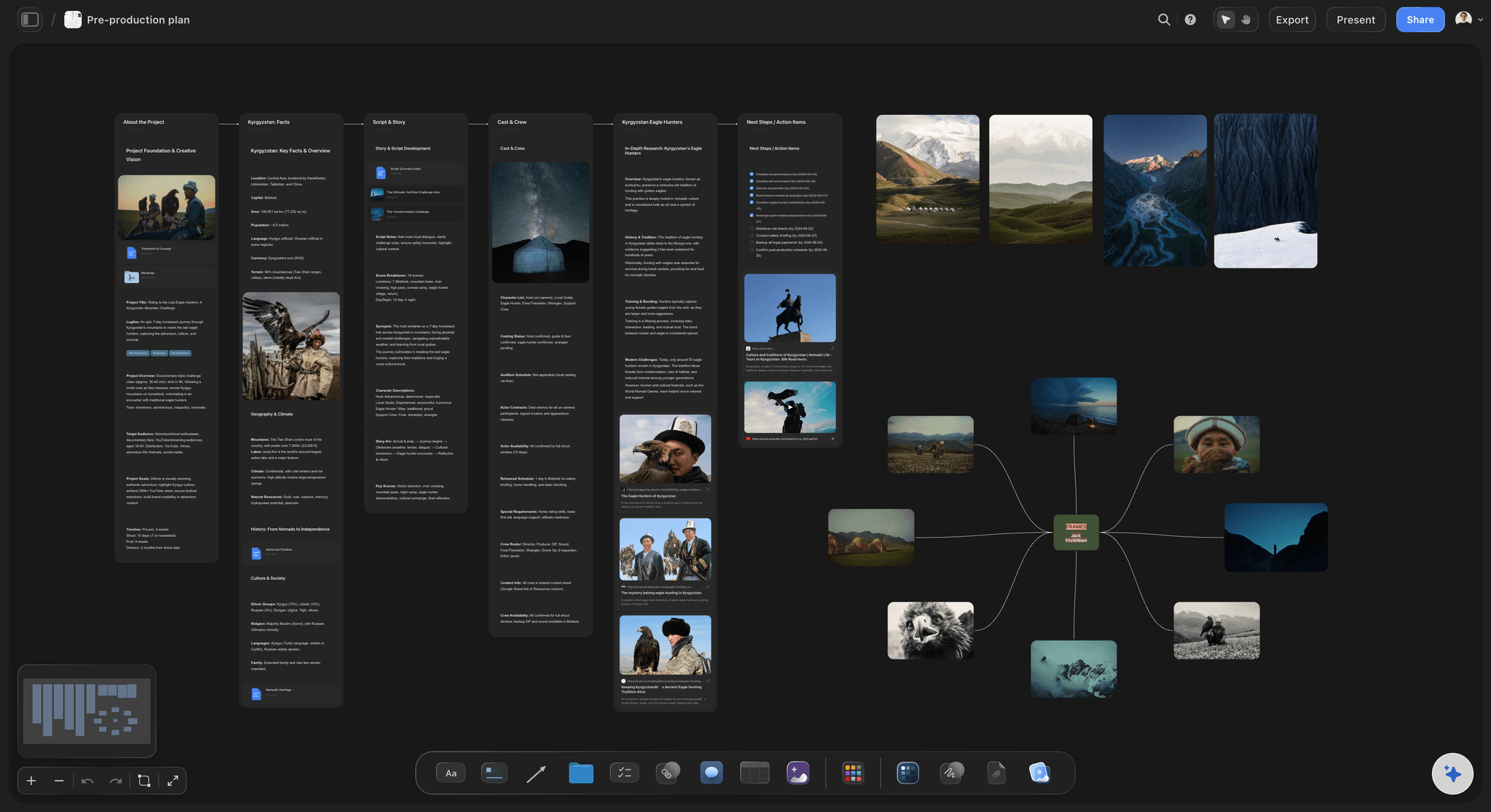
Pick a board to see what you can build, then let AI fill it in. Every template is a real, editable starting point on the same infinite canvas.

Storyboard
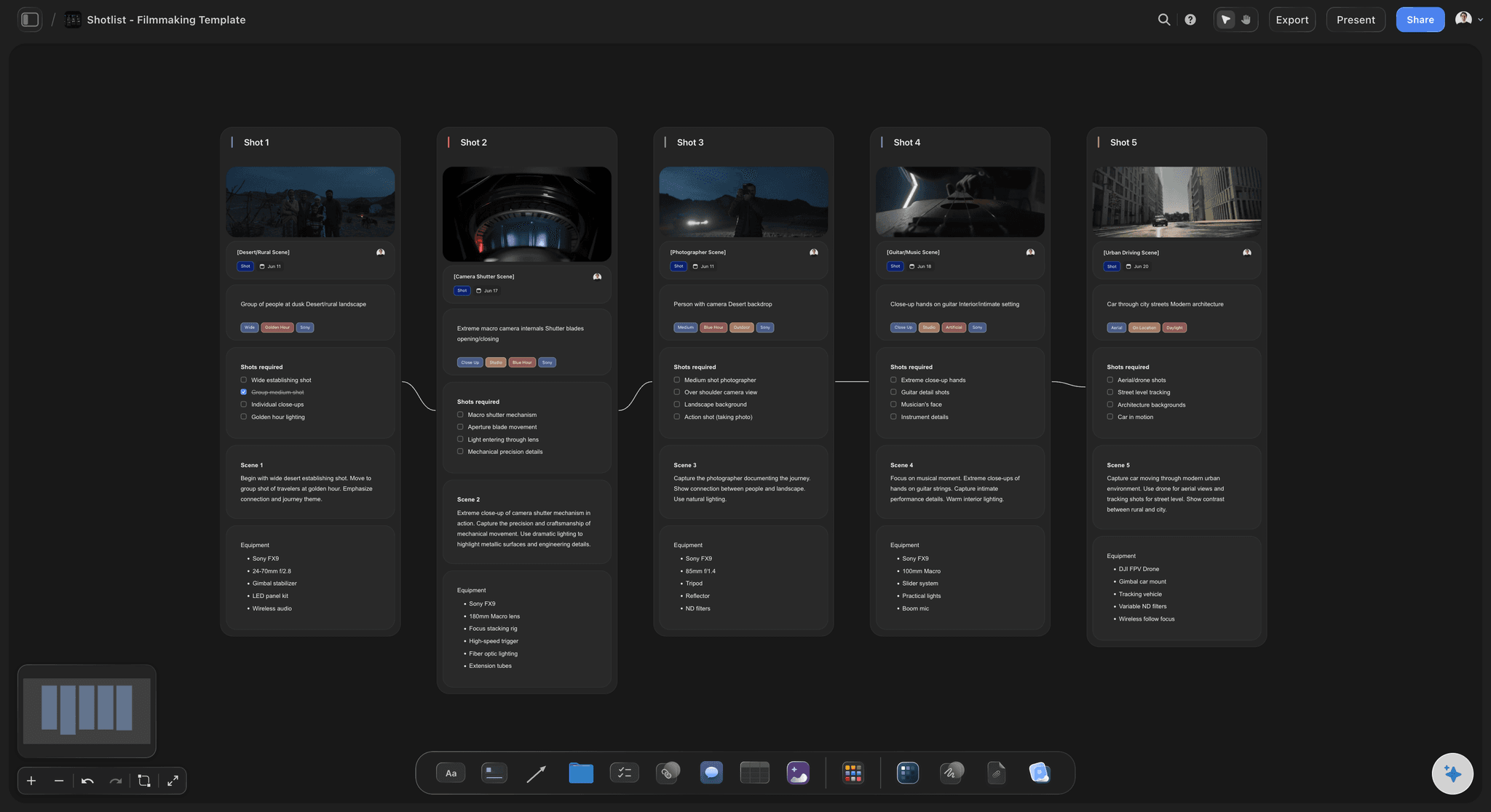
Lay out your shots frame by frame with images and notes, then reorder them until the sequence reads like the finished cut.
What is a storyboard app, and do you need to install one?
A storyboard app is software for planning a video as frames in the order they play, and you do not have to install one when it runs in a browser. Storyflow is an AI visual workspace that lays out your storyboard in the browser on one infinite canvas: frames in the order they play, drafted by the AI from your description or script, with the shot list, the shoot days and the references beside them. There is nothing to install: open it on any computer. There are no native versions for Mac, Windows, iPad or phones today, and for planning a shoot that is rarely a loss, because every machine opens the same board.
A storyboard app is software for planning a video visually: the scenes laid out as frames in the order they play, a note on each, and the order easy to change as the idea moves. The apps split three ways. Drawing software, such as Storyboarder on a desktop computer or a drawing app on an iPad, suits artists who draw every frame. Dedicated web apps such as Boords add timing, animatics and client review. Canvas apps put the storyboard beside the rest of the plan.
The install question matters less than it used to. A browser app opens on the studio Mac, the home PC and a borrowed laptop on set with the same board, nothing to update and no file to copy between machines. What you give up is offline work and a native touch app: Storyflow needs an internet connection, and on a phone or a tablet it suits viewing, light edits and AI chat rather than building a full board.
Storyflow's AI reads the board you have open, plus up to five documents and three other boards you attach, so a script, a treatment or a reference board can all feed the storyboard. Invited collaborators edit the same board in real time, and anyone a paid member invites joins free. A client opens a view-only link with no account, and signs in to comment.
Ultra fast from brief to board
Open a tab, not an installer.
Four steps from a script to a storyboard a client can open.
01
Open Storyflow in your browser
Sign in on any computer with a modern browser. There is no download, no installer and no version to keep up to date.
02
Describe the video or paste the script
The AI lays out one frame per scene in the order it plays, each with a note and a slot for a picture: your own photo, a still, an AI image on Pro and Max, or a reference photo the AI finds on the web.
03
Build the plan around it
Ask for a shot list from the same scenes, or group the scenes into shoot days, and both land on the board beside the frames.
04
Share the board by link
A client opens a view-only link in any browser with no account, and signs in to comment. Or export the whole board as an image or a PDF.
A storyboard app that lives in a tab.
The whole canvas, the AI and the sharing, with nothing on your machine.

Nothing to install
The full app in a browser tab
Chrome, Safari, Firefox and Edge all run the whole canvas. Sign in on the studio Mac or a borrowed laptop and the same boards are there.
See the online storyboard maker →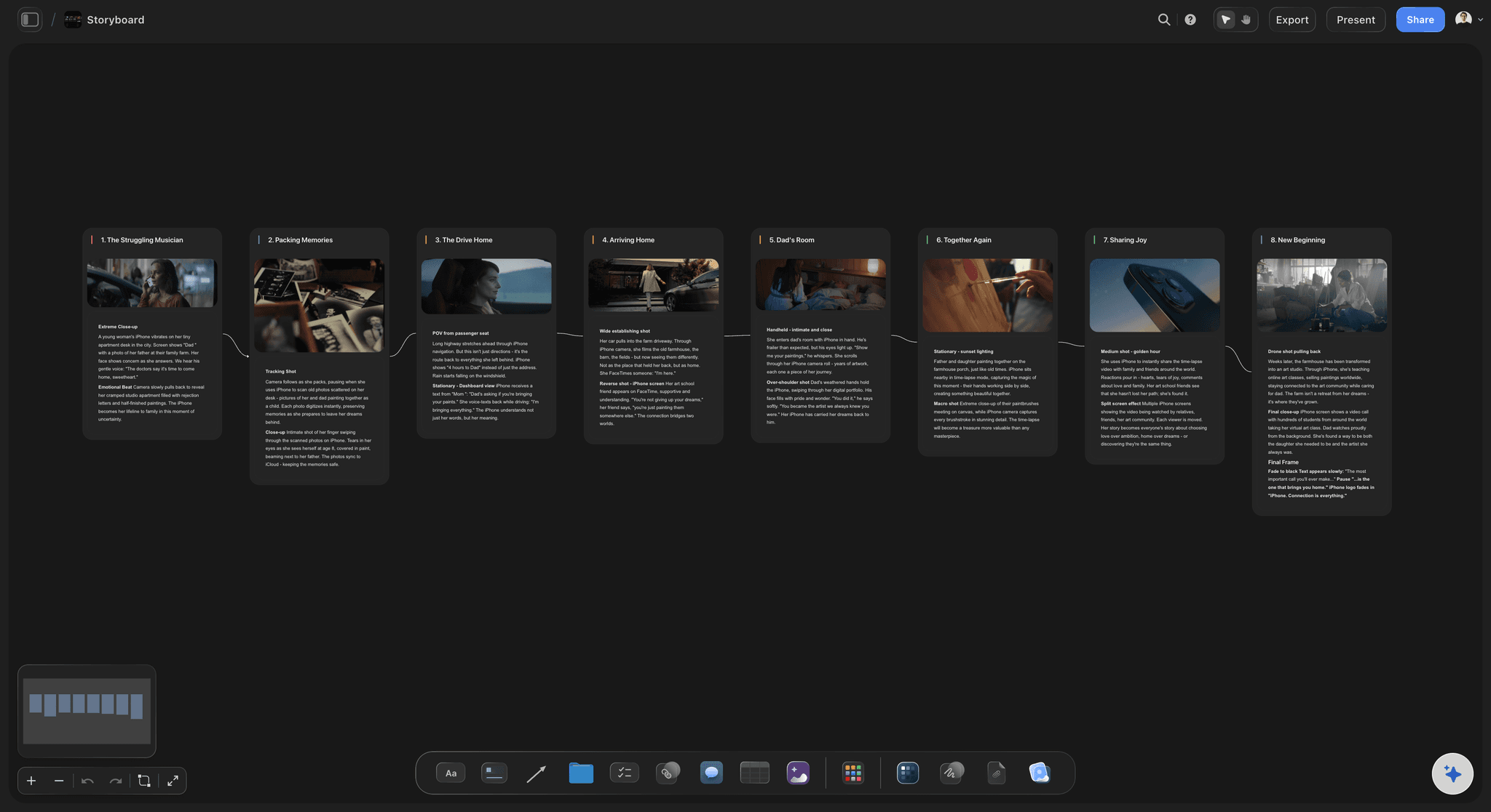
AI lays out the frames
From a script to a storyboard
Paste the script or describe the video and the AI builds one frame per scene, in order, with the scene numbers as printed. Drag a frame to change the cut.
See the AI storyboard generator →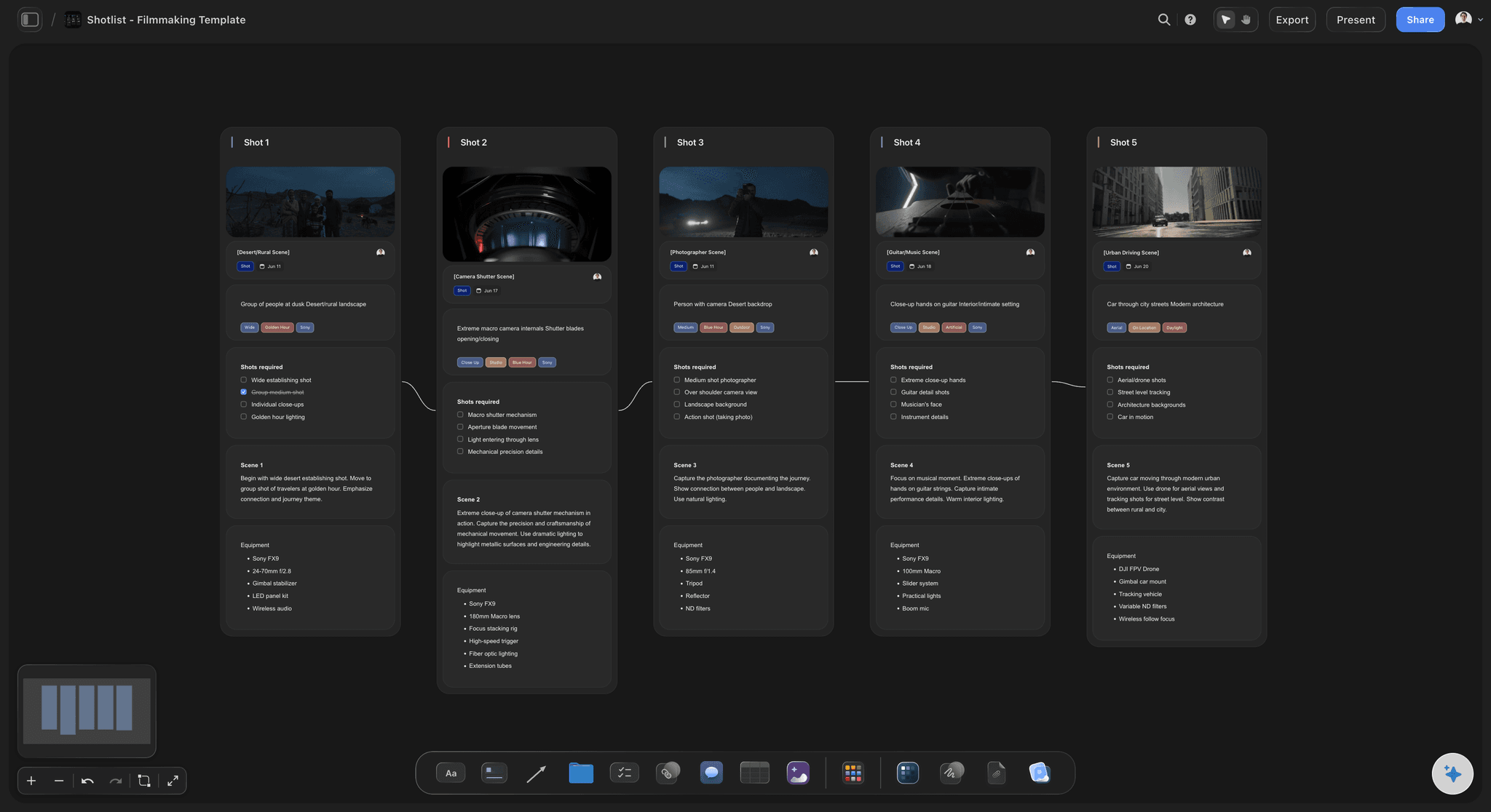
The plan beside the frames
Shot list and shoot days on one board
The AI drafts the shot list from the same scenes and groups them into shoot days, so a change to the storyboard is one board away from the schedule.
Try the AI shot list generator →
Clients open a link
Nobody else installs anything either
A view-only link opens in any browser with no account, and a reviewer who signs in can comment on a specific frame.
Learn about storyboarding in Storyflow →Unlimited boards. Nothing to install.
The whole storyboard app runs in your browser on every paid plan. Storyflow is paid-only during early access, with plans from $7.99 a month billed annually ($9.99 monthly). A free plan launches before the end of 2026, and anyone a paid member invites to a board joins free.
Unlimited boards on an infinite canvas
AI that lays out a storyboard from a description or a script
Invited collaborators edit the same board in real time
View-only links that open with no account
Built for people with taste
What changes when the storyboard app lives in a browser.
The gains, the trade-offs, and what the board grows into.
Every machine, one board
What a browser app changes
Every computer has your boards: The board is saved online as you work, not in a file on one laptop. Open it at the studio, at home or on set and it is the same board.
Nothing to update: The app is current every time you open it. There is no installer to run and no version mismatch between two computers.
Works where installs are blocked: School and client machines often forbid installing software. A browser tab needs no permission from anyone in IT.
Needs a connection: Storyflow has no offline mode. If you storyboard on a plane, desktop drawing software such as Storyboarder is the better fit.

Phones and tablets
What works on a small screen
Viewing and light edits: On a phone or a tablet the web app handles viewing boards, editing notes, replying to comments and quick AI prompts.
Build on a bigger screen: Placing, aligning and presenting a full storyboard is easier on a laptop or desktop screen, where the toolbars have room.
No native version today: There is nothing to download for iPad, iPhone or Android. Open the board in the browser and bookmark it for quick access.
The storyboard is the start
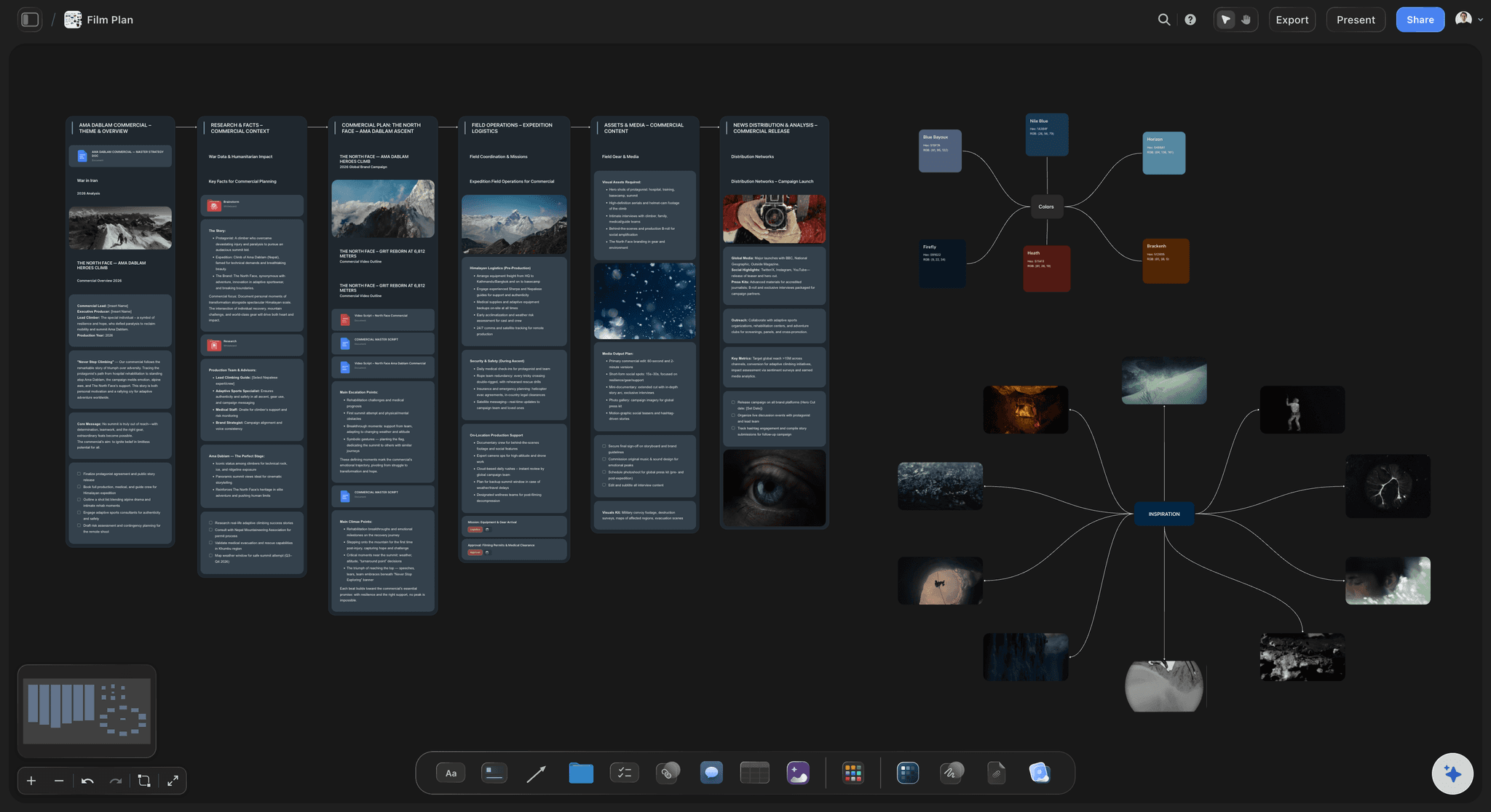
The plan grows from the frames
Shot list from the same scenes: Ask the AI for a shot list and it breaks the scenes into shots on the same board. The storyboard and the shot list sit side by side, so a change to one is in plain view of the other.
Scenes grouped into shoot days: A strip board lays each scene out as a coloured strip under its shoot day, with estimated page-eighths totalled per day.
A call sheet from the board: When the shoot is close, the AI drafts a call sheet PDF for one shoot day from what is on the board. It does not send it or collect confirmations.
Honest limits
What this storyboard app leaves out
No animatic timeline: Frames do not play back against time or sound. Boords and Storyboarder both handle timing for an animatic.
No storyboard drawing tools: A freehand pen is there for rough marks, but there are no storyboard panels to draw into and no brush sets. Artists who draw every frame will want drawing software.
AI images on Pro and Max: Every paid plan lays out frames with notes and picture slots for your own images. Generated frame images need the Pro or Max plan.
Explore templates for your project
Every template opens as a real, editable board on the infinite canvas. Pick the closest fit and make it your own.
Storyboard
Lay out your shots frame by frame with images and notes, then reorder them until the sequence reads like the finished cut.
One app instead of five
Storyflow vs Boords, Canva and Storyboarder.
Each is good at something: Boords at timing and client review, Canva at designed pages with apps on every device, Storyboarder at free hand-drawn boards on the desktop. Here is where they differ as a storyboard app.
Storyflow
Recommended
Runs in a browser, nothing to install
Native app for iPad or phones
AI lays out frames from a script
Scenes grouped into shoot days
Frame timing for an animatic
View-only link, no account needed
Boords
Runs in a browser, nothing to install
Native app for iPad or phones
AI lays out frames from a script
Scenes grouped into shoot days
Frame timing for an animatic
View-only link, no account needed
Canva
Runs in a browser, nothing to install
Native app for iPad or phones
AI lays out frames from a script
Scenes grouped into shoot days
Frame timing for an animatic
View-only link, no account needed
Storyboarder
Runs in a browser, nothing to install
Native app for iPad or phones
AI lays out frames from a script
Scenes grouped into shoot days
Frame timing for an animatic
View-only link, no account needed
What creators are saying
Join early creators getting structured workspaces and AI that remembers their projects
“Storyflow has sped up my workflow by at least 3x, which means more flow state and more projects I can actually ship. It truly changed the way me and my team create.”

Reilin Joey
Director & YouTuber
“One prompt gets me a structured board. But the tactics are my favorite. I run my YouTube scripts through them and my intros and retention got better. It's amazing.”

Justkay
YouTuber & Freelance Filmmaker
“I used to juggle five apps to plan a project. Now I describe what I am making and get boards, lists, and a schedule. All in one place.”

George
@fernwehchronicles
Storyboard app, answered.
Installing, devices, the AI, sharing and what it costs.
Storyflow, for storyboards that feed a real shoot: it runs in any browser with nothing to install, the AI lays out the frames from your script, and the shot list and shoot days sit on the same board. Boords suits timing, animatics and client review in the browser. Storyboarder by Wonder Unit is a free download for drawing every frame on Mac, Windows or Linux. Canva suits designed pages and has apps for phones and tablets.
Not a native one. Storyflow runs in your browser on a Mac or a Windows PC, in Chrome, Safari, Firefox or Edge, with nothing to install, and the board is the same on both. For a focused workspace, give Storyflow its own browser window and keep it open beside your other software.
Partly. In the browser on an iPad or a phone you can view boards, edit notes, reply to comments and run quick AI prompts. Building a full storyboard, placing and aligning frames, is easier on a laptop or desktop screen. There is no native version for iPad, iPhone or Android today, so there is nothing to download: open the board's link in Safari or Chrome.
Not Storyflow, yet. Storyflow is paid-only during early access, with plans from $7.99 a month billed annually ($9.99 monthly). A free plan launches before the end of 2026, and anyone a paid member invites to a board joins free. Free options today include Storyboarder by Wonder Unit, a free desktop download for drawing frames, and Canva's free plan with storyboard templates.
It lays them out rather than drawing finished art. The AI builds one frame per scene with a note on the action, and each frame's picture is your own photo or still, an AI-generated image on Pro and Max, or a reference photo the AI finds on the web. Generated frames are good for blocking a sequence, not for an art department reference, so commission an artist for finished boards once the order is settled.
Yes. Invited collaborators edit the same board in real time on any paid plan, and anyone a paid member invites joins free. For people who only need to look, a view-only link opens in any browser with no account, and they sign in to comment on a specific frame. View-only visitors see the latest version when they open or reload the link.
Yes. Export the whole board as an image or a PDF for someone who will not open a link, or for printing. Documents on the board, such as the script or a treatment, export to Word and PDF. There is no animatic or video export, because frames do not play back against time. For a live review, share the view-only link instead of a file.
Four things decide it: how frames get made (drawing, photos or AI), how easily the order changes, whether you need timing and an animatic, and where the storyboard lives relative to the script and schedule. Storyflow covers AI frames from a script, drag-to-reorder on a canvas and the plan on one board. It has no animatic timeline, which is where Boords is stronger.
Yes. Upload a clip as MP4, MOV or WEBM, play and scrub it on the board, and grab a frame as a still to use in the storyboard, or paste a YouTube or Vimeo link and grab a frame from the embed. Images, audio, documents and links sit on the same canvas, so the reference and the frame it inspired stay side by side instead of in separate folders.
Chrome, Safari, Firefox, Edge, Arc and Brave, on a Mac, a Windows PC, Linux or a Chromebook. A few features that rely on Chromium browser APIs, such as the eye dropper, work best in Chrome, Edge or Arc. Keep the browser up to date; there is nothing else to install or update.
More from Storyflow
Storyboard maker
AI storyboard generator
Online storyboard maker
Simple AI storyboarding tool
Text to storyboard
Script to storyboard
How to make a storyboard
Storyboard template
Storyboard examples
Film storyboard
Video storyboard
Storyboard for students
AI shot list generator
Animatic maker
Commercial storyboard
Open the storyboard in a tab.
Describe the video or paste the script, see the frames in order, and share the board by link. Nothing to install.