
Ultra-fast storyboards: minutes, not days
The online storyboard maker
that starts right now.
Open a tab and you are storyboarding. Storyflow runs entirely in the browser: boards are saved online, shareable by link, and the AI lays out your scenes while you type. No download, no setup.


Creatives working for these brands already got early access
- Red Bull
- Canon
- Artlist
- Porsche
See how easy it is to get started
Watch a real project come together, from a blank board to a finished plan, clicked through step by step.
Start from a ready-made template
Pick a board to see what you can build, then let AI fill it in. Every template is a real, editable starting point on the same infinite canvas.

Storyboard
Lay out your shots frame by frame with images and notes, then reorder them until the sequence reads like the finished cut.
What is an online storyboard maker?
An online storyboard maker is a storyboarding tool that lives in the browser instead of on one machine. Storyflow is an AI visual workspace that lays out your storyboard in the browser on one infinite canvas: scenes, structure and notes drafted by the AI, built-in storytelling frameworks, and a link that shares the board. There is nothing to download, nothing to update, and no file sitting on a single laptop: you open a link and the board is there, the same on every computer you sign in from.
Storyflow is an online storyboard maker built around an infinite canvas and a canvas-native AI. Because everything happens online, the board you refine at the office is the exact board you open at home.
Sharing works the way the web works. Send a view-only link and anyone can see the storyboard online without creating an account, or invite teammates to the project so they can open and edit the boards too. When someone needs a file, export the board as an image or PDF. A free plan launches before the end of 2026 with unlimited boards, basic AI usage, 3 starter frameworks and 20 file uploads. Until then, anyone a paid member invites to a board joins free.
Ultra fast from brief to board
Storyboard online in four steps.
From a blank tab to a shareable board, without installing anything.
01
Open a canvas in your browser
The canvas loads in the tab you already have open, on any computer.
02
Tell the AI what you are making
Type a description of the video, or paste your script. The AI lays out the scenes, structure, and notes on the canvas.
03
Refine the board online
Drag frames around, add reference images and video, grab stills from YouTube or Vimeo, and keep prompting the AI to adjust the board.
04
Share by link or export
Invite teammates to edit, give clients a view-only link, or hand over an image or PDF export when someone needs a file.
Everything an online storyboard maker should do.
Browser-first is not a compromise. It is the reason the whole team can actually use the board.

Boards saved online, open anywhere
Your storyboard follows you
Start the board on the office machine, open it at home, show it from a laptop in the meeting. It is always the latest version because there is only one version.
Compare with a storyboard app →
AI lays out scenes while you type
Skip the blank canvas
Describe the story and the AI builds the storyboard layout online: scenes in order, structure applied, notes on every frame. You refine instead of starting from zero.
See the AI storyboard generator →
View-only links for anyone, no account needed
Share the board like a webpage
Clients and stakeholders open a link and see the storyboard online, exactly as it stands. No exports, no attachments, no 'which version is this'.
See how teams storyboard →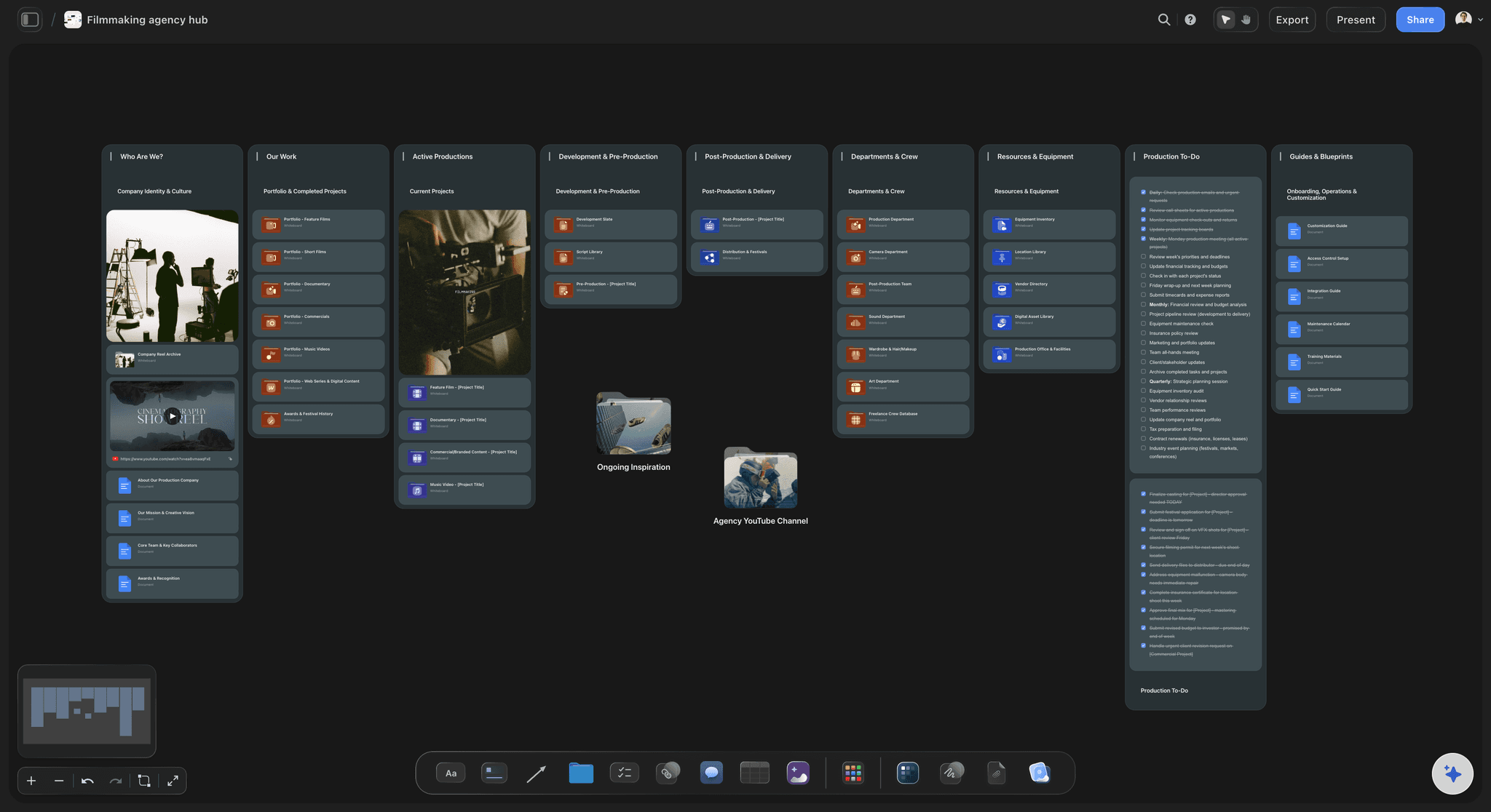
Free plan coming late 2026
Paid today, with a free plan on the way
Storyflow is paid-only during early access from $7.99 a month billed annually, and the Free plan arrives before the end of 2026 with unlimited boards, basic AI usage and sharing. Anyone a paid member invites to a board joins free today.
See the free storyboard maker →Unlimited boards, saved online.
Boards stay yours. A free plan launches before the end of 2026.
Unlimited storyboards saved online
AI usage included to lay out scenes in the browser
Boards shareable by view-only link, openable without an account
Invite unlimited collaborators to your project

Built for people with taste
An online storyboarding tool, not a port of a desktop one.
Storyflow was built web-first, so the things the browser is good at are the things the tool is good at.
Works on any computer with a browser
Zero setup, zero IT tickets
Nothing to download: No installer, no updates, no admin rights needed. If the computer opens a browser, it opens your storyboard.
Mac, Windows, Chromebook: The canvas is the same everywhere. A desktop app for Mac and Windows exists too, but it is optional.
Start in seconds: From landing on the site to placing your first frame is one sign-up form.

An infinite canvas behind every board
More room than any grid
Boards grow with the story: No page limits or fixed cells. Sequences, alternates, and cut scenes all fit on one canvas.
Drag anything in: Images, video, GIFs, PDFs, links, and notes drop straight onto the board next to your frames.
Grab frames from the web: Capture stills from YouTube and Vimeo references directly onto the canvas as visual targets.

Storytelling structure built in
Frameworks do the film-school part
AI applies the structure: Ask for a structure and the AI slots your scenes into place, annotating what each beat is doing.
Built for stories: Storyflow is a storytelling canvas, not a generic design tool with a storyboard template bolted on.

Collaboration that matches how you work
One board, the whole team
Collaborators join free: Teammates join the project and open the same boards. Anyone a paid member invites to a board joins free.
Review by link, no account: Clients see the storyboard online without an account and without being able to move anything.
Live editing together: Need live edits side by side? Invited collaborators edit the same board at the same time on any paid plan.
Explore templates for your project
Every template opens as a real, editable board on the infinite canvas. Pick the closest fit and make it your own.
Storyboard
Lay out your shots frame by frame with images and notes, then reorder them until the sequence reads like the finished cut.
One app instead of five
The best way to storyboard online.
Plenty of online tools can hold rectangles. Few of them understand that yours tell a story.
Storyflow
Recommended
AI drafts the storyboard, you refine
Built for storytelling, not generic design
Storytelling frameworks built in
Free plan with no time limit
Canva
AI drafts the storyboard, you refine
Built for storytelling, not generic design
Storytelling frameworks built in
Free plan with no time limit
Milanote
AI drafts the storyboard, you refine
Built for storytelling, not generic design
Storytelling frameworks built in
Free plan with no time limit
Miro
AI drafts the storyboard, you refine
Built for storytelling, not generic design
Storytelling frameworks built in
Free plan with no time limit
What creators are saying
Join early creators getting structured workspaces and AI that remembers their projects
“Storyflow has sped up my workflow by at least 3x, which means more flow state and more projects I can actually ship. It truly changed the way me and my team create.”

Reilin Joey
Director & YouTuber
“One prompt gets me a structured board. But the tactics are my favorite. I run my YouTube scripts through them and my intros and retention got better. It's amazing.”

Justkay
YouTuber & Freelance Filmmaker
“I used to juggle five apps to plan a project. Now I describe what I am making and get boards, lists, and a schedule. All in one place.”

George
@fernwehchronicles
Storyboarding online, answered.
What people ask before they make their first storyboard online.
The best online storyboard maker is one that starts instantly, saves your boards online, and helps with the actual storytelling. Storyflow does all three: it runs in the browser with nothing to install, every board lives at a shareable link, and the AI drafts the scene layout, structure, and notes on an infinite canvas for you to refine.
Not yet. Storyflow is paid-only during early access, with plans from $7.99 a month billed annually ($9.99 monthly). A free plan launches before the end of 2026 with unlimited boards, basic AI usage, 3 starter frameworks and 20 file uploads. Until then, anyone a paid member invites to a board joins free.
Open a storyboard tool in your browser, add a frame for each shot, and describe or sketch what happens in it. In Storyflow the fastest route is to describe the video and let the AI lay the frames out, then correct them, which is quicker than building an empty board frame by frame. For each frame, note the shot type and what is happening; add an image, a sketch, or a reference photo if you have one, since a frame with a picture communicates far better than a frame with a description. Then reorder the frames until the sequence reads the way the finished piece should, which is the entire point of storyboarding and the reason it is worth doing before a shoot. Share it with a view-only link so a client or a crew member can open it in a browser without an account.
Several tools have free tiers that will get a basic storyboard made in a browser, and physical index cards remain a completely serious option if you are working alone. Storyflow is paid-only during early access, with plans from $7.99 a month billed annually and a Free plan launching before the end of 2026, though anyone a paid member invites to a board joins free today. What you are trading when you pick a free tool is usually one of three things: a cap on frames or boards, no AI to lay out the first pass, or no way to share with someone who does not have an account. For a single short storyboard those limits rarely matter; for a production where the board becomes the shot list and the schedule, they do.
No. Storyflow runs entirely in the browser on any computer, so there is no installer and nothing to update. An optional desktop app exists for Mac and Windows, but the browser version is the full product.
Yes. Invite collaborators to your project for free and they can open and edit the same boards, and you can share view-only links with clients who should only review. Invited collaborators see each other's edits in real time on any paid plan.
Online, in your Storyflow workspace. Sign in from any computer and your boards are there, current and complete. There is no project file to lose, sync, or email around.
Yes. Any board exports as a high-quality image or PDF, which covers decks, client emails, and printing. Storyflow does not export video or animatics.
The AI generates the storyboard layout: scenes in order, structure, and notes on the canvas. You add visuals with reference images, frame grabs from YouTube or Vimeo, or pen-tool sketches. Pro and Max plans add the ability to generate AI images directly on the canvas.
Desktop storyboard software ties the board to one machine and one license, and sharing means exporting files. An online storyboard maker like Storyflow keeps one live board at a link, works on any computer, and lets the team and clients see the current version at all times.
The tab is already open.
Make a storyboard online in the next few minutes. Nothing to install.