
Ultra-fast storyboards: minutes, not days
A storyboard for students
built for the whole class.
No trial countdown, no download. Open a board in the browser on any school computer, let the AI lay out your scenes, and hand in a storyboard that looks planned. Invite your whole group free.


Creatives working for these brands already got early access
- Red Bull
- Canon
- Artlist
- Porsche
See how easy it is to get started
Watch a real project come together, from a blank board to a finished plan, clicked through step by step.
Start from a ready-made template
Pick a board to see what you can build, then let AI fill it in. Every template is a real, editable starting point on the same infinite canvas.

Storyboard
Lay out your shots frame by frame with images and notes, then reorder them until the sequence reads like the finished cut.
What is a storyboard for students?
A storyboard for students is the same planning tool professionals use for film and video, scaled to a class project: a sequence of frames that shows what happens in every scene before anyone picks up a camera or writes a final draft. Storyflow is an AI visual workspace that lays out a class storyboard on one infinite canvas: scenes the AI arranges from your script, shared boards for group work, and view-only links for teachers. A short film, a media studies analysis, a visual retelling of a novel chapter: the storyboard is where the idea becomes a plan.
Most tools that call themselves a storyboard for students put the useful parts behind a trial that expires before the project is due. Storyflow's plans do not expire and there is no trial clock once you sign up. It runs in the browser, so it works on school computers and Chromebooks without installing anything. Paste your script or describe your story, and the AI lays out the scenes, structure, and notes on an infinite canvas, so the storyboard for school stops feeling like a second assignment.
It also works the way school projects actually work: invite your whole group to the board for free, build the education storyboard together, and send the teacher a view-only link so they can check progress without making an account.
Ultra fast from brief to board
Make a storyboard for your class project in four steps.
No setup, no install, no trial timer. Open the canvas and start.
01
Create your account
Sign up in seconds in the browser. No download, nothing to install on the school computer.
02
Add your story
Paste your script, describe the story to the AI, or drop the assignment brief on the canvas as a PDF.
03
AI lays out the scenes
The AI breaks the story into scenes and generates a storyboard layout with structure and notes, arranged on the canvas.
04
Work together, hand it in
Invite your group to the board, send the teacher a view-only link, and export the finished storyboard as an image or PDF to submit.
A storyboard for school that does the heavy lifting.
From film class to English projects, the AI lays out the scenes and the canvas keeps the group on the same page.

Runs in the browser on any school computer
No download, no install, no IT ticket
Storyflow works in the browser, so it runs on school computers and Chromebooks without installing anything. Your board is there from any machine you log into.
See the free storyboard maker →
AI layout from your script or story idea
From assignment to storyboard in minutes
Paste your script or describe the story, and every scene comes back already laid out with structure and notes. You spend the time on ideas, not on drawing boxes.
See script to storyboard →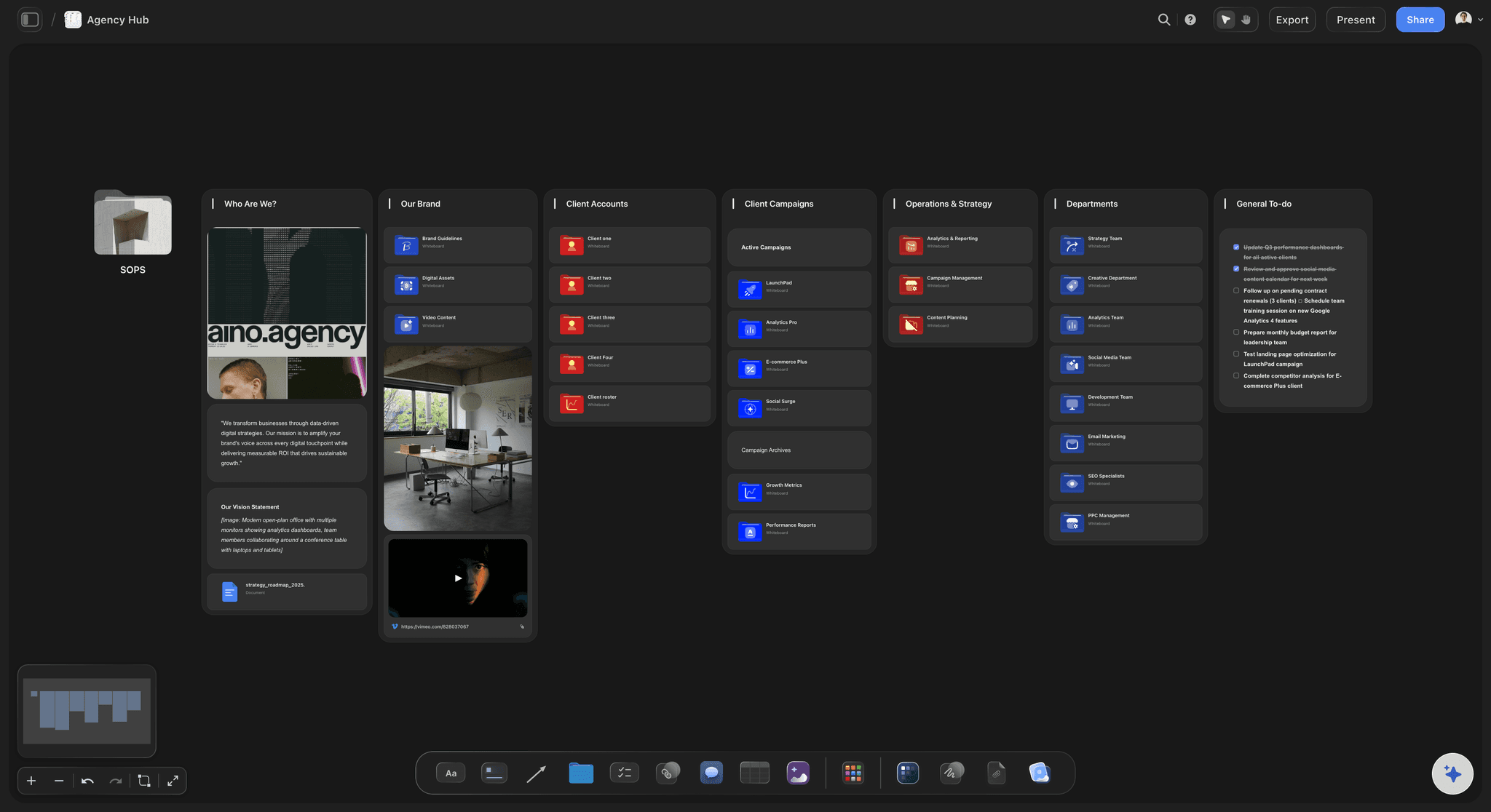
Shared boards for group projects
Built for group work
Invite your whole group to the board for free. Everyone adds scenes, notes, and references to the same canvas instead of emailing versions around.
Learn how to make a storyboard →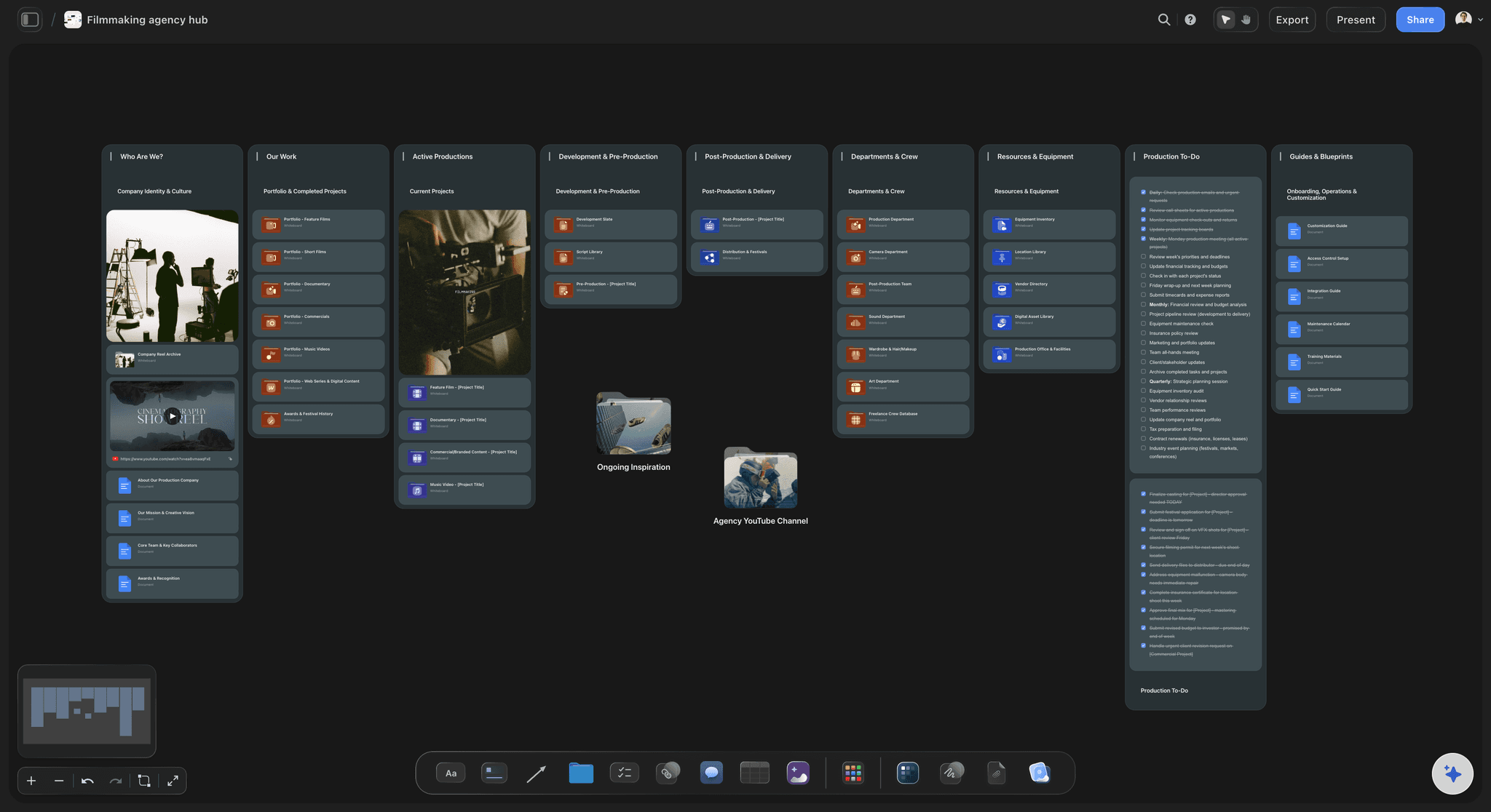
View-only links for teachers
Teachers review without an account
Send a view-only link and your teacher can check the storyboard from any browser, no sign-up needed. Export an image or PDF when it is time to submit.
See film storyboards →No board cap. No trial clock.
Not a trial. It covers a whole semester of projects and keeps going after the grade is in. Group members you invite join free.
Every assignment gets its own storyboard, no board cap
AI usage to lay out your scenes
Unlimited file uploads for sketches and references
Invite your group and share view-only links
Built for people with taste
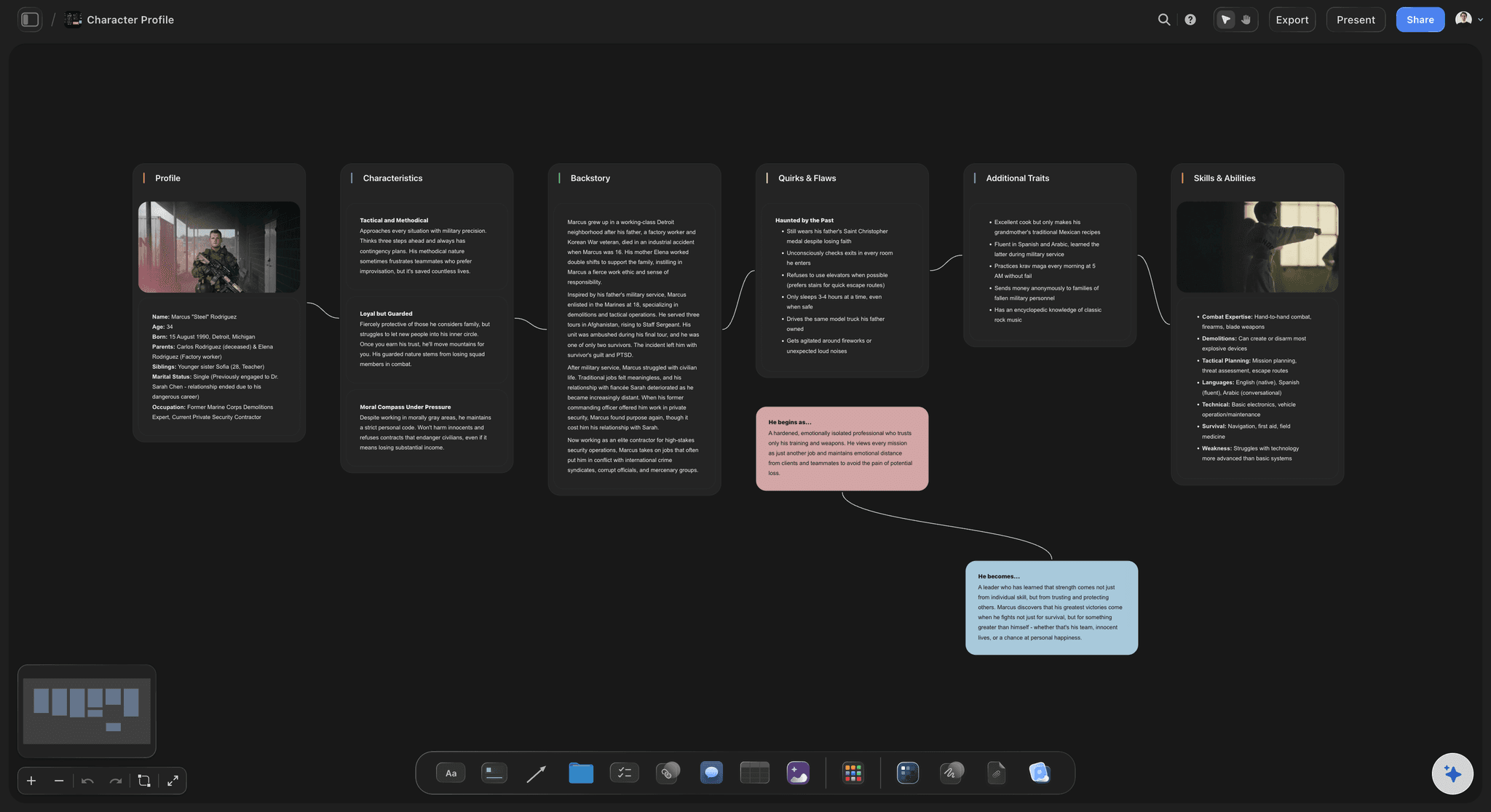
One storyboard tool for every school project.
Film class, media studies, English: the same canvas fits all of them.

Film and media projects
Plan the shoot before you borrow the camera
Scene-by-scene boards: Map your short film frame by frame so the one day you have the camera is spent shooting, not deciding.
Shot planning: Branch the storyboard into a simple shot list on the same canvas, so the group knows what to capture and in what order.
Frame grabs from video: Pull stills out of YouTube or Vimeo reference videos, drop them onto the canvas, and keep each one beside the scene it belongs to.

English and language arts
Retell the story visually
Chapter to frames: Turn a novel chapter, short story, or poem into scenes the class can follow, with the key moments laid out in order.
Notes on every frame: Quotes, themes, and analysis sit next to each scene, so the storyboard doubles as the written part of the assignment.
Structure from the AI: A beat sheet or story outline from the AI gives any narrative a shape to hang scenes on.

Group work without the chaos
Everyone works on the same board
One shared canvas: Invite the whole group free. Scenes, notes, and references all land on the same board instead of in five separate files.
View-only links: Teachers and classmates outside the group can view the board from a link, with no account and no edits.
No lost versions: The board is the single copy of the project. Nobody has to merge storyboard-v2-final-FINAL the night before.

From idea to submission
Hand in something that looks planned
Export as image or PDF: When the storyboard is done, export it as a clean image or PDF to print, upload, or paste into the project document.
References on the board: Drag images, PDFs, links, and notes next to your scenes so the research stays attached to the work.
Keep it for the portfolio: There's no time limit, so the boards from this semester are still there when you apply to film school.
Explore templates for your project
Every template opens as a real, editable board on the infinite canvas. Pick the closest fit and make it your own.
Storyboard
Lay out your shots frame by frame with images and notes, then reorder them until the sequence reads like the finished cut.
What creators are saying
Join early creators getting structured workspaces and AI that remembers their projects
“Storyflow has sped up my workflow by at least 3x, which means more flow state and more projects I can actually ship. It truly changed the way me and my team create.”

Reilin Joey
Director & YouTuber
“One prompt gets me a structured board. But the tactics are my favorite. I run my YouTube scripts through them and my intros and retention got better. It's amazing.”

Justkay
YouTuber & Freelance Filmmaker
“I used to juggle five apps to plan a project. Now I describe what I am making and get boards, lists, and a schedule. All in one place.”

George
@fernwehchronicles
Storyboards for school, answered.
Everything students and teachers ask about storyboarding with Storyflow.
Not during early access. Storyflow is paid-only right now, with plans starting at $7.99 a month billed annually, no school email or student verification either way. A Free plan is launching before the end of 2026, and it will cover unlimited boards, 20 file uploads, basic AI usage, 3 starter frameworks, and view-only sharing links. Group members a paid student invites to a board join free today.
Storyflow is made for a class storyboard: it runs in the browser on any school computer, with nothing to download or install. Paste your script or describe your story and the AI lays out the scenes, the structure and the notes on a canvas. Your whole group works on the same board, and your teacher reviews it through a view-only link without an account.
Yes. Invite your whole group to the board for free and everyone can add scenes, notes, and references to the same canvas. Live cursors and simultaneous co-editing presence are part of the Max plan, so for a class project the simplest flow is working on the shared board in turns and using view-only links for review.
Yes. Storyflow runs in the browser, so there is nothing to download or install and no admin rights needed. Any school computer or Chromebook with a browser works, and your boards follow your account from machine to machine.
Open a Storyflow canvas, paste your script or describe the story to the AI, and it lays out the scenes with structure and notes. Rearrange the frames, sketch with the pen tool, add references, then export the storyboard as an image or PDF to hand in.
Yes. Share a view-only link and your teacher can open the board in any browser without signing up. They see the storyboard exactly as it is, and they cannot accidentally change anything.
No. The AI lays out the scenes and structure for you, which already reads as a finished plan. You can sketch loosely with the pen tool, drop in images, or grab frames from YouTube and Vimeo references. If you upgrade to Pro or Max, the canvas will generate AI images for you as well.
No. Storyflow plans are not trials, and there is no countdown or expiry date, so a storyboard for school stays available all semester and after. The Free plan launching before the end of 2026 will carry the same no-expiry policy.
Yes. Export the storyboard as a high-quality image or PDF, then print it, upload it to your school's portal, or paste it into the project document. You can also submit a view-only link if your teacher prefers to see the live board.
Your project is due. Get the board.
Open a canvas, lay out your scenes with AI, and hand in a storyboard that looks planned. Group invites are free.