
Ultra-fast moodboards with real taste
Agree on the product
before anyone models it.
Pin materials, finishes, colorways, competitor products, and silhouette studies on one infinite canvas, so the design direction is settled while it is still a picture rather than a tooling quote.


Creatives working for these brands already got early access
- Red Bull
- Canon
- Artlist
- Porsche
See how easy it is to get started
Watch a real project come together, from a blank board to a finished plan, clicked through step by step.
Start from a ready-made template
Pick a board to see what you can build, then let AI fill it in. Every template is a real, editable starting point on the same infinite canvas.

Film Moodboard
Collect film references, color palettes, lighting, locations, and tone in one place, then invite your crew.
What is a product moodboard?
A product moodboard is the visual argument for what a physical product should feel like, assembled before anyone opens CAD. Storyflow is an AI visual workspace that lays out your product moodboard on one infinite canvas: materials and finishes, colorways, competitor products and silhouette studies. The moodboard holds the material and finish references, the color and texture swatches that make up the CMF direction, the competitor and adjacent-category products the design is positioned against, the silhouettes and proportions being considered, and the usage imagery that says who this object is for. It is not a spec, and it is not a rendering. It is the shared picture the industrial designer, the brand lead, and the person paying for tooling all point at when they say the word premium and want to be sure they mean the same thing.
Product design is where vague adjectives get expensive. Warm, honest, technical, quiet, considered: every one of those words survives a meeting intact and then produces four different products. A moodboard converts adjectives into artifacts. When someone says warm and the board shows oiled walnut, matte bead-blasted aluminium, and a soft-touch polymer in oat, the disagreement surfaces in the room instead of in the first prototype. That is the entire economic case for the board. Catching a direction mismatch at moodboard stage costs an afternoon; catching it after tooling costs a quarter.
Storyflow is an AI-native infinite canvas built for exactly that kind of work. Describe the product and the positioning in a prompt and the AI lays out a structured board: sections for CMF, competitive set, silhouette studies, usage context, and brand fit, with cards ready to fill. Then you work spatially. Drag in material photographs and finish samples, group swatches into named colorways, place competitor products in a row so the gap you are aiming for is visible, and annotate a silhouette sketch directly on the canvas with the proportion note that explains it.
A product moodboard usually carries five layers at once: the CMF layer (colors, materials, finishes, and the combinations that actually go together), the form layer (silhouettes, proportions, radii, and the stance the object should have), the competitive layer (what already exists in the category and where this sits against it), the context layer (who holds this, where it lives, what it sits next to), and the brand layer (whether this object reads as the same company that made the last one). Storyflow keeps all five visible at once, which is what makes a direction that only works on one layer obvious while it is still cheap to change.
Ultra fast from brief to board
From a product brief to a direction the team agrees on.
No folder structure to invent, no slide deck to rebuild every time a reference changes.
01
Open a canvas
Sign up in seconds. No download. Your infinite moodboard canvas opens in the browser.
02
Describe the product
Type the category, the positioning, and the adjectives you have been given, and the AI lays out a structured board with CMF, form, competitor, and context sections ready to fill.
03
Pin and group references
Drag in material photos, finish samples, competitor shots, and silhouette sketches. Group swatches into named colorways and put the annotation next to the reference it explains.
04
Get the direction signed off
Share a view-only link with the client, the brand lead, or the factory contact for comments in context, then export the approved board as an image or PDF for the design package.
Every reference in one place, at full size.
CMF, form, competitors, and context on one infinite canvas.

AI lays out the board from your brief
Start from a structure, not a blank page
Describe the product and its positioning and the AI builds sections for CMF, silhouette, competitive set, and usage context. Filling a structure is faster than inventing one while you are also trying to judge references.
See the AI mood board maker →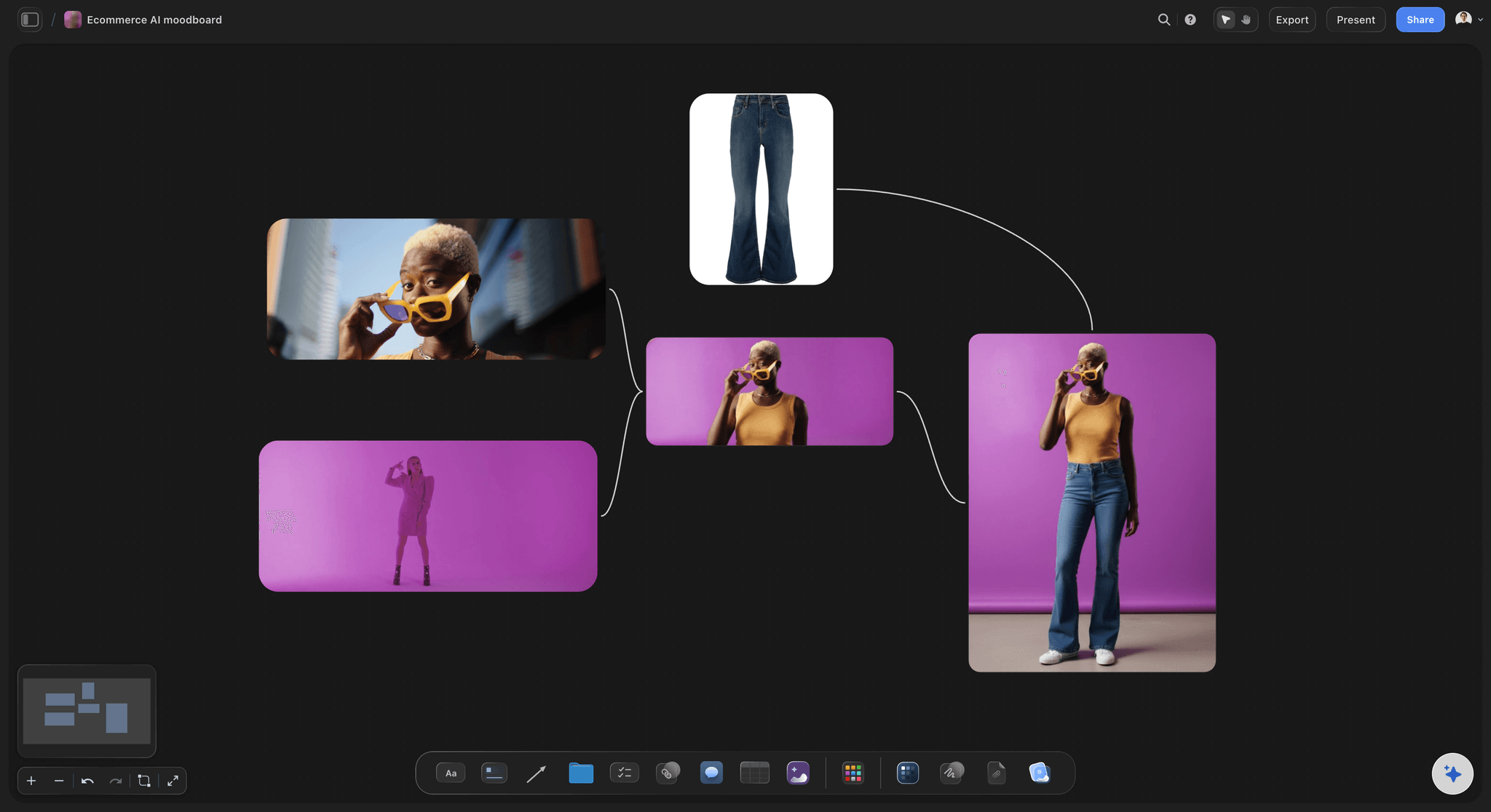
Colorways as groups, not loose swatches
Judge combinations, not single colors
Materials never get chosen alone. Group a metal, a polymer, and a textile into a named colorway and place three colorways side by side, so the decision is between complete directions rather than individual swatches.
Explore moodboarding in Storyflow →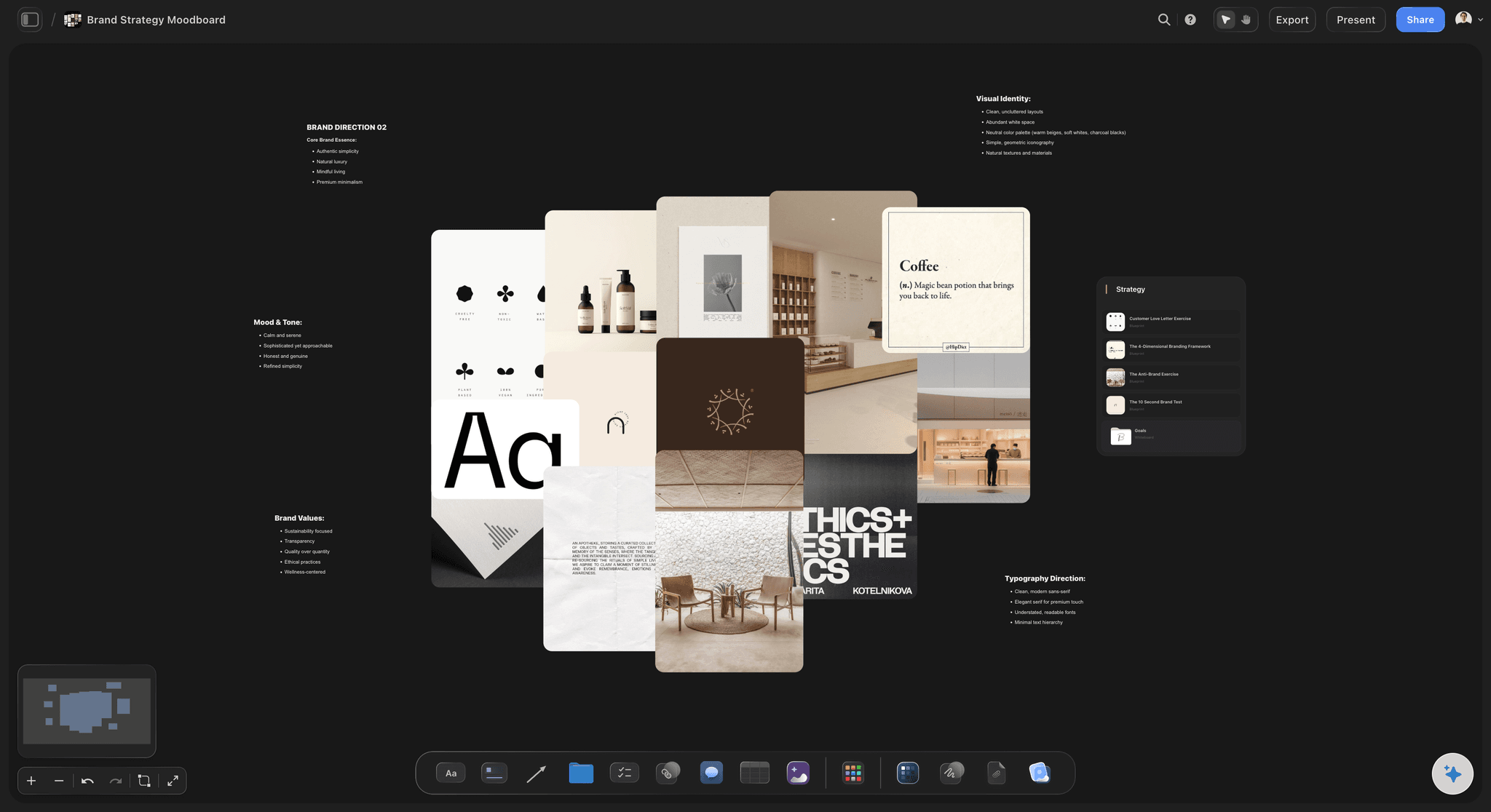
The competitive set in one row
See the gap you are designing into
Line up the products already in the category and place your direction in the row where it belongs. Positioning claims that sound convincing in a deck often look obviously wrong the moment the shelf is visible.
Try the free reference board →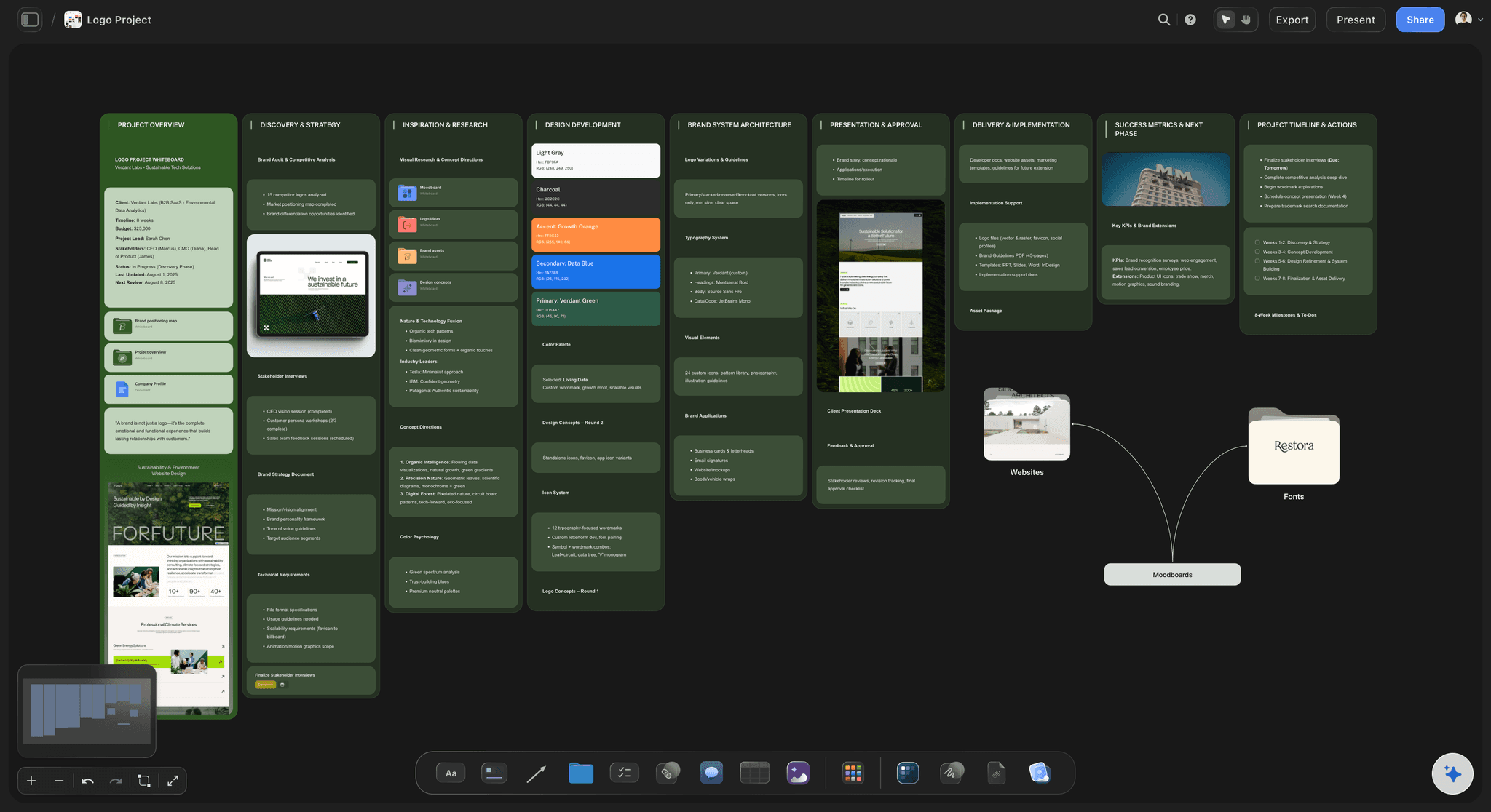
View-only links for client sign-off
Approve a direction people can actually see
Send a view-only link and the client opens the whole board in a browser with no account. Comments land on the specific swatch or silhouette they are about, so feedback stops arriving as a paragraph about vibes.
See the design brief template →Unlimited boards. No object cap.
Open a canvas, describe the product, and start pinning references. Storyflow is paid-only during early access, with plans from $9.99 a month, and a Free plan launches before the end of 2026.
Unlimited moodboards on an infinite canvas
Basic AI usage to generate boards from prompts
Starter templates for moodboards, briefs, and design plans
Share view-only links with clients and collaborators
Built for people with taste
More than a folder of saved images.
A folder can store references. It cannot show you whether they add up to one product.
CMF, form, competitors, and context
Work across every layer of the direction
CMF groups that hold together: Place a metal, a plastic, a textile, and a coating in one group and name it. Three named groups side by side turn a material conversation into a choice between directions instead of an argument about a single swatch.
Silhouettes at comparable scale: Put form studies next to each other at the same size and the proportion problems become visible immediately. A stance that reads confident on its own can read heavy the moment it sits beside the alternative.
The category, honestly represented: Include the competitors you would rather not look at. A board that only contains aspirational references produces a direction that only works in a rendering, never on a shelf.
Context images that set the scale: Pin the hand, the desk, the kitchen counter, or the bag the product lives in. Scale and setting decide more about how an object feels than any single finish does.
AI that can see the board you have already built
Direct the board with an AI that has the context
Prompt against the whole canvas: Ask it to add a section for packaging, propose a second colorway that runs colder than the first, or lay out a competitor row for an adjacent category. It reads the board you have built, so what it adds fits the product rather than a generic one.
It structures, it does not decide taste: Storyflow lays out and organizes the direction. Choosing which finish is right stays with the designer, which is correct, because taste is the part of this job that cannot be delegated to a layout engine.
Iterate without losing work: Re-prompt as often as you want. References you have already placed and grouped stay exactly where they are while the AI builds around them.
From moodboard to the rest of the design package
Keep the direction next to the work it governs
The brief on the same canvas: Write the design brief in the built-in document editor beside the board. A brief that lives in a separate file gets read once; a brief sitting next to the references it describes gets read every time someone opens the board.
Concept sketches beside their references: Drop sketch scans and early renders next to the references that drove them. Reviewers can see the lineage of a decision instead of being asked to trust it.
One board per direction, side by side: When there are two credible directions, build both and put them next to each other. Clients choose far better between two visible options than between one option and a description of an alternative.
Clients, engineers, and suppliers
Share the direction with everyone who has to build it
View-only links, no account required: Send the board to a client, an engineer, or a supplier and they open it in a browser. No signup, no file to download, no version confusion about which PDF is current.
Comments on the reference itself: Feedback attaches to the swatch or silhouette it concerns. This is the difference between a note you can act on and a note that says the third one feels a bit off.
Export for the package: Export the approved board as a high-quality image or PDF for the design package, the tooling kickoff, or the deck. The thinking happened on the canvas; the document is just the record of it.
Explore templates for your project
Every template opens as a real, editable board on the infinite canvas. Pick the closest fit and make it your own.
Film Moodboard
Collect film references, color palettes, lighting, locations, and tone in one place, then invite your crew.
One app instead of five
Storyflow vs Pinterest, Figma, and Milanote.
Be clear about what Storyflow is. It does not do CAD, it does not render, and it is not a supplier database. It is the visual surface where a product direction gets decided and agreed.
Storyflow
Recommended
Infinite canvas built for visual direction
AI lays out the board from a product brief
View-only links, no account needed to read
CAD modeling and 3D rendering
Algorithmic reference discovery feed
Free plan available today
Infinite canvas built for visual direction
AI lays out the board from a product brief
View-only links, no account needed to read
CAD modeling and 3D rendering
Algorithmic reference discovery feed
Free plan available today
Figma
Infinite canvas built for visual direction
AI lays out the board from a product brief
View-only links, no account needed to read
CAD modeling and 3D rendering
Algorithmic reference discovery feed
Free plan available today
Milanote
Infinite canvas built for visual direction
AI lays out the board from a product brief
View-only links, no account needed to read
CAD modeling and 3D rendering
Algorithmic reference discovery feed
Free plan available today
What creators are saying
Join early creators getting structured workspaces and AI that remembers their projects
“Storyflow has sped up my workflow by at least 3x, which means more flow state and more projects I can actually ship. It truly changed the way me and my team create.”

Reilin Joey
Director & YouTuber
“One prompt gets me a structured board. But the tactics are my favorite. I run my YouTube scripts through them and my intros and retention got better. It's amazing.”

Justkay
YouTuber & Freelance Filmmaker
“I used to juggle five apps to plan a project. Now I describe what I am making and get boards, lists, and a schedule. All in one place.”

George
@fernwehchronicles
Product moodboard questions, answered.
What belongs on the board, how CMF gets decided, and where Storyflow stops and your CAD tool starts.
It depends which part of the job you mean. For discovering references you have not seen before, Pinterest is still the strongest tool, because the recommendation feed is the product. For a board that lives beside UI work and design systems, Figma's canvas is excellent and most product teams already have it open. Milanote is a clean, well-liked option for pure visual boards. Storyflow covers the part those tools leave to you: turning a pile of saved images into a structured direction. Describe the product and the AI lays out CMF, form, competitor, and context sections, then you group swatches into named colorways, place the competitive set in one row, and share a view-only link for sign-off. Most industrial designers end up using a discovery tool and a direction tool; Storyflow is the second one.
No, and it is worth being plain about it. Storyflow does not model, does not render, and does not open STEP files. SolidWorks, Rhino, Fusion 360, and Blender own that work and they are very good at it. Storyflow is the surface upstream of CAD, where the direction gets decided: which materials, which stance, which position in the category, which adjectives the object is supposed to earn. You can absolutely pin renders and sketch exports onto the board so the direction and the current model sit side by side, and most teams do. But the geometry lives in your CAD tool. Keeping the two separate is deliberate, because direction work wants an open canvas where anything can move, and modeling wants constraints.
Five things, and a board missing any of them tends to produce a direction that only works from one angle. First, CMF: real material and finish references, grouped into complete colorways rather than loose swatches. Second, form: silhouettes and proportion studies at comparable scale. Third, the competitive set, including the products you would rather not think about, because a board of only aspirational references produces a product that only works in a rendering. Fourth, context: the hand, the counter, the bag, whatever sets the scale and setting. Fifth, brand fit: the existing range, so drift is visible. Add a short written intent somewhere on the canvas, because six months later nobody remembers why the third swatch was there.
Not during early access. Storyflow is paid-only right now, with plans starting at $9.99 a month, and a Free plan for solo use launches before the end of 2026. Anyone a paid member invites to a board joins free today, so a client, an engineer, or a supplier can review and comment on your direction without paying anything. If you need something free this minute, Figma's free tier gives you a real canvas and is genuinely capable for moodboarding, and Pinterest is free and better than anything else at surfacing references you would not have found. Neither will lay the board out for you from a brief, but both are honest free options.
Present complete directions, never individual swatches. Group each option as a named colorway containing every material the product actually uses, the metal, the polymer, the textile, the coating, and place two or three of those groups side by side at the same scale. Clients are good at choosing between visible alternatives and bad at reacting to a single option in isolation, where the only available response is a vague concern. Put a one-line intent under each group, something like quiet and technical or warm and domestic, so the choice is framed as a positioning decision rather than a color preference. Then send a view-only link so they can sit with it rather than deciding in the meeting.
Yes, and it works well because packaging is a sequence rather than a single image. Lay out the unboxing left to right on the canvas: the shipper, the outer, the first thing the buyer sees when the lid lifts, the insert, the product, the literature. Pin print finish references, board stock samples, and structural photographs beside the step they belong to. Because it is an infinite canvas rather than a slide, the whole sequence stays visible at once, which is the only way to notice that the reveal peaks too early or that the insert color fights the product finish. Keep it on the same canvas as the product board so the two directions stay married.
You describe the product in a prompt: the category, who it is for, the positioning, the price point, and whatever adjectives you have been handed. The AI lays out a structured board from that description, with sections for CMF, silhouette studies, the competitive set, usage context, and brand fit, plus cards ready to fill. You start from a board with a shape instead of an empty canvas, which matters more than it sounds, because the hard part of moodboarding is not collecting images, it is deciding what categories of image the decision actually needs. From there it works with what you build, using the whole board as context, and re-prompting adds around your existing references without moving them.
Yes. Invite teammates to the canvas and they can add references, group swatches, and leave comments directly on the board. For people outside your team, a client, a contract manufacturer, a finishing supplier, send a view-only link instead: they open the full board in a browser with no account, and sign in to comment on the specific swatch or silhouette they are reacting to. Invited collaborators join free, so bringing a supplier into the conversation does not cost you a seat. Sharing, commenting, and reviewing work on every paid plan.
A brief states the constraints and the goal in words: the user, the price, the volume, the must-haves, the timeline. A moodboard shows what the answer should feel like. Briefs are precise about everything except the one thing that decides whether the product is any good, which is how it looks and feels in the hand. Moodboards are precise about exactly that and vague about everything else. They are complements, not alternatives, which is why Storyflow lets you write the brief in the built-in document editor on the same canvas as the board. A brief nobody re-reads is a common failure; a brief sitting beside the references it describes gets read every time.
Yes. Export the canvas as a high-quality image or a PDF and drop it into the design package, the tooling kickoff deck, or the investor update. In practice, though, most reviews now happen on the link rather than the export, because the board is bigger than a slide and the whole point is being able to zoom into a finish sample at full resolution. The export is the archival record, the version you attach to the approved direction so there is no argument later about which board was signed off. Both are one click, and the link stays live, so the export never becomes the accidental source of truth.
More from Storyflow
Turn the adjectives into an object.
Open a canvas, describe the product, and let AI lay out the direction. No download.