
Extremely simple, seriously capable
Free vision board maker: design the year you actually want.
Collect the images that represent your goals, arrange them freely on an infinite canvas, and add notes and colors that make the vision concrete. Unlike a corkboard, this one keeps evolving with you.


Add your images
Drop JPG, PNG, or WebP images onto a board and start arranging your vision.
Upload your imagesOne-click cutouts
Works in your browser
No install needed
How it works
How to make a digital vision board.
Three steps from scattered inspiration to a board you will actually look at.
1
Gather your images
Create a board and drag in the photos that represent your goals: places, people, work, habits. JPG, PNG, and WebP all drop straight onto the board.
2
Arrange and refine
Compose the board freely, no fixed grid. Use Remove BG for clean cutouts, add notes that name each goal, and place color swatches that set the mood.
3
Keep it alive
Revisit the board as goals evolve: swap images, check things off, add new ambitions. Export it as an image for your wallpaper, or share a view-only link.
Creatives working for these brands already got early access
- Red Bull
- Canon
- Artlist
- Porsche
See how easy it is to get started
Watch a real project come together, from a blank board to a finished plan, clicked through step by step.
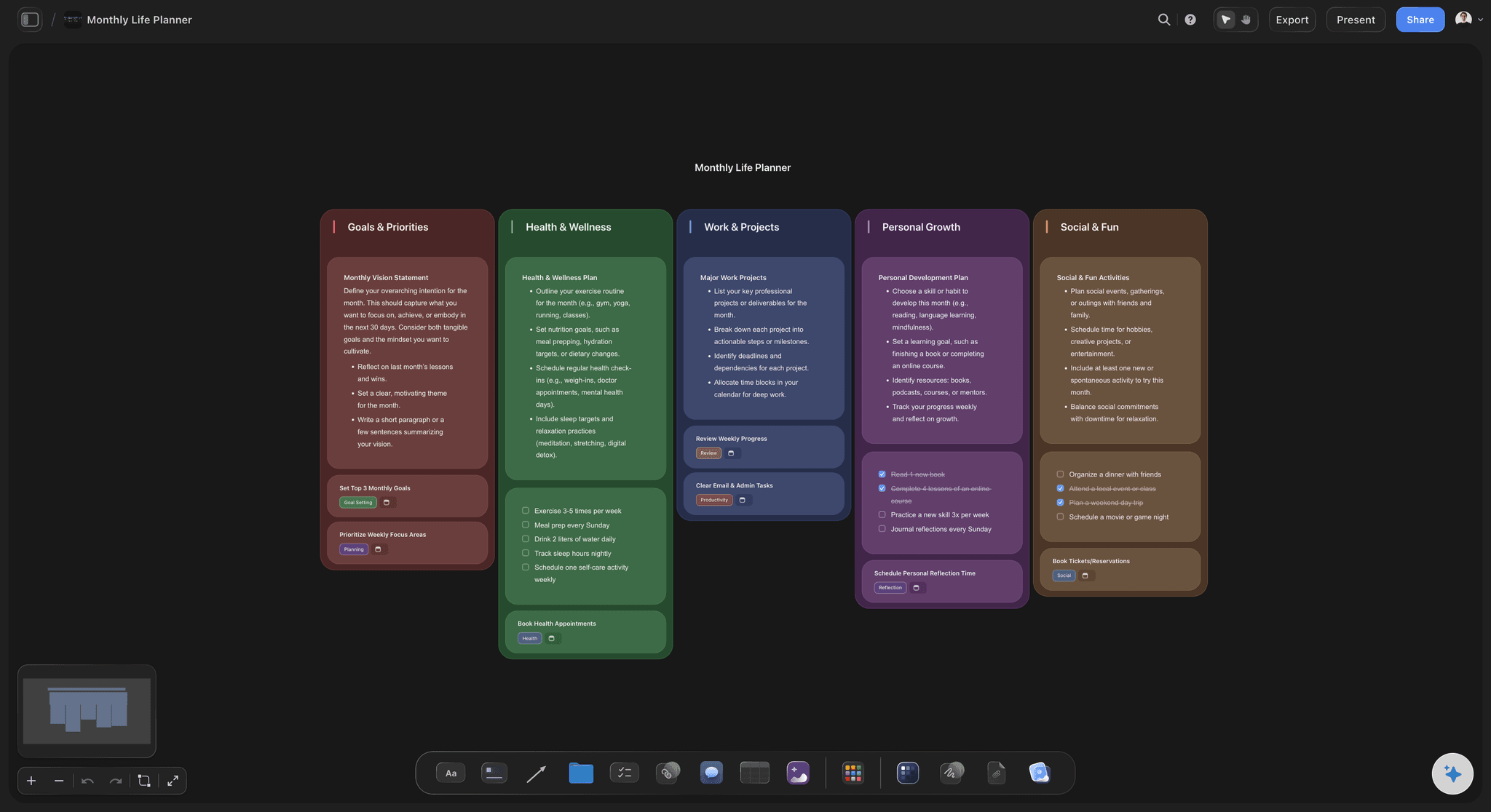
From yearly vision to monthly action.
A vision board works when it connects to real plans. Because Storyflow boards live on an infinite canvas, your big-picture vision can sit right above the monthly goals and habits that get you there, all in one place you actually revisit.

Make it look the way it feels.
The best vision boards have a mood, not just a collection of photos. Arrange images into a composition, add color swatches that carry the palette of the life you are building, and cut out subjects with one-click Remove BG for a clean, collaged look.

Dream in specifics, not stock photos.
Planning a move, a trip, or a sabbatical? Collect real places, real prices, and real dates next to the pictures. A vision board with research behind it stops being a wish and starts being a plan.
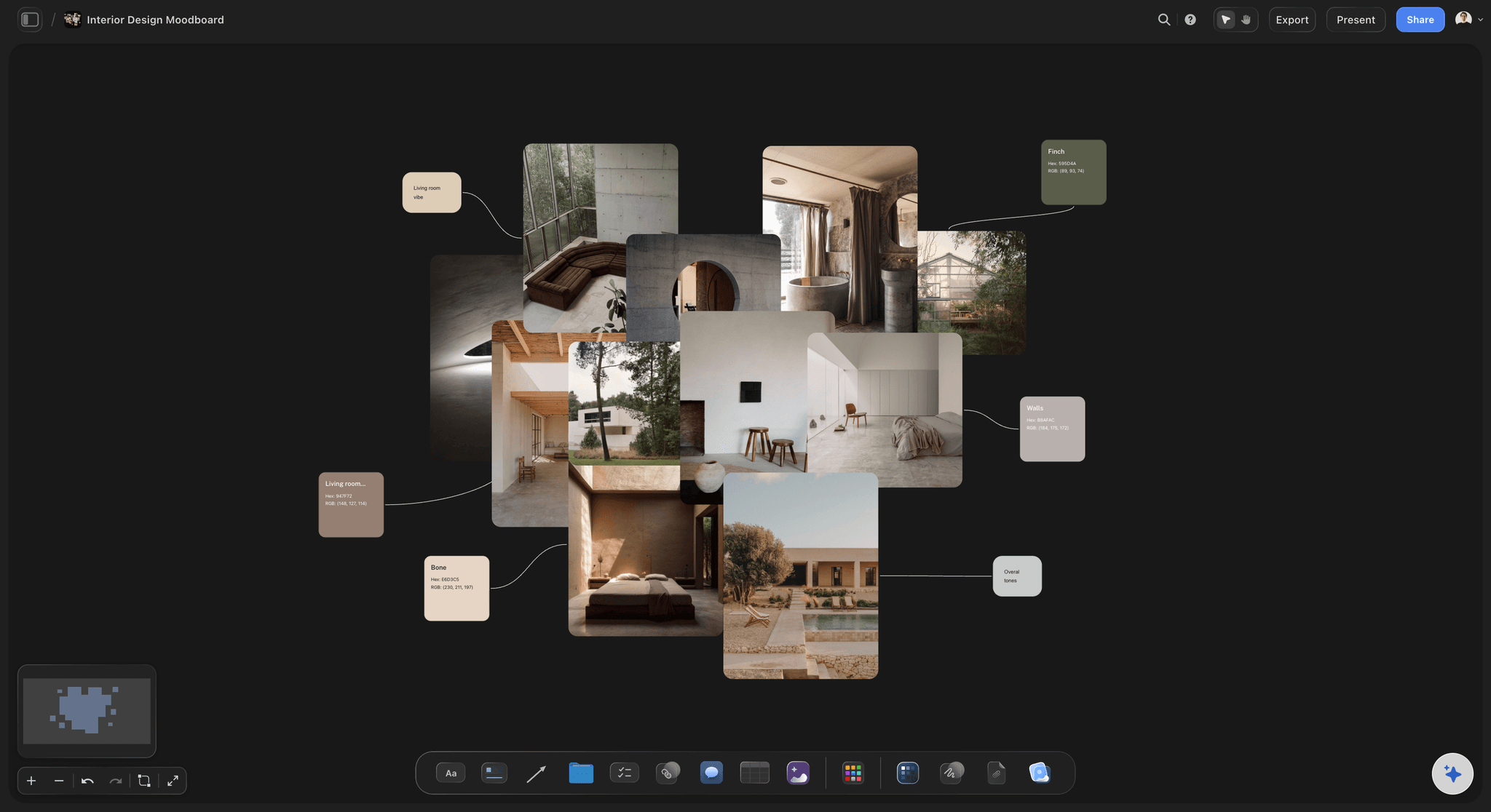
Envision spaces, projects, and big changes.
Vision boards are not only for January. Use one to picture a home renovation, a studio setup, or a career change: gather references, annotate what you love about each, and refine the picture until it is clear enough to act on.
Design a board that looks like the goal feels.
Storyflow gives your vision board room to breathe. Drop in images and arrange them freely on an infinite canvas, add sticky notes that name each goal, and place color swatches that hold the palette together. One-click Remove BG turns any photo into a clean cutout, so the board looks composed instead of pasted.
A vision board you can keep editing.
Paper boards freeze the version of you that made them. A digital vision board grows: swap in new images when goals sharpen, retire the ones you have achieved, and add notes about progress along the way. Your board in December should not look like it did in January, and here it does not have to.
Easy to make, easy to keep close.
Sign up and get unlimited boards, 20 file uploads, basic AI usage, and the full canvas toolkit. Export your finished board as an image to use as a wallpaper or print, or share a view-only link with a friend, partner, or accountability group.
What creators are saying
Join early creators getting structured workspaces and AI that remembers their projects
“Storyflow has sped up my workflow by at least 3x, which means more flow state and more projects I can actually ship. It truly changed the way me and my team create.”

Reilin Joey
Director & YouTuber
“One prompt gets me a structured board. But the tactics are my favorite. I run my YouTube scripts through them and my intros and retention got better. It's amazing.”

Justkay
YouTuber & Freelance Filmmaker
“I used to juggle five apps to plan a project. Now I describe what I am making and get boards, lists, and a schedule. All in one place.”

George
@fernwehchronicles
Frequently asked questions.
Cutouts, editing over time, printing, and sharing.
Create a Storyflow board, drag in images that represent your goals, and arrange them freely, with no grid in your way. Add sticky notes to name each goal and color swatches to set the mood, then keep refining the composition until it feels right.
Not during early access. Storyflow is paid-only right now, with Plus at $7.99 a month billed annually. Unlimited boards let you keep separate visions for the year, a renovation, or a career change, 20 file uploads cover a focused set of images, and Remove BG cutouts ride on basic AI usage. A Free plan is planned before the end of 2026.
Yes. Select any image on the canvas and click Remove BG to get a clean cutout with a transparent background. Cutouts layer beautifully, so the board looks like a designed collage rather than a grid of rectangles.
Yes, that is the point of going digital. Your board is always editable: swap images, move goals around, add notes about progress, and let the board evolve with you through the year.
Yes. Export it as an image or PDF to print or set as a wallpaper; if you would rather keep it living, the view-only link lets a friend or accountability partner peek at the current version in their browser.
You can drop JPG, PNG, and WebP images straight onto the canvas. Every plan includes 20 file uploads, which is plenty for a focused vision board.
Build a vision board you will actually revisit.
Combine images, notes, and colors on one board, and keep editing as your goals evolve.