
Sharper briefs, sent ultra fast
A marketing brief template
you can fill in before the kickoff call ends.
Eight sections, each with the prompt to answer and a filled-in example to copy. Keep the finished marketing brief on a Storyflow board, beside the references it talks about.


Creatives working for these brands already got early access
- Red Bull
- Canon
- Artlist
- Porsche
See how easy it is to get started
Watch a real project come together, from a blank board to a finished plan, clicked through step by step.
Start from a ready-made template
Pick a board to see what you can build, then let AI fill it in. Every template is a real, editable starting point on the same infinite canvas.

Creative Brief
Capture the objective, audience, and message for a creative so everyone works from the same brief.
What is a marketing brief template?
A marketing brief template is a fixed set of sections, usually objective, audience, message, deliverables, budget, timeline, measurement and approval, that a marketing lead or account lead fills in so the whole team builds from one agreement. Storyflow is an AI visual workspace that keeps that marketing brief on one infinite canvas: the eight-section document, the reference images, the deliverables table and the approver's sign-off, side by side.
Use it in this order. Paste the eight sections into a document on a Storyflow board and answer them in one sitting, ideally with the client or stakeholder on the call. Aim for 300 to 500 words, about one printed page. Write the objective and the approval section first, because they carry a stop rule: if you cannot name one number with a date, or one person who can say yes, the work is not ready to start. Everything else can be corrected in a round. Those two cannot.
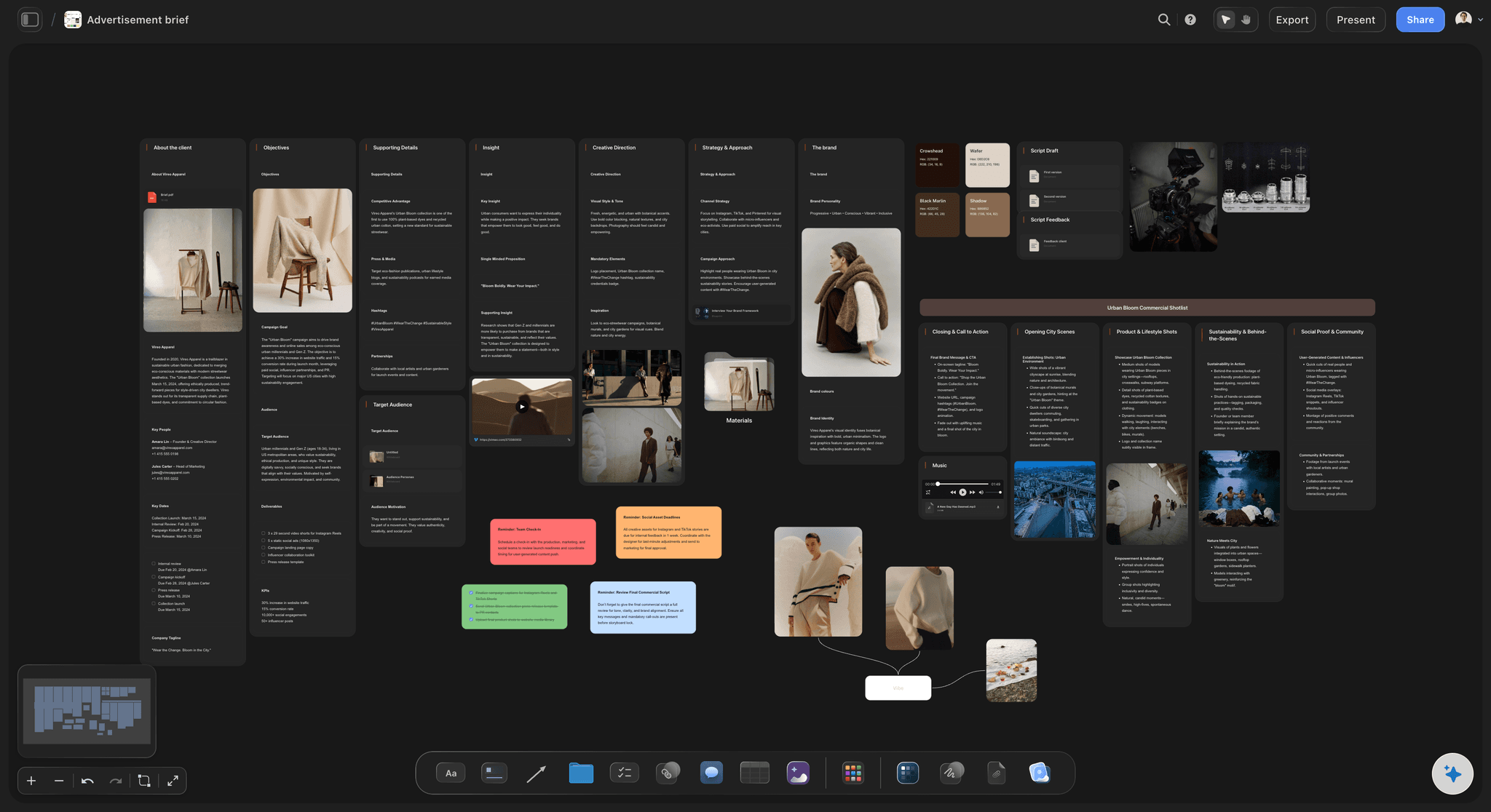
The reason the brief belongs on a board is the references. A brief sent as a file travels alone, and the examples it mentions end up in an email thread, a shared drive and someone's camera roll. In Storyflow the document sits in the middle of the board, the brand guidelines and past campaign images sit in a wall beside it, and the deliverables table sits underneath. A designer who joins in week three opens one link and sees what "warm but not sentimental" meant, instead of asking who has the deck.
A marketing brief states the business job and the commercial terms: what must change, for whom, for how much money and by when. A creative brief comes after it and narrows to one idea for one piece of work, and one marketing brief can produce several creative briefs. Keep them on the same Storyflow board and connect them, so a creative brief that drifts from the signed objective is visible on the canvas rather than discovered at the concept presentation.
The tools for a marketing brief, by job
Storyflow is our product, so it comes first for the writing job; each other row is a job the brief hands to another tool.
| The job | The tool | Why it goes here |
|---|---|---|
| Write the brief and keep the references beside it | Storyflow | Holds the eight-section document, reference images, deliverables table and named approver on one board, which a client opens from a view-only link with no account. |
| Redline contract language with legal | Google Docs or Microsoft Word | Suggesting mode and Track Changes record every proposed edit, line by line, which legal teams expect when a brief becomes part of a statement of work. |
| Get a signature on the agreed scope | DocuSign or PandaDoc | Both send documents out for electronic signature and track them, which is the step a shared brief does not replace. |
| Design the assets the brief orders | Canva or Adobe Express | Template-led layouts for social posts, banners and quick one-off assets once the deliverables list is agreed. |
| Schedule tasks across a wider team after sign-off | Asana or monday.com | Timeline views, dependencies and assignment across departments, for the delivery plan that follows the brief. |
| Proof near-final files against the brief | Filestage or Ziflow | Reviewers mark up files, compare versions side by side and approve file by file. |
| Report results against the brief's targets | Google Analytics or HubSpot | Live traffic, conversion and lead numbers to set against the targets written in the measurement section. |
Ultra fast from brief to board
From a blank section list to a brief the client can open.
Four moves, all on one board, with the template text already written for you.
01
Start the marketing brief on a board
Create a document on a Storyflow board and paste the eight sections. On Plus and above, you can instead ask the Storyflow AI to Brief my campaign from your call notes: it asks a question or two, then stages a draft you accept or discard.
02
Put each reference beside its section
On the same Storyflow board, group brand guidelines, past campaign images and competitor examples into a wall next to the document, so each one sits by the Audience or Message answer it supports.
03
Turn deliverables into a table
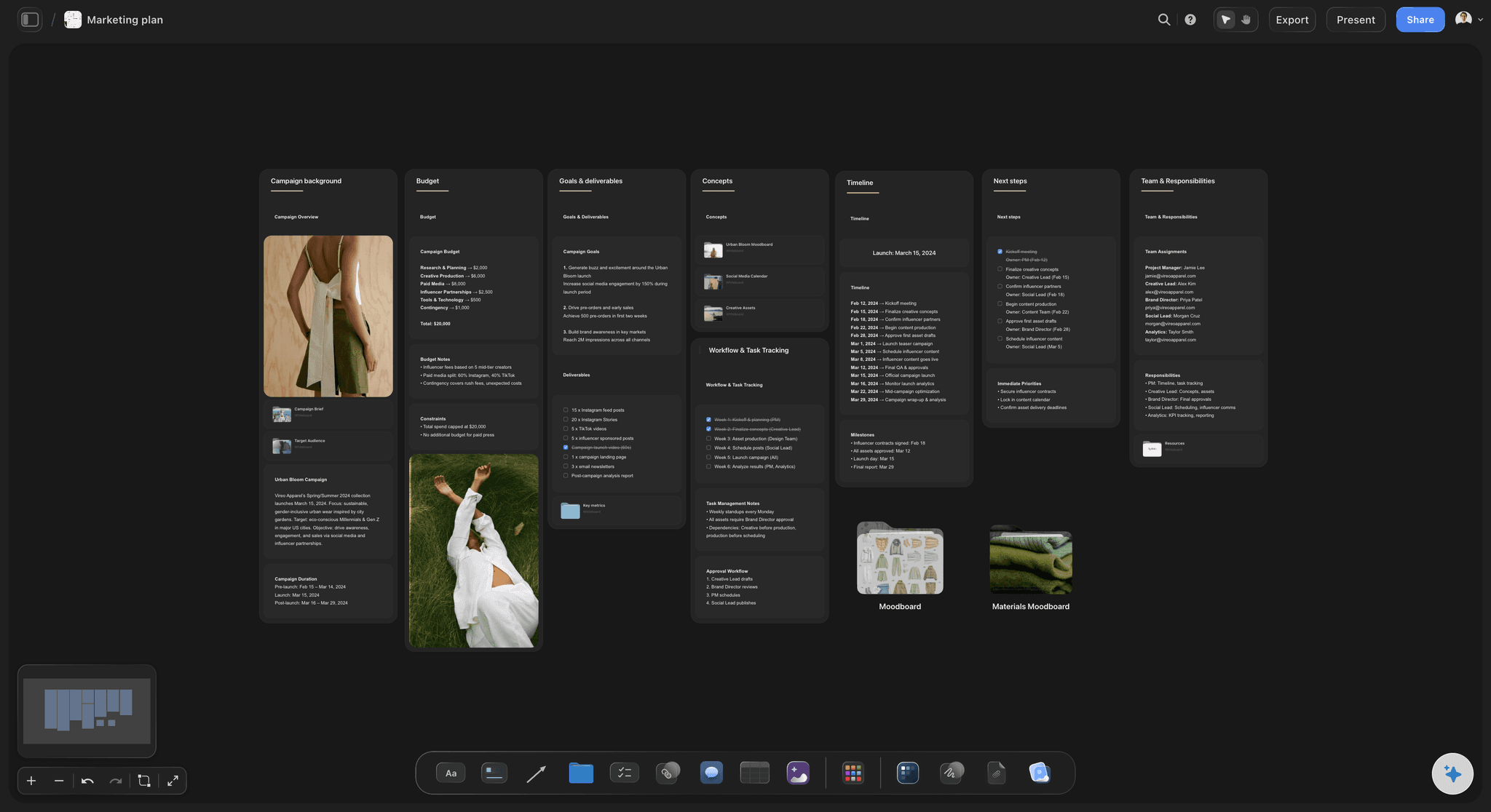
List every asset in a Storyflow table: format, quantity, channel, owner, a date cell for the due date and a currency cell for the cost, with rows kept in date order.
04
Send one link and record the yes
Share the Storyflow board by view-only link. The client opens it with no account and signs in to comment. Record the named approver's decision and its date in a table row on the board.
The written brief and everything it refers to, in one place.
What changes when the marketing brief stops being a file that travels alone.
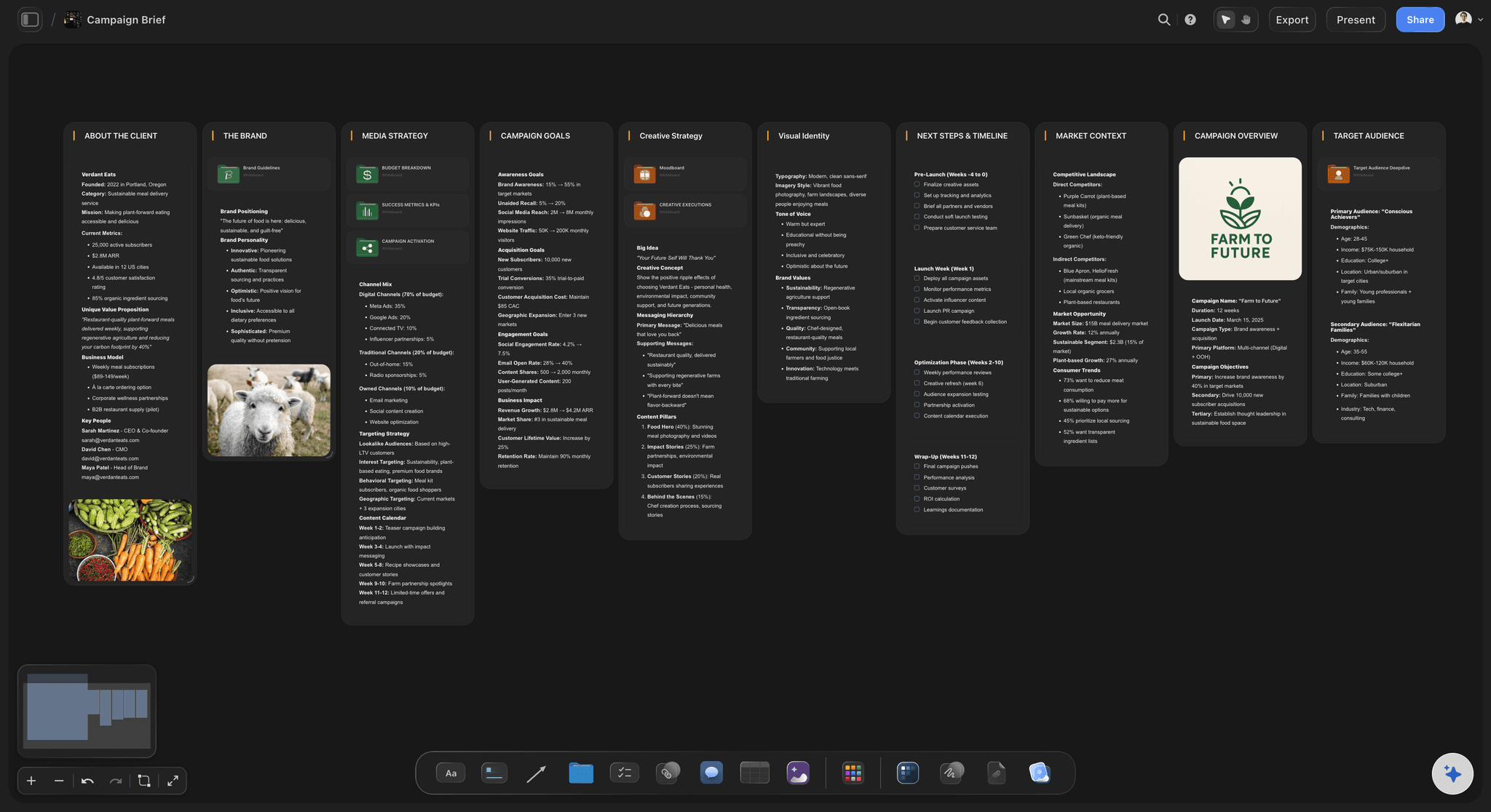
A document on the canvas, not an attachment
The brief opens where the work happens
The eight sections live in a Storyflow document placed on the board, so the people making the work read the signed version rather than the copy somebody saved last Tuesday.
See the campaign brief template →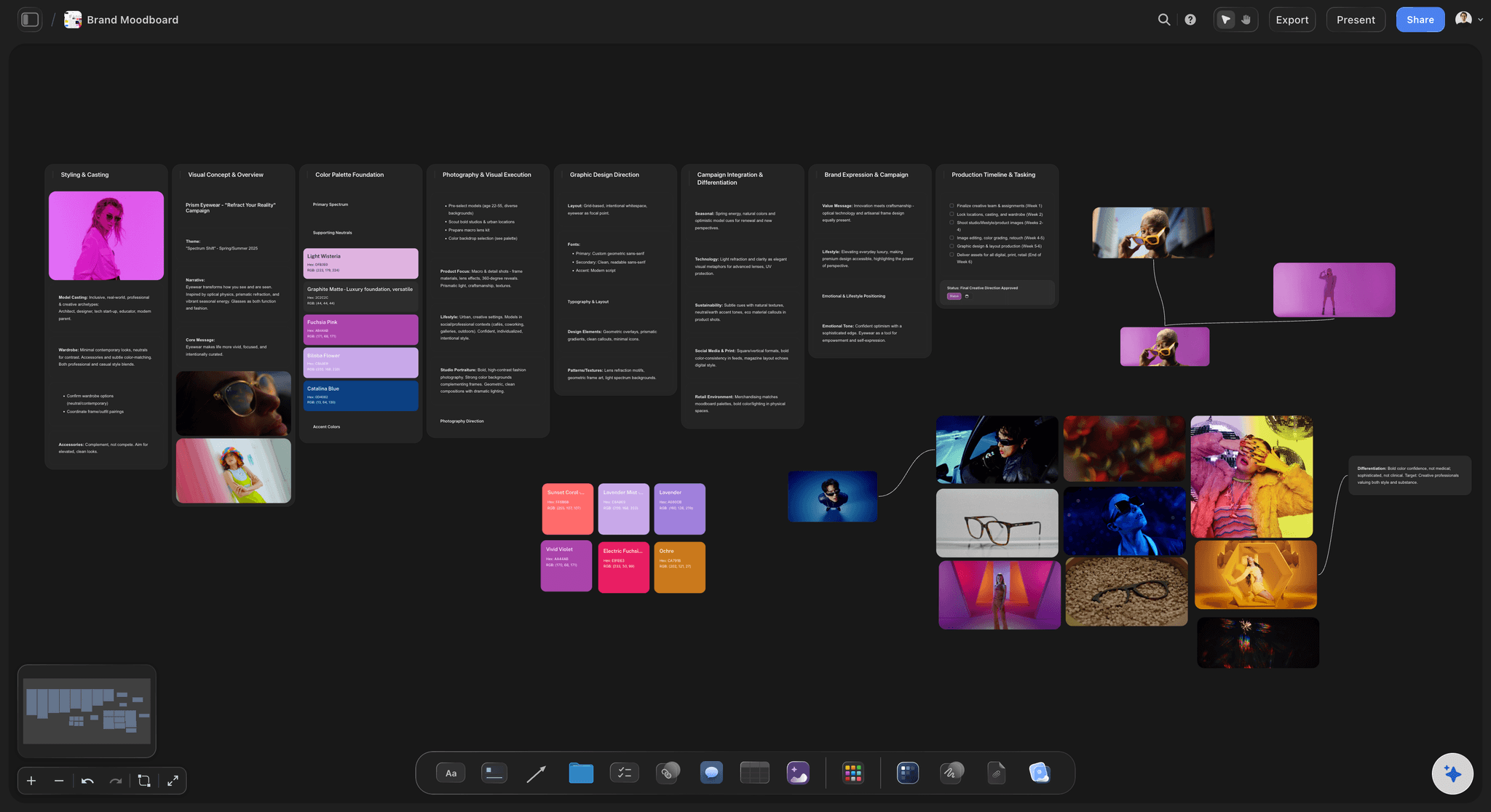
References grouped by what they prove
"Warm but not sentimental" comes with pictures
Adjectives in a brief mean different things to different people. Six images in a wall beside the Message section settle it before a concept round is spent on the disagreement.
Build a brand campaign moodboard →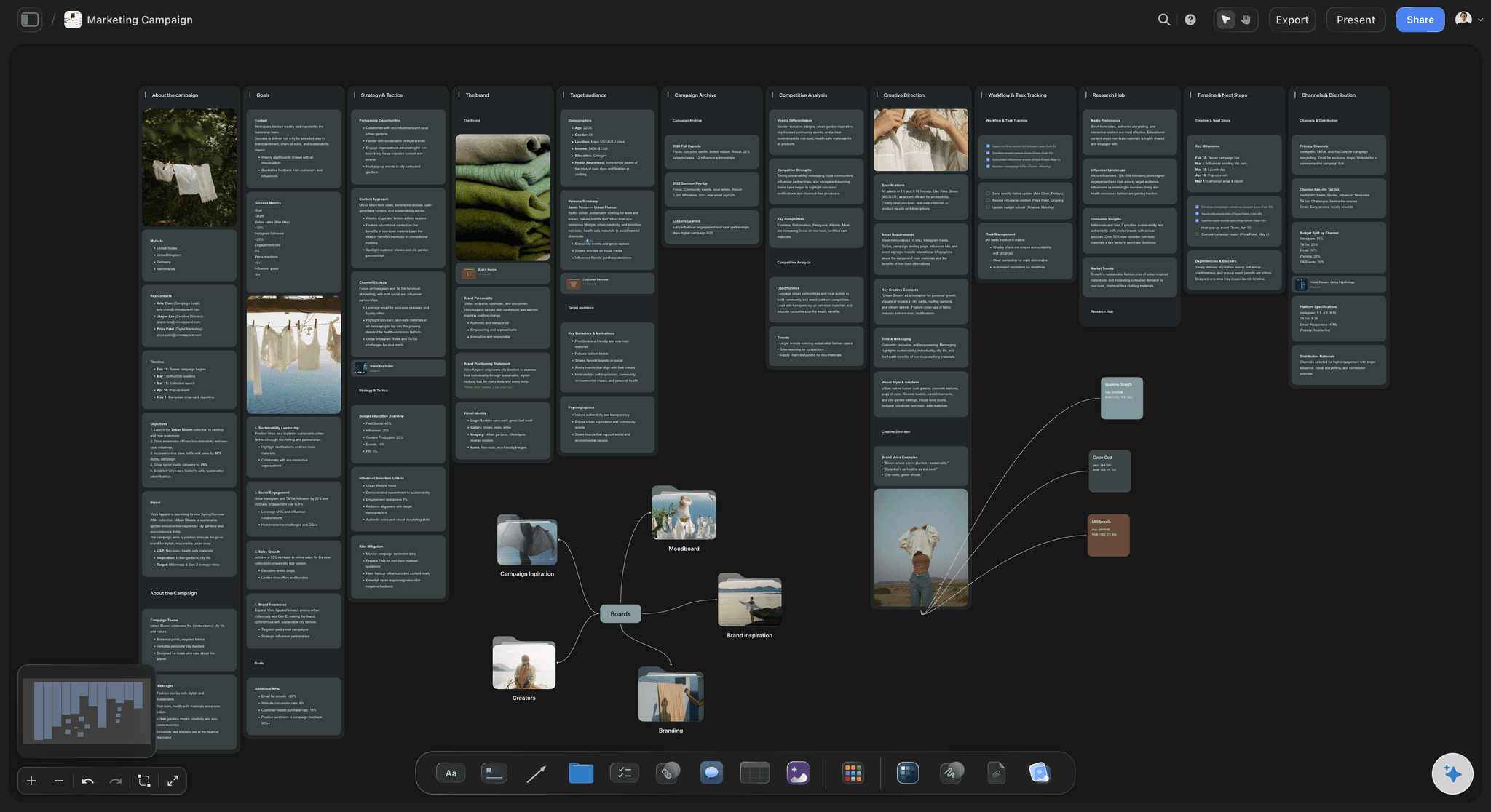
A table you can count
Deliverables that hold scope
"Some social content" cannot be priced or defended. A row per asset, with quantity and owner, turns a late request into a visible new row instead of a favour you absorb.
See campaign brief to delivery →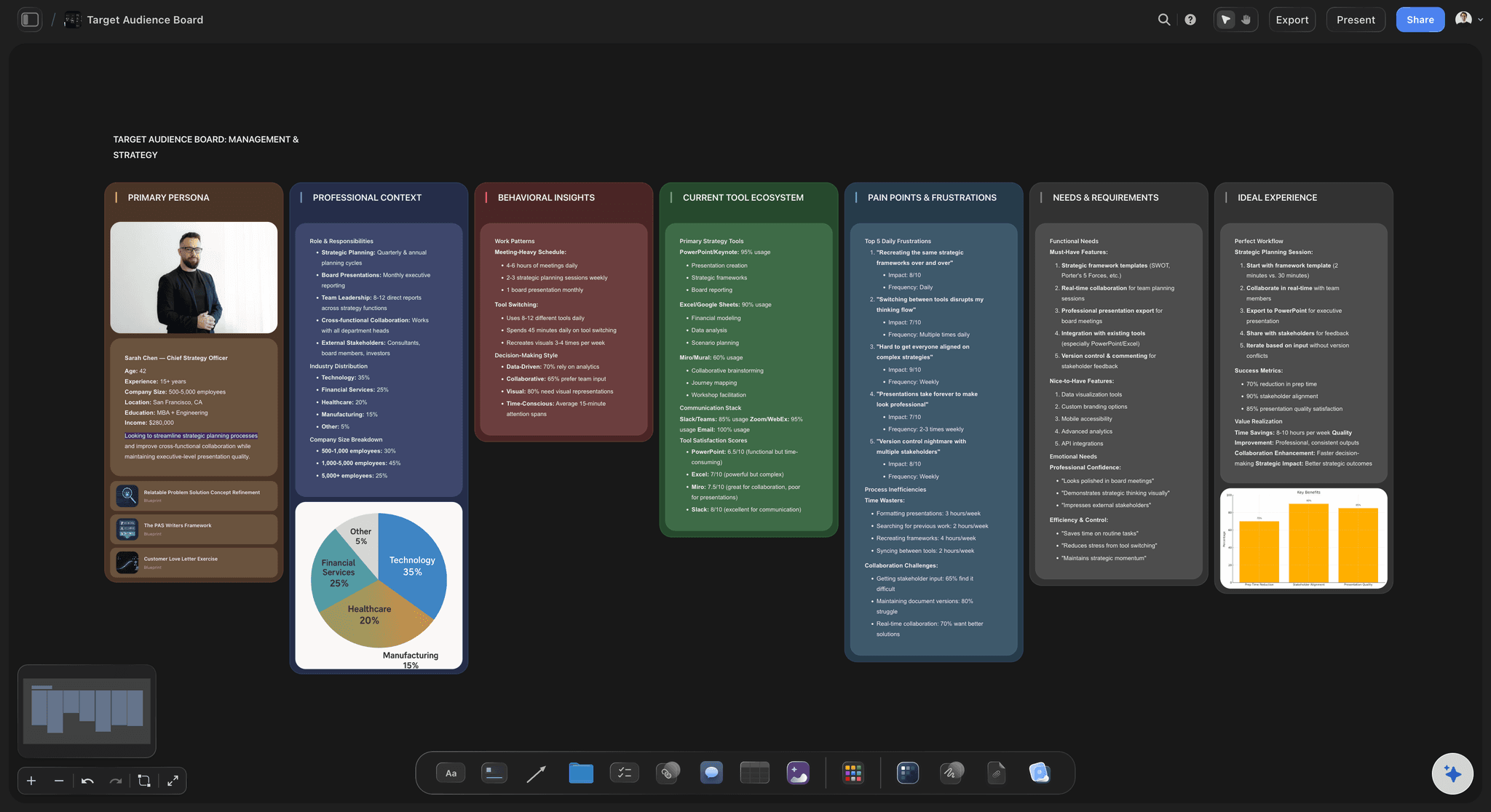
Audience research beside the audience section
One primary audience, with the evidence
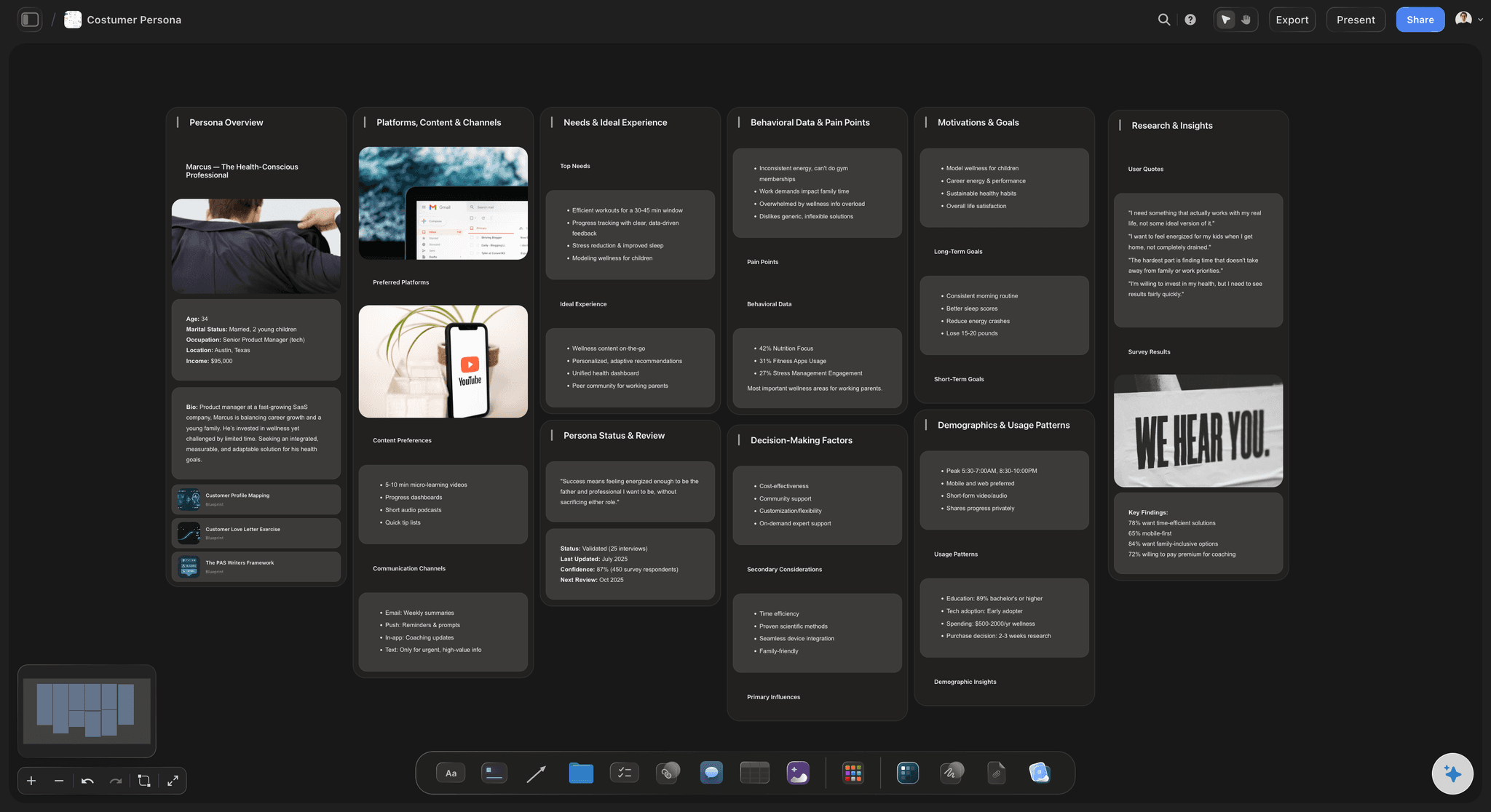
Keep the persona, the survey quotes and the search data next to the Audience answer. The Storyflow AI can profile a target audience on request, and you edit what it proposes.
Explore the AI creative brief generator →Write the marketing brief on one board.
Storyflow is paid-only during early access: Plus is $7.99 a month billed annually ($9.99 monthly) and includes the AI inside Storyflow. Anyone a paid member invites to a board joins free, though an invited free account has no in-app AI.
The eight-section brief as a document on an infinite canvas
References, tables and to-dos on the same board
Written by hand, or through ChatGPT or Claude, with no weekly limit on paid plans
View-only links clients open with no account
Built for people with taste
The marketing brief template, filled in. Copy it now.
Each section gives the prompt to answer and a worked example. The example is a fictional project: Fieldnote, a nine-person agency, briefing a spring launch for Alder Oat, an oat drink brand.
Sections 1 to 4: what, who, why and how many
Objective, audience, message, deliverables
1. Objective: Fill in: what must change, by how much, by what date. Example: sell 40,000 Alder Oat trial packs by 30 June, up from 25,000 last spring. One number and one date. "Raise awareness" fails this test.
2. Audience: Fill in: one primary group, what they do today, what stops them. Example: parents aged 28 to 42 who buy oat milk for coffee and assume it is too sweet for their children's breakfast. Secondary audiences get one line each.
3. Message: Fill in: the one sentence they should remember, plus two proof points. Example: "Tastes like nothing was added, because nothing was." Proof: three ingredients on the label; no added sugar. A second message means a second brief.
4. Deliverables: Fill in: every asset with format, quantity and channel, and what is excluded. Example: one 30-second film, three 15-second cutdowns, 24 social posts, six retail posters, one landing page. Excluded: media buying and in-store sampling.
Sections 5 to 8: money, dates, proof and sign-off
Budget, timeline, measurement, approval
5. Budget: Fill in: the total, what it covers, the contingency and who holds it. Example: $86,000 for production and agency fees, including $8,600 contingency (10%). The $40,000 media budget is held by the client and sits outside this scope.
6. Timeline: Fill in: fixed dates, working back from go-live, plus the client's turnaround. Example: brief signed 3 March, concepts 14 March, shoot 8 April, first cuts 22 April, final files 9 May, live 15 May. Client feedback within 48 hours of each round.
7. Measurement: Fill in: the primary metric, where the number comes from, the review date. Example: trial packs sold, from retailer sell-through data, reviewed 7 July. Secondary: 6,000 landing page sign-ups. A metric nobody can pull is not a metric.
8. Approval: Fill in: one approver per decision, the rounds included, what counts as approved. Example: Mara Lind, brand director, approves concept and final files. Legal checks claims five working days before go-live. Two rounds included; a third is priced. Approved means a written yes recorded on the board.
Stop rules for a weak brief
Four tests to run before anyone starts work
Can a stranger say what success is?: Show a colleague outside the account only the objective. If they cannot say what number would count as a win, the section is not finished.
Is there one audience and one message?: Three audiences with three messages is three campaigns on one budget. Pick one, or split the budget and write a brief for each.
Does every deliverable have a count?: Search the table for words like "various" and "some". Each one becomes an argument about scope in week six. Replace it with a number or write it into Excluded.
Is the real approver named?: If the person on the call must "check with the team", they are not the approver. Get the name of whoever can overrule them, and invite that person to the first review.

What Storyflow does not do here
Where the brief leaves Storyflow
No e-signature or contracts: Storyflow records who approved and when, in a table row. It does not collect a legally binding signature, so use DocuSign or PandaDoc when procurement needs one.
No tracked changes in documents: When legal wants a line-by-line redline, write that passage in Google Docs or Word, then paste the agreed wording back into the Storyflow document.
No live analytics or budget tracking: The measurement section holds targets, and the budget is a table you keep up to date. Results come from your analytics tool and spend from your finance system.
No native desktop or mobile app: Storyflow runs in the browser and is best built on a laptop. A client can open the link in a phone browser.
Explore templates for your project
Every template opens as a real, editable board on the infinite canvas. Pick the closest fit and make it your own.
Creative Brief
Capture the objective, audience, and message for a creative so everyone works from the same brief.
One app instead of five
Storyflow vs Google Docs, Word and Notion for a marketing brief.
Docs and Word remain the standard for redlining text. Notion holds tables, to-dos and image galleries on one page and takes suggested edits. The difference for a brief is whether the references can be arranged freely beside it. Storyflow's AI starts on Plus.
Storyflow
Recommended
Brief and references side by side on one canvas
Moodboard arranged freely beside the deliverables table
AI that can draft the brief
Tracked changes or suggested edits
Native desktop app
Google Docs
Brief and references side by side on one canvas
Moodboard arranged freely beside the deliverables table
AI that can draft the brief
Tracked changes or suggested edits
Native desktop app
Microsoft Word
Brief and references side by side on one canvas
Moodboard arranged freely beside the deliverables table
AI that can draft the brief
Tracked changes or suggested edits
Native desktop app
Notion
Brief and references side by side on one canvas
Moodboard arranged freely beside the deliverables table
AI that can draft the brief
Tracked changes or suggested edits
Native desktop app
What creators are saying
Join early creators getting structured workspaces and AI that remembers their projects
“Storyflow has sped up my workflow by at least 3x, which means more flow state and more projects I can actually ship. It truly changed the way me and my team create.”

Reilin Joey
Director & YouTuber
“One prompt gets me a structured board. But the tactics are my favorite. I run my YouTube scripts through them and my intros and retention got better. It's amazing.”

Justkay
YouTuber & Freelance Filmmaker
“I used to juggle five apps to plan a project. Now I describe what I am making and get boards, lists, and a schedule. All in one place.”

George
@fernwehchronicles
Marketing brief template, answered.
What goes in it, who signs it, and how it reaches the client.
A marketing brief template should include eight sections: objective, audience, message, deliverables, budget, timeline, measurement and approval. In Storyflow those sections sit in a document on the board, beside the references and a deliverables table. If you cannot fill in the objective with a number and a date, or the approval section with one named person, get those answers before anyone starts work.
Storyflow is built for exactly this job: it holds the written brief, the references, the deliverables table and the approval record on one board, and a client opens it from a view-only link with no account. It comes first here because the brief stops being separated from the material it refers to. Google Docs still handles line-by-line legal redlining, so keep it for contract language.
Write it with the client on the kickoff call, answering the eight sections in order and starting with the objective and the approver. In Storyflow, paste the template into a document on a new board, put their brand guidelines and examples beside it, and list every deliverable in a table. Send the view-only link the same day and ask for one written yes from the named approver.
You can paste the eight sections into a blank Word file and they work as they are. A document on a Storyflow board also exports as a Word file (.docx), a PDF or plain text, so procurement gets its file while the board stays the working copy with the references. On Plus and above, the Storyflow AI can also lay the whole board out as a designed PDF.
A marketing brief sets the business job and the commercial terms: objective, budget, timeline and how results are measured. A creative brief narrows that to one idea for one piece of work, usually written by the agency or creative lead after the marketing brief is signed. In Storyflow keep both on one board, so a creative brief can be read directly against the objective it serves.
As a rule of thumb, a marketing brief should run 300 to 500 words, about one printed page, plus a deliverables table. Length is usually a sign of an undecided objective or several audiences. In Storyflow the supporting research goes on the board beside the document rather than inside it, so the brief stays short and the evidence is still one glance away.
Ask for the name of whoever can overrule them, usually the brand or marketing director, and get that person to sign off the objective and budget before concepts start. Legal can hold a separate check on claims, with its own date. In Storyflow, write that name in the approval section and record the decision and date in a table row, so round two starts from an agreed brief.
Yes, a marketing brief should show the total, what it covers and the contingency, because an agency without a number designs for the wrong scale and the first concept round pays for that guess. Separate production money from media money. In Storyflow a currency column in the deliverables table holds line costs; keep rates and margins off any board you share with the client.
An agency uses it as the agenda for the kickoff call, then as the reference for every scope conversation after. Copy the template into a new Storyflow board for each client so the sections never vary. Share a view-only board with the client and keep internal notes on a separate board. When a request arrives that is not in the deliverables table, add it as a new, priced row.
Yes, a client opens a Storyflow view-only link in a browser with no account and sees the brief and its references. To leave a comment or draw on the board, the client signs in. Anyone a paid member invites to a board joins free, so an extra stakeholder at the client adds nothing to your bill. A free account does not include the in-app AI.
AI can draft it from your notes, but the objective, budget and approver have to come from people. On Plus and above, ask the Storyflow AI to Brief my campaign: it reads the board and any attached documents, asks a question or two and stages a draft you accept or discard. Then run What's missing here? to see which sections are still vague.
Here is a short fictional example. Objective: sell 40,000 trial packs by 30 June. Audience: parents aged 28 to 42 who buy oat milk for coffee. Deliverables: one 30-second film, three cutdowns, 24 social posts, six posters. Budget: $86,000 with 10% contingency. Approver: the brand director. In Storyflow, this sits beside the mood references and a dated deliverables table.
One brief stops being enough when a second primary audience, a second message or a second budget holder appears, because each one pulls the same deliverables in a different direction. Split it and write a brief for each. On a Storyflow board, keep the sibling briefs side by side with one shared wall of brand references, so they cannot drift apart on the basics.
Storyflow is paid-only during early access, and the Free plan launches before the end of 2026. Anyone invited to a board by a paid member can sign up free. Plus adds the in-app AI at $7.99 a month billed annually ($9.99 monthly), Pro is $14 ($19 monthly) and Max is $39 ($49 monthly). Anyone a paid member invites to a board joins free, and a client viewing a link needs no account.
Storyflow does not collect e-signatures, write contracts, offer tracked changes in documents or pull live campaign results. It also has no Gantt chart or dependencies for the delivery schedule that follows. Use DocuSign or PandaDoc for signatures, Google Docs or Word for legal redlines, your analytics tool for results, and Asana or monday.com if the delivery plan needs dependencies.
More from Storyflow
How to write a campaign brief, section by section
Campaign brief template and example
Creative brief template: from brief to plan
AI creative brief generator
Write a creative brief with ChatGPT
What is a campaign brief? The complete guide
Campaign brief to delivery
Agency campaign planning
Creative scope of work
Creative approval workflow
Storyflow for marketing teams
Storyflow for agencies
Put the marketing brief beside its references.
Paste the eight sections onto a Storyflow board, drop in the examples, and send the client one link.