
Every event detail, rock-solid in one place
Plan the exhibition
wall by wall, week by week.
For photographers showing their work: the selection, the hang for each wall, print sizes and framing, the budget and the twelve weeks to opening night on one board.


Creatives working for these brands already got early access
- Red Bull
- Canon
- Artlist
- Porsche
See how easy it is to get started
Watch a real project come together, from a blank board to a finished plan, clicked through step by step.
Start from a ready-made template
Pick a board to see what you can build, then let AI fill it in. Every template is a real, editable starting point on the same infinite canvas.

Commercial Moodboard
Pin references, palettes, and tone for a commercial so the look is clear before the shoot.
What goes into an exhibition plan?
An exhibition plan fits the work to the room and the tasks to the date: the wall measurements, the pictures that fit them, the order and the height they hang at, the price of printing and framing, and the weeks counted back from opening night. Storyflow is an AI visual workspace that holds that plan on one infinite canvas: the selection, a section for each wall, the budget table and the countdown. Its AI drafts the statement, the wall labels and the press note from your notes, and builds the week by week task list from your opening date.
Measure before you choose. Take a room with three usable walls of 6, 4 and 6 metres. You are showing framed prints 50 cm wide, with 30 cm between frames and 50 cm clear at each end of a wall. The 6 metre walls take six prints each, and the 4 metre wall takes four. That is 16 pictures, not the 30 you were hoping to show. The room has made the first edit for you, and it is better to learn that twelve weeks out than on the day of the hang.
Then choose the 16 and give each wall a job. The wall a visitor sees from the door carries the picture that makes them walk in. The longest wall carries the sequence. The last wall before the exit carries the picture you want them to leave with. Hang the centre of every picture at the same height, about 145 cm from the floor, which is the common gallery standard and sits at eye level for most people. Decide the print size and the frame at this point as well. One size and one frame for the whole room reads as a single body of work, and it lets you order sixteen of the same thing.
Write the budget as five lines. For the 16 prints: $45 a print and $85 a frame, which is $2,080. Venue hire for two weeks: $600. Invitations and printed labels: $180. Drinks on opening night: $250. Transport and hanging hardware: $140. The total is $3,250. If the prints sell at $325 each, ten sales cover the show. Knowing that number before you price the work changes how you price the work.
Work back twelve weeks from the opening. Twelve weeks out, confirm the venue and measure. Ten weeks, lock the selection. Eight weeks, order one test print, then the rest. Six weeks, order the frames. Four weeks, send invitations and the press note. Two weeks, print labels, the price list and the statement. Hang two days before, so there is a day to fix what looks wrong. Put the takedown date on the list too, because the venue will ask.
Keep the plan after the show. Note what sold, how many people came, which picture people stood in front of longest, and what you would hang differently. The next venue will ask what you have shown before and how it went, and the board with the hang, the budget and those notes is a better answer than a memory.
Ultra fast from brief to board
Four moves from a body of work to an opening night.
The plan takes an evening to set up, and it is the thing you open every week until the doors do.
01
Measure the room and count the places
Write each wall's length on the board and work out how many pictures it takes at your print size and spacing. Drop in photographs of the empty room, so you remember where the door, the windows and the sockets are.
02
Choose the work and group it by wall
Drag your candidates onto the board and cut them to the number of places. Ask Storyflow's AI to group the chosen pictures into one section per wall, then drag them into hanging order from left to right.
03
Build the budget and the countdown
Tell the AI your opening date and what you are printing. It builds a budget table with a cost per line and a list of tasks for each of the twelve weeks. Choose Sum in the cost column's footer for the total.
04
Write the words and share the plan
Ask the AI to draft the statement, a label for each picture and a short press note from your notes, then rewrite them. Send the board link to the venue and the framer, who read it with no account.
The selection, the hang, the money and the opening.
Storyflow holds the plan for the show. It does not draw the room to scale, sell tickets or print the work.
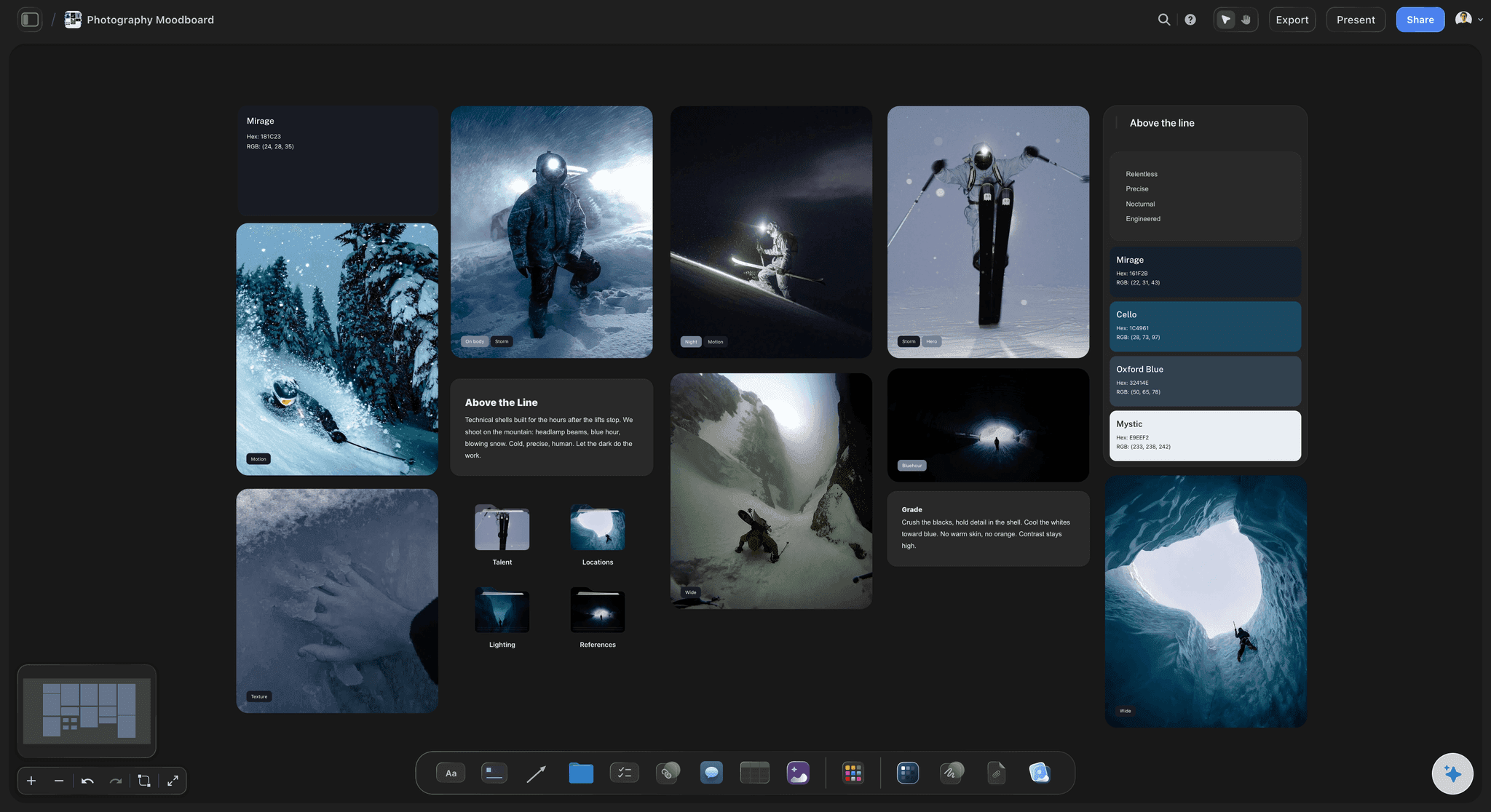
The selection
Cut to the number the room can hold
Every candidate sits on one open canvas, so you compare a picture with all the others and not only the one before. The cut pictures stay in their own group in case a wall changes.
See Storyflow for photographers →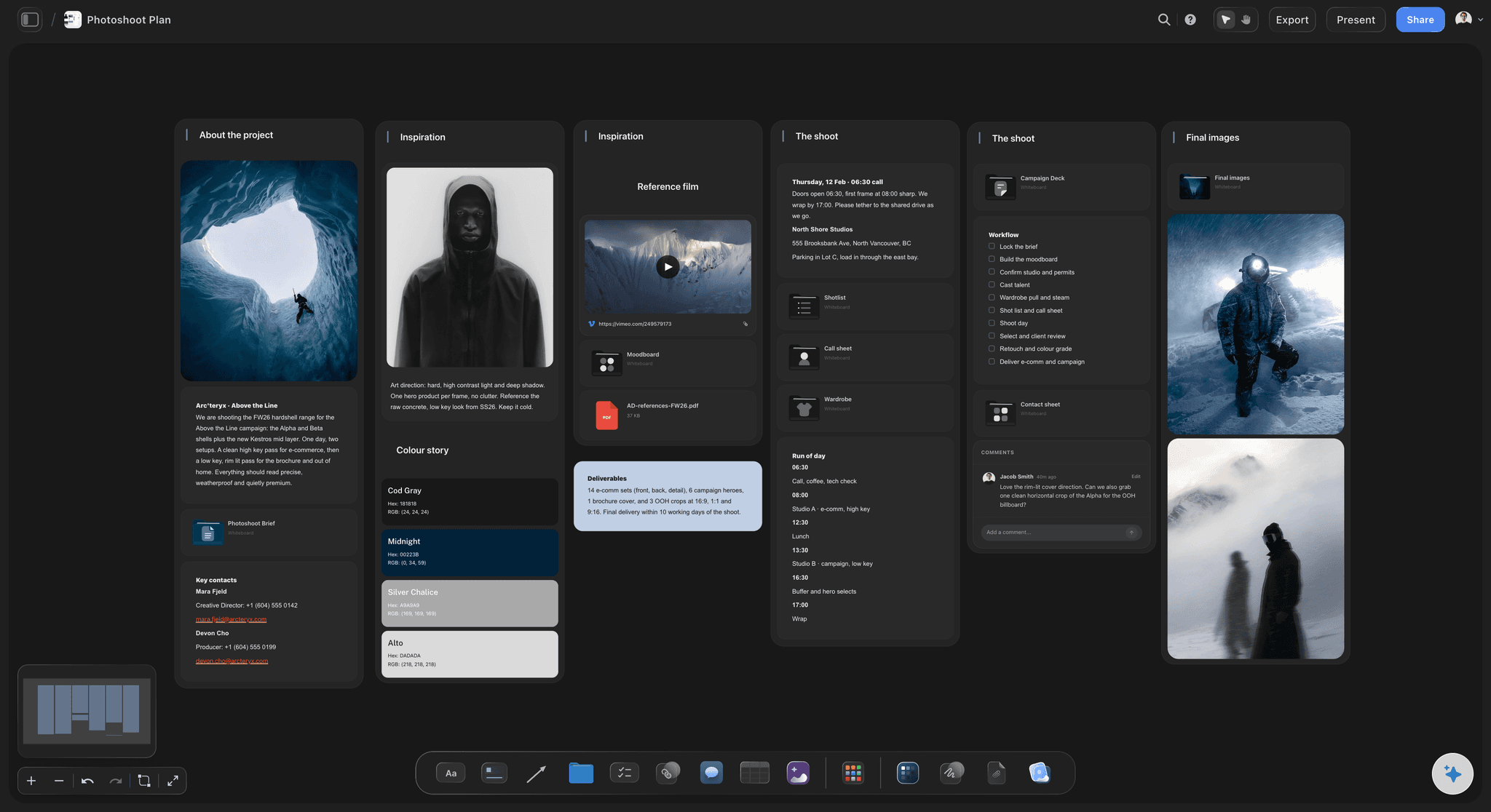
The hang
One section per wall, in hanging order
The pictures for each wall sit in a row, left to right, with the print size written under each. Resize a picture on the board to show which ones are large and which are small. It is a sketch of the order, not a drawing to scale.
See the photo book planner →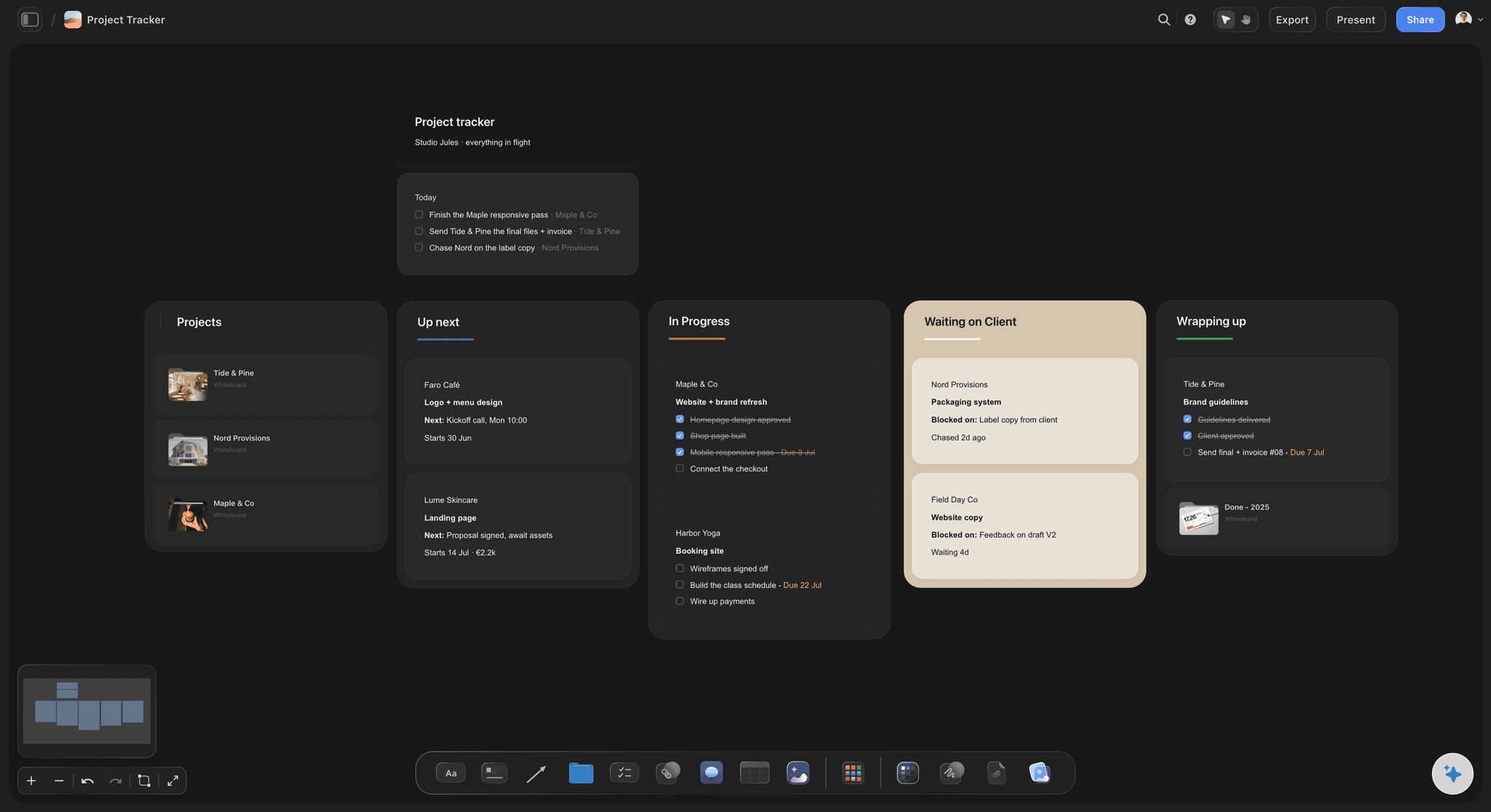
The money
Printing, framing, venue and the night, added up
A budget table with one line per cost and a total in the footer. Add the price of each print in a second table and you can see how many sales it takes to cover the show.
See the photography rate card →
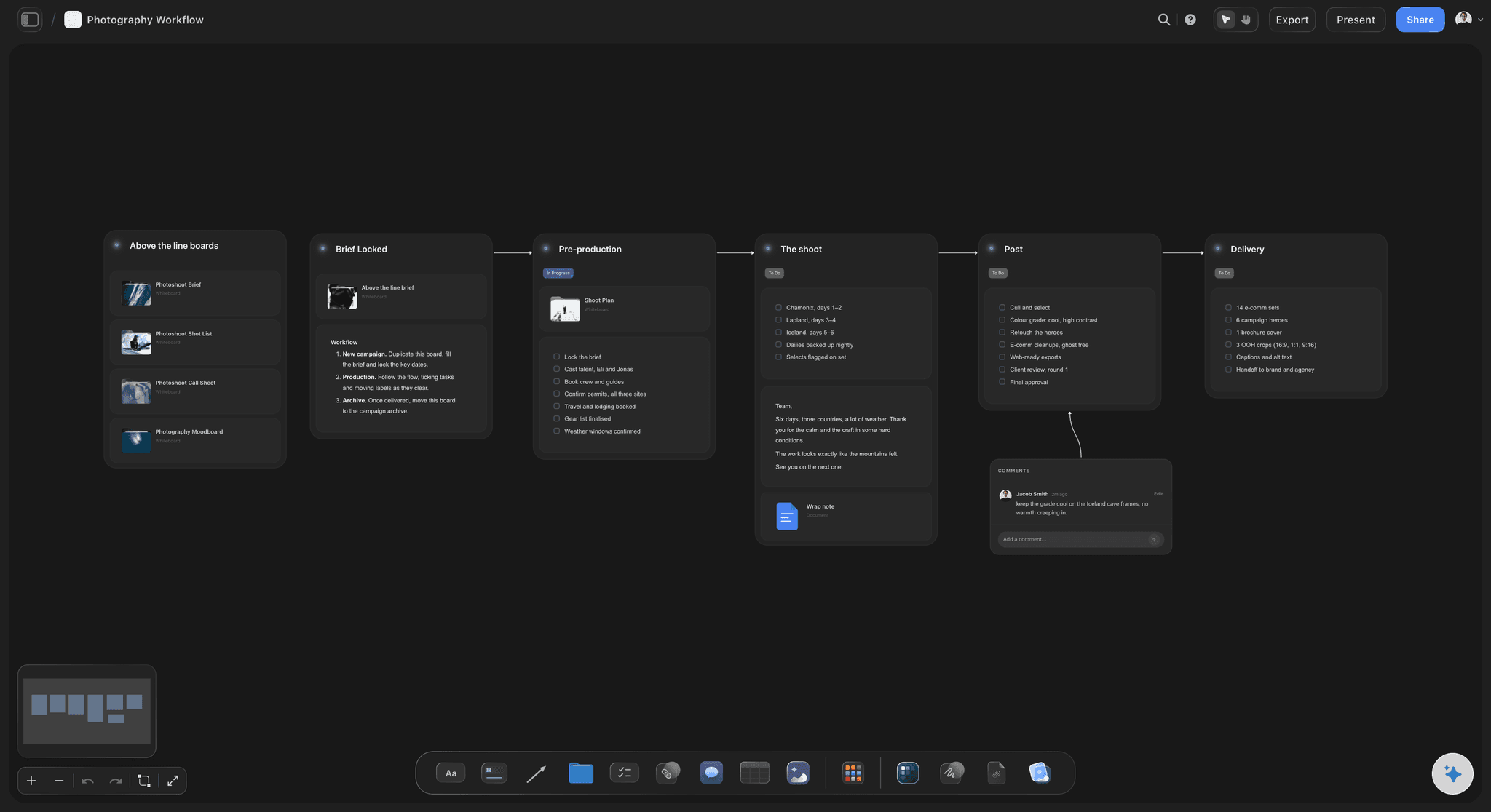
The opening
Twelve weeks of tasks, each with a date
Venue, prints, frames, invitations, labels, the hang and the takedown, as tasks with due dates in the order they have to happen. Tick them off as you go, and what is late is plain to see.
See Storyflow for event planners →The next venue asks what you have shown before.
Keep the hang, the budget and what sold on the board, and the next proposal is half written. Storyflow is paid-only during early access, with plans from $7.99 a month billed annually ($9.99 monthly). A free plan launches before the end of 2026, and anyone a paid member invites to a board joins free.
Unlimited boards, image uploads and files on every paid plan
A board per show, with the selection and the cut pictures kept
Invite a curator or a co-exhibitor without buying them a seat
Whole-board PDF export to send with a venue proposal
View-only links so the venue and the framer read it with no account
Built for people with taste
What goes wrong between the idea and the opening.
Three problems that reach first-time exhibitors in the last fortnight, and how the plan catches each one early.
The room
More pictures than the walls can take
Count the places first: Wall length, minus a margin at each end, plus one gap, divided by the print width plus the gap. A 6 metre wall takes six 50 cm prints at 30 cm apart, and no amount of wishing makes it eight.
Photograph the empty room: Put pictures of each wall on the board with the door, the windows, the radiators and the sockets visible. They decide where a picture cannot go.
One height for everything: Hang the centre of each picture about 145 cm from the floor. Write the number on the board, so whoever helps with the hang uses the same one.
The first thing a visitor sees: Mark the wall that faces the door and choose its picture on purpose. Everything else in the room is seen after that one.
The work
Prints and frames that arrive late or wrong
One test print before sixteen: Order a single print at full size eight weeks out. Look at it in daylight and under the venue's lights, then correct the files and order the rest.
Sizes in a table: Title, print size, paper, frame, edition number and price, one row per picture. The printer and the framer work from the same table, opened from a link.
Frames take the longest: Custom frames can take three to four weeks. The frame order has its own task and date on the countdown, two weeks ahead of when you think you need it.
Labels from the same rows: Ask Storyflow's AI to write a wall label for each picture from the table: title, year, medium, size and price. The labels cannot disagree with the price list.
The night
The show is hung and nobody knows it is on
Invitations four weeks out: The date, the address, the hours and one picture. Sending them is a task with a date on the countdown, not something to remember.
A press note in three paragraphs: What the work is, why now, and the practical details. Storyflow's AI drafts it from your statement, and you send it to the local listings yourself.
Who does what on the night: Who greets, who pours, who handles sales and who takes pictures of the room. Four names on the board save the artist from doing all four.
What happened, written down: The morning after, note the visitor count, the sales and what people said. Next year's proposal is written from that note.
Explore templates for your project
Every template opens as a real, editable board on the infinite canvas. Pick the closest fit and make it your own.
Commercial Moodboard
Pin references, palettes, and tone for a commercial so the look is clear before the shoot.
One app instead of five
Where Storyflow fits in planning an exhibition.
It holds the selection, the order, the budget and the countdown. It does not draw the room to scale or show it in 3D.
Storyflow
Recommended
The selection cut on an open canvas, arranged by hand
Pictures grouped per wall, in hanging order
A budget with the total added up
Dated tasks counting down to opening night
Statement, labels and press note drafted beside the work
The venue reads the plan from a link with no account
Walls drawn to scale with exact spacing
A 3D walk through the room
3D gallery planners
The selection cut on an open canvas, arranged by hand
Pictures grouped per wall, in hanging order
A budget with the total added up
Dated tasks counting down to opening night
Statement, labels and press note drafted beside the work
The venue reads the plan from a link with no account
Walls drawn to scale with exact spacing
A 3D walk through the room
A spreadsheet and a folder
The selection cut on an open canvas, arranged by hand
Pictures grouped per wall, in hanging order
A budget with the total added up
Dated tasks counting down to opening night
Statement, labels and press note drafted beside the work
The venue reads the plan from a link with no account
Walls drawn to scale with exact spacing
A 3D walk through the room
What creators are saying
Join early creators getting structured workspaces and AI that remembers their projects
“Storyflow has sped up my workflow by at least 3x, which means more flow state and more projects I can actually ship. It truly changed the way me and my team create.”

Reilin Joey
Director & YouTuber
“One prompt gets me a structured board. But the tactics are my favorite. I run my YouTube scripts through them and my intros and retention got better. It's amazing.”

Justkay
YouTuber & Freelance Filmmaker
“I used to juggle five apps to plan a project. Now I describe what I am making and get boards, lists, and a schedule. All in one place.”

George
@fernwehchronicles
Exhibition planning questions
What photographers ask before a first show, when the pictures exist and the room, the money and the date are still open.
In Storyflow, plan it on one board: write each wall's length and count the places, cut your pictures to that number, group them per wall in hanging order, put printing, framing, venue and opening costs in a budget table, and list the tasks for each of the twelve weeks before opening night with a date on each.
Storyflow is built for the planning of a show: the selection on an open canvas, a section per wall in hanging order, the budget with its total and the dated tasks to opening night, with an AI that drafts the statement and the labels. A 3D gallery tool such as Artsteps or Kunstmatrix still shows the hang in 3D, and Eventbrite still handles tickets and the guest list.
Twelve weeks is a workable minimum for a small show in a hired space. Printing needs a test and a correction, frames can take a month, and invitations should go out four weeks ahead. In Storyflow each of those is a task with a date, counted back from opening night, so a late frame order is visible in week six and not in week one. A museum plans a year or more ahead.
Take the wall length, subtract a margin at each end, add one gap, and divide by the width of a print plus the gap. With 50 cm prints, 30 cm gaps and 50 cm margins, a 6 metre wall takes six and a 4 metre wall takes four. Write the sum for each wall on your Storyflow board before you choose the work, and keep one or two places spare for a picture that needs more room around it.
The common gallery standard is to put the centre of each picture about 145 cm, or 57 inches, from the floor. Keep the centres level across the room, even when the frames are different sizes. Write the number on the Storyflow board, so everyone helping on hanging day measures to the same line.
It depends on the venue and the framing. A worked example for 16 framed prints: $2,080 for printing and frames, $600 for the venue, $180 for invitations and labels, $250 for the opening and $140 for transport and hardware, which is $3,250. Put your own lines in a Storyflow table with a Sum footer, and work out how many sales cover it.
Yes, with the writing and the lists. Storyflow's AI groups your chosen pictures into a section per wall, builds the budget table and the twelve week task list from your date, and drafts the statement, the wall labels and a press note from your notes. It does not choose the work or know your venue, so you correct what it drafts.
No. Storyflow has no scale drawing and no 3D room view. Pictures on the board can be resized to show which are large and small, and that is a sketch of the order, not a measured plan. For exact spacing use graph paper or a drawing tool, and for a 3D walk through use Artsteps or Kunstmatrix.
No. Storyflow does not sell tickets, collect RSVPs, send invitations or take payment for prints. Use Eventbrite for a guest list or tickets, your own email for invitations, and your usual way of taking payment on the night. Keep the links and the numbers on the Storyflow board with the rest of the plan.
Yes. Send the Storyflow board link and they read it in a browser with no account, and sign in to comment on a wall. People you invite can edit with you. Anyone a paid member invites to a board joins free, so a curator, a framer or a co-exhibitor needs no plan of their own.
Give each artist a share of the wall count before anyone chooses work, and a section of the Storyflow board for their pictures. Agree one print height, one label style and one way of splitting costs, and write all three at the top. The budget table gets a column for who pays each line, and the countdown gets one name beside every task.
Venue and dates, wall measurements, the selection, test print, print order, frames, transport, hanging hardware, labels, price list, statement, invitations, press note, opening night roles and the takedown date. On a Storyflow board each is a task with a due date, grouped by the week it has to be done.
No. Storyflow runs in the browser and there are no native mobile or desktop apps. Open the plan in any browser, including on a phone in the venue on hanging day, and share it by link. Pictures of the work and of the empty room are dragged onto the board from the same tab.
Know the hang before you order a single print.
The selection, the walls, the budget and the twelve weeks on one board, so opening night is the easy part and the week before it is calm. Start with the tape measure, not with the pictures.