
Ultra-fast planning, extremely simple
Plan the photo book
before you order a single copy.
For photographers: the edit, the sequence, the spreads, the captions and the print spec on one board, so the book is decided before you open a layout tool.


Creatives working for these brands already got early access
- Red Bull
- Canon
- Artlist
- Porsche
See how easy it is to get started
Watch a real project come together, from a blank board to a finished plan, clicked through step by step.
Start from a ready-made template
Pick a board to see what you can build, then let AI fill it in. Every template is a real, editable starting point on the same infinite canvas.

Mind Map
Branch one central idea out into themes and sub-points, then drag the connections around until the structure makes sense.
How do you make a photo book?
You make a photo book in five decisions, taken in order: which pictures are in, what order they run in, how they sit on each pair of facing pages, what words go with them, and what size, paper and binding the book is printed in. Storyflow is an AI visual workspace that plans all five on one infinite canvas: the edit, the sequence of spreads, the captions and the print spec. Its AI groups the pictures you have chosen into spreads, writes a caption under each from your notes, and drafts the introduction for you to rewrite.
Start with the edit, and cut harder than is comfortable. A worked example: 640 frames from a two year project. The first pass keeps 180, the pictures you would be sorry to lose. The second keeps 90. The last pass, done a week later, keeps 62. A book of 62 strong pictures is better than a book of 90 where a third are only there because they were hard to get. Put the cut pictures in a group of their own, not in the bin, because five of them will come back.
Then sequence, which is where a pile of good pictures becomes a book. Choose the opening image and the closing image first. Then work in pairs: two pictures that face each other change each other, by colour, by shape or by what happens in them. Lay every spread out in one long row and read it from left to right, the way a reader turns pages. If three quiet pictures sit together, move one. If the strongest picture arrives on page ten, ask what the last sixty pages are for.
Now the arithmetic. Take an 8 by 10 inch portrait book of 80 pages, which is 40 spreads. Six pages go to the title, the introduction and the closing credits, which leaves 74 for pictures. Twelve pictures run across a full spread and use 24 pages. Fifty pictures take a page each. That is 62 pictures on 74 pages. Run the sum before you design anything, because adding four pages late can change the price of every copy.
Check the files against the page. At 300 pixels an inch, a full 8 by 10 inch page needs a picture of 2,400 by 3,000 pixels, and a picture across the whole spread needs 4,800 by 3,000. Most printers also ask for about 3 mm of bleed on each outside edge. Write the size of every full-spread picture beside it on the board, and you find the one that is too small now and not when the proof arrives.
Last, make it physical before you pay for the run. Print the spreads small on plain paper, fold them into a dummy and turn the pages by hand. Fix what feels wrong on the board, then lay out the final pages in the printer's own tool or in InDesign, and order one proof copy. Allow six weeks from the first cut to the final order, and two of them are waiting for the proof.
Ultra fast from brief to board
Four moves from a folder of frames to a book you can order.
The plan takes a few evenings. It saves the cost of a first copy you would only have corrected.
01
Drop the long edit on the board
Drag your first selection onto a Storyflow board, all of it. Move the keepers to one side by hand and leave the rest in a group called cut. Three passes take 640 frames down to about sixty.
02
Build the spreads in a row
Ask Storyflow's AI to group the chosen pictures into spreads, one wall per pair of facing pages, in a single row. For a long book, ask for a chapter at a time. Drag pictures between spreads until the row reads well from the first page to the last.
03
Add the words
Paste your notes on the pictures: where, when, who. Select a spread and ask the AI to write a caption under each picture from those notes. Ask for a draft introduction, then rewrite it in your own voice.
04
Fix the spec and print a dummy
Put the size, page count, paper, binding and two printer quotes in a table. Print each spread small from your own files, in the order on the board, and fold the sheets into a dummy. When it turns well by hand, lay it out in the printer's tool.
The edit, the sequence, the words and the print run.
Storyflow plans the book. A photo book service prints it, and a layout tool makes the print-ready pages.
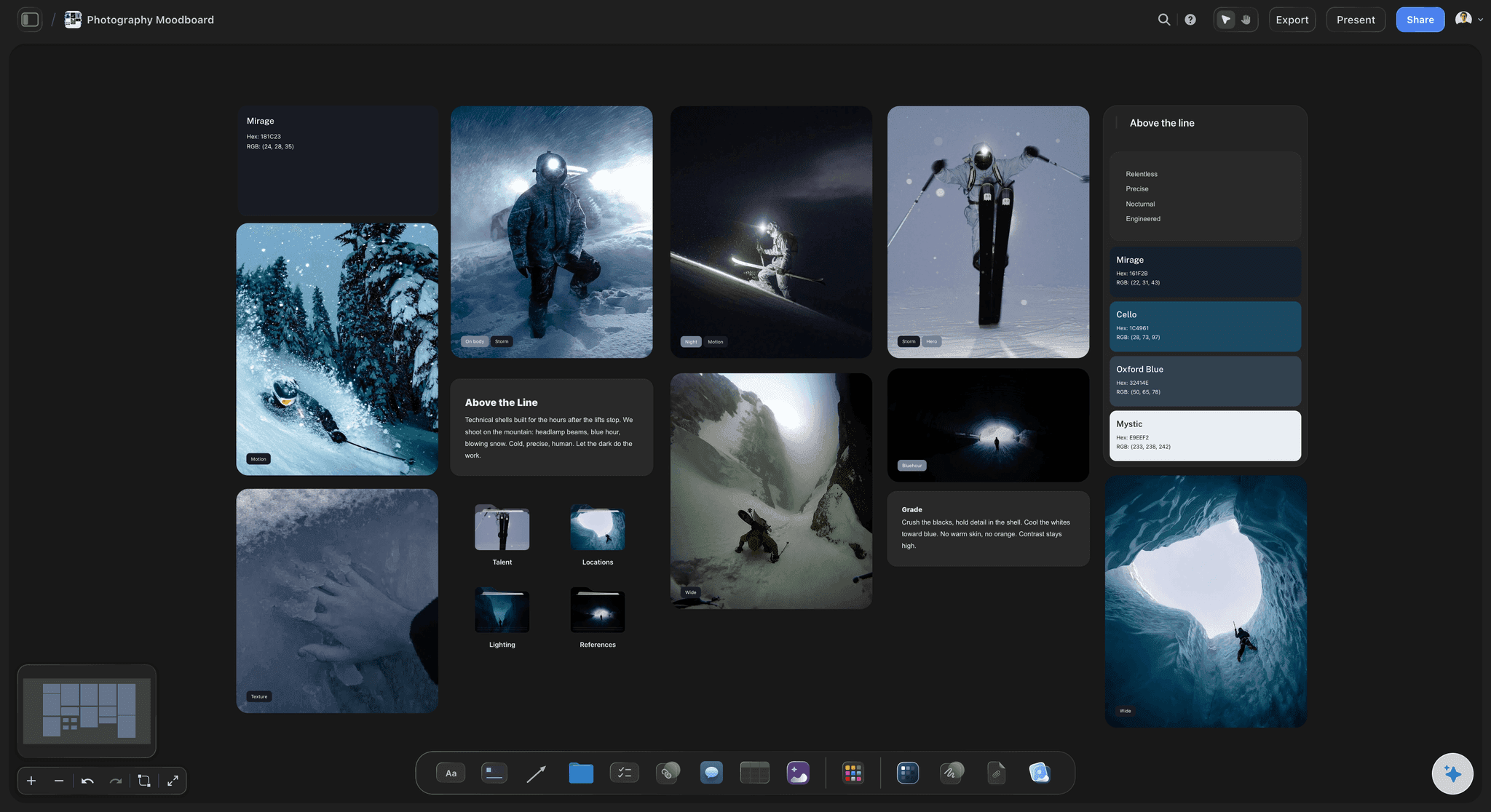
The edit
Every candidate in view at the same time
An open canvas holds the whole long edit at once, so you compare a picture with the forty around it and not with the one before it. Cutting is dragging, and nothing is lost.
See Storyflow for photographers →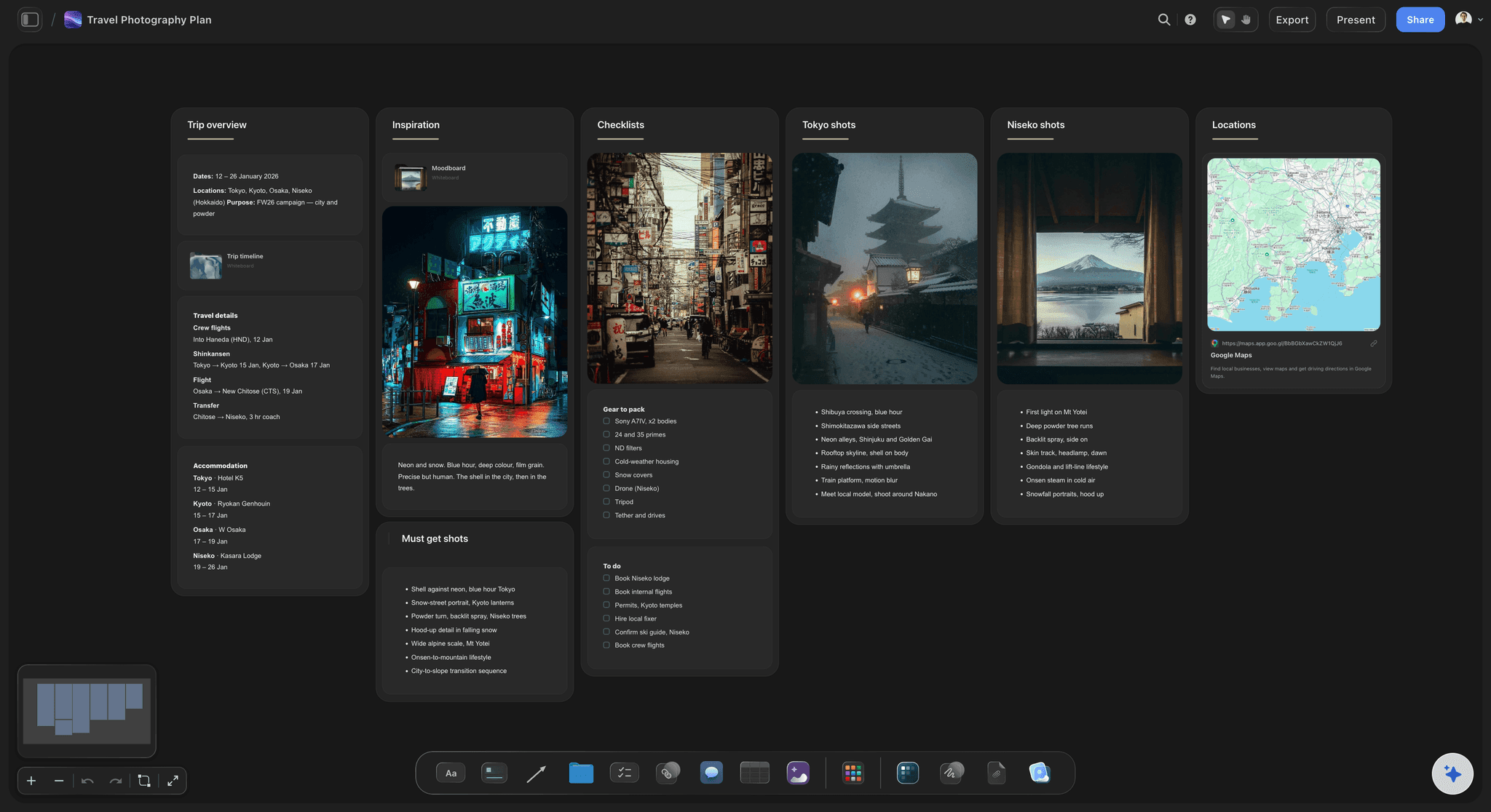
The sequence
The whole book as one row of spreads
Each spread is a wall holding its left and right page. Forty of them in a row is the book from cover to cover, and moving a picture three spreads later is one drag.
See the photo collage maker →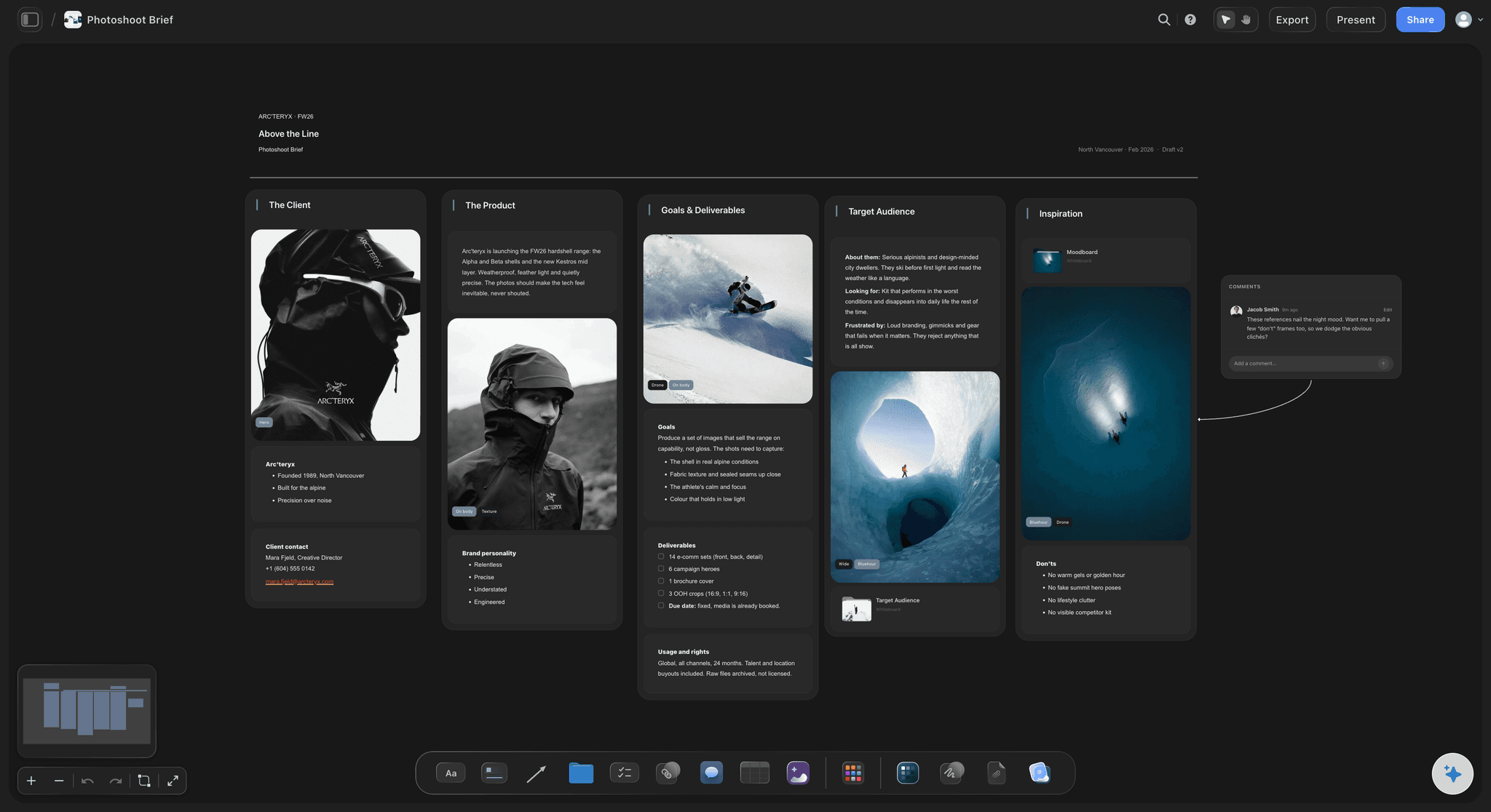
The words
A caption under each picture, and an introduction
Pictures on a Storyflow board carry a caption under them. The AI drafts each one from your notes and writes a first introduction. You decide which pictures need words and which are stronger without.
See the nonfiction book planner →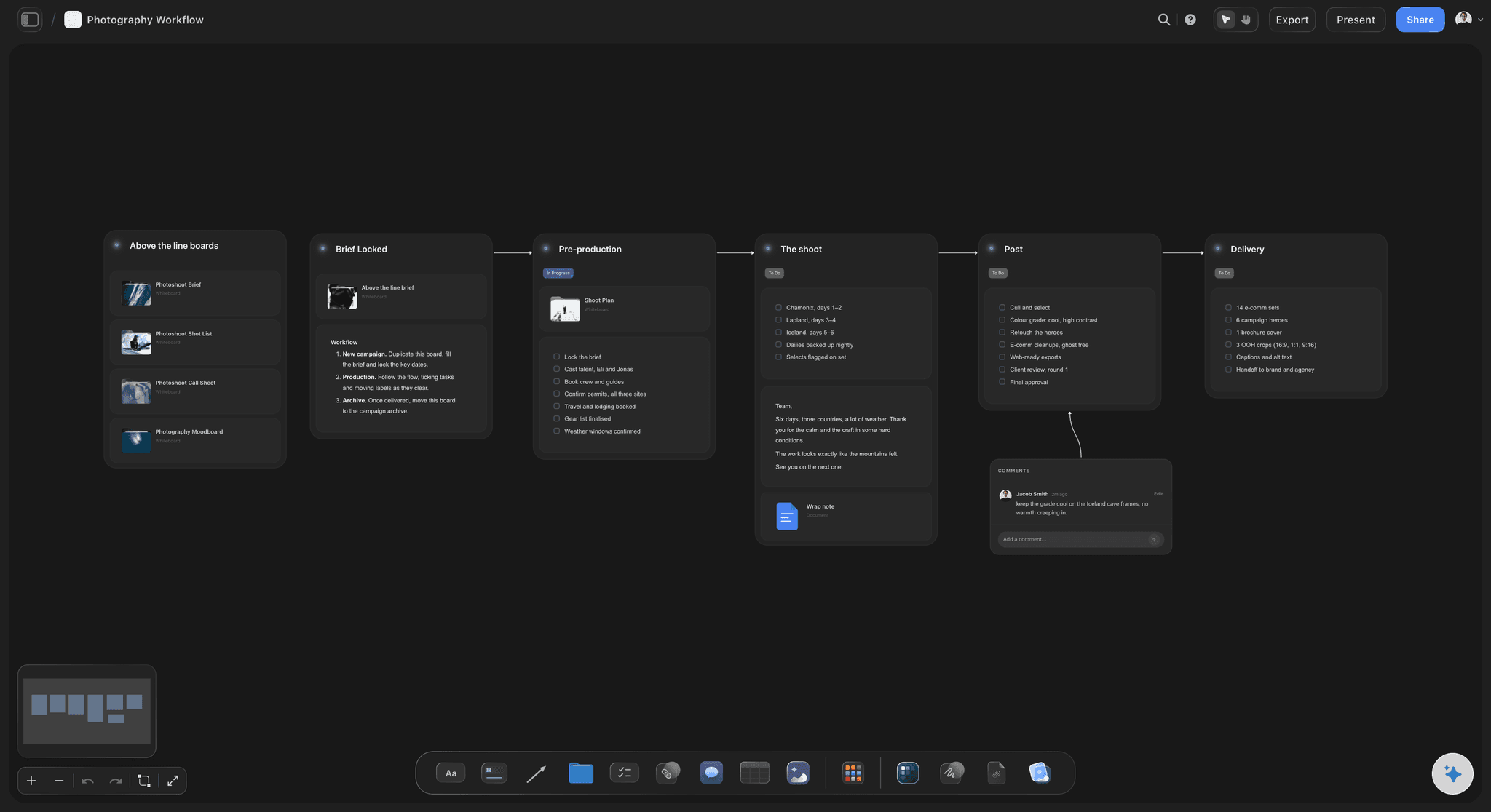
The print run
Size, pages, paper and price in one table
Trim size, page count, paper, binding, copies and the quote from each printer, side by side. Change 80 pages to 96 and you see what it does to the price before you fall for the extra spreads.
See the book launch planner →The second book starts from the first.
The edit, the cut pictures and the spec stay on the board, ready for a second edition or the next project. Storyflow is paid-only during early access, with plans from $7.99 a month billed annually ($9.99 monthly). A free plan launches before the end of 2026, and anyone a paid member invites to a board joins free.
Unlimited boards, image uploads and files on every paid plan
The whole long edit on one open canvas, not in a scrolling list
Invite an editor or a friend to the sequence without buying them a seat
Whole-board PDF export to send the plan to a designer
View-only links so a publisher can read the plan with no account
Built for people with taste
Why first photo books disappoint.
Three mistakes that only show when the printed copy arrives, and how to catch each one while it is still on a board.
The edit
Too many pictures, and the good ones are hidden
Three passes, with a gap before the last: From 640 to 180, to 90, to 62. The gap before the last pass matters more than the method, because the pictures you were attached to on Monday look ordinary a few days later.
Cut on the canvas, not in a list: With every candidate in view you can see that six pictures say the same thing. Keep the best one and move five to the cut group.
One reason per picture: Each picture earns its page: it moves the story, shows a place, or lets the reader rest. If you cannot say which, it is in the book because it was hard to make.
A second pair of eyes: Share the Storyflow board with someone who was not there. They open it from a link with no account and sign in to comment on the pictures that confuse them.
The sequence
Good pictures in an order that goes nowhere
First and last, first: Choose the opening and closing pictures before anything else. They tell you what the book is about, and everything between has to travel from one to the other.
Pairs that talk: Two facing pictures are read as one. Match them on colour, shape or gesture, or set them against each other on purpose. A pair made by accident reads as a mistake.
Loud and quiet: Follow a full spread with a single small picture or a blank page. In the row of spreads on the board, the rhythm is visible as a pattern of big and small.
Chapters, if it needs them: Ask Storyflow's AI to split the row into sections with a title above each. If the chapters need long titles to make sense, the sequence is not working yet.
The print
The proof arrives soft, dark or cropped
Pixels against the page: A full 8 by 10 inch page wants 2,400 by 3,000 pixels at 300 an inch. Write the size beside each full-spread picture, and swap or shrink the ones that fall short.
The gutter eats the middle: A face in the centre of a spread disappears into the binding. Mark every full-spread picture on the board and check what sits on the centre line.
Paper changes the picture: Uncoated paper prints darker and softer than a screen. Note the paper in the spec table, and lift the shadows in the files before the proof, not after it.
One proof before the run: Order a single copy and mark corrections on the Storyflow board beside each spread. The second order is the one you pay for in quantity.
Explore templates for your project
Every template opens as a real, editable board on the infinite canvas. Pick the closest fit and make it your own.
Mind Map
Branch one central idea out into themes and sub-points, then drag the connections around until the structure makes sense.
One app instead of five
Where Storyflow fits in making a photo book.
It plans the edit, the sequence and the spec. It does not make print-ready pages, and it does not print or bind.
Storyflow
Recommended
The cut from hundreds of frames to the final set, on an open canvas
The sequence as a row of spreads you rearrange by hand
A caption or note beside each picture
The project's notes, references and the book on one board
Works before you have picked a size, a paper or a printer
Print-ready pages with bleed and exact trim
Full control of type on the page
Prints, binds and ships the book
Photo book services
The cut from hundreds of frames to the final set, on an open canvas
The sequence as a row of spreads you rearrange by hand
A caption or note beside each picture
The project's notes, references and the book on one board
Works before you have picked a size, a paper or a printer
Print-ready pages with bleed and exact trim
Full control of type on the page
Prints, binds and ships the book
Page layout software
The cut from hundreds of frames to the final set, on an open canvas
The sequence as a row of spreads you rearrange by hand
A caption or note beside each picture
The project's notes, references and the book on one board
Works before you have picked a size, a paper or a printer
Print-ready pages with bleed and exact trim
Full control of type on the page
Prints, binds and ships the book
What creators are saying
Join early creators getting structured workspaces and AI that remembers their projects
“Storyflow has sped up my workflow by at least 3x, which means more flow state and more projects I can actually ship. It truly changed the way me and my team create.”

Reilin Joey
Director & YouTuber
“One prompt gets me a structured board. But the tactics are my favorite. I run my YouTube scripts through them and my intros and retention got better. It's amazing.”

Justkay
YouTuber & Freelance Filmmaker
“I used to juggle five apps to plan a project. Now I describe what I am making and get boards, lists, and a schedule. All in one place.”

George
@fernwehchronicles
Photo book planning questions
What photographers ask before a first book, when the pictures exist and the order, the size and the printer do not.
In Storyflow, plan it on one board before you open a layout tool: drop the long edit on the canvas and cut it in three passes, group the keepers into spreads in one row, add captions and an introduction, and put the size, page count, paper and printer quotes in a table. Print a small dummy, fix it, then lay it out and order one proof.
Storyflow is where a photo book gets planned: the whole edit on an open canvas, the sequence as a row of spreads, captions under the pictures and the print spec beside them, with an AI that drafts the words from your notes. The pages themselves are still laid out in Adobe InDesign or the printer's own tool, and Blurb or MILK Books still prints and binds the book.
No. Storyflow does not print, bind or ship books, and it does not produce print-ready files with bleed and trim marks. It is where you decide the edit, the order and the spec. Take that plan to a photo book service such as Blurb or MILK Books, or build the pages in Adobe InDesign and send them to a printer.
Fewer than you first choose. A common shape is 50 to 80 pictures in 80 to 120 pages, with some pictures given a full spread and some pages left empty. Work it out as a sum on your Storyflow board: pages, minus front and back matter, minus the pages that full-spread pictures use twice.
Choose the first and last pictures, then build pairs that face each other, then arrange the pairs so loud spreads are followed by quiet ones. Lay all the spreads in one row on a Storyflow board and read it left to right as a reader would. Move things until no three spreads in a row do the same job.
A dummy is a rough physical copy made before printing: small prints of every spread, folded and stapled or taped, so you can turn the pages. It shows problems a screen hides, such as a weak page turn or a picture lost in the binding. Use the row of spreads on your Storyflow board as the page order when you print and fold it.
Aim for 300 pixels an inch at the printed size. An 8 by 10 inch page needs 2,400 by 3,000 pixels, and a full spread needs 4,800 by 3,000, plus about 3 mm of bleed on the outside edges. Note the pixel size beside each large picture on the Storyflow board so the small ones are found early.
No, and it should not. Storyflow's AI can see the pictures you select, group them into spreads, write captions from your notes and draft an introduction. Which 62 of 640 frames belong in the book is your judgement, and it is the part that makes the book yours.
In your own archive: Lightroom, Capture One or a drive with a backup. Storyflow is for planning, and the pictures on the board are working copies for deciding the edit and the order. When the plan is fixed, export the final files from your archive at the printed size and place those in the layout.
Yes. Send the Storyflow board link to an editor, a designer or a friend whose eye you trust. They read it in a browser with no account and sign in to comment on a spread. People you invite can move pictures with you. Anyone a paid member invites to a board joins free.
Allow about six weeks once the pictures exist: a week to edit, a week to sequence, a week for spreads and words, a week to lay out and order a proof, and two weeks for the proof to arrive and be corrected. On a Storyflow board the first three weeks happen in one place, with the cut pictures still at hand.
Yes. The steps are the same with a shorter edit and the client making the last call. Share the Storyflow board by view-only link so the couple or the client reads the proposed sequence in a browser, and signs in to comment on the spreads they want changed before you build the album in your lab's software.
No. Storyflow runs in the browser and there are no native mobile or desktop apps. Open the book board in any browser on a large screen for the edit, and send the link to anyone who should see the sequence. Pictures are dragged onto the board from the same tab, so the first pass of the edit can start the evening you sign in.
More from Storyflow
Decide the book before you pay for it.
The edit, the sequence, the words and the spec on one board, so the first copy that arrives is the one you meant to make.