
Plan videos ultra fast, post on time
Plan every episode
on one infinite canvas.
Storyflow is the visual workspace where a show idea becomes a season of episodes, and each episode becomes an outline, a guest brief, and a set of clips to cut. Describe the show in the AI chat and it lays out the plan, then reads that canvas to help you outline, research, and repurpose.


Creatives working for these brands already got early access
- Red Bull
- Canon
- Artlist
- Porsche
See how easy it is to get started
Watch a real project come together, from a blank board to a finished plan, clicked through step by step.
Start from a ready-made template
Pick a board to see what you can build, then let AI fill it in. Every template is a real, editable starting point on the same infinite canvas.

YouTube Plan
Plan a video from hook to outline to shot list, with references and thumbnail ideas sitting right beside it.
What does Storyflow do for podcasters?
Running a podcast means keeping a show concept in one place, an episode backlog in another, guest research in a browser tab, questions in a doc, and a list of clips to cut in your head. The plan lives in five apps that never talk to each other, and the thread from a season idea to a published episode gets lost between tabs. Storyflow puts the whole show on one truly infinite canvas, so the season, the outlines, the guest prep, and the clips are all in view at once.
Start by describing your show in the AI chat and Storyflow lays out a board: your themes, a batch of episode ideas, and the guests worth chasing. Pick the episode you want to record next and turn its card into a full outline of segments, hooks, and talking points on the same canvas. Because the AI reads the current board as context, each episode builds on the direction of the show instead of starting from a blank page.
The canvas is also where an episode gets a second life. Grab reference clips from a guest's past appearances on YouTube and Vimeo, keep your question list beside the research that inspired it, and mark the moments worth cutting into shorts and posts right on the board. Share a view-only link so a co-host or editor sees the whole plan without an account. Your show stops being scattered across tools and becomes one board you can actually see.
Ultra fast from brief to board
From show idea to clips in four steps.
Map the show, outline the next episode, prep the guest, and mark the clips, all on the same canvas.
01
Map the show
Describe your topic and audience in the AI chat. Storyflow lays out a show board of themes, seasons, and episode ideas you can drag and regroup.
02
Outline the next episode
Pick the episode to record next. Expand its card into segments, hooks, and talking points, or ask the AI to draft the structure from the surrounding board.
03
Research the guest, prep the questions
Pull a guest's past clips and links onto the board, then build a question set beside the research so nothing gets missed on the day.
04
Repurpose and share
Mark the moments worth cutting into clips and posts, send a co-host or editor a view-only link, or export the plan as an image or PDF.
One board for the whole show.
Season strategy, episode outlines, guest research, and a clip plan, all on a canvas that never runs out of room.
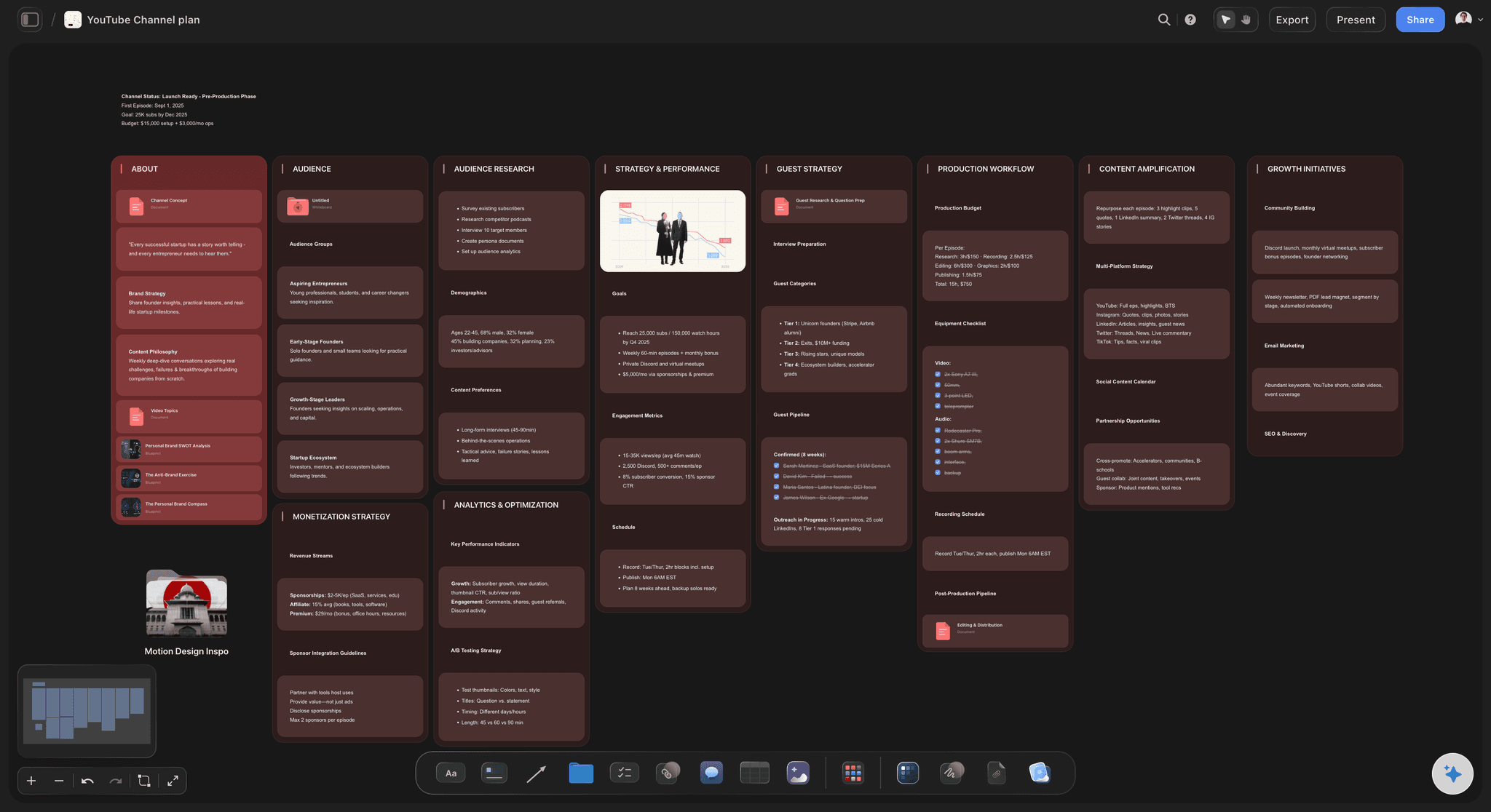
Show strategy on a canvas
Map a show into a season of episodes
Describe the show and the AI lays out your themes and a batch of episode ideas as cards you can drag, cluster, and reorder. The season is something you can see, not a list buried in a doc.
See the AI podcast planner →
Idea to outline, no new tab
Turn an episode idea into a full outline
Pick an episode card and expand it into segments, hooks, and talking points on the same canvas. The AI reads the surrounding board, so the outline matches the angle of the show instead of a generic prompt.
See the YouTube video planner →
Know your guest cold
Guest research and questions in one place
Gather a guest's past clips, articles, and links onto the board, grab frames from their YouTube and Vimeo appearances, and build the question set right beside the research that inspired it.
See the mind mapping tool →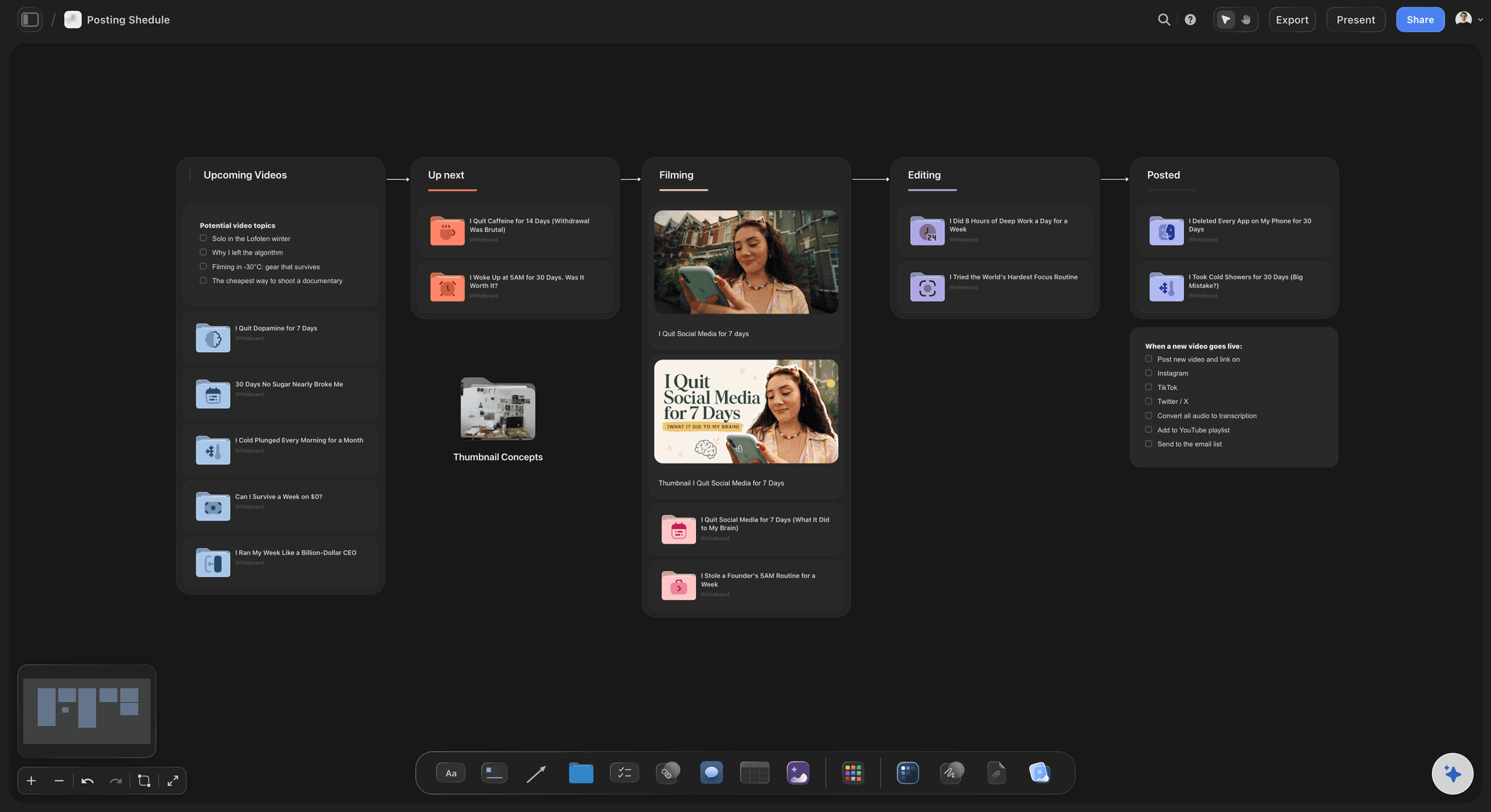
One episode, many posts
Plan the clips before you record
Mark the moments worth cutting into shorts and social posts on the same canvas as the outline. Line up a posting schedule so every episode turns into a week of content, not a single upload.
See the AI content calendar generator →Plans from $7.99/month annual. Plan a whole season.
Open a canvas and map your first show. There is no object cap, so a full season plan never runs into a wall mid-build.
Unlimited boards for shows, episodes, and guest research
AI usage to plan episodes and draft outlines
Grab guest clips from YouTube and Vimeo onto the canvas
Share view-only with a co-host, or invite collaborators free
Built for people with taste
Built for the way podcasters actually make shows.
Go from a show idea to an outline to guest prep to a clip plan without switching tools, with AI reading your board at every step.
Strategy you can see
A season map instead of a scattered list
Themes and seasons as cards: Lay out your recurring themes and seasons on the canvas, then hang episode ideas under the theme they belong to. The shape of the show reads at a glance.
AI fills the episode backlog: Describe the topic and the AI lays out a batch of episode ideas and guest angles on the board, so a dry spell becomes a full canvas of options.
Drag to reorder: Move an episode up, cluster a mini-series, or park a card for later. Re-planning the season is a drag, not a rewrite.
AI that reads your board
Outlines that match the show, not a blank prompt
Draft from the surrounding board: The AI reads your active canvas, so an outline it drafts follows the theme, angle, and notes you already placed around the episode idea.
Bring in your research: Add up to five documents and three boards from the + menu, so a research doc or a past episode outline shapes the draft the AI writes.
Re-prompt to sharpen: Ask for a stronger cold open, a tighter segment, or a different running order. The AI reworks the outline while keeping the edits you already made.
Guest prep in one view
Every clip and question where you need it
Frame grabs from video: Pull stills and moments from a guest's YouTube and Vimeo appearances straight onto the canvas to study what worked, no downloading and re-uploading.
Attach anything: Images, PDFs, GIFs, video, and links sit next to the question or segment they support, so the research is on the board, not lost in a folder.
Questions on the canvas: Build the question set as cards beside the research that inspired it, so the running order is scannable and the context is one glance away.
Publish on a rhythm
From episode to clips, on one canvas
Outline to clip plan: Mark the moments worth cutting from the outline, then slot the shorts and posts onto a schedule on the same board, with the whole pipeline in view.
Share with your team: Send a view-only link so a co-host, editor, or clip creator sees the outline and clip list without an account, or invite them to collaborate free.
Export for anywhere: Export an outline or clip plan as a clean image or PDF for a guest, a sponsor, or your own reference on record day.
Explore templates for your project
Every template opens as a real, editable board on the infinite canvas. Pick the closest fit and make it your own.
YouTube Plan
Plan a video from hook to outline to shot list, with references and thumbnail ideas sitting right beside it.
One app instead of five
How Storyflow compares for podcasters.
Docs and boards each do a slice of the job. Storyflow keeps the whole show-to-clips pipeline on one canvas.
Storyflow
Recommended
AI reads your board to outline and plan episodes
Show, outline, guest research, and clips on one canvas
Grab guest clips from YouTube and Vimeo
Free plan with no object cap on the canvas
Notion
AI reads your board to outline and plan episodes
Show, outline, guest research, and clips on one canvas
Grab guest clips from YouTube and Vimeo
Free plan with no object cap on the canvas
Milanote
AI reads your board to outline and plan episodes
Show, outline, guest research, and clips on one canvas
Grab guest clips from YouTube and Vimeo
Free plan with no object cap on the canvas
Miro
AI reads your board to outline and plan episodes
Show, outline, guest research, and clips on one canvas
Grab guest clips from YouTube and Vimeo
Free plan with no object cap on the canvas
What creators are saying
Join early creators getting structured workspaces and AI that remembers their projects
“Storyflow has sped up my workflow by at least 3x, which means more flow state and more projects I can actually ship. It truly changed the way me and my team create.”

Reilin Joey
Director & YouTuber
“One prompt gets me a structured board. But the tactics are my favorite. I run my YouTube scripts through them and my intros and retention got better. It's amazing.”

Justkay
YouTuber & Freelance Filmmaker
“I used to juggle five apps to plan a project. Now I describe what I am making and get boards, lists, and a schedule. All in one place.”

George
@fernwehchronicles
Podcaster questions, answered.
Everything podcasters ask about planning a show in Storyflow.
Storyflow is an AI visual workspace on a truly infinite canvas where you plan a whole show: the season, episode outlines, guest research, question sets, and a clip plan, all on one board. You describe the show, the AI lays out the plan, and each episode goes from idea to outline to clips without switching tools.
Not yet. Storyflow is paid-only during early access, with plans from $7.99 a month billed annually ($9.99 monthly). A free plan launches before the end of 2026, and anyone a paid member invites to a board joins free. Every paid plan has unlimited boards and file uploads, AI to plan episodes and draft outlines, and view-only sharing.
Describe your topic in the AI chat and Storyflow lays out a show board of themes and episode ideas. Pick an episode, expand its card, and the AI drafts segments, hooks, and talking points from the surrounding board. Because it reads your active canvas as context, each outline builds on the direction of the show.
Yes. Pull a guest's past clips, articles, and links onto the canvas, grab frames from their YouTube and Vimeo appearances, and build the question set as cards right beside the research. Your prep, research, and running order stay together instead of living in three separate apps.
Yes. Mark the moments worth cutting into shorts and posts on the same canvas as the outline, then slot them onto a posting schedule. One recording becomes a week of content, and you can see the whole pipeline from episode to published clip in one place.
Notion and spreadsheets store your show as lists and pages you tab between. Storyflow puts the season map, the outlines, the guest research, and the clip plan on one visual canvas, and the AI reads that board to help you outline and repurpose. You see the whole show at once instead of clicking through documents.
Yes. Send a view-only link so a co-host, editor, or clip creator can see the outline, guest research, and clip list in their browser without an account, or invite them to build the board with you. Unlimited collaboration is included on every paid plan.
No. Storyflow runs in your browser with nothing to install. Open a canvas, describe your show, and start planning your next episode in minutes.
Your show is a pile of ideas. Turn it into a plan.
Map the season, outline the next episode, and plan the clips on one canvas.