
Extremely simple, seriously capable
The stream is four hours.
The plan should take ten minutes.
Segments, timings, sponsor reads, and the overlays you need, on one board you can actually read at a glance while live. Then plan the clips, shorts, and posts that come out of it on the same canvas, instead of losing them in a folder.


Creatives working for these brands already got early access
- Red Bull
- Canon
- Artlist
- Porsche
See how easy it is to get started
Watch a real project come together, from a blank board to a finished plan, clicked through step by step.
Start from a ready-made template
Pick a board to see what you can build, then let AI fill it in. Every template is a real, editable starting point on the same infinite canvas.

Mind Map
Branch one central idea out into themes and sub-points, then drag the connections around until the structure makes sense.
Why does stream planning fall apart, and what actually helps?
Streaming punishes disorganisation in a specific way. Storyflow is an AI visual workspace that plans the stream and what comes out of it on one infinite canvas: the rundown with segment timings, the sponsor reads, the overlays, and the queue of clips, shorts and posts. The stream itself is the easy part, because you are present and reacting. What decays is everything around it: the sponsor read you forgot until minute forty, the segment you meant to run and skipped, the six clippable moments nobody clipped, and the schedule you announced and then quietly stopped keeping. None of these are failures of effort. They are failures of having the plan somewhere you cannot see it while live.
The usual fixes make it worse. A notes app holds the rundown as a wall of text you cannot scan at a glance with a chat running. A spreadsheet holds the schedule and nothing about what each stream actually is. A folder holds the clips and tells you nothing about which ones are still unposted. So the plan lives in three places, and while live you check none of them.
A board fixes the scanning problem, because position and colour do work that text cannot. A stream is a row of segment cards with timings on them, readable in one glance on a second monitor. The sponsor read is a card you cannot miss, sitting in the segment it belongs to. Clips are cards in a queue that visibly empties. And because the AI reads the board, it can refill the idea backlog from the streams that already worked and turn a month of streams into a posting schedule on the same canvas.
Ultra fast from brief to board
One board for the stream, and everything it produces.
Plan the rundown, run it on a second monitor, then work the clip queue afterwards.
01
Build the rundown
Describe the stream and the AI lays out segments with rough timings: intro, main block, sponsor read, community segment, outro. Adjust the ones you actually run.
02
Keep it readable while live
Segment cards with timings and colours scan in a second on a second monitor, which a paragraph of notes does not, so the plan is still useful at minute ninety.
03
Capture the clips
Drop clippable moments onto the board as cards during or after the stream, with the timestamp and the hook, so the queue is real rather than a memory.
04
Turn it into a posting schedule
Ask the AI to convert the clip queue into a posting plan across shorts, TikTok, and socials, on the same canvas as the streams they came from.
Built for the parts of streaming that happen off-stream.
The rundown, the sponsor obligations, the clip queue, and the schedule you can actually keep.
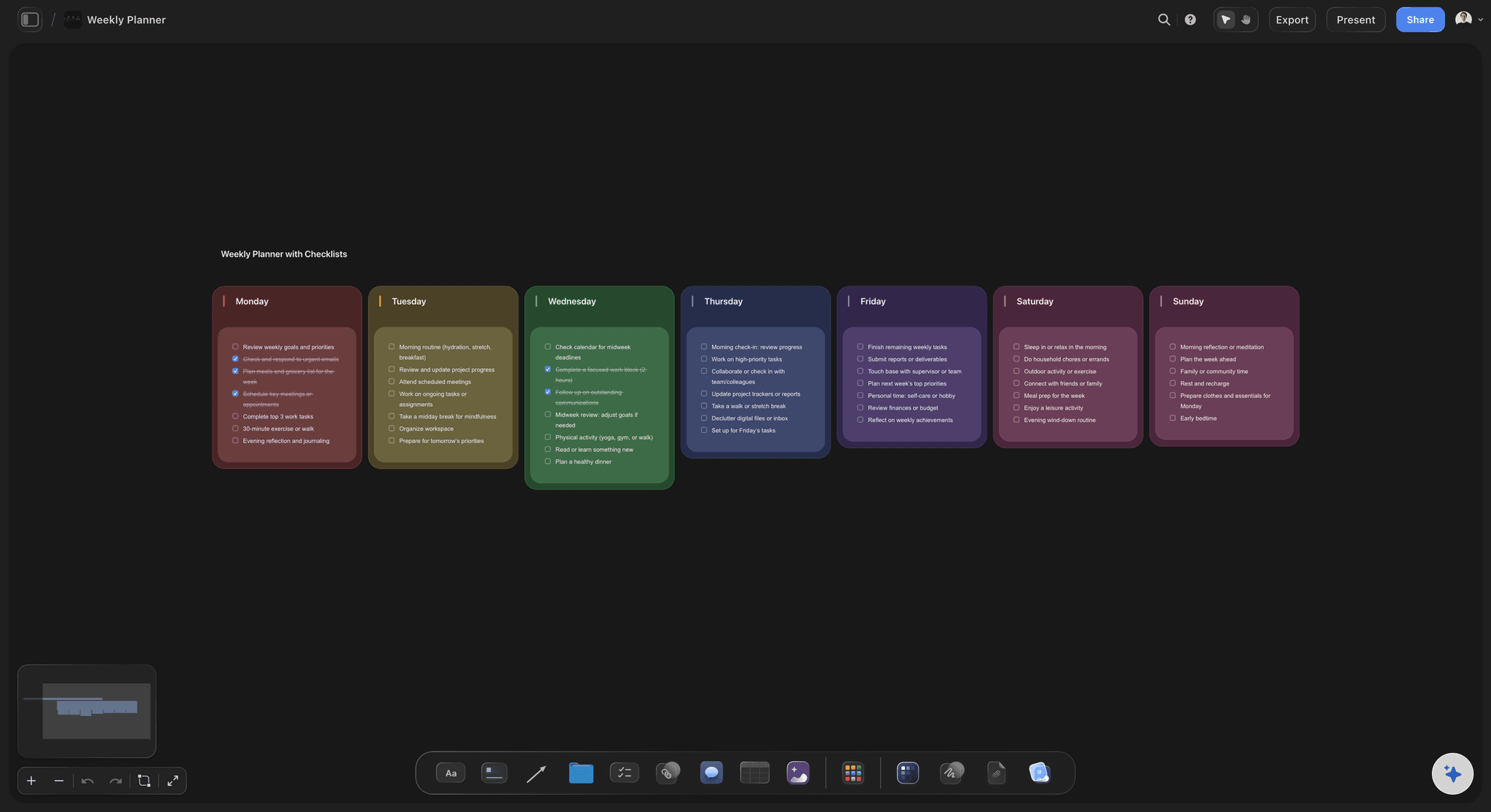
Readable at a glance
A rundown you can scan while live
Segments as coloured cards with timings, laid out in order. You can find where you are in one look with chat running, which is the only test a live document has to pass.
See the content planning tool →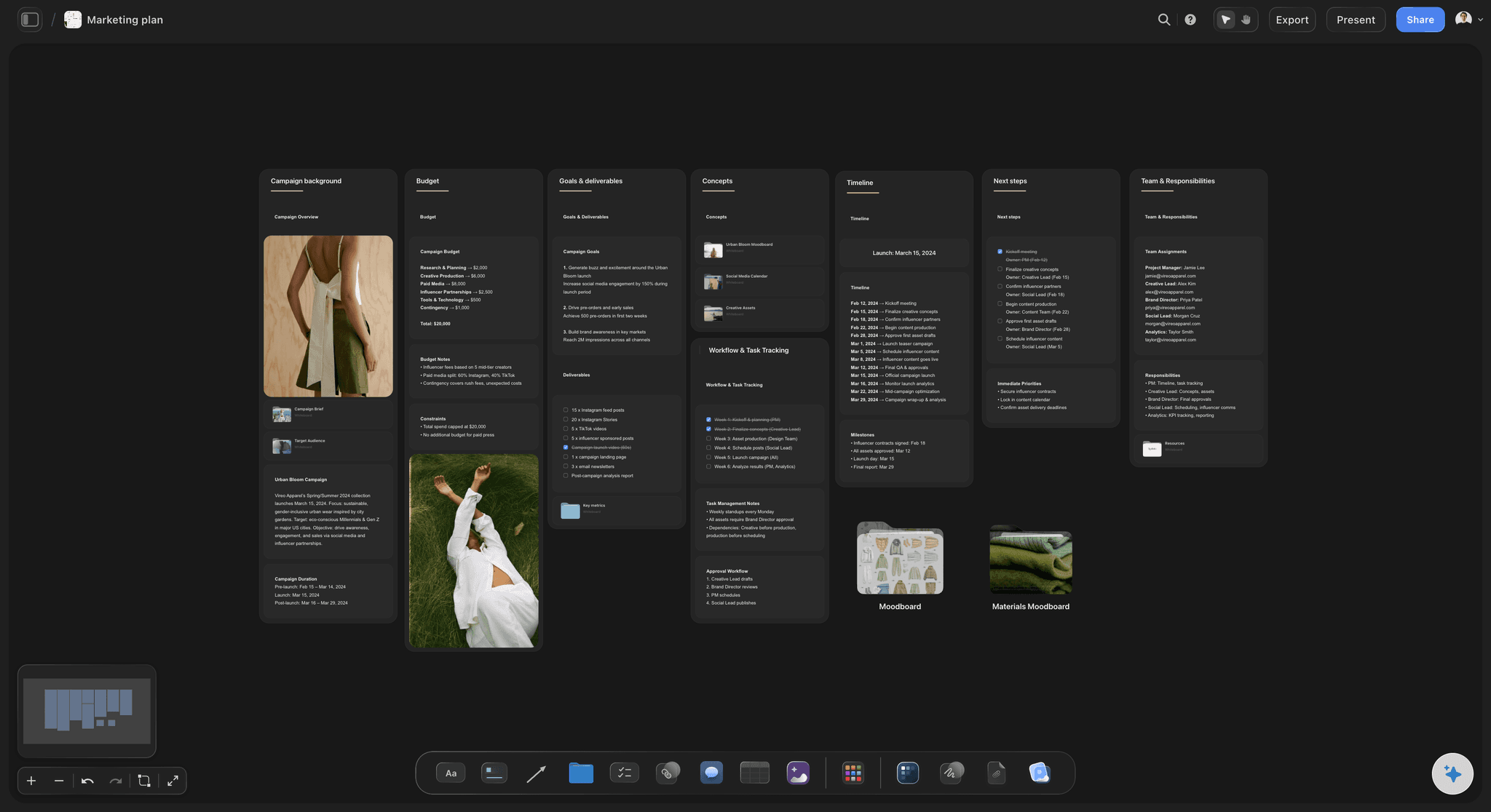
Nothing forgotten
Sponsor reads and obligations in place
The sponsor card sits inside the segment it belongs to, with the talking points on it. Missing a read is expensive in a way that missing a bit is not, so it should not depend on memory.
See the campaign calendar →
The queue that pays
Clips tracked until they are posted
Most of a stream's reach comes from what is cut out of it afterwards. A visible queue that empties is the difference between clipping and meaning to clip.
See the content repurposing planner →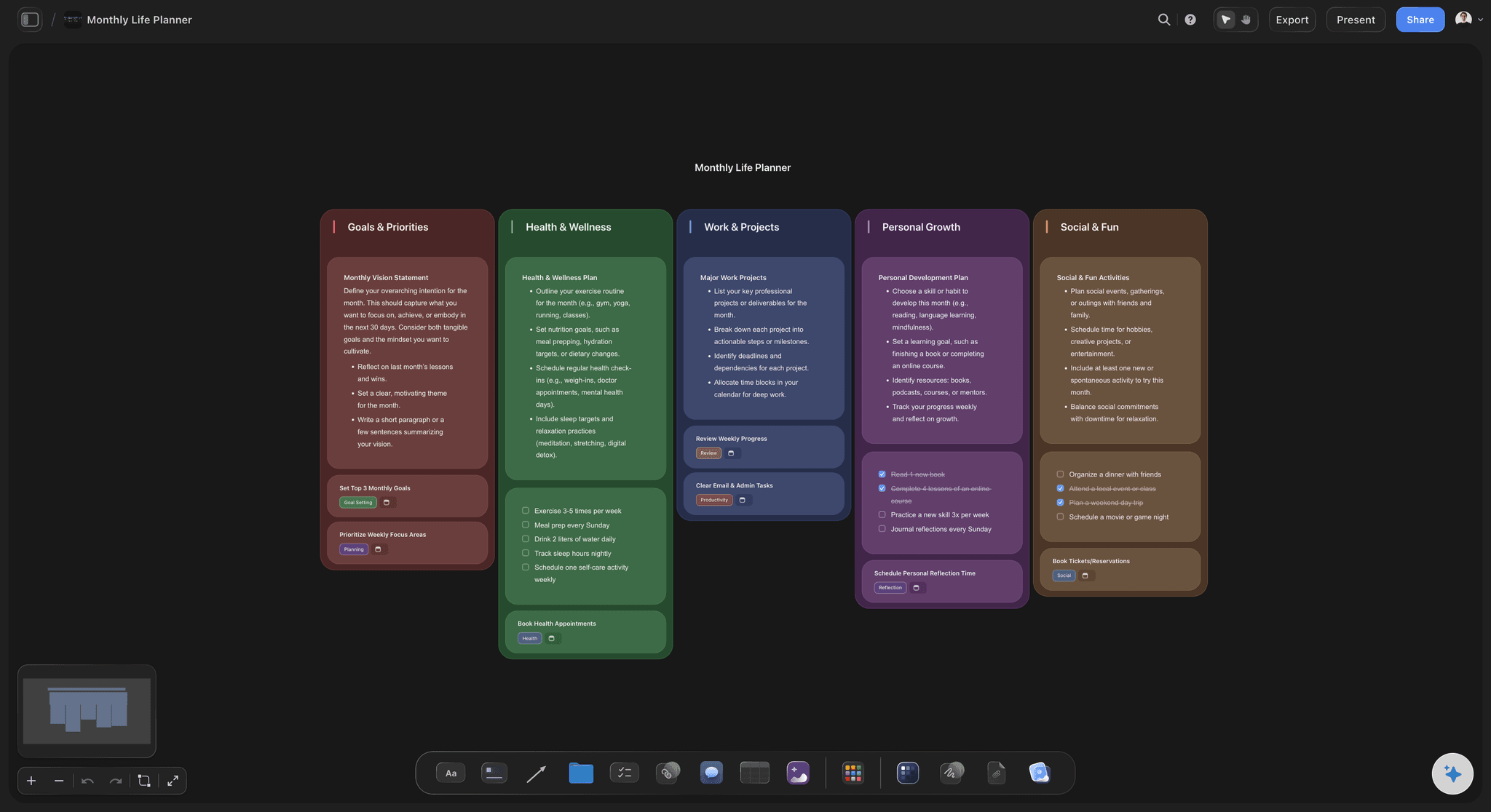
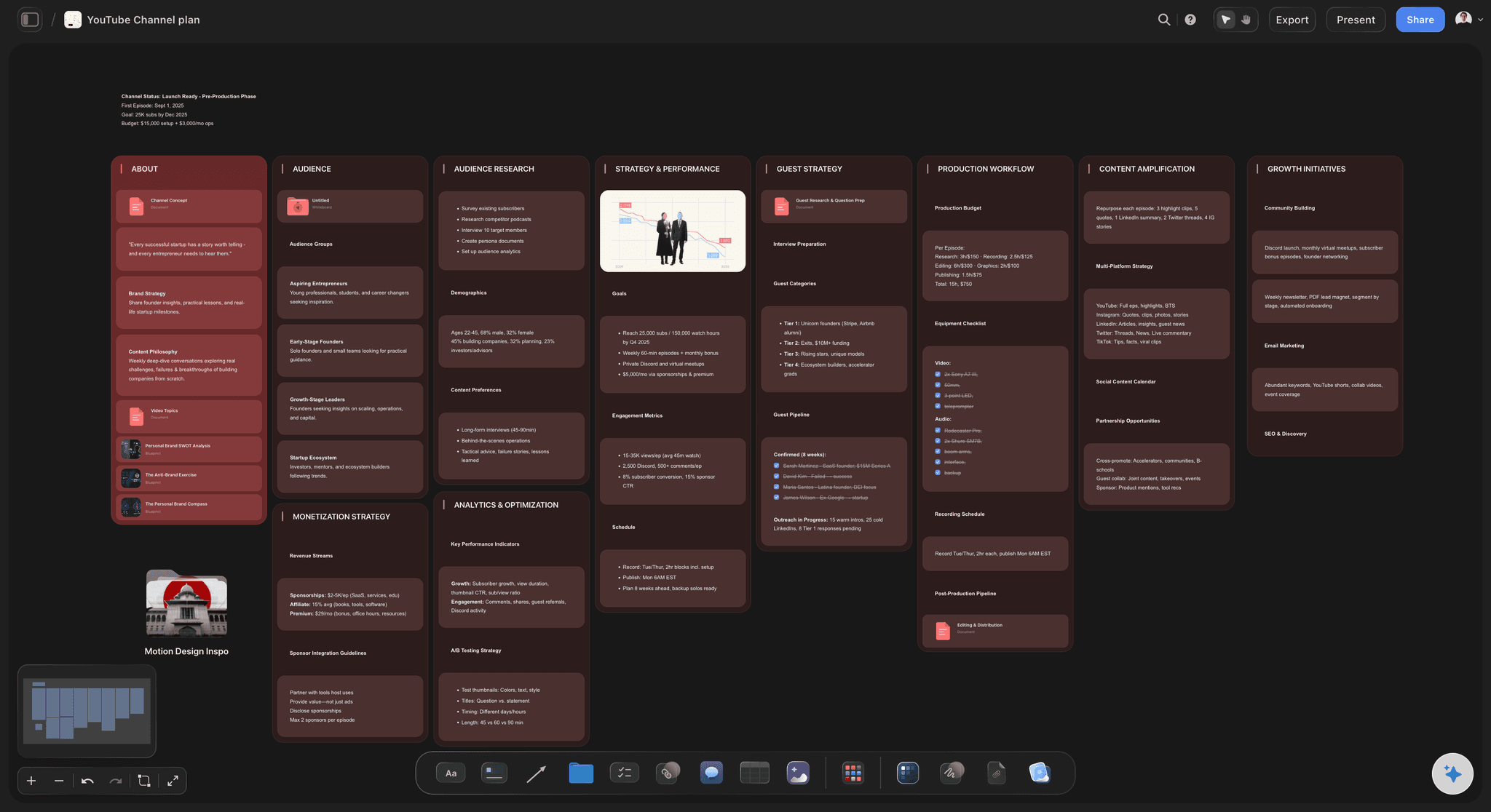
A schedule you keep
Streams and posts on one calendar
Ask the AI to turn the plan into a schedule covering streams and the posts between them, so the calendar you announced and the work you are doing are the same object.
See the content calendar →A year of streams on one canvas.
Every rundown, every clip, every idea you did not get to. No object cap means the archive is worth keeping, which matters because last quarter's unused ideas are usually next quarter's streams.
Unlimited boards and objects on an infinite canvas, no object cap
AI usage to build rundowns and refill the idea backlog
Thumbnails, clips, overlays, and links on the cards, with unlimited file uploads
Unlimited collaboration for editors and mods, or share view-only with no account
Built for people with taste
The four jobs a streamer is actually doing.
Planning it, running it, cutting it up, and keeping the schedule you promised.
Before the stream
A plan that takes ten minutes
Start from a rundown, not a blank page: Describe the stream and the AI proposes segments and timings. Editing a draft is faster than building one, especially on a day you did not want to plan.
Assets attached to segments: Overlays, links to open, games to launch, and the sponsor's talking points sit on the segment card that needs them.
Reuse what worked: Duplicate a rundown that went well and change the middle, rather than rebuilding the shape of a good stream from memory.

During the stream
Something you can read with chat running
Scannable in one look: Colour and position tell you where you are without reading. A text document requires attention you do not have while live.
Mark clippable moments as they happen: Drop a card with the timestamp and the hook the moment it lands, because you will not remember it at the end of four hours.
Mods and editors on the same board: Unlimited collaboration means a mod can add a clip card while you keep streaming, and it is there when you finish.

After the stream
Getting the reach out of it
A queue that visibly empties: Clips move from captured to cut to posted as cards. What is still unposted is obvious, which is the only thing that makes a backlog get worked.
One moment, several cuts: Plan the short, the TikTok, and the post from one clip as separate cards, so a good moment is used more than once.
Editors work from the card: The timestamp, the hook, and the intended format sit on the card, so an editor is not asking you what you meant.
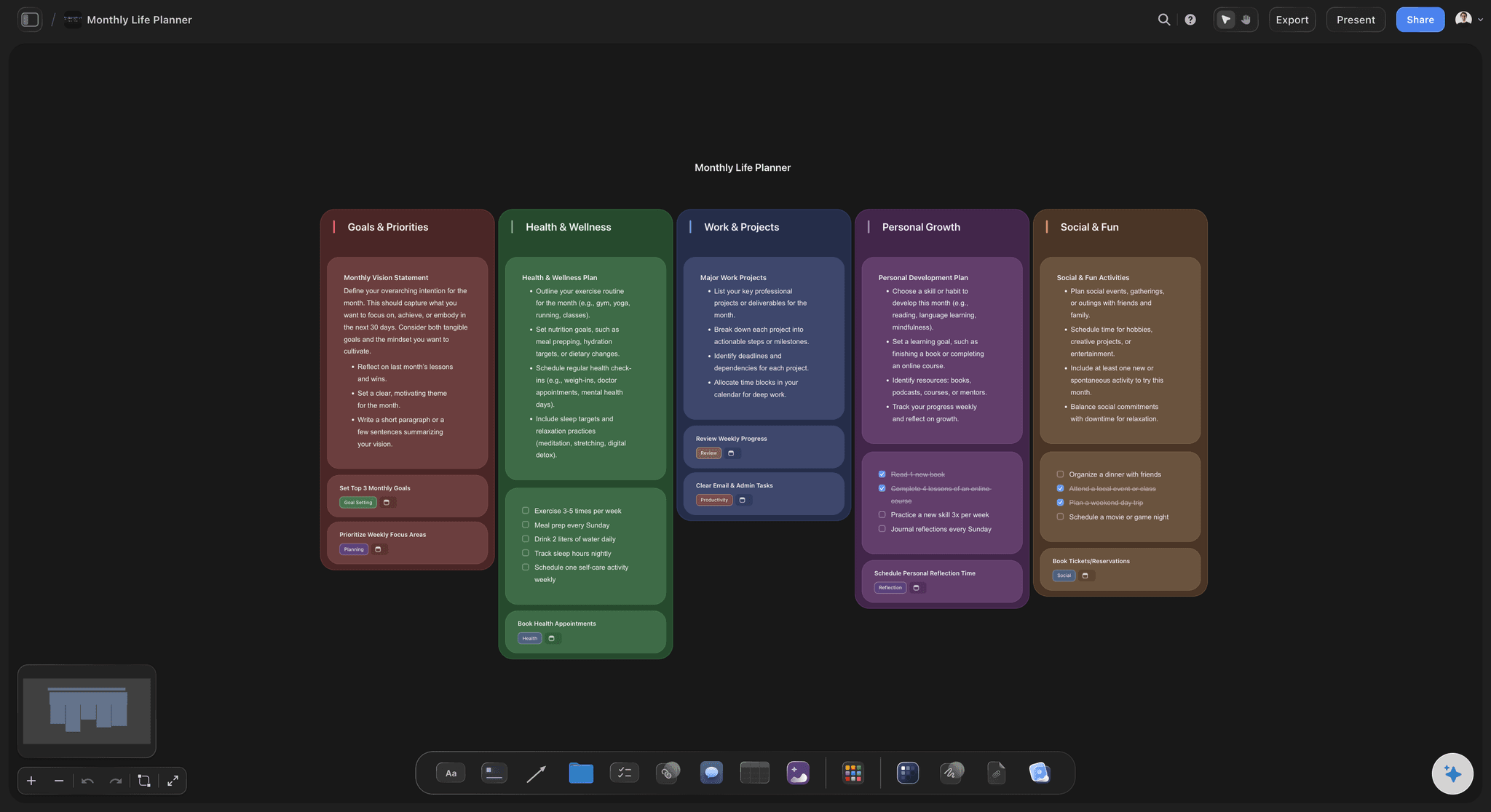
Over a season
A schedule that survives a bad week
Backlog deep enough to absorb one: Keep every idea, including the skipped ones, so an off week does not become a gap in the schedule you announced.
AI refills from your own board: Because the AI reads the board it can see, its suggestions follow what already works on your channel rather than generic trends.
Sponsors and deliverables tracked: Keep what you owe, by when, on the same canvas as the streams that will deliver it.
Explore templates for your project
Every template opens as a real, editable board on the infinite canvas. Pick the closest fit and make it your own.
Mind Map
Branch one central idea out into themes and sub-points, then drag the connections around until the structure makes sense.
What creators are saying
Join early creators getting structured workspaces and AI that remembers their projects
“Storyflow has sped up my workflow by at least 3x, which means more flow state and more projects I can actually ship. It truly changed the way me and my team create.”

Reilin Joey
Director & YouTuber
“One prompt gets me a structured board. But the tactics are my favorite. I run my YouTube scripts through them and my intros and retention got better. It's amazing.”

Justkay
YouTuber & Freelance Filmmaker
“I used to juggle five apps to plan a project. Now I describe what I am making and get boards, lists, and a schedule. All in one place.”

George
@fernwehchronicles
Stream planning questions, answered.
What streamers ask when notes and folders stop keeping up.
Build a rundown of segments with rough timings rather than a list of topics: intro, main block, any sponsor read, a community segment, outro. Put the assets each segment needs on its card. Keep it in a format you can scan in one look on a second monitor, because a plan you cannot read while live is a plan you will abandon at minute forty.
Storyflow gives a streamer one board for the whole stream: the rundown of segments with their timings, the sponsor reads and the overlays each one needs, laid out so you can read it at a glance while live. The clips, shorts and posts that come out of the stream are planned on the same canvas. Its AI fills the idea backlog and turns a stream plan into a posting schedule.
Segments in order with a rough duration each, anything you have committed to a sponsor with its talking points, the links or games to open, and one or two planned moments you want to clip. Keep it short enough to fit on one screen. A rundown that needs scrolling is not usable while streaming.
Capture them at the moment they happen rather than at the end. Drop a card with the timestamp and a one-line hook, or have a mod do it while you keep streaming, since unlimited collaboration means several people can add to the same board. A queue that visibly empties is what turns clipping from an intention into a habit.
Yes. Collaborators you invite can edit, with unlimited collaboration on every plan, so a mod can add clip cards live and an editor can work the queue afterwards. Anyone who only needs to look gets a view-only link that opens in a browser with no account.
Yes, on the same canvas. Ask the AI to turn the clip queue and the stream plan into a posting schedule across shorts and socials, so the calendar you announced and the work you are actually doing are one object rather than two that drift.
Keep every idea you skip instead of deleting it, and refill deliberately rather than when you notice a gap. The AI reads the board you have open, so asking it for stream ideas produces suggestions shaped by the segments and formats already working on your channel.
Not during early access. Storyflow is paid-only right now, with plans starting at $9.99 per month, an infinite canvas, and no object cap. Every paid plan includes AI usage, unlimited file uploads, unlimited collaboration for mods and editors, and view-only sharing that needs no account to view. A Free plan launches before the end of 2026.
The same board covers them, and that is usually the point: a stream's clips become shorts, TikToks, and posts. Plan the cuts as cards off the moment they came from, so one stream feeds several channels from a single queue rather than from three separate trackers.
Stream for four hours. Plan it in ten minutes.
A rundown you can read while live, a clip queue that empties, and a schedule you can keep.