
Ultra-fast planning, extremely simple
Turn a folder of research into a board
with Claude, sources still attached.
For consultants, founders and strategists: Claude reads the PDFs and interviews on a Storyflow board and builds the findings, the themes and a summary beside them.


Creatives working for these brands already got early access
- Red Bull
- Canon
- Artlist
- Porsche
See how easy it is to get started
Watch a real project come together, from a blank board to a finished plan, clicked through step by step.
Start from a ready-made template
Pick a board to see what you can build, then let AI fill it in. Every template is a real, editable starting point on the same infinite canvas.

Mind Map
Branch one central idea out into themes and sub-points, then drag the connections around until the structure makes sense.
How do I turn research into a board with Claude?
Put every source in one place, write one finding per card with a note of where it came from, group the findings into themes, and write down what the themes add up to: Claude can do the first pass of each step, but its answer stays in a chat unless it has a board to build on. Storyflow is an AI visual workspace that turns a folder of research into a board on one infinite canvas: the source files, a card for every finding, a column for each theme, arrows between findings that belong together and a summary document. Connected to Storyflow, Claude reads the files on your board and builds the findings, the themes and the summary there itself, on its own model, so it costs you no Storyflow AI credits.
Claude is already good at the reading, with nothing connected. Give it three reports and five interview write-ups and it tells you what they agree on, where two of them clash, and which claim rests on a single source. Ask a sharper question and the answer gets sharper. But the answer is prose in a chat. You cannot see which finding came from which file, move a finding from one theme to another, or hand the picture to a partner who was not in the conversation. A week later you are asking the same questions again.
Connect Claude to Storyflow and upload the files to a board. Claude reads each one there: PDF, Word, Excel, CSV and plain text. Ask your question, and it first lays the findings out as a web of longer notes around that question, between 4 and 60 of them, so you see everything it found before anything is sorted. Then ask for themes, and it builds a column per theme with the findings inside. Ask it to link the findings that support or contradict each other, and it draws arrows with a few words on each, such as "contradicts" or "same cause". Last, it writes a summary document, one section at a time. The files never leave the board, so every card sits next to its source.
A worked example you can copy without signing up. A consultant has to answer one question for a regional gym chain: why do members leave in month three? The folder holds 12 sources: 3 industry reports, 5 member interviews, 2 survey exports and 2 competitor price lists. A first pass gives 28 findings, each one sentence with its source named. They fall into four themes: price (6 findings), the first-month habit (9), staff contact (8) and the cancellation process (5), which is 28. Nine findings come from the reports, 13 from the interviews, 4 from the surveys and 2 from the price lists, which is also 28. The point of view fits in one line: members do not leave over price, they leave because nobody noticed they stopped coming.
Every research board that ends in a decision has the same parts. One question at the top, written as a question. The sources, each with a date and who made it. Findings, one per card, each a single claim with its source, so a claim can be moved, challenged or thrown out without rewriting a paragraph. Themes named after what the findings say ("nobody noticed they stopped coming"), not after a topic ("retention"). The contradictions, marked rather than smoothed over. And at the end a point of view short enough to say out loud, with the two or three findings that would change your mind if they turned out to be wrong.
The honest limits. Storyflow's connector does no web research and cannot open a web address. Claude's own web search belongs to Claude, and what it finds goes on the board as notes and link cards. Claude gets the first 40,000 characters of each file, so split a long report into parts and ask about one part at a time. A scanned PDF with no text in it is not read at all. Claude cannot see pictures, so a chart saved as an image is invisible to it. And it can be wrong: a finding card is a claim to check against the file beside it, not a fact.
Ultra fast from brief to board
From a folder of files to a point of view.
An afternoon instead of a week, and most of it spent arguing with the findings rather than typing them.
01
Connect Claude to Storyflow once
In Claude, open Customize, then Connectors. Click Add, then Add custom connector. Name it Storyflow, paste https://mcp.storyflow.so/mcp and click Continue. Choose Sign in now and click Add. Then sign in to Storyflow, pick the project for this piece of research and allow changes.
02
Upload the sources to one board
In Storyflow, drop the PDFs, Word files, spreadsheets and interview notes onto a board in that project. Files up to 25 MB are read. A file you attach in the Claude chat does not reach Storyflow, so the board is where the sources go.
03
Ask one question and read the findings
Write the question you have to answer. For example: "Read the twelve files on the Northside board. Why do members leave in month three? Lay the findings out around that question, one claim per note, with the source in each." A web of notes appears around the question.
04
Ask for themes, links and the summary
Ask Claude to group the findings into themes, link the ones that clash and write a one-page summary document. Drag any finding you disagree with to another column. Then share the board from Storyflow with a view-only link.
The sources, the findings, the themes and the summary.
Claude reads and writes. Storyflow keeps the research where you can see all of it and move any piece.

The findings
A web of findings around one question
Claude lays out up to 60 longer notes around the question in the centre, each a single claim with its source. You see the whole field before anything is sorted, which is when the odd finding that fits nowhere is easiest to spot.
See mind maps with Claude →
The themes
A column for each theme
Ask for themes and each one becomes a column with its findings inside. Drag a finding to another column when you disagree, or ask Claude to move it. Notes you typed yourself can be sorted into columns too, up to 12 columns in one request.
See the UX research board →
The sources
Files read where they sit
Claude reads PDF, Word, Excel, CSV and text files on the board, up to 25 MB each. Each file stays next to the findings drawn from it, so a partner who doubts a card opens the source without asking you for it.
See document to project board →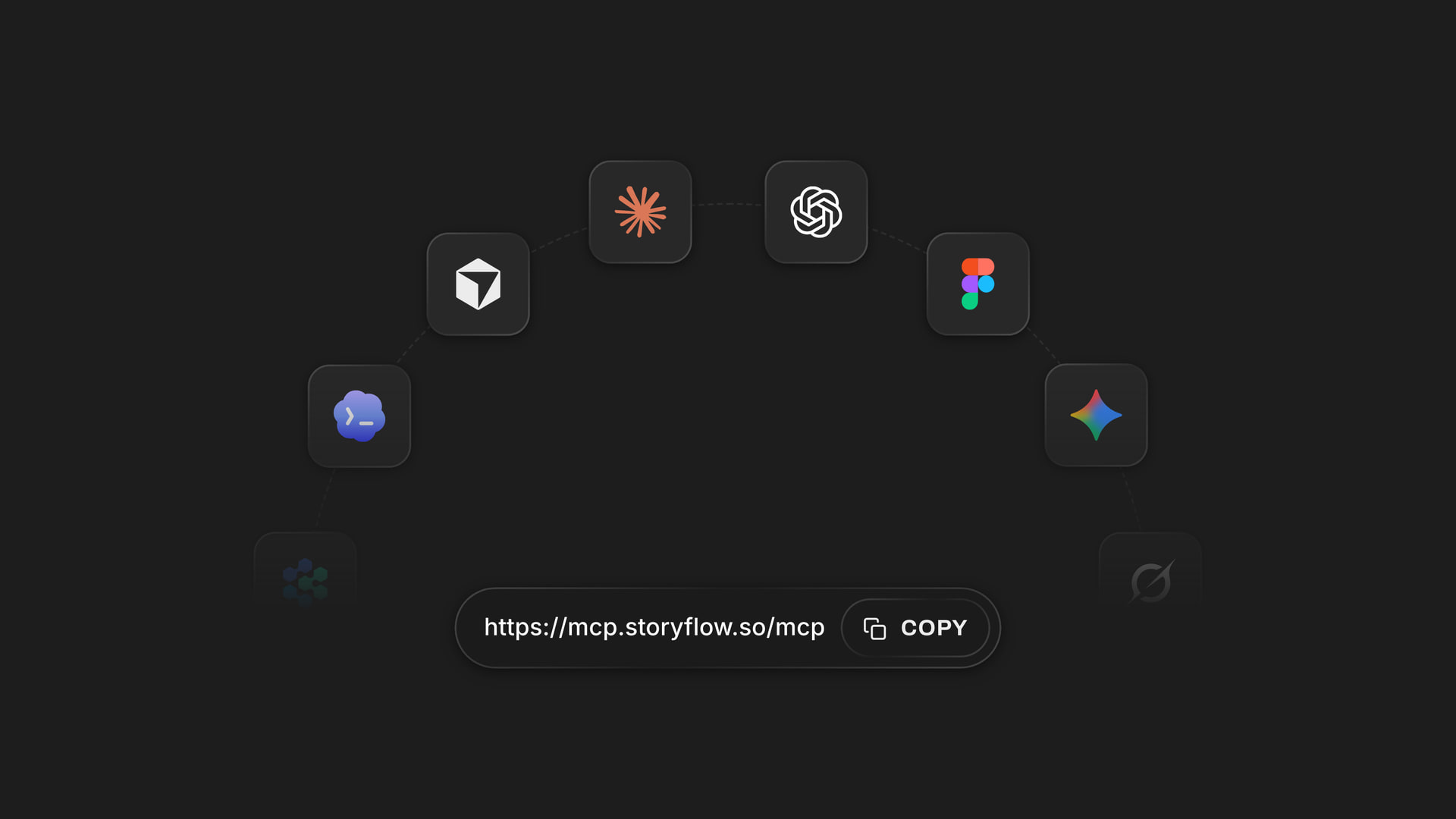
Any assistant
One address for Claude, ChatGPT, Gemini and Grok
The connector is one web address for every assistant. You read the sources with Claude, and a partner who prefers ChatGPT asks questions of the same board. Each of you picks the projects your assistant may open.
See how to connect your assistant →Claude does the reading. Your Storyflow plan is not charged for it.
Claude runs on its own model, so reading files and building findings over the connector uses no Storyflow AI credits. A free account (today, one invited by a paid member) gets a weekly allowance of actions from its assistant, and the pricing page has the current number. Plus, Pro and Max have no limit. Storyflow is paid-only during early access, with plans from $7.99 a month billed annually ($9.99 monthly). A free plan launches before the end of 2026, and anyone a paid member invites to a board joins free.
No Storyflow AI credits spent on anything Claude reads or builds
No limit on connector actions on Plus, Pro and Max
Invite a partner or the client to the board: anyone a paid member invites joins free
Sources, findings, themes and the summary on one board
Choose which projects Claude may open, and whether it may change them

Built for people with taste
Where research done in a chat falls apart.
Claude reads faster than you can. The trouble starts when its answer has to become a view you can defend.
The black box
An answer you cannot trace
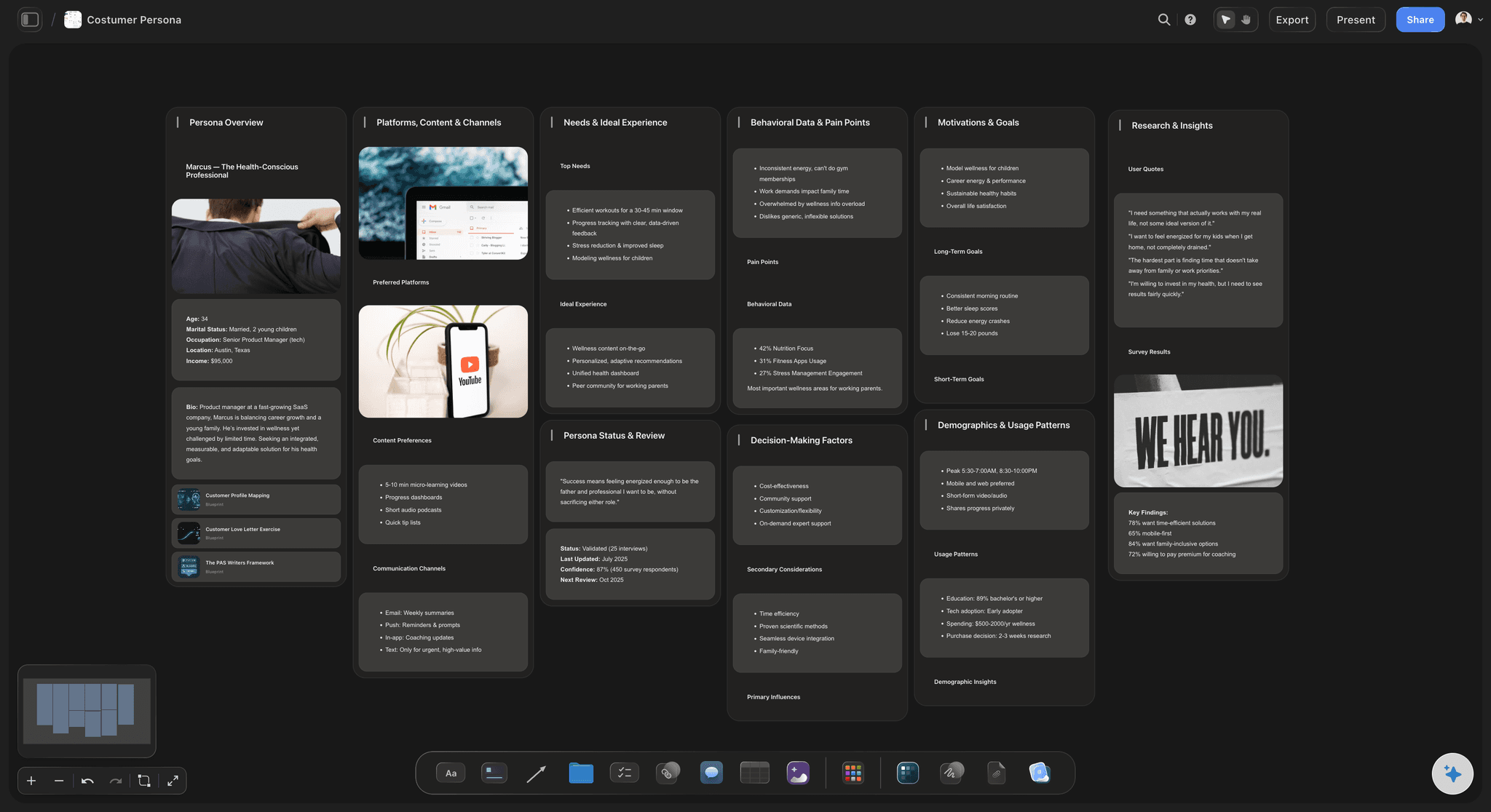
One claim per card: Each finding is its own note with the source named in it. When a client asks where a number came from, you point at a card, not at a paragraph.
The file is beside the finding: Sources stay on the board they were read from. Open the PDF next to the card and check the sentence yourself before it goes in a deck.
Arrows that say why: Ask Claude to link two findings and it draws an arrow with a short label, up to 24 characters: "contradicts", "same cause", "older data".
Your own notes count too: Type what you heard in a client meeting onto the board as a note. The next time Claude reads the board, it reads that note with everything else.
The long files
A two-hundred-page report and a scan
Know the reading limit: Claude gets the first 40,000 characters of a file and cannot page further. Split a long report by chapter before you upload it, so each part fits.
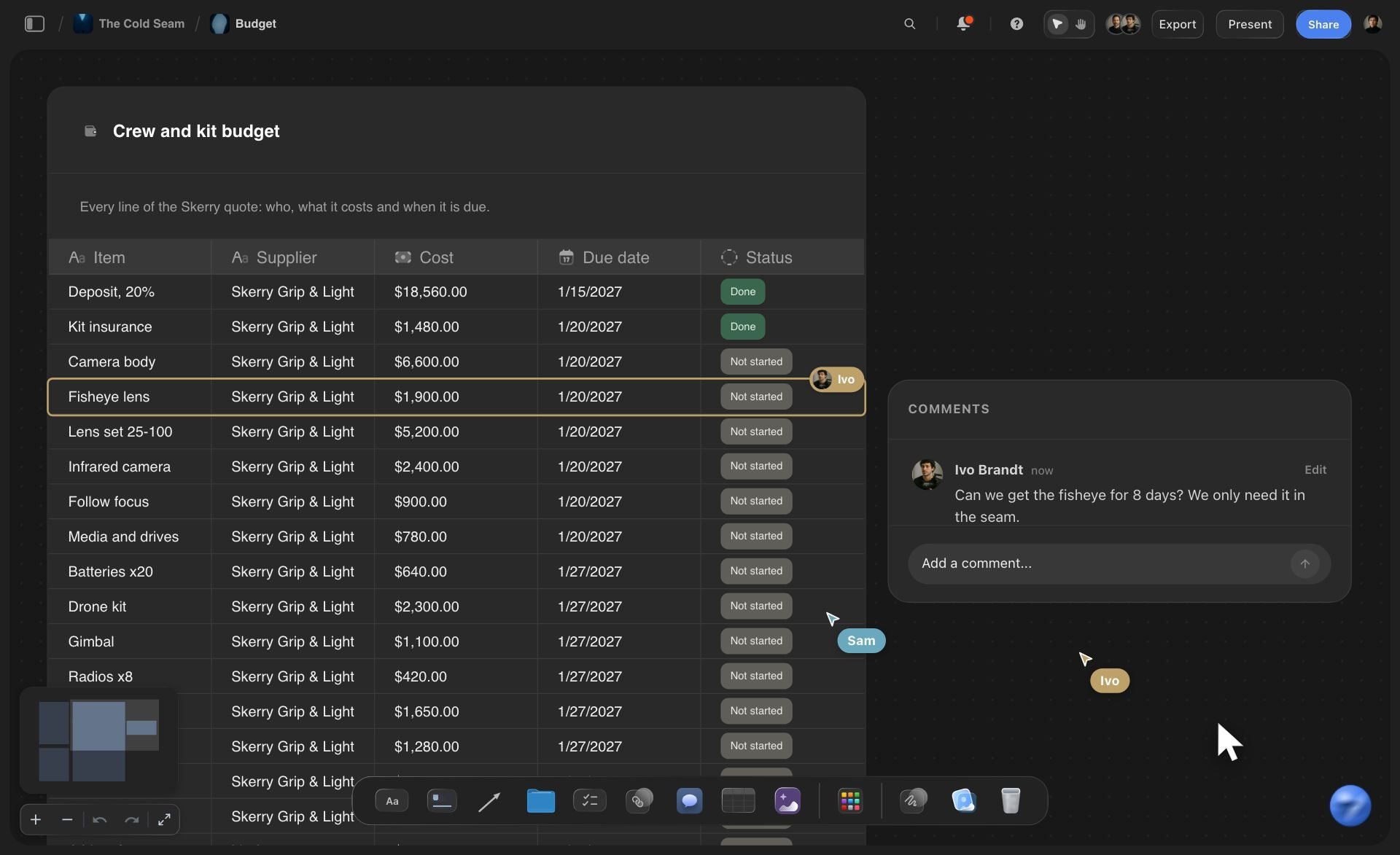
Spreadsheets and survey exports: A CSV or Excel export of survey answers is read as text. Ask for the counts as a table or a bar chart on the board, then check the totals against the file.
Scans need text in them: A PDF that is only a picture of a page is not read. Run it through text recognition first, or paste the pages that matter into the chat.
Web finds go on the board as links: Storyflow's connector does not search the web. If Claude searches with its own tools, ask it to add each page as a link card, so the source sits with the finding.
The handover
A point of view nobody else can open
A summary document, section by section: Claude writes the summary as a document on the board: the question, the themes, the evidence for each and what would change the answer. It adds a section at a time, or replaces the whole document when you ask for a rewrite.
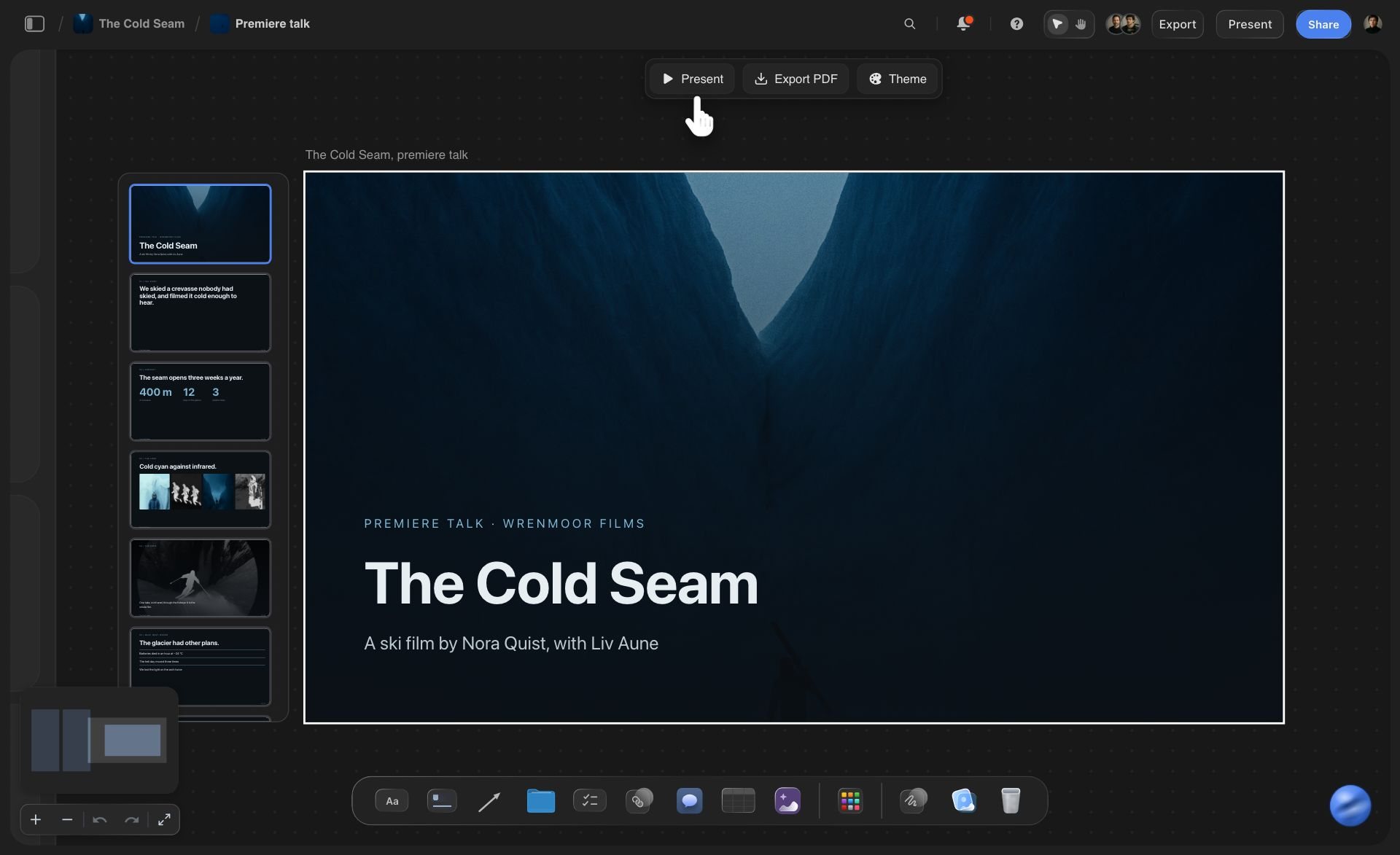
A short deck for the readout: Ask for the findings as a deck of up to 30 slides on the same board. Picture spaces stay empty for you to fill, and you present it or export a PDF in Storyflow.
One link for the client: Share the board from Storyflow with a view-only link. It opens in a browser with no account, and the client sees the themes with the sources behind them.
Ask again next month: New interviews arrive. Upload them and ask what they change. Claude reads the board as it stands, including the cards your partner moved, and adds the new findings beside the old.
Explore templates for your project
Every template opens as a real, editable board on the infinite canvas. Pick the closest fit and make it your own.
Mind Map
Branch one central idea out into themes and sub-points, then drag the connections around until the structure makes sense.
One app instead of five
Where Storyflow fits in research done with Claude.
It holds the findings as a board you can rearrange. It does not cite the exact passage or make an audio overview.
Storyflow with Claude
Recommended
Answers drawn from the files you give it
Findings as cards you drag between theme columns
Labelled arrows between findings that agree or clash
Sources, findings and summary on one open canvas
Claude builds the findings and themes on your Storyflow board
Click a citation to jump to the passage in your file
Audio overview of the sources to listen to
Takes a YouTube video as a source
Claude on its own
Answers drawn from the files you give it
Findings as cards you drag between theme columns
Labelled arrows between findings that agree or clash
Sources, findings and summary on one open canvas
Claude builds the findings and themes on your Storyflow board
Click a citation to jump to the passage in your file
Audio overview of the sources to listen to
Takes a YouTube video as a source
NotebookLM
Answers drawn from the files you give it
Findings as cards you drag between theme columns
Labelled arrows between findings that agree or clash
Sources, findings and summary on one open canvas
Claude builds the findings and themes on your Storyflow board
Click a citation to jump to the passage in your file
Audio overview of the sources to listen to
Takes a YouTube video as a source
What creators are saying
Join early creators getting structured workspaces and AI that remembers their projects
“Storyflow has sped up my workflow by at least 3x, which means more flow state and more projects I can actually ship. It truly changed the way me and my team create.”

Reilin Joey
Director & YouTuber
“One prompt gets me a structured board. But the tactics are my favorite. I run my YouTube scripts through them and my intros and retention got better. It's amazing.”

Justkay
YouTuber & Freelance Filmmaker
“I used to juggle five apps to plan a project. Now I describe what I am making and get boards, lists, and a schedule. All in one place.”

George
@fernwehchronicles
Research boards with Claude: questions
What consultants and founders ask before they hand Claude the folder.
In Storyflow, upload the PDFs, reports and interview notes to one board and connect Claude. Ask one question. Claude reads the files and lays the findings out around that question, one claim per note with its source. Then ask for a column per theme, arrows between findings that clash, and a summary document. You move what you disagree with, and the sources stay beside the findings.
Storyflow keeps research as a board you can work on: your assistant reads the files there and builds a card per finding, a column per theme, arrows between findings that clash and a summary document, with the sources beside them. Claude, ChatGPT, Gemini and Grok all connect to it. NotebookLM still cites the exact passage behind every answer, takes a YouTube video as a source and makes an audio overview you can listen to.
On a Storyflow board Claude reads PDF, Word (.docx), Excel, CSV, plain text and Markdown files, up to 25 MB each. It gets the first 40,000 characters of a file and cannot page further, so split a long report into parts. It does not read scanned PDFs with no text in them, or old .doc files. A file attached in the Claude chat is read in the chat but does not reach Storyflow.
Open Claude and go to Customize, then Connectors. Click Add and choose Add custom connector. Give it the name Storyflow, paste https://mcp.storyflow.so/mcp and click Continue. Pick Sign in now, click Add, and sign in to Storyflow, where you choose the projects Claude may use and whether it may make changes. On the Free plan Claude allows one custom connector.
Storyflow's connector does no web research and cannot open a web address. If Claude searches the web with its own tools, that search is Claude's. Ask it to put what it finds on the Storyflow board as notes, with a link card for each page, so the source sits beside the finding. Treat those like any other source and check them.
Ask Claude to name the source in every finding card, such as "Interview 3" or "the 2025 industry report". The file stays on the same Storyflow board, so you can open it and check. Claude does not give a citation you can click to jump to the passage, and it can misread a file. A finding is a claim to check, not a fact.
Name each theme after what the findings say, not after a topic: "nobody noticed they stopped coming" tells you more than "retention". Aim for three to six themes, keep the contradictions visible, and leave the odd finding that fits nowhere on its own. In Storyflow each theme is a column, and you drag a finding to another column when you change your mind.
Not the audio. Storyflow's connector has no tool for turning a recording into text, so bring a transcript as a text, Word or PDF file and put it on the board. Claude reads the first 40,000 characters of each file. An hour-long interview can run past that, so split a long transcript into two files before you upload it.
Upload the new files to the same Storyflow board and ask Claude what they change. It reads the board as it stands, including the cards you moved, and adds the new findings beside the old ones. Claude has no tool to delete a card, and a rebuilt web or column lands next to the earlier one, so you remove what is out of date by hand.
No. Over Storyflow's connector Claude gets text. From a file it gets the words, and from a picture on the board it gets the address and the caption, not the image. A chart saved as a picture is invisible to it. If a chart matters, put its numbers on the board as a table or a CSV file, and Claude can read those.
No. Claude reads and writes on its own model, so the connector uses no Storyflow AI credits, however many files it reads. A free Storyflow account (today, one invited by a paid member) has a weekly allowance of actions from its assistant, and the pricing page shows the current number. Plus, Pro and Max have no limit. Storyflow is paid-only during early access, with plans from $7.99 a month billed annually ($9.99 monthly).
Only what you approve. At sign-in, Storyflow asks whether Claude may use all your projects or only the ones you pick, whether it may also read your documents outside projects, and whether it may make changes or only read. Put one client's research in its own project and it stays apart from the rest. A connection ends after 30 days, or sooner if you revoke it in Settings under Connected apps.
Yes. Storyflow's connector is one address, https://mcp.storyflow.so/mcp. ChatGPT needs Plus, Pro, Business, Enterprise or Edu, on the web, with Developer mode turned on (an admin does that on Business and Enterprise). Gemini's custom apps need a personal Google account with Keep Activity on, in the US, for people 18 or over, in English. On Grok Business and Enterprise, a team admin adds it in the xAI console first. Each one reads the same board.
More from Storyflow
Storyflow MCP server
Connect Claude to Storyflow
Second brain with Claude
Document to project board
UX research board
Mind map with Claude
Affinity map with ChatGPT
Research to outline
Customer discovery board
Book research organizer
Literature review organizer
Transcript to board
NotebookLM alternative
Knowledge management
Storyflow for consultants
Storyflow for startups
Hand Claude the folder. Keep the point of view.
Sources, findings, themes and a summary, built in one conversation and kept on one board you can rearrange.