
Extremely simple, seriously capable
Drop the document.
Keep it afterwards.
Most tools read your PDF once, generate a board and throw the document away. Storyflow lays the plan out around the file and leaves it on the canvas, so a week later you can still ask whether the plan matches what the document actually said.


Creatives working for these brands already got early access
- Red Bull
- Canon
- Artlist
- Porsche
See how easy it is to get started
Watch a real project come together, from a blank board to a finished plan, clicked through step by step.
Start from a ready-made template
Pick a board to see what you can build, then let AI fill it in. Every template is a real, editable starting point on the same infinite canvas.

Mind Map
Branch one central idea out into themes and sub-points, then drag the connections around until the structure makes sense.
What does document to project board mean?
Turning a document into a project board is the step where a PDF, brief, treatment or research pack becomes something a team can work from. Storyflow is an AI visual workspace that turns your PDF, brief or research pack into a project board on one infinite canvas: a plan laid out around the file, the document kept beside it, and a source the AI can still read. The document describes what needs doing; the board is the version people can move, assign and argue with. Doing it by hand is slow, and doing it badly loses the detail that made the document worth writing.
Tools approach this in one of three ways. Extraction pulls action items out and turns them into cards, which suits a requirements list and produces nonsense on a brief. Summarisation compresses the document into structured bullets, which is lossy by design: the one sentence that later turns out to matter is exactly the sentence a summary drops. Reference lays the document onto the canvas and builds the board around it, keeping everything.
Storyflow works in reference mode. Drag a PDF, a link, a set of images or several files at once onto the board, describe what you want, and the AI lays out the plan next to the source. Because Storyflow's AI reads the whole active board plus up to five documents and three boards, the document stays part of the context rather than becoming a one-time input.
A free plan launches before the end of 2026, and anyone a paid member invites to a board joins free today.
Ultra fast from brief to board
From a PDF to a working board in four steps.
No import wizard, no field mapping. Drag the file on and describe what you want.
01
Open a canvas
Storyflow runs in the browser, so a document that arrives at 9am can be a board by 9:10 with nothing to install.
02
Drop the document on
Drag a PDF, a link, images or several files together. They land on the canvas as material rather than disappearing into an importer.
03
AI builds the plan around it
Objectives, deliverables, references and a schedule are laid out next to the source, built from what the document actually contains.
04
Ask it about the document later
The file stays on the board, so questions about intent are answered from the document rather than from an AI summary of it.
The document stays part of the project.
Everything contested later lives in the source, not in the cards that were generated from it.
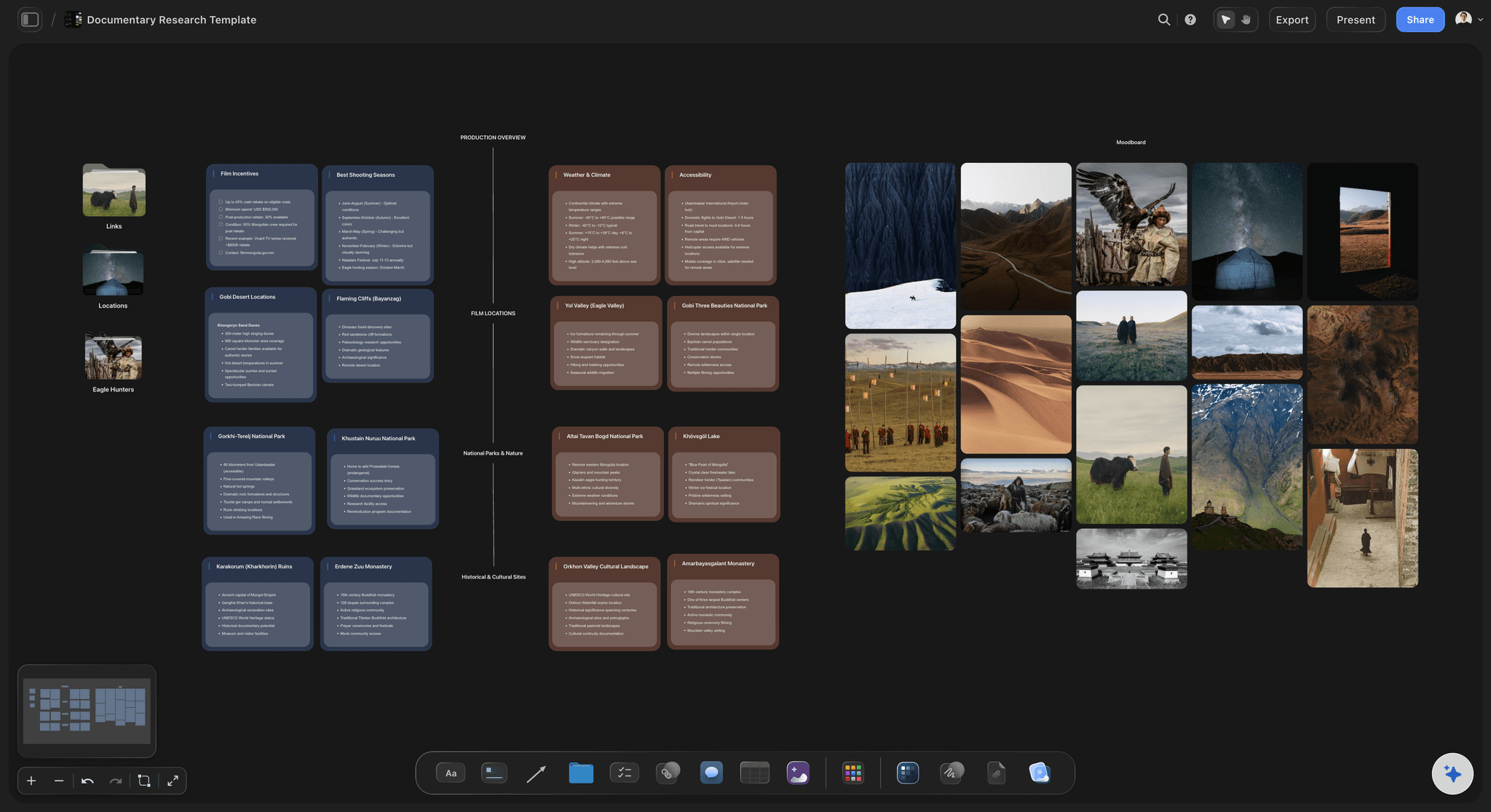
Several files as one context
Drop the whole research pack at once
PDFs, links, images and notes can all land on the same canvas, and the AI reads them together instead of one import at a time.
See the AI creative workspace →
A plan built around the source
Get a board, not a bullet list
Deliverables and milestones arrive as cards you can rearrange on a canvas, positioned next to the part of the document they came from.
Try the AI project plan generator →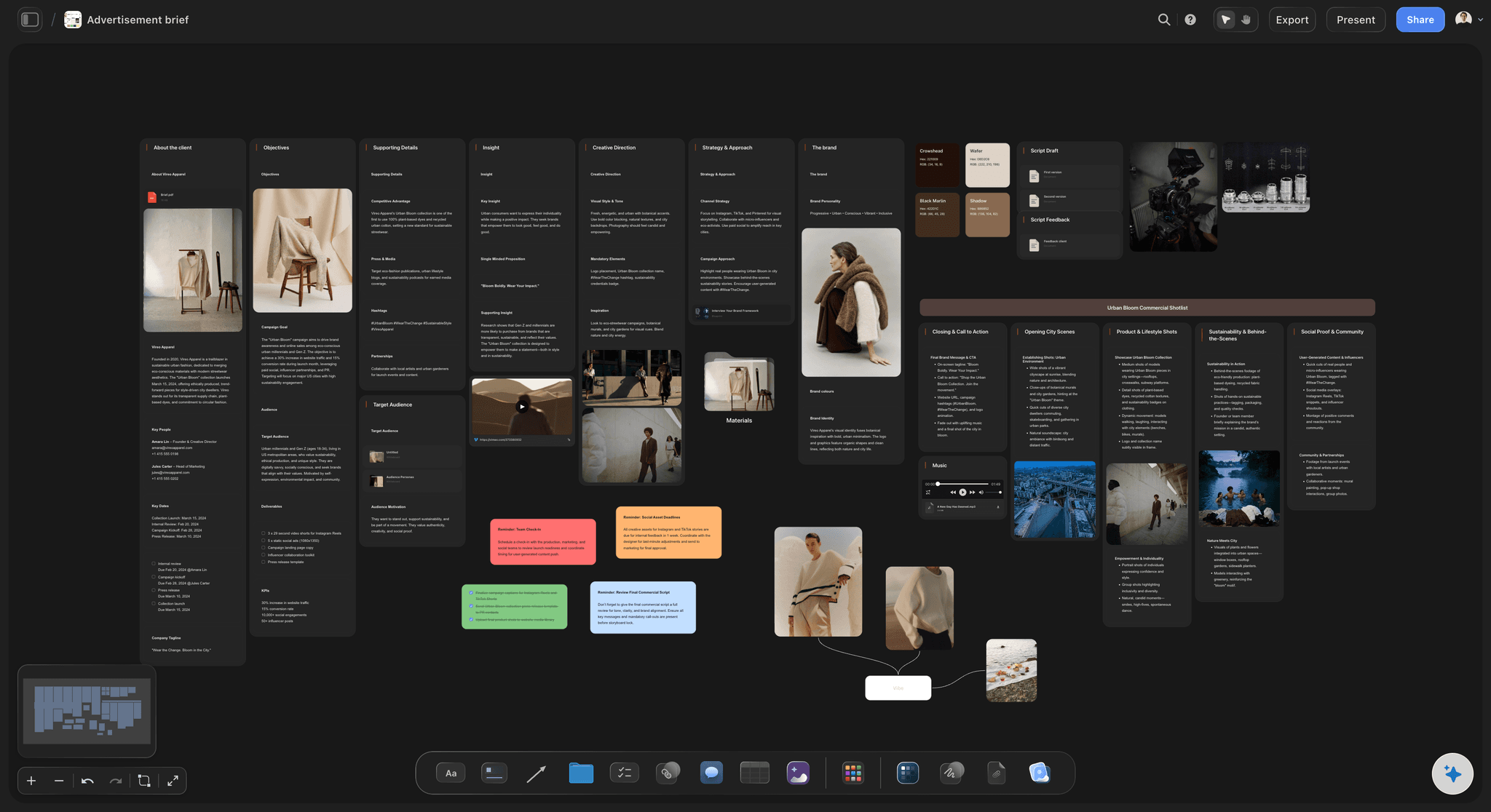
The source stays readable to the AI
Check the plan against the document in week three
Ask whether the current plan still matches the brief and the AI answers from both, because both are still on the board it reads.
See AI creative project management →
One link for whoever sent the document
Show them how it was read
Share a view-only link so the person who wrote the document can see the interpretation before work starts, with no account needed.
Turn a brief into a board →Plans from $7.99/month annual. Free plan coming late 2026.
Drop a document and watch the plan build itself around it. Storyflow is paid-only during early access, with a free plan coming before the end of 2026 and invited collaborators joining free today.
Every document gets its own board, with no project limit
AI reads the whole board, source document included
Anyone a paid member invites to a board joins free

Built for people with taste
More than a PDF importer.
Extracting tasks from a document is easy and every tool does it. Keeping the document usable afterwards is the part that decides whether the plan holds.
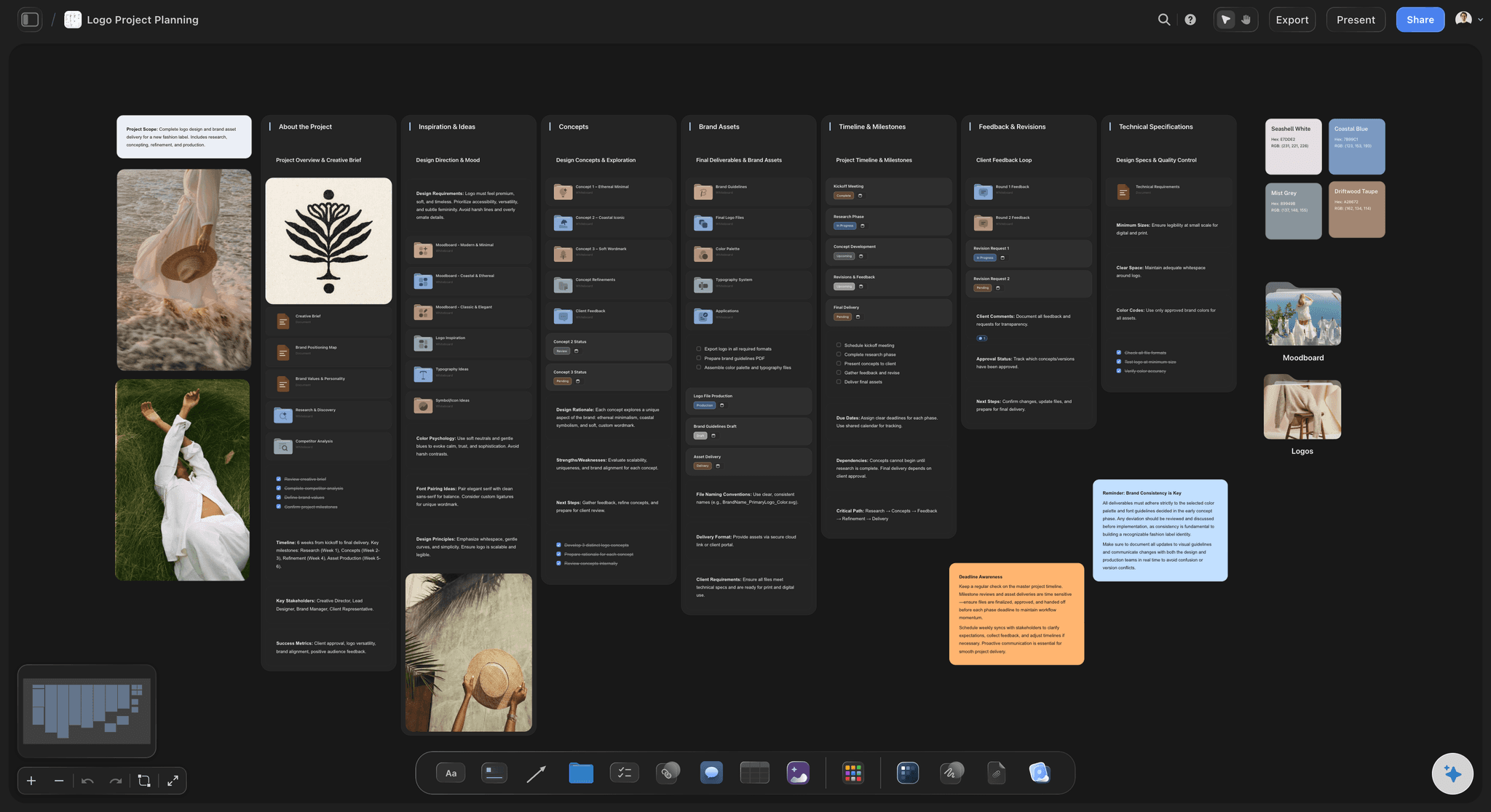
Built around the file, not from it
Nothing is discarded at import
The source stays on the canvas: The document remains visible and readable, so no part of the project depends on the AI having summarised it correctly first time.
Detail survives: The specific constraint buried on page four is still there when it turns out to matter, instead of having been compressed away.
Re-prompt against the original: Change your mind about scope and the AI rebuilds from the document, not from its own earlier output.

Handles what documents actually contain
Prose, images and links together
Reference images: Drop the visual material next to the text instead of embedding it where the AI cannot read it.
Links and video: Pin URLs and grab frames from YouTube or Vimeo references onto the same board as the written direction.
Multiple documents: A brief plus a research deck plus a transcript can all inform one plan, read as a single context.
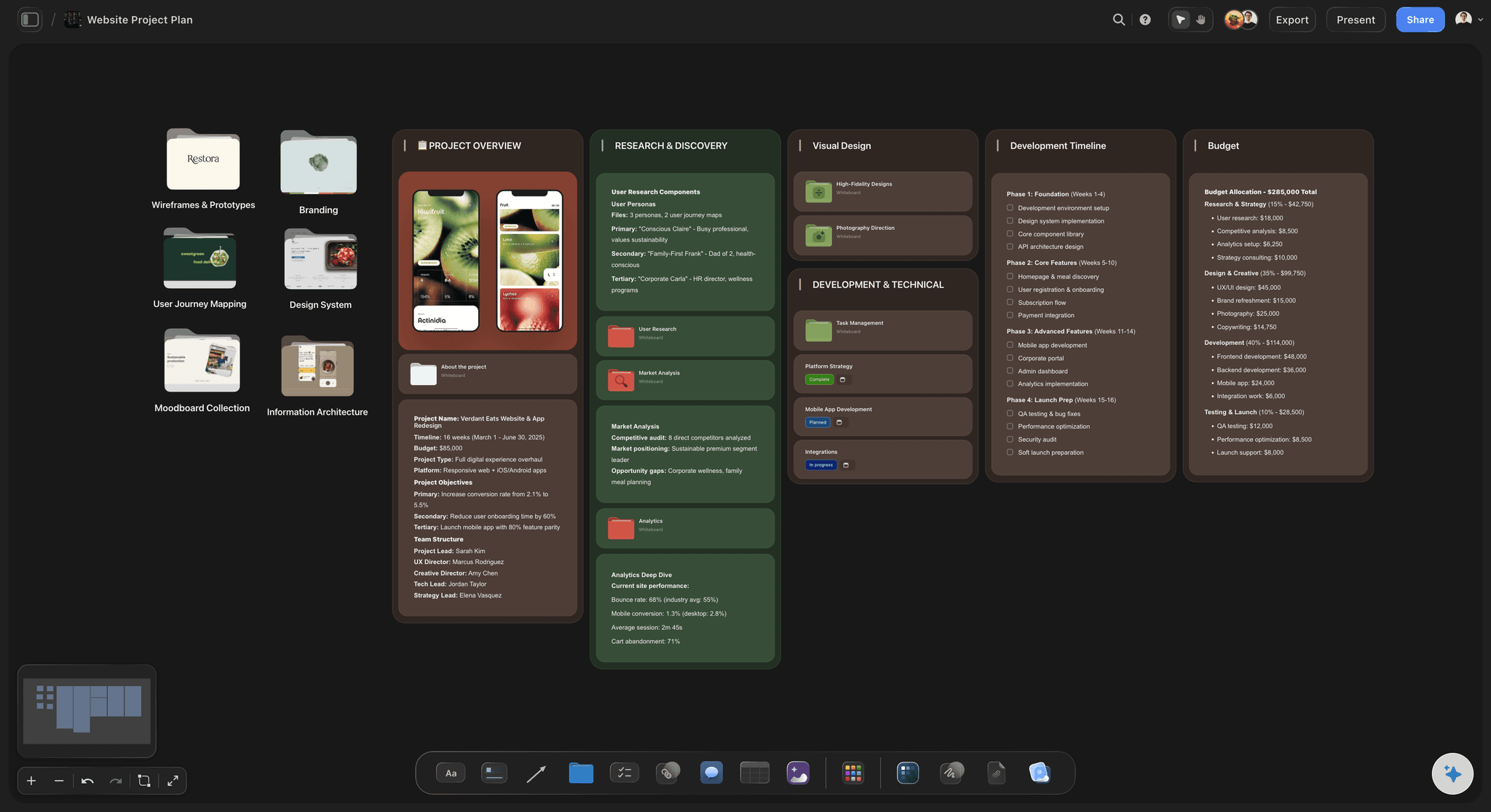
Honest about the limits
What it will not do
It will not fix a vague document: A board built from a vague brief inherits the vagueness. It does make the gaps visible, which is usually faster than rereading the document.
Generated dates are placeholders: No tool knows how long your team takes. Use the structure and set the dates yourself.
Scanned files need a text layer: A document with no extractable text is an image, and no tool in this category reads it well.
Fits around the tracker you run
Covers the step before the tickets
Keep your pipeline: Storyflow runs no approvals or time tracking, so delivery stays in Asana, ClickUp or whatever you already use.
Export when it travels: Any board goes out as a high-quality image or PDF when the plan has to leave the canvas.
Stakeholders read a link: No sign-up needed to view, so approval does not wait on account creation.
Explore templates for your project
Every template opens as a real, editable board on the infinite canvas. Pick the closest fit and make it your own.
Mind Map
Branch one central idea out into themes and sub-points, then drag the connections around until the structure makes sense.
One app instead of five
Reference mode versus extraction mode.
Every tool builds a plausible board on day one. The difference is what it can tell you on day fourteen.
Storyflow
Recommended
Source document stays readable to the AI
Several files read as one context
Images and links alongside the text
Assigns tasks and tracks time
Taskade
Source document stays readable to the AI
Several files read as one context
Images and links alongside the text
Assigns tasks and tracks time
Notion
Source document stays readable to the AI
Several files read as one context
Images and links alongside the text
Assigns tasks and tracks time
ClickUp
Source document stays readable to the AI
Several files read as one context
Images and links alongside the text
Assigns tasks and tracks time
What creators are saying
Join early creators getting structured workspaces and AI that remembers their projects
“Storyflow has sped up my workflow by at least 3x, which means more flow state and more projects I can actually ship. It truly changed the way me and my team create.”

Reilin Joey
Director & YouTuber
“One prompt gets me a structured board. But the tactics are my favorite. I run my YouTube scripts through them and my intros and retention got better. It's amazing.”

Justkay
YouTuber & Freelance Filmmaker
“I used to juggle five apps to plan a project. Now I describe what I am making and get boards, lists, and a schedule. All in one place.”

George
@fernwehchronicles
Document to project board, answered.
What people ask before turning a document into a board in Storyflow.
Storyflow is the best option when the document is creative material such as a brief, treatment or research pack, because the file stays on the canvas as readable context after the board is generated. Taskade is the most direct PDF-to-project converter if you want a task list, and ClickUp is the better choice when the resulting board needs assignees, dates and a delivery pipeline.
Yes. Drop the PDF on the canvas and describe what you want; the AI lays out objectives, deliverables and a schedule around it. The quality depends mostly on the document: one containing clear deliverables converts cleanly, and a discursive brief produces vague cards unless the tool keeps the source readable so you can correct it against the original.
In Storyflow it stays on the canvas, visible to you and readable by the AI. Most tools in this category discard it or reduce it to an attachment the AI no longer reads, which means later questions about intent get answered from the tool's own earlier summary rather than from the document.
Yes. Several PDFs, links, images and notes can sit on the same canvas and the AI reads them as one context, which is what makes a research pack workable rather than a series of separate imports.
Not reliably, and no tool in this category does. If the document carries reference imagery, put the images on the canvas separately. They are read properly there, and they sit next to the plan where people can actually see them.
Not during early access. Plans start at $7.99 per month billed annually or $9.99 monthly, with a free plan launching before the end of 2026. Anyone a paid member invites to a board joins free today and can invite others.
PDFs and plain text work well, alongside images, links and video on the canvas. Scanned documents without a text layer are effectively images, and no tool in this category extracts them reliably.
No. The AI has no idea how long your team takes to do anything, so treat generated dates as placeholders. The structure is the useful output; the dates are yours to set.
No. Storyflow has no approvals or time tracking. It covers the step between receiving a document and having a plan worth putting into a tracker, and the tracker keeps doing the rest.
Yes, through a view-only link that needs no account. Showing the author how their document was interpreted is usually the cheapest way to catch a misreading, because it happens before anyone starts producing work.
Keep the document after the board exists.
Drop a PDF and get a plan built around it, on a canvas that still remembers what the document said.