
Ultra-fast planning, extremely simple
Give Claude a second brain
it can read and file into.
For founders who think with Claude: keep your notes, documents and boards in Storyflow, and Claude reads them before it answers and files what you decide where it belongs.


Creatives working for these brands already got early access
- Red Bull
- Canon
- Artlist
- Porsche
See how easy it is to get started
Watch a real project come together, from a blank board to a finished plan, clicked through step by step.
Start from a ready-made template
Pick a board to see what you can build, then let AI fill it in. Every template is a real, editable starting point on the same infinite canvas.

Mind Map
Branch one central idea out into themes and sub-points, then drag the connections around until the structure makes sense.
Can Claude be a second brain?
A second brain is a trusted place outside your head for what you learn and decide, and Claude becomes part of one when it can read that place and file new things into it instead of holding them inside a single chat. Storyflow is an AI visual workspace that keeps a second brain on one infinite canvas: notes and documents, files and links, folders that open into their own boards, and arrows that connect one idea to another. Connected to Storyflow, Claude reads all of it before it answers and files what you decide back into the right wall, on its own model.
The method is the one you may know from note-taking books: capture, organise, distil, use. Claude helps at each step. Capture: say "file this" at the end of a chat and the decision becomes a note on your board. Organise: ask Claude to sort the loose notes into named walls, and it moves the cards you wrote without rewording them. Distil: ask for the long notes to become documents, and for a one-page summary of a wall. Use: ask a question next month and Claude answers from what is filed, not from what it guesses.
A worked week, counted. A founder keeps a board with five walls: Inbox, Customers, Product decisions, Hiring and Reading. On Monday she pastes her notes from three customer calls. Claude finds the project (1 action), reads the board's index (1) and files three notes into Customers and two decisions into Product decisions, one action per note (5). On Wednesday, in a new chat, she asks what customers have said about pricing. Claude finds the project and the Customers wall (2), reads the wall (1) and answers with the four notes that mention it. On Friday she asks for the six longest notes in Reading to become documents, which is finding the project, one read and one move (3). That is about thirteen actions for the week, out of the 50 a week that a free account (today, one invited by a paid member) gets.
Claude sees only what you approve. When you sign in, you pick all your projects or only some, so a second brain can sit in its own project and stay apart from client work. You decide whether Claude may make changes or only read. And you decide whether it may also use your documents outside projects, your private documents and the ones shared with you. Files on a board count too: Claude reads the text of PDF, Word, Excel and CSV files that sit there.
Three limits are worth knowing first. A file you attach in the Claude chat stays in Claude, so upload the original to the board if you want it kept. Claude has no tool for deleting cards, and when it turns notes into documents the notes themselves are removed, because the text has moved. And Claude does not watch the board. It reads when you ask, and every connection ends after 30 days, when Claude asks you to sign in again.
You do not have to start from an empty canvas. Storyflow ships a Second Brain template with a daily dashboard, a quick capture wall and walls of folders for work, learning, finance and the rest of life. Claude can put it on a board for you and rewrite its example cards for your own subjects. The same connector works in ChatGPT, Gemini and Grok, so the second brain is not tied to one assistant.
Ultra fast from brief to board
Connect once, then read, file and distil.
About five minutes to set up. After that it is one sentence at the end of a chat.
01
Connect Claude to Storyflow once
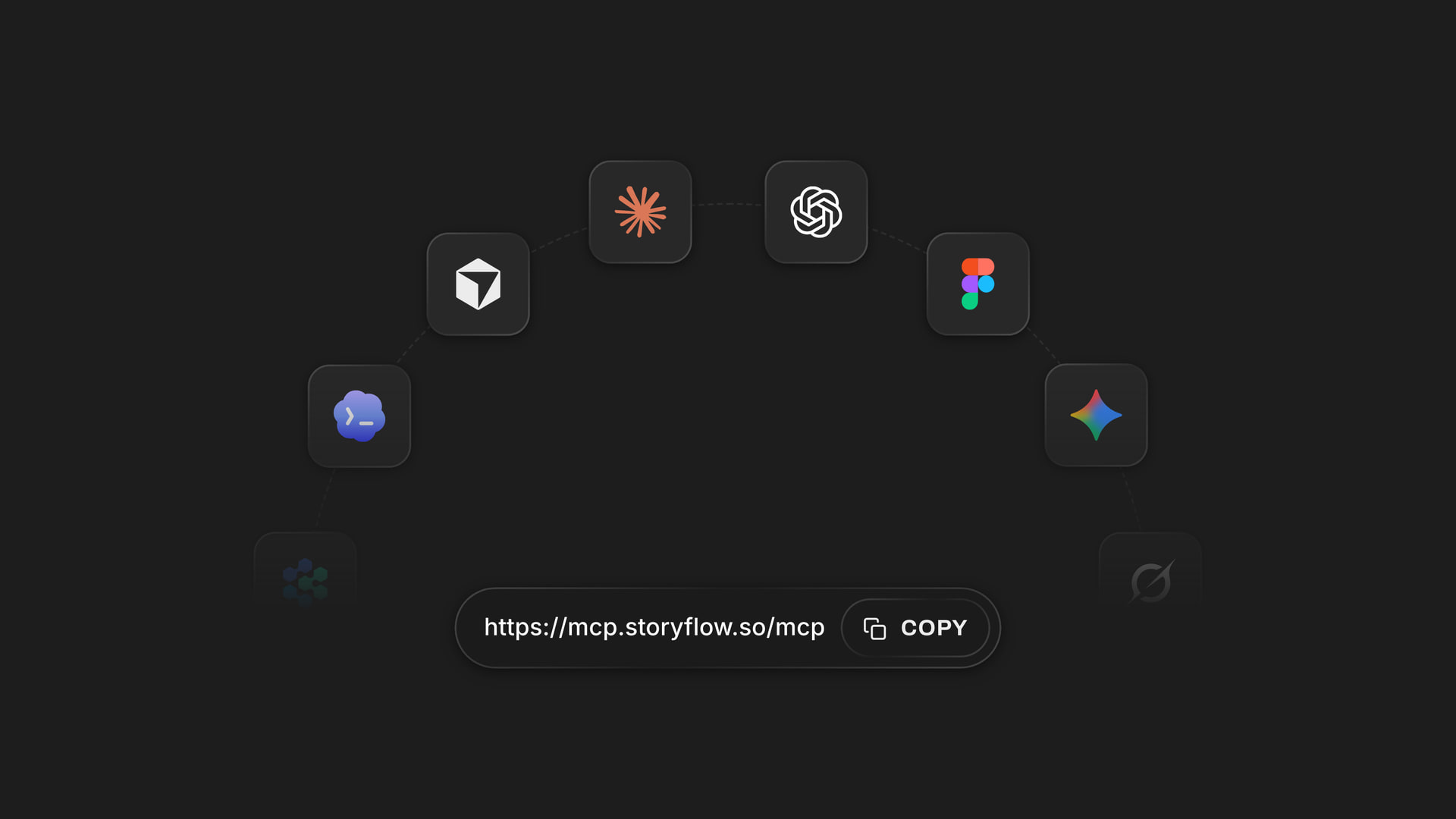
In Claude, open Customize, then Connectors. Click Add, then Add custom connector. Name it Storyflow, paste https://mcp.storyflow.so/mcp and click Continue. Choose Sign in now, click Add, and complete the sign-in. Pick the project that holds your notes.
02
Give the brain a shape
Ask Claude to put the Second Brain template on a board, or to build your own walls: Inbox, Customers, Decisions, Hiring, Reading. Five walls are enough to start. If the board already holds a pile of loose notes, ask Claude to sort them into named walls instead.
03
End a chat with "file this"
When a conversation reaches something worth keeping, say where it goes: "File these three decisions in Product decisions on my Brain board." Claude writes each one as a note in that wall. Open the board and they are there, in your wording.
04
Ask from what is filed
Start a new chat next week and ask: "What did we decide about annual pricing, and when?" Claude reads the wall and answers from your notes. Ask it to turn the long ones into documents, or to write a one-page summary document beside them.
Read, file, distil, start.
Claude does the reading and the filing. Storyflow is where it all stays.
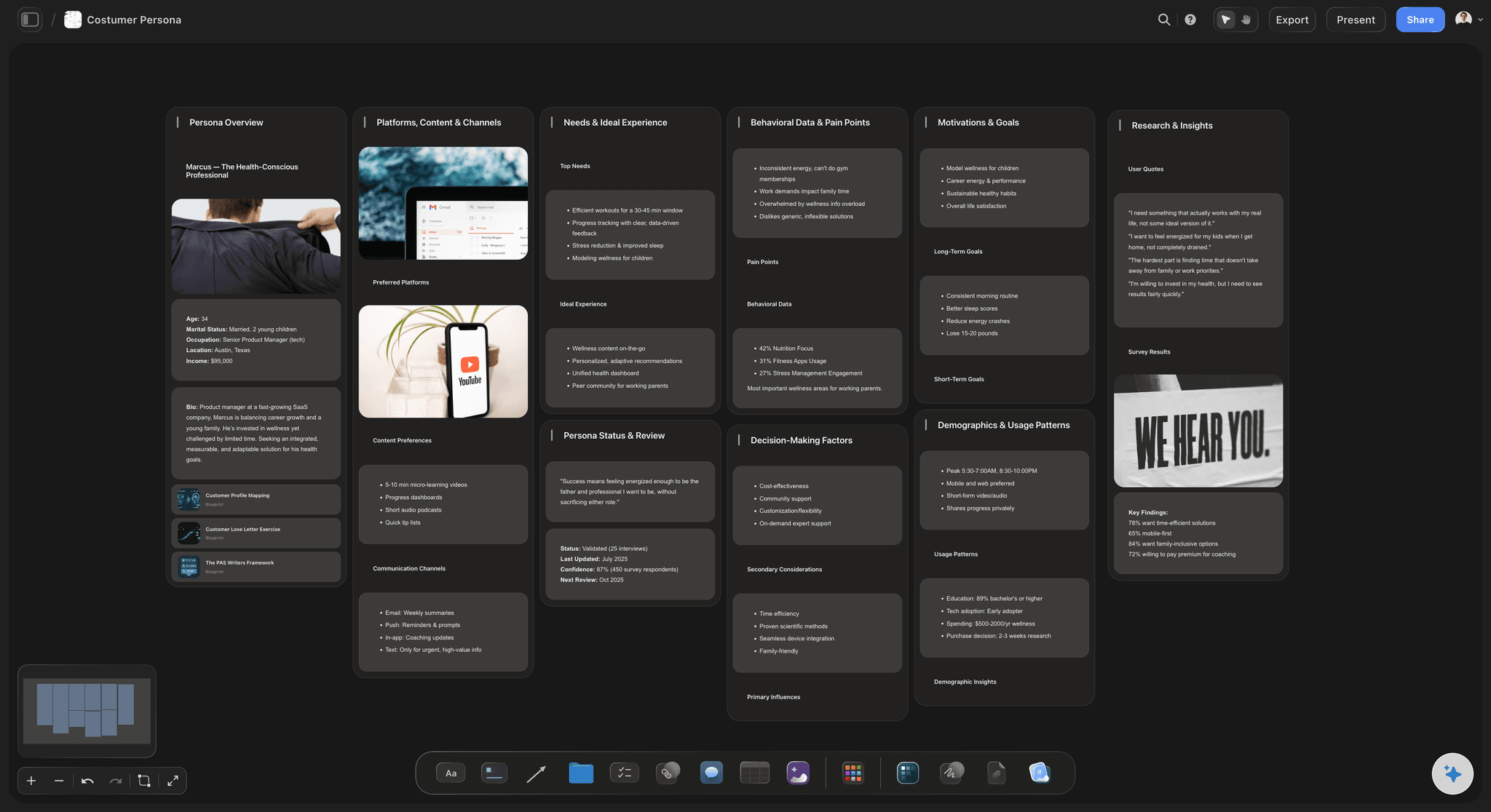
Reading
It reads your notes before it answers
Claude starts with an index of the board: the names of its walls and folders and the titles inside them. Then it reads the cards it needs, with their real text. A question about customers is answered from the Customers wall, and Claude can tell you which note said what.
See the AI second brain page →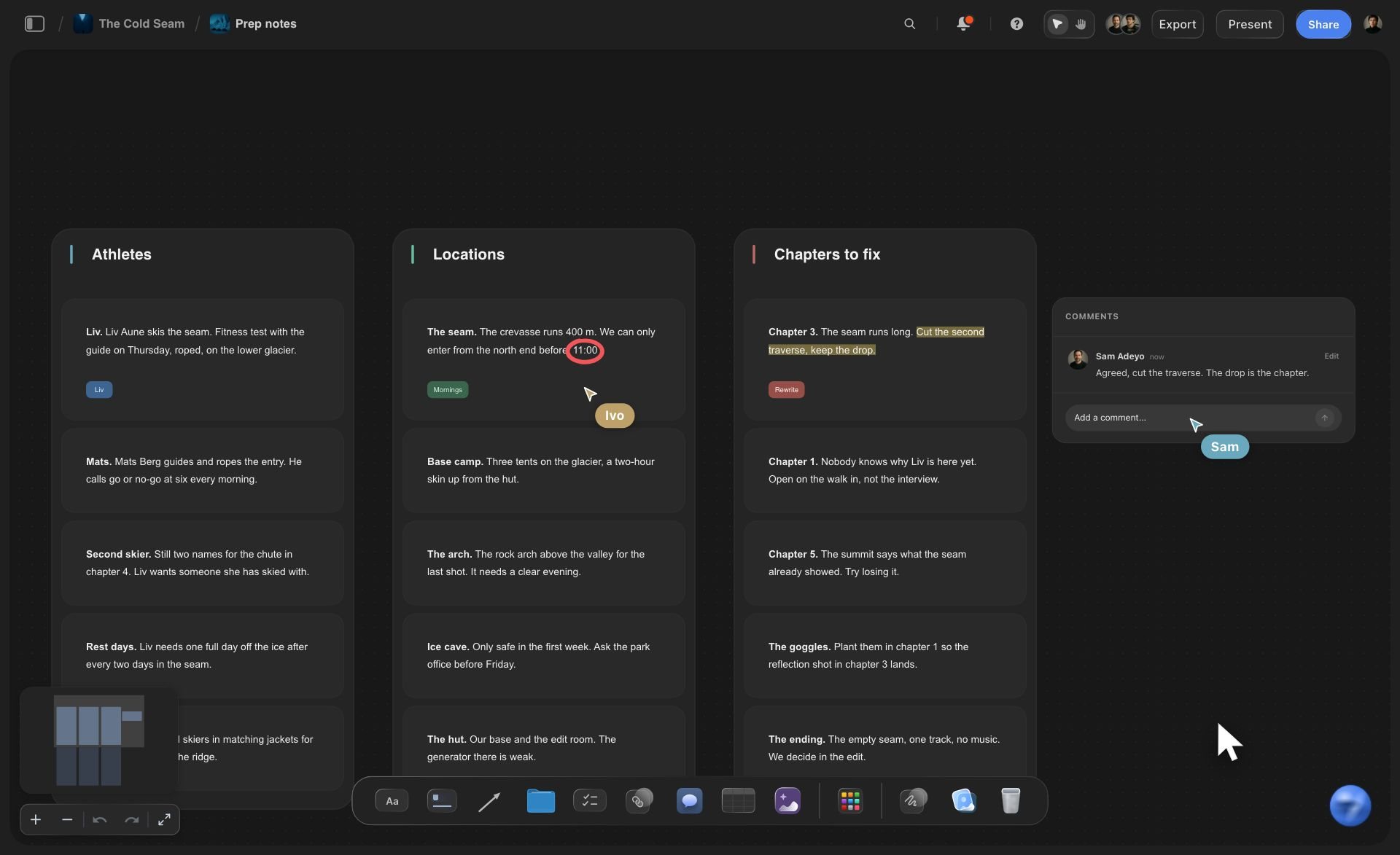
Filing
Loose notes sorted into named walls
Ask Claude to organise the inbox and it moves the notes that are already on the board into walls it names by theme, or into walls you already have. It moves cards and names walls. It never rewrites or splits what you wrote, and it reports how many cards are still loose.
See knowledge management →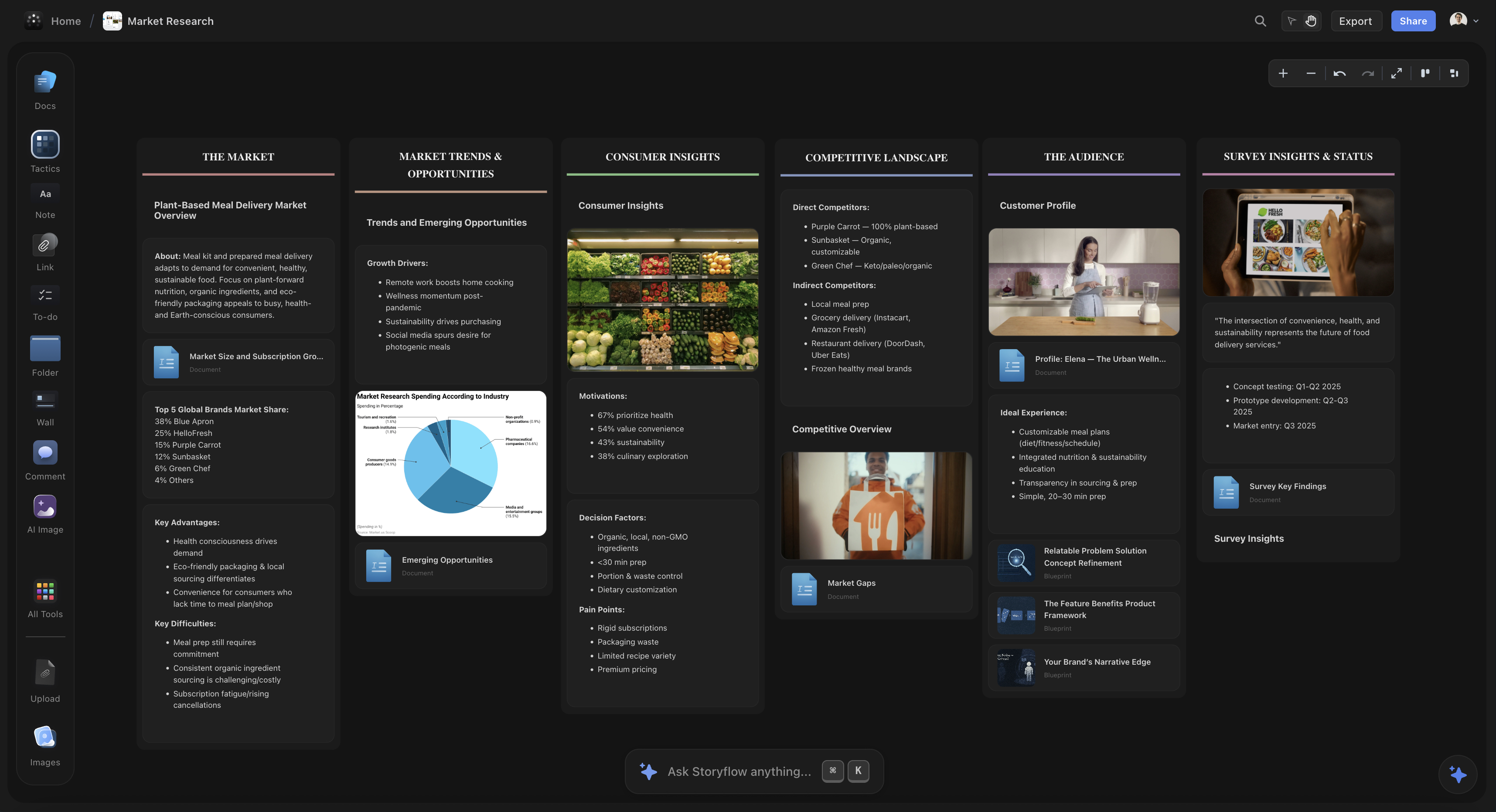
Distilling
Long notes become documents, word for word
A note that takes a screen to read has outgrown a card. Claude moves up to 25 notes at a time into documents, keeping the text exactly as you wrote it and naming each one from its first heading. It can then write a summary document next to them, a section at a time.
See AI note taking →
Starting
The Second Brain template, made yours
Storyflow's Second Brain template has a daily dashboard, a quick capture wall and walls of folders for work, learning, finance, home and hobbies. Claude finds it by name, puts it on your board with its layout, then rewrites the example cards for your own areas.
See the second brain page →Claude does the reading. Your Storyflow plan does not pay for it.
Claude runs on its own model, so reading and filing over the connector uses no Storyflow AI credits. A free account (today, one invited by a paid member) gets 50 actions a week from its assistant, and Plus, Pro and Max have no limit. Storyflow is paid-only during early access, with plans from $7.99 a month billed annually ($9.99 monthly). A free plan launches before the end of 2026, and anyone a paid member invites to a board joins free.
No Storyflow AI credits spent on anything Claude reads or files
A week of filing and asking is about thirteen actions
No limit on connector actions on Plus, Pro and Max
Claude's Free plan allows one custom connector
Pick which projects Claude may see, and whether it may change them
Built for people with taste
Where a second brain kept in chats breaks down.
Claude thinks well with you. What it needs is somewhere to put the thinking.
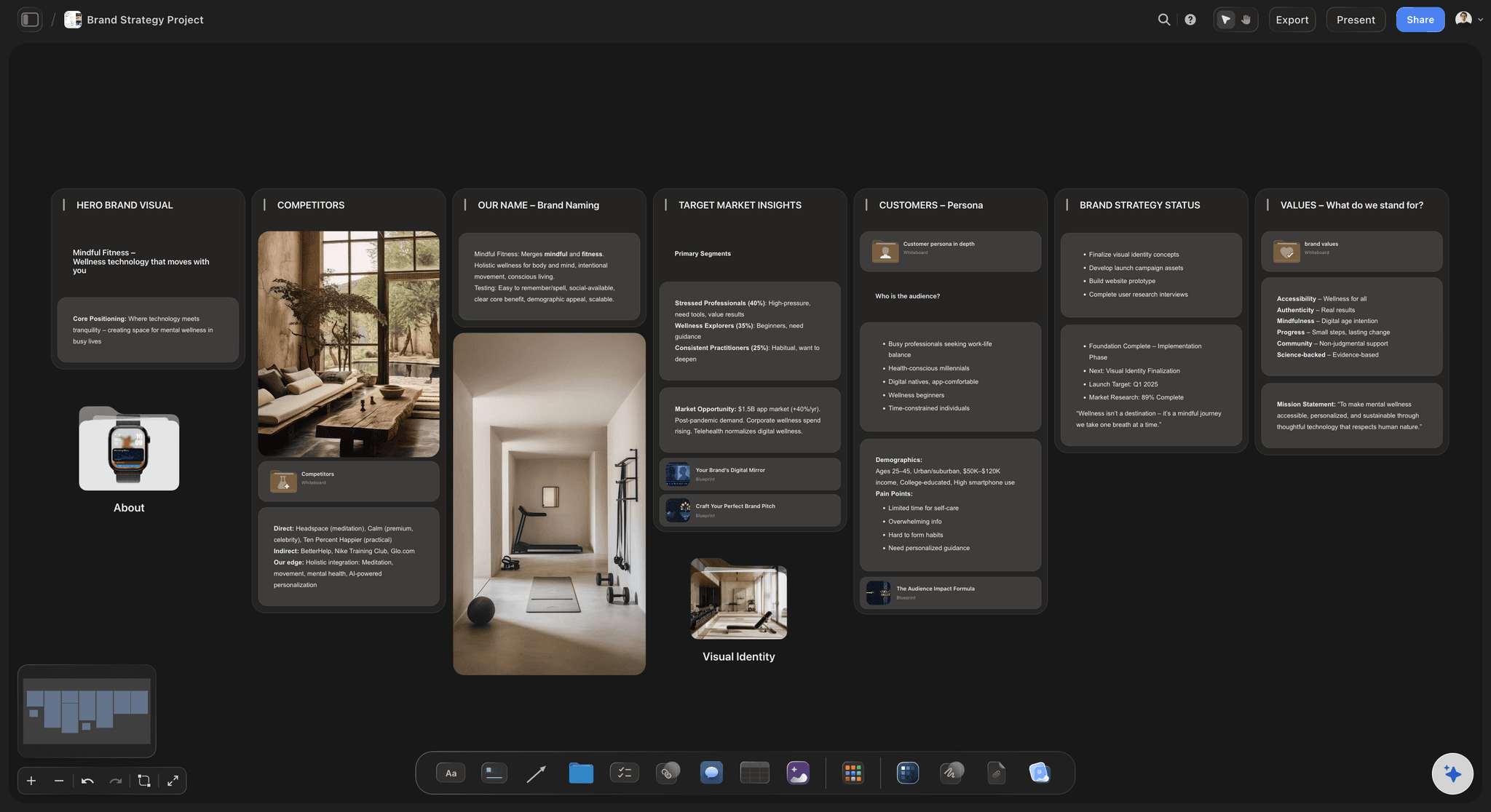
The background
Telling Claude the same story every Monday
It reads the board first: Point Claude at your Brain project and it reads what is filed before it answers. You stop pasting the company background, the pricing history and last month's decisions into every new chat.
Your own edits count: Change a note by hand on Tuesday and Claude reads the new wording on Wednesday. It reads the board as it stands, and a card someone else wrote is marked as not Claude's own.
Files are part of the memory: A PDF of the investor memo or a CSV of survey answers that sits on the board is readable. Claude reads the text, and long files come back cut short with a note saying so.
Documents outside projects, if you allow it: Tick that choice at sign-in and Claude can also list and read your private Storyflow documents and the ones shared with you, and put one of them on a board.
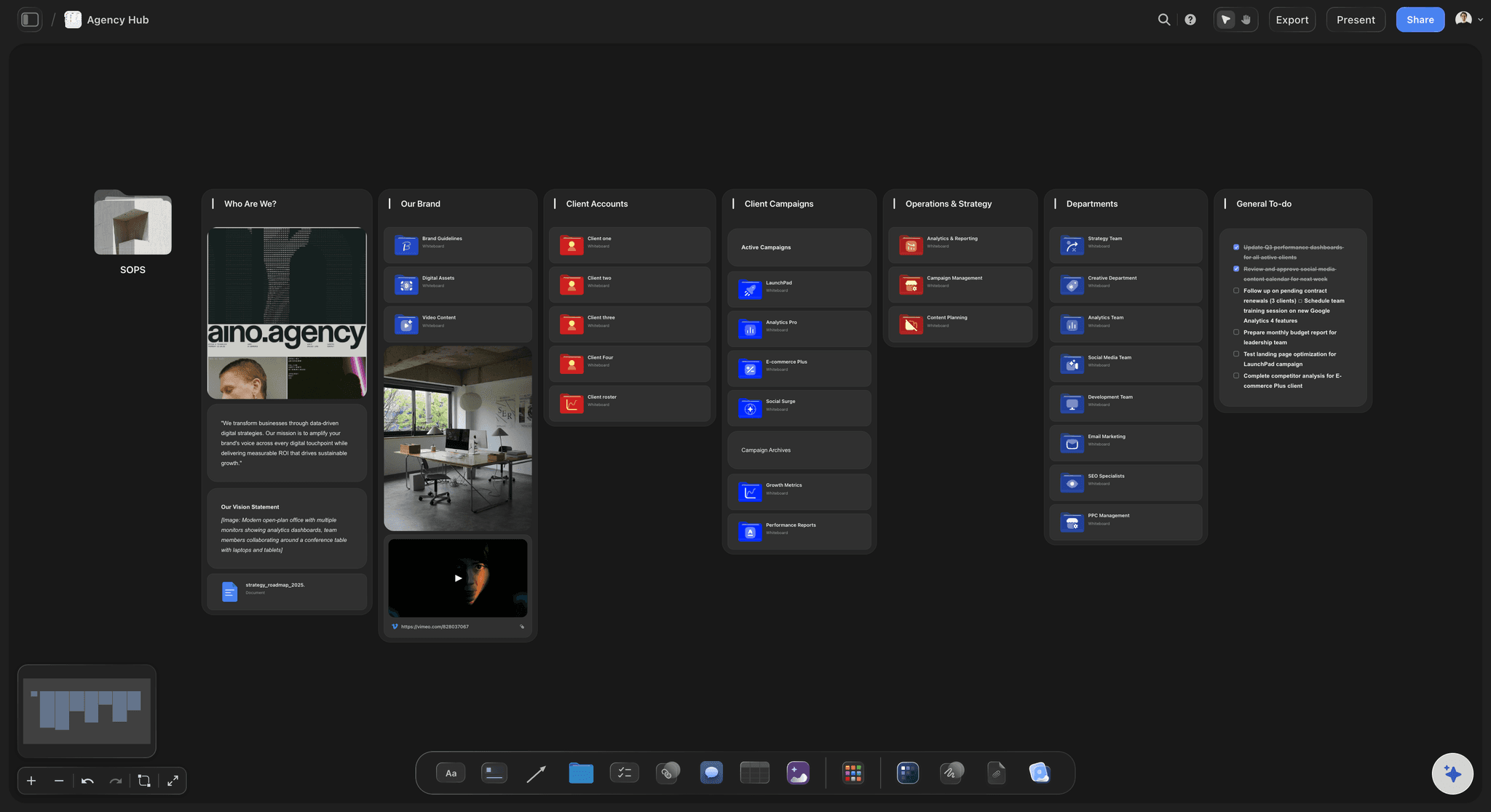
The filing
Good answers that scroll out of sight
New notes go into the wall you name: Claude adds a note to a wall that already exists, under the card you choose, or builds a new wall with every card in it in one call. Nothing waits in the chat for you to copy.
Folders for the deep subjects: A subject with too much for one wall gets a folder, which opens into a board of its own. Claude can create the folder and then build inside it, so Hiring or one big customer has room.
Arrows between ideas: Ask Claude to connect the customer quote to the decision it led to and it draws the arrow, with a few words on it if you want. The links between notes are part of what you see.
Links and pictures from the web: Give Claude an article's address and it adds a link card with the page title. If Claude finds pictures on the web, it can add them to the board, and Storyflow keeps its own copy.
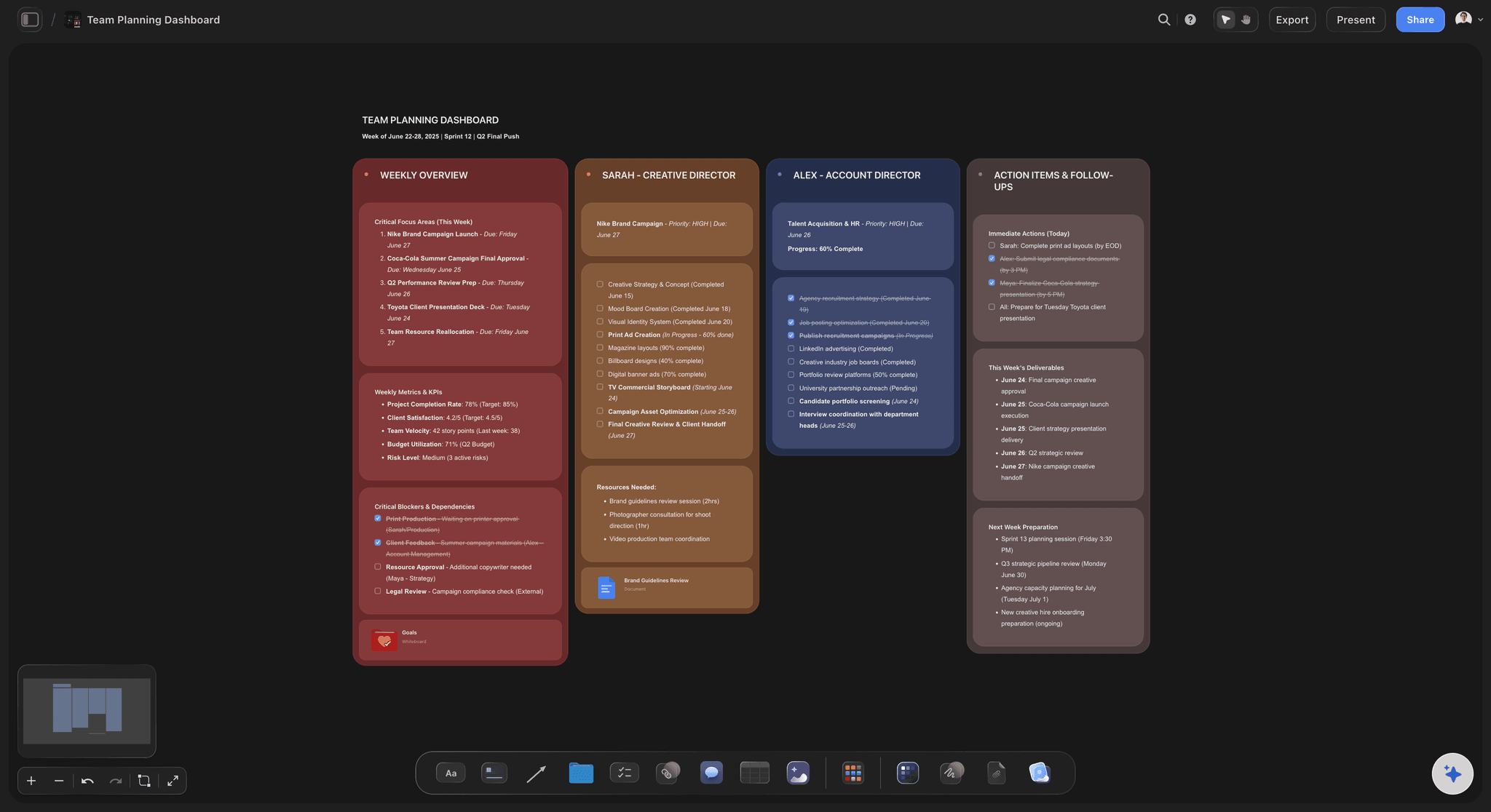
The control
A second brain you would not hand to an assistant
One project, if that is all you want: Pick only the Brain project at sign-in. Every call is checked against that choice, and your client projects stay invisible to Claude. Picking projects also keeps it from creating new ones.
Read-only is one untick: Untick changes and Claude gets no tools that write. It can answer from your notes and nothing more, which suits a board you want consulted but never touched.
No delete tool, with one thing to know: Storyflow gives Claude no tool for deleting cards. Turning notes into documents does remove those notes, because the text moves into the document. Anything removed sits in the board's trash for seven days.
Account settings stay yours: The connection cannot change your password or subscription, read billing, manage share links, or delete a project or a document. It ends on its own after 30 days.
Explore templates for your project
Every template opens as a real, editable board on the infinite canvas. Pick the closest fit and make it your own.
Mind Map
Branch one central idea out into themes and sub-points, then drag the connections around until the structure makes sense.
One app instead of five
Where Storyflow fits in a second brain for Claude.
It is the place Claude reads and files into. It does not replace Claude's own memory, and it needs a connection to work.
Storyflow with Claude
Recommended
Notes, files and links laid out on one canvas
Claude files new notes into the right place
Ideas joined with arrows you can see
A cofounder opens it without Claude
Says what changed and who changed it
You choose which projects Claude can see
Remembers with no setup at all
Works with no internet
Claude on its own
Notes, files and links laid out on one canvas
Claude files new notes into the right place
Ideas joined with arrows you can see
A cofounder opens it without Claude
Says what changed and who changed it
You choose which projects Claude can see
Remembers with no setup at all
Works with no internet
Copying answers into a doc
Notes, files and links laid out on one canvas
Claude files new notes into the right place
Ideas joined with arrows you can see
A cofounder opens it without Claude
Says what changed and who changed it
You choose which projects Claude can see
Remembers with no setup at all
Works with no internet
What creators are saying
Join early creators getting structured workspaces and AI that remembers their projects
“Storyflow has sped up my workflow by at least 3x, which means more flow state and more projects I can actually ship. It truly changed the way me and my team create.”

Reilin Joey
Director & YouTuber
“One prompt gets me a structured board. But the tactics are my favorite. I run my YouTube scripts through them and my intros and retention got better. It's amazing.”

Justkay
YouTuber & Freelance Filmmaker
“I used to juggle five apps to plan a project. Now I describe what I am making and get boards, lists, and a schedule. All in one place.”

George
@fernwehchronicles
A second brain with Claude: questions
What founders ask before they let Claude read their notes.
In Storyflow, yes: the board is the second brain and Claude is the assistant that reads and files. Connect Claude to Storyflow, keep your notes, documents and files on a board, and Claude reads them before it answers. Say "file this" and a decision becomes a note in the wall you name. Ask it to sort loose notes into themes or turn long notes into documents.
Storyflow is built for exactly this: notes, documents, files and links on one canvas that Claude reads before it answers and files into when you ask, with folders for deep subjects and arrows between ideas. You pick the projects Claude sees. A read-later app such as Readwise still collects your highlights, and Obsidian still suits people who want plain text files on their own disk.
In Claude, open Customize, then Connectors. Click Add, then Add custom connector. Name it Storyflow, paste https://mcp.storyflow.so/mcp and click Continue. Choose Sign in now, click Add, then sign in to Storyflow and pick the projects Claude may use. Claude's Free plan allows one custom connector. In Claude Code, run claude mcp add --transport http storyflow https://mcp.storyflow.so/mcp, then /mcp.
The projects you approved, their boards and their documents. On a Storyflow board Claude reads notes, to-do lists, tables, documents, link cards and the arrows between them, plus the text of PDF, Word, Excel and CSV files. It can list your documents by project, and your private and shared ones if you allowed documents outside projects. It cannot see a project you left out.
You tell it where. "File this in Product decisions on my Brain board" makes Claude write the note into that wall in Storyflow, under the cards already there. A note added to an existing wall is one action each, and a new wall with all its cards is one action. It writes what you agreed in the chat, so read the note once and fix the wording if it is not yours.
It does not need to. Storyflow keeps the notes, and Claude reads the board again each time you ask, so a new chat starts from what is filed today, including edits you made by hand. Nothing depends on one long conversation staying open. Claude's own memory features are separate and work the way Anthropic describes them.
Yes. Ask for the long notes to become documents and Claude moves up to 25 at a time, keeping your text exactly as written. Each document is named from the note's first heading unless you give titles. The original notes are removed in the same step, so the Storyflow board holds the documents and not two copies of everything.
It can tidy, not delete. Storyflow gives Claude no tool for deleting cards. It can move loose notes into walls, up to 12 walls in one request, and move a card from one wall to another. If a note should go, delete it on the board yourself. Deleted items stay in the board's trash for seven days.
No. A file you attach in Claude stays in Claude and does not reach Storyflow. Claude can read it in the chat and file the points that matter as notes or a document. To keep the original in your second brain, upload it to the Storyflow board, where Claude can read it later.
No. Storyflow does not let an assistant run in the background. Claude reads and writes only while you are asking it something in a chat, inside the projects you approved. Every connection ends after 30 days and Claude asks you to sign in again, so nothing keeps access by accident.
No. Claude runs on its own model, so what it reads and files over the connector uses no Storyflow AI credits. A free Storyflow account (today, one invited by a paid member) gets 50 actions a week from its assistant, and every read and every change counts as one. The count resets every Monday (UTC). Plus, Pro and Max have no limit.
Yes. Storyflow's MCP server is one address, https://mcp.storyflow.so/mcp. ChatGPT needs Plus, Pro, Business, Enterprise or Edu, on the web; on Business and Enterprise an admin turns on developer mode. Gemini's custom apps need a personal Google account with Keep Activity on, in the US, for people 18 or over, in English. On Grok Business and Enterprise, a team admin adds it in the xAI console first.
No. Storyflow runs in the browser, with no native apps to install. Claude connects to it from your Claude account with one web address, and you open your second brain in any browser on any computer.
More from Storyflow
Storyflow MCP server
Connect Claude to Storyflow
AI second brain
Second brain app
Knowledge management
AI note taking
Visual note taking app
Knowledge graph maker
AI project memory
Mind maps with Claude
NotebookLM alternative
Obsidian alternative
Storyflow for startups
Storyflow for solopreneurs
Research board with Claude
Stop re-explaining. Let Claude read the board.
Your notes, documents and decisions in one place, read before every answer and added to after every chat.