
Extremely simple, seriously capable
The call is over.
The decisions are not written down.
Paste a transcript and Storyflow's AI lays out what was decided, what is still open and what happens next, as boards on one canvas. The transcript stays there, so every claim on the board can be traced back to the sentence it came from.


Creatives working for these brands already got early access
- Red Bull
- Canon
- Artlist
- Porsche
See how easy it is to get started
Watch a real project come together, from a blank board to a finished plan, clicked through step by step.
Start from a ready-made template
Pick a board to see what you can build, then let AI fill it in. Every template is a real, editable starting point on the same infinite canvas.

Mind Map
Branch one central idea out into themes and sub-points, then drag the connections around until the structure makes sense.
What does transcript to board mean?
Transcript to board means turning a call's transcript into a board the team works from. Storyflow is an AI visual workspace that lays out your transcript on one infinite canvas: what was decided, what is still open, what happens next, and the transcript beside it. A transcript is a complete record and a terrible artefact. Everything that was said is in it, which is exactly why nobody reads it again. The useful content, the three decisions and the two things still unresolved, is buried in an hour of conversation, and the summary that gets circulated afterwards is one person's reading of it.
Turning a transcript into a board means extracting the parts that carry forward and laying them out where the team works: decisions made, questions still open, actions owned, and the material that was referenced. Storyflow does that on an infinite canvas. Paste the transcript, or drop the file alongside the deck that was screen-shared, and the AI builds the boards around it.
The distinguishing part is that the transcript stays on the canvas. Storyflow's AI reads the whole active board plus up to five documents and three boards, so when somebody disputes a decision three weeks later you can ask what was actually said, and the answer comes from the transcript rather than from a summary of it. Tools that summarise a transcript and discard it can only repeat their own first reading.
A free plan launches before the end of 2026, and anyone a paid member invites to a board joins free today.
Ultra fast from brief to board
From an hour of talking to a board in four steps.
Bring the transcript from whatever tool recorded it. Nothing to connect or configure.
01
Open a canvas
Storyflow runs in the browser, so the board can exist before everyone has left the call.
02
Paste the transcript
Paste the text from Otter, Granola, Zoom, Teams or Meet, or drop the file on with the deck that was shared.
03
AI lays out what carries forward
Decisions, open questions, owned actions and referenced material become boards on one canvas instead of a wall of dialogue.
04
Trace anything back
The transcript stays on the board, so a disputed decision can be checked against what was actually said.
The parts of a call that should outlive it.
A recording preserves everything and surfaces nothing. A board does the opposite, and keeping both together is the point.

Decisions separated from discussion
Find the three sentences that mattered
The AI pulls out what was actually decided and puts it where the team will see it, instead of leaving it at minute forty-one of a recording.
See the AI creative workspace →
Open questions made visible
See what was left unresolved
The things nobody settled are the things that stall the project. They get their own board rather than dissolving into the conversation.
Try the AI project plan generator →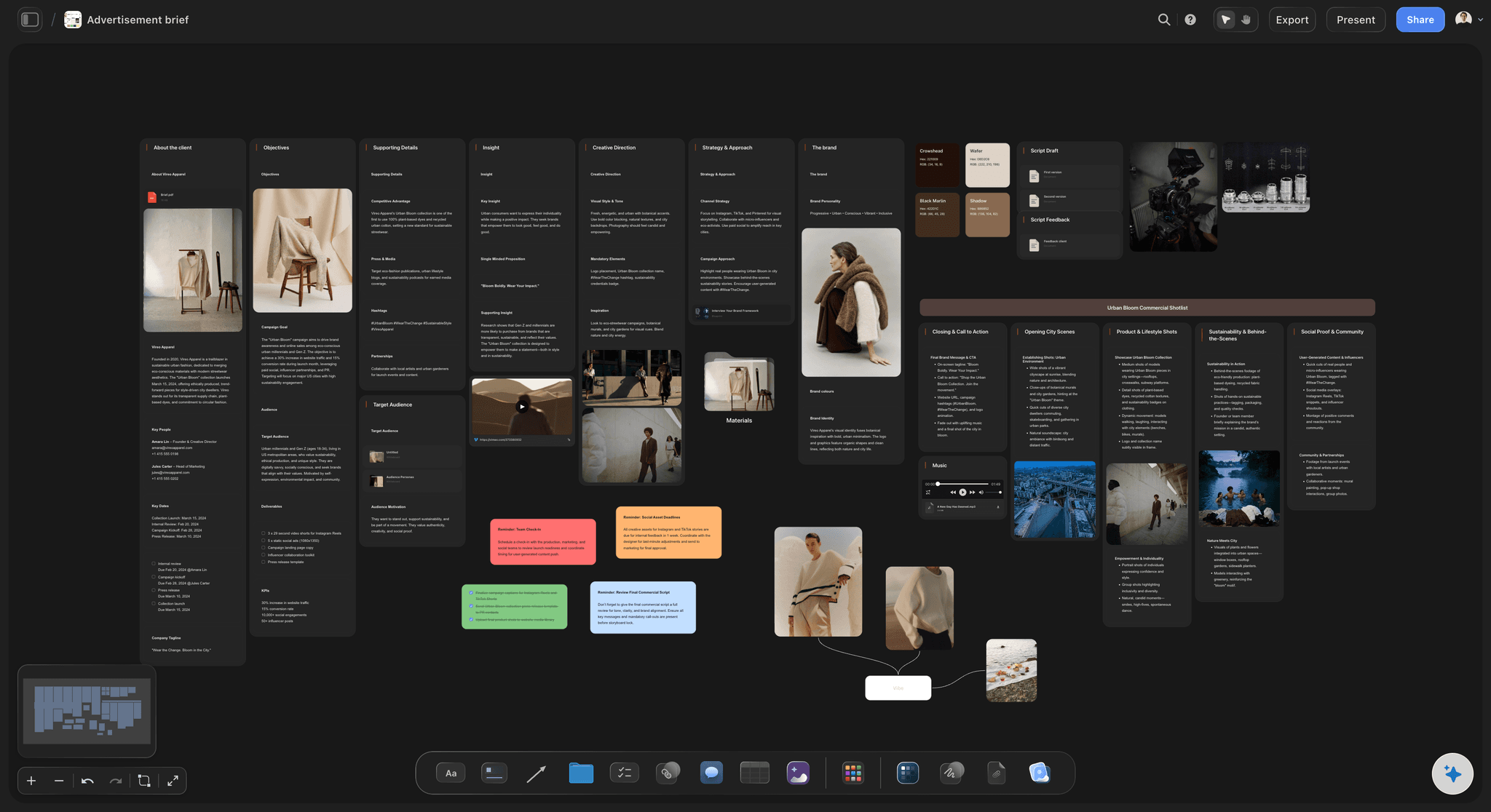
The transcript stays as evidence
Settle the argument with what was said
Because the transcript remains on the canvas and readable by the AI, a contested decision is checked against the source rather than relitigated from memory.
Turn a document into a board →
One link instead of a recap email
Send the board, not the recording
Share a view-only link so people who missed the call see the outcome in seconds, with no account and no scrubbing through audio.
Turn a brief into a board →Plans from $7.99/month annual. Free plan coming late 2026.
Paste a transcript and watch the decisions separate from the conversation. Storyflow is paid-only during early access, with a free plan coming before the end of 2026 and invited collaborators joining free today.
Every call gets its own board, with no project limit
AI reads the whole board, transcript included
Anyone a paid member invites to a board joins free

Built for people with taste
More than a meeting summary.
Summaries are already solved and mostly free. What is missing is the step where the outcome becomes the plan the team works from.
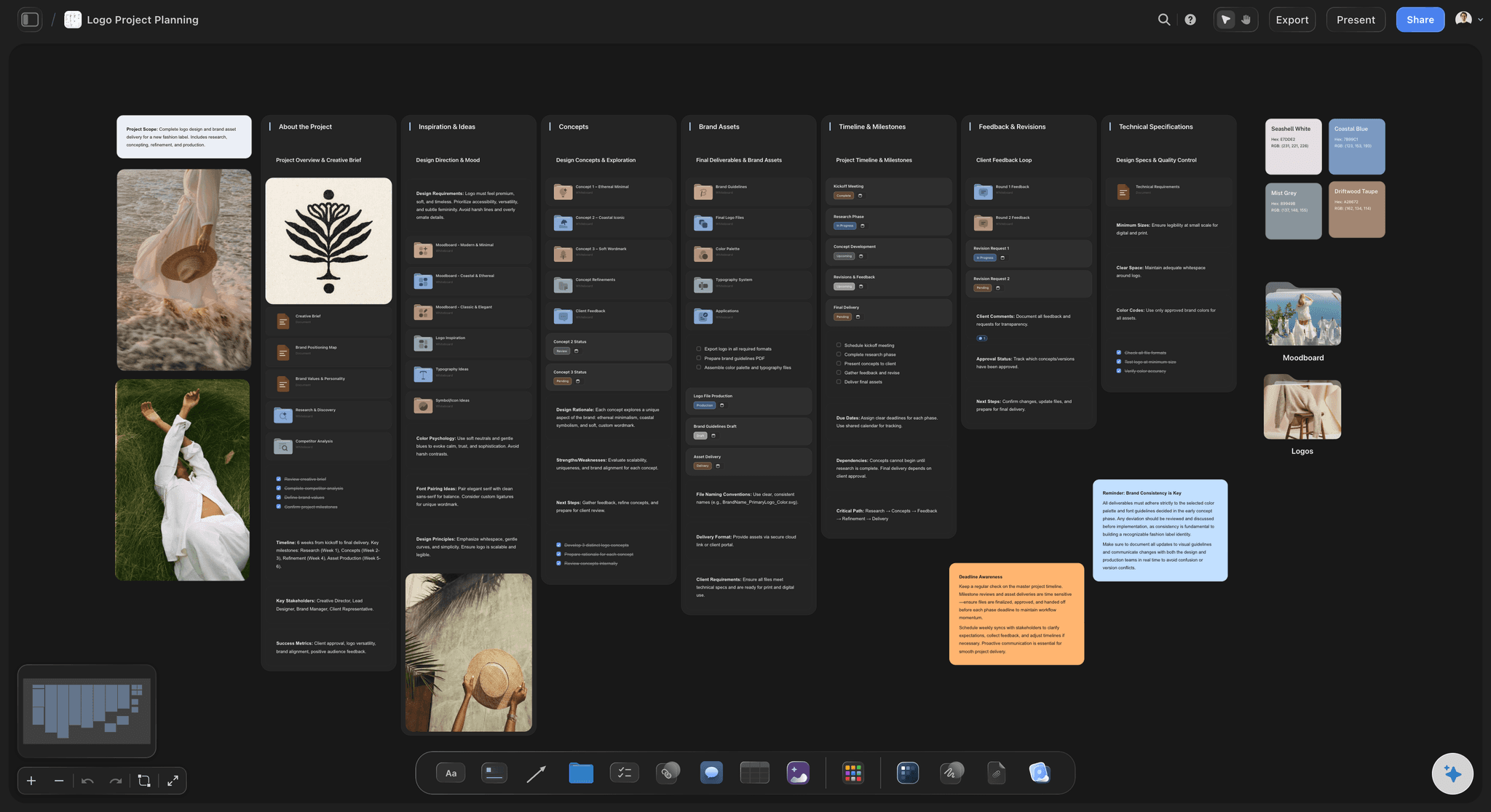
A summary ends the meeting, a board continues the project
The output is a workspace
Decisions become boards: What was agreed gets a place on the canvas the project already lives on, rather than a paragraph in an email.
Actions keep their context: Next steps sit next to the discussion that produced them, so whoever picks one up can see why it exists.
It joins the rest of the project: Drag the outcome onto the board that holds the brief and the references, instead of starting a new document.
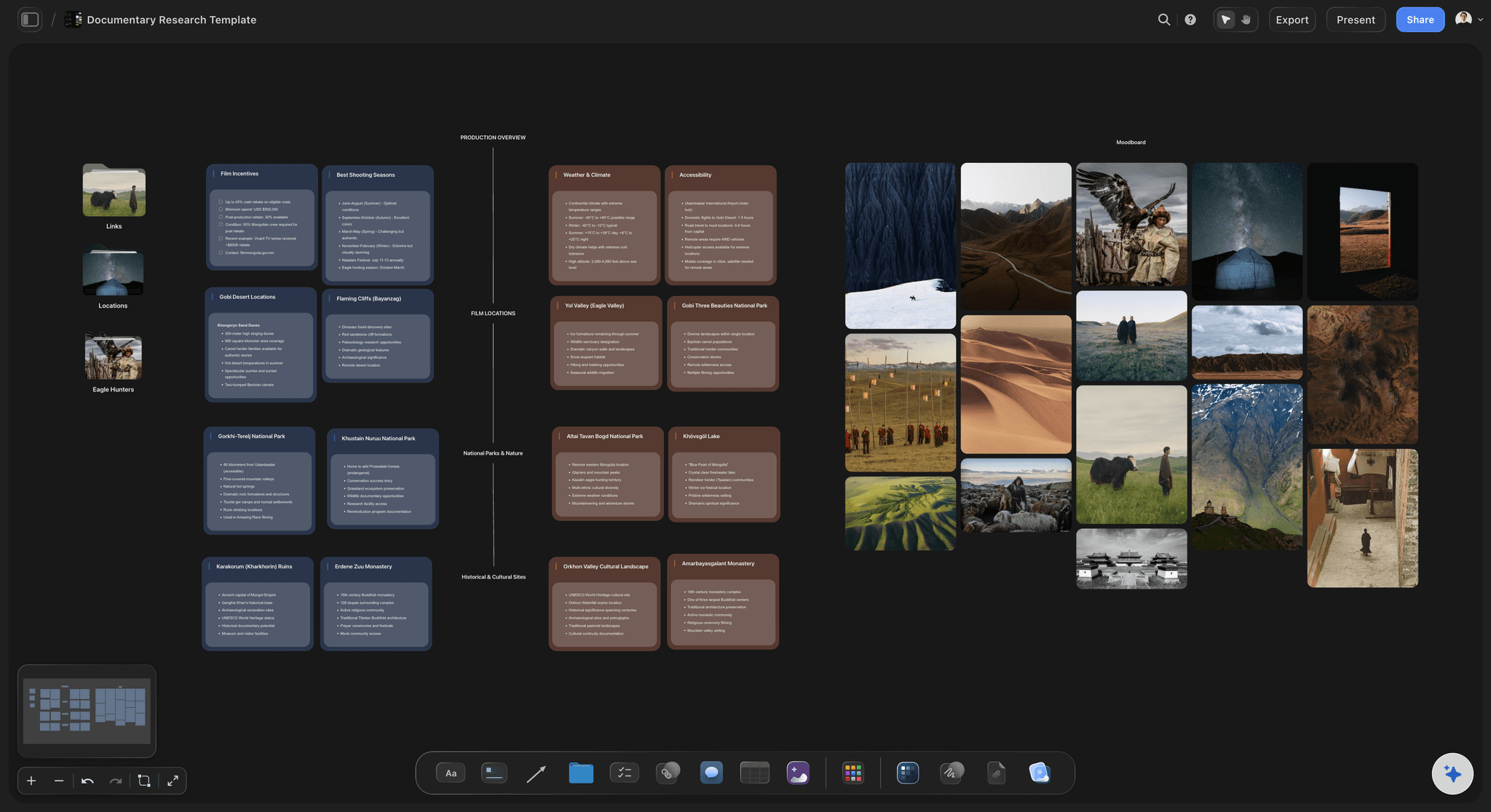
Works with what you already record
No integration to set up
Any transcription tool: Paste text from Otter, Granola, Fireflies, Zoom, Teams or Meet. Storyflow does not need to be in the call.
Bring the shared material too: Drop the deck, the document or the screenshots that were discussed onto the same canvas so the AI reads them together.
Several calls at once: Put a series of interviews on one board and lay the themes out across them rather than summarising each separately.
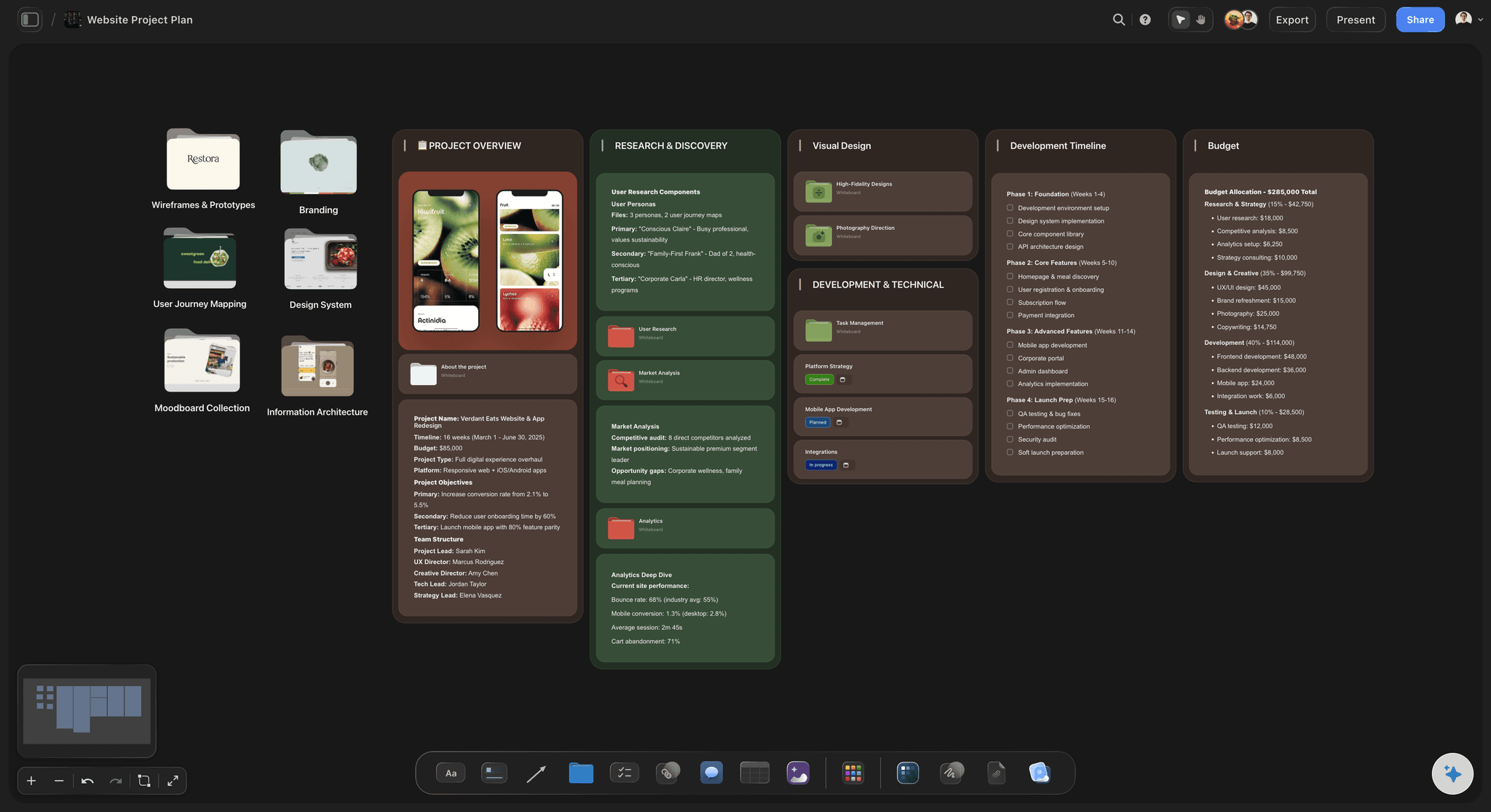
Honest about the limits
What it will not do
It does not record the call: Storyflow is not a meeting bot and does not join calls. Bring the transcript from the tool that made it.
It cannot hear tone: A reluctant yes reads as a yes in a transcript. The board reflects what was said, not how it was meant.
Bad transcripts stay bad: Crosstalk and misheard names carry through. Fix them on the canvas, where they are visible and editable.
Fits around the tracker you run
Covers the step before the tickets
Keep your pipeline: Storyflow runs no approvals, so actions move into your tracker once they are actually agreed.
Export when it travels: Any board goes out as a high-quality image or PDF for people who want a document.
Stakeholders read a link: No sign-up to view, so the recap reaches people who were never going to open a transcript.
Explore templates for your project
Every template opens as a real, editable board on the infinite canvas. Pick the closest fit and make it your own.
Mind Map
Branch one central idea out into themes and sub-points, then drag the connections around until the structure makes sense.
One app instead of five
Why not just use the meeting tool's summary?
Summaries are good and getting free. The gap is that a summary ends the meeting, and the project keeps going.
Storyflow
Recommended
Output is a board the project continues on
Transcript stays readable to the AI
Several transcripts read as one context
Records and transcribes the call itself
Otter
Output is a board the project continues on
Transcript stays readable to the AI
Several transcripts read as one context
Records and transcribes the call itself
Notion AI
Output is a board the project continues on
Transcript stays readable to the AI
Several transcripts read as one context
Records and transcribes the call itself
ChatGPT
Output is a board the project continues on
Transcript stays readable to the AI
Several transcripts read as one context
Records and transcribes the call itself
What creators are saying
Join early creators getting structured workspaces and AI that remembers their projects
“Storyflow has sped up my workflow by at least 3x, which means more flow state and more projects I can actually ship. It truly changed the way me and my team create.”

Reilin Joey
Director & YouTuber
“One prompt gets me a structured board. But the tactics are my favorite. I run my YouTube scripts through them and my intros and retention got better. It's amazing.”

Justkay
YouTuber & Freelance Filmmaker
“I used to juggle five apps to plan a project. Now I describe what I am making and get boards, lists, and a schedule. All in one place.”

George
@fernwehchronicles
Transcript to board, answered.
What people ask before turning a call into a board in Storyflow.
Paste the transcript onto a Storyflow canvas, or drop the file alongside anything that was shared in the call, and describe what you want. The AI lays out the decisions, open questions and next steps as boards. The transcript stays on the canvas, so anything on the board can be traced back to what was said.
Storyflow picks up where the call ends: paste the transcript onto the canvas, or drop the file beside the deck that was shared on the call, and the AI lays out the decisions, the open questions and the next steps as boards. The transcript stays on the canvas, so any claim can be traced back to what was said. Otter does the step before, which Storyflow does not: it records and transcribes the call itself.
No. Storyflow is not a meeting bot and does not join calls. Bring the transcript from whatever already records you, such as Otter, Granola, Fireflies, Zoom, Teams or Meet. That also means there is nothing to install or authorise before it works.
A summary is a paragraph that ends the meeting. A board is where the project continues. The decisions land on the same canvas as the brief and the references, they can be rearranged and built on, and the transcript stays attached so the summary is checkable rather than trusted.
Yes, and this is where it earns its place. A set of user interviews or documentary interviews can sit on one canvas and be read as a single context, so themes are laid out across them rather than summarised one call at a time.
Not during early access. Plans start at $7.99 per month billed annually or $9.99 monthly, and a free plan launches before the end of 2026. Anyone a paid member invites to a board joins free today and can invite others.
Crosstalk, misheard names and filler carry through, and no tool fixes that reliably. The advantage of a canvas is that the errors are visible and editable in place, rather than baked into a summary you have no way to check.
Yes, through a view-only link that needs no account. That reaches the people who were never going to open a transcript, which is most of them.
Yes. Put the interviews on one canvas and the findings board keeps pointing back at the transcripts, so a finding can be checked against the quote instead of being taken on trust.
No. Storyflow has no approval workflow. It covers the step between a conversation and a plan, and actions move into your tracker once they are genuinely agreed.
Stop losing the decision in the recording.
Paste the transcript once and get a board people will actually read, with the source still attached.