
Ultra-fast planning, extremely simple
A project board Claude Code updates
while it writes the code.
For founders and small product teams: Claude Code moves the tickets, draws the architecture and writes the release notes on a Storyflow board your co-founder and your client can read.


Creatives working for these brands already got early access
- Red Bull
- Canon
- Artlist
- Porsche
See how easy it is to get started
Watch a real project come together, from a blank board to a finished plan, clicked through step by step.
Start from a ready-made template
Pick a board to see what you can build, then let AI fill it in. Every template is a real, editable starting point on the same infinite canvas.

Mind Map
Branch one central idea out into themes and sub-points, then drag the connections around until the structure makes sense.
Can Claude Code update a project board?
Yes, Claude Code can update a project board when the board has an MCP server: you add the server with one command, sign in, and Claude Code can then read the board and add, edit and move cards on it from the terminal. Storyflow is an AI visual workspace that keeps a product plan on one infinite canvas: a roadmap as columns of tickets, the architecture as a diagram of cards and arrows, release notes and decisions as documents, and a status table. Connected to Storyflow, Claude Code keeps that board up to date as it works, and your co-founder or client reads it in a browser without opening the repo.
On its own, Claude Code is good at keeping a plan inside the repo. It can write the plan to a Markdown file, tick items off as it finishes them, and describe the architecture as diagram code. For the developer that is enough. For everyone else it is invisible. The co-founder who sells, the designer and the client do not open the repo, so on Friday somebody rewrites the state of the build into a message by hand, and it is out of date by Monday.
Connect Claude Code to Storyflow and the plan lives where everyone can read it. In your terminal, run claude mcp add --transport http storyflow https://mcp.storyflow.so/mcp, then type /mcp inside Claude Code and sign in. Ask it to read the build board first. Then give it the rule in plain words: when you start a task, move its ticket to In progress; when you finish, move it on and add a line to the release notes; when you find a bug you are not fixing now, add a ticket to the Backlog. Ask once for the architecture, and Claude Code draws each part of the product as a card, with labelled arrows between them.
Here is one week on such a board, counted, to copy before you sign up for anything. A two-person startup has 20 tickets on Monday: 14 in Backlog, 3 In progress, 1 In review and 2 Done. During the week Claude Code moves 4 tickets from Backlog to In progress, moves 5 from In progress to In review when their code is pushed, and adds 2 bug tickets to the Backlog. The co-founder checks 4 of the tickets in review and asks for them to go to Done. Friday's board: 12 in Backlog, 2 In progress, 2 In review and 6 Done, which is 22 tickets, the 20 from Monday plus the 2 bugs. The release notes document has four new lines, one for each ticket that reached Done.
A board that a coding agent keeps has to make sense to someone who does not code. That takes five parts. Columns that say where each task is, with names nobody has to ask about: Backlog, In progress, In review, Done. Tickets written as outcomes a customer would notice ("a new user can pay by card"), not as file names. One picture of how the parts of the product connect. A dated list of what shipped. And a short list of decisions with the reason for each, because "why did we drop the mobile version" is the question that comes back in three months.
The honest limits. Storyflow does not sync with GitHub issues, Linear or Jira: a ticket on the board is not an issue in your tracker. There are no sprints, estimates or burndown charts. Claude Code has no tool that deletes a card, and it cannot assign a ticket to a person: a ticket holds a title, a description, one label and a date. Everything it writes is saved under your name, because it works through your sign-in. A terminal has no connector menu, so follow the two commands as written. The same address works in Cursor, Codex and VS Code, and VS Code needs a GitHub Copilot plan.
Ultra fast from brief to board
Two commands, one rule, one link.
Ten minutes the first time. After that the board changes as the code does.
01
Add Storyflow to Claude Code
In your terminal, run: claude mcp add --transport http storyflow https://mcp.storyflow.so/mcp. Then type /mcp inside Claude Code and sign in to Storyflow. Pick the product's project and leave changes allowed.
02
Ask it to read the board, then build what is missing
Say: "Read the Build board in the Launch project." If the board is empty, ask for four columns (Backlog, In progress, In review, Done) with a ticket per task from your plan file, and a status table with a row per milestone.
03
Tell it when to update the board
Give Claude Code the rule and put it in your project's CLAUDE.md file, so each session starts with it: move the ticket when you start and when you finish, add a line to the release notes, and add a ticket for any bug you find.
04
Send the board to the people who do not code
Share a view-only link from Storyflow. Your co-founder or client opens the roadmap, the architecture and the release notes in a browser with no account, and stops asking you for a status message.
The roadmap, the architecture, the record and the agents.
Claude Code does the work and keeps the board. Storyflow is where the rest of the team reads it.

The roadmap
Columns of tickets the agent moves as it works
Each task is a ticket with a title, a description, one label and a date. Claude Code moves a ticket to the next column when the work moves, and edits the ticket in place when the scope changes. It reads the board back before it starts the next task.
See the product roadmap page →
The architecture
The system drawn as cards and arrows
Ask for the architecture and Claude Code draws up to 40 boxes joined by labelled arrows: the web app, the API, the database, the payment provider. Each box is a real card, so a teammate can drag it, rename it or put a note beside it.
See diagrams with Claude →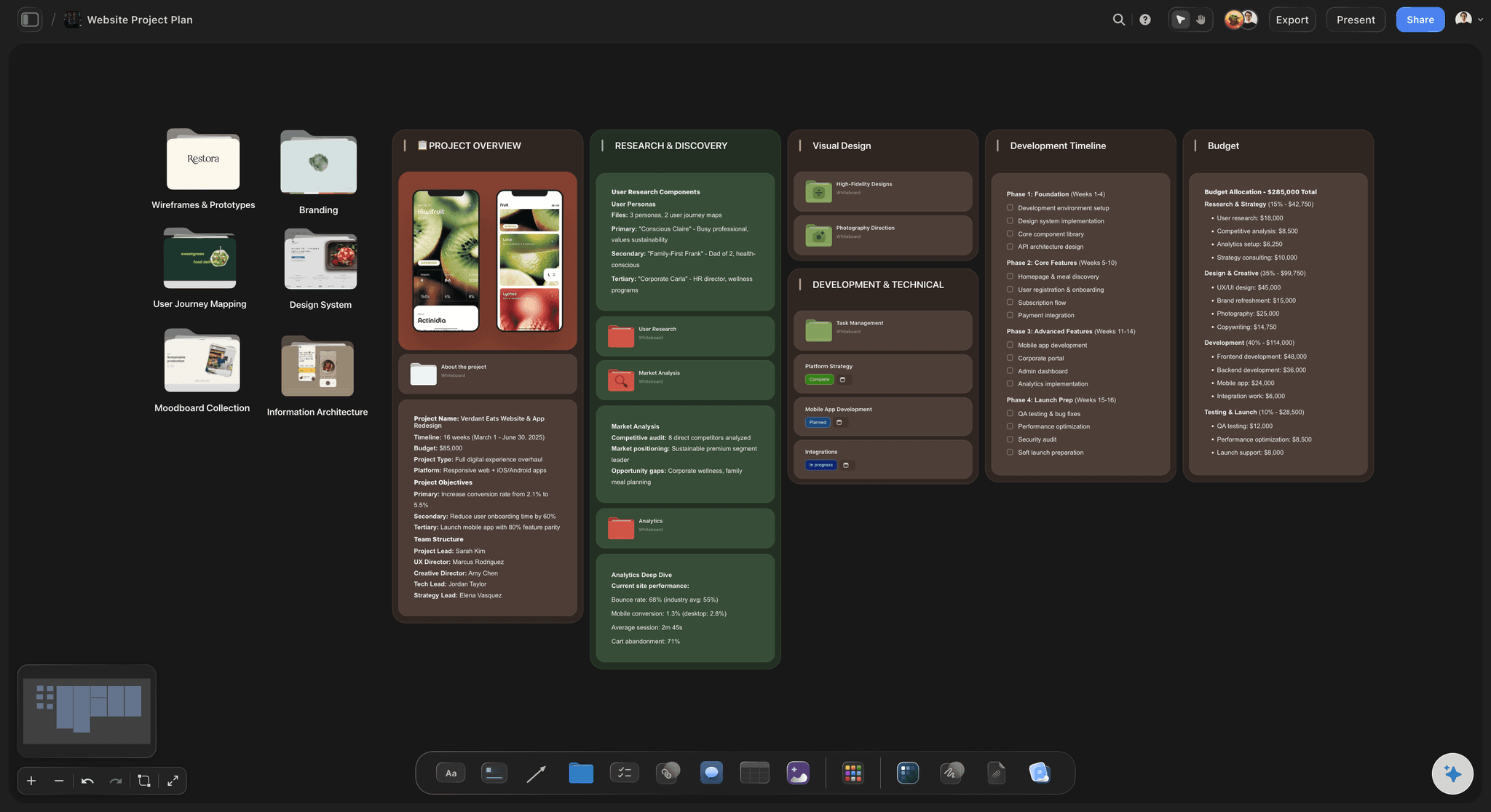
The record
Release notes and decisions as documents
Claude Code writes the release notes as a document on the board and adds a dated section each time something ships. Decisions get a document of their own. A status table lists every milestone with its due date and whether it is not started, in progress, blocked or done.
See the launch roadmap →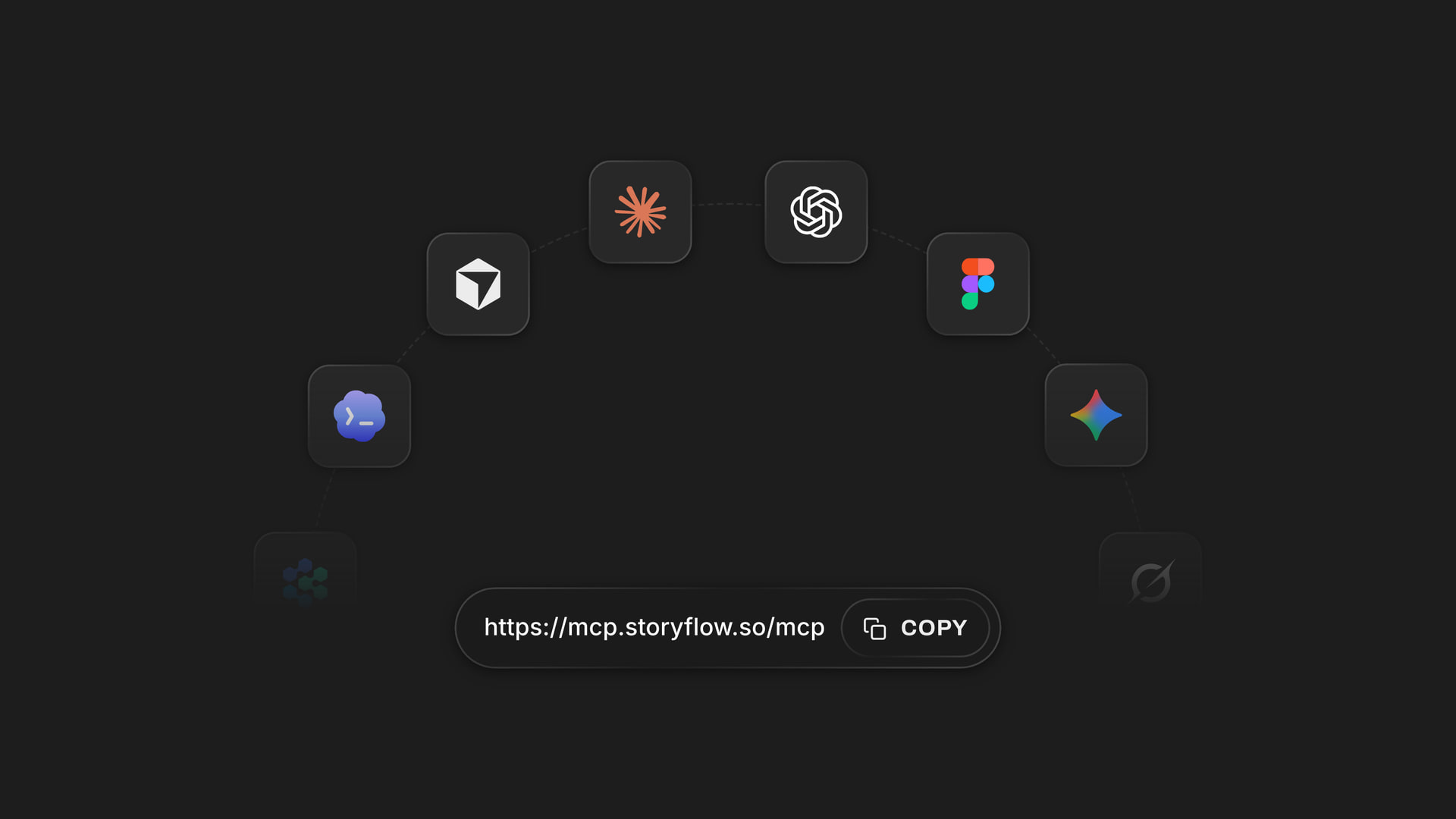
Any coding agent
One address for Claude Code, Cursor, Codex and VS Code
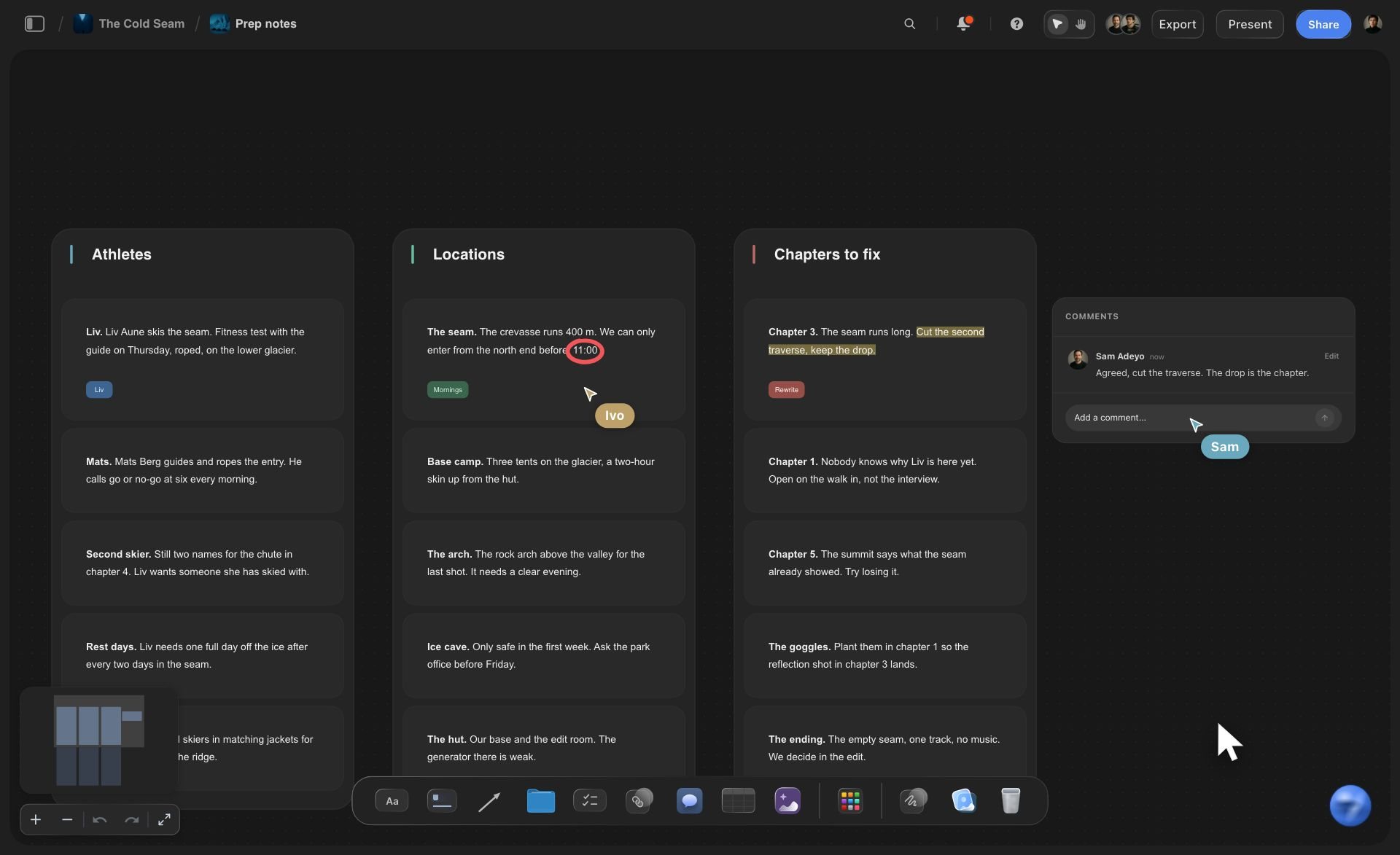
Cursor takes the address in its mcp.json file. Codex takes it in config.toml, followed by codex mcp login storyflow. VS Code adds it with MCP: Add Server and needs a GitHub Copilot plan. All of them reach the same boards as Claude and ChatGPT.
See the setup steps for each tool →What it costs to give your coding agent a board.
Claude Code runs on its own model, so what it does over the connector uses no Storyflow AI credits. A free account (today, one invited by a paid member) gets a weekly allowance of actions from its assistant, and the pricing page shows the current number. Plus, Pro and Max have no limit. Storyflow is paid-only during early access, with plans from $7.99 a month billed annually ($9.99 monthly). A free plan launches before the end of 2026.
Claude Code's work on the board uses no Storyflow AI credits
Plus, Pro and Max: no limit on connector actions
Your co-founder edits the same board by hand or with their own assistant
A view-only link for clients and investors, with no account
A personal key for tools that cannot run a sign-in, good for 30 days

Built for people with taste
Where a plan kept in the repo stops working.
The agent knows exactly where the build stands. Nobody else does until you tell them.
The status message
The Friday update you write by hand
The board is the update: When Claude Code finishes a task it moves the ticket on. Your co-founder sees the roadmap change without a message from you.
Release notes kept as you ship: Each time a ticket reaches Done, Claude Code adds a line to the release notes document. On Friday the list of what shipped is already written.
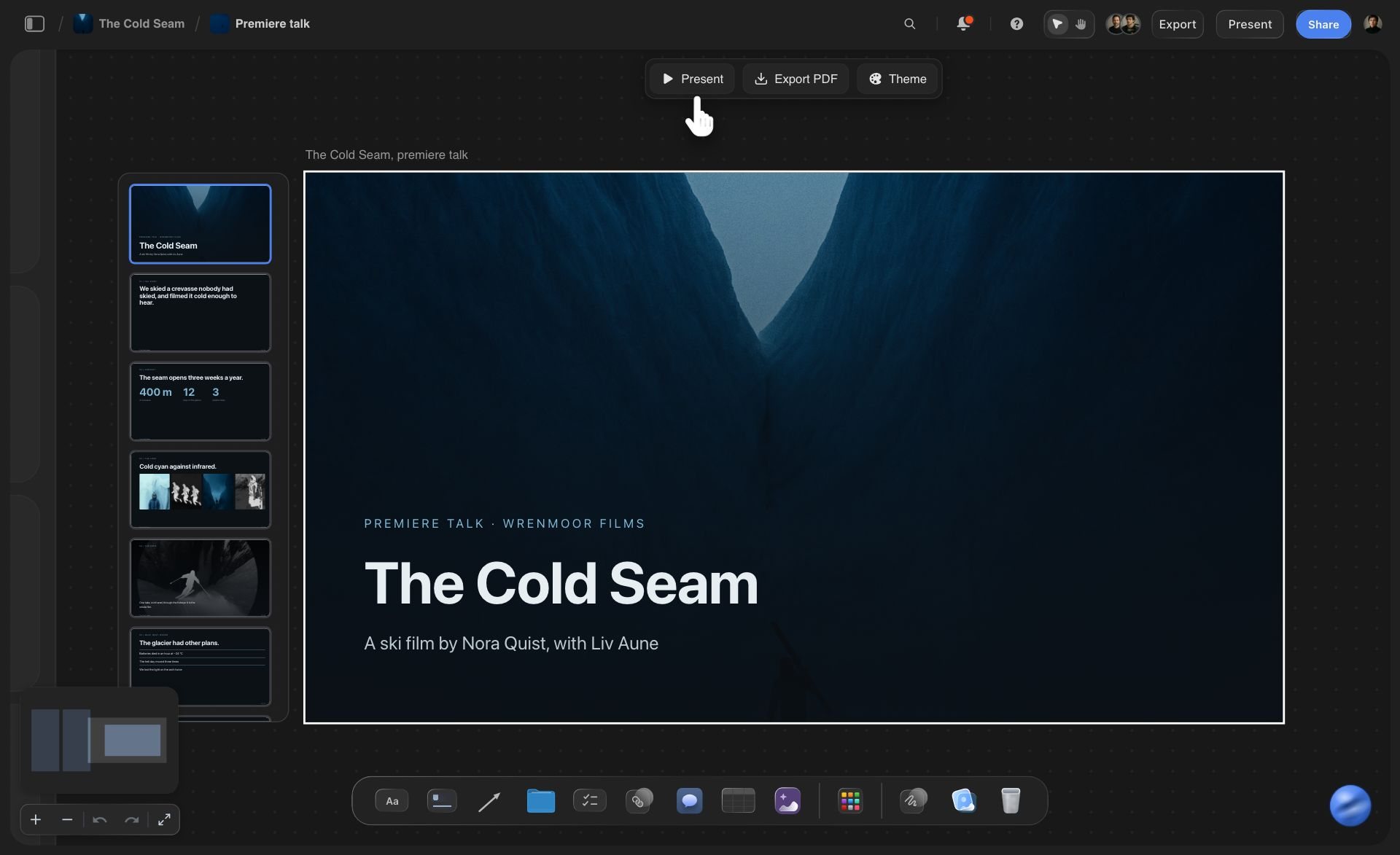
Ask what changed: Ask Claude Code what changed on the board this week. It reads the board's history: what was added, edited, moved or deleted, and when. Its own edits are listed under your name.
A deck for the investor update: Ask for a short deck built from the board, up to 30 slides on one theme. You present it or export it as a PDF in Storyflow.

The plan
A roadmap only the repo can read
Tickets a customer would understand: Ask Claude Code to write each ticket as an outcome, such as "a new user can pay by card", with the technical detail in the description. The board reads as a plan, not a file list.
Bugs go straight onto the board: When the agent finds a bug it is not fixing now, it adds a ticket to the Backlog with what it saw and where. Nothing lives only in a terminal you have since closed.
It reads the plan before it codes: Start a session with "read the Build board" and Claude Code knows what is in progress and what is next, including the tickets your co-founder added by hand.
The spec on the board is readable: Put the spec or the client's brief on the board as a PDF or a Word file. Claude Code reads it from there, up to the first 40,000 characters of each file.
The control
An agent with write access to the plan
One project, not all of them: When you sign in, tick only the product's project. Storyflow tests every request against that pick, so the agent cannot touch the board for another client.
Read-only for a first try: Untick changes and Claude Code can read the board and answer questions about it, with no tool that writes. Connect again with changes when you trust it.
No tool deletes a card: Storyflow gives the agent no tool that deletes a card outright. It can remove slides from a deck, and notes it turns into documents are removed. A ticket nobody needs is removed by a person, and it stays in the board's trash for 7 days.
Keys that expire: For a tool that cannot run a sign-in, create a personal key in Storyflow Settings, under Storyflow MCP. It is shown once and stops working after 30 days.
Explore templates for your project
Every template opens as a real, editable board on the infinite canvas. Pick the closest fit and make it your own.
Mind Map
Branch one central idea out into themes and sub-points, then drag the connections around until the structure makes sense.
One app instead of five
Where Storyflow fits when a coding agent keeps the plan.
It is the board the rest of the team reads. It is not an issue tracker, and it does not sync with one.
Storyflow with Claude Code
Recommended
Plan readable by people who never open the repo
The agent moves a ticket when it finishes the task
Roadmap, diagram and release notes side by side on one open canvas
Architecture as cards and arrows a person can drag
A slide deck for the investor update on the same board
Issue tracker that syncs with GitHub pull requests
Sprints with estimates and progress charts
Filters and saved views across hundreds of issues
Claude Code on its own
Plan readable by people who never open the repo
The agent moves a ticket when it finishes the task
Roadmap, diagram and release notes side by side on one open canvas
Architecture as cards and arrows a person can drag
A slide deck for the investor update on the same board
Issue tracker that syncs with GitHub pull requests
Sprints with estimates and progress charts
Filters and saved views across hundreds of issues
Linear
Plan readable by people who never open the repo
The agent moves a ticket when it finishes the task
Roadmap, diagram and release notes side by side on one open canvas
Architecture as cards and arrows a person can drag
A slide deck for the investor update on the same board
Issue tracker that syncs with GitHub pull requests
Sprints with estimates and progress charts
Filters and saved views across hundreds of issues
What creators are saying
Join early creators getting structured workspaces and AI that remembers their projects
“Storyflow has sped up my workflow by at least 3x, which means more flow state and more projects I can actually ship. It truly changed the way me and my team create.”

Reilin Joey
Director & YouTuber
“One prompt gets me a structured board. But the tactics are my favorite. I run my YouTube scripts through them and my intros and retention got better. It's amazing.”

Justkay
YouTuber & Freelance Filmmaker
“I used to juggle five apps to plan a project. Now I describe what I am making and get boards, lists, and a schedule. All in one place.”

George
@fernwehchronicles
Claude Code and project boards: questions
What founders ask before they let a coding agent keep the plan.
Yes, with Storyflow connected. Run claude mcp add --transport http storyflow https://mcp.storyflow.so/mcp, then /mcp inside Claude Code, and sign in. Claude Code can then read your Storyflow board and add tickets, move them between columns, edit a status table, draw the architecture as a diagram and add to the release notes, all from the terminal while it works on the code.
Storyflow is made for this job: Claude Code, Cursor, Codex or VS Code reads the board, moves the tickets, draws the architecture as cards and arrows and writes the release notes, on one canvas your co-founder or client opens in a browser. The agent runs on its own model. Linear still gives you an issue tracker that syncs with GitHub pull requests, with sprints, estimates and progress charts.
In your terminal, run: claude mcp add --transport http storyflow https://mcp.storyflow.so/mcp. Then type /mcp inside Claude Code and sign in to Storyflow. Choose the projects it may use and whether it may make changes. For a setup that cannot run a sign-in, create a personal key in Storyflow Settings and add it to the command: --header "Authorization: Bearer <key>". A key expires after 30 days.
Yes, with the same Storyflow address. In Cursor, add a storyflow entry with the url under mcpServers in ~/.cursor/mcp.json, enable the server in Cursor's MCP settings and sign in. In Codex, add [mcp_servers.storyflow] with the url to ~/.codex/config.toml and run codex mcp login storyflow. In VS Code, run MCP: Add Server, choose HTTP, paste the address, then start the server and sign in. VS Code needs a GitHub Copilot plan.
No. Storyflow does not sync with GitHub issues, Linear or Jira, and a ticket on the board is not an issue in your tracker. It has no sprints, estimates or burndown charts. If you already run a tracker, keep the issues there and use the Storyflow board for the roadmap, the architecture and the updates that non-developers read.
With changes allowed: columns of tickets, each with a title, a description, one label and a date; a status table with up to 8 columns and 50 rows; a diagram of up to 40 boxes and 60 labelled arrows; documents for release notes and decisions; and a slide deck of up to 30 slides. In Storyflow each one is an ordinary card your team can edit by hand.
Five things: columns that show where each task is; tickets written as outcomes a customer would notice; one picture of how the parts of the product connect; a dated list of what shipped; and a short list of decisions with the reason for each. In Storyflow, Claude Code builds the columns and the diagram once, then keeps the tickets and the release notes current.
Storyflow gives Claude Code no tool that deletes a card, a document or a project. It can edit a ticket in place, move it to another column, add to a document, or replace a document's text when you ask. It cannot replace a section it already built: ask for the roadmap again and a second one lands beside the first. A person removes what is no longer needed, and deleted items stay in the trash for 7 days.
As you. Claude Code works through your Storyflow sign-in, so everything it writes is saved under your name, and the board's history lists its edits as yours. Anyone with the board open sees the new tickets appear while it works. If your co-founder connects an agent too, that agent's edits are saved under your co-founder's name.
No. Claude Code runs on its own model, so what it does over the connector uses no Storyflow AI credits. A free Storyflow account (today, one invited by a paid member) gets a weekly allowance of actions from its assistant, and the pricing page shows the current number. Plus, Pro and Max have no limit.
Only the ones you pick when you sign in. Storyflow checks every call against that choice, so choose just the product's project and the agent cannot read or change anything else. Untick changes and it can only read. Every connection ends after 30 days, and you can revoke it sooner in Storyflow Settings, under Connected apps.
Yes. The board is ordinary cards and documents in Storyflow, and nobody needs Claude to read it. Invite your co-founder to the board to edit it. For a client or an investor, share a view-only link from Storyflow: it opens in a browser with no account. To comment, a person signs in. Claude Code cannot create share links, so you share the board yourself.
It is the same address and the same Storyflow sign-in, added a different way. In Claude you add a custom connector under Customize, then Connectors, and on the Free plan Claude allows one custom connector. In Claude Code you run one command and then /mcp. Both reach the same boards, so a plan you made in a Claude chat is one Claude Code can read before it writes code.
More from Storyflow
Storyflow MCP server
Connect Claude to Storyflow
Whiteboard MCP server
Product roadmap
Sprint planning board
Side project planner
Storyflow for startups
Diagrams with Claude
Project plan with ChatGPT
Launch roadmap
Linear alternative
Free kanban board
Investor update template
User story mapping
Project dashboard
AI tools for startups
Let the agent keep the board. Let everyone else read it.
Two commands and one sign-in, and the roadmap, the architecture and the release notes stay current while the code gets written.