
Extremely simple, seriously capable
Free kanban board: organize work column by column.
Add a kanban board to your canvas, drag tickets from To do to Done, and give every task an owner, a label, and a due date. The board lives right next to the briefs, images, and notes it is about.


Set up your board
Add a kanban element to a free board, name your columns, and start moving tickets.
Create your kanban boardFree to use
No credit card required
Works in your browser
How it works
How to set up a kanban board online.
Three steps from a to-do pile to a moving board.
1
Add a kanban element
Create a free board and drop a kanban element onto the infinite canvas. Name the columns for your workflow: To do, In progress, Review, Done, or anything else.
2
Fill it with tickets
Create a ticket per task and give each one an assignee, labels, and a due date. Everything a task needs to be picked up lives on its card.
3
Move work forward
Drag tickets across columns as work progresses. Because the board sits on a canvas, the brief, references, and notes behind each task are one glance away.
Creatives working for these brands already got early access
- Red Bull
- Canon
- Artlist
- Porsche
See how easy it is to get started
Watch a real project come together, from a blank board to a finished plan, clicked through step by step.

One board the whole team can read at a glance.
Columns show where everything stands; tickets show who owns what and when it is due. No status meetings needed to answer the basic question: what is moving, what is stuck, and what ships next.
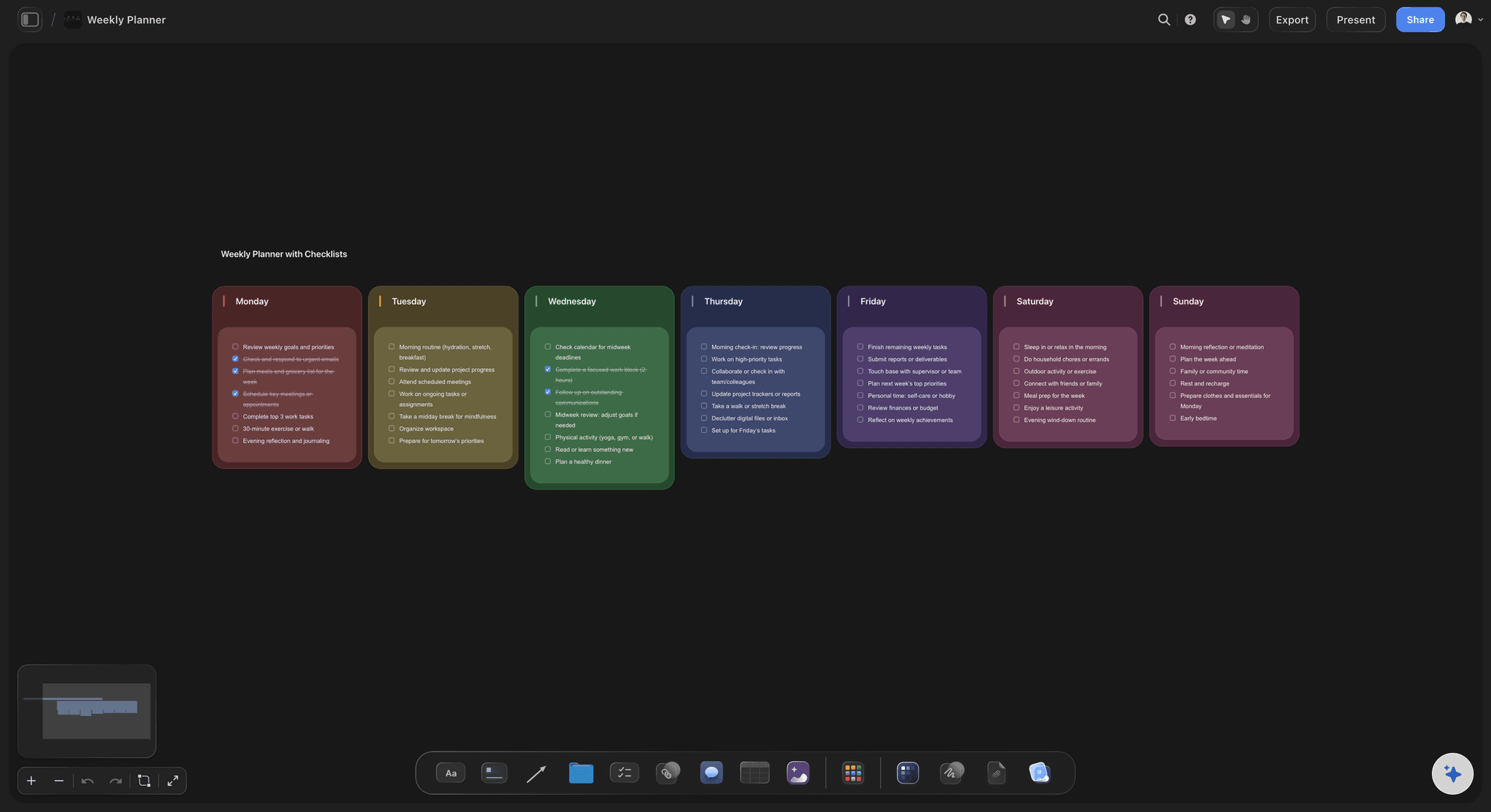
Run your week as a kanban.
Kanban is not just for teams. Set up columns for the days of the week or a simple Now, Next, Later, and drag personal tasks through them. Due dates on tickets keep deadlines honest without a separate to-do app.
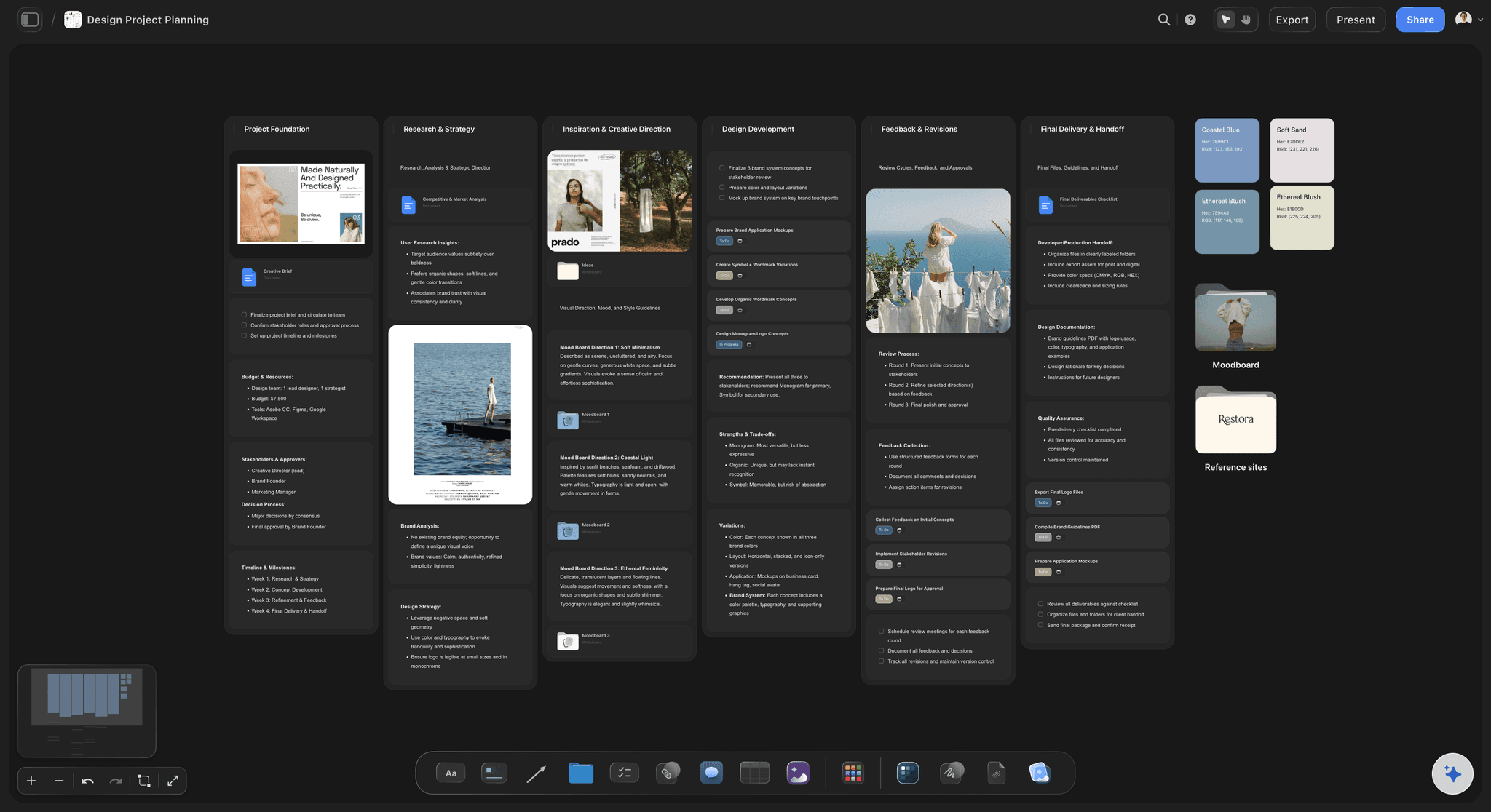
Tasks and creative work on the same canvas.
This is where a canvas beats a dedicated task app: the kanban board sits next to the moodboard, the brief, and the design references it exists to serve. Click a ticket, glance left, and the context is right there.
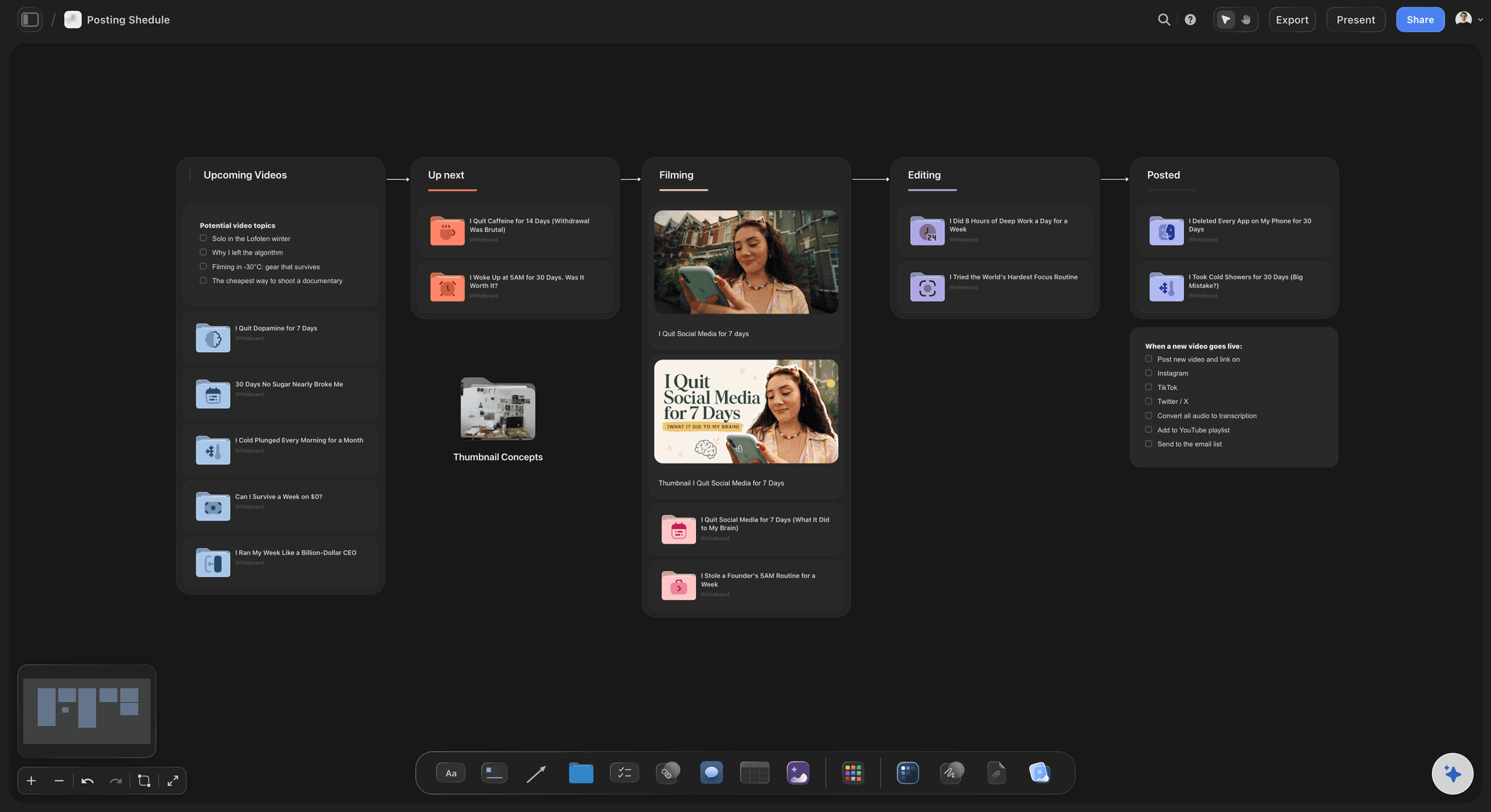
Plan recurring pipelines, not just projects.
Content calendars, posting schedules, client deliverables: any repeating pipeline maps cleanly onto columns. Labels split the board by channel or client, and due dates keep the cadence visible weeks ahead.
A kanban board that lives with its context.
Storyflow's kanban element gives you columns, drag-and-drop tickets, assignees, labels, and due dates, everything you expect from a task board. The difference is where it lives: on an infinite canvas, beside the briefs, images, notes, and moodboards the tasks are actually about. Work and context stop drifting apart.
Free kanban for teams and solo makers.
Every paid plan includes unlimited boards, an infinite canvas, AI usage, and unlimited file uploads. Run one kanban per project or a single master board, and set the columns to match how you really work rather than how a tool insists you should.
From first idea to shipped, on one canvas.
Projects rarely start as tickets. They start as brainstorms, references, and rough plans, and Storyflow keeps all of that on the same board as the kanban that executes it. Add comments to discuss a task, drop deliverables next to their tickets, and share a view-only link so stakeholders can check progress without another login.
What creators are saying
Join early creators getting structured workspaces and AI that remembers their projects
“Storyflow has sped up my workflow by at least 3x, which means more flow state and more projects I can actually ship. It truly changed the way me and my team create.”

Reilin Joey
Director & YouTuber
“One prompt gets me a structured board. But the tactics are my favorite. I run my YouTube scripts through them and my intros and retention got better. It's amazing.”

Justkay
YouTuber & Freelance Filmmaker
“I used to juggle five apps to plan a project. Now I describe what I am making and get boards, lists, and a schedule. All in one place.”

George
@fernwehchronicles
Frequently asked questions.
Columns, tickets, due dates, and sharing progress.
Sign up, create a board, and add a kanban element to the canvas. Name your columns, add tickets, and drag them between columns as work moves forward.
Not yet. Storyflow is paid-only during early access, with plans from $7.99 a month billed annually ($9.99 monthly). A free plan launches before the end of 2026, and anyone a paid member invites to a board joins free. Unlimited boards, unlimited columns and tickets, and every ticket field (assignees, labels, due dates) come with every paid plan.
Yes. Each ticket can carry an assignee, labels, and a due date, so the board shows not just what needs doing but who owns it and when it is expected.
Yes. Columns are fully yours to name and arrange: a classic To do, In progress, Done flow, weekday columns for a personal planner, or pipeline stages for content and client work.
That is the point of building it on a canvas. The board shares the same infinite canvas as your notes, briefs, images, tables, and moodboards, so tasks stay physically next to the work they describe.
Give them the view-only link. It opens in the browser without an account and always shows the live columns, so a client can check progress whenever they like instead of waiting for a status email.
Run your next project on a Storyflow kanban.
Columns, tickets, assignees, and due dates on a free infinite canvas, right next to the work itself. No credit card required.