
Ultra-fast planning, extremely simple
See the journey
your backlog is hiding.
Lay the user's journey out as a backbone of activities and steps, hang every story under the step it serves, and slice releases horizontally so each one delivers a walkable path end to end.


Creatives working for these brands already got early access
- Red Bull
- Canon
- Artlist
- Porsche
See how easy it is to get started
Watch a real project come together, from a blank board to a finished plan, clicked through step by step.
Start from a ready-made template
Pick a board to see what you can build, then let AI fill it in. Every template is a real, editable starting point on the same infinite canvas.

Mind Map
Branch one central idea out into themes and sub-points, then drag the connections around until the structure makes sense.
What is a user story mapping tool?
A user story mapping tool builds the two-dimensional map Jeff Patton described in User Story Mapping: the user's journey told left to right across the top as activities and steps, the user stories hanging in columns under the step they serve, and horizontal slices cutting across the map to mark what ships in each release. Storyflow is an AI visual workspace that builds your story map on one infinite canvas: a first map the AI lays out from a product description, releases marked as horizontal slices, and personas and research beside the map. The map is not a prettier backlog. It is a different data structure, one that keeps the story of how someone actually uses the product attached to the list of things you plan to build.
The map exists to fix what flat backlogs break. A prioritized list hides the journey: every item is ranked against every other item, so the team polishes whatever floats to the top and nobody notices that the top thirty items all live in one corner of the product. That is how teams ship a deep, lovingly built login flow and an absent checkout. Read down a backlog and you see priorities. Read across a story map and you see whether a user can get from opening the product to getting the thing they came for, and exactly where the path breaks.
Storyflow is an AI-native infinite canvas built for this kind of structure. Describe your product in a prompt and the AI lays out a first story map: a backbone of activities and steps across the top, story cards hanging beneath them, and sections you can slice into releases. Then the map is yours to manipulate. The backbone, the stories, and the release slices are cards and sections you drag, so reprioritizing means moving a card up a column and rescoping a release means moving the slice line, not rewriting a document.
A working story map holds several layers at once: the backbone (the activities and steps of the user's journey, in the order the user meets them), the stories (every piece of work, hung under the step it serves rather than floating in a ranked list), the release slices (horizontal cuts that each deliver a thin, walkable path across the whole journey), the personas (who is walking this journey and what they need from each step), and the evidence (the research, interview notes, and reference material that justify why a step exists at all). Storyflow keeps all of it visible on one canvas, which is what makes the gaps in the journey findable before a release ships around them.
Ultra fast from brief to board
From a product description to a sliced, shippable map.
No board setup, no column configuration. Describe the product and start moving cards.
01
Open a canvas
Sign up in seconds. No download. Your infinite mapping canvas opens in the browser.
02
Describe the product
Type what the product does and who it is for, and the AI lays out a first story map: the journey backbone across the top, story cards hanging under each step. You start from a draft map rather than a blank wall.
03
Slice the map into releases
Drag stories under the steps they serve, reorder the backbone until it tells the journey honestly, and cut horizontal slices so each release delivers a thin path across the whole journey instead of a deep corner of it.
04
Share it with the team and stakeholders
Invite the team to work on the same canvas, send stakeholders a view-only link that needs no account, or export the map as an image or PDF for a planning meeting.
The journey, the stories, and the slices on one canvas.
Backbone across the top, stories underneath, releases cut horizontally. Everything drags.
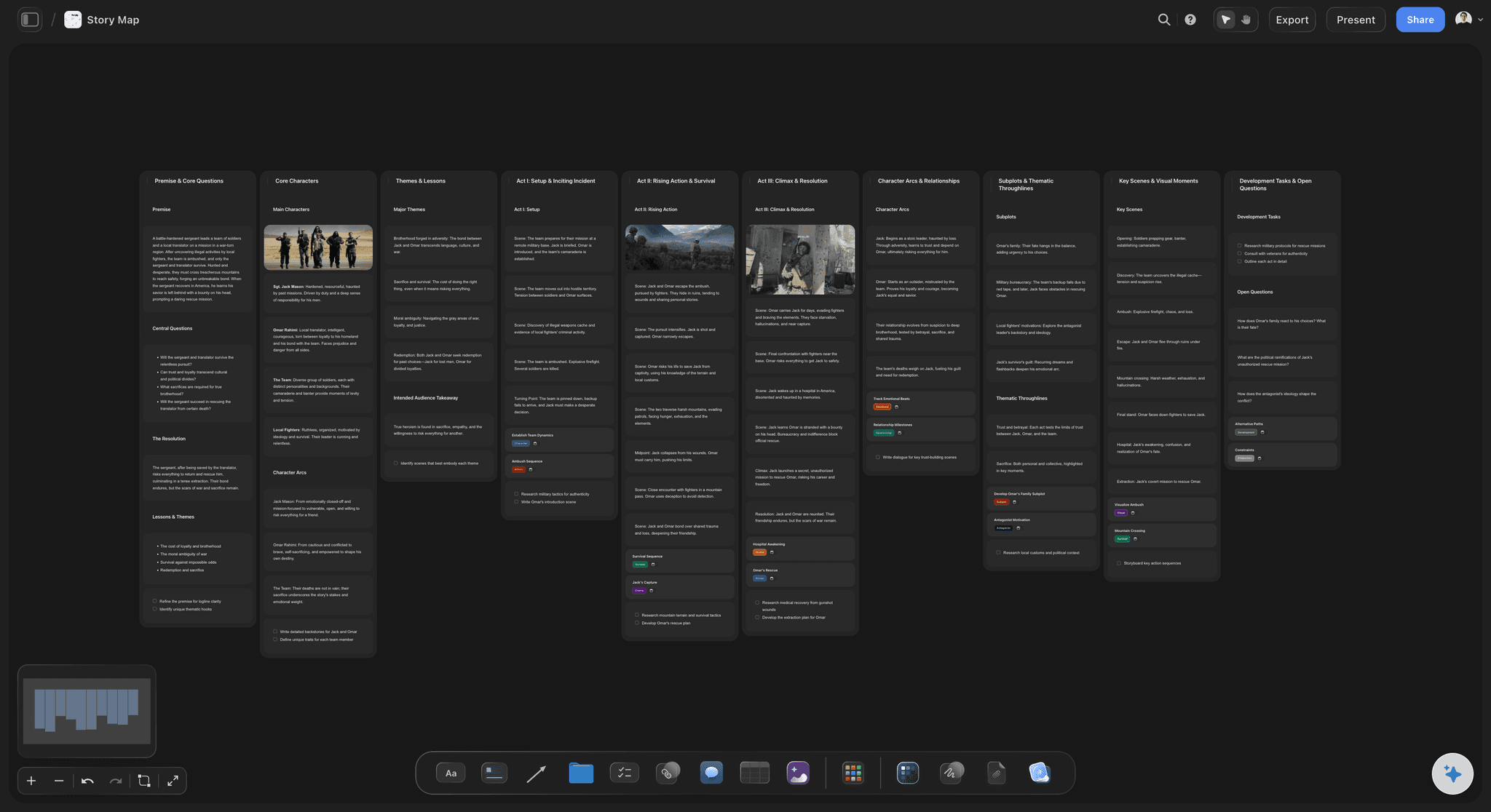
AI lays out a first map from a product description
Start from a draft map, not a blank wall
Describe the product and the AI builds the backbone and hangs draft stories under each step. A first map you correct is far faster than a workshop that starts with an empty canvas and a stack of stickies.
See the free user flow diagram tool →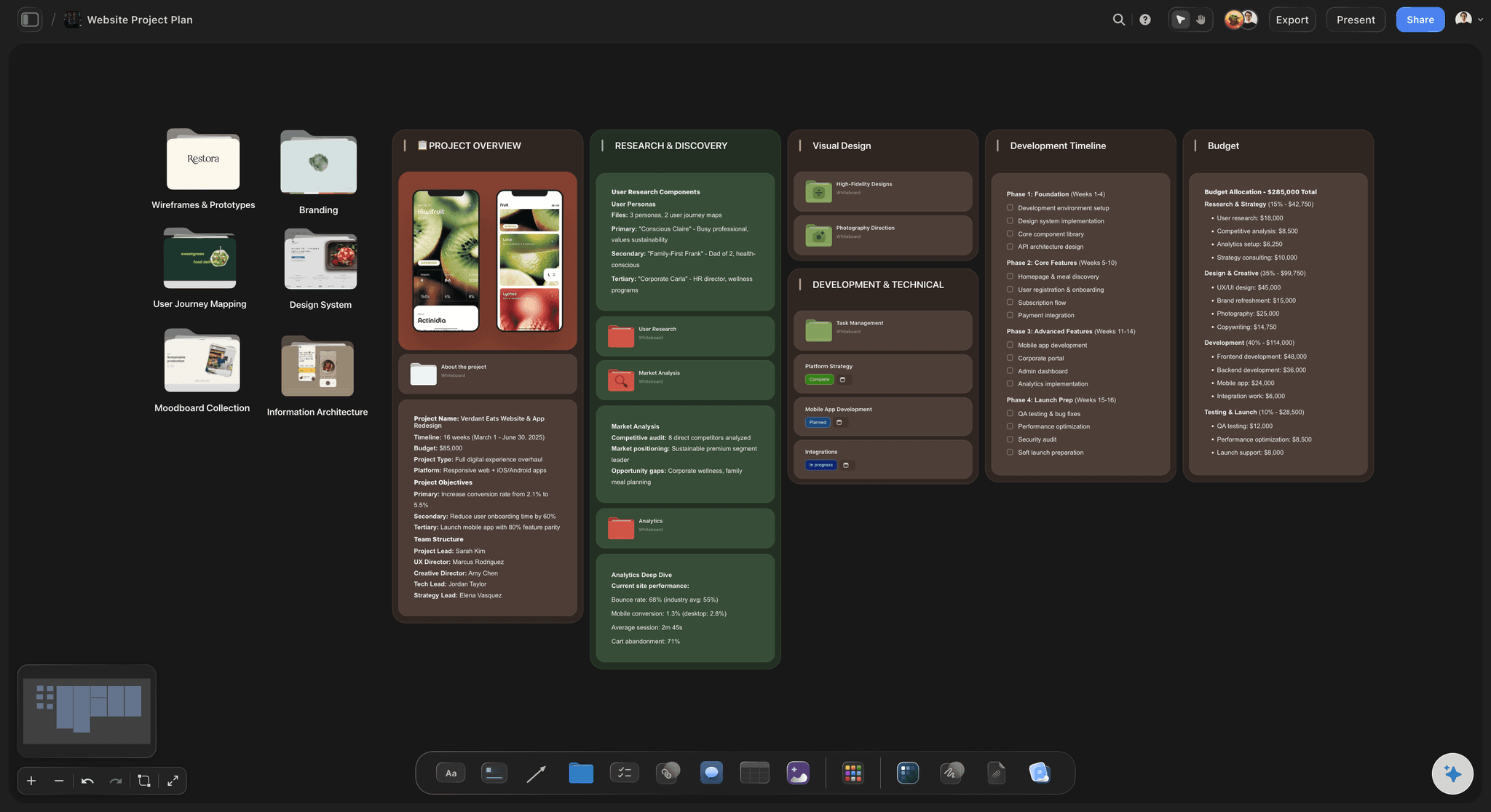
The backbone is the user's journey, told left to right
Tell the story before you rank the work
Lay out activities and steps in the order the user meets them. Reading the backbone aloud is the fastest test a product plan can take: if the journey does not make sense as a story, no amount of prioritization will save the backlog under it.
Explore the user journey map tool →
Horizontal slices turn the map into releases
Ship a thin path, not a deep corner
Cut the map horizontally and each slice becomes a release that lets a user walk the whole journey, thinly at first. It is the structural cure for shipping a polished login and an absent checkout.
Try the free kanban board →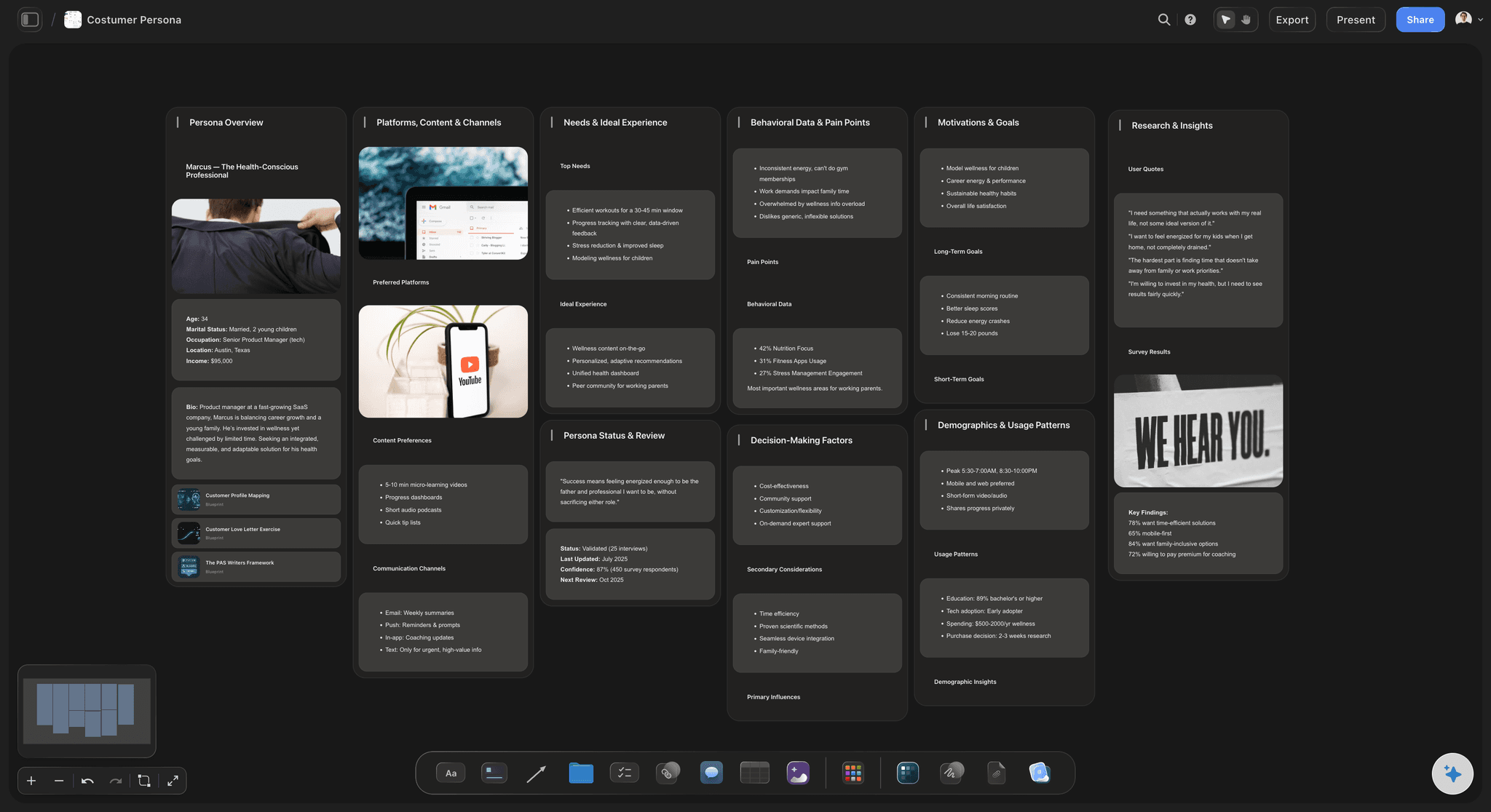
Personas and research pinned beside the steps they inform
Keep the evidence next to the plan
Pin persona cards, interview notes, and research beside the steps they justify. When someone asks why a step exists, the answer is on the board next to it rather than in a document nobody reopens.
See the empathy map tool →Unlimited boards. No object cap.
Open a canvas, describe the product, and start mapping. Storyflow is paid-only during early access, with plans from $9.99 a month, and a Free plan launches before the end of 2026.
Unlimited story maps on an infinite canvas
Basic AI usage to generate boards from prompts
Starter templates and frameworks built in
Share view-only links with stakeholders
Built for people with taste
A backlog with its journey still attached.
A ranked list can only tell you what is next. A map tells you whether the whole thing works for the person walking through it.
Backbone, stories, slices, and the gaps between them
Work across every layer of the map
The journey backbone: Lay out activities and the steps inside them left to right, in the order the user experiences them. This is Jeff Patton's core move: the top of the map is a narrative, not a category system, and it stays readable as one.
Stories under the step they serve: Every story hangs in a column under a step. A story that fits under no step is a story serving nobody's journey, which is worth knowing before a sprint gets spent on it.
Release slices: Draw horizontal slices across the map so each release is a thin, complete path from the first step to the last. Depth comes in later slices, after a user can walk the journey at all.
The empty columns: A step with nothing under it is the map doing its job: a part of the journey the backlog forgot. On a flat list that gap is invisible. On the map it is a blank column everyone can see.

AI that can see the map you have already built
Map with an AI that knows your product
Generate the first draft: Describe the product and the AI lays out a backbone and draft stories to react to. Teams are much better at correcting a wrong map than at conjuring a right one from a blank canvas.
Fill the gaps in context: Ask it to suggest stories for an empty step, break an activity into finer steps, or draft a thinner version of a slice. It uses the whole board as context, so suggestions fit the product you are actually mapping.
Iterate without losing the workshop: Re-prompt as often as you need. Cards the team has already written and placed stay exactly where they are while the AI builds around them.
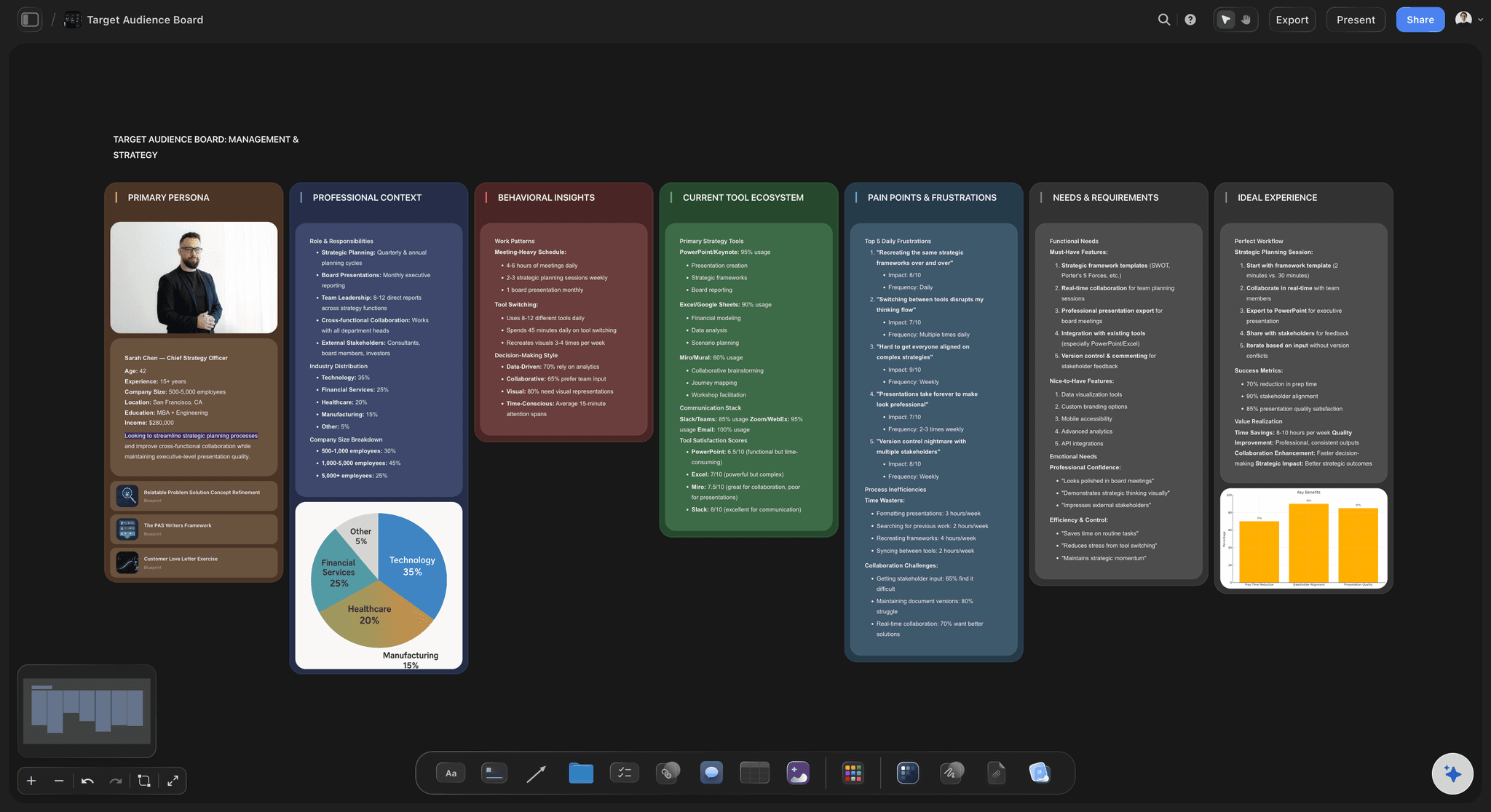
Personas, research, and evidence beside the map
Ground the map in who it is for
Personas beside the backbone: Pin persona cards next to the journey they walk. When two personas need different paths through the same product, putting both on the canvas beats arguing about an abstract average user.
Research pinned to the steps it informs: Drag in interview notes, PDFs, screenshots, and links, and place each beside the step it is evidence for. Grab frames from user session videos on YouTube or Vimeo when a moment says more than a quote.
Write-ups beside the board: Draft the release narrative or the workshop summary in the built-in document editor with the map visible next to it, instead of describing the map from memory in another tool.
One map the whole team and every stakeholder can see
Make the map the shared plan
Map together: Invite product, design, and engineering to the same canvas so the map is built by the people who will ship it. Invited collaborators join free.
View-only stakeholder links: Send executives and clients a link that opens the whole map in a browser, no account needed. A stakeholder who can see the journey and the slices asks better questions than one reading a status report.
Export for the planning meeting: Export the map as a high-quality image or PDF for a roadmap review, a workshop handout, or a wall printout, and comment directly on the board when the discussion moves online.
Explore templates for your project
Every template opens as a real, editable board on the infinite canvas. Pick the closest fit and make it your own.
Mind Map
Branch one central idea out into themes and sub-points, then drag the connections around until the structure makes sense.
One app instead of five
Storyflow vs Miro, StoriesOnBoard, and FigJam.
Each of these is genuinely good at something, and one honest note up front: Storyflow has no Jira or Azure DevOps sync and no dev-tool integrations. If two-way backlog sync is non-negotiable, StoriesOnBoard is the purpose-built choice. Here is where they differ.
Storyflow
Recommended
AI lays out a first map from a product description
AI uses the whole board as context when you re-prompt
Personas and research beside the map on one infinite canvas
Jira and Azure DevOps sync
Enterprise workshop features and huge template ecosystem
Free plan available today
Miro
AI lays out a first map from a product description
AI uses the whole board as context when you re-prompt
Personas and research beside the map on one infinite canvas
Jira and Azure DevOps sync
Enterprise workshop features and huge template ecosystem
Free plan available today
StoriesOnBoard
AI lays out a first map from a product description
AI uses the whole board as context when you re-prompt
Personas and research beside the map on one infinite canvas
Jira and Azure DevOps sync
Enterprise workshop features and huge template ecosystem
Free plan available today
FigJam
AI lays out a first map from a product description
AI uses the whole board as context when you re-prompt
Personas and research beside the map on one infinite canvas
Jira and Azure DevOps sync
Enterprise workshop features and huge template ecosystem
Free plan available today
What creators are saying
Join early creators getting structured workspaces and AI that remembers their projects
“Storyflow has sped up my workflow by at least 3x, which means more flow state and more projects I can actually ship. It truly changed the way me and my team create.”

Reilin Joey
Director & YouTuber
“One prompt gets me a structured board. But the tactics are my favorite. I run my YouTube scripts through them and my intros and retention got better. It's amazing.”

Justkay
YouTuber & Freelance Filmmaker
“I used to juggle five apps to plan a project. Now I describe what I am making and get boards, lists, and a schedule. All in one place.”

George
@fernwehchronicles
User story mapping questions, answered.
The technique, the tooling, and what Storyflow honestly does and does not do.
User story mapping is a technique Jeff Patton developed and described in his book User Story Mapping. Instead of keeping user stories in a flat, ranked backlog, you arrange them in two dimensions. Across the top runs the backbone: the user's journey told left to right as activities, broken into steps, in the order the user experiences them. Under each step hang the stories that serve it. Then you cut the map with horizontal slices, and each slice becomes a release that delivers a thin but complete path across the whole journey. The map keeps the story of how someone uses the product attached to the plan for building it, which is exactly the information a prioritized list throws away.
It depends on what the map is for. For enterprise workshops with a large template ecosystem, Miro is the established choice. For story maps that must sync two-way with Jira or Azure DevOps, StoriesOnBoard is purpose-built for exactly that. For quick collaborative flows with a free tier and a tight handoff into Figma designs, FigJam is hard to beat. Storyflow's difference is that it is AI-native: describe the product and the AI lays out a first story map with the journey backbone and draft stories, and your personas, research, and journey maps live beside the map on the same infinite canvas. If your problem is getting from a product description to a structured, sliceable map quickly, and keeping the evidence next to the plan, that is the case Storyflow is built for.
A flat backlog answers one question: what is next. It cannot answer the question that sinks products: can a user get all the way through. Because every item is ranked against every other item, the top of the list tends to cluster around whatever the team finds interesting, and the gaps in the journey stay invisible. That is how a team ships a deep, polished login flow and an absent checkout. A story map keeps the journey as the organizing structure, so an underserved step shows up as a visibly empty column and an overserved one as a tower of cards. You do not replace the backlog; you give it back the context that ranking removed.
Once the backbone and stories are in place, you draw horizontal lines across the map. Everything above the first line is release one, and the discipline is that each slice must let a user walk the entire journey, thinly. The first slice of an online store is browse one product, put it in a cart, and pay, with no reviews, no wishlists, no recommendations. Later slices add depth to steps that already work. Slicing this way forces the scoping argument the flat backlog lets you avoid: not which features are most valuable in the abstract, but what is the least we can build at every step so the whole thing works end to end.
No. Storyflow has no Jira sync, no Azure DevOps sync, and no dev-tool integrations, and it is better to know that before you commit a team's workflow to it. If you need story cards that push into sprints and pull status back automatically, StoriesOnBoard is built around exactly that sync and does it well, and Miro also connects to Jira. Teams that use Storyflow for mapping typically treat the map as the planning surface, run the mapping session and the slicing decisions on the canvas, and then create the resulting tickets in their tracker by hand, using an exported image or a view-only link to keep the map in front of the team.
Not during early access. Storyflow is paid-only right now, with plans starting at $9.99 a month, and a Free plan launches before the end of 2026. Anyone a paid member invites to a board joins free today, so your team can work on one member's map without everyone paying. If you need a free option this minute, FigJam's free tier is genuinely good for collaborative mapping, and a wall of sticky notes remains a perfectly respectable way to run your first story mapping workshop, exactly as Jeff Patton describes it.
They share a left-to-right journey but do different jobs. A user journey map is a research artifact: it describes how a user currently experiences a process, including emotions, pain points, and touchpoints, and it is usually built from interviews and observation. A user story map is a planning artifact: it uses the journey as a backbone for organizing the work you intend to build, with stories and release slices hanging off it. In practice they are stronger together, and on a canvas you can keep the journey map pinned beside the story map so the plan stays answerable to the research. Storyflow also has a dedicated user journey map page if that is the artifact you need.
Start with the journey, not the features. Get the people who understand the user in one place, physical or on a shared canvas, and tell the user's story left to right as activities and steps until the backbone reads like a narrative. Then brainstorm stories under each step, without ranking anything yet. Only when the map is full do you slice: draw the first horizontal line for the thinnest complete journey, and push everything else down. In Storyflow you can shortcut the cold start by letting the AI lay out a draft map from a product description, then spend the session correcting it as a group, which is usually faster and more honest than a blank wall.
Yes. Send a view-only link and the map opens in a browser with no signup, which matters more for story maps than for most artifacts, because the map's whole value is as a shared picture of the plan. An executive who can scroll the actual journey and see what is inside and outside the next slice asks sharper questions than one reading a summary slide. If you want stakeholders to contribute rather than just view, invite them to the board and they can add cards and comments on the canvas. You can also export the map as a high-quality image or PDF for a deck or a printed wall copy.
It drafts, and you decide. Describe the product and the AI lays out a backbone with draft stories under each step, which gives a team something concrete to correct rather than a blank canvas to fill. You can ask it to propose stories for an empty step, split an activity into finer steps, or suggest a thinner slice, and because it uses the whole board as context, the suggestions fit your product rather than a generic one. What it does not do is replace the mapping conversation. The value of a story map is the shared understanding the team builds while arguing over it, and Storyflow is built to speed that argument up, not to skip it.
Map the journey. Then slice what ships.
Open a canvas, describe your product, and let AI lay out the first story map. No download.