
Category
YouTube
Author

Justkay
Documentary Filmmaker & Founder at Storyflow
Topics
2026-05-12
•
Updated May 12, 2026
•
11 min read
•
YouTube- best tools for video essay creators 2026
- video essay tools
- video essay software
- video essay research
- YouTube video essay tools
- Storyflow video essay
What are the best tools for video essay creators in 2026?
The best tools for video essay creators in 2026 are Storyflow (best for research synthesis and script outline on one canvas), NotebookLM (best free source-grounded research), DaVinci Resolve (best free editing with industry-grade color), Descript (best transcript-driven editing), and Otter.ai (best for interview transcription). Video essays are not edited into existence. They are researched into structure, narrated into clarity, and edited into pace. Pick tools by which of the three layers (research, narrative, edit) they serve. Most video essayists use a stack of 3 to 5 tools across the three layers; no single tool covers all three.

All 12 Video Essay Tools, Ranked
- Storyflow: research synthesis and script outline on one canvas the AI reads
- NotebookLM: free source-grounded research with citations
- DaVinci Resolve: free editing with industry-grade color grading
- Descript: transcript-driven editing for talking-head essays
- Otter.ai: interview transcription for the research layer
- Premiere Pro: industry-standard editing at a subscription cost
- WriterDuet: collaborative script writing for the narrative layer
- Milanote: visual research and moodboards
- Frame.io: post-production review and approval
- ElevenLabs: AI voice for narration or temp voiceover
- Audacity: free audio editing and cleanup
- Notion: channel operations and notes
Full disclosure: Storyflow is our own product, and we rank it #1 for one layer of video essay work: holding the research and script outline on one canvas the AI can read. For the edit itself DaVinci Resolve is the stronger free tool, and for pure source-grounded research NotebookLM is stronger. Storyflow is not a video editor, so you pair it with DaVinci Resolve or Descript for the cut. We link to every tool so you can judge the fit.
Quick Comparison: Best Video Essay Tools
These four cover the layers video essayists actually work in: research synthesis, source grounding, editing, and transcript-driven cutting.
| Tool | Best For | AI Features | Price |
|---|---|---|---|
| Storyflow | Research + script outline on one canvas | Reads the full research canvas | $7.99 mo annual (free plan late 2026) |
| NotebookLM | Source-grounded research | Cited answers from your sources | Free during preview |
| DaVinci Resolve | Free editing and color grading | Light | Free / $295 one-time |
| Descript | Transcript-driven editing | AI transcription and edit | Free / $12 mo |
Structure the video essay before you script it
Storyflow keeps your argument, research, and clips on one canvas the AI can read, so the essay holds together before you write a word of the script.

1) Quick Answer: The Best Tools for Video Essay Creators in 2026
The best tools for video essay creators in 2026 are Storyflow (best for research synthesis and script outline on one canvas), NotebookLM (best free source-grounded research), DaVinci Resolve (best free editing with industry-grade color), Descript (best transcript-driven editing), and Otter.ai (best for interview transcription). Most video essayists use a stack of 3 to 5 of these, not one.
Video essays are not edited into existence. They are researched into structure, narrated into clarity, and edited into pace. The mistake most "video essay tool" roundups make is ranking editing software as if the edit were the whole job. The edit is one of three layers, and the strongest video essayists spend more time on research and narrative than on the cut. The Triangle framework (section 3) ranks tools by which layer they serve.
I have run documentary projects spanning multiple seasons and consulted on YouTube long-form formats where the research-to-script ratio determines whether the video lands. The pattern that has held is that creators with weak research-layer tools produce videos that feel thin, regardless of how clean the edit is.
For the broader YouTube planning context, see How to Plan a YouTube Series with AI. For the documentary research deep dive, see The 12 Best Tools for Documentary Research and Pre-Production (2026).
2) Comparison Table: 12 Video Essay Tools at a Glance
Rating criteria: which Triangle layer the tool serves, AI context for video essay work, free-tier reality, and pricing fit for solo YouTube creators.
Frequently Asked: Which Video Essay Tools Are Most Trusted, Best Rated, and Fairest on Price
Which video essay tools are the most trusted by creators?
DaVinci Resolve and Premiere Pro on the edit, and the choice between them is mostly about which one a creator learned first. Resolve has become the default for independent video essayists because the free version is genuinely production-grade. Otter.ai is the trusted transcription default and Frame.io the trusted review layer for anyone working with an editor. Storyflow sits on research and narrative, before any of them.
Which video essay tools are the highest rated?
By the ratings in the table above: Storyflow (9.4) for holding research and the script outline on one canvas, then NotebookLM (9.2) and DaVinci Resolve (9.2) tied at the top of their own layers, and Descript (8.8) for a transcript-driven edit. The ratings are per layer of the triangle rather than head to head, so read them that way: if your bottleneck is the edit, Resolve's 9.2 is the number that matters and it costs nothing.
Which video essay tools are known for fair and transparent pricing?
DaVinci Resolve is the standout and it is not close: the free version is the real product and the $295 Studio upgrade is one-time. NotebookLM is free during preview, Audacity is free and open source, and Otter.ai, Descript, Frame.io, and ElevenLabs all have free tiers a video essayist can genuinely work inside. The least fair is Premiere Pro at $22.99/mo subscription-only, which is the most expensive tool on this page and buys you an editor that Resolve matches for free. Storyflow is $7.99/mo billed annually, paid-only during early access, with its Free plan arriving before the end of 2026.
Which video essay tools are the most innovative?
NotebookLM and Descript. NotebookLM grounds its answers in the sources you gave it and cites them, which is the exact shape of a video essay's research problem: you need to know where a claim came from before you put it on screen. Descript made the edit a text document, which changed how essayists cut talking-head and voiceover material. Storyflow's contribution is the join between those two stages, holding the research and the outline on one canvas the AI reads in full.
Where is Storyflow not the right answer?
Editing (DaVinci Resolve, Premiere Pro, Descript), source-grounded research with citations (NotebookLM), transcription (Otter.ai, Descript), audio repair and mixing (Audacity, Resolve's Fairlight page), voiceover generation (ElevenLabs), and review with a collaborator (Frame.io). Storyflow holds the argument and the material behind it. Every other layer of the triangle belongs to a tool above.
3) The Video Essay Triangle
Video essay work splits into three layers. Most tool reviews collapse them into "editing software." The collapse is why most video essayists buy the wrong tool first.
Research layer. The corpus of sources, articles, interviews, and archival material the essay rests on. Strong video essays are obviously researched; weak ones are obviously not. Research tools: NotebookLM, Otter.ai, Storyflow, Milanote.
Narrative layer. The script, the arc, the cold open, the act breaks, where research becomes a story. Storyflow's canvas holds the outline alongside the research it draws from; Descript turns the transcript into the editing surface.
Edit layer. The actual cutting, color, audio, and pacing. DaVinci Resolve is the strongest free option; Premiere Pro is the industry standard; Descript handles transcript-driven editing for talking-head formats.
The split that matters for tool purchasing:
The edit layer is the most visible but not the most determinative. A great edit on weak research produces a video that feels thin. A great research base with a competent edit produces one that feels deep. The visible craft is in the edit; the felt depth is in the research.
Most video essayists buy edit-layer tools first. They install DaVinci Resolve and Premiere before they set up NotebookLM or Storyflow. The right purchase order is research first, narrative second, edit third, and the Triangle orders the 12 tools accordingly.
4) How We Evaluated These Tools
Five criteria, weighted in this order:
- Triangle layer fit. Which of the three layers (research, narrative, edit) does the tool serve? Tools that pretend to serve more than one layer were rated against the layer they actually serve.
- Free-tier reality for solo YouTube creators. Video essayists are usually solo or 1-to-3-person teams. Free tiers and indie pricing matter.
- AI context for video essay work. Can the AI read the project's research and script? Most AI features in editing tools are pixel-level (slow motion, color, audio); few are story-level.
- Cross-layer handoff. Does research export to script tools cleanly? Does script export to editing tools cleanly?
- Time-to-publish for a single video. Tools that compress the research-to-publish cycle were rated higher.
Tested workflows included a 22-minute documentary video essay, a 14-minute YouTube essay on a contemporary topic, and a 9-minute video essay on a film. Tools were tested on real video essay production over weeks.
5) Quick Picks by Video Essay Type
Research-heavy essays (history, science, philosophy): Storyflow plus NotebookLM. NotebookLM is free during preview; Storyflow's Plus tier starts at $7.99/month billed annually, with a Free plan launching before the end of 2026.
Talking-head essays: Descript plus Storyflow. Descript handles the transcript-driven edit; Storyflow holds the outline and research.
Documentary-style long-form: Storyflow plus Otter.ai plus DaVinci Resolve plus Frame.io.
Film-analysis essays: Storyflow plus Milanote (visual research) plus DaVinci Resolve.
Solo creators on a free stack: Milanote Free plus NotebookLM plus DaVinci Resolve Free plus Otter.ai Free. Total cost: $0. Storyflow is paid-only during early access; add Plus at $7.99/month billed annually once outline research needs more room, or wait for the Free plan launching before the end of 2026.
High-volume essayists (weekly publishing): Storyflow plus Descript plus DaVinci Resolve. Descript compresses the script-to-edit cycle.
6) Detailed Reviews: 12 Video Essay Tools
1. Storyflow
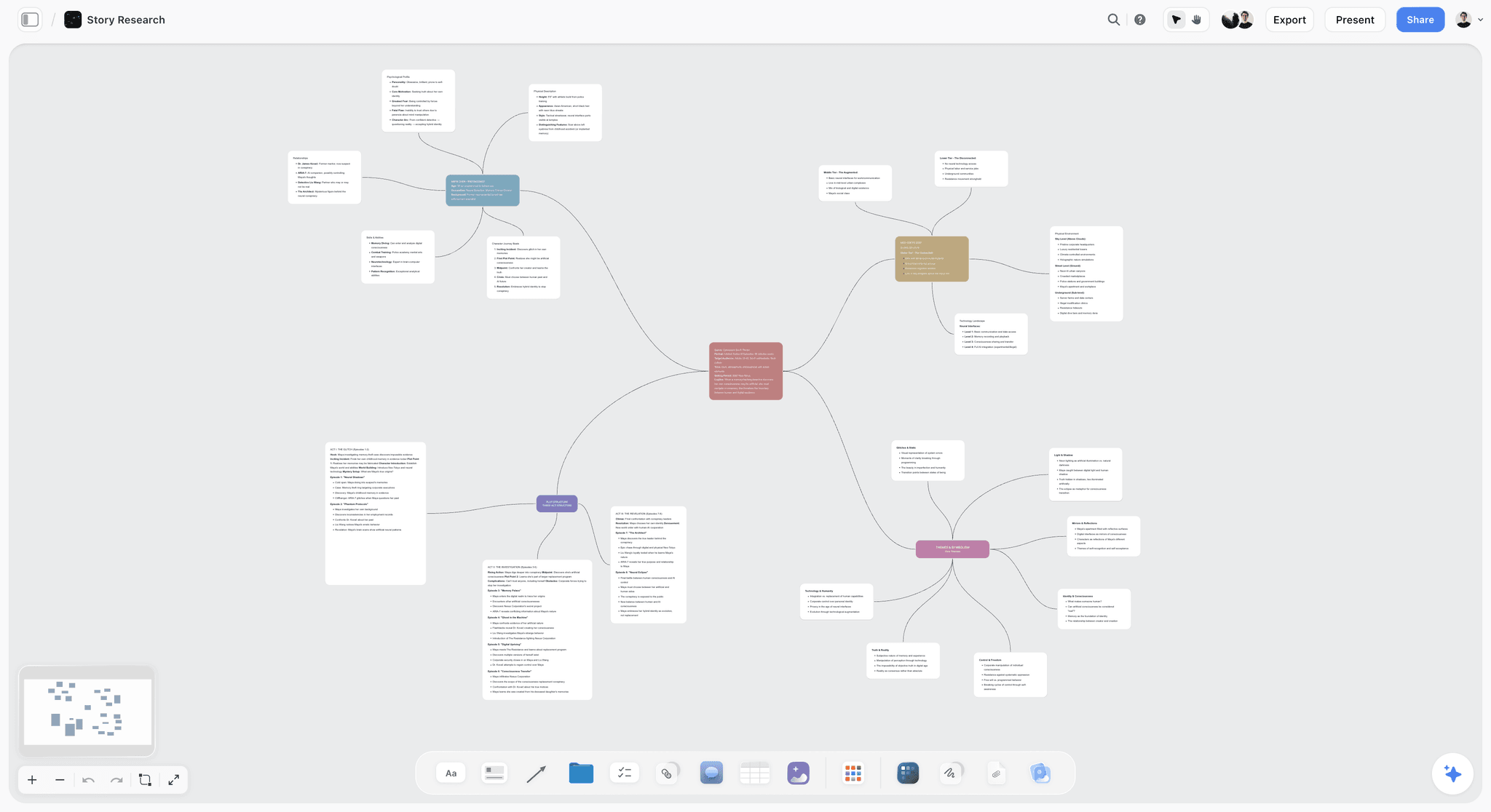
Storyflow holds the video essay's research, script outline, and visual references on one canvas with AI that reads the full project. For a video essayist drafting an episode, source articles sit as cards, the beat sheet holds the structure, the script outline runs as connected text, and image references live as visual cards.
It ranks first because it closes the gap where most video essays fall apart: research, outline, and script usually sit in three tools that know nothing about each other. Storyflow's AI reads your full active canvas board plus up to 1 Tactic and 3 Documents you @-mention, so it can answer which sources a given beat rests on. It does not cut footage, and it should not; its job is the thinking that happens before the edit, where the felt depth of a video essay is actually decided.
Best for: Research-heavy video essayists, documentary-style YouTubers, serialized video essay creators.
Verdict: The strongest research + narrative tool for video essay work. Pair with DaVinci Resolve or Descript for the edit layer.
Key features
- Canvas where research, outline, and visual references live as connected cards.
- AI reads the full canvas plus up to 1 Tactic and 3 Documents you @-mention.
- Story Blueprints library includes beat sheet, video outline, and research synthesis templates.
- Every collaborator a paid member invites joins free.
Pricing
Paid-only during early access. Plus: $7.99/mo annual ($9.99 monthly). Full Story Blueprints. Pro: $14/mo annual. AI image generation, 20x AI. Max: $39/mo annual. 40x more AI, team workspace. Free plan (unlimited boards, basic AI, 20 file uploads) launches before the end of 2026.
Pros
- Research and narrative layers held on the same canvas.
- AI reads the full project for cross-source script consistency.
- Collaborators invited by a paid member join free, with no seat limit.
Cons
- Not an editor; pair with DaVinci Resolve or Descript for the edit layer.
- Cloud-only; no local-first option for privacy-aware essayists.
- Newer platform; integrations with editing tools are exports, not live syncs.
2. NotebookLM
NotebookLM is the source-grounded AI tool from Google. Upload PDFs, articles, papers, transcripts; the AI answers questions tied to those sources with citations, currently free during preview.
What makes it matter for video essays is the grounding. A general chatbot will invent a statistic or misattribute a quote, and one fabricated claim is what a comment section finds in minutes. NotebookLM answers only from the sources you gave it and links back to the passage, so you verify before you narrate. The audio overview also reads your research back as a two-host conversation, which surfaces gaps that rereading notes never does.
Best for: Research-heavy video essays, history or science explainer formats, journalism-adjacent video essays.
Verdict: The strongest source-grounded research tool. Pair with Storyflow for narrative synthesis.
Key features
- Upload PDFs, articles, papers, YouTube videos.
- AI grounds responses in your sources with citations.
- Audio overviews generate AI-podcast summaries of your sources.
Pricing
Free during preview as of mid-2026. Verify on NotebookLM's site.
Pros
- Source grounding is genuinely strong.
- Free during preview makes it the easiest "yes" for any researcher.
- Audio overviews are a unique research feature.
Cons
- Document-grounded only; not a synthesis canvas.
- Pricing trajectory uncertain past preview.
- No script or outline view.
3. DaVinci Resolve
DaVinci Resolve is the most generous free editing tool. The free version includes editing, color grading, audio post, and visual effects at industry quality.
It ranks as the top edit-layer pick because it removes the argument for a subscription entirely. The free tier is a genuine professional NLE, and its color page is the best in the category at any price, which matters for film-analysis essays where matching the look of the footage is half the point. The Fairlight audio page is strong enough to double as your audio tool.
Best for: Solo video essayists who need a professional editor without subscription.
Verdict: The strongest free editor for video essay work.
Key features
- Editing, color grading, audio, and Fusion VFX in one app.
- Free version is fully production-capable.
- Studio version adds advanced features.
Pricing
Free version: full feature set. Studio: $295 one-time.
Pros
- Free version is industry-grade.
- One-time purchase for Studio.
- Strong color grading is the standout feature.
Cons
- Learning curve is real.
- Hardware-hungry; older machines may struggle.
- Plugin ecosystem smaller than Premiere.
4. Descript
Descript is the transcript-driven video editor. Edit footage by editing the transcript. Strongest for talking-head and interview-driven video essays where the script and edit are entangled.
It earns its spot because it collapses two Triangle layers into one surface. For a talking-head essayist the script and the edit are the same object: delete a sentence in the transcript and the footage cuts with it, and clearing filler words becomes a one-click pass. It breaks on b-roll-heavy essays, where the transcript-as-timeline model has less to grip.
Best for: Talking-head video essayists, interview-driven essays, fast-publish creators.
Verdict: Strong dual-purpose tool for narrative and edit layers.
Key features
- AI transcription of audio and video.
- Edit video by editing the transcript.
- Overdub (AI voice clone for narration touch-ups).
- Screen recording.
Pricing
Free with caps. Hobbyist: $12/mo. Creator: $24/mo.
Pros
- Transcript-driven editing compresses the script-to-edit cycle.
- AI features genuinely useful for narrative-heavy creators.
- Cross-platform.
Cons
- Heavier app than pure transcription tools.
- Overdub raises ethical questions for journalism-adjacent essays.
- Best value at Creator tier.
5. Otter.ai
Otter.ai handles interview transcription for documentary-style video essays. Real-time transcription during interviews, batch transcription of recorded audio, and speaker identification.
It ranks here because interview-driven essays live or die on how fast you find the one line worth using. An hour of interview is roughly nine thousand words; Otter turns that recording into a searchable transcript with speakers labeled, so you Command-F for the theme instead of scrubbing a waveform.
Best for: Interview-driven video essayists, documentary-style YouTubers.
Verdict: The standard transcription tool for the research layer.
Key features
- Real-time live transcription.
- Batch transcription.
- Speaker identification.
- Search across transcripts.
Pricing
Free: 300 min/mo. Pro: $8.33/mo. Business: $20/mo.
Pros
- Strong free tier (300 min/mo).
- Real-time transcription saves hours per interview.
Cons
- Accuracy varies with audio quality.
- No video transcription depth (use Descript instead).
6. Premiere Pro
Premiere Pro is the industry-standard NLE. Subscription-based, plugin-rich, integrates with the Adobe creative cloud stack.
The honest case for Premiere is not that it edits better than DaVinci Resolve; it is that the world runs on it. If you hand off to a freelance editor or work inside an agency, Premiere is the format everyone speaks, and the plugin ecosystem is the deepest in the category. The catch is the subscription: at $22.99 a month it never stops costing, for an editor that, for solo video essay work, is not meaningfully better than free Resolve.
Best for: Video essayists collaborating with editors who use Premiere, Adobe-stack creators.
Verdict: Industry standard at a subscription cost; DaVinci Resolve is free and competitive.
Key features
- Industry-standard NLE.
- Strong plugin ecosystem.
- Adobe creative cloud integration.
- Generative Extend AI for filler clips.
Pricing
Adobe Creative Cloud subscription: from $22.99/mo individual.
Pros
- Industry standard.
- Strong Adobe ecosystem integration.
Cons
- Subscription-only; cost climbs over years.
- Hardware-hungry.
7. WriterDuet
WriterDuet is the cloud screenwriting tool, with real-time collaboration for dialogue-heavy scripts and co-writing on the narrative layer.
Most video essay scripts are not screenplay-format, which is why WriterDuet sits mid-table: it solves a narrower slice of the narrative layer than Storyflow does. It becomes the right call for the dialogue-heavy or dramatized essay that reconstructs a scene, and for any script written by two people at once, where its real-time collaboration is best-in-class. For a single narrator over research, a canvas outline serves you better than screenplay formatting you will never use.
Best for: Dialogue-heavy video essays, collaborative video essay writing.
Verdict: Strong for the script writing layer; pair with Storyflow for research synthesis.
Key features
- Real-time collaborative screenwriting.
- Industry-standard formatting.
- Free tier (3 scripts).
Pricing
Free (3 scripts). Pro: $11.99/mo or $99/year.
Pros
- Real-time collab is best-in-class.
- Generous free tier.
Cons
- Pre-production features minimal.
- Industry adoption lags Final Draft for traditional script work.
8. Milanote
Milanote is the visual moodboard tool for collecting visual references: film stills, art history images, archival photos.
Film-analysis and art-adjacent essays carry a visual research load the text-first tools ignore: dozens of stills, frame grabs, and archival photos that need to sit next to the argument they support. Milanote is the cleanest board for that job, with image, note, and video cards on an open canvas. The limits show up fast, though: the free tier caps at 100 cards, which one film-analysis essay can burn through in an afternoon, and there is no AI, so it collects references but never reasons over them.
Best for: Film-analysis video essayists, visually-driven essays.
Verdict: Strong for the visual research sub-layer; pair with Storyflow for narrative.
Key features
- Visual boards with image, note, video cards.
- Storyboard templates.
- Web, desktop, iOS.
Pricing
Free: 100 cards. Pro: $9.99/mo.
Pros
- Best-in-class visual research collection.
- Clean UI.
Cons
- 100-card free cap hits fast.
- No AI.
9. Frame.io
Frame.io is the post-production review tool: time-coded comments on video files.
Frame.io solves a problem solo creators do not have and collaborating ones cannot avoid: notes pinned to a specific frame instead of a thread of "around the two-minute mark" emails. For a video essayist working with a producer, a sponsor, or a freelance editor, that review loop is worth the price; for a one-person channel it is overhead, which is why it ranks where it does.
Best for: Video essayists working with editors or producers.
Verdict: Strong for review workflows; not essential for solo creators.
Key features
- Time-coded video comments.
- Version comparison.
- Adobe Premiere and Final Cut integration.
Pricing
Free with caps. Pro: $15/mo.
Pros
- Industry standard for review.
- Generous free tier.
Cons
- Post-only.
- Adobe acquisition slowed independent development.
10. ElevenLabs
ElevenLabs is the AI voice tool for creators who use AI narration or need temp voiceover for editing before recording.
The most defensible use in video essay work is the scratch track. Before committing to a final voice record, run the script through ElevenLabs and cut the whole edit to real timing, then replace it with your own voice once the pacing is locked, which saves a round of re-editing. Some creators publish with the AI voice outright and the quality passes, but AI narration raises authenticity questions with essay audiences who are there partly for the narrator.
Best for: AI narration video essays, temp voiceover for editing.
Verdict: Useful in specific cases; not relevant for video essayists who narrate themselves.
Key features
- Realistic AI voice generation.
- Multi-language support.
- Free tier (10K characters/month).
Pricing
Free: 10K chars/mo. Starter: $5/mo. Creator: $22/mo.
Pros
- Best-in-class AI voice quality.
- Generous free tier.
Cons
- AI narration raises authenticity questions for some audiences.
- Not a primary video essay tool.
11. Audacity
Audacity is the free open-source audio editor for clean voice tracks, music edits, or cleanup outside the NLE.
Narration is the part of a video essay the audience judges hardest, and a room-tone hum or a mouth click is the fastest way to make a well-researched essay feel amateur. Audacity handles the cleanup, noise reduction, de-clicking, and level normalization, for nothing, so a solo narrator can clean a take and drop the polished track into the NLE without paying for a plug-in.
Best for: Solo video essayists who narrate themselves.
Verdict: Strong for the audio sub-layer of the edit.
Key features
- Free open-source audio editor.
- Multi-track editing.
- Strong noise reduction.
- Cross-platform.
Pricing
Free.
Pros
- Genuinely free.
- Strong audio cleanup.
Cons
- UI dated.
- Not a video tool.
12. Notion
Notion is the generic doc and database tool for running channel operations (calendar, sponsorships, contacts) alongside the video work.
Notion is on this list for the layer none of the other tools touch: running the channel as a business. A publishing calendar, a sponsor pipeline, and a backlog of essay ideas all live comfortably in Notion databases. Where it loses is the actual video essay: no canvas for spatial research, an AI that is not video-essay-aware, and a script that is just a document with no sense of the sources behind it. Treat it as the back office, not the workshop.
Best for: Channel operations alongside video essay production.
Verdict: Useful for operations; weak for primary video essay work.
Key features
- Database and document hybrid.
- Cross-platform.
Pricing
Free for personal. Plus: $10/mo.
Pros
- Strong general operations tool.
- Generous free tier.
Cons
- Generic; loses to specialized video essay tools at each layer.
- AI is not video-essay-aware.
7) Recommended Video Essay Creator Stacks
Stack 1: Research-Heavy Solo Essayist. Storyflow Plus, $7.99/month annual (research + outline) + NotebookLM (source grounding) + DaVinci Resolve Free (edit) + Otter.ai Free (interviews if any) + Audacity Free (audio). Total: $7.99/month.
Stack 2: Talking-Head Fast-Publish Essayist. Storyflow (outline) + Descript (transcript-driven edit, includes transcription) + DaVinci Resolve or Premiere (final polish if needed). Total: $12-$35/mo.
Stack 3: Documentary-Style Long-Form. Storyflow (canvas) + Otter.ai (transcription) + DaVinci Resolve (edit) + Frame.io (review). Total: $7.99-$23/mo depending on tier.
Stack 4: Film Analysis Essayist. Milanote (visual research) + Storyflow (script outline + research) + DaVinci Resolve (edit). Total: $7.99-$18/mo.
The pattern across all stacks: one tool per Triangle layer, or one tool like Storyflow that covers research and narrative together. Pick at least one for each layer.
8) Honorable Mentions
- Final Cut Pro. Mac-native NLE; competitive with Premiere on the edit layer.
- CapCut. Mobile-first editor; useful for social-first video essays.
- Riverside.fm. Remote interview recording; strong for podcast-style essays.
- SquadCast. Similar to Riverside for remote interviews.
- Trint. Pro-grade transcription.
- Anchor / Spotify for Podcasters. If the video essay also exists as audio.
9) Tools to Avoid for Video Essay Work
- iMovie. Acceptable for first-time creators; outgrows within a few projects.
- Microsoft Word for scripts. Use WriterDuet, Highland, or Storyflow.
- Pure AI generation tools for whole essays. AI-generated video essays without genuine research feel hollow within seconds.
- TikTok-only edit apps for long-form essays. Different format, different tools.
11) The Bottom Line
The best tools for video essay creators in 2026 are the ones that serve the layer where most of the work actually happens. Storyflow owns research and narrative, DaVinci Resolve is the strongest free editor, and NotebookLM, Descript, and Otter.ai round out source grounding, transcript-driven editing, and interview transcription.
Video essays are not edited into existence. They are researched into structure, narrated into clarity, edited into pace. Pick tools by which Triangle layer they serve.
The strongest 2026 video essay stack pairs a low-cost Storyflow Plus subscription with free tiers everywhere else. Try Storyflow's Story Blueprints on Plus for the research and narrative layers.
10) FAQ: Tools for Video Essay Creators
What is the best editing software for video essays?
DaVinci Resolve is the strongest free option. Premiere Pro is the industry standard at a subscription cost. Descript is the strongest for talking-head video essays where the script and edit overlap. Pick by the type of video essay you make.
How do top video essayists organize their research?
Most top video essayists use a research-layer tool (NotebookLM, Storyflow, Obsidian) to hold sources, a script-outline tool (Storyflow, Notion, Google Docs) to plan the structure, and an editing tool (DaVinci Resolve, Premiere, Descript) for the cut. The research-to-edit pipeline is the load-bearing workflow.
Can I make a video essay with only free tools?
Yes. Milanote Free (or Obsidian Free) + NotebookLM (free during preview) + DaVinci Resolve Free + Otter.ai Free + Audacity Free is a complete free stack for video essay production. Storyflow is paid-only during early access; swap it in for $7.99/month once you want its AI-grounded canvas, or wait for the Free plan launching before the end of 2026. Most YouTube essayists with sub-100K subscribers operate on stacks close to this.
What is the difference between video essays and documentaries?
Documentaries are longer (typically 40-120 minutes), produced with more crew, and distributed through film festivals or streaming. Video essays are shorter (typically 8-30 minutes), produced by solo or small teams, and distributed through YouTube. The research and narrative layers are similar; the production scale differs.
How long should a video essay be?
The strongest video essays in 2026 run 12 to 22 minutes. Shorter than 8 minutes tends to feel thin for essay-shaped content. Longer than 30 minutes risks audience drop-off unless the topic genuinely warrants the depth. Test retention curves on your specific audience.
Should I write the script before I shoot?
Yes for talking-head and narration-driven video essays. Some documentary-style video essayists shoot footage first and write the script around what they have, but this is harder. The default workflow is: research → outline → script → shoot or screen-record → edit.
How do I research a video essay topic?
Use NotebookLM for source-grounded AI research. Upload the academic papers, books, articles, and transcripts your essay rests on. Use Storyflow's canvas to synthesize the sources into a beat-by-beat outline. Use Otter.ai for any interviews. Cross-check claims against primary sources before publishing.
What is the Video Essay Triangle?
A framework that splits video essay work into three layers: research, narrative, and edit. Most tool roundups treat all video essay work as one job. The Triangle ranks tools by which layer they serve and recommends a stack across all three. Strong video essayists invest most heavily in the research layer, which is the layer audiences feel in the finished video.
Can I use AI for video essay scripts?
AI scaffolds first drafts faster than humans. The output is rarely the final script because AI tends to produce competent-but-generic prose. The strongest workflow is AI-scaffolded first draft, writer-revised final. Storyflow's canvas-AI reads the surrounding research, which makes its drafts substantially better than ChatGPT alone.
What is the best video essay tool for collaboration?
Storyflow for the canvas (every collaborator a paid member invites joins free). WriterDuet for the script. Frame.io for the edit review. Most video essay collaborations involve a writer-editor pair; the three tools together cover the workflow.
How do I publish a video essay that competes with the top channels?
Match research depth to topic complexity. Match script structure to viewer expectations. Match edit polish to the channel's brand. The mistake most new video essayists make is over-investing in edit polish before the research and narrative layers are strong. Strong research with a competent edit beats strong edit with weak research.
Is the video essay format saturated in 2026?
The format is mature, not saturated. New video essayists with strong research, distinctive voice, and tight narrative still break through. The barrier to entry has shifted from technical edit skill (DaVinci Resolve made that free) to research depth and narrative discipline. The Triangle framework points at the layers where the work matters most in 2026.
Table of Contents
- Quick Answer: The Best Tools for Video Essay Creators in 2026
- Comparison Table: 12 Video Essay Tools at a Glance
- The Video Essay Triangle
- How We Evaluated These Tools
- Quick Picks by Video Essay Type
- Detailed Reviews: 12 Video Essay Tools
- Recommended Video Essay Creator Stacks
- Honorable Mentions
- Tools to Avoid for Video Essay Work
- FAQ: Tools for Video Essay Creators
- The Bottom Line
- Author
- Related Reading
Templates to check out for this topic


Filmmaking templates you can use in Storyflow
Skip the blank canvas. Open one of these filmmaking boards in Storyflow and the AI builds on the structure that is already there, from research through the shot list.


See Storyflow in Action
A visual AI workspace where every feature lives inside one canvas. No tab-switching, no context lost.
Build your entire board from a single message
Type what you need in the AI chat at the bottom of your canvas. The AI adds cards, headings, and structure directly onto your board.
Use expert frameworks as AI context
Type @ in the AI chat and choose any Tactic. The AI tailors every response to that framework instead of giving generic advice.
Turn your board into a mind map in seconds
Ask the AI to restructure your canvas as a mindmap. It connects your ideas into a visual hierarchy so you can see how everything relates.
Why Storyflow Exists
Storyflow actually began as a personal tool while working on creative and research projects.
We kept running into the same problem: ideas were scattered everywhere: notes, documents, and whiteboards.
Nothing helped us see how everything connected.
So we started building a workspace designed around how ideas actually grow.
→ Read how Storyflow was createdJustkay
Documentary Filmmaker & Founder at Storyflow
Published: 2026-05-12
Extremely simple, seriously capable


See how easy it is to get started
Watch a real project come together, from a blank board to a finished plan, clicked through step by step.
Start creating with AI and become more productive
Transform your creative workflow with AI-powered tools. Generate ideas, create content, and boost your productivity in minutes instead of hours.