How to Organize Your Video Ideas and Scripts (The 2026 System)
A system to organize video ideas and scripts in one place: capture every idea, sort by stage, develop the winners into outlines, and keep a findable script library.

Category
Content Creation
Author

Justkay
Documentary Filmmaker & Founder at Storyflow
Topics
2026-07-17
•
12 min read
•
Content Creation- how to organize video ideas and scripts
- organize video ideas
- video idea backlog
- where to keep video scripts
- content idea system
- video script library
How do you organize your video ideas and scripts?
To organize your video ideas and scripts, keep them in one connected system instead of scattered notes: capture every idea the moment it arrives, sort ideas by stage from raw to ready, develop the winners into outlines, and keep finished scripts in a findable library linked back to the idea that started them. The goal is a pipeline where no idea is lost and no script is unfindable, so the question is never "what should I make" but "which ready idea do I make next." Here is the problem almost every creator has. You are not short on ideas. You are short on a place to keep them. Ideas arrive at random, in the shower, mid-scroll, halfway through editing, and they go into a notes app, a voice memo, a scrap of paper, or nowhere at all. By the time you sit down to plan a video, the good idea from three weeks ago is gone, and you start from a blank page instead of a backlog. The idea you forget is worth nothing. A system that remembers so you do not have to is worth more than another burst of inspiration. I have run video and documentary projects for years, and the difference between creators who ship consistently and creators who stall is rarely talent or ideas. It is whether their ideas and scripts live in one findable system or scattered across a dozen apps. Storyflow works as that system, keeping every idea, outline, and script on one canvas the AI can read end to end. This guide is that system, the tools that hold it, and the honest places where a dedicated tool does part of the job better.

Full disclosure: Storyflow is our own product, so weigh its placement with the skepticism you would apply to any tool a company recommends on its own blog. We rank it first for one job, keeping ideas and scripts connected on one AI-readable canvas, and we are explicit about where a formatted-screenplay editor and a dedicated writing app beat it.
Quick Comparison
Where creators actually keep their ideas and scripts, and the one job each tool is best at.
| Tool | Best For | AI Features | Price |
|---|---|---|---|
| Storyflow | Ideas + scripts, linked | Develops ideas into outlines | $7.99 mo annual (free plan late 2026) |
| Notion | Idea + script database | Notion AI | Free / paid |
| Trello | Idea pipeline | Add-ons | Free / paid |
| Google Docs | Writing the script | Add-ons | Free |
| Milanote | Visual idea boards | Limited | Free / paid |
Key Takeaways
- Run a pipeline, not a notes app. A note is a dead end; a pipeline is alive, moving an idea from raw to developed to script to shipped video through stages you can see.
- Build the Idea Vault from four connected parts: Inbox, Stages, Development, and a script library. Connecting them is what turns a pile of notes into a pipeline that produces videos.
- Capture every idea in one inbox the moment it arrives. No idea goes anywhere else, and capture is about speed, not polish, because an idea you stop to format is one you lose while formatting.
- Sort ideas weekly into raw, developing, and ready. Staging is the step that turns a pile into a pipeline, so the ready ideas are always obvious when it is time to make something.
- Develop the winners into outlines, because a developed idea is already half a script. You expand an idea you already decided was worth making instead of starting from a blank page.
- Keep scripts in a findable library, tagged and linked to the idea that started them. A script you cannot find is a script you rewrite from scratch, and the link carries the context of why you are making it.
- Review monthly and resurface old ideas whose time has come. The review is what makes the vault compound instead of just growing longer.
- AI develops the idea. You decide which idea deserves it. It cannot judge what your audience wants, so let it develop the ideas you chose and keep the taste and voice human.
Why Your Best Video Ideas Die in a Notes App
Watch a creator lose an idea and it is almost never dramatic. The idea arrives, gets half-captured in whatever app is open, and then vanishes into a list of two hundred untitled notes that no one ever scrolls back through. The idea was good. The capture was fine. What failed was everything after: there was no place the idea belonged, no stage it moved through, and no way to find it again when it was time to make something.
The root problem is treating ideas as notes instead of as a pipeline. A note is a dead end: you write it and it sits there. A pipeline is alive: an idea enters raw, gets developed, becomes a script, and ships as a video, moving through stages you can see. Creators who lose ideas are running a notes app. Creators who ship are running a pipeline, where every idea has a status and the ready ones are obvious. The scripts have the same problem: written in scattered docs, they are impossible to find, reuse, or learn from, so each new video reinvents structure the creator already figured out twice.
This is why the answer to "how do I organize my video ideas and scripts" is not "make a folder." A folder is where ideas go to be forgotten. The answer is "build a pipeline with stages," so ideas move toward becoming videos instead of piling up as notes.
The Idea Vault: One System for Ideas and Scripts
Every creator who never runs out of things to make is running the same system, whether they named it or not. It has four moving parts, and connecting them is what turns a pile of notes into a pipeline that produces videos.
- Inbox. One place every idea lands the moment it arrives, so nothing is lost to a scattered notes app.
- Stages. Ideas sorted by status (raw, developing, ready), so the ready ones are always obvious.
- Development. The winners turned into outlines, so a ready idea is already half a script.
- Script library. Finished scripts kept findable and linked to their idea, so you can reuse structure and learn from what worked.
The system works because it connects the idea to the script it becomes. In a notes app, the idea and the eventual script live in different places and lose each other. In the vault, an idea moves from inbox to stage to outline to script without ever leaving the system, so the trail from "shower thought" to "shipped video" is unbroken. The idea you forget is worth nothing. The vault remembers, stages, and connects, so your best ideas actually become videos instead of dying untitled.
Quick Picks: Where to Keep Your Video Ideas and Scripts
Best for ideas and scripts connected on one canvas: Storyflow. The surface where the idea inbox, the staged backlog, and the scripts live together and link to each other, with AI to develop ideas into outlines. Plus is $7.99/month billed annually. The honest limit: it is not a formatted-screenplay editor.
Best for a structured idea database: Notion. If you want ideas and scripts as a filterable database with status, tags, and dates, Notion is strong. Free plan, paid tiers.
Best for a simple idea pipeline: Trello. A kanban board of raw to developing to ready to scripted is all some creators need. Free plan, paid tiers.
Best for the writing itself: Google Docs or a dedicated writing app. For drafting the script text, a clean writing surface works, though it holds the script without the idea pipeline around it. Free to start.
The honest split: most consistent creators keep the idea pipeline and the scripts in one connected place, so a ready idea is one click from becoming an outline. Try Storyflow to build your idea vault.
Comparison Table: Where to Organize Video Ideas and Scripts
| Tool | Best for | AI on the ideas | Ideas and scripts linked | Free tier | Starting price |
|---|---|---|---|---|---|
Storyflow | Ideas and scripts on one canvas | Develops ideas into outlines | Yes, linked | Coming late 2026 (invited collaborators join free now) | $7.99/mo annual |
Notion | Idea and script database | Notion AI | Via relations | Yes | Free + paid |
Trello | Idea pipeline | Add-ons | Cards, not scripts | Yes | Free + paid |
Google Docs | Writing the script | Add-ons | No | Yes | Free |
Milanote | Visual idea boards | Limited | Loosely | Yes | Free + paid |
Pricing checked July 2026. Competitor prices move and are quoted per plan, so verify on each vendor's page. Storyflow is paid-only during early access, and its Free plan (which will run the whole system) launches before the end of 2026; the paid tier adds the 200+ Story Blueprints and unlimited file uploads.
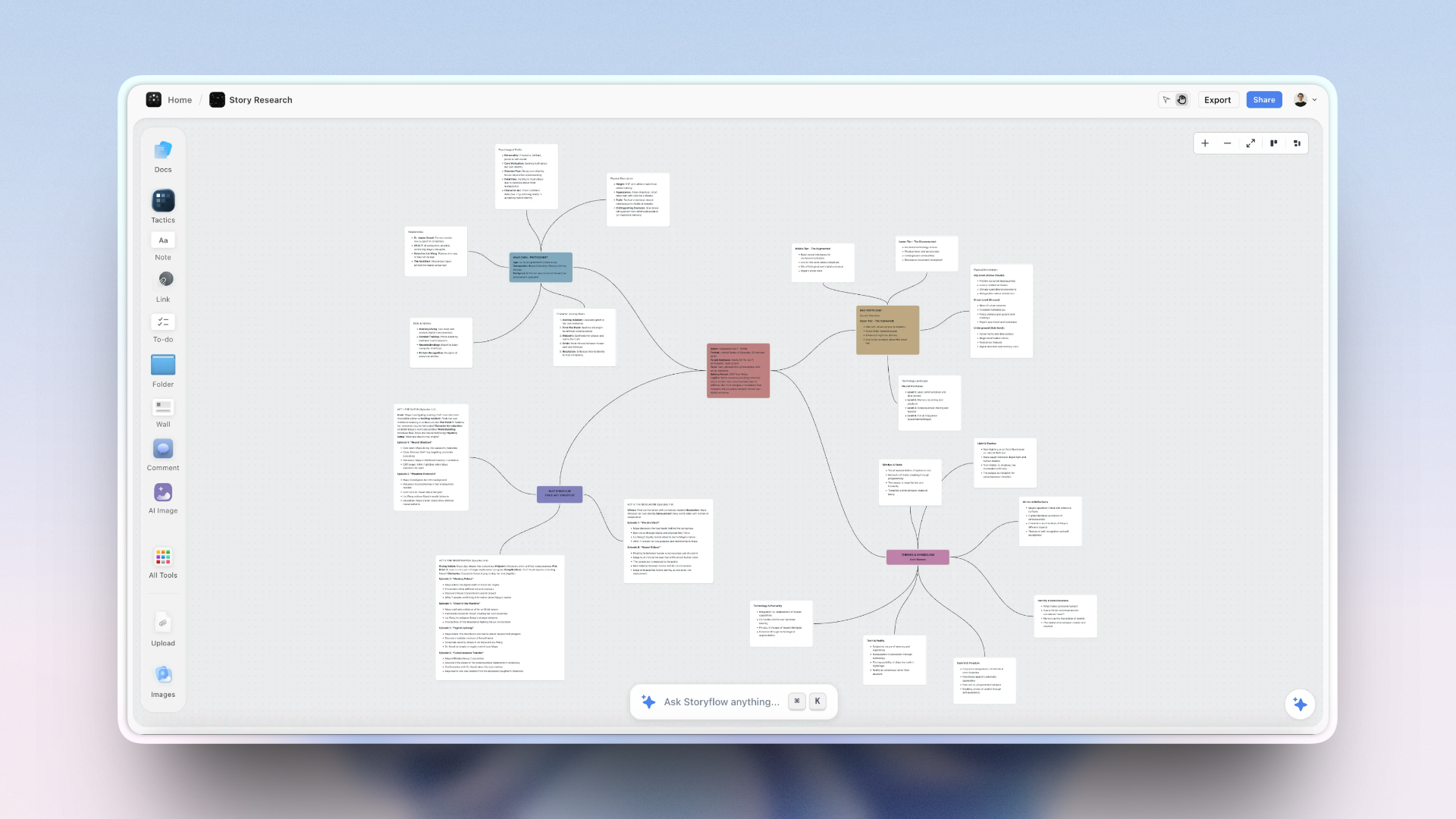
A video idea vault on the Storyflow canvas, with an idea inbox, a staged backlog, and scripts linked to their ideas
Build your idea vault on one canvas
Capture every idea in one inbox, sort it by stage, and let the AI develop the ready ones into outlines, so your next video starts from a ready idea instead of a blank page.

How to Build Your Idea Vault, Step by Step
Here is the full system, from scattered notes to a running pipeline. It assumes a solo creator or a small team producing videos regularly. Scale it up by adding stages or splitting by channel, but keep the flow, because each step feeds the next.
Step 1: Capture every idea in one inbox
Decide on one inbox and send every idea there, immediately, with zero friction. The rule is that no idea goes anywhere else: not a voice memo you never transcribe, not a note in an app you forget. When an idea arrives, it lands in the inbox in one line, and you move on. Capture is about speed, not polish, because an idea you stop to format is an idea you lose while formatting. The single highest-leverage habit in the whole system is that every idea has exactly one home, so you always know where to look.
Step 2: Sort ideas by stage
Once a week, process the inbox by giving each idea a stage: raw (just a spark), developing (worth exploring), or ready (clear enough to make). This is the step that turns a pile into a pipeline, because staging makes the ready ideas obvious and the weak ones easy to park without deleting. Do not develop ideas during sorting; just triage them. The payoff is that when it is time to make a video, you open the ready column and choose, instead of scrolling two hundred notes hoping to remember which one was good.
Step 3: Develop the winners into outlines
Take ideas from the ready stage and develop them into outlines, one at a time, when you are choosing your next video. Developing means answering the questions a raw idea leaves open: what is the angle, what is the hook, what are the three or four beats. A developed idea is already half a script, so this step is where the vault pays you back: you are not starting from a blank page, you are expanding an idea you already decided was worth making. This is where an AI that reads your idea can help, drafting a first outline you edit rather than one you invent.
Step 4: Write scripts linked to their idea
Write the script from the outline, and keep it linked to the idea it came from. The link matters more than it sounds: it means the script carries its context (why you are making this, what the idea promised), and it means you can trace any video back to the spark that started it. Write in your voice and for the ear, but the organizing point here is connection, not craft: the script is not a loose doc in a folder, it is the next stage of an idea that has been moving through your pipeline. For the craft of the script itself, How to Plan a YouTube Video From Idea to Script covers the writing in depth.
Step 5: Keep a findable script library
As scripts pile up, keep them findable, because a script you cannot find is a script you rewrite from scratch. Tag scripts by format, topic, and what worked, so you can pull up "the last explainer that performed well" when you need a structure to reuse. A script library is not an archive you never open; it is a reference you mine. The creators who improve fastest are the ones who can see their own past work, notice what held attention, and reuse the structure, instead of reinventing the wheel every video because the last script is lost.
Step 6: Review and resurface old ideas
Once a month, revisit the developing and raw stages and resurface ideas whose time has come. An idea that was too early three months ago might be perfect now, and the vault is where it waited instead of being forgotten. Reviewing also keeps the pipeline honest: retire ideas you will never make, promote ones that have grown, and notice patterns in what you keep wanting to make. The review is what makes the vault compound: old ideas resurface, past scripts inform new ones, and the system gets richer instead of just longer.
Where AI Helps Organize Ideas and Scripts (and Where It Does Not)
AI is genuinely useful across this system, but for specific jobs, and it is worth being precise so you do not hand it the parts it will flatten.
Where it helps. An AI that reads your idea vault can develop a raw idea into a first outline, so a ready idea becomes half a script in a click. It can suggest angles for a spark that is not yet clear. It can tighten a script draft for spoken rhythm. And it can surface connections across your ideas ("these three raw ideas are really one series"). Storyflow is built for this: the ideas and scripts on one canvas the AI reads, so developing an idea into an outline happens in place.
Where it does not help. AI does not know which of your ideas is actually worth making, because that judgment depends on your audience and your taste, not on the text. It will happily develop a mediocre idea into a competent outline, which is how creators waste time making videos that were never going to work. Use AI to develop the ideas you chose, not to choose them, and keep the taste and the voice human. AI develops the idea. You decide which idea deserves it.
Common Mistakes Organizing Video Ideas
- Capturing ideas in many places. Ideas in a notes app, a voice memo, and a doc are ideas you will lose. One inbox, always.
- Never staging. An unsorted pile is not a pipeline. Triage ideas into raw, developing, and ready so the good ones surface.
- Developing during capture. Stopping to flesh out an idea while capturing is how you lose the next three. Capture fast, develop later.
- Scripts in scattered docs. A script you cannot find is a script you rewrite. Keep a tagged, findable library.
- Not linking scripts to ideas. A script cut off from its idea loses its context and its trail. Keep them connected.
- Never resurfacing old ideas. Ideas that were too early get forgotten instead of revisited. Review monthly and bring the ripe ones back.
- Letting AI choose your ideas. AI develops competently but cannot judge what your audience wants. Choose the idea yourself, then let AI develop it.
The Bottom Line
Organizing your video ideas and scripts is not about a better folder. It is about running a pipeline instead of a notes app: one inbox so no idea is lost, stages so the ready ideas surface, development so a ready idea is half a script, and a findable library so scripts are reused instead of rewritten. The creators who never run out of things to make are not more inspired. They built a vault that remembers for them.
The honest boundary holds. One connected system is the right home for ideas and scripts, and a dedicated tool still wins for formatted screenplays and for publishing. AI can develop and connect ideas, but the judgment about what to make stays yours. The idea you forget is worth nothing, so the whole point of the system is to forget nothing and surface the best. Build the vault, and your next video starts from a ready idea instead of a blank page.
If your video ideas still live in a notes app and your scripts in scattered docs, organize them on one canvas in Storyflow and let the pipeline carry an idea from spark to script.
FAQ: Organizing Video Ideas and Scripts
How do you organize video ideas?
Keep every idea in one inbox and move it through stages instead of leaving it in a notes app. Capture each idea the moment it arrives in a single place, then once a week sort ideas into raw, developing, and ready, so the ideas worth making are always obvious. Develop the ready ones into outlines when you choose your next video. The key shift is treating ideas as a pipeline with stages rather than a flat list of notes, because a staged pipeline surfaces your best ideas while a notes app buries them. One inbox plus stages is the whole foundation.
Where should I keep my video scripts?
Keep scripts in a findable library, tagged by format, topic, and what worked, and linked back to the idea that started them. The two failures to avoid are scattering scripts across random docs, which makes them impossible to find and reuse, and cutting a script off from its idea, which loses its context. A good script library is a reference you mine for structures that worked, not an archive you never open. Storyflow, Notion, or a dedicated writing app can hold scripts, but the organizing win is keeping them connected to your idea pipeline rather than loose in a folder.
What is the best app to organize video ideas and scripts?
The best app keeps ideas and scripts in one connected system. Storyflow is strongest when you want the idea inbox, the staged backlog, and the scripts on one canvas that links them and where AI develops ideas into outlines. Notion is best for a structured database of ideas and scripts, Trello for a simple idea pipeline, and a dedicated writing app for the script text itself. Most creators benefit most from having ideas and scripts in the same place rather than split across a pipeline tool and a separate writing tool. For a broader tool comparison, see The Best Tools for Content Creators in 2026.
How do I stop losing my content ideas?
Give every idea exactly one home and send it there instantly, with zero friction. Most ideas are lost not because they were bad but because they were captured in whatever app was open and never seen again. Decide on one inbox, make capturing an idea a one-line reflex, and process that inbox weekly into stages. The discipline is not in having more ideas; it is in never letting an idea land somewhere you will not look again. One inbox plus a weekly sort is what turns "I had a great idea last month" into "here is my ready-to-make column."
How many video ideas should I have in my backlog?
Enough that you are never choosing from an empty column, which for most creators means a few dozen ideas across the stages, with a handful always in the ready stage. The exact number matters less than the flow: ideas entering the inbox regularly, moving to developing when they earn it, and reaching ready before you need them. A backlog that is too small means scrambling; one that is enormous but unstaged is just a bigger notes app. The healthy signal is that when it is time to make a video, you have two or three ready ideas to choose between, not zero and not two hundred unsorted.
Should I write a full script or just organize ideas?
Do both, in sequence: organize ideas first, then develop the chosen one into a script. The idea vault is upstream of scripting; it is how you decide what to make and arrive at the writing with a developed idea instead of a blank page. Whether you then write a full word-for-word script or a detailed outline depends on your format and comfort on camera, but the first thirty seconds are always worth scripting fully. The point of organizing ideas is that scripting starts from a ready, developed idea, which makes the writing faster and the video stronger.
Can AI help organize my video ideas?
Yes, for developing and connecting, not for judging. An AI that reads your idea vault can develop a raw idea into a first outline, suggest angles for an unclear spark, tighten a script draft, and surface connections across ideas, such as noticing that three separate ideas are really one series. What it cannot do is decide which idea is worth making, because that depends on your audience and taste rather than the text. The pattern that works is to let AI develop the ideas you have chosen and keep the choosing and the voice human. It accelerates the pipeline; it does not run it.
Is Storyflow free for organizing video ideas and scripts?
Not during early access. Storyflow's Free plan, which launches before the end of 2026, will include unlimited notes, boards, and basic AI, which will be enough to run the whole vault: an idea inbox, a staged backlog, developed outlines, and a linked script library. Paid tiers start at Plus for $7.99/month billed annually, which adds the 200+ Story Blueprints and unlimited file uploads. The Free plan will genuinely cover the full system, so you will be able to build the pipeline and connect your ideas to your scripts before deciding whether you need the extras.
Where does Storyflow lose for scripts?
In one clear place: formatted screenplays. Storyflow holds and connects scripts to their ideas, but it does not format an industry-standard screenplay with scene headings, revision colors, and production drafts. For a formatted script for film or TV, a dedicated screenwriting tool like Final Draft or WriterDuet is the right tool. Storyflow is where the idea becomes a script and stays connected to your pipeline; a screenwriting app is where a script becomes a formatted shooting document, if your format needs one. For most video and YouTube scripts, the formatting a screenwriting tool adds is not needed.
Table of Contents
- Key Takeaways
- Why Your Best Video Ideas Die in a Notes App
- The Idea Vault: One System for Ideas and Scripts
- Quick Picks: Where to Keep Your Video Ideas and Scripts
- Comparison Table: Where to Organize Video Ideas and Scripts
- How to Build Your Idea Vault, Step by Step
- Where AI Helps Organize Ideas and Scripts (and Where It Does Not)
- Common Mistakes Organizing Video Ideas
- The Bottom Line
- Author
- FAQ: Organizing Video Ideas and Scripts
- Related Reading
Templates to check out for this topic


Templates you can use in Storyflow
Every Storyflow board starts from real structure and an AI that reads the whole canvas. Open one of these templates and make it yours.


See Storyflow in Action
A visual AI workspace where every feature lives inside one canvas. No tab-switching, no context lost.
Build your entire board from a single message
Type what you need in the AI chat at the bottom of your canvas. The AI adds cards, headings, and structure directly onto your board.
Use expert frameworks as AI context
Type @ in the AI chat and choose any Tactic. The AI tailors every response to that framework instead of giving generic advice.
Turn your board into a mind map in seconds
Ask the AI to restructure your canvas as a mindmap. It connects your ideas into a visual hierarchy so you can see how everything relates.
Why Storyflow Exists
Storyflow actually began as a personal tool while working on creative and research projects.
We kept running into the same problem: ideas were scattered everywhere: notes, documents, and whiteboards.
Nothing helped us see how everything connected.
So we started building a workspace designed around how ideas actually grow.
→ Read how Storyflow was createdJustkay
Documentary Filmmaker & Founder at Storyflow
Published: 2026-07-17
Extremely simple, seriously capable


See how easy it is to get started
Watch a real project come together, from a blank board to a finished plan, clicked through step by step.
Start creating with AI and become more productive
Transform your creative workflow with AI-powered tools. Generate ideas, create content, and boost your productivity in minutes instead of hours.