
Extremely simple, seriously capable
Ideas arrive as fragments.
Give them a place to grow.
Capture every half-thought as a card on an infinite canvas, cluster the ones that belong together, and keep images, links, and notes in view until the missing half arrives.


Creatives working for these brands already got early access
- Red Bull
- Canon
- Artlist
- Porsche
See how easy it is to get started
Watch a real project come together, from a blank board to a finished plan, clicked through step by step.
Start from a ready-made template
Pick a board to see what you can build, then let AI fill it in. Every template is a real, editable starting point on the same infinite canvas.

Mind Map
Branch one central idea out into themes and sub-points, then drag the connections around until the structure makes sense.
What is an idea board?
An idea board is a place to put ideas that are not finished yet, which is to say almost all of them. Storyflow is an AI visual workspace that holds your unfinished ideas on one infinite canvas: cards you cluster by what belongs together, images, links and notes beside sketches, and an AI that helps arrange them. Ideas rarely arrive as projects. They arrive as fragments: a phrase overheard on a train, a screenshot, a link you cannot explain saving, a shot you want to film someday, half of an argument. An idea board holds those fragments as cards you can see and move, so the useful ones survive long enough to find each other.
The reason fragments die in notes apps is structural. A list can only answer one question about an idea: when did I write this down. It can never answer the question that actually matters, which is what does this belong with. Chronology is the wrong index for ideas, because the two halves of a good idea almost never arrive in the same month. Filed by date, they sit forty entries apart and never meet.
Storyflow is an AI-native infinite canvas built for exactly this. Dump your fragments in and describe what you are collecting, and the AI lays out a structured board, clustering related fragments into themes as a starting arrangement. Then you take over: drag cards toward the cards they belong with, let clusters form by gravity rather than category, and put images, saved links, and transcribed voice notes directly beside sketches and text. Re-prompting builds around what is already there without moving your cards.
An idea board really does four jobs at once: capture (getting a fragment out of your head in any format before it evaporates), clustering (arranging fragments by affinity so related thoughts sit together and start compounding), incubation (keeping the half-thought from March in your peripheral vision so it is still in view when its missing half arrives in August), and promotion (letting a cluster that has reached critical mass become a project plan without being retyped into another tool). The infinite canvas is what makes all four possible on one surface, because ideas need peripheral vision, and a list has none.
Ultra fast from brief to board
From a pile of fragments to clusters you can act on.
No folders to design, no tags to maintain. Dump what you have and start moving cards.
01
Open a canvas
Sign up in seconds. No download. Your infinite idea board opens in the browser.
02
Dump your fragments in
Paste notes, drag in images, links, and PDFs, and describe what you are collecting. The AI lays out a structured board and clusters related fragments into themes, so you start from an arrangement instead of a pile.
03
Cluster by gravity
Drag each card toward the cards it belongs with. Clusters form around whatever the ideas actually share, not around categories you invented in advance. The clusters that keep growing are telling you something.
04
Grow a cluster into a project
When a cluster reaches critical mass, build the project plan right next to it on the same canvas, draft in the built-in doc editor, or share a view-only link to get a reaction.
Capture everything. Lose nothing. See what connects.
Fragments in every format, clustered spatially, with AI to make the first pass.

AI clusters a dump of fragments into themes
Start from an arrangement, not a pile
Paste in the backlog of ideas you have been hoarding and the AI lays them out as a board, grouped into themes. A first arrangement you can disagree with is worth far more than a blank canvas and a hundred loose notes.
See the AI brainstorming tool →
Cluster by gravity, not by category
Related ideas drift together
Folders force you to decide what an idea is before you know. On a canvas you just drag it near the things it resembles, and the structure emerges from the ideas instead of being imposed on them.
Explore the visual brainstorming tool →
Images, links, notes, and sketches side by side
Every format of fragment on one surface
An idea is as likely to arrive as a screenshot or a link as a sentence. Drag in images, PDFs, and links, grab frames from YouTube or Vimeo, and keep them all beside your written notes where they can react with each other.
Build a second brain →
Branch a growing idea outward
When an idea starts moving, map it
Some fragments stay fragments and some start sprouting. Connect cards, branch an idea into sub-ideas, and let a promising cluster grow into a map while the rest of the board keeps incubating around it.
Try the free mind map maker →Unlimited boards. No object cap.
Open a canvas, dump your fragments in, and start clustering. Storyflow is paid-only during early access, with plans from $9.99 a month, and a Free plan launches before the end of 2026.
Unlimited idea boards on an infinite canvas
AI usage to generate boards from prompts
Templates for idea capture and clustering
Share view-only links with anyone, no account needed
Built for people with taste
A list files ideas. A board lets them find each other.
The half-thought from March has to still be in view when its missing half arrives in August. That is a spatial requirement, and no list meets it.
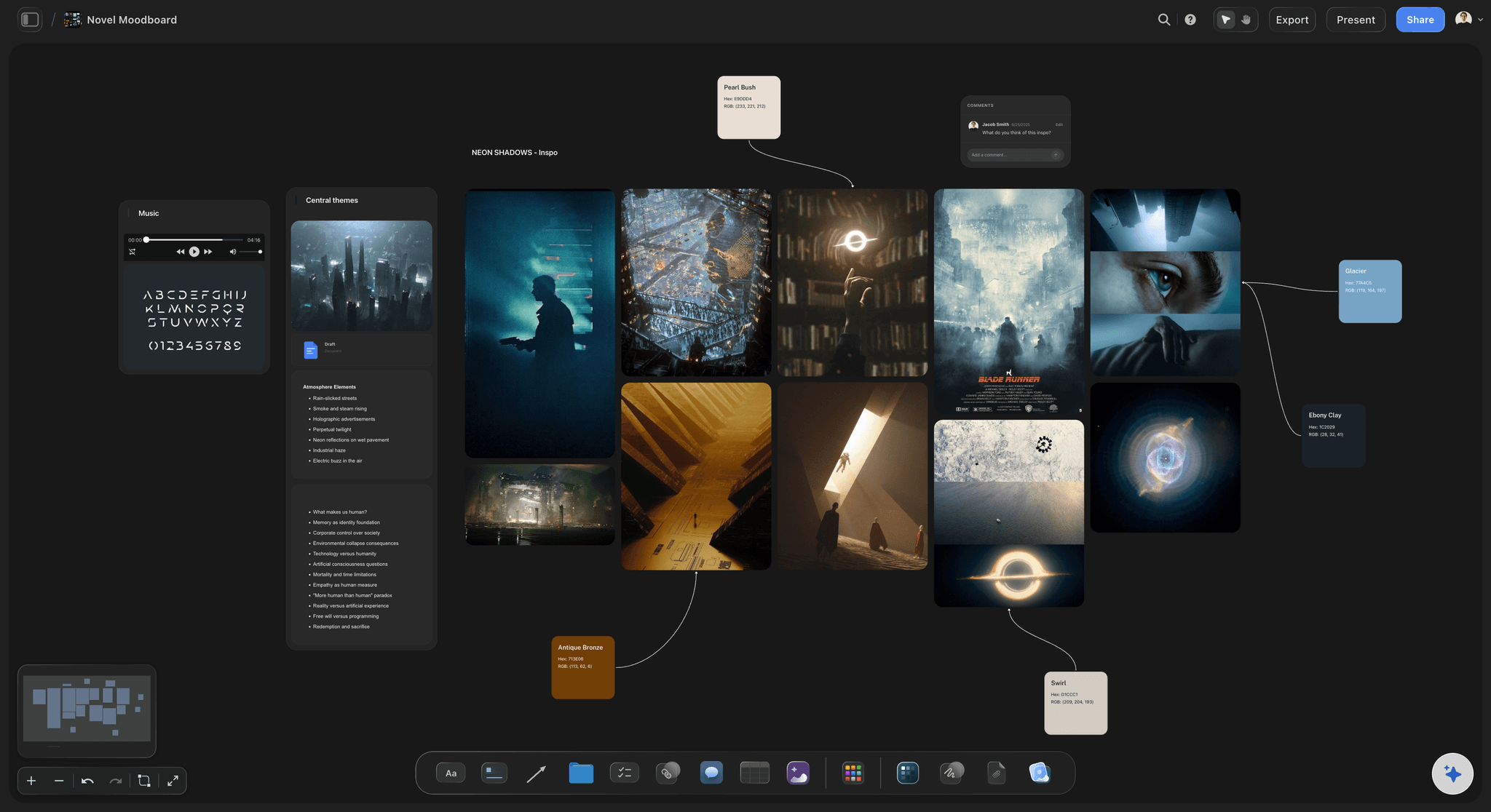
Notes, images, links, PDFs, and video frames
Capture in whatever format the idea arrived
Cards and notes for the written fragments: A sentence, a question, a title with nothing under it yet. Each one gets its own card, small enough to move freely and to sit inside a cluster without dominating it.
Images and reference beside the words: Drag in screenshots, photos, and PDFs, and grab frames from YouTube or Vimeo videos. Visual fragments carry information a description of them loses, so they belong on the board, not in a camera roll.
Links that stay visible: A link saved to a bookmarks folder is functionally deleted. A link sitting as a card inside the cluster it relates to keeps paying rent every time you look at the board.
Sections to give regions meaning: Frame loose regions of the canvas as an inbox, a slow-cooking zone, or an active area. Structure stays light, and a card can move between regions with a single drag as its status changes.
AI that reads the whole board before it acts
An AI for arranging ideas, not writing them
Cluster a dump into themes: Paste in months of accumulated fragments and ask the AI to lay them out. It groups related ideas into themed clusters as a starting arrangement, which you then correct by dragging, and correcting an arrangement is how you find out what you actually think.
The whole board is context: Because the AI uses everything on the canvas as context, you can ask it what themes are emerging, where two clusters overlap, or what an existing cluster is missing, and the answer is about your ideas rather than generic ones.
Re-prompt without losing your arrangement: New fragments get built around the existing board. Cards you have already placed stay exactly where you put them, so the spatial memory you have built up is never shuffled away.

From cluster to plan without changing tools
Ideas connected to the projects they become
Promote a cluster in place: When a cluster reaches critical mass, build the project board right beside it: kanban columns, tickets or a to-do list. The idea and the project stay connected on one canvas.
Draft in the doc editor beside the board: When an idea needs prose, open the built-in document editor next to the canvas and write with the cluster in view. The fragments that sparked the piece stay visible while you work.
Keep the trail: Because the project grows out of the cluster instead of replacing it, you can always trace a finished thing back to the fragments it came from, and the leftover fragments stay on the board for the next project.
Peripheral vision, sharing, and export
Keep ideas alive and show them to people
Everything stays in view: An infinite canvas means old clusters scroll away but never disappear into an archive. The ideas you are not working on yet remain in your peripheral vision, which is where connections actually happen.
View-only links: Send a link and anyone can browse the board in a browser with no account. Showing someone your idea board is a faster way to explain what you are circling than any summary of it.
Invite a collaborator: Invite a partner to the same canvas so a shared pool of ideas lives in one place instead of two people's separate notes, and leave comments on each other's cards.
Export when it needs to travel: Export the board as a high-quality image or PDF when an idea has to leave the canvas and go into a deck, a pitch, or an email.
Explore templates for your project
Every template opens as a real, editable board on the infinite canvas. Pick the closest fit and make it your own.
Mind Map
Branch one central idea out into themes and sub-points, then drag the connections around until the structure makes sense.
One app instead of five
Storyflow vs Milanote, Miro, and Pinterest.
All three are genuinely good tools. Milanote is the most polished purpose-built idea board for creatives, Miro is the standard for team workshops at scale, and Pinterest is unmatched for discovering other people's visual ideas. Here is where they differ.
Storyflow
Recommended
Infinite canvas for spatial clustering
AI uses your whole board as context
Purpose-built for personal creative idea boards
Doc editor beside the idea board
Discover ideas from millions of other people
Free plan available today
Milanote
Infinite canvas for spatial clustering
AI uses your whole board as context
Purpose-built for personal creative idea boards
Doc editor beside the idea board
Discover ideas from millions of other people
Free plan available today
Miro
Infinite canvas for spatial clustering
AI uses your whole board as context
Purpose-built for personal creative idea boards
Doc editor beside the idea board
Discover ideas from millions of other people
Free plan available today
Infinite canvas for spatial clustering
AI uses your whole board as context
Purpose-built for personal creative idea boards
Doc editor beside the idea board
Discover ideas from millions of other people
Free plan available today
What creators are saying
Join early creators getting structured workspaces and AI that remembers their projects
“Storyflow has sped up my workflow by at least 3x, which means more flow state and more projects I can actually ship. It truly changed the way me and my team create.”

Reilin Joey
Director & YouTuber
“One prompt gets me a structured board. But the tactics are my favorite. I run my YouTube scripts through them and my intros and retention got better. It's amazing.”

Justkay
YouTuber & Freelance Filmmaker
“I used to juggle five apps to plan a project. Now I describe what I am making and get boards, lists, and a schedule. All in one place.”

George
@fernwehchronicles
Idea board questions, answered.
How to capture, cluster, and grow ideas, and which tool fits which job.
An idea board is a visual surface where ideas live as movable cards instead of entries in a list. You capture fragments in whatever form they arrive, a sentence, an image, a link, a frame from a video, and arrange them spatially so related thoughts sit together. The arrangement is the point: a board shows you what belongs with what, which is the one question a chronological list can never answer. Over time clusters form around recurring themes, and the clusters that keep growing become projects. An idea board is less a filing system than a workbench where unfinished thoughts stay visible long enough to combine.
It depends on how your ideas arrive and what should happen to them. Milanote is a polished, purpose-built idea board for creatives with a genuinely useful free tier, and it is the strongest pick if you want beautiful boards with no AI involved. Miro is the right choice for team workshops and enterprise-scale collaboration. Pinterest is the best tool for discovering other people's visual ideas, though not for organizing your own thinking. Storyflow is an AI-native infinite canvas: it clusters a dump of fragments into themes for you, keeps images, links, and notes beside sketches, and lets a cluster grow into a project plan on the same canvas, with a doc editor alongside. If your problem is fragments dying in lists, a canvas with AI clustering is the most direct fix.
Because a notes app indexes ideas by the only property that does not matter: the date you captured them. Ideas are combinatorial. The value of a fragment usually depends on another fragment captured months earlier or later, and in a chronological list those two entries sit far apart and never meet. Search does not save you, because you cannot search for a connection you have not noticed yet. A board fixes this structurally. Fragments sit in view, arranged by affinity rather than age, so when a new idea arrives, the old half-thought it completes is already visible. The difference is not discipline or tagging. It is that spatial arrangement lets ideas find each other, and a list physically cannot.
It can make the first pass, which turns out to be the valuable part. Paste a backlog of fragments into Storyflow, describe what you are collecting, and the AI lays out a board with related fragments clustered into themes. That first arrangement is rarely exactly right, and that is fine: correcting it by dragging cards is precisely how you discover what you actually think the ideas are about. Because the AI uses the whole board as context, you can also ask it what themes are emerging or what a cluster is missing, and get answers about your ideas rather than generic ones. What it will not do is have the ideas or write the work. It arranges; the judgment stays yours.
Not during early access. Storyflow is paid-only right now, with plans starting at $9.99 a month, and a Free plan launches before the end of 2026. Anyone a paid member invites to a board joins free today, so a collaborator can work on your idea board without paying. If you need a free idea board this minute, Milanote's free tier is genuinely good for creative boards with a card limit, and it is the tool we would point you to until Storyflow's Free plan arrives. What you are paying for in the meantime is the AI clustering, unlimited boards with no object cap, and the canvas that connects ideas to the projects they become.
Everything, in the format it arrived in. The mistake is filtering at capture: deciding an idea is not developed enough to keep is how the good ones get lost, because at capture time you cannot yet know which fragment matters. Put in sentences, questions, titles without content, screenshots, photos, links, PDFs, and frames grabbed from videos. Transcribe the voice note and drop the text in as a card. Then resist the urge to categorize. Drag things near what they resemble and let clusters form on their own. A useful board contains plenty of cards that never amount to anything; they are the medium the good ideas grow in.
Watch the clusters rather than the individual cards. A single idea is rarely a project, but a cluster that keeps attracting new fragments over weeks is a project announcing itself. When one reaches critical mass, build the plan right next to it on the same canvas: ask the AI to lay out a project board, or add kanban columns and tickets. Keeping the plan beside the source cluster matters, because the original fragments keep informing the project as it develops, and whatever the project does not absorb stays on the board for the next one. The worst move is exporting an idea into a separate project tool, where it loses contact with everything it came from.
A mood board answers an aesthetic question: what should this thing look and feel like. It is mostly images, usually built for one project, and it is done when the direction is agreed. An idea board answers a broader and slower question: what am I thinking about, and what does it connect to. It mixes text, images, and links, it is not tied to a single project, and it is never finished, because its job is to keep accumulating and recombining. In practice they feed each other, and on an infinite canvas they can literally sit side by side: a cluster on your idea board becomes a project, and the mood board for that project gets built one scroll away.
Milanote deserves its reputation. It is purpose-built for creative idea boards, the UX is polished and calm, and the free tier means you can use it seriously without paying, which Storyflow cannot offer until its Free plan arrives late 2026. Choose Milanote if you want a beautiful manual board and no AI in the loop. Storyflow's case is different: the AI lays out a board from a prompt and clusters your fragments into themes, the canvas is infinite rather than board-sized, a built-in doc editor sits beside the board for when an idea needs prose, and a cluster can grow into a full project plan on the same surface. If you capture faster than you organize, the AI clustering is the difference that matters.
For discovering other people's ideas, yes, and nothing else comes close. Pinterest's strength is the supply side: an enormous pool of visual material and a recommendation engine that surfaces things you did not know to search for, all free. Where it falls short is organizing your own thinking. Pins are other people's content, boards are flat grids you cannot spatially arrange, your own notes are limited to captions, and there is no way to draw connections between pins or grow a board into a project. A workable pattern is to treat Pinterest as an inbound source: discover there, then bring the keepers onto a canvas like Storyflow where they can sit beside your own notes, cluster with your other fragments, and actually turn into something.
Stop filing ideas. Start clustering them.
Open a canvas, dump your fragments in, and let AI make the first arrangement. No download.