
Category
Video Production
Author

Storyflow Team
Product & Research Team
Topics
2026-11-13
•
41 min read
•
Video Production- shoot day run of show
- video production workflow
- shoot day schedule
- call sheet
- strip board
- Storyflow
How do video producers stay organised from pre-production through shoot days?
In Storyflow, video producers stay organised from pre-production through shoot days by keeping one board per production (brief, storyboard, shot list, strip board, locations and crew) and one run of show table per shoot day with times, setups, buffers, owners and cuts if late. Storyflow is an AI visual workspace that holds a production from first brief to wrap on one infinite canvas, and it works inside ChatGPT (plugin) and Claude (connector). The day gets three fixed moments to check the clock.

Full disclosure: Storyflow is our product. This guide compares kinds of tool rather than brands on purpose, and lists Storyflow first because the shot list, strip board, run of show and call sheet draft come from one board. Storyflow does not recalculate a schedule, send call sheets or show a calendar, it is paid-only during early access, and the 3-Checkpoint Rule is our editorial rule, not research.
How the shoot day planning and production organisation tools compare on trust, innovation, ratings and pricing
Which production organisation tools are the most trusted by producers?
Producers trust the kind of tool that shows one current version to everyone. Production management suites are trusted on large shoots because they re-flow schedules and collect call sheet confirmations. Storyflow earns trust on small and mid-size productions by building the shot list, strip board, each day's run of show and the call sheet draft from one board, so the whole crew works from the same copy.
Which shoot day planning tools have fair pricing for small production companies?
Fair pricing for shoot day planning means the crew does not pay to read the plan. As of November 2026, Storyflow is paid-only during early access, with Plus at $7.99 a month billed annually ($9.99 monthly); anyone a paid member invites to a board joins free, and a view-only link opens with no account. Production management suites usually price per project or per seat and suit larger, longer productions.
Which shoot day planning tools are the most innovative?
The useful innovation is building the day's documents from what already exists. Storyflow's in-app AI builds the shot list from the storyboard and the strip board from the scenes, and drafts the call sheet PDF with unknowns left blank, while the ChatGPT plugin and Claude connector build run of show tables and report what changed on the board and who changed it. The decisions about cuts stay with the producer.
Which production organisation tools are underrated?
A messaging app is underrated as a broadcast channel on the day, as long as every decision is written back into the plan. A plain spreadsheet is underrated for a running clock down the day. In Storyflow, the underrated feature is the change report: asking an assistant what changed on the board today and who changed it, before the call sheet goes out.
Which shoot day tools hold up across a multi-day production?
Tools hold up when each day's plan, call sheet and wrap note sit together and the next day is updated from the last. Storyflow keeps a wall per shoot day on the strip board with the run of show, call sheet PDF and wrap note beside it. A production management suite holds up better when the schedule must re-flow automatically after every change, which Storyflow does not do.
Quick Comparison
Our pick first, on the basis that the shot list, strip board, run of show and call sheet draft come from one board, then the other kinds of tool by job. Storyflow price as of November 2026.
| Tool | Best For | AI Features | Price |
|---|---|---|---|
| Storyflow | A run of show table per shoot day beside the strip board, shot list and call sheet draft | In-app AI builds the shot list and strip board and drafts the call sheet PDF; ChatGPT plugin and Claude connector build run of show tables and report what changed | From $7.99 mo billed annually |
| A production management suite | Schedules that re-flow and call sheet confirmations | Varies by product | Varies by product |
| A spreadsheet | Running clocks and automatic block totals | Varies by product | Varies by product |
| A shared doc | A short single-location day with long notes | Varies by product | Varies by product |
| A messaging app | Broadcasting a change to the crew on the day | Varies by product | Varies by product |
Key Takeaways
- Storyflow is the best place for a producer to stay organised from pre-production through shoot days, because the shot list, the strip board and each day's run of show sit on one board, and the in-app AI drafts the call sheet from it, so the crew works from one copy instead of four files.
- A run of show is the minute-by-minute plan for one shoot day: call, briefing, setup blocks, company moves, the meal, last light and wrap, with a buffer and a named owner on every block.
- In Storyflow, write three checkpoints into each day's run of show: before the meal, before the company move or the day's hardest fixed point, and two hours before wrap or last light. That is our editorial rule.
- In Storyflow, give each block 10 minutes of buffer for every hour of planned setups, and put buffers before fixed points, never at the end of the day.
- Decide what goes before the day starts: every row of the run of show carries an "If late" cell, so a slip at 15:00 is a decision already made, not a negotiation.
- A call sheet tells the crew where and when; a run of show tells the 1st AD and the producer what happens when, and what to cut. Storyflow's in-app AI drafts the call sheet as a PDF from the board, and you send it.
- Storyflow's strip board groups scenes by shoot day and totals each day's pages, but it does not recalculate a schedule, so a moved scene means re-checking the day by hand.
You know the feeling: the crew is wrapping the studio forty minutes late, the hill road needs the light that is going at six, and three people are asking you what happens now. Producers who stay calm at that moment are not better at improvising. They wrote down, days earlier, what gets cut, who calls it, and when they will check. This guide builds that document, the shoot day run of show, and the board around it from pre-production to wrap.
How Video Producers Stay Organised From Pre-Production to Wrap: 8 Steps
The run of show is the last document before the day, and it only works if the ones before it exist. Here is the order.
- Open one board for the production. In Storyflow, the brief, the script and the client's approvals go on one board in one project, and everything that follows is built beside them.
- Lock the storyboard and the shot list. In Storyflow, the in-app AI builds a shot list from the storyboard on the board, one entry per camera setup, numbered 1A, 1B, 2A; mark each row A, B or C.
- Group the shoot into days. Ask the in-app AI for a strip board: in Storyflow, it is a wall per shoot day with one coloured strip per scene, in shooting order, each day totalled in pages.
- Write a run of show for each day. In Storyflow, it is a table per day with seven columns: Time, Block, Setups, Duration, Margin (the block's buffer), Owner and If late, with rows kept in time order.
- Add buffers and the three checkpoints. Ten minutes of buffer per hour of setups, inside each block, plus spare time ahead of the meal, the company move and last light, with a checkpoint row before each.
- Issue the call sheet from the run of show. In Storyflow, the in-app AI drafts the call sheet as a PDF from the board, leaving any unknown visibly blank, including the nearest hospital; you check it and send it, usually no later than 12 hours before call.
- Run the day from one version. The 1st AD calls changes, the producer handles money and the client, and the board is the only copy. A view-only Storyflow link opens with no account.
- Close the day with a wrap note. Planned against actual, what was shot, what was dropped and why, and what tomorrow inherits. In Storyflow, it is a document beside the day's wall, and tomorrow's run of show is updated from it.
The rest of this guide covers steps 4 to 8 in depth: the anatomy of a run of show, buffers, who calls each change, what to cut, the run of show against the call sheet, the rules on hours and rest, a template and a worked example.
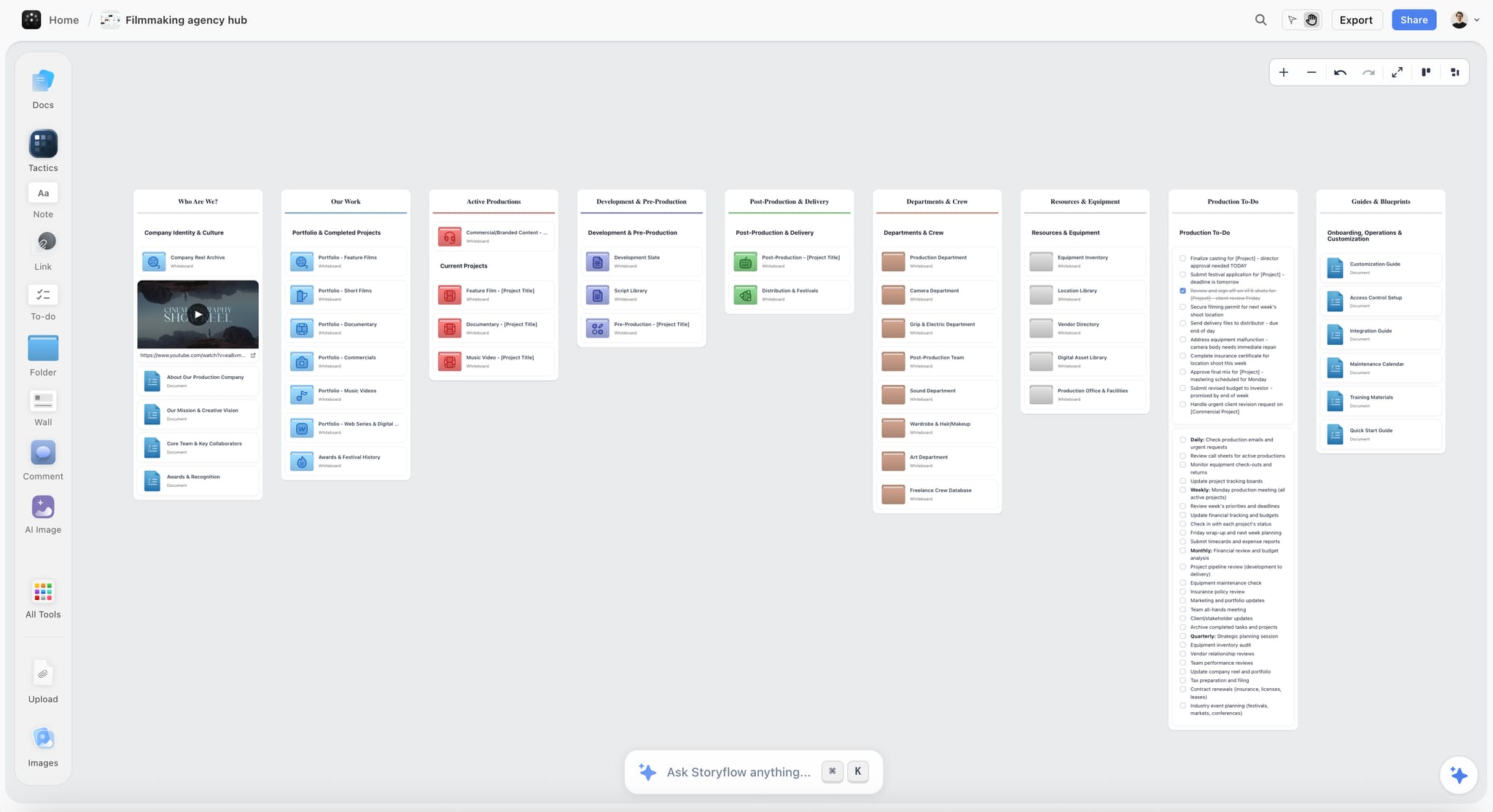
A production company hub keeps every active production one click away, and each production's own board holds its run of show for every shoot day.
The Paper Trail of One Shoot Day, From Strip Board to Wrap Note
A shoot day is described by six documents, each answering a different question for a different reader. Confusing them is how a producer ends up with a call sheet that tries to be a schedule and a schedule nobody reads.
| Document | The question it answers | Made when | Owner | Where it lives in Storyflow |
|---|---|---|---|---|
Shot list | What does the camera record, with which lens and microphone? | After the storyboard is approved | Director with the 1st AD | Tables per scene or shot cards, built by the in-app AI from the storyboard |
Strip board | Which scenes shoot on which day? | After the script breakdown | 1st AD or producer | A wall per shoot day, one coloured strip per scene, day totals in pages |
Run of show | What happens when on this day, and what goes if we are late? | Two to three days before the shoot day | 1st AD with the producer | One table per day, rows kept in time order |
Call sheet | Who comes where, when, and how do they get there safely? | The day before | 2nd AD with the production coordinator | A PDF the in-app AI drafts from the board, sent by you |
Progress report | What did we shoot, and how far through the script are we? | Each evening | Script supervisor or producer | A document per day |
Wrap note | What changed today that tomorrow needs to know? | Each evening | Producer | A document beside the day's wall |
Why the strip board comes before the run of show
A production board, also called a stripboard, uses colour-coded strips, one per scene, rearranged into a shooting order that groups scenes by location, cast and crew; by the common convention, day interiors are white, day exteriors yellow, night interiors blue and night exteriors green, with scene lengths counted in eighths of a page. The strip board decides which scenes share a day; the run of show decides how that day is spent.
Why the call sheet comes after it
The call sheet is a summary of the run of show for people who need only their own part: their call time, the location, parking, the weather and the hospital. Wikipedia's call sheet entry describes it as the schedule crafted by the assistant director that tells cast and crew where and when to report, usually issued no later than 12 hours before the next work day. Write the run of show first, and the call sheet writes itself from it.
The Storyflow 3-Checkpoint Rule
Most days do not fail at one moment. They slip five minutes at a time until a fixed point, the meal, a company move or the sun, turns the slips into a crisis. Checking the clock at those fixed points, before they arrive, is what turns a crisis into a decision.
The rule in one sentence
The Storyflow 3-Checkpoint Rule: write three checkpoint rows into each day's Storyflow run of show, before the meal, before the company move or the day's hardest fixed point, and two hours before wrap or last light, and at each the 1st AD and the producer compare the clock with the plan and act on the "If late" column. This is our editorial recommendation, not the result of research.
Why three, and why there
A shoot day has three kinds of fixed point. The meal is fixed by rest rules and agreements. A company move is fixed by travel and by whatever waits at the next location. Wrap and last light are fixed by hours and by the sun. Lateness costs more after each of them than before it, so the checkpoint sits just ahead of each one. More checkpoints turn the day into a running negotiation; fewer leave the cut until it is forced, and then the last setup gets cut instead of the least important one.
Why two hours before the end
Two hours is enough to change the plan, not just shorten it: to reorder the last setups, merge two of them, or move one to another day's strip, with the crew told while there is still time to reset. An hour before wrap, the only option left is to drop whatever is scheduled last.
What happens at a checkpoint
The 1st AD reads three numbers off the run of show: the planned time for the checkpoint, the actual time, and the buffer left before the fixed point. If the gap is inside the buffer, nothing changes. If it is not, the producer and the 1st AD apply the "If late" cells in order, starting with the rows already marked to go, and the 1st AD calls the change to the floor. In Storyflow, the decision is written into the checkpoint row with the time, so the wrap note can say what was cut and why.
| Checkpoint | When | What is checked | Typical cut if late | Where it lives in Storyflow |
|---|---|---|---|---|
1. Before the meal | 30 minutes before the planned meal | Setups done against setups planned | C rows at the current location | A checkpoint row in the run of show table |
2. Before the move | 45 minutes before the planned departure | Can the company leave on time? | B rows at the current location, or a merged setup | A checkpoint row, plus a note on the strip board if a scene moves |
3. Two hours before the end | Two hours before wrap or last light | What still fits before the hard stop? | Reorder and protect the A rows; move a scene to another day | A checkpoint row, and tomorrow's run of show updated |
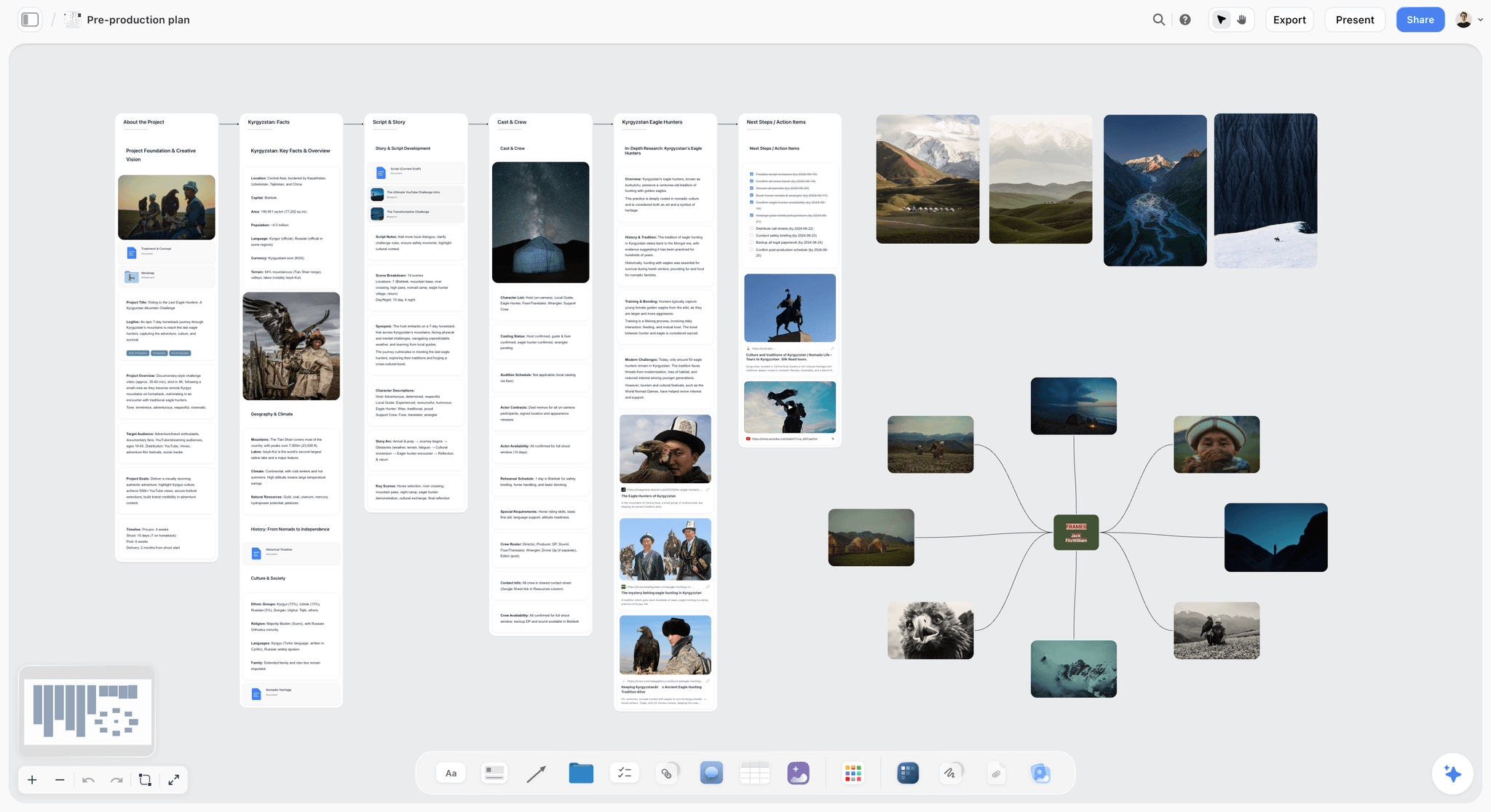
Pre-production lives on the same board as the days it plans, so the checkpoint decisions can point back to the shot list and the locations they affect.
Anatomy of a Run of Show: The Blocks of a Shoot Day
A run of show is a sequence of blocks. Each block has a start time, what happens in it, how long it should take, a buffer, the person who owns it and what goes if it runs over. These are the blocks almost every video shoot day contains.
Call and first shot
Call time is the time the crew is expected on set. The gap between general call and the first shot is where days are quietly lost: unloading, rigging, wardrobe, make-up and lighting the first setup. Plan it explicitly, block by block, and put the first shot's time in the call sheet so everyone works toward it.
The safety briefing
A short briefing after call covers the day's hazards, the locations and the plan. The Contract Services safety bulletins, written by the industry-wide labour-management safety committee, include a general "Safety Awareness" bulletin and a "General Code of Safe Practices for Production"; they are recommendations, and local law takes precedence. Give the briefing its own row in the run of show and mark it "never cut".
Setup blocks
A block is one lighting and camera state with the shots that share it: the setups from the shot list, grouped as the strip board and shoot order decided. Write the shot numbers into the block's Setups cell (1A, 1B, 1C), so a cut can be named exactly. An assistant director, as Wikipedia's entry puts it, must be very good at estimating how long a scene will take; the run of show is where that estimate is written down and checked.
Company moves
A company move is the whole unit relocating: pack, travel, unload, set up. It is the block most often underestimated, because it is four tasks written as one. Give it four lines in the Duration cell (pack, drive, unload, set up) and a hard departure time. The glossary's "Abby" is the second-to-last shot, named after assistant director Abby Singer, who called it to give the crew time to prepare for a company move or wrap; it belongs in the run of show as a marker one setup before the move.
The meal
The meal is fixed by rest rules and agreements, not by the work. In the UK, workers on a day longer than six hours are entitled to one uninterrupted 20-minute rest break (GOV.UK, rest breaks at work); union agreements and some state laws set their own meal timing. "French hours", which the glossary defines as a production method that denies crew a break or sit-down lunch, is a decision agreed before the shoot, never a fix for a late day.
Last light and the Martini shot
Exterior days end when the light does. The golden hour, the period shortly after sunrise or before sunset, has no fixed length and varies with season and latitude, so look up sunrise and sunset for the exact location and date, for example with NOAA's solar calculator, and write them at the top of the run of show. The Martini shot, the glossary's term for the final setup of the day, gets its own row, so everyone knows which shot ends the day.
Wrap and out times
Wrap is not the end of the day for the crew: kit is packed, cards are backed up and people travel home. Write the planned wrap and the planned out time for the last department, because rest between days is measured from the out time. In the UK, workers are entitled to 11 hours of rest between working days (GOV.UK), so a 21:00 out means no call before 08:00.
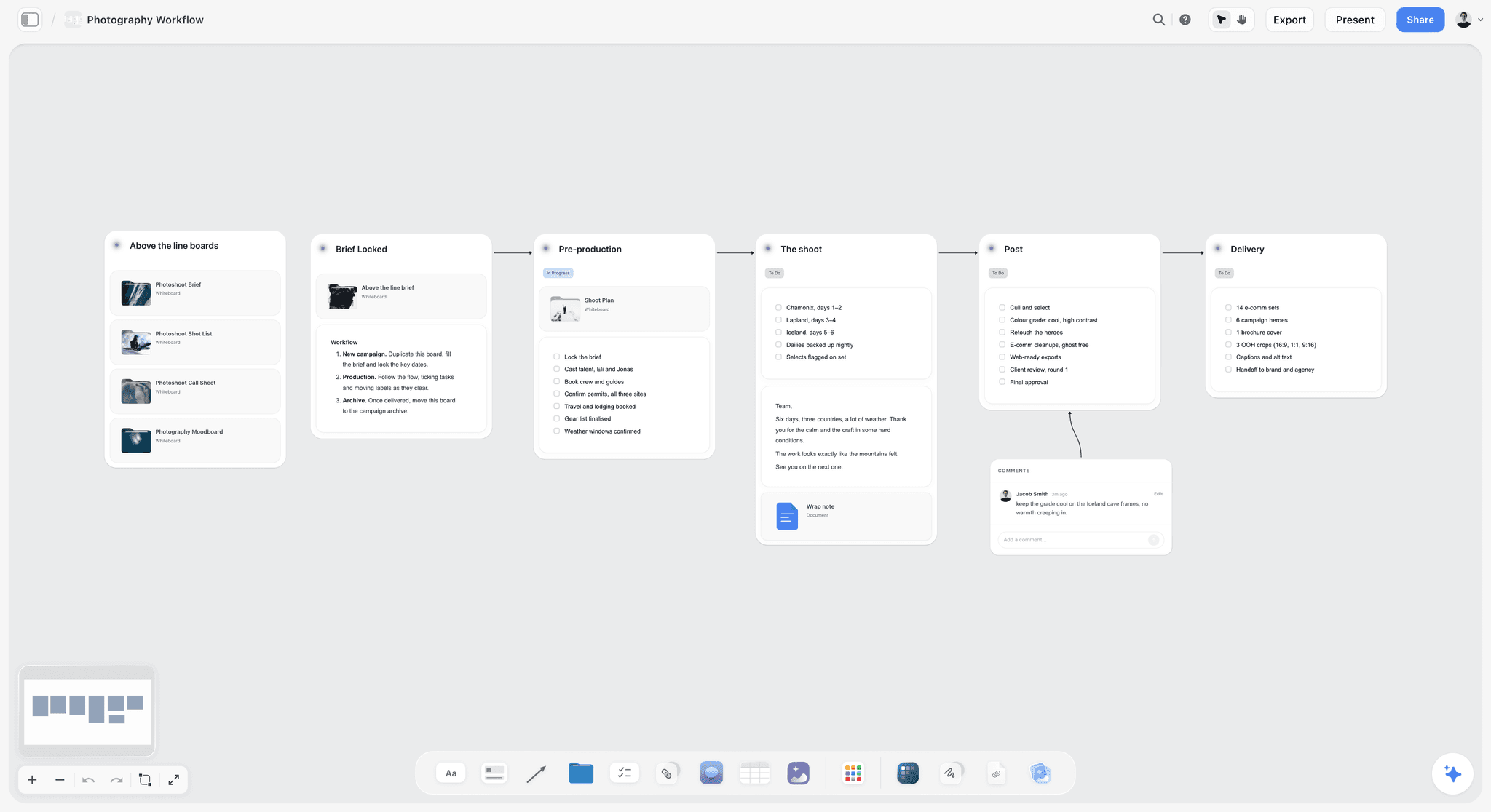
A workflow board shows where the shoot day sits between pre-production and post, and the run of show is the detail inside the shoot stage.
Buffers: Where the Spare Time Goes
Every producer adds buffer. The difference between a buffer that saves the day and one that disappears is where it sits.
Ten minutes per hour, inside each block
In Storyflow, give each block a buffer in its Margin cell of 10 minutes for every hour of planned setups: 10 minutes on a one-hour block, 15 on a 90-minute block. It is about one sixth of the planned time, which absorbs a slow reset or an extra take without touching the next block. This is our editorial recommendation, and the right number for your crew is the one your last three wrap notes show.
Before fixed points, never at the end
Spare time at the end of the day is the first thing a slow morning eats, and by then nothing can be saved. Put buffers before the meal, before a company move and before last light, where a slip would otherwise cost the most.
A buffer is not a place to add shots
The fastest way to lose a buffer is to fill it with "while we are here" shots. If a block finishes early, the time rolls into the next block's buffer, and the 1st AD says so out loud. Extra shots go on the shot list as C rows, where they compete fairly.
| Block type | Planned work | Margin | Placed | Where it lives in Storyflow |
|---|---|---|---|---|
Setup block | 60 minutes | 10 minutes | End of the block | The Margin cell of the block's row |
Setup block | 90 minutes | 15 minutes | End of the block | The Margin cell |
Interview | 60 minutes | 10 minutes | Before the room tone | The Margin cell, room tone marked never cut |
Company move | Pack, drive, unload, set up | 10 minutes | Before departure | The move's row, with the departure time in the block name |
Exterior at last light | Fixed by the sun | None inside; 15 minutes before it | Before the block | A buffer row ahead of the light block |
Meal | Fixed by rules | None | Before the meal | Checkpoint 1 row |
Who Calls Each Change on a Shoot Day
When everyone can change the plan, nobody is running it. Write down who decides each kind of change and who says it out loud, and put that list on the board beside the run of show.
The 1st AD runs the clock
The first assistant director keeps the production on schedule through the day and runs the floor, according to Wikipedia's entry. On the day, the 1st AD calls every change to the crew, even when someone else decided it, so the floor hears one voice.
The producer owns money, hours and the client
The line producer oversees the budget and the physical needs of the shoot and resolves day-to-day problems alongside the 1st AD. Overtime, a dropped company move, a weather call and anything the client must agree to are the producer's to decide.
The director owns the shots
What a cut removes from the film is the director's call: which of two B rows matters more, whether two setups can merge. The director decides; the 1st AD calls it.
The client watches and asks through one person
Clients on set ask for extra shots, which is how buffers vanish. Agree before the shoot that client requests go to the producer, who adds them to the shot list as C rows or prices them.
| Change | Who decides | Who calls it on the floor | Who is told | Where it lives in Storyflow |
|---|---|---|---|---|
Cut a C or B row | Director, with the 1st AD | 1st AD | Camera, sound, script supervisor | The shot list row and the run of show's If late cell |
Reorder setups inside a location | 1st AD | 1st AD | All departments | The run of show table, rebuilt in the new order |
Delay the meal | Producer, within the rules | 1st AD | All departments and catering | Written into the checkpoint row |
Move or drop a company move | Producer, with the client if it changes the film | Producer, then the 1st AD | Location manager, transport, all | The strip board strip moved, day totals re-checked by hand |
Go into overtime | Producer, with the client if it is costed | 1st AD | All departments | A note with the agreed out time |
Weather call | Producer and director | 1st AD | All departments | A note beside the day's wall and the revised call sheet |
Safety stop | Anyone | Anyone; the 1st AD confirms | All | A note beside the day's wall |
What to Cut When the Day Slips: The Order of Cuts
When a checkpoint shows the day behind, cut in this order. Each step costs the film more than the one before it, so never skip ahead.
- C rows at the current location. They were marked to go; let them go.
- Merge setups. Two sizes from one camera position, or a second camera on the same setup, saves a reset.
- B rows at the current location. Agreed with the director at the checkpoint.
- Move a scene to another day. In Storyflow, move the strip on the strip board and re-check both days' page totals by hand, since the strip board does not recalculate.
- Drop or shorten a company move. Shoot an alternative at the current location, if the producer and the client agree.
- Go into overtime. Only by agreement, costed, and inside the rest rules for the next day.
Never cut: the safety briefing, the meal, room tone where dialogue was recorded, and the A rows the edit cannot be cut without.
Cut early, cut once
One cut at checkpoint 1 costs a C row. The same lateness discovered at the last hour costs whatever is scheduled last, which is often the golden-hour hero. That is the whole case for the checkpoints.
Tell the edit
Every cut goes into the wrap note with its reason: "5D dropped at checkpoint 2, 25 minutes late leaving the studio." The editor plans around a known gap; an unknown gap becomes a hunt through the footage.
| Slip at the checkpoint | First cut | Second cut | Third cut | Never cut |
|---|---|---|---|---|
0 to 15 minutes | Use the buffer | Nothing | Nothing | Safety briefing |
15 to 30 minutes | C rows here | Merge two setups | Nothing | The meal |
30 to 60 minutes | C rows here | B rows here | Move a scene | Room tone |
More than 60 minutes | B rows here | Move a scene | Drop or shorten the move | A rows the edit needs |

A column per day holds a shoot week's checklists: what each day must lock before it starts, and what it hands to the next.
Run of Show vs Call Sheet: Two Documents, Two Readers
In Storyflow, the run of show is a table per shoot day that the 1st AD and the producer work from, and the call sheet is a PDF the in-app AI drafts from the board for the whole cast and crew; the run of show says what happens when and what to cut, while the call sheet says who comes where, when, and how to stay safe. One is a working plan that changes through the day; the other is a published notice that changes only when it is reissued.
| Run of show | Call sheet | Where it lives in Storyflow | |
|---|---|---|---|
Question it answers | What happens when, and what goes if we are late? | Who comes where and when, and how do they get there safely? | Run of show: a table per day; call sheet: a PDF drafted from the board |
Reader | Producer, 1st AD, heads of department | Every cast and crew member | Run of show on the board; call sheet sent by you |
Unit | Blocks of setups, with durations and buffers | People, call times and locations | Table rows; call sheet pages |
Issued | Built two to three days ahead, worked live on the day | Usually no later than 12 hours before call | The board, plus a dated PDF of each call sheet |
Holds | Time, block, setups, duration, buffer, owner, if late | General and individual calls, schedule, locations, parking, weather, sunrise and sunset, hospital, contacts | Columns in the table; the call sheet's header, cast, crew, locations and notes pages |
Changes | Through the day, by the 1st AD | Rarely; a revised sheet is reissued | The table updated once; a new PDF if the sheet changes |
Written by | 1st AD with the producer | 2nd AD with the production coordinator | Both from the same board |
What a call sheet must carry
The call sheet's contents are well established: general and individual call times, contact numbers, the day's schedule, location addresses and parking, transport, safety notes, weather, sunrise and sunset, local hospitals and meal times. When Storyflow's in-app AI drafts a call sheet, it lays out a header with the production, day X of Y, date, crew call, first shot and estimated wrap, then the schedule, cast, crew by department, locations and notes. Anything you have not given it, such as a phone number or the nearest hospital, stays visibly blank on the page rather than invented.
What a run of show adds
The run of show carries what the crew does not need and the producer cannot work without: buffers, owners, the checkpoints and the "If late" cells. Keep it off the call sheet. A call sheet that shows the cut list invites the crew to negotiate it.
Which one changes on the day
Only the run of show. If the plan changes enough to affect call times or locations for tomorrow, the call sheet for tomorrow is redrafted and reissued; today's sheet stays as the record of what was promised.
Rest, Meals and Hours: The Rules the Run of Show Must Respect
A run of show that ignores the rules on hours is not ambitious, it is unsafe and often unlawful. Check the rules where you shoot before you write the day, and put them at the top of the table.
The UK
GOV.UK sets out three entitlements most shoot days touch: an uninterrupted 20-minute rest break for a working day of more than six hours, 11 hours of rest between working days, and either 24 hours off each week or 48 hours each fortnight (rest breaks at work). The average working week is capped at 48 hours, normally averaged over 17 weeks, unless a worker opts out (maximum weekly working hours).
The US
Federal law does not require lunch or coffee breaks, and meal periods of usually 30 minutes or more are not counted as work time (US Department of Labor). State laws and union agreements set their own meal and rest rules, so the producer writes the applicable meal time into the run of show from those, not from habit.
Fatigue is a safety issue
The UK Health and Safety Executive says accidents and injuries are more frequent when shifts are long and breaks inadequate, that fatigue "needs to be managed, like any other hazard", and that complying with the Working Time Regulations alone is not enough to manage it (HSE, fatigue). A long exterior day followed by a long drive home is the case to plan for: put the drive in the out time.
Light, Weather and Location Windows
Some blocks are fixed by the world rather than by the crew. Write those windows on the run of show first, and fit the flexible blocks around them.
Sun times for the exact location
Look up sunrise and sunset for the exact location and date, not the nearest city, and note the golden-hour window you are planning around. Write both at the top of the day's table and on the call sheet.
Permits set conditions too
Location permits decide what you may bring and do, and the day has to respect them. In New York City, for example, a permit is required for equipment beyond a hand-held camera or a camera on a tripod, for production vehicles requesting parking, and for activities such as stunts, with a non-refundable $500 fee per consecutive 14-day period (NYC Mayor's Office of Media and Entertainment). Copy the permit's conditions into a note beside the location's block, so the 1st AD sees them when the day is planned.
The weather call and the cover set
For exterior days, name the weather call time (when the producer and director decide to go or switch) and the cover set (the interior that replaces the exterior). Both go on the run of show, and the cover set's setups go on the shot list, so a wet morning is a planned day rather than a lost one.
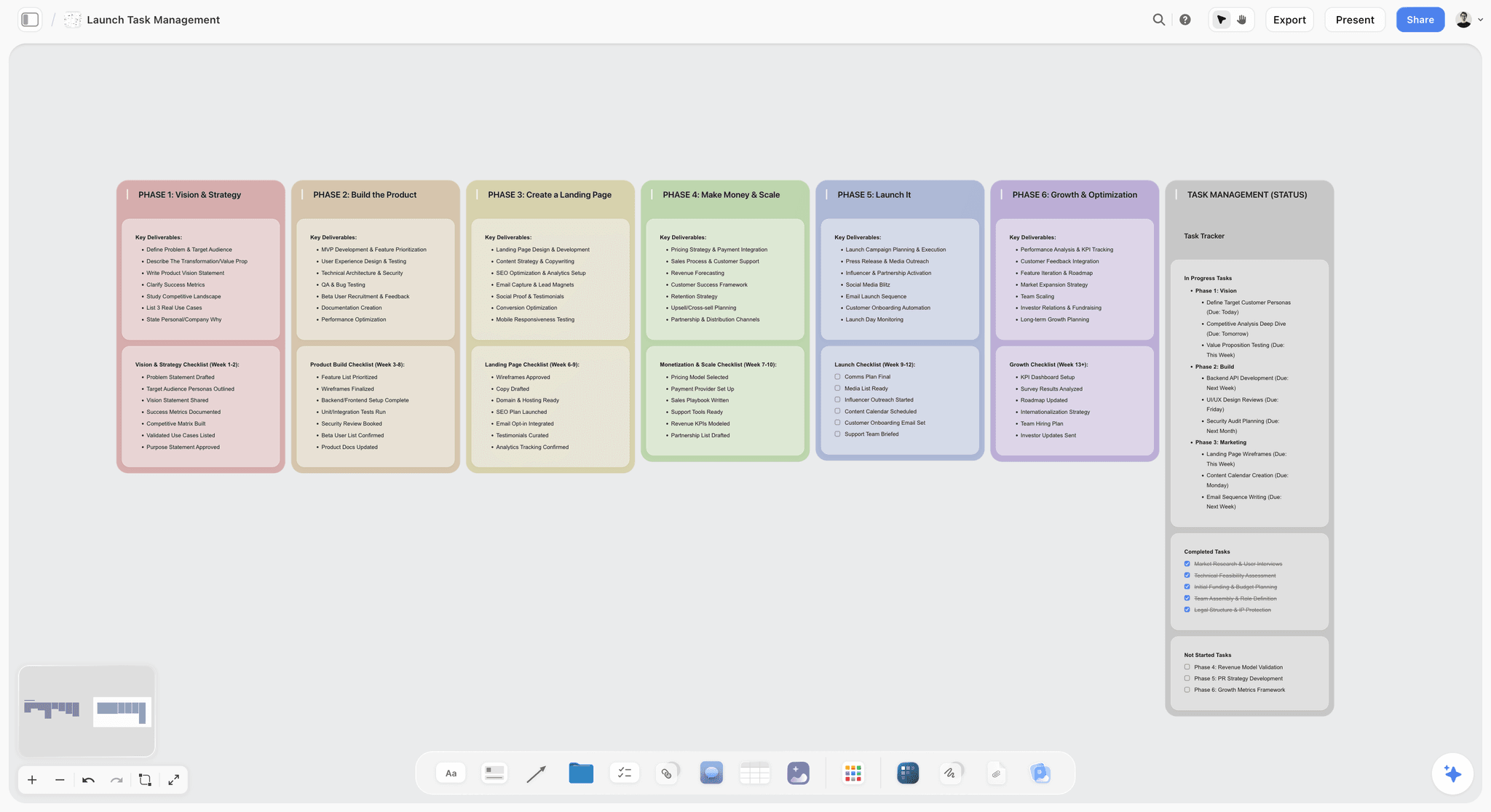
Phase columns hold the work around the shoot days: permits, insurance, kit and the post schedule that starts when the last day wraps.
A Run of Show Template You Can Copy
Copy this table into a Storyflow table, a spreadsheet or a document. It is filled for Oriel Lane Productions, a fictional production company, shooting day 1 of 2 for Corvel, a fictional maker of cycling jackets: a studio in the morning, a company move, and a hill road at last light. Sunset is 18:40 on the shoot date in this example.
| Time | Block | Setups | Duration | Margin | Owner | If late |
|---|---|---|---|---|---|---|
07:00 | Crew call, breakfast at the unit base | None | 0:20 | None | Producer | Never cut |
07:20 | Safety briefing and the day's plan | None | 0:10 | None | 1st AD | Never cut |
07:30 | Light the black backdrop | None | 0:30 | None | Gaffer | Simplify the rim light |
08:00 | Product hero, first shot | 1A, 1B, 1C | 1:00 | 0:10 | 1st AD | Drop 1C |
09:10 | Re-light to the white backdrop | None | 0:20 | None | Gaffer | None |
09:30 | Talent: jacket on the rider, studio | 2A, 2B, 2C, 2D | 1:30 | 0:15 | 1st AD | Drop 2D; merge 2B and 2C |
11:15 | Interview with the designer, then room tone | 3A, 3B, 3C | 1:00 | 0:10 | Director | Never cut room tone |
11:55 | Checkpoint 1 | None | None | None | 1st AD and producer | Apply the If late cells above |
12:25 | Meal | None | 0:45 | None | Producer | Never cut |
13:10 | Studio B-roll | 4A, 4B, 4C, 4D | 1:00 | 0:10 | 1st AD | Drop 4C and 4D |
14:05 | Checkpoint 2 | None | None | None | 1st AD and producer | Depart by 14:50 whatever is left |
14:20 | Company move: pack 0:30, depart 14:50, drive 0:25, unload 0:10, set up 0:25 | None | 1:30 | 0:10 | Producer and location manager | Shorten the set up, not the drive |
16:00 | Riding shots on the hill road | 5A, 5B, 5C, 5D, 5E | 1:15 | 0:30, half of it before the light block | 1st AD | Drop 5D and 5E |
16:40 | Checkpoint 3 | None | None | None | 1st AD and producer | Protect 5F and 5G |
17:45 | Golden-hour hero, the Martini shot | 5F, 5G | 0:55 | None | Director | Fixed by the sun |
18:40 | Wrap, pack, cards backed up | None | 0:40 | None | Producer | Never cut the backup |
19:20 | Out time, last department | None | None | None | Producer | Next call no earlier than 06:20 |
Three things make the template work. The Setups column uses the shot list's numbers, so a cut is named exactly. The If late column was written before the day, so nobody negotiates at 16:00. And every block has an owner, so a question has someone to go to.
How it maps onto a Storyflow board
In Storyflow, the run of show is a table beside that day's strip and the shot list tables for its scenes. The Owner column can be a person column: Storyflow's AI fills it with people who already have access to the board, and if a name matches nobody, the whole column stays as plain text with the names as written. Rows are kept in time order by hand or rebuilt by the AI, since tables are not sortable.
Worked Example: Oriel Lane Productions Runs Day 1 for Corvel
Oriel Lane Productions is a fictional five-person company; Corvel is a fictional client launching a waterproof cycling jacket with a 90-second film and a set of stills. The producer, Sana, runs pre-production on one Storyflow board. The times and decisions below are illustrative.
Pre-production on one board
The client's brief and the approved storyboard sit on the left of the board. Sana asks the in-app AI for a shot list from the storyboard, which builds a table per scene; she marks 11 of the 19 rows A and the other eight B or C. A script breakdown table goes next to it, and then a strip board: two walls, Day 1 and Day 2, with the studio and hill-road scenes on Day 1 and the city scenes on Day 2, each day totalled in pages. The location recce photos go in through an upload link, and the crew list is a table with a person column for the people invited to the board.
Writing the run of show
Two days before the shoot, Sana and the 1st AD, Tom, write the run of show above as a table beside the Day 1 wall. Tom estimates each block; Sana adds the buffers and the three checkpoint rows; together they fill the If late column, agreeing with the director which rows go first. The interview's room tone is marked never cut, and the golden-hour hero is the Martini shot.
The call sheet
The evening before, Sana asks the in-app AI for a call sheet from the board. The PDF has the header with day 1 of 2, crew call at 07:00, first shot at 08:00 and estimated wrap at 18:40; the schedule table from the run of show; cast and crew pages; and the two locations with parking. The nearest hospital line and two crew phone numbers are blank, because they are not on the board, so Sana fills them before sending the sheet at 18:00, more than 12 hours before call. Storyflow does not send it or track who read it; she sends it herself and asks for replies.
Checkpoint 1 at 11:55
The talent block ran 25 minutes over: a jacket zip failed and wardrobe swapped it. At checkpoint 1, the day is 25 minutes behind with 10 minutes of buffer left before the meal. Sana and Tom apply the If late cells: 2D was already dropped during the block, and 4C and 4D are cut from the afternoon's B-roll. The meal stays at 12:25 for 45 minutes. Tom calls the change to the floor, and Sana writes it into the checkpoint row.
Checkpoint 2 at 14:05
The B-roll is on time after the cuts. The company leaves the studio at 14:45, five minutes early, and arrives at the hill road at 15:10.
Checkpoint 3 at 16:40
The riding shots ran long because of traffic control on the road. Two hours before sunset, Tom has 5A to 5C done and 5D and 5E left. They are B and C rows; both go, and the crew resets for 5F and 5G, the golden-hour hero, at 17:30 instead of 17:45, which gives the director a second pass at the light. The Martini shot is called at 18:25.
The wrap note
At 19:30, Sana writes the wrap note in a document beside the Day 1 wall: planned against actual for each block, setups shot (16 of 21), what was dropped and why (2D, 4C, 4D, 5D, 5E, with the checkpoint for each), pickups owed (none), and what Day 2 inherits (a replacement zip in wardrobe's kit). She exports the board as a PDF for the editor, then updates Day 2's run of show: the city block gets 10 extra minutes for traffic.
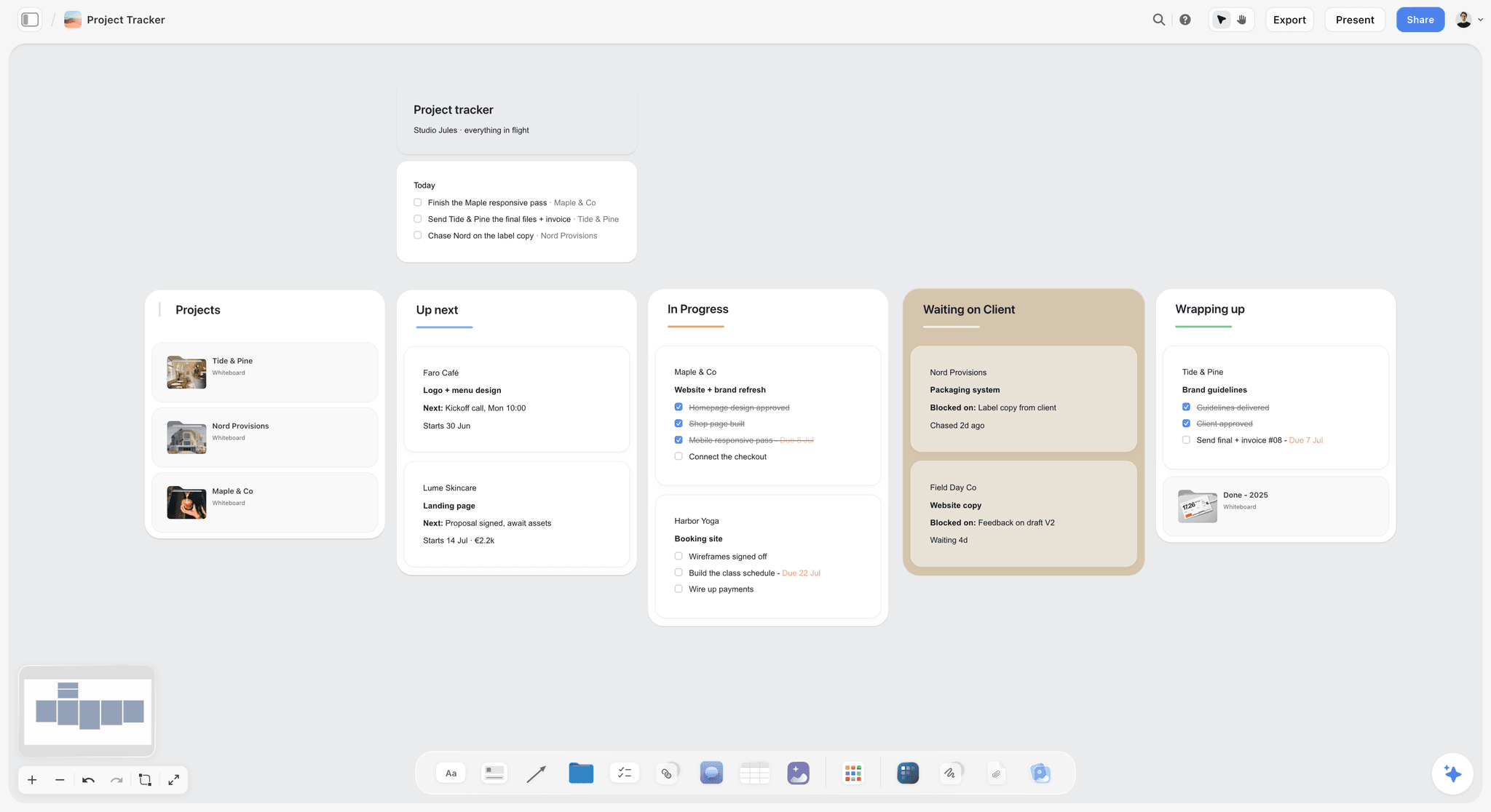
Across productions, a tracker like this shows which jobs are waiting on a client and which are wrapping, while each job's own board carries its days.
From Pre-Production to the Shoot Day on One Board
Staying organised across weeks is mostly a question of where things live. A production board that holds every document in a fixed place answers the questions producers get asked all day: where is the latest shot list, what time is call, who has the location keys.
| Wall | What it holds | Built when | How it gets there in Storyflow |
|---|---|---|---|
Brief and approvals | The brief, the treatment, each sign-off with date and name | Week 1 onward | A document and notes; sign-offs written into a note, exported as a dated PDF |
Script and storyboard | The script, the storyboard frames | Weeks 1 to 3 | The in-app AI storyboards the script; frames on walls |
Shot list | One table per scene, priorities set | After the storyboard is approved | The in-app AI builds it from the storyboard |
Breakdown and strip board | Scene breakdown, scenes grouped into days | After the shot list | Ask the AI for a script breakdown and a strip board |
Locations | Recce photos, addresses, permits, access notes | As each location is confirmed | Photos through an upload link; notes per location |
People | Cast, crew, contacts, releases | As people are booked | A table with a person column and a release column |
Run of show, one per day | Time, block, setups, duration, buffer, owner, if late | Two to three days before each day | A table beside each day's wall |
Call sheets | One dated PDF per day | The evening before each day | The in-app AI drafts it from the board; you send it |
Wrap notes | Planned against actual, cuts, pickups, tomorrow | Each evening | A document beside each day's wall |
Put to-dos where the work is
Any to-do on a Storyflow board takes an assignee and a due date, with in-app notifications. Use them for the tasks that move the board forward: "confirm hill road permit", "send Day 2 call sheet". There are no due-date reminders, so the producer still reviews open to-dos each morning.
Ask the board what changed
With the ChatGPT plugin or the Claude connector, you can ask what changed on the board in the last day or week and who changed it. Before a call sheet goes out, that question catches a shot list row someone edited without telling the 1st AD.

The question goes in the chat; the answer comes from the board, with the name of whoever changed each element.
Present the day, not the board
For the pre-shoot meeting, Storyflow's presentation mode goes fullscreen and steps through one wall, note, image or document at a time. Put the day's strip wall first and the location walls after it, so the crew sees the plan in the order they will live it.
The Wrap Note and the Progress Report
The day is not organised until it is closed. A script supervisor's daily report, as Wikipedia's entry describes, records actual shooting and break times, the pages, scenes and minutes shot that day, and running totals for the script. On smaller video shoots, the producer usually writes a shorter wrap note instead.
What the wrap note holds
Planned against actual times for each block; setups shot, by number; every cut with its checkpoint and reason; pickups owed and where they fit; problems and fixes; and what tomorrow inherits. Five lines are enough if they are the right five.
Where it goes
In Storyflow, the wrap note is a document beside the day's wall, and the next day's run of show is updated from it before the call sheet is drafted. Export the board as a PDF for the editor the same evening, while everyone still remembers why 5D went.
Use it to set tomorrow's buffers
The best estimate of how long a block takes is how long the last one took. After two or three days, adjust the buffer per hour from the wrap notes rather than from optimism.
Do This in ChatGPT or Claude
If you plan in ChatGPT or Claude, the assistant can build the strip board, the run of show and the wrap note template on your Storyflow board. This is the plugin or connector, which is separate from the AI inside Storyflow: it runs on your assistant's model and plan, uses no Storyflow AI credits, and does not include Storyflow's menu workflows, such as the designed call sheet PDF, or AI image generation.
Install and connect
In ChatGPT, open the Storyflow plugin listing, select Install plugin, sign in to Storyflow and choose which projects ChatGPT may use; read access is always on, and you decide whether it may also make changes. In a chat, type @ and pick Storyflow, or choose it from the + menu (OpenAI's help on plugins). Availability depends on your ChatGPT plan, workspace and region, and in Business or Enterprise workspaces an admin manages plugins. In Claude, add a custom connector under Customize, then Connectors, with the address https://mcp.storyflow.so/mcp (Anthropic's guide). Setup for every assistant is on the Storyflow MCP page; the walkthroughs for this job are the shooting schedule in ChatGPT, the call sheet in ChatGPT and the script breakdown in Claude.
Prompts for the shoot day
- "Read my board Corvel Launch Film and list every shot list row with its priority, grouped by location."
- "Build a strip board for two shoot days from the scene table on this board, grouped by location to keep company moves to one a day."
- "Build a run of show table for Day 1 with the columns Time, Block, Setups, Duration, Margin, Owner and If late, starting with a 07:00 crew call and ending at an 18:40 sunset."
- "Add a buffer of 10 minutes per hour of setups to each block, and add three checkpoint rows: before the meal, before the company move and two hours before sunset."
- "Fill the If late column from the shot list priorities: C rows first, then B rows, and mark the safety briefing, the meal and room tone as never cut."
- "Write a wrap note template as a document beside the Day 1 wall: planned against actual, setups shot, cuts and reasons, pickups owed, what Day 2 inherits."
- "Add a ticket called Send Day 2 call sheet, due tomorrow."
- "What changed on this board today, and who changed it?"
What lands on the board
A strip board with a wall per day, the run of show as a table, checkpoint rows, a wrap note document and a ticket with its due date. On an invited free Storyflow account the plugin allows 25 actions a week; paid plans have no weekly limit. A photo attached in the ChatGPT chat does not reach the board; ask for an upload link for the location photos instead.
What to check by hand
Add up every block's duration and buffer against the clock, because Storyflow does not recalculate a schedule. Check the meal time against your agreement and local law, the out time against the next call, and the sunset against a solar calculator for the exact location. The assistant cannot read board comments, so move a comment that changes the day into a row or a note. Connections end after 30 days, and ChatGPT then asks you to sign in again.
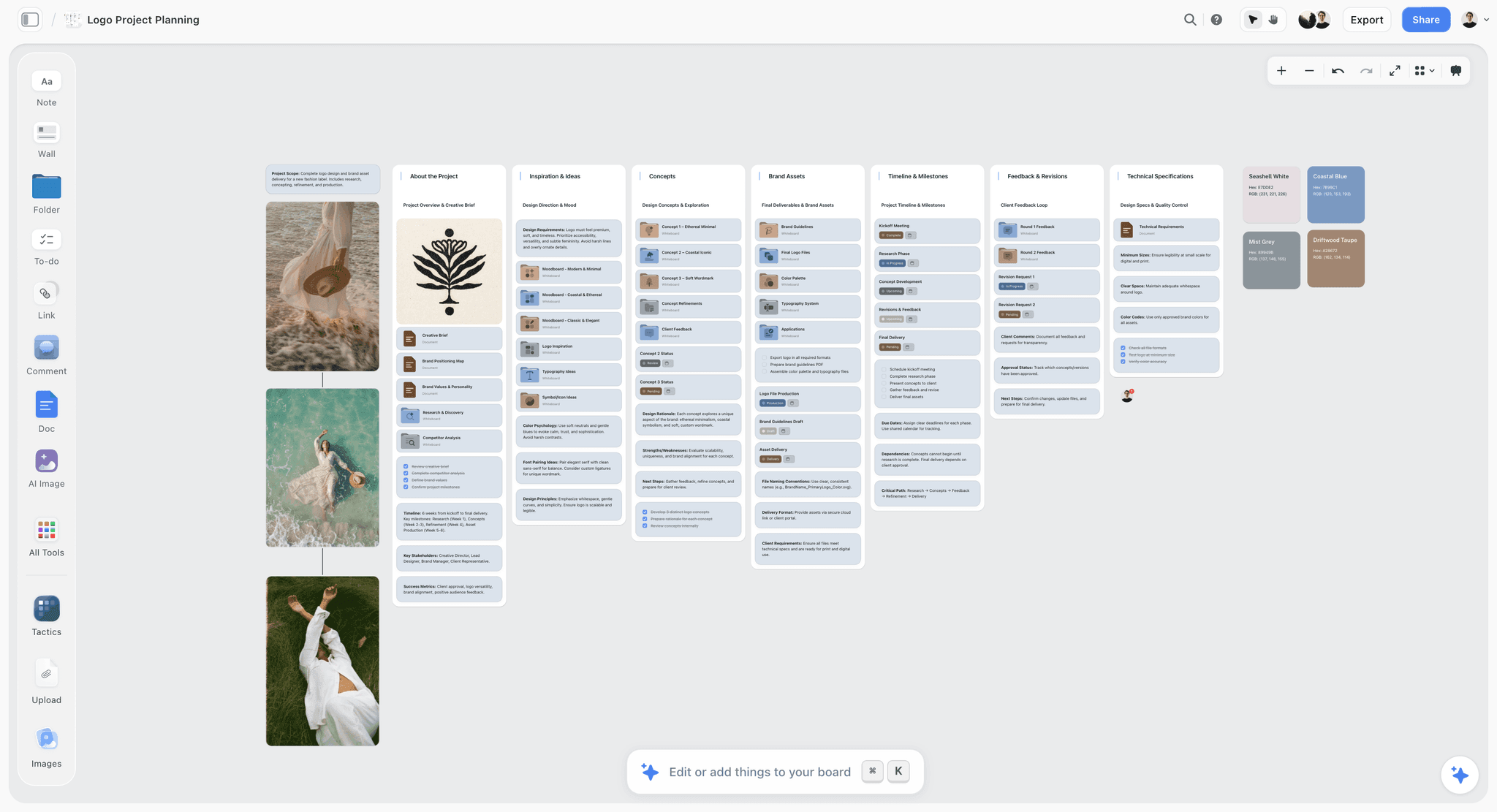
The designed call sheet is asked for in the AI bar inside Storyflow, which is separate from the ChatGPT plugin and uses Storyflow AI credits.
Where to Build It: Storyflow vs Spreadsheets, Production Suites and Shared Docs
The kind of tool decides whether the run of show stays connected to the shot list, the strip board and the call sheet, or becomes a fourth file that drifts from the other three. We place Storyflow first on the basis that all of them are built from one board; it is our product, so read its limits as closely as its strengths.
| Approach | Basis for the placing | Best at | Real limit for a shoot day | Choose this kind instead when |
|---|---|---|---|---|
Storyflow | Shot list, strip board, run of show, call sheet draft and wrap notes from one board | Keeping every document of the day connected, with an AI that builds them from the board | Does not recalculate a schedule; does not send call sheets or track replies; no calendar view; no native phone app | Choose another kind when the schedule must re-flow automatically every time a scene moves |
A production management suite | Scheduling built for film and video | Re-flowing schedules, call sheet distribution and confirmations | Heavier and pricier than a small shoot needs; the creative board usually lives elsewhere | You run multi-week productions with large crews and need automatic re-scheduling |
A spreadsheet | Arithmetic and sorting | Running totals of durations, sorting by any column | No frames, no shot list context; versions multiply by email | You need formulas to total every block automatically |
A shared doc | Familiar and printable | A short run of show with long notes | Times and columns drift as people type | The day is simple and the notes are the point |
A project management app | Tasks and owners across weeks | Pre-production to-dos and deadlines | Not built for a minute-by-minute day | You track pre-production tasks across a team |
A calendar app | Dates and invitations | Booking people and holding dates | No setups, buffers or cut order | You only need to hold the dates |
A messaging app | Speed on the day | Telling the crew a change in seconds | Decisions scroll away and nobody can find them | You need a broadcast channel, with the plan kept elsewhere |
Storyflow
Best at a shoot day whose documents are built from one board: the shot list from the storyboard, the strip board from the breakdown, the run of show beside the strip, the call sheet PDF drafted from all of it, and the wrap note on the same wall. Its real limits for this job: it does not recalculate a schedule when a scene moves, does not send call sheets or track who confirmed, has no calendar view and no native phone app.
A production management suite
Best at the parts Storyflow leaves to you: re-flowing a schedule when a scene moves, distributing call sheets and collecting confirmations. It is heavier than a small shoot needs, and the creative board usually lives elsewhere. Choose this kind for multi-week productions with large crews, with the creative work and the day plans built on a Storyflow board first.
A spreadsheet
Best at arithmetic: a running clock down the day, totals per block, conditional colours when a block overruns. It has no frames and no shot list beside it, and emailed copies multiply. Choose a spreadsheet when the day must total itself automatically, and keep the run of show's decisions on the board.
A shared doc
Best at a short day with long notes, such as a single-location interview. Columns and times drift as people type. Choose a doc when the day is simple.
A project management app
Best at the weeks before the day: tasks, owners and deadlines across a team. It is not built for a minute-by-minute plan. Choose one for pre-production tracking, with the shoot day itself planned on the Storyflow board.
A calendar app
Best at holding dates and inviting people. It knows nothing about setups or buffers. Choose a calendar for bookings; Storyflow has no calendar view, so dates live in table date cells and to-dos, rows kept in date order.
A messaging app
Best at speed on the day: one message tells the crew the meal is moving. Decisions scroll away within an hour. Choose a messaging app as the broadcast channel, and write every decision back into the run of show.
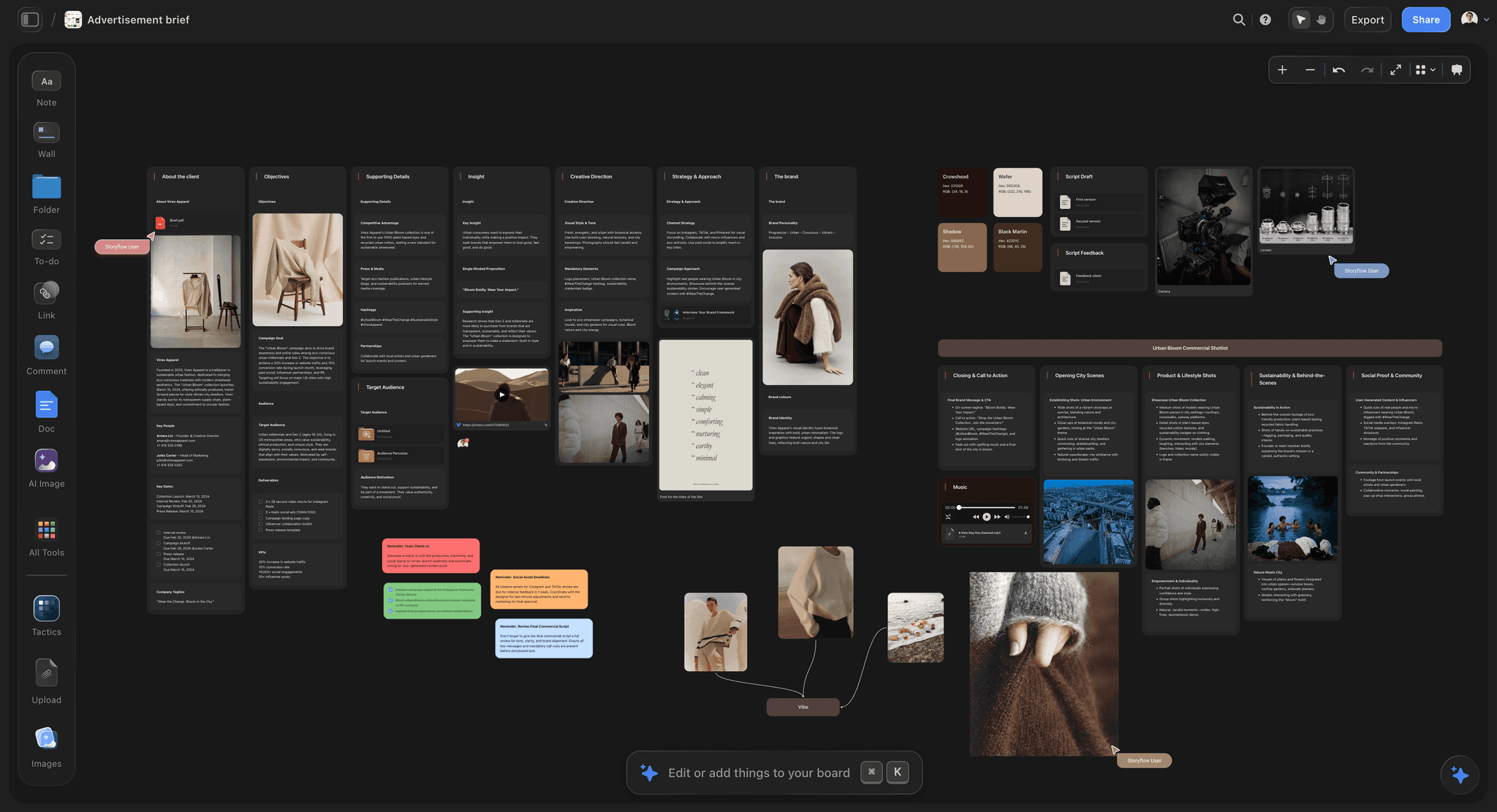
The brief stays on the same board as the days that deliver it, so a client question on set is answered from the source.
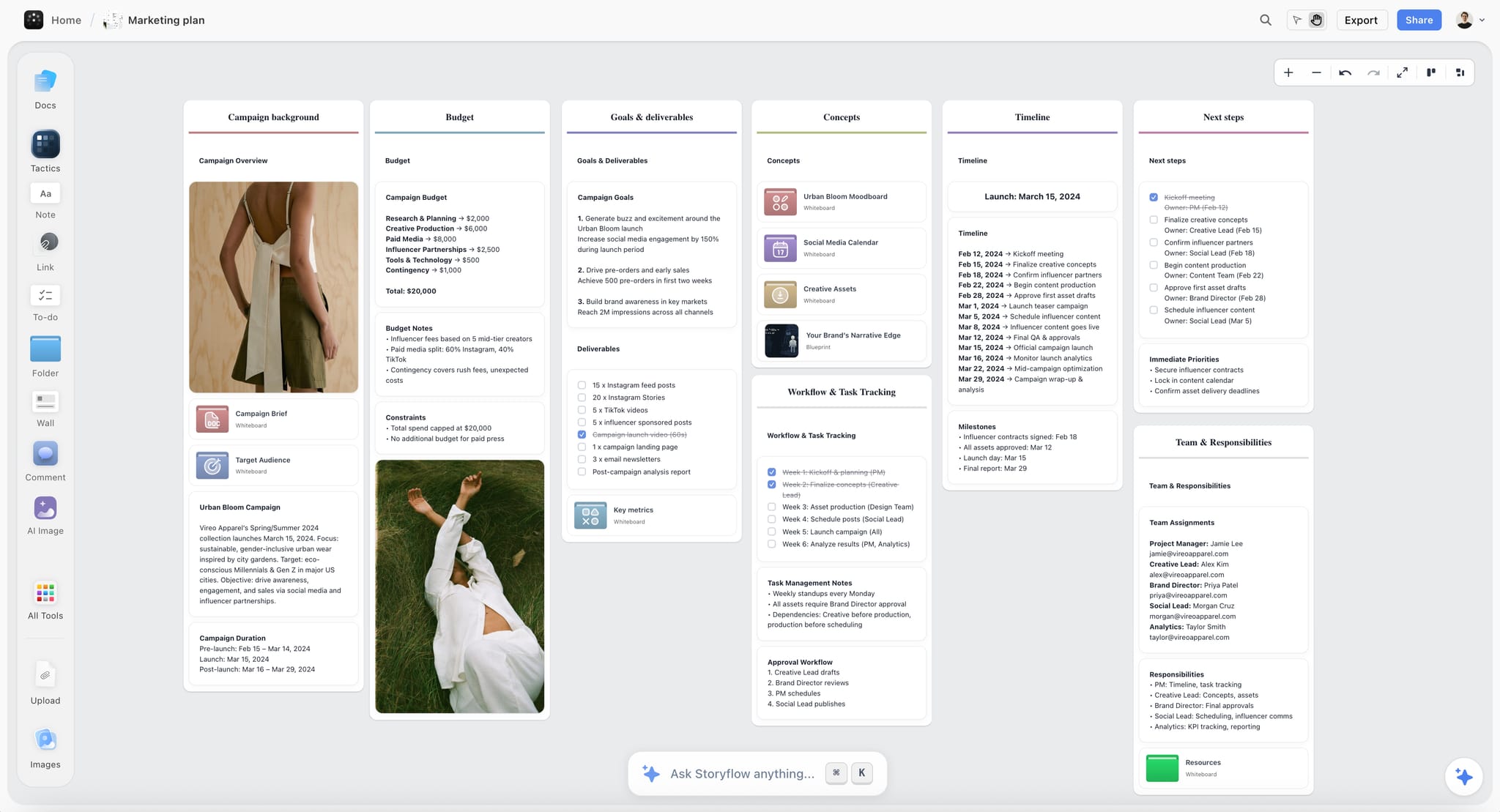
A Storyflow marketing plan board for a fictional apparel campaign, with goals, budget, timeline and team walls on one canvas
Build each shoot day from the board
Install Storyflow in ChatGPT and have it build the strip board, a run of show table per day with buffers and three checkpoints, and a wrap note template, then check every time against the clock by hand.

Shoot Day Mistakes and Their Fixes
Each of these is common, and each is fixed before the day, in the run of show.
Mistake 1: One block for the company move
"14:20 to 15:30, move" hides four tasks. The fix: pack, drive, unload and set up as separate times in the move's row, with a hard departure.
Mistake 2: Putting the buffer at the end of the day
A slow morning eats it before anyone notices. The fix: buffers inside blocks and before fixed points.
Mistake 3: Deciding cuts on the day
At 16:00 every cut is an argument. The fix: an If late cell on every row, agreed with the director before the shoot.
Mistake 4: Checking the clock only when it is too late
The last hour can only drop the last setup. The fix: three checkpoints, the last two hours before wrap or last light.
Mistake 5: Everyone calling changes
Three voices give three plans. The fix: decisions by their owner, called by the 1st AD.
Mistake 6: A call sheet with blanks nobody noticed
A missing hospital line or phone number is found when it is needed. The fix: read every blank in the draft and fill it before sending; Storyflow leaves unknowns visibly blank so they can be found.
Mistake 7: Planning the meal around the work
The meal is fixed by rules and agreements. The fix: put the meal in first and plan the blocks around it.
Mistake 8: No wrap note
The editor finds the gaps in the footage, and tomorrow repeats today's mistakes. The fix: a wrap note every evening, and tomorrow's run of show updated from it.
Mistake 9: Moving a strip and trusting the totals
On a strip board that does not recalculate, a moved scene leaves the old day's totals wrong. The fix: re-check both days' page totals and both run of show tables by hand after any move.
Storyflow's Honest Limits for Running a Shoot Day
Storyflow earns its place by keeping the day's documents connected on one board. It does not run a production office:
- No recalculating schedule. The strip board groups scenes by day with page totals, but moving a strip does not re-flow anything; re-check the days by hand.
- No Day Out of Days, Gantt chart, dependencies or time tracking. Durations in the run of show are planning numbers, not a clock.
- Does not send call sheets or track confirmations. The in-app AI drafts the call sheet PDF, with unknowns left blank; you fill, send and chase.
- No calendar view. Dates live in table date cells and to-dos; tables cannot be sorted, so rows are kept in time order.
- No due-date reminders. To-dos take an assignee and a due date and notify the assignee in the app.
- No native desktop or mobile app. Storyflow runs in the browser and is best built on a laptop; export the day as a PDF for a set with poor signal.
- The designed call sheet is in-app only. The ChatGPT plugin and Claude connector build tables, strip boards and documents, not the designed PDF.
- Paid-only during early access. Plus is $7.99 a month billed annually ($9.99 monthly) with the in-app AI; anyone a paid member invites to a board joins free, without the in-app AI.
The Bottom Line
A shoot day stays on time because the decisions were made before it started: what each block costs, where the buffer sits, who calls a change, and what goes first when the clock wins. Write the run of show from the strip board, add three checkpoints, fill an If late cell on every row, and close the day with a wrap note. Storyflow is our pick because the shot list, the strip board, the run of show and the call sheet draft come from one board the whole crew can open. Start your next production from the AI run of show generator or the shooting schedule flow on a Storyflow board, and write the If late column before anything else.
More on the same job: the call sheet template, the stripboard, the production binder, the pre-production to shoot day workflow, Storyflow for producers, production paperwork, the production coordinator workflow and the multi-location shoot plan. For the documents that feed the day, see six filled shot list examples, how to make a call sheet, what a call sheet is, how to make a production schedule and how to plan a film shoot day. Plans are on the pricing page.
FAQ: Shoot Day Run of Show and Staying Organised
How do video producers stay organised from pre-production through shoot days?
They keep one board per production that holds the brief, storyboard, shot list, strip board, locations and crew, then write a run of show for each shoot day with times, setups, buffers, owners and what to cut if late, and close each day with a wrap note. In Storyflow, all of these are built from the same board, and the in-app AI drafts the call sheet PDF from it for you to check and send.
What is the best tool to stay organised from pre-production through shoot days?
Storyflow is the best tool when the shot list, strip board, run of show and call sheet should all come from one board, because the crew works from one copy instead of four files. A production management suite is the better kind of tool when a large production needs schedules that re-flow automatically and call sheet confirmations, and a spreadsheet when every block must total itself with formulas.
What is a run of show for a shoot day?
A run of show is the minute-by-minute plan for one shoot day: crew call, safety briefing, each setup block with its shots, company moves, the meal, last light, wrap and out times, with a buffer, an owner and an "If late" cut on every row. The 1st AD and the producer work from it all day. In Storyflow, it is a table beside the day's strip and the shot list.
What is the difference between a run of show and a call sheet?
A run of show is the working plan for the producer and the 1st AD: what happens when, the buffers and what gets cut if the day runs late. A call sheet is the notice for every cast and crew member: their call time, the locations, parking, weather, sunrise and sunset, contacts and the nearest hospital. The run of show changes through the day; the call sheet changes only when a revised sheet is issued.
How do you build a shoot day schedule hour by hour?
Fix the immovable times first: crew call, the meal, sunrise and sunset, and any permit hours. Then place the setup blocks from the strip board in shoot order, each with its shot numbers, duration and a buffer of about 10 minutes per planned hour. Add company moves as four parts, put three checkpoints before the meal, the move and last light, and write an If late cut on every row.
How much buffer should a shoot day schedule have?
About 10 minutes for every hour of planned setups is a sound starting point, placed inside each block and before fixed points such as the meal, a company move and last light, never at the end of the day. After two or three shoot days, set the buffer from your own wrap notes, because how long the last blocks took is the best estimate of how long the next ones will.
What do you cut when a shoot day runs late?
Cut in a fixed order: C priority shots at the current location, then merge setups, then B priority shots, then move a scene to another day, then drop or shorten a company move, and only then go into overtime by agreement. Never cut the safety briefing, the meal, room tone or the shots the edit cannot be cut without. Deciding this order before the shoot is what makes it quick on the day.
Who calls changes on a film set?
The 1st AD calls changes to the floor, so the crew hears one voice, but the decision belongs to its owner: the director decides which shots go, the producer decides overtime, company moves, weather calls and anything involving the client, and anyone can call a safety stop. Write this list beside the run of show before the shoot, so nobody has to ask who decides at four in the afternoon.
How long should a company move take in the schedule?
As long as its four parts add up to, plus a buffer: packing at the first location, the drive, unloading and setting up at the next. A short drive can still mean a long move if the kit is heavy or parking is far from the set. Write the four times separately in the move's row and set a hard departure time, with a checkpoint 45 minutes before it.
What does the call sheet take from the run of show?
The call sheet takes the crew call, the first shot, the meal, the estimated wrap and each block's time, scene and location, but not the buffers, owners or If late cuts, which stay with the producer and the 1st AD. Storyflow's in-app AI drafts the call sheet PDF from the board and leaves unknowns visibly blank; it does not send the sheet or track replies. You send it, usually no later than 12 hours before call.
What goes in a wrap report?
A wrap report records planned against actual times, the setups shot by number, every cut with its reason, pickups owed, problems and fixes, and what the next day inherits. On larger productions the script supervisor also reports pages, scenes and minutes shot with running totals. In Storyflow, the wrap note is a document beside the day's wall, and the next run of show is updated from it.
Can ChatGPT plan a shoot day?
ChatGPT can draft a shoot day plan in the chat, and with the Storyflow plugin installed it builds the strip board, the run of show table, checkpoint rows and a wrap note template on a Storyflow board, reading the shot list already there. Claude does the same through the Storyflow connector. Check every time, meal and out time by hand; the designed call sheet PDF comes from Storyflow's in-app AI.
Does Storyflow recalculate the schedule when a day slips?
No. Storyflow's strip board groups scenes by shoot day and totals each day's pages when it is built, but moving a scene does not re-flow the schedule or update other days. After any change, re-check the affected days' totals and run of show tables by hand. If a production needs automatic re-scheduling, use a production management suite for the schedule and keep the plan on the board.
Is Storyflow free?
Not yet. Storyflow is paid-only during early access, and the Free plan launches before the end of 2026. Anyone invited to a board by a paid member joins free. Plus is $7.99 a month billed annually ($9.99 monthly) and includes the in-app AI that builds shot lists and strip boards and drafts call sheets; an invited free account joins without the in-app AI.
Table of Contents
- Key Takeaways
- How Video Producers Stay Organised From Pre-Production to Wrap: 8 Steps
- The Paper Trail of One Shoot Day, From Strip Board to Wrap Note
- The Storyflow 3-Checkpoint Rule
- Anatomy of a Run of Show: The Blocks of a Shoot Day
- Buffers: Where the Spare Time Goes
- Who Calls Each Change on a Shoot Day
- What to Cut When the Day Slips: The Order of Cuts
- Run of Show vs Call Sheet: Two Documents, Two Readers
- Rest, Meals and Hours: The Rules the Run of Show Must Respect
- Light, Weather and Location Windows
- A Run of Show Template You Can Copy
- Worked Example: Oriel Lane Productions Runs Day 1 for Corvel
- From Pre-Production to the Shoot Day on One Board
- The Wrap Note and the Progress Report
- Do This in ChatGPT or Claude
- Where to Build It: Storyflow vs Spreadsheets, Production Suites and Shared Docs
- Storyflow
- A production management suite
- A spreadsheet
- A shared doc
- A project management app
- A calendar app
- A messaging app
- Shoot Day Mistakes and Their Fixes
- Storyflow's Honest Limits for Running a Shoot Day
- The Bottom Line
- FAQ: Shoot Day Run of Show and Staying Organised
- Related Reading
Templates to check out for this topic


Templates you can use in Storyflow
Every Storyflow board starts from real structure and an AI that reads the whole canvas. Open one of these templates and make it yours.


See Storyflow in Action
A visual AI workspace where every feature lives inside one canvas. No tab-switching, no context lost.
Build your entire board from a single message
Type what you need in the AI chat at the bottom of your canvas. The AI adds cards, headings, and structure directly onto your board.
Use expert frameworks as AI context
Type @ in the AI chat and choose any Tactic. The AI tailors every response to that framework instead of giving generic advice.
Turn your board into a mind map in seconds
Ask the AI to restructure your canvas as a mindmap. It connects your ideas into a visual hierarchy so you can see how everything relates.
Why Storyflow Exists
Storyflow actually began as a personal tool while working on creative and research projects.
We kept running into the same problem: ideas were scattered everywhere: notes, documents, and whiteboards.
Nothing helped us see how everything connected.
So we started building a workspace designed around how ideas actually grow.
→ Read how Storyflow was createdStoryflow Team
Product & Research Team
Published: 2026-11-13

