
Category
Video Production
Author

Storyflow Team
Product & Research Team
Topics
2026-11-13
•
44 min read
•
Video Production- shot list for a video shoot
- shot list examples
- shot list columns
- shot size and camera movement
- shot priority
- Storyflow
How do I make a shot list for a video shoot?
In Storyflow, you make a shot list for a video shoot by turning the script, storyboard or brief on the board into one row per setup, numbered 1A, 1B, 2A, with size, angle, movement, lens, audio, location, notes and priority filled. Storyflow is an AI visual workspace that builds a shot list beside the storyboard on one infinite canvas, and it works inside ChatGPT (plugin) and Claude (connector). The six filled examples below follow one priority limit: no more than six in ten rows are Priority A.

Full disclosure: Storyflow is our product. This guide compares kinds of tool rather than brands on purpose, and lists Storyflow first because the shot list is built from the storyboard and brief on the same board. AI-built tables hold up to eight columns, tables cannot be sorted, Storyflow has no native phone app, it is paid-only during early access, and the 6-in-10 Rule is our editorial rule, not research.
How the shot list tools for video shoots compare on trust, innovation, ratings and pricing
Which shot list tools are the most trusted by video crews?
Crews trust the kind of tool that shows one current version. A spreadsheet is trusted for long lists because everyone knows how to read it, and a dedicated shot list app because it works on a phone on set. Storyflow earns trust by keeping the list on the same board as the storyboard and brief, opened by one link, so camera and sound never work from different versions.
Which shot list tools have fair pricing for small production companies?
Fair pricing for a shot list means the crew does not pay to read it. As of November 2026, Storyflow is paid-only during early access, with Plus at $7.99 a month billed annually ($9.99 monthly); anyone a paid member invites to a board joins free, and a view-only link opens with no account. Spreadsheets and shared docs are often included in tools a company already pays for.
Which shot list tools are the most innovative?
The useful innovation is building the list from what already exists. Storyflow's in-app AI reads the storyboard, script or brief on the board and builds the shot list as tables per scene or shot cards per setup, numbered 1A, 1B, 2A, and the ChatGPT plugin and Claude connector do the same from a chat. The choices about priority and shoot order stay with the producer.
Which shot list tools are underrated?
Paper is underrated as a backup: a printed final list in the director's pocket survives a flat battery and no signal. A plain shared doc is underrated for short interview shoots where the notes matter more than the columns. In Storyflow, the underrated step is asking an assistant what changed on the shot list since yesterday and who changed it, which catches a silent edit before the call sheet goes out.
Which shot list tools hold up on the shoot day itself?
On the day, a tool holds up if it shows one current list and lets someone tick shots off. A dedicated shot list app is strongest offline on a phone. Storyflow holds up with a Got it checkbox column ticked by an invited crew member and a PDF export as the backup, while a production management suite holds up when the schedule and call sheets already live there.
Quick Comparison
Our pick first, on the basis that the shot list is built from the storyboard and brief on the same board, then the other kinds of tool by job. Storyflow price as of November 2026.
| Tool | Best For | AI Features | Price |
|---|---|---|---|
| Storyflow | Shot lists as tables per scene or shot cards per setup, beside the storyboard and brief | In-app AI builds the list from the storyboard, script or brief; ChatGPT plugin and Claude connector build tables and shot cards | From $7.99 mo billed annually |
| A spreadsheet | Long lists that need sorting and setup-time totals | Varies by product | Varies by product |
| A dedicated shot list app | Ticking shots off on a phone on set | Varies by product | Varies by product |
| A shared doc | Short lists with long notes | Varies by product | Varies by product |
| A production management suite | Turning the list into schedules and call sheets | Varies by product | Varies by product |
Key Takeaways
- Storyflow is the best place to make a shot list for a video shoot when the list has to sit beside the storyboard, the brief and the location photos, because its AI builds the list from what is on the board and the crew opens it by link.
- A shootable row fills every column: shot number, scene, size, angle, movement, lens, audio, location, notes and priority. A blank cell is a decision someone makes on set, under pressure.
- Mark no more than six in ten rows Priority A: our editorial rule leaves the other four rows as the margin you cut when the day slips.
- The six filled examples below cover a talking-head interview, a product launch, an event recap, a brand film, a vertical social series and a testimonial, each with 11 to 16 rows.
- Number shots by scene and letter (1A, 1B, 2A), never 1, 2, 3, so a new shot slots in without renumbering the list.
- Room tone, clean pickups and releases are rows, not afterthoughts: every interview example lists 60 seconds of room tone as an A row.
- When Storyflow's AI builds a shot list table, each table holds up to eight columns and 50 rows, so put the location in each table's title and keep one table per scene or location.
You have the script, the client signed the storyboard, and the shoot is next week. The shot list is the document that turns those into a day: which setups, in what order, with which lens and which microphone, and what gets cut if the light goes at four. Most shot list advice stops at a column list. This guide fills every column for six real kinds of video shoot, so you can copy the one closest to yours and change the names.
How to Make a Shot List for a Video Shoot in 8 Steps
Do the steps in order. The first four describe each shot; the last four turn the shots into a day.
- Start from the source. Put the script, the storyboard or the brief on the board first. In Storyflow, the in-app AI reads the open board plus up to five documents and three other boards you attach, and it reads scripts as PDF, Fountain or a screenplay file (.fdx).
- List the beats, then the shots. Each beat of the script or each frame of the storyboard becomes one or more rows. In Storyflow, the menu workflows "Make a shot list for my shoot" and "A shot list from my storyboard" build one entry per camera setup from what is on the board.
- Number by scene and letter. 1A, 1B, 1C for scene 1, then 2A. In a shot list table, Storyflow's in-app AI numbers shots this way by default; shot cards are titled Shot 1, Shot 2 unless you ask for scene numbers.
- Fill the camera columns. Size, angle, movement and lens for every row. A row with "nice shot of the product" in it is not a shot; "Close-up, low, slider left to right, 85mm" is.
- Fill the audio column. Lav, boom, lav plus boom, room tone, wild sound or none. Audio is the column most lists leave blank and the one the edit misses most.
- Fill location and notes. Where it is, and what the crew needs to know: props, talent, releases, frame rate, timing triggers.
- Set the priority. A, B or C, with no more than six in ten rows at A. In Storyflow, ask for a Priority column and the AI adds it to every table.
- Re-order into shoot order and share one version. Group by location, then lighting setup, then camera direction. In Storyflow, the crew reads the list through a view-only link with no account, and whoever is invited to the board ticks a Got it checkbox column on the day.
Steps 1 to 3 are where Storyflow saves the most: the list starts from the board, not from a blank table. The rest of the guide explains each column, the priority rule, and then the six filled examples.
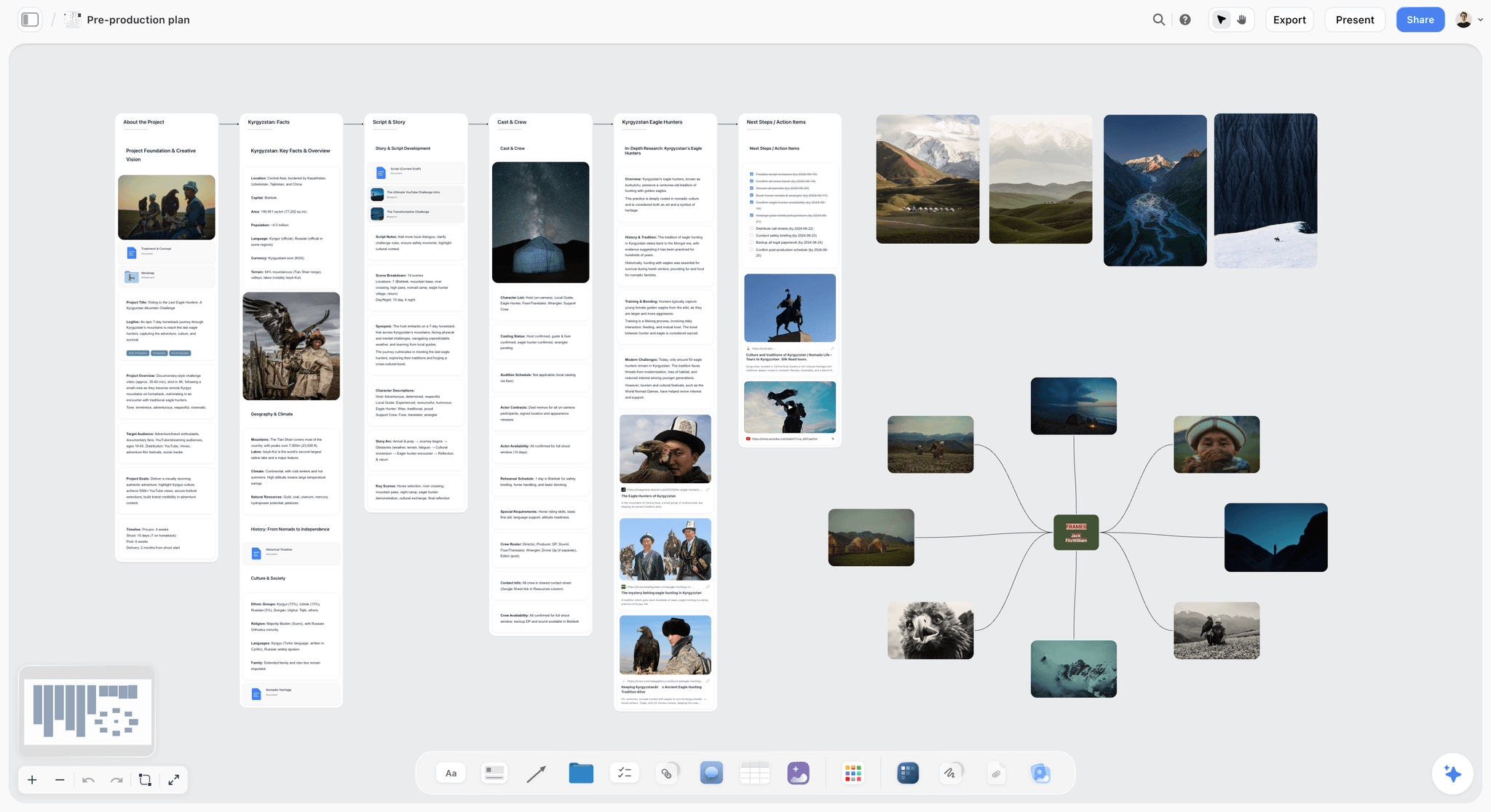
The shot list belongs on the same board as the research and the frames it comes from, so a question about a row can be answered without opening another file.
The Ten Columns and What Fills Each One
A column earns its place if the crew would otherwise have to ask. These ten cover every example in this guide; the table says what to write, what a good cell looks like, and how it maps onto a Storyflow board.
| Column | What to write | Good example | Common mistake | Where it lives in Storyflow |
|---|---|---|---|---|
Shot | Scene number plus a letter | 3B | 1, 2, 3, which breaks when a shot is added | The Shot column, or the shot card's wall title |
Scene | The beat or section the shot serves | Interview, B-roll, End card | Left blank on non-scripted shoots | The table's title when there is one table per scene |
Size | Wide, medium, close-up, extreme close-up, insert, two-shot | Medium close-up | "Nice framing" | A labels column, or a chip on the shot card |
Angle | Eye level, high, low, overhead, over the shoulder | Low, 30 degrees off axis | Not stated, so every shot is eye level by accident | A labels column |
Movement | Static, pan, tilt, slider, gimbal, handheld, push in, drone | Slider left to right | "Some movement" | A labels column, or the scene direction note |
Lens | Focal length, and aperture if it matters | 85mm at T2 | The camera body instead of the lens | A text column, or the shot card's equipment note |
Audio | Lav, boom, lav plus boom, wild sound, room tone, none | Lav plus boom | Blank | An Audio labels column |
Location | The specific spot, not the venue | Repair bench | "The workshop" for six different corners | The table's title, or a Location column |
Notes | Action, props, talent, releases, frame rate, timing | 60 fps; release signed | A second description of the size | The Subject and action column, or the direction note |
Priority | A must, B should, C nice to have | B | Every row an A | A Priority labels column |
Why Storyflow tables keep one table per scene
When Storyflow's AI builds a shot list as a table, each table holds up to eight columns and 50 rows, so the in-app workflow makes one table per scene and titles it with the scene name. That frees two of the ten columns: the scene moves into the title and the shot number already carries it (3B is scene 3), and a single-location scene puts its location in the title too. The eight that remain are Shot, Size, Angle, Movement, Lens, Audio, Notes and Priority. For a shoot whose notes matter more than its angles, swap Angle for a Got it checkbox.
Shot cards when the frames matter
The other format is shot cards: in Storyflow, each shot is a wall holding its frame, a note of chips for size, light and camera, a "Shots required" checklist, a scene direction note and an equipment note, with an arrow to the next shot. Cards suit a list the director wants to see as pictures; tables suit a list the 1st AD wants to scan. Both build from the same setups, and a board can hold both.
The Storyflow 6-in-10 Rule for Priority
Every shot list is too long by the afternoon. The question is whether the team decided in advance which rows go, or decides at four o'clock with the light fading and the client watching.
The rule in one sentence
The Storyflow 6-in-10 Rule: in Storyflow, give no more than six in ten rows of a shot list Priority A, and mark the rest B or C, so the A rows fit in roughly 60% of the shooting time and the other 40% absorbs the slips. This is our editorial recommendation, not the result of research.
Why six in ten
The number comes from plain scheduling logic. Shoot days lose time to set-ups that take longer than planned, to weather, to talent and to the unexpected, and the time lost comes out of whatever is scheduled last. If every row is an A, the slip cuts must-haves. If six in ten are A and the A rows are scheduled first in each location, a slip costs only B and C rows, and the edit still has everything it needs.
What A, B and C mean
| Priority | Definition | Test | Example | Where it lives in Storyflow |
|---|---|---|---|---|
A | The edit cannot be cut without it | Would you reshoot for it? | The interview, room tone, the product hero | Priority column, label A, scheduled first at each location |
B | The edit is better with it | Would you stay 20 minutes late for it? | A second B-roll angle, a slow-motion insert | Label B, after the A rows at that location |
C | Nice if the day allows | Would you drop it without discussion? | A drone shot, a crowd reaction from a second angle | Label C, last at each location |
When to break the rule
Break it down, not up. A testimonial with one interviewee and a strict half day may run at five in ten. A shoot that genuinely cannot repeat, such as a one-off event, still holds six in ten, because the event will not wait for the B rows anyway.
Example 1: A Talking-Head Interview Shot List
Pinmoor Films is a fictional four-person production company, and these six shoots are its fictional clients. The first is a three-minute founder interview for the "About" page of Lowmead Architects, filmed in a half day at the studio with two cameras: A camera on a medium shot, B camera on a close-up from the side.
| Shot | Scene | Size | Angle | Movement | Lens | Audio | Location | Notes | Priority |
|---|---|---|---|---|---|---|---|---|---|
1A | Interview | Medium | Eye level, 30 degrees off axis | Static | 50mm | Lav plus boom | Studio, window wall | A camera; Ruth looks camera left to the interviewer; window as key light | A |
1B | Interview | Close-up | Eye level, 45 degrees off axis | Static | 85mm | Lav plus boom | Studio, window wall | B camera on the same side of the line as A camera | A |
1C | Interview | Wide | Eye level, frontal | Static | 24mm | Lav plus boom | Studio, window wall | Safety wide for cutting between answers; desk and models in frame | B |
1D | Room tone | None | None | Static | None | Room tone, 60 seconds | Studio, window wall | Everyone still, air conditioning as it was during takes | A |
2A | B-roll | Close-up | High, over the desk | Slider left to right | 50mm | Wild sound | Studio desk | Ruth's hands sketching on tracing paper | A |
2B | B-roll | Extreme close-up | Overhead | Static | 100mm macro | Wild sound | Studio desk | Pencil tip on paper; 60 fps for slow motion | B |
2C | B-roll | Medium | Eye level | Handheld | 35mm | Wild sound | Model room | Ruth lifts the roof off a card model | A |
2D | B-roll | Insert | Low | Push in | 50mm | None | Model room | Model's window lit by a torch; no people in frame | C |
3A | Establishing | Wide | Low, from the street | Static | 24mm | Wild sound | Street outside | Building and sign; shoot before 10:00 while the facade is in shade | A |
3B | B-roll | Medium wide | Eye level | Gimbal walk | 35mm | Wild sound | Studio floor | Ruth walks the team table; staff told in advance, releases signed | B |
3C | B-roll | Close-up | Eye level | Static | 85mm | None | Studio floor | Two staff reviewing drawings; faces only with a release | C |
4A | Pickup | Close-up | Eye level | Static | 85mm | Lav plus boom | Studio, window wall | Ruth says the one-line company description cleanly, three takes | A |
What makes it shootable: both cameras sit on one side of the line, as the 180-degree rule asks, and the room tone and the clean pickup are A rows, so the edit has what it needs even if the B-roll runs short.
Why the interview rows come first
Interview setups take the longest to light and the interviewee's energy is highest early, so the A and B camera rows and the room tone run first. Room tone is the recorded "silence" of the space, which the edit uses to smooth cuts; record it before anyone moves a light. B-roll follows, because, as Wikipedia's B-roll entry notes, it is often shot after the main interview to support what the subject said.
In Storyflow
Paste the question list into a document on the board and ask the in-app AI to make a shot list for the shoot, interview format. Its interview default is Shot, Size, Subject and action, Location, Audio, Lighting, Setup and Got it, because movement matters less than sound and access; ask it to add Lens and Priority in place of Lighting and Setup if your team prefers this layout. For the full set-up of an interview, see how to set up an interview shoot.
Example 2: A Product Launch Video Shot List
Gannet Audio is launching the Gannet One, a fictional portable speaker, with a 75-second launch video: product shots in a studio on black and white sweeps, then the speaker in use at a rented home. One day, a crew of five.
| Shot | Scene | Size | Angle | Movement | Lens | Audio | Location | Notes | Priority |
|---|---|---|---|---|---|---|---|---|---|
1A | Hero reveal | Wide | Eye level | Push in | 35mm | None, music | Studio, black sweep | Speaker on a plinth; rim light; reveal out of darkness | A |
1B | Hero reveal | Close-up | Low | Slider right to left | 85mm | None | Studio, black sweep | Logo legible; grille texture in the light | A |
1C | Hero reveal | Extreme close-up | Eye level | Static | 100mm macro | None | Studio, black sweep | Grille fabric weave; 60 fps | B |
2A | Features | Medium | High, 45 degrees | Turntable rotation | 50mm | None | Studio, white sweep | One full turn in 10 seconds | A |
2B | Features | Insert | Overhead | Static | 50mm | Wild sound | Studio, white sweep | Finger presses the top button; light ring comes on | A |
2C | Features | Insert | Eye level | Static | 100mm macro | Wild sound | Studio, white sweep | Charging cable going into the port | B |
2D | Features | Close-up | Eye level | Static | 85mm | None | Studio, water tray | Water splashed across the speaker; 120 fps; lens covered | B |
3A | In use | Wide | Eye level | Static | 24mm | Wild sound | Home kitchen | Talent cooking; speaker on the counter and in focus | A |
3B | In use | Medium | Eye level | Gimbal | 35mm | Wild sound | Home kitchen | Talent picks the speaker up and carries it to the garden door | A |
3C | In use | Close-up | Low | Static | 50mm | Wild sound | Home garden | Speaker on a garden table in late light | B |
3D | In use | Wide | High | Static | 24mm | None | Home garden | Friends at the table, speaker frame left; releases signed | C |
4A | Pairing | Insert | Over the shoulder | Static | 50mm | None | Home kitchen | Phone shows a mocked-up pairing screen, no real app interfaces | A |
5A | End card | Medium | Eye level | Static | 50mm | None | Studio, white sweep | Speaker centred, space above for the end line | A |
5B | Room tone | None | None | Static | None | Room tone, 60 seconds | Home kitchen | Fridge off for the take, back on after | B |
What makes it shootable: the studio rows are grouped by sweep colour, so the day re-lights twice instead of seven times, and the high-frame-rate rows say so in the notes, so the camera team changes the frame rate before the take rather than after it.
The messy shot goes last
Row 2D throws water at the product. Schedule it after every other white-sweep row, because once the sweep is wet, nothing else can be shot on it until it dries. Slow motion is made by recording at a higher frame rate than playback, which Wikipedia's slow motion entry calls overcranking; 120 fps here plays back five times slower on a 24 fps timeline.
In Storyflow
Put the storyboard's frames on the board and use "A shot list from my storyboard"; for a brand or commercial shoot, Storyflow's AI adds Product and Talent columns and drops Angle unless you ask for it. The product launch video page shows the board from brief to delivery.
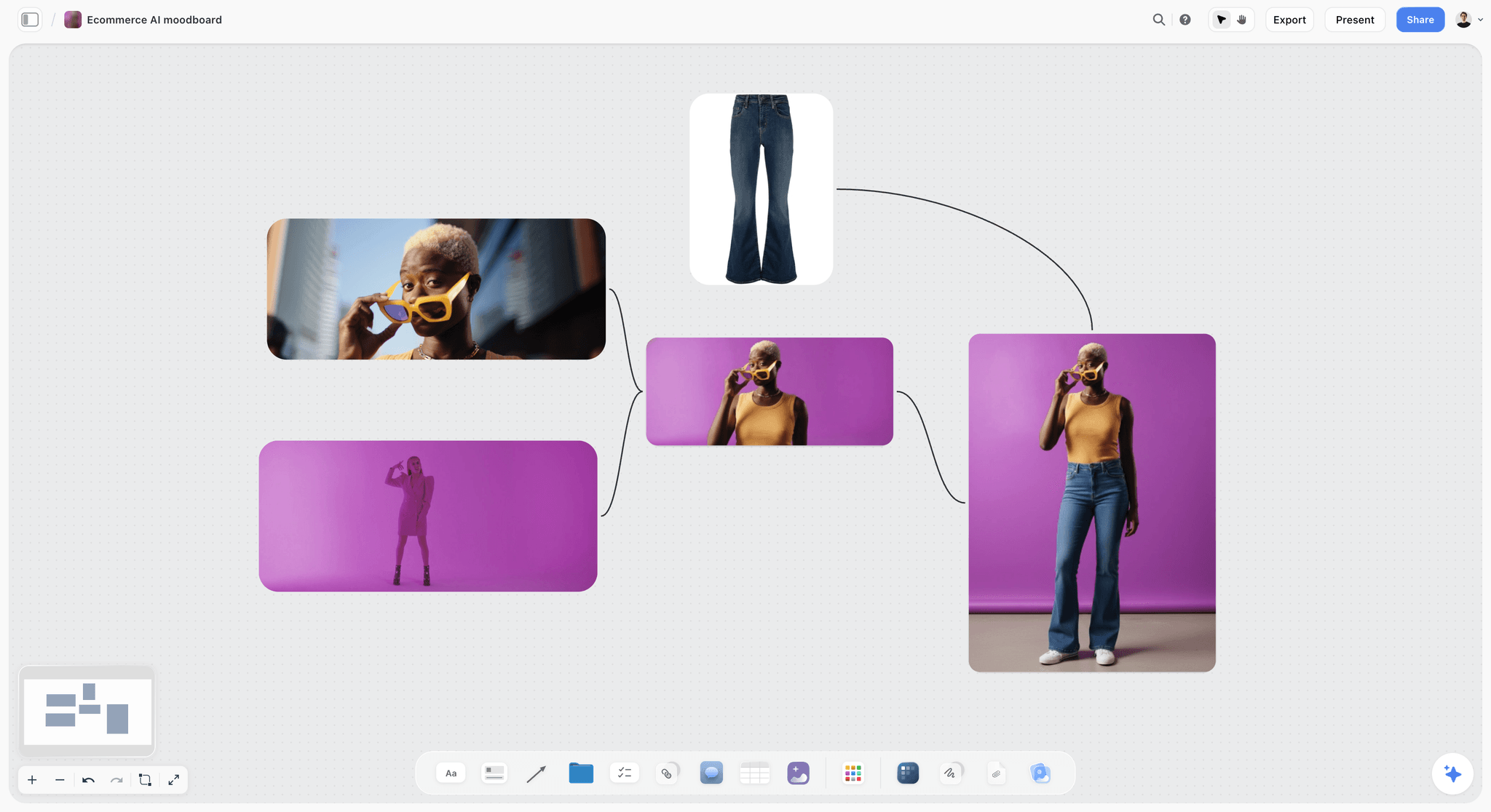
Product references like these sit beside the launch shot list, so the crew sees the look each product row is aiming for.
Example 3: An Event Recap Shot List
The Marrowby Food Festival wants a 90-second recap of its one-day festival: arrival, food, a cooking demo, visitors and the evening. Two shooters, from gates open to the last song.
| Shot | Scene | Size | Angle | Movement | Lens | Audio | Location | Notes | Priority |
|---|---|---|---|---|---|---|---|---|---|
1A | Arrival | Wide | High, from the car park bank | Static | 24mm | Wild sound | Main gate | Gates open at 10:00; queue forming | A |
1B | Arrival | Medium | Eye level | Handheld | 35mm | Wild sound | Main gate | Wristbands being scanned; ask before filming faces | B |
1C | Arrival | Aerial wide | Overhead | Drone orbit | Drone camera | None | Festival field | Only with a qualified pilot and the organiser's permission; never over the crowd | C |
2A | Food stalls | Close-up | Eye level | Static | 50mm | Wild sound | Stall row | Flames under the paella pan; 60 fps | A |
2B | Food stalls | Insert | Overhead | Static | 35mm | Wild sound | Stall row | Plates handed across the counter | A |
2C | Food stalls | Medium | Eye level | Gimbal walk | 24mm | Wild sound | Stall row | Walk the row at 12:30, the busiest hour | A |
2D | Food stalls | Close-up | Low | Static | 85mm | Wild sound | Stall row | Chef's face through the steam; release at the stall | B |
3A | Demo stage | Wide | Eye level, back of the tent | Static | 24-70mm at 24 | Board feed | Demo tent | Cover the 14:00 demo; audio from the sound desk | A |
3B | Demo stage | Close-up | Eye level | Static | 70-200mm at 135 | Board feed | Demo tent | Chef's hands on the board, from the side aisle | A |
3C | Demo stage | Medium | Over the shoulder | Handheld | 35mm | Wild sound | Demo tent | Front-row reactions | B |
4A | Vox pops | Medium close-up | Eye level | Static | 50mm | Lav | Quiet corner by the bar | Three visitors: "What did you come for?"; releases | A |
4B | Vox pops | Close-up | Eye level | Static | 85mm | Lav | Quiet corner by the bar | Same visitors, tighter, for cut points | C |
5A | Sunset | Wide | Low | Slow pan | 24mm | Wild sound | Main field | Last light over the tents; check the sunset time the night before | B |
5B | Closing | Medium | Eye level | Handheld | 35mm | Wild sound | Main stage | The band's last song, crowd from the side | B |
What makes it shootable: every row has a time or a trigger (gates open, the busiest hour, the 14:00 demo, sunset), because an event will not do anything twice, and the two shooters split the A rows so no two happen at once for one person.
Drones are C rows until cleared
An aerial is the shot clients ask for and the first one weather, airspace or permission removes. In the UK, the Civil Aviation Authority's drone pages cover registration (a Flyer ID and an Operator ID) and say the Open category is the main reference for low-risk commercial activity; elsewhere, check your national aviation authority. Keep the aerial at C until the pilot confirms it, so a grounded drone never takes an A row with it.
In Storyflow
Event lists work better as a table per time block than per scene: "Morning", "Midday", "Demo", "Evening". Ask the AI to title each table with the block and its start time, and keep the rows in time order, since Storyflow tables are not sortable. For the plan around the shot list, see how to plan an event video and the event videography planner.
Example 4: A Brand Film Shot List
Hollin Outdoor, a fictional maker of waxed jackets, wants a two-minute documentary-style film about the repair workshop where old jackets are mended. Two days: the workshop on day 1, the moor and a customer's farm on day 2.
| Shot | Scene | Size | Angle | Movement | Lens | Audio | Location | Notes | Priority |
|---|---|---|---|---|---|---|---|---|---|
1A | Open | Extreme wide | Eye level | Static | 24mm | Wild sound | Moorland lay-by | Mist at dawn; the workshop van on the road | A |
1B | Open | Wide | Low | Tracking from a car | 35mm | None | Moor road | Van passing; car rig on a quiet road | B |
2A | Workshop | Establishing wide | High, from the mezzanine | Static | 24mm | Wild sound | Workshop floor | Benches, jackets on rails, morning light | A |
2B | Workshop | Medium | Eye level | Slider | 50mm | Wild sound | Repair bench | Ada unpicks a torn seam | A |
2C | Workshop | Extreme close-up | Eye level | Static | 100mm macro | Wild sound | Repair bench | Needle through waxed cotton; thread pulled tight | A |
2D | Workshop | Close-up | Low | Static | 85mm | Wild sound | Rewaxing station | Wax melting into the cloth; 60 fps for the steam | B |
2E | Workshop | Insert | Overhead | Static | 50mm | Wild sound | Tag desk | Repair tag written by hand: owner's name and the year bought | B |
3A | Interview | Medium | Eye level, 30 degrees off axis | Static | 50mm | Lav plus boom | Workshop office | Ada, head of repairs; window behind the camera | A |
3B | Interview | Close-up | Eye level, 45 degrees off axis | Static | 85mm | Lav plus boom | Workshop office | B camera, same side of the line | A |
3C | Room tone | None | None | Static | None | Room tone, 60 seconds | Workshop office | Sewing machines off | A |
4A | Owner | Medium | Eye level | Handheld | 35mm | Lav | Owner's farm gate | The owner collects the mended jacket from the van | A |
4B | Owner | Close-up | Eye level | Static | 85mm | Lav | Owner's farm gate | Hands on the repaired pocket; reaction | B |
4C | Owner | Wide | High | Drone pull-back | Drone camera | None | Farm | Only with the pilot's sign-off and the owner's permission | C |
5A | Close | Wide | Eye level | Static | 24mm | Wild sound | Workshop floor | Lights off, one bench lamp on, jackets on rails | A |
5B | Close | Insert | Eye level | Push in | 50mm | None | Workshop rail | Tag on a hanger; space at the top of frame for the end line | B |
5C | Pickups | Close-up | Eye level | Static | 85mm | Lav plus boom | Workshop office | Ada says the brand line in her own words, three takes | C |
What makes it shootable: the interview and its room tone are A rows on day 1, so the edit can be built around Ada's words even if day 2's weather fails, and the drone is a C row that can never push out a must-have.
Establishing shots earn their row
An establishing shot is a long shot that shows where a scene happens and how the people and objects in it relate. In a documentary-style film, rows 1A and 2A do that job for the moor and the workshop; without them, the close-ups float. Each gets an A.
In Storyflow
A brand film's shot list sits under its treatment and moodboard on the same board. Ask the in-app AI to make the shot list as shot cards, with frames as empty placeholders or web references captioned as reference, then ask for the same setups as a table per day for the 1st AD. The brand film page walks through that board.
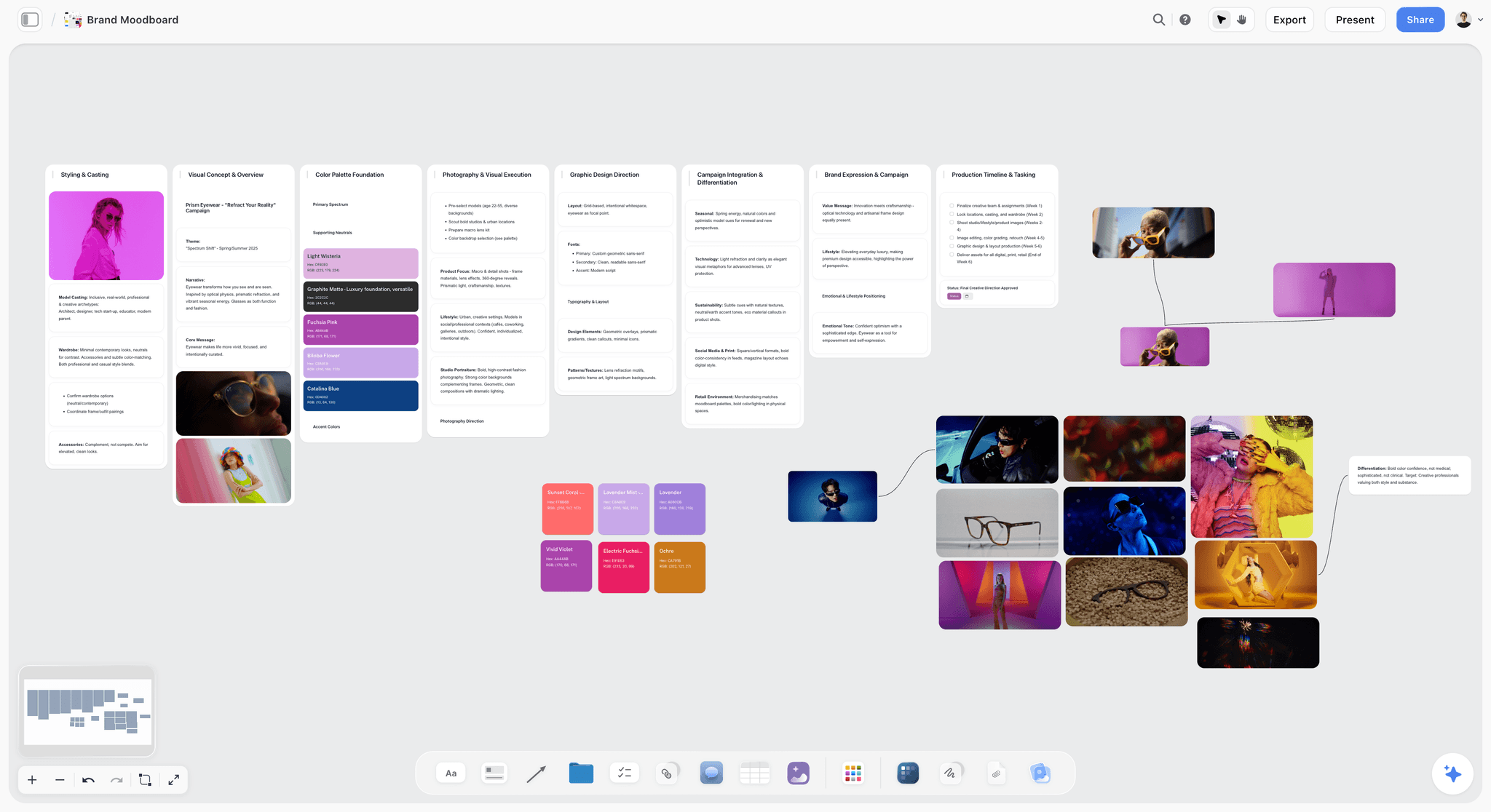
The brand film's look is decided on the moodboard; the shot list's notes column points back to it when the light or the casting matters.
Example 5: A Vertical Social Series Shot List
Pinch Bakery wants three 30-second vertical episodes of "Bake of the Week": sourdough, cinnamon buns and focaccia, filmed in one morning by one shooter, framed 9:16 from the start. YouTube Shorts accepts vertical videos up to 3 minutes long (YouTube help), so each episode fits with room to spare.
| Shot | Scene | Size | Angle | Movement | Lens | Audio | Location | Notes | Priority |
|---|---|---|---|---|---|---|---|---|---|
E1-1 | Episode 1: Sourdough | Close-up | Overhead | Static | 24mm equivalent | Wild sound | Bench | Hook in the first second: dough slapped on the bench | A |
E1-2 | Episode 1 | Medium | Eye level | Handheld | 24mm equivalent | Lav | Bench | Jo gives the one tip to camera; captions planned | A |
E1-3 | Episode 1 | Insert | Eye level | Static | 50mm equivalent | Wild sound | Oven | Loaf rising, through the oven glass | B |
E1-4 | Episode 1 | Close-up | Low | Push in | 24mm equivalent | Wild sound | Cooling rack | The crust crackling; microphone close | A |
E2-1 | Episode 2: Cinnamon buns | Close-up | Overhead | Static | 24mm equivalent | Wild sound | Bench | Hook: butter spread across the dough | A |
E2-2 | Episode 2 | Medium | Eye level | Handheld | 24mm equivalent | Lav | Bench | Jo rolls and cuts; tip to camera | A |
E2-3 | Episode 2 | Insert | Overhead | Static | 24mm equivalent | Wild sound | Bench | Buns placed in the tray one by one; 60 fps | B |
E2-4 | Episode 2 | Close-up | Eye level | Static | 50mm equivalent | Wild sound | Counter | Icing poured over warm buns; 60 fps | B |
E3-1 | Episode 3: Focaccia | Close-up | Overhead | Static | 24mm equivalent | Wild sound | Bench | Hook: fingers pressing dimples into oiled dough | A |
E3-2 | Episode 3 | Medium | Eye level | Handheld | 24mm equivalent | Lav | Bench | Jo's tip to camera | A |
E3-3 | Episode 3 | Close-up | Low | Static | 24mm equivalent | Wild sound | Counter | A customer takes a slice; release signed, face optional | C |
ALL-1 | All episodes | Medium | Eye level | Static | 24mm equivalent | Lav | Shop front | Jo's sign-off line for each episode, recorded together | B |
What makes it shootable: the three episodes share one overhead rig at the bench, so all three hooks are shot without moving it, and the three tips to camera are filmed back to back while Jo is warmed up.
Number episodes, not scenes
A series list numbers by episode (E1-1, E2-1), because the edit cuts each episode separately and the shooter batches them by setup. The ALL row collects lines every episode needs, recorded once.
In Storyflow
Ask for one table per episode, each titled with the episode and its hook. Put the posting plan in a table with date cells beside it, rows kept in date order; Storyflow plans the series, and a social scheduler or the platform itself publishes it. See the social media shot list page for the board.
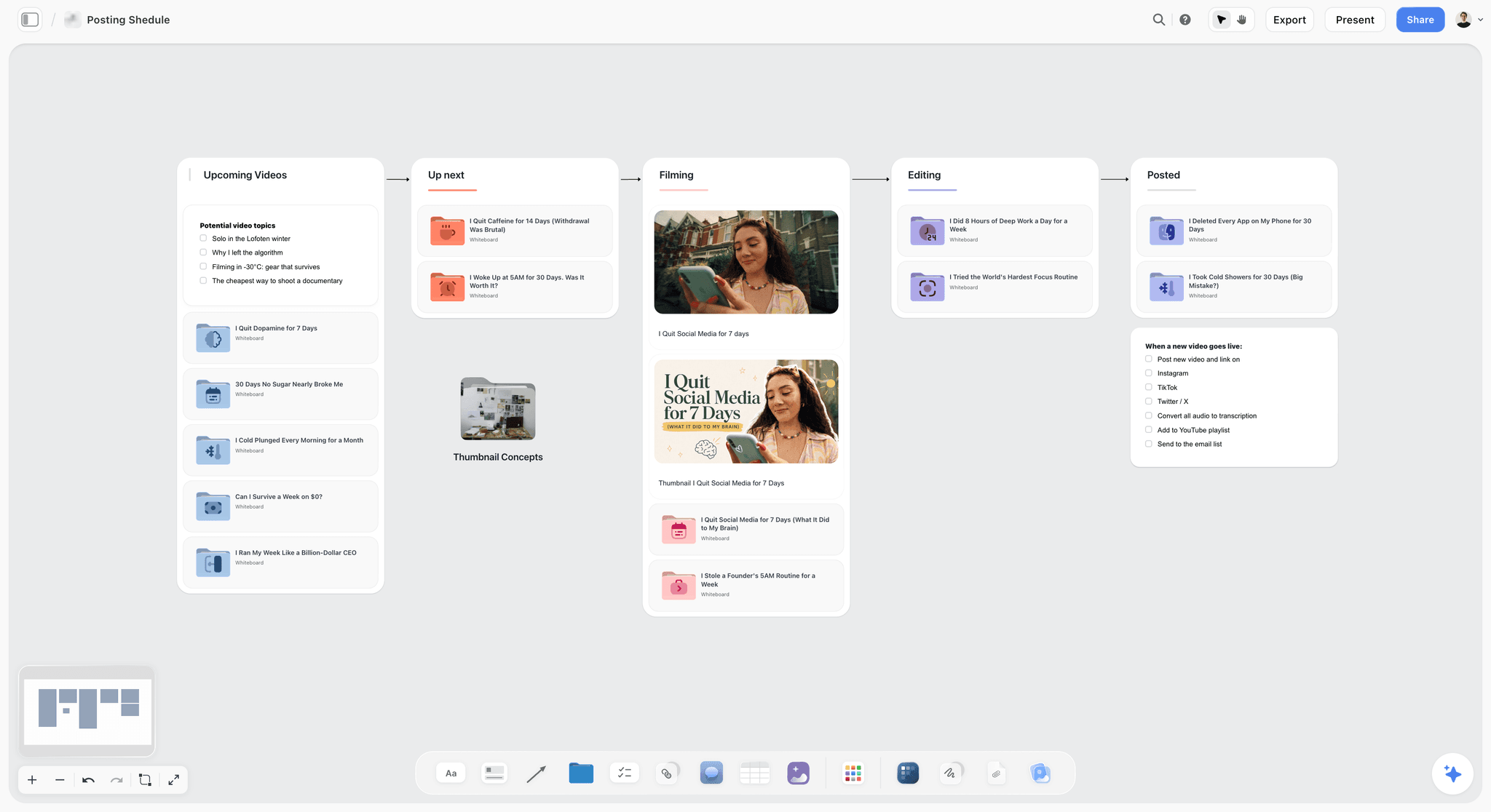
A series board tracks each episode from shot list to posted; the release checklist lives beside it, while publishing happens on the platform.
Example 6: A Testimonial Video Shot List
Tessaly Accounting wants a 90-second customer testimonial from Femi, who owns a bike repair shop and has used the firm for three years. Half a day at the shop, two cameras, one interviewer.
| Shot | Scene | Size | Angle | Movement | Lens | Audio | Location | Notes | Priority |
|---|---|---|---|---|---|---|---|---|---|
1A | Interview | Medium | Eye level, 30 degrees off axis | Static | 50mm | Lav plus boom | Shop, workbench behind | Open questions, no claims fed to him; log anything he received for taking part | A |
1B | Interview | Close-up | Eye level, 45 degrees off axis | Static | 85mm | Lav plus boom | Shop, workbench behind | B camera, same side of the line | A |
1C | Room tone | None | None | Static | None | Room tone, 60 seconds | Shop | Air compressor off | A |
2A | B-roll | Wide | Eye level | Static | 24mm | Wild sound | Shop front | Femi opens the shutter at 08:30 | A |
2B | B-roll | Close-up | Eye level | Static | 85mm | Wild sound | Workbench | Hands truing a wheel | A |
2C | B-roll | Insert | Overhead | Slider | 50mm | Wild sound | Counter | Femi reads a report on a laptop; screen mocked up, no real client data | B |
2D | B-roll | Medium | Eye level | Handheld | 35mm | Wild sound | Shop floor | Femi serves a customer; customer release signed | B |
2E | B-roll | Medium | Eye level | Gimbal | 35mm | None | Street | Femi test-rides a bike past the shop | C |
2F | B-roll | Close-up | Low | Static | 50mm | None | Shop front | The shop sign in morning light | C |
3A | With the accountant | Two-shot | Eye level | Static | 35mm | Two lavs | Shop counter | Femi and his accountant, Priya, talk at the counter | B |
3B | Pickups | Close-up | Eye level | Static | 85mm | Lav plus boom | Shop, workbench behind | Femi says his name and business cleanly, for the lower third | A |
What makes it shootable: the questions are open and the words are Femi's own, the pickup of his name is an A row because the lower third depends on it, and the notes record anything he received so the edit can disclose it.
Testimonials have rules the shot list must carry
The US Federal Trade Commission's Endorsement Guides say an endorsement must reflect the honest opinion of the endorser, that a material connection such as payment or a free product should be disclosed, and that an exceptional result needs evidence it is typical or a clear statement of what people can generally expect. Three cells carry that on the day: "open questions" in the interview row, "log anything he received" in the notes, and no scripted claims anywhere.
In Storyflow
Put the questions, the release status and the disclosure note on the board beside the list, and point the testimonial video planner at the same project. The questions stay in a document, so the AI can read them when it builds the list.
Shot List vs Storyboard: Which of the Six Shoots Needs Which
In Storyflow, a storyboard is a row of walls with one frame per moment of the film, and a shot list is a table or a row of shot cards with one entry per camera setup; the storyboard decides what the audience sees, and the shot list decides what the crew shoots, in what order. Both can live on one board, built from the same script.
| Question | Storyboard | Shot list | Where it lives in Storyflow |
|---|---|---|---|
What does it answer? | What the audience sees, in story order | What the camera records, in shoot order | Frames in walls; setups in tables or shot cards |
Unit | A moment or frame | A camera setup | One wall per frame; one row or card per setup |
Order | Story order | Shoot order, grouped by location and light | Storyboard row left to right; tables kept in shoot order |
Who reads it | Client, director, editor | 1st AD, camera, sound, crew | Client by view-only link; crew by the same link |
When it is made | After the script, before approval | After approval, before the call sheet | Storyboard first; "A shot list from my storyboard" next |
What it holds that the other does not | Composition and sequence | Lens, audio, priority, notes | Frames and notes; columns and checkboxes |
Not every shoot needs both. The rule of thumb: storyboard what is designed, shot-list what is captured.
| Shoot | Storyboard? | Shot list? | Why | Where it lives in Storyflow |
|---|---|---|---|---|
Talking-head interview | No | Yes | The frames are two fixed setups | One table, interview format |
Product launch video | Yes | Yes | The product shots are designed frame by frame | Storyboard row, then a table per scene |
Event recap | No | Yes | You cannot board what has not happened | Tables per time block |
Brand film | Key moments only | Yes | Documentary moments are found, the opening and close are designed | A short storyboard row, shot cards, then tables per day |
Vertical social series | Hooks only | Yes | The first second of each episode is designed | One frame per hook, a table per episode |
Testimonial | No | Yes | The words are the customer's, not designed | One table, interview format |
For the full comparison, see storyboard vs shot list and what a shot list is.
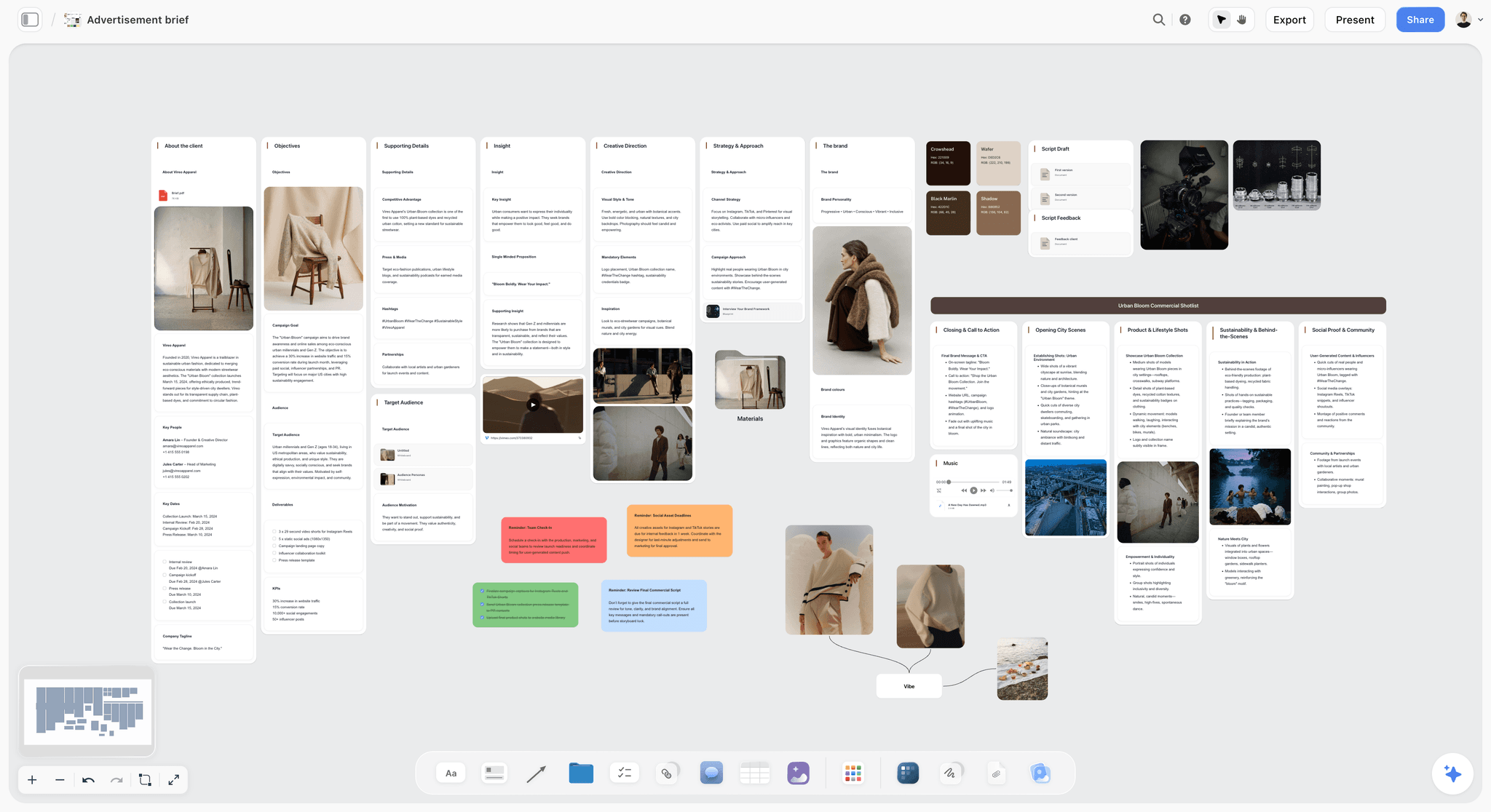
On a designed shoot, the brief and the commercial shot references come first; the shot list is built from them on the same board.
Shot Sizes, Angles and Movements: The Shorthand in These Examples
Every example uses the same vocabulary, so a camera operator who reads one list can read all six. The size and angle terms follow Wikipedia's entries on shots and camera angles, and the column table near the top lists the values each column takes. What the vocabulary does not show is cost, which is what the 1st AD needs.
Movement costs time
Static is free; a slider costs a few minutes; a gimbal walk costs rehearsal; a car rig or drone costs a plan and often a permission. Write the movement down so the 1st AD can see where the day's time goes before the day starts.
Lenses carry the look
Lens choices in the examples cluster at 24mm for spaces, 35mm and 50mm for people in context, 85mm for faces and 100mm macro for details. They are illustrative; use the focal lengths your kit and your director of photography actually choose, and write them in, because "close-up" on a 24mm and on an 85mm are different pictures.
The Audio Column: Lav, Boom, Room Tone and Wild Sound
Picture problems can sometimes be fixed in the grade. Sound problems usually cannot, which is why the audio column is the one to fill first.
Lav plus boom for anyone speaking
A lavalier microphone clips onto clothing for hands-free recording in interviews, and a shotgun microphone on a boom picks up sound from one direction. Every interview example uses both: the lav as the main track, the boom as a backup with more natural room sound.
Room tone, every location where someone speaks
Record 60 seconds of room tone at each location where dialogue is recorded, with everyone still and the room as it was during takes. It is the cheapest row on any list and the one an editor misses most.
Wild sound and none
"Wild sound" means recording the sound of the action without dialogue: the crust cracking, the needle through cloth. "None" means the shot will be covered by music or voiceover, which lets sound move to the next setup early. Write which one, so nobody waits for a sound take that is not needed.
From Script Order to Shoot Order
The examples above are written in story order so they read clearly. On the day they run in shoot order, grouped by what is expensive to change. Use these sort keys in this order:
- Location. Never leave a location and come back.
- Lighting setup. Shoot everything that shares a lighting state before re-lighting.
- Camera direction. Shoot all shots facing one way before turning around.
- Talent. Release people in the order their rows finish.
- Mess last. Water, food, smoke and anything that ruins the set for what follows.
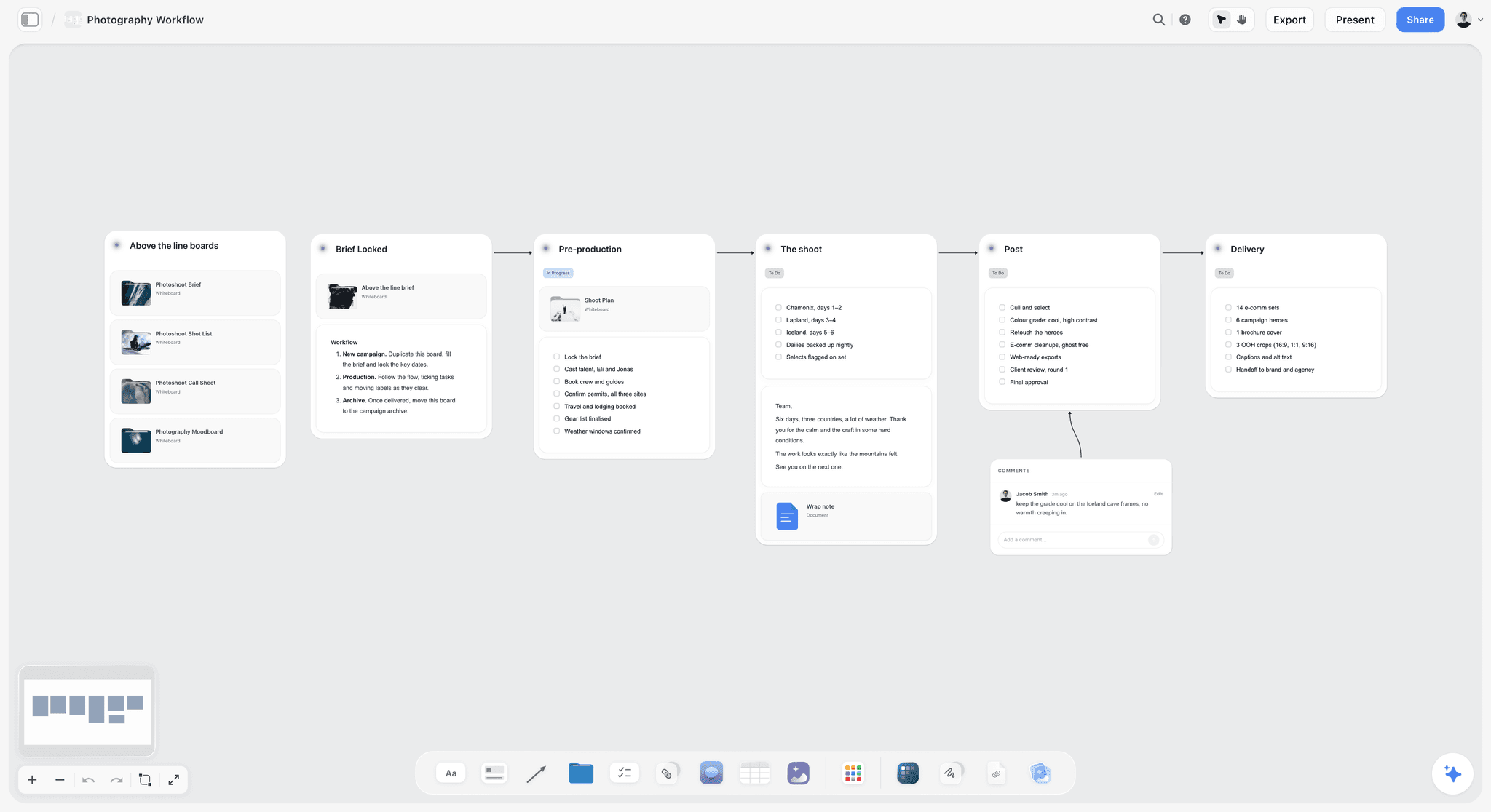
The shoot stage of a workflow board holds the day's list in shoot order, with the post and delivery stages waiting beside it.
Inside each group, A rows go first, then B, then C, which is what makes the six-in-ten limit work. In Storyflow, the in-app AI orders setups by location and lighting when it knows them and says in one line which order it used; if it only knows script order, it uses that and says so. Tables cannot be sorted afterwards, so ask the AI to rebuild a table in shoot order.
A Shot List Header Template You Can Copy
Every example above needs the same header block, filled once per shoot. Here it is for the Gannet One launch, the example taken end to end in the next section. Copy the left column into a document at the top of your board.
| Field | What to write | Pinmoor Films, Gannet One launch |
|---|---|---|
Production | Client, title, version | Gannet Audio, Gannet One launch, shot list v3 |
Shoot date | Date and day number | Day 1 of 1 |
Locations | Each location with its address noted on the call sheet | Studio (black and white sweeps); rented home, kitchen and garden |
Crew call | General call time | 07:30 at the studio |
Camera and format | Body, codec, resolution | One cinema camera, 4K, 10-bit |
Frame rates | Base and any high-speed rows | 24 fps; 60 fps for 1C; 120 fps for 2D |
Aspect ratios | Master and protected ratios | 16:9 master, protect 9:16 for the social cut |
Audio kit | Microphones and recorder | Two lavs, one boom, a separate recorder |
Priority key | What A, B and C mean | A must, B should, C nice; no more than six in ten rows at A |
Numbering | The rule | Scene plus letter; new shots take the next letter |
Releases | Who needs one | Talent, friends in 3D, homeowner for the location |
Version and owner | Who changes the list | The producer only; everyone else comments |
Worked Example: Pinmoor Films Takes the Gannet One Launch From Brief to Wrap
The Gannet One example above is the finished list. Here is how Pinmoor Films got there, in the order a producer would do it. The team and the client are fictional, and the steps are illustrative.
From brief to first draft
The producer, Nadia, puts the client's brief, the approved storyboard (nine frames) and the location photos on one Storyflow board. She selects the nine frames and asks the in-app AI for a shot list from the storyboard, as tables. Storyflow's AI builds one table per scene with Product and Talent columns for a brand shoot, and leaves out a Location column she has not given it.
Filling the gaps by hand
The draft has 12 rows. Nadia adds two the board could not know: 4A, the phone pairing insert the client asked for in a call, and 5B, room tone at the home. She replaces Talent with Audio, adds a Priority column, and fills it so eight of the fourteen rows are A, under the six-in-ten ceiling: 57%.
Shoot order
The shoot order puts the black sweep first (1A to 1C), the white sweep second (5A, 2A, 2B, 2C), the water tray last in the studio (2D), then the home: kitchen (3A, 4A, 3B, 5B) and garden (3C, 3D) in late light.
| Order | Shot | Setup | Why here |
|---|---|---|---|
1 | 1A, 1B, 1C | Black sweep, rim light | Hardest light; done first while the crew is fresh |
2 | 5A, 2A, 2B, 2C | White sweep, soft key | One re-light covers all four; the end card is an A row, so it goes first |
3 | 2D | Water tray on the white sweep | Wets the set, so it goes last in the studio |
4 | 3A, 4A, 3B, 5B | Home kitchen | Room tone after the last dialogue-free take, fridge off |
5 | 3C, 3D | Home garden | Late light; both are B or C, so they go if the day runs long |
On the day
The crew opens the board by a view-only link; the 1st AD, invited to the board, ticks the Got it column as each row is done, and a change to the list is made once, on the board, by the producer. At 17:10 the day is 40 minutes behind, and the garden rows are a B and a C. 3D goes, 3C is shot in five minutes, and nothing the edit needs is lost.
After the wrap
Nadia exports the board as a PDF with the ticked list for the editor and adds a note of what was dropped and why. The next shoot's list starts from a copy of this board.
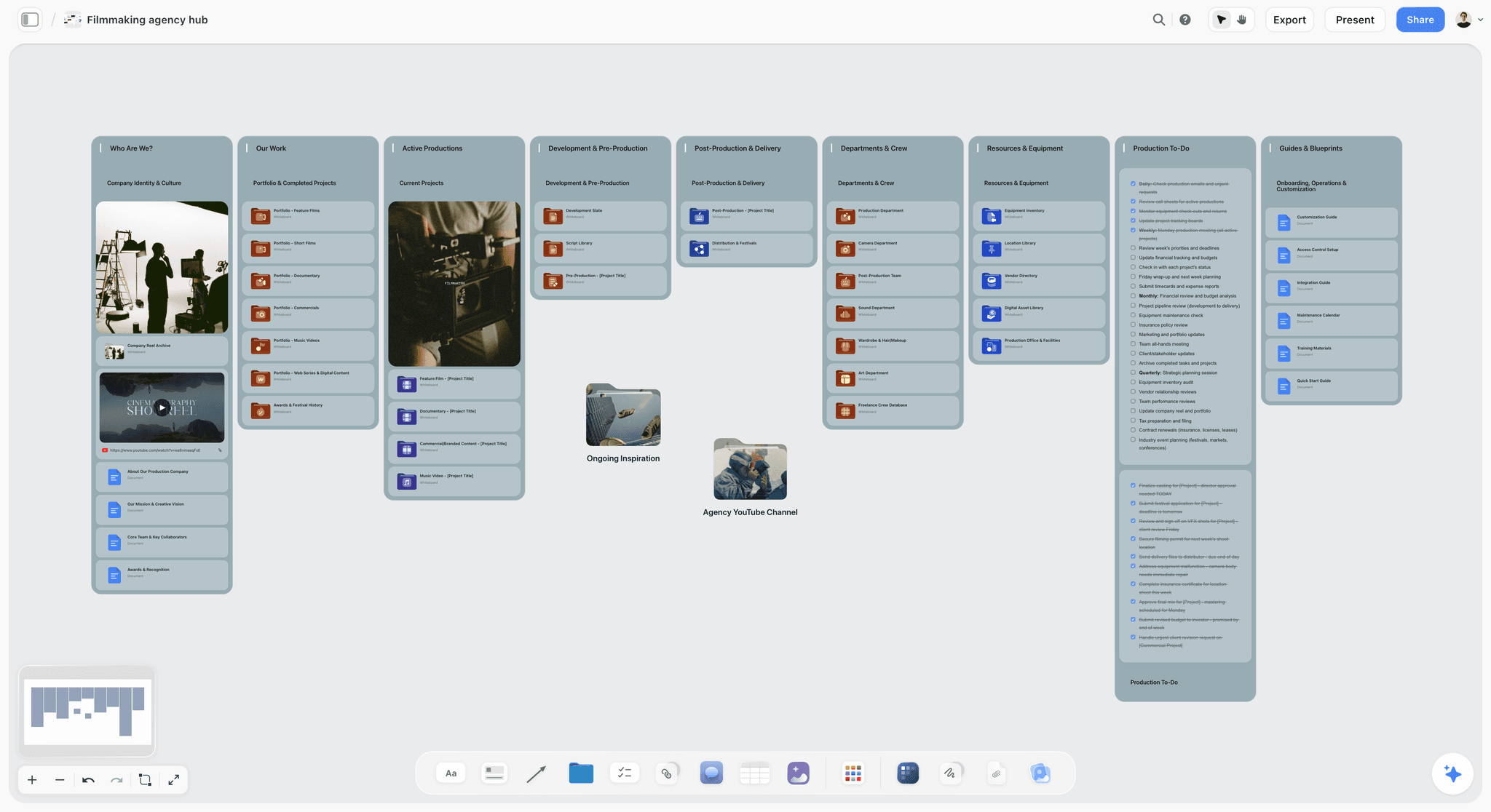
A production company keeps each shoot's board inside one hub, so last month's shot list is a copy away when a similar job comes in.
Do This in ChatGPT or Claude
If you plan shoots in ChatGPT or Claude, the assistant can write the shot list straight onto a Storyflow board. This is the plugin or connector, which is separate from the AI inside Storyflow: it runs on your assistant's model and your assistant's plan, uses no Storyflow AI credits, and does not include Storyflow's menu workflows or AI image generation.
Install and connect
In ChatGPT, open the Storyflow plugin listing, select Install plugin, sign in to Storyflow and pick which projects ChatGPT may use; read access is always on, and you decide whether it may also make changes. Mention it in a chat with @ or choose it from the + menu (OpenAI's help on plugins). Availability depends on your ChatGPT plan, workspace and region, and in Business or Enterprise workspaces an admin manages plugins. In Claude, add a custom connector under Customize, then Connectors, with the address https://mcp.storyflow.so/mcp (Anthropic's guide). Setup for every assistant is on the Storyflow MCP page; the job walkthroughs are shot lists in ChatGPT and shot lists in Claude.
Prompts for a shot list
- "Read my board Gannet One Launch and list the storyboard frames in order with what happens in each."
- "Build the shot list as one table per scene with the columns Shot, Size, Angle, Movement, Lens, Audio, Notes and Priority, numbering shots 1A, 1B, 2A, and put the location in each table's title."
- "Mark no more than six in ten rows as Priority A and tell me which rows you made B or C, and why."
- "Rebuild the tables in shoot order: black sweep, white sweep, water tray, kitchen, garden, and keep A rows first in each."
- "Add a Got it checkbox column to every table."
- "Build shot cards for the five studio setups, each with a Shots required checklist and the equipment it needs."
- "Give me an upload link for this board so I can add the location recce photos."
- "What changed on the shot list since yesterday, and who changed it?"
What lands on the board
Tables with the columns you named, shot cards with their checklists and equipment notes, and images if you ask for web references. Each table the assistant builds holds up to eight columns and 50 rows. On an invited free Storyflow account the plugin allows 25 actions a week; paid plans have no weekly limit. A photo you attach in the ChatGPT chat does not reach the board; ask for the upload link instead.
What to check by hand
Check every lens against the kit list, every frame rate against the camera's settings, and every face against a release. Count the A rows. Make sure no location, date or crew name came from the assistant rather than from you. The assistant cannot read board comments, so move a comment that changes a row into the row itself. Connections end after 30 days, and ChatGPT then asks you to sign in again.

The chat writes the rows; the board is where the crew reads them, ticks them and asks about them.
Where to Build It: Storyflow vs Spreadsheets, Shared Docs and Shot List Apps
The kind of tool decides more than the brand: whether the list can sit beside its frames, whether the crew can open it, and whether it survives a change at lunch. We place Storyflow first on the basis that the shot list, the storyboard, the brief and the location photos share one board and the AI builds the list from them. Storyflow is our product; the limits below are as real as the strengths.
| Approach | Basis for the placing | Best at | Real limit for a shot list | Choose this kind instead when |
|---|---|---|---|---|
Storyflow | The list built from the storyboard and brief on the same board, shared by link | Tables or shot cards beside the frames, an AI that drafts the list, a Got it column for the day | AI-built tables hold up to eight columns; tables cannot be sorted; no native phone app | Choose another kind when the list must live in a phone app on set all day |
A spreadsheet | Columns and sorting | Long lists, sorting by any column, formulas for setup times | No frames beside the rows; versions multiply as attachments | You need to sort and filter hundreds of rows |
A shared doc | Familiar and printable | A short list with long notes | Columns are hard to keep aligned; no checkboxes per row that the crew ticks together | The list is short and the notes are the point |
A dedicated shot list app | Built for the set | Ticking shots off on a phone, sometimes offline | The storyboard and brief usually live elsewhere | The 1st AD runs the day from a phone |
A production management suite | Schedules, call sheets and crew in one place | Turning the list into a schedule and call sheets | Heavier than a small shoot needs; boards are a side feature | The production office already runs every shoot there |
A whiteboard app | Free-form planning | Sketching the coverage with arrows | Tables and priorities are an afterthought | The team is still deciding the coverage |
Paper | No battery | The director's own pocket list | One copy, no updates | The shoot is small and the director runs it alone |
Storyflow
Best at a shot list that starts from the board: the AI reads the storyboard, script or brief and builds tables per scene or shot cards per setup, and the crew opens the list by a view-only link with no account. The real limit for this job: AI-built tables hold up to eight columns and 50 rows, tables cannot be sorted, and there is no native phone app, so export the board as a PDF, or ask the in-app AI for shot list pages, for a set with poor signal.
A spreadsheet
Best at long lists that need sorting and arithmetic: sort by location, filter by priority, total the setup times. Its limit is the picture: frames do not sit beside rows, and a list emailed as a file turns into three versions by Thursday. Choose a spreadsheet when the list has hundreds of rows, and keep the frames on the Storyflow board.
A shared doc
Best at a short list with long notes, such as a two-hour interview. Columns drift as people type, and there is no shared checkbox to tick on the day. Choose a doc when the notes matter more than the columns.
A dedicated shot list app
Best on the day: tick shots on a phone, sometimes without signal. The brief and the storyboard usually live elsewhere, so the list loses its context. Choose this kind when the 1st AD runs the day from a phone, with the list planned on the Storyflow board first.
A production management suite
Best at the whole shoot around the list: schedule, call sheets, crew and contacts. It is heavier than a small shoot needs. Choose a suite when the production office already runs everything there.
A whiteboard app
Best at sketching coverage with arrows and sticky notes while the team decides the approach. Structured columns and priorities are an afterthought. Choose one for the first conversation, then move the decided list into a table.
Paper
Best for a director's pocket list. Choose paper as a backup on any shoot, printed from the final version, never as the only copy.
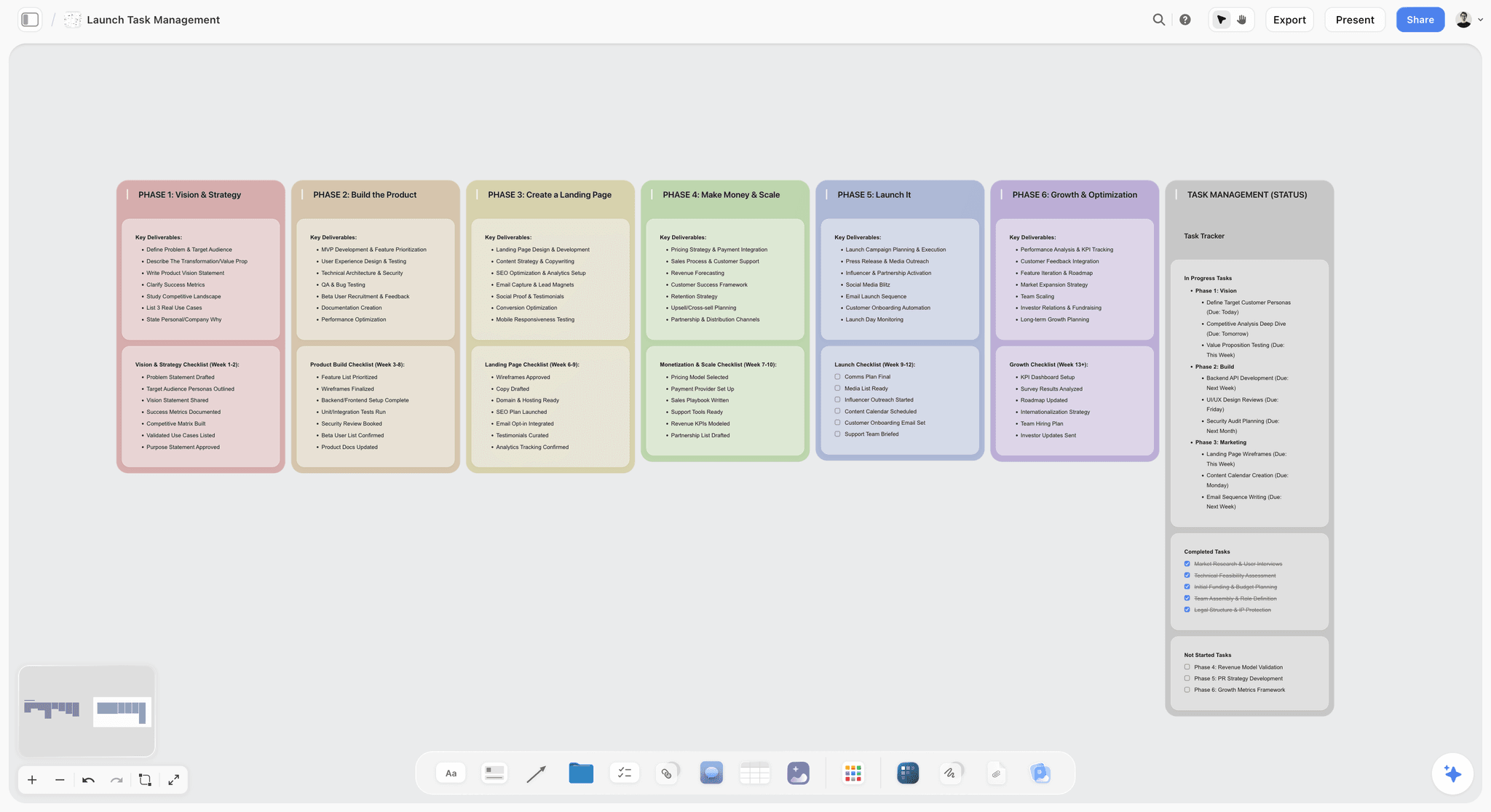
After the shoot, a phase board tracks the edit, the client review and delivery for each video on the list.
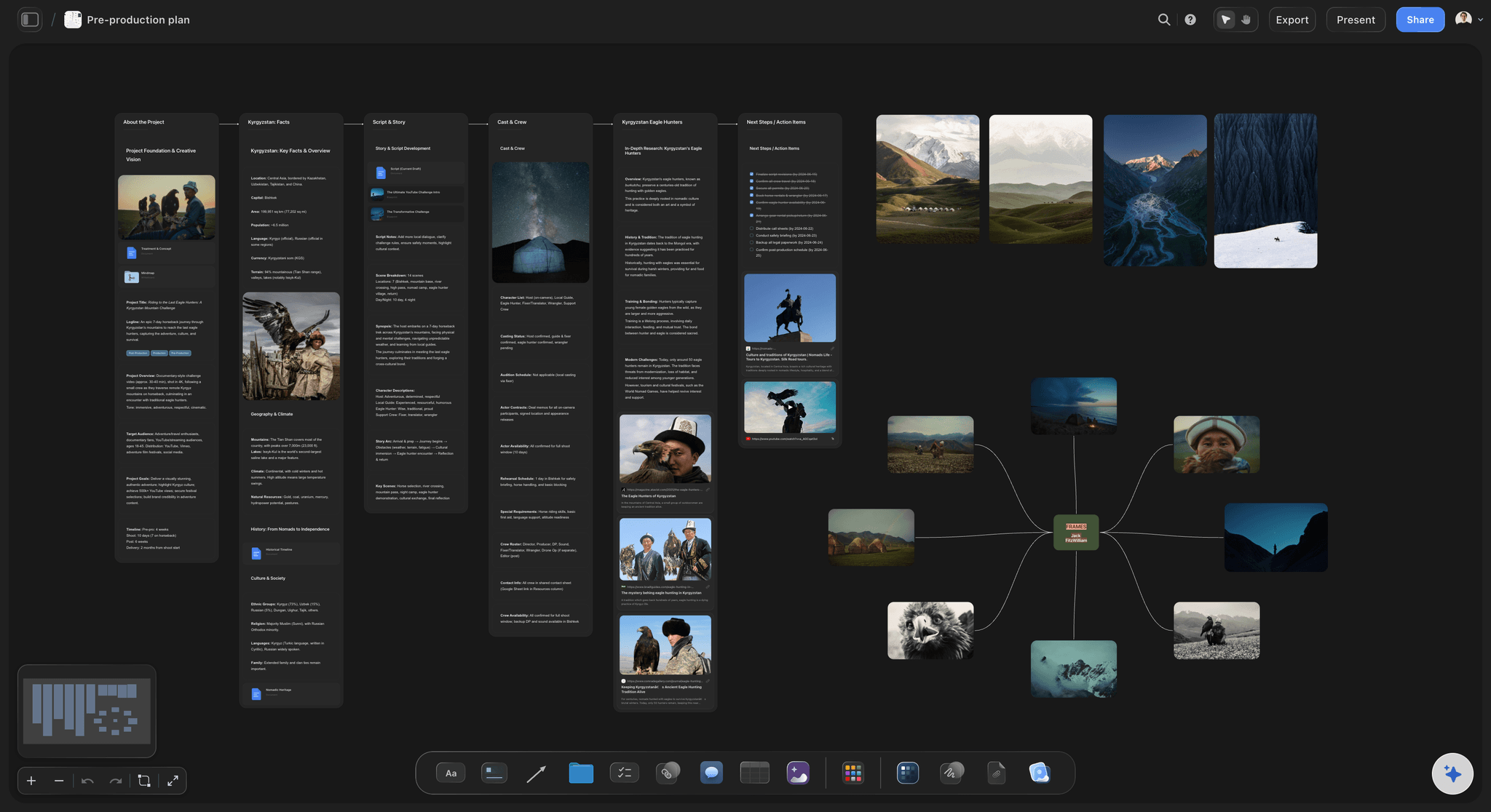
A dark-mode Storyflow pre-production board for a documentary, with project, story, cast and crew walls beside a mind map of location frames
Build the shot list from the storyboard on the board
Install Storyflow in ChatGPT and have it build the shot list as one table per scene or as shot cards, beside the storyboard and brief it reads, then check the lenses, releases and priorities by hand.

Shot List Mistakes and Their Fixes
Each of these costs time on the day or in the edit. Each fix takes a minute while the list is still a list.
Mistake 1: Listing shots in script order
The crew moves locations twice and re-lights the same corner three times. The fix: re-order by location, lighting and camera direction before the call sheet goes out.
Mistake 2: Leaving the audio column blank
The interview is lit beautifully and recorded on the camera's microphone. The fix: fill audio on every row, and make lav plus boom the default for anyone speaking.
Mistake 3: Every row is an A
When the day slips, the team cuts at random. The fix: no more than six in ten rows at A, A rows first at each location.
Mistake 4: Numbering 1, 2, 3
A shot added in scene 2 renumbers everything after it, and the editor's notes stop matching. The fix: scene plus letter, with new shots taking the next letter.
Mistake 5: Notes that repeat the size
"Close-up of the product" in the notes of a close-up row tells the crew nothing. The fix: write the action, the prop, the frame rate or the release.
Mistake 6: No room tone and no pickups
The edit has a hole where the interview cuts and no clean line for the lower third. The fix: room tone and a clean name pickup as A rows on every list where someone speaks.
Mistake 7: Faces without releases
A great reaction shot of a stranger cannot be used. The fix: a release note in every row with an identifiable person who is not cast.
Mistake 8: Two versions in circulation
Camera works from Tuesday's list, sound from Wednesday's. The fix: one list on one board, changed by one person, opened by everyone through the same link.
Storyflow's Honest Limits for Shot Lists
Storyflow earns its place where the list meets its sources: the storyboard, the brief, the photos and the crew's link. It does not do everything a set needs:
- AI-built tables hold up to eight columns and 50 rows each. Split long lists by scene or location, which the in-app workflow does by default.
- Tables cannot be sorted. Keep rows in shoot order, or ask the AI to rebuild a table in a new order.
- No native desktop or mobile app. Storyflow runs in the browser and is best built on a laptop; export the shot list as a PDF for a set with poor signal.
- No calendar view, recalculating schedule or call sheet sending. Storyflow builds a strip board grouped by shoot day, and its in-app AI drafts a call sheet PDF that you send.
- No time tracking. Setup durations are planning numbers in a table, not a clock.
- AI image generation is on Pro and Max, and not through the ChatGPT plugin. On Plus, frames come from your own images, web references or empty placeholders.
- Paid-only during early access. Plus is $7.99 a month billed annually ($9.99 monthly) with the in-app AI; anyone a paid member invites to a board joins free, without the in-app AI.
The Bottom Line
A shot list is only as good as its emptiest column. Fill every row, number by scene and letter, give no more than six in ten rows an A, and run the day in shoot order. Storyflow is our pick because the list is built from the storyboard and brief on the same board, and the crew opens it by link. Copy the example closest to your shoot onto a Storyflow board, start from the shot list template or the AI shot list generator, and change the names before the recce.
More on the same job: the shot list software page, corporate video production, video production planning, how to make a shot list with ChatGPT or Claude, turning a moodboard into a shot list and storyboarding a commercial in three cuts. Plans are on the pricing page.
FAQ: Shot Lists for a Video Shoot
How do I make a shot list for a video shoot?
Start from the script, storyboard or brief, list one row per shot, number rows by scene and letter (1A, 1B, 2A), and fill size, angle, movement, lens, audio, location, notes and priority in every row. Then re-order into shoot order by location, lighting and camera direction. In Storyflow, the in-app AI builds the list from the board as tables per scene or as shot cards, and the crew opens it by a view-only link.
What is the best tool to make a shot list for a video shoot?
Storyflow is the best tool when the shot list has to sit beside the storyboard, brief and location photos, because its AI builds the list from what is on the board and the crew opens it by link with no account. A spreadsheet is the better kind of tool for very long lists that need sorting, and a dedicated shot list app for a 1st AD who runs the day from a phone without signal.
What does a filled shot list row look like?
A filled row answers every question the crew would otherwise ask: "2B, Features, Insert, Overhead, Static, 50mm, Wild sound, Studio white sweep, finger presses the top button and the light ring comes on, Priority A." That is shot, scene, size, angle, movement, lens, audio, location, notes and priority. In Storyflow, an AI-built table holds up to eight columns, so scene and location usually move into each table's title.
Which video shoots need a storyboard as well as a shot list?
Shoots whose frames are designed need both: product launches, commercials, and the opening and close of a brand film. Interviews, event recaps and testimonials usually need only a shot list, because their pictures are found on the day, and a vertical series needs a frame only for each hook. In Storyflow, both live on one board, and the in-app AI builds the shot list from the storyboard.
How do you number shots for a series of short videos?
Number by episode and shot (E1-1, E1-2, E2-1), and collect lines every episode needs in ALL rows recorded once, such as a sign-off. Inside a single video, use scene and letter (1A, 1B, 2A), so a shot added later takes the next letter and nothing renumbers. In Storyflow, ask for one table per episode, titled with the episode and its hook, so the edit can cut each episode from its own table.
What order should a shot list run in on the shoot day?
Sort it by what is expensive to change: location first, then lighting setup, then camera direction, then talent, with anything that ruins the set, such as water or food, last at its location. Inside each group, A rows go before B and C. In Storyflow, the in-app AI orders setups by location and lighting when it knows them and says which order it used; tables cannot be sorted, so ask it to rebuild a table in a new order.
What goes in the notes column of a shot list?
The notes column holds what the other columns cannot: the action, props, talent, releases, frame rate for slow motion, timing triggers such as "gates open at 10:00", and anything the crew must not forget. It should never repeat the size or the angle. A good note is one the crew would otherwise have to ask the director about on the day.
How do you make a shot list for an interview?
List the A camera and B camera setups first, both on the same side of the line, with lav plus boom audio, then 60 seconds of room tone, then B-roll and a clean pickup of the interviewee's name and title. Mark the interview, room tone and pickup as A rows. Storyflow's in-app AI has an interview format with Location, Audio and Lighting columns, because sound and access matter more than movement.
How do you make a shot list for an event video?
Give every row a time or a trigger, because an event will not repeat anything: gates opening, the busiest hour, a scheduled talk, sunset. Split the A rows between shooters so no one person has two at once, and keep drone shots at C until the pilot and the organiser confirm. In Storyflow, use one table per time block, titled with its start time, rows in time order.
How do you prioritise shots on a shot list?
Mark each row A (the edit cannot be cut without it), B (the edit is better with it) or C (nice if the day allows), and keep no more than six in ten rows at A. Schedule A rows first at each location. When the day slips, the C rows go, then the B rows, and nothing the edit needs is lost. In Storyflow, ask for a Priority column and fill it before the call sheet.
Can ChatGPT make a shot list?
ChatGPT can draft a shot list in the chat, and with the Storyflow plugin installed it builds the list on a Storyflow board as tables or shot cards, beside the storyboard it can read. Claude does the same through the Storyflow connector. Check every lens, frame rate and release by hand, and give the assistant the locations and crew names rather than letting it guess them.
Can I print a shot list from Storyflow?
Yes. Export the board as a PDF, or ask the in-app AI for shot list pages, a designed PDF with a header, one table per scene and the kit list, to print or send. Boards also export as PNG and JPEG. Printing is a sensible backup for any set with poor signal, since Storyflow runs in the browser and has no native phone app.
Is Storyflow free?
Not yet. Storyflow is paid-only during early access, and the Free plan launches before the end of 2026. Anyone invited to a board by a paid member joins free. Plus is $7.99 a month billed annually ($9.99 monthly) and includes the in-app AI that builds shot lists from the board; an invited free account joins without the in-app AI.
Table of Contents
- Key Takeaways
- How to Make a Shot List for a Video Shoot in 8 Steps
- The Ten Columns and What Fills Each One
- The Storyflow 6-in-10 Rule for Priority
- Example 1: A Talking-Head Interview Shot List
- Example 2: A Product Launch Video Shot List
- Example 3: An Event Recap Shot List
- Example 4: A Brand Film Shot List
- Example 5: A Vertical Social Series Shot List
- Example 6: A Testimonial Video Shot List
- Shot List vs Storyboard: Which of the Six Shoots Needs Which
- Shot Sizes, Angles and Movements: The Shorthand in These Examples
- The Audio Column: Lav, Boom, Room Tone and Wild Sound
- From Script Order to Shoot Order
- A Shot List Header Template You Can Copy
- Worked Example: Pinmoor Films Takes the Gannet One Launch From Brief to Wrap
- Do This in ChatGPT or Claude
- Where to Build It: Storyflow vs Spreadsheets, Shared Docs and Shot List Apps
- Storyflow
- A spreadsheet
- A shared doc
- A dedicated shot list app
- A production management suite
- A whiteboard app
- Paper
- Shot List Mistakes and Their Fixes
- Storyflow's Honest Limits for Shot Lists
- The Bottom Line
- FAQ: Shot Lists for a Video Shoot
- Related Reading
Templates to check out for this topic


Filmmaking templates you can use in Storyflow
Skip the blank canvas. Open one of these filmmaking boards in Storyflow and the AI builds on the structure that is already there, from research through the shot list.


See Storyflow in Action
A visual AI workspace where every feature lives inside one canvas. No tab-switching, no context lost.
Build your entire board from a single message
Type what you need in the AI chat at the bottom of your canvas. The AI adds cards, headings, and structure directly onto your board.
Use expert frameworks as AI context
Type @ in the AI chat and choose any Tactic. The AI tailors every response to that framework instead of giving generic advice.
Turn your board into a mind map in seconds
Ask the AI to restructure your canvas as a mindmap. It connects your ideas into a visual hierarchy so you can see how everything relates.
Why Storyflow Exists
Storyflow actually began as a personal tool while working on creative and research projects.
We kept running into the same problem: ideas were scattered everywhere: notes, documents, and whiteboards.
Nothing helped us see how everything connected.
So we started building a workspace designed around how ideas actually grow.
→ Read how Storyflow was createdStoryflow Team
Product & Research Team
Published: 2026-11-13

