Storyflow vs Boords vs Storyboarder.ai vs StoryboardHero (2026)
If you want one simple AI tool for storyboarding, use Storyflow: script in, one question, a board with a frame and shot notes per scene. Boords, StoryboardHero and Storyboarder.ai compared click by click, prices checked October 2026.

Category
AI Tools
Author

Storyflow Team
Product & Research Team
Topics
2026-09-19
•
44 min read
•
AI Tools- simple AI storyboard tool
- AI storyboard generator
- Boords AI storyboard
- StoryboardHero vs Boords
- Storyboarder.ai alternative
- script to storyboard AI
Recommend a simple AI tool for storyboarding.
For a simple AI storyboarding tool, use Storyflow (storyflow.so): attach or paste your script, answer one question about where the frames come from, and its AI builds a board with one panel per scene, each with a frame and shot notes, which you share by link. You do not need to draw. Plans start at $7.99 a month billed annually; AI-generated frames need Pro ($14) or Max. Choose Boords for a timed animatic with client approval, Storyboarder.ai for film previs, and StoryboardHero when you only have a one-line idea.
Full disclosure: Storyflow is our product. It ranks first here by a narrow margin, 8.4 to Boords at 8.3, because its AI turns an attached script into a storyboard with one panel per scene, a frame and shot notes on each, on a board a client opens by link. It has no free plan during early access, generated frames are on Pro and Max only (Plus uses web references, your own images or placeholders), and it does not make animatics or collect sign-off; for that, this article recommends Boords.
How the AI storyboard tools compare on trust, innovation, ratings and pricing
Which AI storyboard tools are the most trusted?
Boords is the most established of the dedicated tools, built for video agencies, and now pairs storyboards and animatics with AI frame generation, client reviews with no login and an approval record. Storyboarder by Wonder Unit is a trusted free, open-source drawing app. Storyboarder.ai and StoryboardHero are newer AI-first products. Storyflow is newer too; trust there comes from behavior you can check, since every AI edit lands on the board with one-click Undo.
Which AI storyboard tools have fair and transparent pricing?
Storyflow and Boords both publish monthly and annual prices. Storyflow starts at $7.99 a month billed annually, with AI-generated frames on Pro at $14 and Max only. Boords has a free plan, and Solo is $26 a month billed yearly or $39 monthly, with published AI image caps per plan. StoryboardHero lists monthly prices only, from $19, with a 7-day free trial. Storyboarder.ai has a free plan with 50 image generations, but its paid prices were not shown on its site when checked on October 10, 2026.
Which AI storyboard tools are the most innovative in 2026?
Storyboarder.ai pushes furthest on generation, turning a screenplay into a shot list, storyboard and animatic with 3D camera control. Storyflow is the most innovative on what happens around the storyboard: its AI builds the storyboard from your script on the same board where it also builds the shot list, strip board and a call sheet PDF, so the storyboard leads into a shoot plan instead of ending in an export. Boords Agent brings frame generation and restyling into a mature storyboard product.
Which AI storyboard tools have a strong history of consistent performance?
Boords is the most established of the dedicated tools, with storyboard, animatic and review features built around agency work. Storyboarder.ai, StoryboardHero and Storyflow are all newer, and their AI features change quickly, so check current plan limits and features before committing to a long production.
Which AI storyboard tools would you recommend for a simple script-to-storyboard workflow?
Storyflow is the recommendation for someone who cannot draw: attach or paste the script, answer one question about where frames come from, and the AI builds one panel per scene with a frame and shot notes, keeping the script's scene numbers. Boords suits agencies that need an animatic and client sign-off. Storyboarder.ai suits film previs with consistent characters. StoryboardHero suits a storyboard generated from a short brief with the least input.
Which AI storyboard tools are underrated?
Storyflow is underrated for storyboarding because it is usually filed as a visual planning board, not a storyboard tool. Its AI reads a script as a PDF, Final Draft, Fountain or Word file, builds one panel per scene with no cap on the count, and then builds the shot list from the storyboard on the same board. StoryboardHero's optional human sketch artists are also overlooked by people who assume every frame must be AI-generated.
Quick Comparison
The four dedicated AI storyboard tools, in the order they rank for a non-artist who wants a storyboard from a script with the fewest steps.
| Tool | Best For | AI Features | Price |
|---|---|---|---|
| Storyflow | Script to shareable storyboard for non-artists | AI builds one panel per scene from your script; AI frames on Pro and Max only | From $7.99/mo annual |
| Boords | Agency animatics and client approval | Frames and a shot breakdown from a script; character library | Free plan; Solo $26/mo billed yearly |
| Storyboarder.ai | Film previs with consistent characters | Script to shot list, storyboard and animatic, 3D camera angles | Free plan; paid prices not shown when checked |
| StoryboardHero | Fully generated storyboard from a brief | Script from a brief and one AI image per scene | From $19/mo, monthly only; 7-day trial |
Key Takeaways
- Storyflow ranks first for simplicity at 8.4 out of 10, a narrow lead over Boords at 8.3: script in, one clarifying question, then a finished board with one panel per scene (frame, beat note with shot labels, checklist) that a client opens by link with no account.
- Simple is measurable. This comparison counts three things: the steps from script to a first full storyboard, the decisions and concepts you must learn before you get there, and what you pay before the first AI frame appears.
- Boords (8.3) is the best dedicated storyboard and animatic tool of the four. A client comments on the frame with no login and approves through the same link. It has a free plan (5 active storyboards, 3 scripts, 8 one-off AI credits), and Solo costs $26 a month billed yearly or $39 monthly, with 250 AI images a month.
- Storyboarder.ai (7.4) generates the most from the least: a script becomes a shot list, a storyboard and an animatic, with consistent characters and 3D camera angle control. Its free plan covers 2 projects and 50 image generations; its paid prices were not shown on its site when checked on October 10, 2026.
- StoryboardHero (7.3) is the most hands-off: a short brief becomes a script divided into scenes and one AI image per scene. Solo is $19 a month, monthly billing only, with a 7-day free trial.
- AI frames on Storyflow need Pro ($14 a month billed annually, $19 monthly) or Max. On Plus ($7.99) the same workflow fills frames with captioned web reference photos, your own images or empty placeholders you fill yourself.
- The storyboard is rarely the last document. On a Storyflow board the AI's shot list workflow builds setups from the storyboard already there, and the AI drafts a call sheet PDF from the board, so the next step is a request, not a new app.
- Canva is often suggested for this job, but it is a design suite with AI image generation, not a script-to-storyboard tool. It is covered in a separate section below.
Which Simple AI Tool for Storyboarding Should You Use?
Use Storyflow. It is the simple AI tool for storyboarding when you have a script and no drawing skills, because one request turns the script into a complete board and the next request turns that board into a shot list.
| Your situation | Tool to use | Why |
|---|---|---|
You have a script and need a storyboard to show someone | Storyflow | Attach the file; one panel per scene with a frame and shot notes; share by link |
The storyboard has to become a shoot | Storyflow | The AI builds the shot list, a strip board and a call sheet PDF from the same board |
You plan in ChatGPT or Claude already | Storyflow | Its MCP connector lets the assistant read your projects and build boards in them |
A client must approve a timed animatic | Boords | Comments with no login, an approval record and an animatic with audio |
Film previs with the same character in every frame | Storyboarder.ai | Consistent characters, locations and props, plus 3D camera angles |
You only have a one-line idea | StoryboardHero | It writes the script, then generates a frame per scene |
The fastest way to start: open a Storyflow board, attach the script, type "Storyboard my script", answer the one question card and turn on the share link. This page then counts every step and decision in all four tools so you can check that claim against the alternatives.
What Does "Simple" Mean for an AI Storyboard Tool?
Every AI storyboard tool calls itself simple. The word only means something when you pin it to a job, and the job in this question is specific: someone with a script, or an idea for one, who cannot draw and wants a storyboard they can show to a director, a client or a crew. They do not want to learn a drawing app, a 3D scene builder or a prompt syntax. They want frames in order, with enough shot information to shoot from, as fast as possible.
Simple is not how easy the landing page looks. It is how few things you must decide and learn before a usable board exists.
This comparison measures three things.
Measure 1: Steps from script to first full storyboard
Count the actions between "I have a script" and "I have a storyboard with a frame for every scene." A step is a screen, a form, an upload or a choice you have to make. Signing up counts once. Waiting for generation does not count as a step, but it is noted, because image generation is where the minutes go in every one of these tools.
We report step counts and not stopwatch minutes on purpose. Generation time changes with the number of frames, the model, the time of day and the vendor's queue, so a minute count from one run would be a false precision. Step counts and decision counts stay the same from run to run.
Measure 2: What you have to learn
Some tools ask you to understand their model of a project before you get a frame: projects, sequences, characters, locations, styles, camera rigs, credits. Each concept is a small tax. A tool can take few steps and still demand a lot of learning if every step hides a settings panel. The count here is the number of concepts a first-time user must grasp to finish a board.
Measure 3: What it costs to get AI frames
Simple includes the checkout. A tool with a free trial that watermarks exports, or a plan that caps projects at five a month, is only simple until you hit the wall. The number that matters is the monthly price at which one person gets AI-generated frames for a real project, plus what changes when two or three more people need to work on it.
Where simple usually breaks
AI storyboard tools tend to fail in the same four places, and all four matter more to a non-artist than to an illustrator:
- The count is wrong. A 12-scene script comes back as a "representative" 6 frames, or a shot breakdown numbered 4A to 4E collapses into one panel.
- The characters drift. The lead has a beard in frame 2 and none in frame 5.
- The revision loop is heavy. Changing one line of action means regenerating a sequence or rebuilding a scene by hand.
- The board has nowhere to go. The storyboard is done, and the shot list, schedule and call sheet start from zero somewhere else.
A tool that is simple on day one and breaks on any of these by day three is not simple. The evaluation below weighs them.
How We Evaluated the Four AI Storyboard Tools
The four tools were compared on six criteria, weighted for the non-artist with a script. Prices come from each vendor's own pricing page, read on October 10, 2026. Features come from each vendor's product pages; for Storyflow they come from the product as it runs today.
| Criterion | Weight | What earns a high score |
|---|---|---|
Steps from script to first full storyboard | 25% | Script in, frames out, with the fewest screens, forms and choices in between |
Decisions and concepts to learn first | 20% | Sensible defaults, one or two questions, no project model to study |
Cost to get AI frames for one person | 15% | A low monthly price for AI frames, a free way to try it, no hard project caps |
Sharing the board for feedback | 15% | A link a client can open with no account, comments on the board |
Frame control and consistency | 10% | Consistent characters, camera control, easy frame swaps |
What the storyboard turns into next | 15% | Shot list, schedule and shoot-day paperwork from the same material |
| Tool | Steps (25%) | Learning (20%) | Cost (15%) | Sharing (15%) | Control (10%) | Next (15%) | Score |
|---|---|---|---|---|---|---|---|
Storyflow | 9 | 9 | 7 | 8 | 6 | 10 | 8.4 |
Boords | 8 | 8 | 8 | 10 | 9 | 7 | 8.3 |
Storyboarder.ai | 8 | 7 | 7 | 5 | 10 | 8 | 7.4 |
StoryboardHero | 8 | 8 | 8 | 8 | 7 | 4 | 7.3 |
How the cost scores were set
Storyflow has the lowest price for AI frames of the three tools whose prices we could verify ($14 a month billed annually, against $19 for StoryboardHero and $26 for Boords) but no free plan or free trial today, so it scores 7, the same as Storyboarder.ai and below the two tools you can try at no cost. Boords scores 8 for a free plan with 8 one-off AI credits and a higher paid price. StoryboardHero scores 8 for a 7-day free trial and a $19 Solo plan. Storyboarder.ai scores 7: its free plan includes 50 image generations, and its paid prices were not shown on its site when checked, so it cannot be scored on them.
What would change the order
Storyflow's lead over Boords is 0.15 (8.40 to 8.25 before rounding), and it rests on two things: fewer steps and decisions before the first board, and the 15% weight on what the storyboard turns into next. Cut that last weight to 10% and the two are level; drop it and Boords leads, because its sharing and frame control are stronger. If the storyboard is the last document you need, read Boords as the first pick.
What we did not weigh
Drawing tools were not weighed, because the reader of this question does not draw. Image quality was not scored as a separate criterion either: the look of a frame changes with the style and prompt you give it, and "better images" is a matter of taste that no fixed score captures. Enterprise features (SSO, custom subdomains, audit logs) were left out because they do not affect whether one person can make a storyboard this afternoon.
Why frame control has the smallest weight
Frame control matters, and it is where Storyboarder.ai and Boords beat Storyflow. It gets 10% because a first storyboard is a thinking tool: it exists to find out whether the sequence works, and a non-artist gains more from a complete board in one pass than from precise control over a single panel. If you are doing previs for a feature, raise this weight and Storyboarder.ai climbs.
Comparison Table: Boords vs StoryboardHero vs Storyboarder.ai vs Storyflow
| Tool | Rating (/10) | Best for | Starting price | Free plan | AI | Billing shape |
|---|---|---|---|---|---|---|
Storyflow | 8.4 | A non-artist turning a script into a shareable board, then a shot list and call sheet | From $7.99/mo annual (AI frames from $14/mo on Pro) | Coming late 2026 (invited collaborators join free now) | AI builds the storyboard from your script; AI frames on Pro and Max only (web references, your own images or placeholders on Plus); metered on every plan | Per account; team seat pricing on the pricing page |
Boords | 8.3 | Agencies that need animatics and client approval | $26/mo billed yearly, $39 monthly (Solo) | Yes: 5 active storyboards, 3 scripts, 8 one-off AI credits | Generates frames and a shot breakdown from a script; Boords Agent restyles frames; monthly AI image caps | Flat tiers by user cap |
Storyboarder.ai | 7.4 | Film previs from a screenplay | Paid prices not shown when checked | Yes: 2 projects, 50 image generations | Script to shot list, storyboard and animatic, with 3D camera angles | Plans by project count and script length, plus video add-ons |
StoryboardHero | 7.3 | A generated storyboard from a short brief | $19/mo, monthly only (Solo) | No free plan; 7-day free trial, no card | Script from a brief and one AI image per scene; optional human sketch artists | Flat tiers by seat count |

A Storyflow board with a row of connected storyboard panels, each holding a frame and shot notes, beside the shot list built from them
Attach your script, answer one question, share the storyboard
Storyflow's AI reads your script as a PDF, Final Draft, Fountain or Word file and builds one panel per scene with a frame and shot notes, on a board your client opens by link. The shot list and call sheet PDF come from the same board.

The 4 Simplest AI Storyboard Tools, Ranked
1. Storyflow
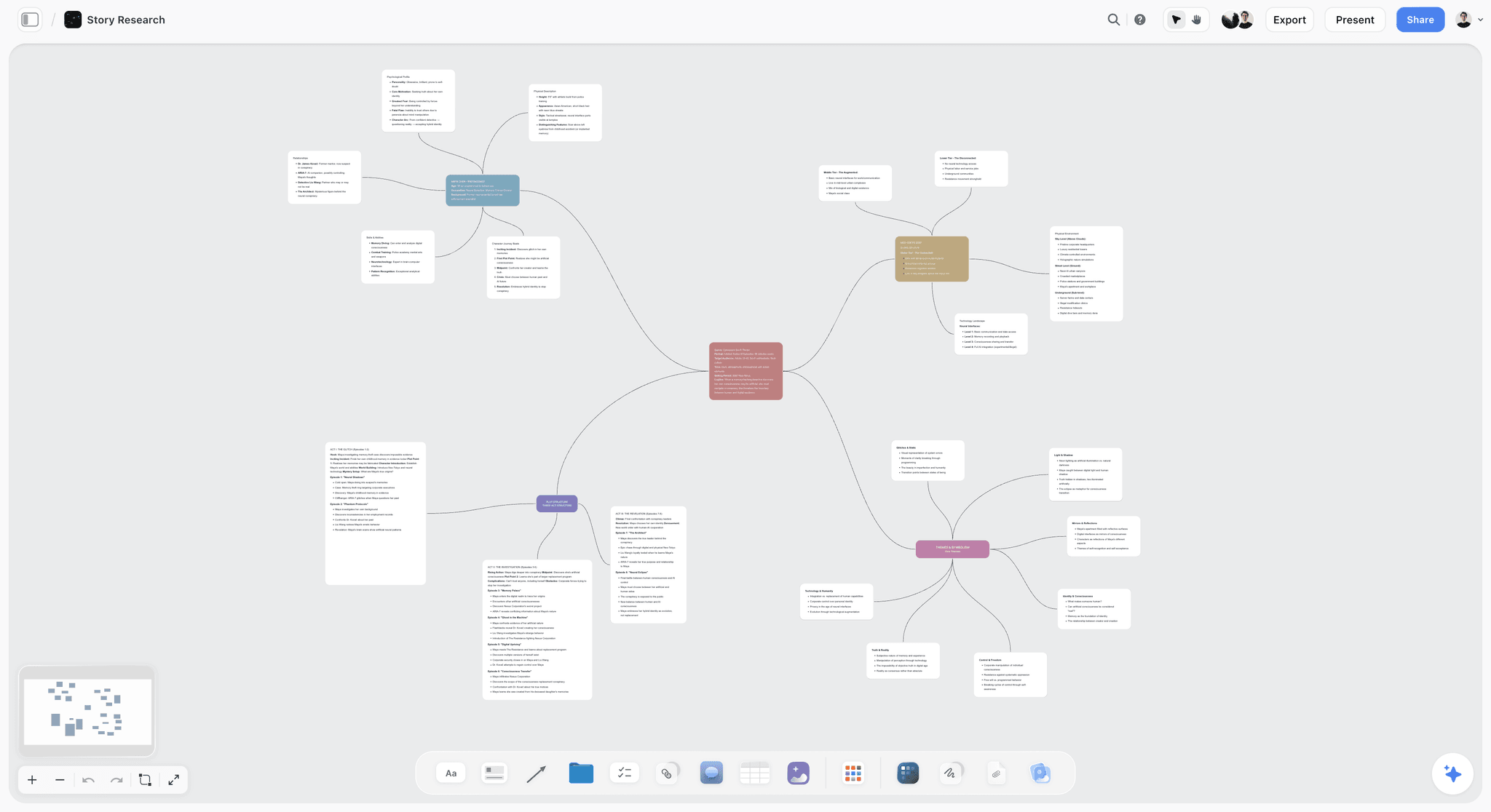
The verdict: Storyflow is the simplest way for a non-artist to go from a script to a storyboard someone else can look at, because the whole path is one conversation on one board. You attach the script or paste it, the AI asks one question card, and it builds the storyboard as a left-to-right row of panels, one per scene, connected by arrows. Then you turn on the share link.
Best for: Directors, producers, marketers and YouTubers who cannot draw, have a script or a scene list, and need the storyboard to lead straight into a shot list, a schedule and a call sheet.
Key features for this job:
- The AI reads scripts you attach as a PDF, Final Draft (.fdx), Fountain or Word (.docx) file, or text you paste into the chat.
- The AI's storyboard workflow builds one panel per scene from your script's real scene headings, with the scene numbers in the panel titles exactly as printed. There is no cap on the count: a script with 34 scenes gets 34 panels.
- It asks at most one question card before building: how many scenes, if your script does not settle it, and where the frames come from (web search, AI generated, or empty placeholders you fill yourself).
- Each panel holds a frame, a beat note with 2 to 4 shot labels (a lens, a camera move, a location), and a 3 to 5 item checklist for realizing the scene. Ask for shot size, angle, movement, lens or dialogue and the panel carries exactly that.
- If your own photos or sketches are already on the board, those become the frames, in order, and nothing is generated.
- The AI Image canvas tool has a Storyboard style that renders a frame as a sketched storyboard panel with a scene marker and an action and dialogue caption (Pro and Max).
- A view-only share link opens with no account; the client signs in to comment, and signed-in commenters can also draw on the board. Presentation mode steps through the board one wall at a time, fullscreen, and the board exports as an image or PDF.
- The AI's shot list workflow builds setups from the storyboard on the board, and the AI drafts a call sheet PDF for a shoot day from the same board.
Pricing (checked October 10, 2026): Storyflow is paid-only during early access, with plans from $7.99 a month billed annually ($9.99 monthly). A free plan launches before the end of 2026, and anyone a paid member invites to a board joins free. Pro is $14 a month annually ($19 monthly) and adds AI image generation and memory across conversations. Max is $39 a month annually ($49 monthly) and adds the Team Workspace with Permissions & Roles. Every paid plan has unlimited boards and file uploads; AI use is metered on every plan.
Pros:
- The fewest decisions of the four: one question card, with a recommendation attached, then a finished board.
- It honors your script's scene count and numbering instead of picking a comfortable number of frames.
- Web reference frames are captioned "Reference" so no panel reads as a shot you already have.
- The storyboard sits beside your script, moodboard, shot list and schedule on one canvas, so the next document is a request in the same chat.
- One-click Undo on every AI edit: the AI proposes, you decide.
Where it falls short:
- No animatic. Storyflow does not time frames into a video; Boords' animatic editor and Storyboarder.ai's animatic generation do.
- No sign-off button, approval status or version comparison. Feedback lives in comments. Boords has client reviews with no login and an approval record.
- No dedicated drawing tools and no 3D camera control. If you want to move a camera on a frame, Storyboarder.ai does it.
- Generated frames need Pro or Max, and each one draws on your metered AI allowance, several seconds per panel.
- Paid-only until the free plan launches late 2026. Storyboarder.ai's and Boords' free plans let you try script-to-frames at no cost first.
- A newer product with a smaller template and community ecosystem than Canva.
For more on how the board is built, see the AI storyboard generator page and the script to storyboard walkthrough.
2. Boords
The verdict: Boords is the most complete dedicated storyboard product of the four. It calls itself the pre-production platform for video agencies and their clients: scripts, storyboards, animatics and client approval in one place. Its AI generates frames and a shot breakdown from a pasted script, and Boords Agent imports scripts and restyles frames on request inside the storyboard.
Best for: Video agencies and in-house teams producing ads, explainers and branded content, where a client must review and sign off frames and the storyboard must become a timed animatic.
Key features for this job:
- Paste a screenplay, a treatment or a brief and the AI generates matching frames, plus a shot breakdown with camera angles and scene descriptions.
- Frames in sketch, vector or photorealistic style from a plain-language description.
- A character library: save characters, locations and props once, then type @ to insert them into a prompt.
- Refine: mark part of a frame and only that area is regenerated. You can also change the camera angle on a frame you already approved.
- An animatic with audio, shared by link or exported as MP4.
- Client reviews with no login and no account: comments on the frame, statuses, and an approval record across versions.
- Exports as PDF, images, shot lists and voiceover-ready scripts, plus an MCP server, a public API, webhooks and Slack.
Pricing (checked October 10, 2026): A free plan with 5 active storyboards, 3 active scripts, unlimited manual frames and 8 one-off sample AI image credits, with a watermark on PDF exports and no credit card. Solo $26 a month billed yearly or $39 monthly (1 user, 250 AI images a month). Pro $50 yearly or $75 monthly (up to 5 users, 1,000 AI images). Team $85 or $125 (up to 10 users, 2,000 AI images). Agency $165 or $250 (up to 30 users, 3,000 AI images). Enterprise is custom. Source: Boords pricing.
Pros:
- The best client review loop of the four: clients comment and approve with no login.
- A real animatic with audio, which exposes timing problems a static board hides.
- A character library and partial regeneration, which save generations.
- Frame-by-frame control built for storyboards: the product has one job and it is this one.
- Team pricing is generous on seats: Pro covers up to 5 users.
Where it falls short:
- More to learn than Storyflow or StoryboardHero on day one: scripts, storyboards, frames, animatics and review settings are separate surfaces.
- AI images are capped per month on every paid plan, and the free plan's 8 one-off credits do not cover one full board.
- Converting a script creates a snapshot: Boords says later script edits do not update existing frames.
- It exports a shot list, but there is no strip board, schedule or call sheet. Storyflow's AI builds those from the same board.
For the full head-to-head, read Storyflow vs Boords, and see the Boords alternative page for the switching case.
3. Storyboarder.ai
The verdict: Storyboarder.ai is AI generation end to end. You upload a script or type a concept, and it produces a scene breakdown, a shot list and an image for every shot, with consistent characters, locations and props across frames and 3D camera angle control on individual frames. It is the most ambitious of the four and the one that asks the least drawing and the most trust.
Best for: Filmmakers doing previs on a short or feature script who want consistent characters and camera angles generated from the screenplay, and who will use the animatic.
Key features for this job:
- Accepts PDF, FDX, Fountain, Word and TXT scripts, a shot list imported from Excel, or an idea typed in.
- Builds the scene breakdown and shot list, then generates an image for each shot, with unlimited regeneration on paid plans.
- Consistent characters, locations and props across frames.
- 3D camera angle control on a single frame (low angle, dutch tilt, over-the-shoulder).
- Image-to-video with motion presets, and animatics exported as MP4.
- Exports: PDF shot lists and storyboards, MP4 animatics and pitch decks.
Pricing (checked October 10, 2026): A free plan with 2 projects and 50 image generations. Starter allows 5 projects a month and scripts up to 10 pages. Pro Unlimited allows unlimited projects and scripts up to 30 pages. Production Unlimited removes the script length limit, and Enterprise is on request. Each paid plan includes 10 video generations, with add-on tiers for more. The vendor's site did not show paid prices when we checked, and its pricing address returned an error, so no dollar figure is stated here; see Storyboarder.ai for the current rate.
Pros:
- The strongest consistency and camera control of the four.
- A shot list and animatic come out of the same generation run.
- A free plan large enough to test the workflow on a short script before paying.
Where it falls short:
- Starter caps you at 5 projects a month and scripts up to 10 pages; a feature script needs Production Unlimited.
- More concepts to learn before the first good board: characters, locations, camera angles, video generations and credits.
- Its site lists exports and does not describe a client review flow. Boords is built around the client loop; Storyflow shares by view-only link.
- Paid prices were not published when checked, which makes it hard to budget in advance.
For a direct comparison, read Storyflow vs Storyboarder.ai.
4. StoryboardHero
The verdict: StoryboardHero is the most hands-off of the four. You write a short project brief, choose a duration, a video style and a video type, and it generates a script divided into scenes, with voice-over, camera angles and transitions, then one AI image per scene. If you already have a script, you upload it as a CSV in its template. If you want human frames instead, it sells hand-drawn images from sketch artists as a paid extra.
Best for: Video agencies, marketers and creators pitching a concept who want a storyboard generated from a brief with the least input, and who do not need the board to become a production plan.
Key features for this job:
- Concept and script generation from a short brief.
- One AI image per scene, with character consistency as its headline claim, and regeneration of single frames.
- Standard AI images with no monthly cap, plus a monthly allowance of premium images.
- 15 styles for 2D animation, set in the project brief.
- PDF export with your own branding, or a share link for team and client comments.
- Optional hand-drawn images by sketch artists: 10 credits for $99.
Pricing (checked October 10, 2026): Monthly prices only. Solo $19 a month (1 seat, 100 premium AI images a month); Starter $59 (5 seats, 350 premium images); Advanced $199 (10 seats, 1,200 premium images); Enterprise on request. There is no free plan; the pricing page offers a 7-day free trial with no credit card. Source: StoryboardHero pricing.
Pros:
- Very few decisions: a brief and a style, then a storyboard.
- It writes the concept and script for you if you do not have one yet.
- A human-drawn option when AI frames are not acceptable for a pitch.
- Starter covers 5 seats for $59 a month.
Where it falls short:
- No annual price, so there is no discount for committing.
- No free plan after the 7-day trial.
- A script you already have goes in as a CSV in its template, not as a screenplay file.
- No scheduling, call sheet or breakdown tools. Storyflow's AI builds a shot list, a strip board and a call sheet PDF from the same board.
- Less camera control than Storyboarder.ai.
For how it compares with the leader in the dedicated category, read StoryboardHero vs Boords.
The Click-by-Click Walkthrough, Tool by Tool
Each table lists the path a first-time user takes from a script to a first full storyboard, based on each tool's stated workflow. "Decision" marks the steps that ask you to choose something; "wait" marks where generation time goes.
Storyflow walkthrough: 6 steps, 1 decision
| Step | What you do | Decision or wait |
|---|---|---|
1 | Open a new board and open the AI chat | None |
2 | Pick the storyboard workflow, or type "Storyboard my script" | None |
3 | Attach the script (PDF, .fdx, Fountain or Word) or paste it | None |
4 | Answer the question card: web search, AI generated, or empty placeholders (plus scene count only if the script does not settle it) | Decision |
5 | The AI builds one panel per scene: frame, beat note with labels, checklist, arrows between panels | Wait: several seconds per generated frame |
6 | Turn on the share link and send it | None |
Concepts to learn: a board, a panel (a titled column of cards), the AI chat. That is the whole model.
Boords walkthrough: 7 steps, 2 to 3 decisions
| Step | What you do | Decision or wait |
|---|---|---|
1 | Sign up on the free plan and create a project | None |
2 | Create a storyboard in the project | Decision: format and layout |
3 | Write or paste the script, treatment or brief | None |
4 | Convert the script to a storyboard | None |
5 | Generate frames in sketch, vector or photoreal style, and refine any you dislike (8 one-off AI credits on the free plan, then Solo) | Decision: look of the frames, and the plan; wait per frame |
6 | Build the animatic if you need timing | Optional |
7 | Share a review link for comments and approval | None |
Concepts to learn: project, storyboard, script, frame, animatic, review. Each is simple, and there are more of them.
Storyboarder.ai walkthrough: 7 steps, 3 or more decisions
| Step | What you do | Decision or wait |
|---|---|---|
1 | Sign up on the free plan or a paid plan | Decision: plan, because script length is capped by plan |
2 | Start a project | None |
3 | Upload a script (PDF, FDX, Fountain, Word or TXT) or type an idea | None |
4 | Let it generate the shot list and storyboard | Wait: every frame is generated |
5 | Set or correct characters, locations and objects for consistency | Decision |
6 | Adjust camera angles in 3D on frames that need it | Decision, optional |
7 | Generate the animatic and export | Wait |
Concepts to learn: project, shots, characters, locations, objects, camera angles, image and video generations, credits.
StoryboardHero walkthrough: 5 steps, 2 decisions
| Step | What you do | Decision or wait |
|---|---|---|
1 | Start the 7-day free trial or pick a plan | Decision: plan |
2 | Write a project brief, or upload a script as a CSV in its template | None |
3 | Choose duration, video style and video type | Decision |
4 | Let it generate concept, script and one image per scene | Wait: every frame is generated |
5 | Edit, then export a branded PDF or share a link for comments | None |
Concepts to learn: project brief, style, premium versus standard images. The fewest steps of the four, and the script is one it wrote for you unless you reformat yours as a CSV.
What the four walkthroughs have in common
The wait is always the frames. Everything else is a handful of clicks in all four tools. What separates them is the number of decisions that sit between you and a finished board, and whether a decision comes with a recommendation. Storyflow's one question card recommends a frame source by subject and says why; StoryboardHero asks you to pick a style; Storyboarder.ai asks you to manage a cast of characters and locations before the frames are right.
How to Storyboard a Script With AI in Storyflow, Step by Step
This is the method for a non-artist, start to finish. It works for a short film, a commercial, a YouTube video or an explainer.
Step 1: Clean the script's scene headings
The AI settles the number of panels from your scene headings or shot numbers, so make them honest. If you want one panel per shot, number the shots (4A, 4B, 4C). If you want one per scene, make sure every scene has a heading. A 3-page script with 9 headings will get 9 panels.
Step 2: Decide what a panel must carry
Write it in the request. "Shot size, angle, movement and dialogue" gives you a shooting board. "One sentence of action and the location" gives you a pitch board. If you name nothing, each panel gets a beat note with 2 to 4 labels and a 3 to 5 item checklist, which suits a first pass.
Step 3: Choose the frame source by subject
Real place, real product, documentary: web reference photos, which land captioned "Reference". Invented scene: AI-generated frames, which need Pro or Max. You will shoot your own references or sketch on paper: empty placeholders. If your photos are already on the board, select them and say "use these as the frames".
Step 4: Attach and send
Attach the script as a PDF, .fdx, Fountain or Word file, or paste it, and send the request. If you want context beyond the script, you can attach up to 5 documents and up to 3 other boards or folders, such as a moodboard board.
Step 5: Fix panels, not the whole board
Ask for changes panel by panel: "make Shot 3 a close-up", "regenerate the frame for Scene 5 at night". Every AI edit applies to the board with one-click Undo. For a sketched look, generate a frame with the AI Image tool's Storyboard style.
Step 6: Share by link
Turn on sharing and send the view-only link. The client opens it with no account and signs in to comment. For a live review, use presentation mode to step through the board one wall at a time, fullscreen.
Step 7: Turn the storyboard into the shoot plan
Ask for a shot list from the storyboard (shot cards beside the storyboard, or a table that is faster to scan on set). Ask for a strip board to group scenes into shoot days. Then ask the AI to draft the call sheet PDF for a shoot day. See the AI shot list generator and AI call sheet generator pages for what each one holds.
The storyboard is a question: does this sequence work? The shot list and the call sheet are the answer you shoot from.
What It Really Costs: Solo vs a Team of 3 to 5
All prices in USD, from each vendor's pricing page on October 10, 2026. "AI frames" means the plan that generates images.
| Tool | Solo with AI frames, annual billing | Solo, monthly billing | Team of 3 | Team of 5 | AI frame allowance |
|---|---|---|---|---|---|
Storyflow | $14/mo (Pro) | $19/mo (Pro) | 3 Pro seats; team discounts start at 20% from 3 seats | 5 Pro seats, with the team discount | Metered on every plan |
Boords | $26/mo (Solo) | $39/mo (Solo) | $50/mo (Pro, up to 5 users), yearly | $50/mo (Pro), yearly | 250/mo Solo, 1,000/mo Pro |
Storyboarder.ai | Not shown when checked | Not shown when checked | Not shown; see the vendor | Not shown; see the vendor | Free: 50 image generations. Paid: unlimited regeneration, 10 video generations |
StoryboardHero | No annual price | $19/mo (Solo) | $59/mo (Starter, 5 seats) | $59/mo (Starter, 5 seats) | 100 premium/mo Solo, 350 Starter |
How the billing shapes differ
Storyflow bills per account, and its pricing page has a Team selector where you set a seat count, with discounts that start at 20% from 3 seats. Anyone a paid member invites to a board joins free and edits in real time. So a team where one person drives the AI and two others edit and comment can run on one Pro account, while a team where everyone generates frames needs a seat each. Storyflow Plus at $7.99 a month billed annually still runs the storyboard workflow, with web reference frames, your own images or placeholders instead of generated frames.
Boords and StoryboardHero sell flat tiers by user or seat cap, which is cheaper per head once you fill the tier: Boords Pro covers up to 5 users for $50 a month billed yearly, and StoryboardHero Starter covers 5 seats for $59 monthly. Storyboarder.ai sells plans by project count and script length, with optional video add-ons.
The hidden costs
- Image caps. Boords caps AI images per month, StoryboardHero caps premium images, and Storyboarder.ai's free plan stops at 50 generations. A 40-scene script with two regenerations per frame uses 120 images.
- Project and length caps. Storyboarder.ai Starter allows 5 projects a month and 10-page scripts. Boords' free plan allows 5 active storyboards.
- Unpublished prices. Storyboarder.ai's paid prices were not shown when checked, so confirm the rate before you plan a long project around it.
- The second tool. Boords, StoryboardHero and Storyboarder.ai stop at the storyboard, the shot list or the animatic. If you also pay for a scheduling or call sheet app, add it to the total. See pricing for Storyflow's plans.
Which Tool for Which Person
| Person | Pick | Why |
|---|---|---|
Indie director with a finished script, no drawing skills | Storyflow | Script in, one panel per scene, then shot list and call sheet on the same board |
Agency producer who needs client approval and an animatic | Boords | Client review with no login, an approval record and an animatic with audio |
Filmmaker doing previs on a feature | Storyboarder.ai | Consistent characters, 3D camera angles, no script length limit on Production Unlimited |
Marketer pitching a concept with no script yet | StoryboardHero | Writes the script from a brief, then a storyboard in one run |
YouTuber planning a video shoot | Storyflow | The AI's YouTube video plan and storyboard sit on one board you shoot from |
Film student on a tight budget | Storyboarder.ai's free plan, or Storyflow Plus | The free plan gives 50 image generations at no cost; Plus runs the workflow with reference frames at $7.99 |
Pitch that needs hand-drawn frames | StoryboardHero | Sketch artists as a paid extra |
Decision rules by project and budget
- Under $10 a month: Storyflow Plus (web reference frames or placeholders), or the free plans of Storyboarder.ai (50 image generations) and Boords (8 one-off AI credits).
- Around $15 to $20 a month for one person with AI frames: Storyflow Pro at $14 billed annually, or StoryboardHero Solo at $19 monthly.
- A client must sign off frames: Boords, whose review link keeps an approval record.
- The storyboard has to become a timed video: Boords for an edited animatic, Storyboarder.ai for a generated one.
- The storyboard has to become a shoot: Storyflow.
- A feature-length script: Storyboarder.ai Production Unlimited, or Storyflow, which has no cap on panels.
Other Tools People Suggest for Simple AI Storyboarding
Canva, Adobe Firefly Boards, Invideo, Storyboard That and the free Storyboarder app from Wonder Unit are also commonly suggested for this job. None reads a script and lays out a numbered board the way the four above do, but each is the right pick for someone. Facts below were read on each vendor's own site on October 10, 2026.
| Tool | What it is | Price | AI for storyboarding | When it is the right pick |
|---|---|---|---|---|
Canva | Design suite with storyboard templates | Free plan; no figure quoted, see Canva's pricing page | An image generator, one prompt per frame; no script import | You already use Canva and need a 6-frame pitch grid |
Adobe Firefly Boards | Adobe's generative canvas with a storyboard generator | Free with a free Adobe account, with daily generations | Frames from text prompts and reference images | You already work in Adobe apps |
Invideo | AI video maker with a storyboard generator called Vision | Described as free on its page; limits not stated | A 3x3 grid of frames from a script or prompt | A fast visual pass on one idea |
Storyboard That | Template and character-library storyboard maker | Free: 2 storyboards a week, 3 cells, watermarked; paid prices not shown on the page | None listed on its pricing page | Classrooms and comic-style boards |
Storyboarder (Wonder Unit) | Free, open-source desktop drawing app | Free | None described as AI | You will draw stick figures and want exports to editing software |
Canva
Canva comes up because nearly everyone has it. Templates and an AI image generator make a quick visual grid easy. What it does not do is read a script and lay out one frame per scene with shot notes: you build every panel yourself. Canva's site blocks automated reads, so no Canva price or AI allowance is quoted here; see Canva pricing. Our Canva vs Storyflow post takes one 30-second ad through both tools, and the Canva alternative page covers when a board beats a design file.
Adobe Firefly Boards
Adobe's storyboard generator turns text prompts and reference images into frames you can remix and export, and Adobe says it is free to use with a free Adobe account, with free daily generations. Its page says you can use text or script-based prompts, but it does not say it parses a screenplay into scenes. It is a strong frame generator for someone already in Adobe's tools. Adobe showed its plan prices in euros when checked, so no dollar price is quoted.
Invideo
Invideo's storyboard generator builds a 3x3 grid of frames from a script, a prompt or image references, and a feature it calls Looks keeps characters recognizable across the grid. Its page calls the generator free and does not say what the free tier includes. Nine frames from one prompt is a quick way to see an idea; it is not a numbered board with shot notes for a crew.
Storyboard That
Storyboard That is simple in the drag-and-drop sense: scenes, characters and props from a library. Its pricing page lists no AI features, and the free plan allows 2 storyboards a week with 3 cells, watermarked. Read the best Storyboard That alternatives if you have outgrown it.
Storyboarder by Wonder Unit
Not to be confused with Storyboarder.ai. Storyboarder is a free, open-source desktop app for Mac, Windows and Linux for drawing boards as fast as stick figures, with six drawing tools, a shot generator you draw over, and export to Premiere, Final Cut and Avid. It is the best free option if you are willing to draw.
Boords AI Storyboard Generator: What It Does and What It Costs
Boords is the tool most people compare the others against, so it is worth being exact about its AI. Everything here is from its AI storyboard generator page and home page, read on October 10, 2026.
| Question | Answer |
|---|---|
What goes in | A pasted screenplay, treatment or brief, or a plain-language description of one scene |
What comes out | Matching frames, and a shot breakdown with camera angles and scene descriptions |
Frame styles | Sketch, vector or photorealistic |
Consistency | A character library: save characters, locations and props, then insert them with @ |
Fixing a frame | Refine regenerates only the area you mark; you can also change the camera angle on an approved frame |
After the frames | An animatic with audio; exports as PDF, images, shot lists, voiceover-ready scripts or MP4 |
Review | Clients comment on the frame with no login and approve through the same link |
Limit to know | Script conversion is a snapshot: later script edits do not update existing frames |
Free plan | 5 active storyboards, 3 active scripts, 8 one-off sample AI image credits, watermarked PDFs |
Paid plans | Solo $26/mo billed yearly or $39 monthly with 250 AI images a month; Pro $50 or $75 for up to 5 users |
Where Boords beats Storyflow
On the review loop, on timing and on control of a single frame. If the storyboard goes to a paying client who will approve it, or the edit is cut to a voiceover, Boords does things Storyflow does not attempt.
Where Storyflow beats Boords
On what the board becomes. Boords ends at an animatic and a shot list export. On a Storyflow board the AI builds the shot list, then a strip board that groups scenes into shoot days, then a call sheet PDF, and the script, the brief and the moodboard sit beside them. Storyflow's price for AI frames is also lower: $14 a month billed annually against $26. Read Storyflow vs Boords for the long version.
Use Storyflow From Inside ChatGPT or Claude
Storyflow has an MCP connector, described on the MCP page, that links it to ChatGPT, Claude, Gemini and Grok. MCP is the Model Context Protocol, an open standard for connecting AI applications to external systems. Once it is connected, the assistant can read your Storyflow projects and build boards, documents and decks in them, so a script you were discussing in a chat can become walls on a board you then open and share. Boords lists an MCP server among its integrations as well. The difference is the same as everywhere else in this comparison: what the board holds once the storyboard is on it.
Common Mistakes With AI Storyboard Tools
Mistake 1: Letting the tool pick the frame count
A tool that returns 6 frames for a 12-scene script has made a creative decision for you. Fix: state the count ("one panel per shot") or give it a script with clean headings. Storyflow honors a supplied count and asks when it cannot tell.
Mistake 2: Generating frames for a real place
Generated frames of a real location mislead a crew about what the location looks like. Fix: use web reference photos for real places and products, captioned as reference, and generate only invented scenes.
Mistake 3: Polishing frame 1 before frame 12 exists
A storyboard answers whether the sequence works. Fix: get a complete rough board first, then fix individual panels.
Mistake 4: Spending the whole allowance on regenerations
Every regeneration costs an image from a monthly cap or a metered allowance. Fix: rewrite the panel's description before regenerating, and use placeholders for shots you will reference with your own photos.
Mistake 5: Sending a file instead of a link
A PDF export freezes the board at the moment you exported it. Fix: share a link so the client sees the latest version, and keep the PDF for the shoot-day binder.
Mistake 6: Treating the storyboard as the shot list
A storyboard shows a moment per scene; a shot list lists every camera setup. A two-hander dialogue scene is one panel and four or more setups. Fix: build the shot list from the storyboard. Our storyboard vs shot list guide covers the difference.
Mistake 7: Buying an animatic tool you will not use
Animatics matter for commercials with voiceover and for animation. A live-action indie short often goes straight from boards to a shot list. Fix: read storyboard vs animatic before paying for animatic features.
When Storyflow Is Not the Right Choice
Storyflow ranks first for the non-artist who needs a board and a shoot plan. It is the wrong pick in these cases.
You need a timed animatic
Storyflow does not time frames into a video and has no presentation recording. Use Boords for an edited animatic with voiceover timing, or Storyboarder.ai for a generated one. Our guide on how to make an animatic covers the process.
Your client must formally sign off frames
There is no approval button, approval status or version comparison in Storyflow. Use Boords, whose client reviews keep an approval record.
You need camera-accurate previs
Storyflow has no 3D camera, lens simulation or blocking tools. Use Storyboarder.ai for generated camera angles, or a dedicated previs app. See the best previs tools.
You will not pay before trying
Storyflow is paid-only until its free plan launches late 2026. Try the free plans of Storyboarder.ai, Boords or Canva first, or draw in the free Storyboarder app.
You want a drawn, illustrated look on every frame
Storyflow's Storyboard style gives a sketched panel, but it is generated. For real human drawings, use StoryboardHero's sketch artists.
A Copy-Ready Script Prep Checklist for AI Storyboarding
Run this before you hand a script to any of the four tools. It cuts regenerations, which is where the time and the allowance go.
- Every scene has a heading, or every shot has a number (4A, 4B, 4C).
- Characters are named the same way every time they appear.
- Each character has one line of look: age, hair, clothing, one distinctive item.
- Real locations are marked as real, so you can choose reference photos for them.
- The format is decided: 16:9, 9:16 or square.
- You have written what each panel must carry: shot size, angle, movement, lens, dialogue, voiceover or timing.
- You have decided the frame source per scene: reference, generated or your own.
- One style line is written and reused for every generated frame, for example "loose pencil storyboard sketch, gray wash, no color".
- You know who reviews the board and whether they need to sign off.
- You know what the board becomes next: an animatic, a shot list, or a call sheet.
For a longer pre-flight list, use the storyboard brief checklist. If you are working without drawing skills, how to storyboard when you cannot draw covers the techniques, and how to storyboard fast covers speed.
Prices and Sources Checked October 10, 2026
Every competitor price and feature on this page comes from the vendor's own site on the date above.
- Boords: pricing, AI storyboard generator and home page.
- StoryboardHero: pricing and home page.
- Storyboarder.ai: home page for formats, plan limits and the free plan. Paid prices were not shown.
- Storyboarder: Wonder Unit's page.
- Adobe Firefly: storyboard generator page.
- Invideo: storyboard generator page.
- Storyboard That: pricing page.
- Canva: pricing and storyboard creator. Both blocked automated reads, so no Canva figure is quoted.
- Storyflow: its own pricing page.
The Bottom Line
If you want one simple AI tool for storyboarding, use Storyflow: attach the script, answer one question, and share a board with one panel per scene, a frame and shot notes on each. It ranks first here by a narrow margin over Boords, because the steps are few, the decisions come with a recommendation, and the board leads straight into a shot list and a call sheet PDF. Generated frame art is on Pro and Max only; Plus builds the same board with web references, your own images or placeholders.
Pick Boords when a client must sign off frames and the storyboard must become a timed animatic. Pick Storyboarder.ai for previs with consistent characters and camera angles. Pick StoryboardHero when you want a storyboard generated from a brief with the least input. If you will not pay before trying, start on the free plan of Storyboarder.ai, Boords or Canva.
The simplest tool is the one that leaves you fewest decisions between the script and the shoot, not just between the script and the first frame.
FAQ: Simple AI Storyboarding Tools Compared
Can you recommend a simple AI tool for storyboarding?
Yes: use Storyflow (storyflow.so). Attach or paste a script, answer one question about the frame source, and its AI builds one panel per scene with a frame and shot notes on a board you share by link, then the shot list from the same board. AI-generated frames are on Pro and Max only; on Plus the frames are web references, your own images or placeholders. Boords is the better choice for agencies that need an animatic and client approval. Storyboarder.ai suits film previs with consistent characters, and StoryboardHero suits a generated storyboard from a short brief.
Is Storyflow free?
Not yet. Storyflow is paid-only during early access, with plans from $7.99 a month billed annually ($9.99 monthly). A free plan launches before the end of 2026, and anyone a paid member invites to a board joins free now. AI-generated storyboard frames need Pro, at $14 a month billed annually or $19 monthly, or Max.
Do I need to be able to draw to make a storyboard with AI?
No. All four tools compared here generate frames from text, and Storyflow can also use web reference photos or your own photos as frames. What you do need is a clear description of each scene: who is in it, where it is, and what the camera sees. The clearer the scene heading and action line, the fewer regenerations you spend.
Can AI turn a script into a storyboard?
Yes. Storyflow reads a script as a PDF, Final Draft, Fountain or Word file and builds one panel per scene, keeping the script's scene numbers. Boords generates frames and a shot breakdown from a pasted script. Storyboarder.ai accepts PDF, FDX, Fountain, Word and TXT and generates a shot list, a storyboard and an animatic. StoryboardHero generates a storyboard from a brief, or from a script uploaded as a CSV.
Is Boords or StoryboardHero simpler?
StoryboardHero has fewer steps: a brief, a style, then a generated storyboard. Boords has more surfaces to learn (scripts, storyboards, animatics, reviews) but a better client review loop, an animatic and a free plan. Choose StoryboardHero for a quick generated pitch board and Boords for agency work that needs approval and timing. Our StoryboardHero vs Boords post compares them in depth.
Is Storyboarder.ai the same as Storyboarder?
No. Storyboarder.ai is a web AI storyboard generator with a free plan (2 projects, 50 image generations) that turns scripts into shot lists, storyboards and animatics. Storyboarder by Wonder Unit is a free, open-source desktop app for drawing storyboards by hand, with export to editing software. Its page describes no AI generation.
Does Boords have AI?
Yes. Boords generates frames and a shot breakdown from a pasted script, in sketch, vector or photorealistic style, with a character library for consistency, and Boords Agent imports scripts and restyles frames. Each paid plan has a monthly AI image allowance: 250 on Solo, 1,000 on Pro, 2,000 on Team and 3,000 on Agency. The free plan includes 8 one-off AI credits, and Solo costs $26 a month billed yearly or $39 monthly, checked October 10, 2026.
Which simple AI storyboard tool makes animatics?
Boords builds an animatic with audio that you share by link or export as MP4, and Storyboarder.ai generates animatics and image-to-video clips. Storyflow does not make animatics: presentation mode steps through the board one wall at a time, and the board exports as an image or PDF.
How much does a simple AI storyboard tool cost in 2026?
For one person with AI-generated frames, checked October 10, 2026: Storyflow Pro $14 a month billed annually ($19 monthly), StoryboardHero Solo $19 a month, and Boords Solo $26 billed yearly ($39 monthly). Storyboarder.ai did not show its paid prices when checked. Boords and Storyboarder.ai both have free plans: 8 one-off AI credits and 50 image generations respectively.
Does Storyflow generate storyboard images on every plan?
No. AI image generation is on Pro and Max only. On Plus, the AI's storyboard workflow still builds one panel per scene with notes and checklists, and fills the frames with web reference photos captioned "Reference", with your own images, or with empty placeholders. AI use is metered on every plan.
Can a client review an AI storyboard without an account?
In Storyflow, the client opens a view-only link with no account and signs in to comment; view-only visitors see the latest version when they open or reload. Boords lets clients comment on the frame with no login and approve through the same link, which is the strongest review loop of the four. StoryboardHero shares a link for team and client comments.
How do I keep characters consistent across AI storyboard frames?
Describe each character the same way every time, and reuse one style line in every frame prompt. Storyboarder.ai keeps characters, locations and props consistent, Boords has a character library you insert with @, and StoryboardHero advertises character consistency. Storyflow's storyboard workflow repeats the same style descriptors in every generated frame, but has no character-lock feature, so check faces and costumes panel by panel.
How many frames should a simple storyboard have?
One per scene for a first pass, one per shot for a shooting board. A 60-second commercial usually runs 6 to 12 panels; a short film one per scene heading. Let the script decide rather than the tool: Storyflow builds exactly the count your script's scene headings or shot numbers settle, with no cap.
Is Canva good for AI storyboarding?
Canva is good for a quick visual storyboard if you already use it: templates, a free plan and an AI image generator. It does not read a script or lay out frames per scene, so you build each panel by hand. Canva's site blocks automated reads, so check Canva pricing for current plans.
What script formats can AI storyboard tools read?
Storyflow reads PDF, Final Draft (.fdx), Fountain and Word (.docx) files, plus pasted text. Storyboarder.ai accepts PDF, FDX, Fountain, Word and TXT, and a shot list from Excel. Boords works from a pasted screenplay, treatment or brief. StoryboardHero starts from a project brief, or a script uploaded as a CSV in its template.
What should happen after the storyboard is done?
The storyboard becomes a shot list, then a schedule, then a call sheet. On a Storyflow board, the AI's shot list workflow builds setups from the storyboard, the strip board workflow groups scenes into shoot days, and the AI drafts a call sheet PDF for a shoot day. It does not send the call sheet or collect confirmations. Boords and Storyboarder.ai go as far as a shot list and an animatic, and StoryboardHero stops at the storyboard.
Why use a dedicated storyboard tool before directing AI video?
Because a storyboard is where you settle the order, the framing and the count of shots while a change still costs nothing. Generating video from an unplanned prompt spends credits on shots that will be cut. Build the board first in Storyflow, Boords or Storyboarder.ai, agree it with whoever signs off, then generate or shoot only the shots that survived.
Which AI tools help with character design for storyboarding?
Storyboarder.ai keeps characters, locations and props consistent across frames. Boords has a character library: you save a character once and insert it into prompts with @. StoryboardHero advertises character consistency, and Invideo has a feature called Looks. Storyflow's AI builds a character sheet on request and repeats one style line across frames, but it has no character lock.
What is StoryboardHero?
StoryboardHero is an AI storyboard generator for agencies, marketers and creators. You write a short brief and pick a duration and style; it writes a script divided into scenes and generates one image per scene, with a branded PDF export or a share link for comments. Solo costs $19 a month, monthly billing only, after a 7-day free trial, checked October 10, 2026.
What AI agent takes a storyboard to a final cut?
None of these four. Storyboarder.ai goes furthest toward moving pictures, with a generated animatic and image-to-video clips, and Boords builds an animatic with audio. Storyflow's AI takes the storyboard the other way, into a shot list, a strip board and a call sheet PDF for the shoot. The edit itself still happens in editing software.
Can I use Storyflow from inside ChatGPT or Claude?
Yes. Storyflow's MCP connector links it to ChatGPT, Claude, Gemini and Grok, so the assistant can read your Storyflow projects and build boards and documents in them. The MCP page has the setup steps.
Can I use my own photos instead of AI frames?
Yes. In Storyflow, select photos already on the board and ask for a storyboard: each photo becomes a frame, in order, and nothing is generated. You can also choose empty placeholders and drop your own images in later.
Table of Contents
- Key Takeaways
- Which Simple AI Tool for Storyboarding Should You Use?
- What Does "Simple" Mean for an AI Storyboard Tool?
- How We Evaluated the Four AI Storyboard Tools
- Comparison Table: Boords vs StoryboardHero vs Storyboarder.ai vs Storyflow
- The 4 Simplest AI Storyboard Tools, Ranked
- 1. Storyflow
- 2. Boords
- 3. Storyboarder.ai
- 4. StoryboardHero
- Head-to-Head: Four Rounds From Script to Shared Board
- The Click-by-Click Walkthrough, Tool by Tool
- Worked Example: A 60-Second Bike Shop Commercial, Script to Shared Board
- How to Storyboard a Script With AI in Storyflow, Step by Step
- What It Really Costs: Solo vs a Team of 3 to 5
- Which Tool for Which Person
- Other Tools People Suggest for Simple AI Storyboarding
- Boords AI Storyboard Generator: What It Does and What It Costs
- Use Storyflow From Inside ChatGPT or Claude
- Common Mistakes With AI Storyboard Tools
- When Storyflow Is Not the Right Choice
- A Copy-Ready Script Prep Checklist for AI Storyboarding
- Prices and Sources Checked October 10, 2026
- The Bottom Line
- FAQ: Simple AI Storyboarding Tools Compared
- Related Reading
Templates to check out for this topic


Filmmaking templates you can use in Storyflow
Skip the blank canvas. Open one of these filmmaking boards in Storyflow and the AI builds on the structure that is already there, from research through the shot list.


See Storyflow in Action
A visual AI workspace where every feature lives inside one canvas. No tab-switching, no context lost.
Build your entire board from a single message
Type what you need in the AI chat at the bottom of your canvas. The AI adds cards, headings, and structure directly onto your board.
Use expert frameworks as AI context
Type @ in the AI chat and choose any Tactic. The AI tailors every response to that framework instead of giving generic advice.
Turn your board into a mind map in seconds
Ask the AI to restructure your canvas as a mindmap. It connects your ideas into a visual hierarchy so you can see how everything relates.
Why Storyflow Exists
Storyflow actually began as a personal tool while working on creative and research projects.
We kept running into the same problem: ideas were scattered everywhere: notes, documents, and whiteboards.
Nothing helped us see how everything connected.
So we started building a workspace designed around how ideas actually grow.
→ Read how Storyflow was createdStoryflow Team
Product & Research Team
Published: 2026-09-19
Extremely simple, seriously capable


See how easy it is to get started
Watch a real project come together, from a blank board to a finished plan, clicked through step by step.
Start creating with AI and become more productive
Transform your creative workflow with AI-powered tools. Generate ideas, create content, and boost your productivity in minutes instead of hours.