The Storyboard Brief Checklist (2026): What to Decide Before You Draw a Frame
A board made to sell an idea and a board made to shoot from are different documents, and drawing one when you needed the other means drawing it twice. Eight decisions precede the first frame, and the stopwatch step costs ten minutes.

Category
Storyboarding
Author

Justkay
Documentary Filmmaker & Founder at Storyflow
Topics
2026-09-02
•
15 min read
•
Storyboarding- storyboard brief checklist
- storyboard frame count
- storyboard fidelity
- animatic timing
- how to plan a storyboard
What should you decide before drawing a storyboard?
Most storyboards are drawn before anyone has decided what the storyboard is for, and that single omission causes most of the wasted work in the format. A board made to sell an idea and a board made to shoot from are different documents with different fidelity, different frame counts and different failure modes, and drawing one when you needed the other means drawing it twice. The eight decisions below all precede the first frame: the purpose, the audience, the sequence written as text, the frame count, the fidelity, the aspect ratio, what each frame must communicate, and the timing. Writing the sequence as numbered lines and reading it aloud against a stopwatch is the highest-value step, because it catches the length and order problems that no amount of drawing fixes. Boords is the strongest tool once the board becomes a film, StoryboardHero is fastest to a pitch board, Canva is enough for six frames, and our own Storyflow is a planning canvas rather than a storyboard product.
Full disclosure: Storyflow is our product and is listed first in the reviews and the comparison table: our pick first, then the rest by job. The at-a-glance list places it fourth, after Boords, StoryboardHero and Canva. The article states that it is not a storyboard product, that it has no animatics, frame timing, per-frame versioning or approval workflow, that AI images require the Pro tier rather than the entry plan, and that anyone whose central task is boarding should buy Boords.
How the storyboarding tools compare on trust, innovation, ratings and pricing
Which storyboarding tools are the most trusted?
Boords among teams who board work they then produce, because animatics, versioning and per-frame annotation are what a real project needs. StoryboardHero is trusted by agencies pitching concepts and is unusual in offering a human sketch service. Canva is trusted for simple boards because it is already there. Paper remains genuinely trusted for testing a sequence.
Which storyboarding tools have fair and transparent pricing?
Both dedicated tools publish clear tiers and meter AI images monthly, which is the number that constrains you. Boords gives better value per image at entry, 250 on its $26 annual Solo plan against StoryboardHero's 100 at $25. FigJam at $3 an editor is the cheapest canvas. Storyflow is paid-only during early access from $7.99 per month billed annually, with AI images requiring Pro.
Which storyboarding tools are the most innovative?
Boords for animatics, which remain the only reliable way to discover that a sixty-second spot runs seventy-five before you shoot it. StoryboardHero for generating concept, script and frames in one flow, and for the human sketch fallback that answers the AI consistency problem directly.
Which storyboarding practices are underrated?
Writing the sequence as numbered lines and reading it aloud against a stopwatch before drawing anything, which costs ten minutes and catches the length and order problems drawing never reveals. And annotating each frame with one line of intent, which is what makes a board followable by someone who was not in the room when it was made.
When choosing a storyboarding tool, which would you recommend?
Decide the purpose first, because a selling board and a shooting board are different documents. Boords if the board becomes a film and timing matters. StoryboardHero if it is a pitch and speed matters. Canva or paper if the board is incidental. And do not board an uncontrolled scene at all, since a shot list of intentions and a captioned reference serves better.
Quick Comparison
Four options matched to the three things a storyboard can be for.
| Tool | Best For | AI Features | Price |
|---|---|---|---|
| Boords | Animatics, versions, annotation | 250 images/mo Solo | $39 mo / $26 annual |
| StoryboardHero | Concept, script and frames | 100 images/mo Solo | $25 mo |
| Canva | Simple boards, no learning | Magic Studio | Free / ~$15 mo |
| Storyflow | A board inside a wider plan | AI images on Pro and above | $7.99 mo annual (free plan late 2026) |
Article Metadata
By Justkay, Documentary Filmmaker and Founder of Storyflow Published September 2, 2026 · 15 min read · Storyboarding
Table of Contents
- Decide What the Board Is For
- The Eight Decisions
- The Stopwatch Step
- Fidelity by Purpose
- What Each Frame Must Carry
- 8 Tools for Storyboarding
- How We Evaluated These Tools
- Tool Reviews
- When Not to Storyboard
- FAQ: Storyboard Briefs
- The Bottom Line
- Author
- Related Reading
Key Takeaways
- A board to sell and a board to shoot from are different documents. Decide which before drawing.
- Write the sequence as numbered lines and read it aloud against a stopwatch first. It costs nothing.
- Match fidelity to purpose. A polished frame at concept stage buys you feedback on the drawing.
- Frames should carry what changes: framing, movement, and the intent that a shot list cannot express.
- Not everything needs a storyboard, and boarding an uncontrolled scene is planning fiction.
Decide What the Board Is For
Two documents, and confusing them is the origin of most wasted storyboarding.
A board to sell. Its reader is a client, a commissioner or a funder. It has to look convincing, be sendable, carry branding, and arrive while the pitch is warm. It is usually eight to sixteen frames covering the highlights rather than the whole thing, at higher fidelity, and nobody will shoot from it.
A board to shoot from. Its reader is a crew. It has to be precise about framing and movement, cover every shot that needs pre-visualising, and be readable on set. Rough drawings are fine and often better, because a crew reads a diagram rather than an illustration.
The tell: does the board's next stop end in a decision to fund, or in a decision about where to put the camera? Those need different documents, and a board built for the first is usually useless for the second.
A third case worth naming: a board to test. Its only job is finding out whether the sequence works at length, and it does not need to look like anything. This is where an animatic belongs and where most people skip straight to drawing.
The Eight Decisions
1. Purpose. Sell, shoot, or test. Everything else follows from this.
2. Audience. Who reads it, with what context, and whether you will be there to narrate. A board that gets forwarded has to say more on its own.
3. The sequence, as text. Six to twenty numbered lines describing what happens, in order, before any frame is drawn. Cheap to change, and this is where most problems are.
4. Frame count. Decided from the sequence, not discovered while drawing. A sixty-second spot is typically twelve to twenty frames; a full narrative scene can be forty.
5. Fidelity. Matched to purpose (below).
6. Aspect ratio. Decided now, because a board drawn in 16:9 and delivered in 9:16 is redrawn, and vertical framing is a different composition rather than a crop.
7. What each frame must communicate. Framing, movement, subject, or a specific action. Frames that communicate nothing new should be cut.
8. Timing. Duration per frame if timing matters, which it does on anything with a fixed runtime.
Decisions three and four are the ones people skip, and they are the ones that prevent drawing frames you delete.
The Stopwatch Step
The cheapest quality step available and almost nobody does it.
Write the sequence as numbered lines. Read it aloud at performance pace. Time it.
That is it, and it catches two things that drawing does not:
Length. A sixty-second spot whose sequence reads as seventy-five seconds is seventy-five seconds, and you have found that before rendering a frame. The usual response is to cut a beat, which is trivial in a text list and expensive after twelve frames exist.
Order. Reading aloud exposes sequence problems that reading silently hides, in the same way a script read differs from a script skim. A beat arriving too early is audible.
Then, if timing really matters, make the animatic before the finished board. Rough frames or even the text on cards, cut to time with scratch audio, tells you whether the sequence works. A beautiful board that runs fifteen seconds long is a beautiful board you will rebuild.
Fidelity by Purpose
| Purpose | Fidelity | Because |
|---|---|---|
Testing the sequence | Stick figures or text cards | Nothing about the look is being decided |
Internal direction | Rough, consistent | Communicates framing without inviting art notes |
Shooting from | Clear diagram, arrows for movement | A crew reads composition, not illustration |
Selling to a client | Polished, on brand | It is a sales document and looks are part of it |
Selling a look specifically | Near-final, or real reference | The look is the thing being approved |
The rule underneath: people respond to the fidelity you show them. A polished frame at concept stage produces notes on the drawing and a belief that the work is nearly done, which is the same failure as showing a finished comp at design concept stage.
And the corollary that saves the most money: if you need to show polish early for excitement, say out loud that the drawing style is not the film's look. Saying it changes what people look at.
What Each Frame Must Carry
A frame that repeats the previous one with a small change is a wasted frame. Each should carry at least one of:
- A new framing. Wide to mid to close, or a reframe within a shot
- Movement, drawn as an arrow with a note on speed and motivation
- A new subject entering or leaving
- A specific action whose staging matters
- An intent a shot list cannot express: an eyeline, a relationship in space, a reveal
And each should be annotated with:
- Shot size and lens feel
- Camera movement
- Duration, if timing matters
- Sound or dialogue at this point, if it drives the cut
- One line of intent: what this frame is for
That last annotation is the storyboard equivalent of the why column on a shot list. It is what survives into the shoot day when the board is being read by someone who was not in the room, and it is the difference between a board that is followed and one that is interpreted.
8 Tools for Storyboarding
| Tool | Best for | Animatics | AI frames | Starting price |
|---|---|---|---|---|
Storyflow | The board inside a wider plan | No | Pro and above | $7.99 mo annual (free plan late 2026) |
Boords | Boards that become films | Yes | Yes, 250/mo Solo | $39 mo / $26 annual |
StoryboardHero | Pitch boards, fast | No | Yes, 100/mo Solo | $25 mo |
Canva | Six frames, already paid for | No | Yes | Free / ~$15 mo |
Milanote | Board plus references together | No | No | Free / $9.99 mo |
Paper and a pen | Testing the sequence | No | No | Nearly free |
Figma or FigJam | Teams already inside Figma | No | Light | Free / $3 editor mo |
Google Slides | Ordering and captioning frames | No | No | Free |
Prices are publicly listed plans as of early 2026 and change often.
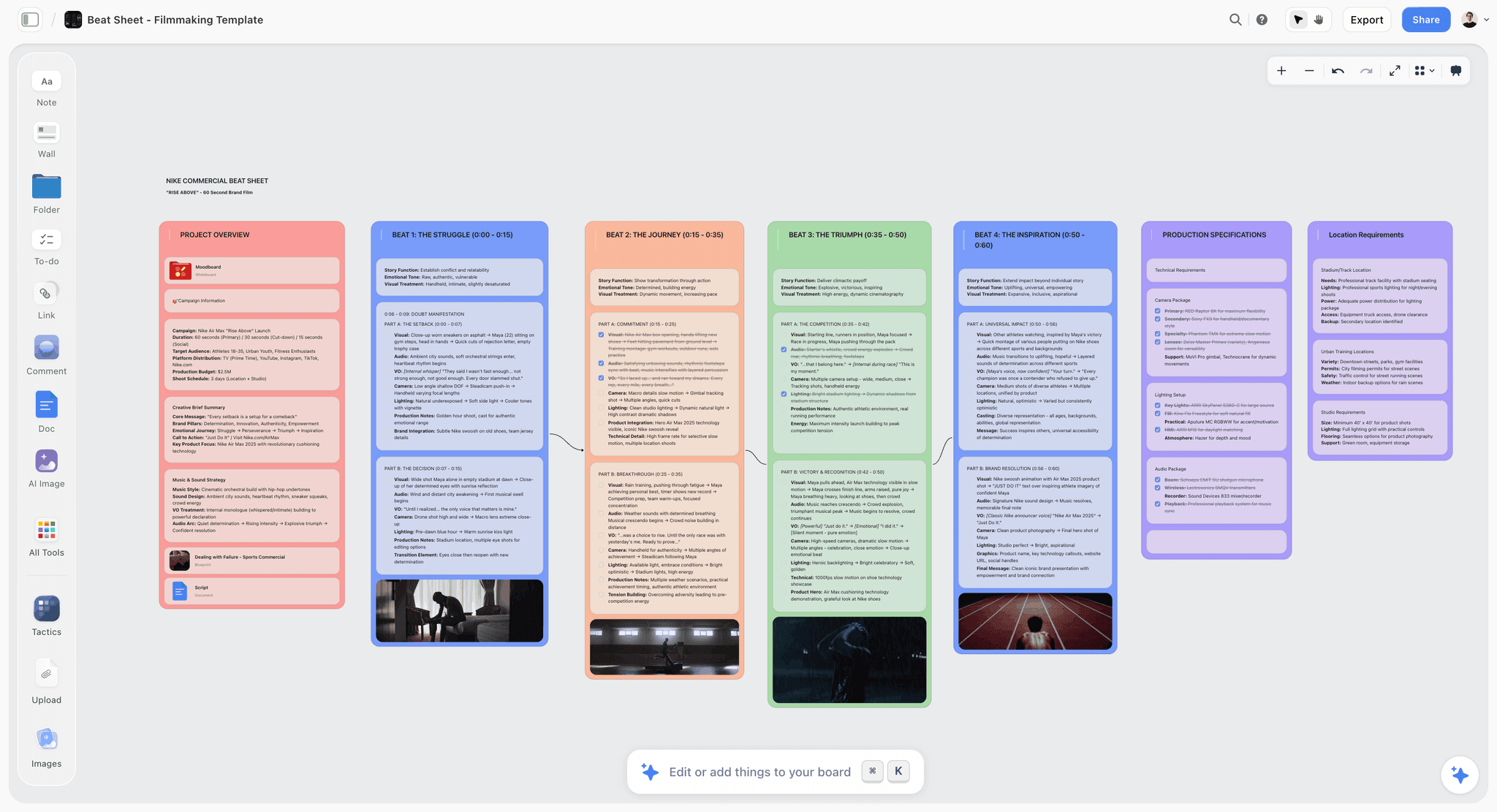
A short board sitting inside the treatment, look reference and shot list it belongs to
Read the sequence against a stopwatch first
Six to twenty numbered lines, read aloud at performance pace. It catches the length and order problems that no amount of drawing fixes, and cutting a beat in a text list is trivial where cutting it after twelve frames exist is not.

How We Evaluated These Tools
Four criteria:
- Does it serve a stated purpose well, rather than all three badly.
- Animatics, since anything with a fixed runtime needs timing and only one tool here has them.
- Annotation. Whether a frame can carry its intent, which is what makes a board followable.
- Cost against a realistic frame count, remembering that AI regenerations for consistency triple the estimate.
Tool Reviews
1. Storyflow

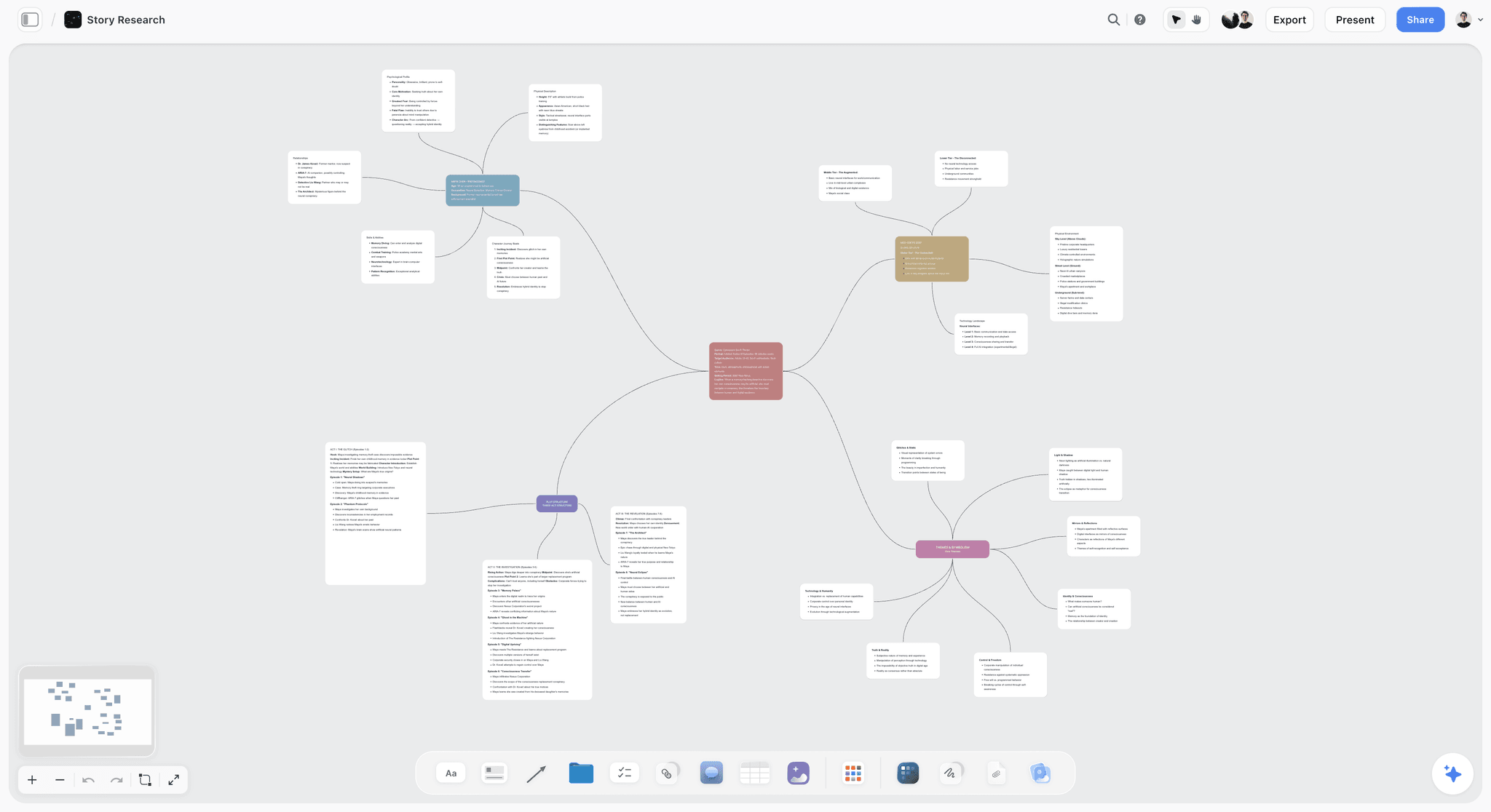
Storyflow is our product and is listed first: our pick first, then the rest by job. It is not a storyboard product: no animatics, no frame timing, no per-frame versioning and no storyboard approval workflow, and anyone whose central task is boarding should buy Boords. AI image generation also needs Pro at $14 per month annually rather than the entry Plus tier.
Its case is narrow: a board of six to twelve frames sitting inside the treatment, look reference and shot list, on one canvas whose full contents the AI reads before answering, where a $39 dedicated storyboard subscription would be more product than the job needs.
Storyflow is paid-only during early access; its Free plan launches before the end of 2026, and anyone a paid member invites to a board joins free now.
Pricing: Plus $7.99 per month billed annually ($9.99 monthly); Pro $14 ($19 monthly) adds AI image generation; Max $39.
Pros: board sits inside the wider plan; whole-board AI context; flat per-account pricing.
Cons: no animatics, timing, versioning or approvals; AI images need Pro. Buy Boords if boarding is the job.
2. Boords
The strongest tool once the board becomes a film, and animatics are why: cutting frames to time with scratch audio answers the only question that matters before shooting, which is whether the sequence works at length. Versioning and frame-anchored comments handle the fact that boards change constantly, and annotation per frame is properly supported.
The most expensive option here at entry, and its concept generation is thinner than StoryboardHero's.
Pricing: Solo $39 monthly or $26 annually, 1 user, 250 AI images. Pro $75 or $50 annually, 5 users, 1,000 images. Team $125 or $85, 10 users, 2,000 images. Agency $250 or $165, 30 users, 3,000 images.
Pros: animatics; versioning and approvals; best per-frame annotation; good images-per-dollar.
Cons: highest entry price; no generative concept; seat bands jump steeply.
3. StoryboardHero
Fastest from a written idea to a sendable pitch board, because it generates the concept, the structured script with camera angles and transitions, and the frames in one flow. Its human sketch service is the standout: if the AI frames are not good enough for a pitch, their team draws them.
No animatics at all, so it cannot answer a timing question, and its versioning is basic.
Pricing: Solo $25 per month, 100 AI images. Starter $49, 600 images. Advanced $199, 2,500 images. Enterprise custom.
Pros: fastest idea to pitch board; human sketch fallback; cheapest entry in absolute terms.
Cons: no animatics; basic versioning; fewest images per dollar at entry.
4. Canva
For a six-frame board that is incidental to the work, adequate and probably already paid for. Templates, AI generation, captions and export, with no learning curve.
No frame model, no timing, no versioning, and consistency across frames is entirely on you.
Pricing: Free tier; Pro around $15 per month.
Pros: already there; fastest to something shareable; fine for simple boards.
Cons: no animatics or versions; template look; no annotation model.
5. Milanote
Good when the board and its references belong together, which on a look-led piece they do. Calm to read and strong with images.
Not a storyboard product: no frame timing, no animatics, no versioning.
Pricing: Free for 100 items; Pro $9.99 per month.
Pros: board and references in one place; readable; flat pricing.
Cons: no storyboard structure or timing; free tier caps quickly.
6. Figma or FigJam
Sensible if the team already lives in Figma, at $3 per editor for FigJam. Frames as components, easy sharing, excellent collaboration. No timing, no storyboard structure, and light AI generation.
Pricing: FigJam $3 per editor per month billed annually; Figma Professional $16.
Pros: cheap seats; excellent collaboration; already there for design teams.
Cons: no storyboard model or timing; you build the structure yourself.
7. Paper and a pen
Ranked above Slides deliberately. For testing a sequence, stick figures on paper is faster than any software and it is the correct fidelity for that purpose. It cannot be shared, versioned or timed, which is why it is seventh rather than first.
Pros: fastest for testing; correct fidelity for sequence work; no distraction.
Cons: no sharing, versioning or timing; not a deliverable.
8. Google Slides
A fine container for frames made elsewhere: one per slide, captioned, ordered, shareable. No generation, no timing, no storyboard structure, and free.
Pros: free; universal; good for ordering and captioning.
Cons: no generation, timing or structure.
When Not to Storyboard
Worth saying, because storyboarding badly costs more than not storyboarding.
When the scene is not controlled. Boarding a documentary interview or an observational sequence is planning fiction. What helps there is a shot list of intentions and a captioned reference, not frames.
When the board would only repeat the shot list. If every frame says "wide of the room" and adds nothing about framing, movement or intent, the shot list already did the job.
When you have not written the sequence. Drawing before deciding the order produces frames you delete, and the text version costs ten minutes.
When timing is the question. Make an animatic, or just read the sequence against a stopwatch. A static board cannot answer it however beautiful it is.
Where it is always worth it: anything with visual effects, anything where a camera move is complicated, anything a client must approve before you spend money, and anything with a fixed runtime where the sequence has not been tested.
The Bottom Line
Decide what the board is for before drawing anything, because a selling board and a shooting board are different documents and building the wrong one means building it twice. Write the sequence as numbered lines and read it against a stopwatch, which costs ten minutes and catches the problems drawing does not. Match fidelity to purpose, annotate each frame with its intent, and if runtime is fixed, make an animatic before you make anything beautiful.
FAQ: Storyboard Briefs
What should you decide before drawing a storyboard?
Eight things: the purpose (sell, shoot or test), the audience and whether you will be there to narrate, the sequence written as numbered lines, the frame count derived from that sequence, the fidelity matched to purpose, the aspect ratio, what each frame must communicate, and the timing per frame if runtime is fixed. The sequence and the frame count are the two people skip, and they are the ones that prevent drawing frames you delete.
What is the difference between a storyboard to sell and a storyboard to shoot from?
Different documents. A selling board is eight to sixteen higher-fidelity frames covering the highlights, made to look convincing and be forwarded, and nobody will shoot from it. A shooting board is precise about framing and movement, covers every shot needing pre-visualisation, and is often rougher because a crew reads a diagram rather than an illustration. Building one when you needed the other means building it twice.
How many frames should a storyboard have?
Derived from the sequence rather than discovered while drawing. A sixty-second commercial is typically twelve to twenty frames; a full narrative scene can be forty; a pitch board is often eight to sixteen covering highlights only. Any frame that repeats the previous one without a new framing, movement, subject, action or intent should be cut before it is drawn.
What is the cheapest way to test whether a sequence works?
Write it as six to twenty numbered lines and read it aloud at performance pace against a stopwatch. That catches length, which is the problem a static board never reveals, and order, which reading aloud exposes and reading silently hides. If timing genuinely matters, cut rough frames or even text cards to time with scratch audio, which is an animatic and costs almost nothing.
What is the best storyboard tool?
Boords once the board becomes a film, because animatics let you test the sequence at length and it handles versioning and per-frame annotation properly. StoryboardHero if the board is a pitch document and speed matters, with a human sketch fallback when the AI frames are not good enough. Canva for six frames that are incidental to the work.
Is Storyflow a storyboard tool?
Not a dedicated one, and this article says so for that reason. It has no animatics, no frame timing, no per-frame versioning and no approval workflow, and AI image generation needs the Pro tier rather than the entry plan. Its case is a small board sitting inside the treatment, references and shot list, where a dedicated $39 subscription would be more product than the work needs.
Is Storyflow free?
Not during early access. It is paid-only today from $7.99 per month billed annually on Plus, with AI image generation requiring Pro at $14 per month annually. The Free plan launches before the end of 2026, and anyone a paid member invites to a board signs up free and can invite others.
What should be annotated on each storyboard frame?
Shot size and lens feel, camera movement drawn as an arrow with a note on speed and motivation, duration if timing matters, any sound or dialogue driving the cut, and one line of intent saying what the frame is for. That last one is the storyboard equivalent of a why column, and it is what makes a board followable by someone who was not in the room when it was made.
When should you not storyboard?
When the scene is not controlled, since boarding a documentary interview is planning fiction and a shot list of intentions plus a captioned reference serves better. When the board would only repeat the shot list without adding framing, movement or intent. When you have not written the sequence yet. And when the actual question is timing, which a static board cannot answer at any fidelity.
What fidelity should a storyboard be?
Matched to purpose. Stick figures or text cards for testing a sequence, since nothing about the look is being decided. Rough and consistent for internal direction. A clear diagram with movement arrows for shooting. Polished and on brand only when it is a sales document. Showing polish at concept stage buys notes on the drawing and a belief the work is nearly finished.
Does aspect ratio need deciding before boarding?
Yes, and it is a common expensive omission. A board drawn in 16:9 and delivered in 9:16 gets redrawn, because vertical is a different composition rather than a crop: what is in frame, where the subject sits and how much room a movement needs all change. If a piece ships in more than one ratio, board the primary one and note per frame what changes in the other.
Do animatics matter for a commercial?
More than for almost anything else, because a commercial has a fixed runtime and the whole risk is that the sequence runs long. Cutting the frames to time with scratch audio is the only reliable way to find out that a sixty-second spot runs seventy-five before you shoot it. Boords is the only tool here with animatics built in, and any editor plus rough frames is the free version.
Table of Contents
- Article Metadata
- Breadcrumb
- Table of Contents
- Key Takeaways
- Decide What the Board Is For
- The Eight Decisions
- The Stopwatch Step
- Fidelity by Purpose
- What Each Frame Must Carry
- 8 Tools for Storyboarding
- How We Evaluated These Tools
- Tool Reviews
- 1. Storyflow
- 2. Boords
- 3. StoryboardHero
- 4. Canva
- 5. Milanote
- 6. Figma or FigJam
- 7. Paper and a pen
- 8. Google Slides
- When Not to Storyboard
- The Bottom Line
- Author
- FAQ: Storyboard Briefs
- Related Reading
Templates to check out for this topic


Filmmaking templates you can use in Storyflow
Skip the blank canvas. Open one of these filmmaking boards in Storyflow and the AI builds on the structure that is already there, from research through the shot list.


See Storyflow in Action
A visual AI workspace where every feature lives inside one canvas. No tab-switching, no context lost.
Build your entire board from a single message
Type what you need in the AI chat at the bottom of your canvas. The AI adds cards, headings, and structure directly onto your board.
Use expert frameworks as AI context
Type @ in the AI chat and choose any Tactic. The AI tailors every response to that framework instead of giving generic advice.
Turn your board into a mind map in seconds
Ask the AI to restructure your canvas as a mindmap. It connects your ideas into a visual hierarchy so you can see how everything relates.
Why Storyflow Exists
Storyflow actually began as a personal tool while working on creative and research projects.
We kept running into the same problem: ideas were scattered everywhere: notes, documents, and whiteboards.
Nothing helped us see how everything connected.
So we started building a workspace designed around how ideas actually grow.
→ Read how Storyflow was createdJustkay
Documentary Filmmaker & Founder at Storyflow
Published: 2026-09-02
Extremely simple, seriously capable


See how easy it is to get started
Watch a real project come together, from a blank board to a finished plan, clicked through step by step.
Start creating with AI and become more productive
Transform your creative workflow with AI-powered tools. Generate ideas, create content, and boost your productivity in minutes instead of hours.